Gantt charts remain one of the clearest ways to plan, schedule, and track projects. They help teams see dependencies, adjust timelines, and manage resources in a single visual layout.
In this guide, we’ll explore the best Gantt chart software solutions to help you make the best choice.
At GoodDay, our Gantt charts support all workflow types, from simple task structures to complex, multi stage projects. And our team is always there for you. If you have any questions that are not covered in this article, you can always connect with us via info@goodday.work
Best Gantt chart software (shortlist for 2026)
Here are some of the strongest Gantt chart software tools for teams looking for reliable Gantt chart functionality.
- GoodDay: Offers some of the most flexible Gantt chart views available.
- ClickUp: A versatile choice with broad features.
- Smartsheet: Offers a powerful, spreadsheet-like interface for complex projects.
- GanttPRO: It is a specialized tool well-suited for complex projects and resource management.
- Asana: Recommended for its ability to handle large teams and its strong integration capabilities.
- Monday.com: Helps build customized workflows.
- TeamGantt: Designed to help manage multiple projects effectively.
- Microsoft Project (Planner): Comprehensive, though often more complex, tool.
- Zoho Projects: A good budget-friendly option for small and medium-sized businesses.
- Wrike: Known for its robust collaboration features, suitable for projects at scale.
- Paymo: A strong tool for project management needs.
- Airtable: Highly customizable, a good fit for teams that need adaptable workflows.
Comparison of the best Gantt chart software
Let’s compare leading Gantt chart software tools.
| Software | Best for | Cost |
| GoodDay | Teams needing flexible views with strong customization at low cost | Professional 4 USD per user; Business 7 USD per user; Enterprise custom |
| ClickUp | Remote teams wanting a multipurpose work platform | Unlimited 10 USD per user; Business 19 USD per user; Business Plus 29 USD per user; Enterprise custom |
| Smartsheet | Spreadsheet oriented project planning | Pro 9 USD per user; Business 32 USD per user; Enterprise custom; Gov custom |
| GanttPRO | Teams focused on advanced scheduling and resource planning | Basic 7.99 USD per user; Pro 12.99 USD per user; Business 19.99 USD per user; Enterprise custom |
| Asana | Large teams needing structured collaboration | Premium 10.99 USD per user; Business 24.99 USD per user; Enterprise custom |
| Monday.com | Teams building customized workflows | Basic 9 USD per user; Standard 12 USD per user; Pro 19 USD per user; Enterprise custom |
| TeamGantt | Small to medium teams wanting simple online Gantt charts | Standard Manager 19.90 USD; Advanced Manager 24.45 USD; Enterprise custom |
| Microsoft Project (Planner) | Enterprises requiring advanced scheduling and portfolio management | Project Plan 1 is 10 USD per user; Project Plan 3 is 30 USD per user; Project Plan 5 is 55 USD per user |
| Zoho Projects | Cost conscious small to mid size teams | Premium 5 USD per user; Enterprise 10 USD per user |
| Wrike | Companies needing enterprise scale reporting and automation | Team 9.80 USD per user; Business 24.80 USD per user; Enterprise custom; Pinnacle custom |
| Paymo | Agencies needing time tracking, invoicing, and planning | Starter 5.95 USD per user; Small Office 11.95 USD per user; Enterprise custom |
| Airtable | Teams wanting database style planning with Gantt extensions | Team 20 USD per user; Business 45 USD per user; Enterprise custom |
Best Gantt chart software (tested and reviewed)
Let’s take a closer look at Gantt chart tools that stand out for functionality, reliability, and practical use across different industries.
1) GoodDay
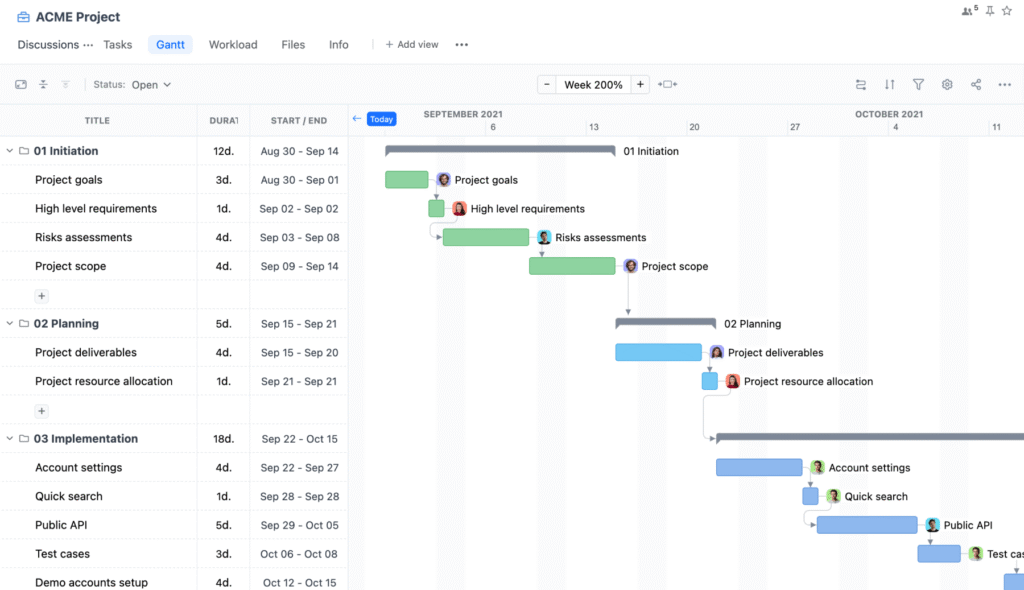
GoodDay is an all-in-one project management platform with deeply configurable Gantt chart functionality used by Fortune 500 companies, scaling startups, and established organizations all over the world. Platform’s Gantt functionality is part of a wider set of management views, allowing teams to transition seamlessly between list, table, Kanban board, calendar, timeline, workload, and portfolio views.
It supports drag-and-drop scheduling, built-in time tracking, customizable columns, task dependencies, baselines for comparing planned vs actual progress, and resource workload planning. And its modest price is a standout, you really get a lot for what you pay. GoodDay is recognized as a top-rated software in 12 Capterra shortlists.
Main features
The platform is consistently appreciated by users because it achieves a rare combination of robust capabilities and budget friendly pricing.
- full Gantt chart suite with interactive drag and drop scheduling
- multiple views including list, board, table, calendar, portfolio, timeline, and workload
- advanced task relationships and dependencies
- baselines for comparing planned and actual progress
- resource and workload management tools
- custom fields, custom statuses, and tailored workflows
- goal and OKR tracking
- built in time tracking
- detailed reporting and analytics
- automations for task updates and workflow rules
- portfolio and program level management
- documents, wikis, and file attachments
- permissions and role management for teams
Integrations
GoodDay connects directly with G Suite, Gmail, Slack, Google Docs, Google Drive, Google Calendar, Dropbox, Box.com, SSO via SAML, GitHub, GitLab, and email based task creation. It also integrates with more than one thousand business applications via Zapier and provides an API to link with internal or custom systems.
Desktop and mobile capabilities
GoodDay is available on Windows, Mac, Linux, iOS, and Android, giving users full access to tasks, projects, and dashboards whether they are working from a computer or mobile device.
Pros and cons
| Pros | Cons |
| trusted by over 100,000 teams worldwide | advanced reporting requires configuration |
| rich blend of planning, execution, and tracking features | tailoring workflows may require additional optimization time |
| very cost effective with a free plan for up to fifteen users | advanced workflow features take time to learn |
| no aggressive upselling and pricing remains predictable | wide customization options may slow early adoption |
2) ClickUp
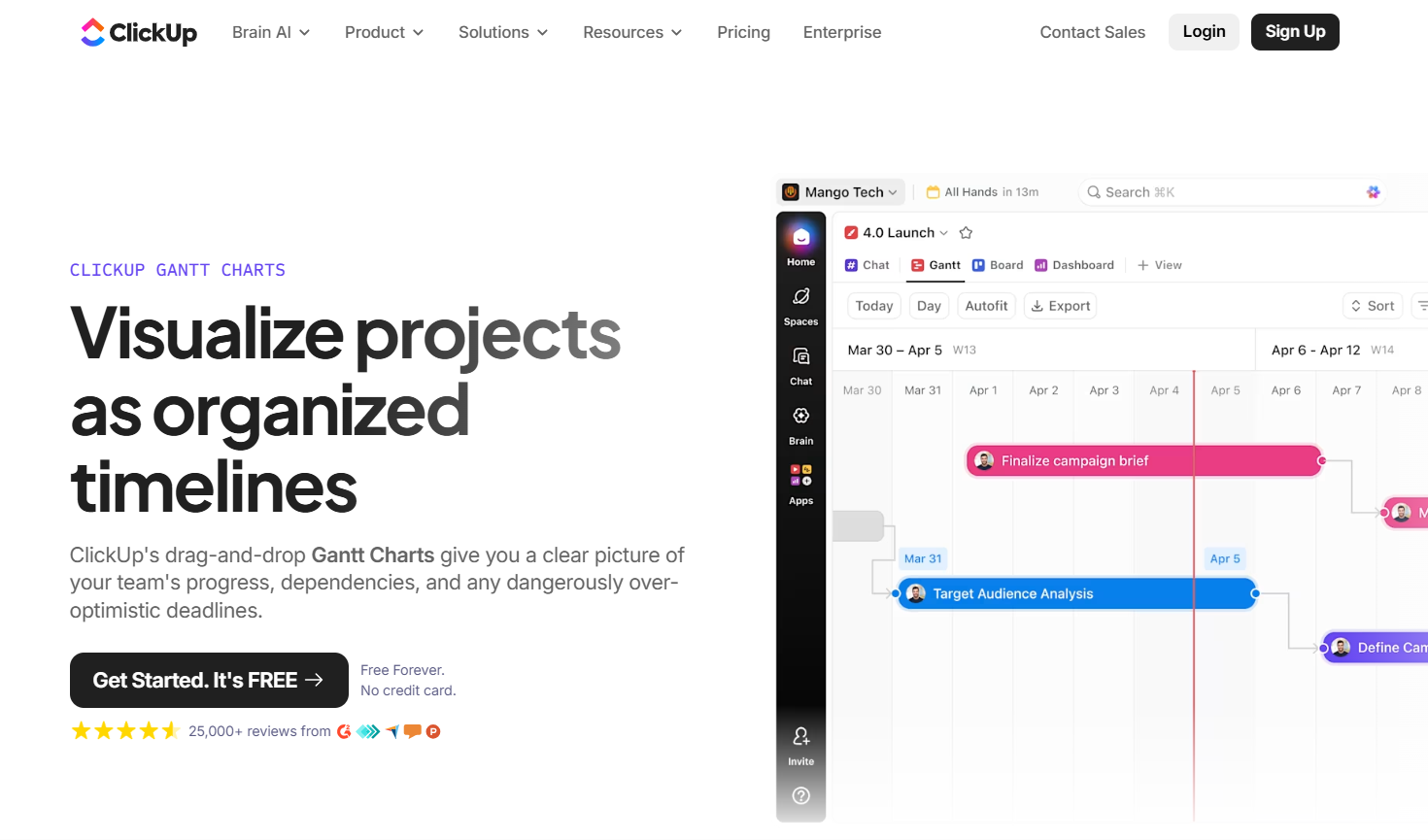
ClickUp includes a fully functional Gantt view that supports drag-and-drop scheduling of tasks, creation of task dependencies, and automatic timeline adjustments when project plans change. Users can add milestones, view critical paths, and balance workload with capacity views to keep timelines realistic and responsive to shifting priorities.
The Gantt visualization also connects with real-time collaboration features like comments and notifications, helping teams stay aligned as changes occur. ClickUp’s Gantt chart is one of many available views, including lists and boards, so teams can switch context while keeping a consistent project structure.
Main features
ClickUp is well regarded because it delivers a broad feature set that supports both simple and complex workflows.
- drag and drop Gantt charts
- task dependencies and automatic timeline adjustments
- milestones and critical path
- workload and capacity view
- custom statuses and custom fields
- docs, whiteboards, and mind maps
- real time collaboration
- automations for repetitive processes
- dashboards with configurable widgets
Integrations
ClickUp integrates with Slack, Google Workspace, Outlook, Microsoft Teams, Zoom, GitHub, GitLab, OneDrive, and hundreds of other tools through its integration library and Zapier.
Desktop and mobile capabilities
ClickUp provides applications for Windows, Mac, Linux, iOS, and Android, along with a full browser version.
Pros and cons
| Pros | Cons |
| extensive customization options | interface can feel crowded |
| multiple work views including Gantt, board, and timeline | advanced features available only on higher tiers |
| strong collaboration tools for remote teams | setup and configuration may take time |
| rich documentation and templates | large workspaces may load slowly |
3) Smartsheet
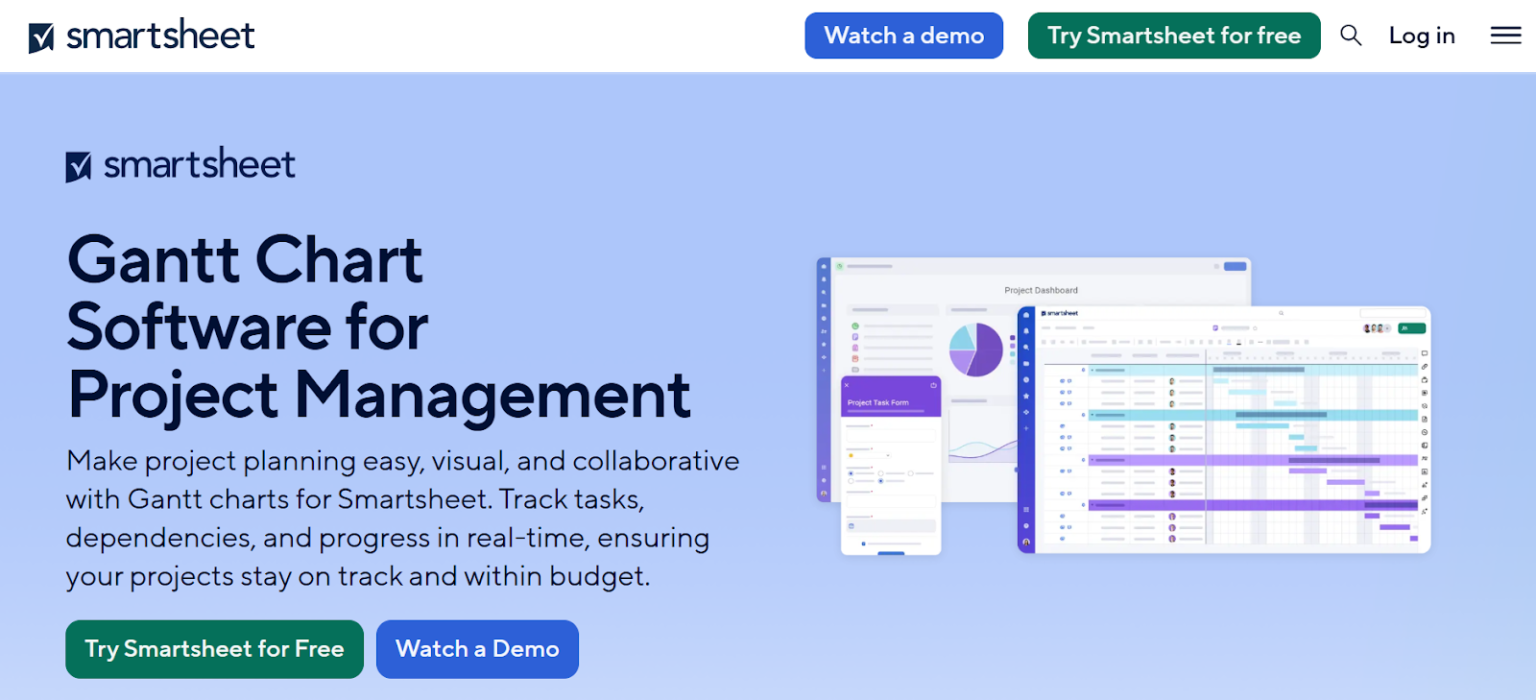
Smartsheet takes a spreadsheet-inspired approach to project planning that automatically translates sheet data into Gantt charts with dependencies, critical path visuals, and baseline comparisons. This makes it straightforward for teams familiar with spreadsheets to build schedules and monitor timelines within the same environment they manage task lists and reports.
Gantt charts in Smartsheet also integrate with dashboards and automated notifications, so project managers can track progress, resource usage, and potential bottlenecks across multiple projects. Its structure appeals to teams handling data-driven planning and enterprise-level reporting.
Main features
Users value Smartsheet for its reliable structure and ability to combine spreadsheet logic with project scheduling.
- automatic Gantt creation from sheet data
- task predecessors and dependencies
- critical path visualization
- baseline comparison
- resource allocation and time tracking
- forms for data collection
- workflow automation
- reporting and dashboards
Integrations
Smartsheet integrates with Microsoft 365, Google Workspace, Slack, Jira, Salesforce, Zapier, and BI tools.
Desktop and mobile capabilities
Smartsheet provides a full browser experience and apps for iOS and Android devices.
Pros and cons
| Pros | Cons |
| familiar spreadsheet environment | learning curve for non spreadsheet users |
| robust enterprise controls and permissions | advanced features require higher tier plans |
| strong automation features | interface can feel rigid |
| good reporting and dashboards | complex sheets may require training |
4) GanttPRO
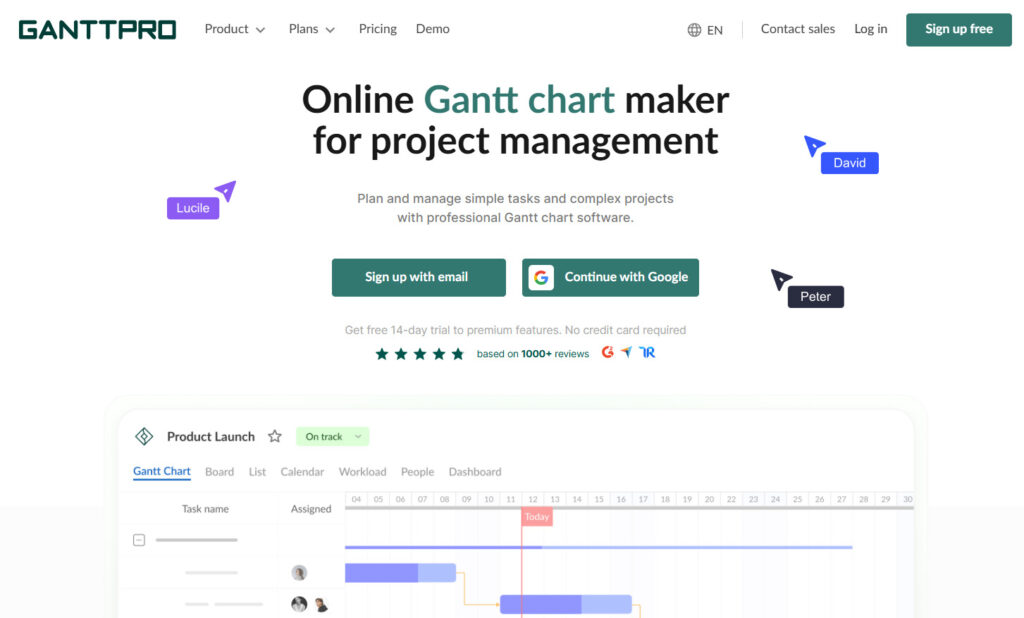
GanttPRO is a tool built specifically around Gantt chart planning, offering clear, interactive timelines where tasks, dependencies, and project milestones can be added visually. It highlights critical paths and allows teams to manage resource workload and cost estimates directly within the chart.
GanttPRO also supports multiple views such as board and list alongside the timeline, and its automatic scheduling adjusts dates when task dependencies change. This combination helps teams focus on timeline accuracy and resource allocation without shifting between separate modules.
Main features
The tool is respected because it provides a straightforward, focused experience around Gantt chart planning.
- interactive Gantt chart with drag and drop
- task dependencies and constraints
- critical path visualization
- baselines
- resource workload and cost management
- time estimates and progress tracking
- portfolio level planning
Integrations
GanttPRO integrates with Jira, Google Drive, Slack, and Zapier.
Desktop and mobile capabilities
GanttPRO works in the browser and provides mobile apps for iOS and Android.
Pros and cons
| Pros | Cons |
| simple interface optimized for Gantt charts | less flexible for non Gantt workflows |
| clear resource management tools | limited free plan |
| easy onboarding | fewer collaboration features |
| accurate scheduling tools | offline mode not available |
5) Asana
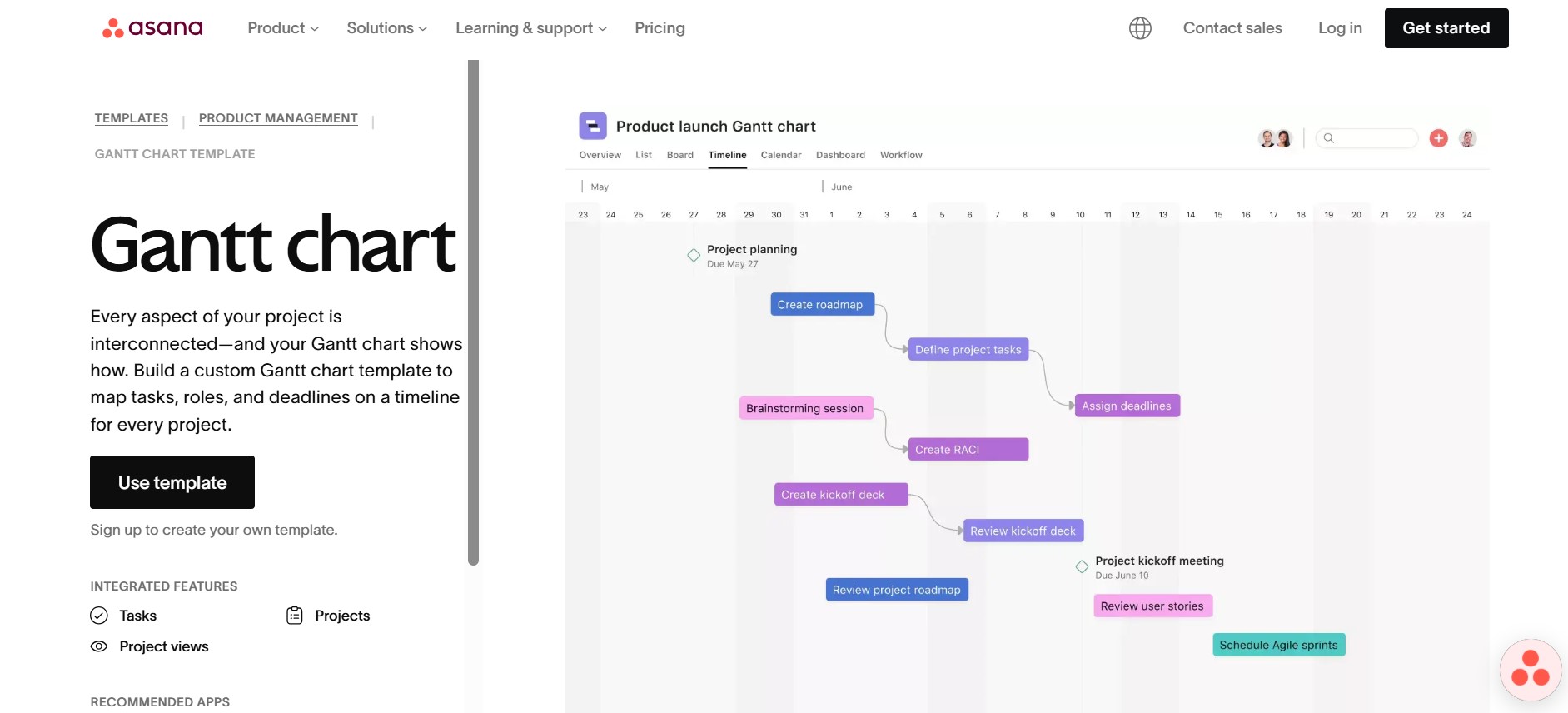
Asana offers a “timeline” view that functions as its Gantt chart, letting users drag tasks to adjust schedules and visualize dependencies between work items. It also integrates portfolio and workload views that help teams see how multiple project timelines align and where potential conflicts may arise.
While not a standalone Gantt-only tool, Asana’s timeline supports milestone tracking and high-level planning that works well for structured team workflows and complex project sequences. Dependencies and workflow automation rules further enhance how timelines respond to evolving project demands.
Main features
People choose Asana because it offers a structured approach to collaboration with dependable scheduling tools.
- timeline view with drag and drop adjustments
- task dependencies
- milestones
- project portfolios
- workload monitoring
- custom fields and rules
- automation for task routing
- reporting and dashboards
Integrations
Asana integrates with Slack, Google Workspace, Microsoft Teams, Jira, Zoom, Salesforce, Zapier, and many other tools.
Desktop and mobile capabilities
Asana is available on Windows, Mac, iOS, Android, and through browser access.
Pros and cons
| Pros | Cons |
| excellent collaboration tools | advanced features require paid tiers |
| good for large distributed teams | timeline view less detailed than dedicated Gantt tools |
| reliable performance and UI | can feel complex initially |
| robust integrations | limited deep customization |
6) Monday.com
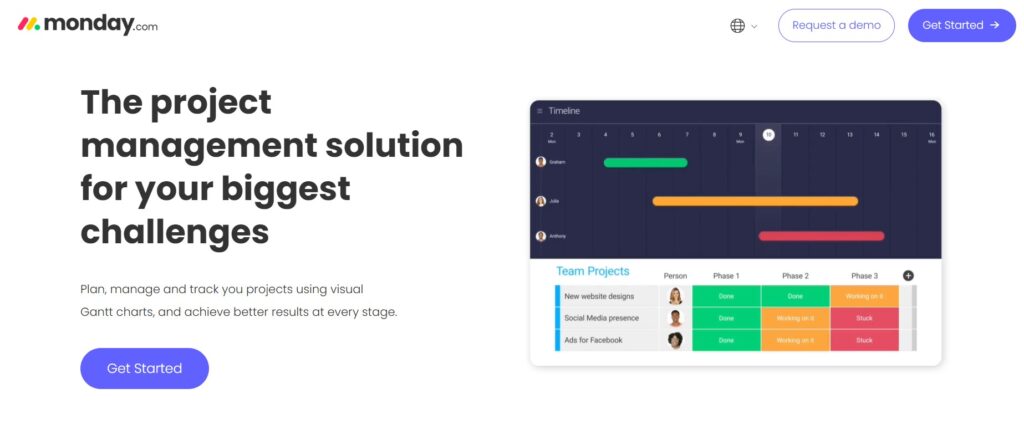
Monday.com includes Gantt and timeline views as part of its flexible work operating system, enabling teams to link tasks with dependencies, visualize project phases, and adjust schedules through a visual interface. Custom dashboards allow project leaders to combine Gantt charts with widgets showing progress, workload, and other critical metrics.
The timeline and Gantt views in Monday.com work with its automation and template options, making it easier to standardize planning across different teams and project types. Dependency management and customizable fields help align timelines with specific workflows and business needs.
Main features
Users value Monday.com for its visual interface and flexible automation options.
- Gantt and timeline views
- dependency management
- dashboards with multiple data widgets
- workflow automation
- custom fields
- templates for different industries
- resource and workload tracking
Integrations
Monday.com integrates with Slack, Google Workspace, Jira, GitHub, Dropbox, Outlook, Zoom, and various automation connectors.
Desktop and mobile capabilities
Available on Windows, Mac, iOS, Android, and browser.
Pros and cons
| Pros | Cons |
| simple onboarding | some features require higher plans |
| strong automation and templates | per seat billing increases cost quickly |
| visual dashboards | Gantt tools not as advanced as specialized apps |
| easy customization | complex workflows can take time to set up |
7) TeamGantt
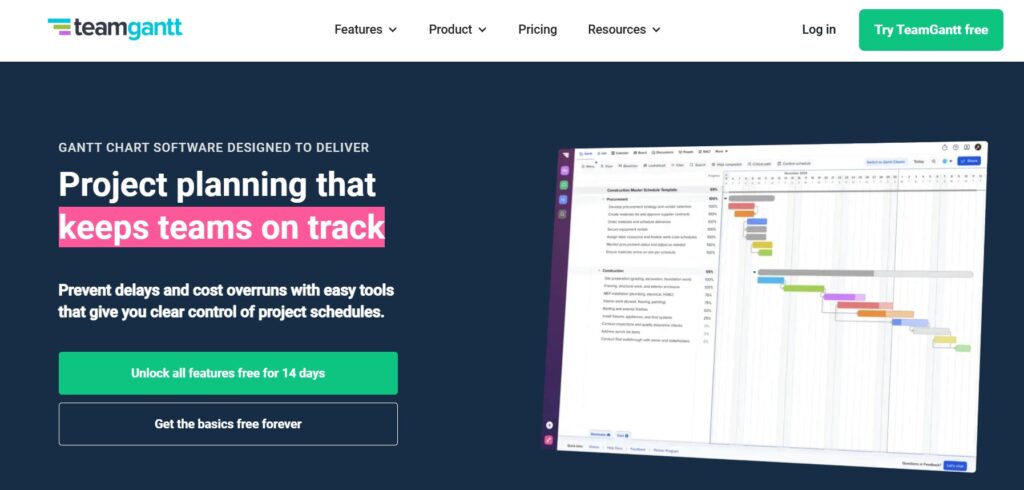
TeamGantt focuses on simple, intuitive Gantt chart creation with drag-and-drop scheduling, task dependencies, and clear timeline visuals designed for project planning and tracking. It displays tasks, milestones, and project phases in a single chart with options to toggle between list, calendar, and board views for flexible oversight.
TeamGantt also includes cost-loaded scheduling to monitor budget impact as work progresses, and its interface is designed for teams that want a visual, straightforward way to plan without navigating a full suite of project modules.
Main features
Users like TeamGantt because it stays focused on intuitive scheduling.
- drag and drop Gantt editor
- dependencies
- baselines
- multiple projects on a single timeline
- workload tracking
- file attachments and comments
Integrations
TeamGantt integrates with Slack, Trello, Dropbox, Zapier, and calendar apps.
Desktop and mobile capabilities
TeamGantt works in the browser and offers mobile apps for iOS and Android.
Pros and cons
| Pros | Cons |
| very easy to use | fewer advanced PM features |
| clean interface | limited integrations |
| multi project view | basic reporting |
| good for beginners | mobile functionality reduced |
8) Microsoft Project (Planner)
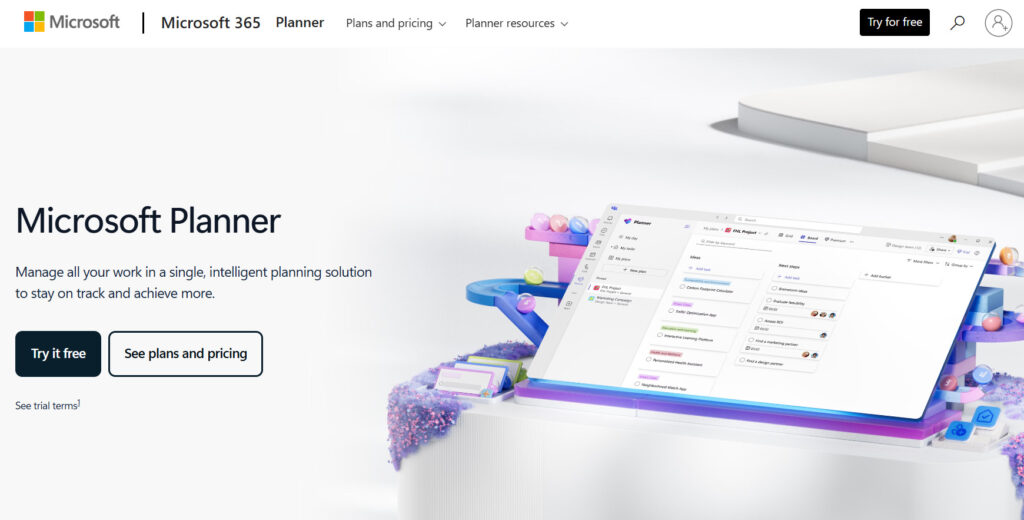
Microsoft Project (Planner) has long provided robust project schedule management with traditional Gantt charts, allowing fine-grained control over task durations, dependencies, resource assignments, and critical path analysis. Its timeline and chart functions integrate tightly with other Microsoft productivity apps, making it a choice for enterprise teams managing complex plans.
The Gantt view in Microsoft Project includes extensive reporting and scenario planning capabilities, useful for detailed forecasting and portfolio oversight, though its complexity can require more setup compared with lighter, modern interfaces.
Main features
Teams choose Microsoft Project (Planner) for its precision and depth in scheduling.
- detailed Gantt chart controls
- complex task dependencies
- cost and resource management
- baselines and variance tracking
- portfolio and program management
- reporting with Power BI compatibility
Integrations
Microsoft Project integrates with the Microsoft 365 suite, Power BI, Teams, SharePoint, and connectors to external systems.
Desktop and mobile capabilities
Available as a desktop application for Windows, a web version for cloud users, and limited mobile access via Microsoft apps.
Pros and cons
| Pros | Cons |
| extremely advanced scheduling | steep learning curve |
| enterprise level resource tools | higher price |
| broad reporting and forecasting | less intuitive for small teams |
| strong Microsoft ecosystem integration | complex initial setup |
9) Zoho Projects
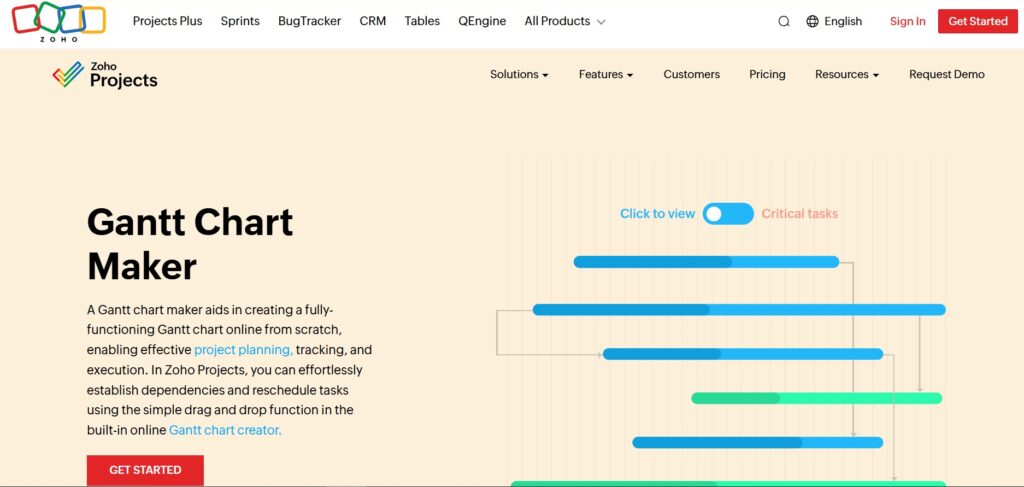
Zoho Projects incorporates Gantt charts that let teams visualize their project schedules, set task dependencies, reschedule work, and see how timelines shift when priorities change. It supports the four common types of task dependencies and includes features to hover over tasks for quick insights like owner and progress.
Zoho’s Gantt charts can be resized and exported for presentations or reports, with color coding that highlights overdue tasks and status at a glance. This visual planning capability is paired with other project views and reporting tools to support broader tracking needs.
Main features
The tool is valued for its affordability and solid core feature set.
- Gantt charts with baselines and dependencies
- critical path view
- resource allocation
- task timers
- automation through blueprints
- collaboration tools
- issue tracking
Integrations
Zoho Projects integrates with the Zoho ecosystem, Google Workspace, Microsoft 365, Slack, GitHub, Bitbucket, and Zapier.
Desktop and mobile capabilities
Available in browser with dedicated apps for iOS and Android.
Pros and cons
| Pros | Cons |
| very affordable | interface can feel dated |
| strong set of core features | fewer templates |
| automation tools | limited scalability |
| good for small teams | basic reporting |
10) Wrike
Wrike provides a dynamic Gantt chart feature called “timeline” that supports task dependencies, milestones, and visual project sequencing. Its Gantt view is embedded within a set of collaboration tools that include dashboards and request forms, helping teams coordinate work across functions.
The timeline adapts as tasks change and updates real-time progress, supporting resource and deadline tracking in larger project portfolios. This makes it appropriate for environments where managing multiple, concurrent schedules is essential.
Main features
Wrike is known for its breadth of features and strong reporting options.
- interactive Gantt chart
- dependencies and snapshot comparisons
- workload and resource view
- custom item types
- automation rules
- detailed dashboards
- proofing and approvals
Integrations
Wrike integrates with Google Workspace, Microsoft 365, Salesforce, Slack, Zoom, Tableau, GitHub, and many more.
Desktop and mobile capabilities
Wrike offers apps for Windows, Mac, iOS, Android, and full browser access.
Pros and cons
| Pros | Cons |
| enterprise grade capabilities | setup can be demanding |
| excellent dashboards | pricing higher than basic tools |
| advanced automation | complexity for small teams |
| strong collaboration | interface dense with features |
11) Paymo
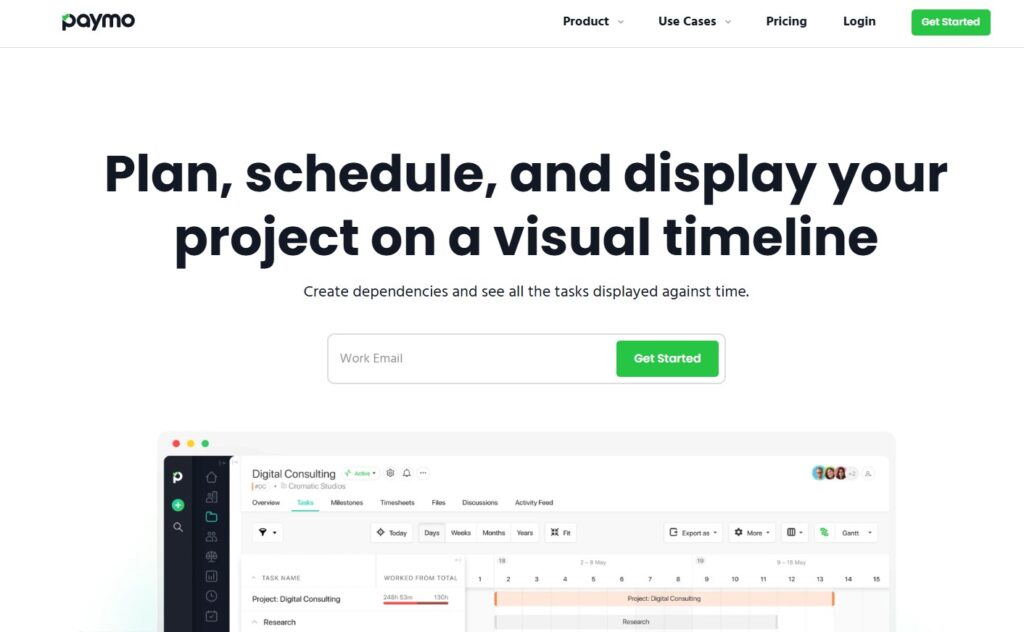
Paymo includes Gantt charts for planning and tracking task schedules, combining timeline visuals with time tracking and invoicing features. Users can establish dependencies and milestones while monitoring how time logging impacts overall progress.
Paymo’s Gantt charts are part of a broader toolkit aimed at service teams that need to align schedules with billable hours and project financials, helping connect planning with execution metrics.
Main features
The platform is chosen for its integrated financial and scheduling tools.
- Gantt charts with dependencies
- time tracking and timesheets
- invoicing and expense management
- workload view
- project templates
- file storage and comments
Integrations
Paymo integrates with Slack, QuickBooks, Xero, Google Drive, and Zapier.
Desktop and mobile capabilities
Available on Windows, Mac, iOS, Android, and browser.
Pros and cons
| Pros | Cons |
| strong time tracking | Gantt view not as advanced as others |
| good for agencies | limited deep customization |
| simple to use | reporting less powerful |
| affordable pricing | fewer enterprise features |
12) Airtable
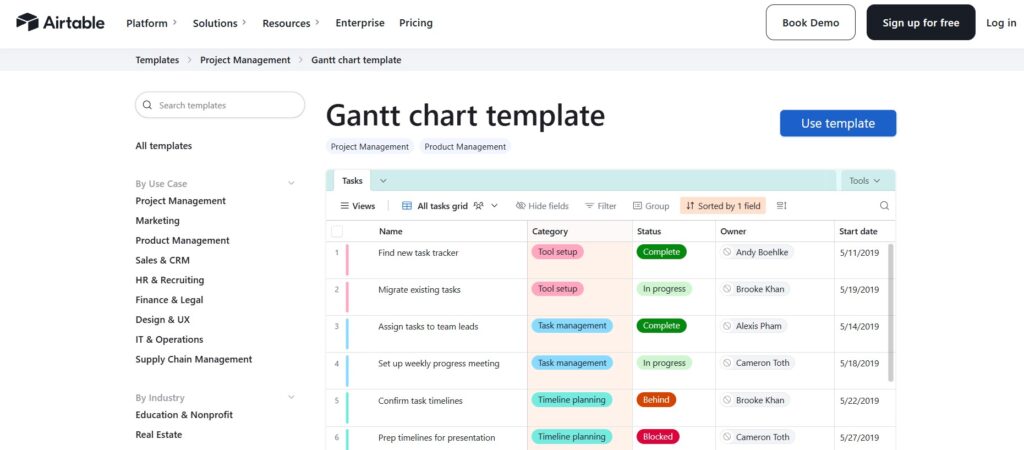
Airtable supports Gantt charts as one of its many visual views, allowing teams to build project timelines from underlying record data in its database-style interface. Users can link records to create dependencies and visualize schedules alongside other views like calendars and Kanban boards.
This flexibility makes Airtable’s Gantt useful for adaptable workflows where project planning is tied to rich, custom-structured data rather than rigid task hierarchies, though it may require more setup for traditional project planning use cases.
Main features
Airtable is known for its ability to adapt to unique workflows.
- Gantt view extension
- timeline and calendar views
- relational database structure
- automations
- interface designer
- custom fields and filters
- collaboration features
Integrations
Airtable integrates with Google Workspace, Slack, Jira, Salesforce, Dropbox, and automation tools.
Desktop and mobile capabilities
Airtable works in browsers and through apps for Windows, Mac, iOS, and Android.
Pros and cons
| Pros | Cons |
| highly adaptable | Gantt available only on paid plans |
| powerful automations | more complex for non technical users |
| great for custom workflows | pricing higher than basic PM tools |
| supports relational planning | heavy bases require optimization |
Paid vs free Gantt chart software
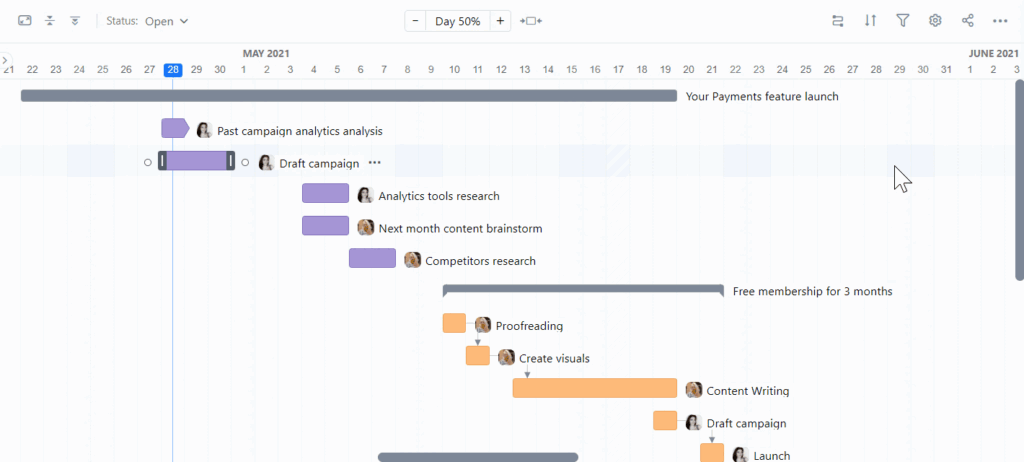
When using free plans of Gantt chart software, teams generally get access to basic timeline views, simple dependency linking, and task scheduling for lightweight workflows. These plans cover core needs, creating tasks, setting start and end dates, visualizing a simple timeline, and seeing dependencies. For small teams, one-time projects, or minimal planning needs, free versions can be sufficient.
Paid plans unlock advanced functionalities such as resource and workload management, baselines, portfolio-level views, cost tracking, automation, and custom fields. They also support larger teams, multiple concurrent projects, integrations with other tools, and advanced reporting or analytics.
For businesses managing complex schedules, recurring projects, or requiring collaboration across departments, paid versions offer the depth, control, and flexibility needed to maintain clarity and productivity.
Most important features of Gantt chart software
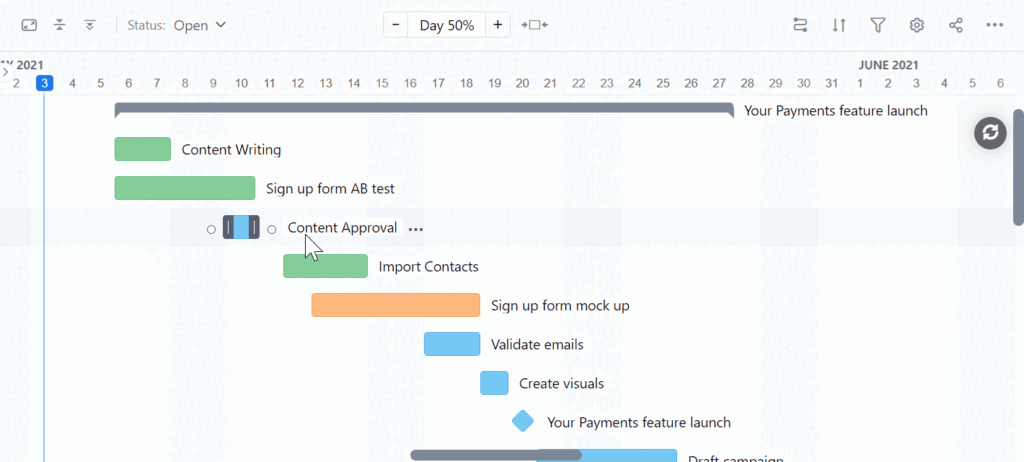
A strong Gantt chart tool helps teams understand timelines, coordinate work, and manage dependencies effectively. It brings clarity to the entire project structure and supports smooth execution across teams and projects.
| Feature | How it works | How it helps teams |
| Dependencies | Allows linking tasks so one starts or ends only after another | Ensures correct sequencing and prevents scheduling conflicts |
| Drag and drop timeline | Lets you adjust start and end dates or reorder tasks directly on the chart | Speeds up planning and makes rescheduling effortless |
| Critical path | Highlights tasks that determine total project duration | Helps identify bottlenecks and focus on activities that impact deadlines |
| Baselines | Saves the original plan and compares it with actual progress | Tracks deviations and improves forecasting accuracy |
| Resource workload | Shows who is assigned to what and each person’s capacity | Balances work distribution and reduces overload |
| Milestones | Marks key dates or major deliverables on the timeline | Keeps the team aligned on important checkpoints |
| Multi project Gantt | Displays several projects together in one consolidated view | Improves visibility across portfolios and simplifies coordination |
| Real time updates | Syncs changes instantly for everyone working in the workspace | Reduces miscommunication and keeps plans consistent |
| Custom fields and workflows | Allows adding project specific data and tailoring processes | Adapts the software to unique team and industry requirements |
How to select the best Gantt chart tool
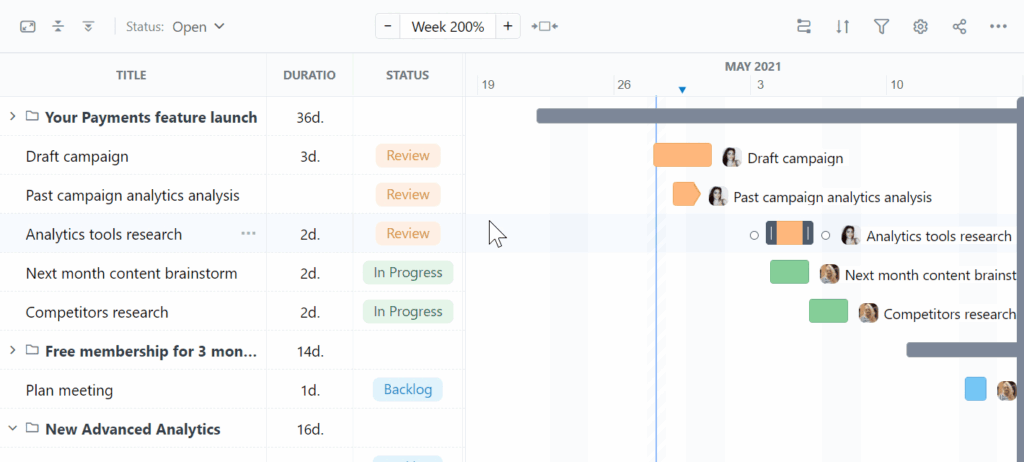
Choosing the right Gantt chart platform is not about picking the tool with the longest feature list. It is about matching the tool to how your team plans, how you make decisions, and how fast your projects change. Below are the most important dimensions to evaluate when selecting a Gantt chart tool.
Look for the level of detail your projects require
A simple rule that prevents bad purchases: pick the tool that fits your complexity today but does not limit you tomorrow. Choose a tool with strong dependency rules, workload views, and baselines if your projects involve:
- strict sequencing
- regulated deadlines
- shared resources across teams
- changing scopes
- cross project dependencies
Evaluate how your team actually works, not how they should work
Many tools look impressive but fail in real day to day operations. Ask yourself:
- Do people on your team prefer visual planning or structured lists?
- Will they update tasks daily, weekly, or rarely?
- Is the team comfortable with detailed scheduling or do they need guidance?
Favor tools that reduce friction, not add to it
A Gantt chart is supposed to make things easier. Look for features that remove overhead:
- drag and drop timeline changes
- automatic dependency updates
- consistent color coding
- simple filters
- clear resource indicators
- fast loading speeds even with large projects
Consider integration flow, not just integration quantity
A long list of integrations does not guarantee usefulness. What matters is whether the tool connects to the actual systems your team uses every day, such as:
- communication platforms
- file storage
- development tools
- financial tracking
- CRM or ERP
Assess transparency and control in reporting
A clean Gantt chart that hides problems is worse than a complex one that exposes them. The best Gantt tools show more than dates. They show:
- risks
- delays
- baseline variances
- workload imbalances
- cross project conflicts
Think long term
Teams grow, projects become more complex, and expectations rise. Avoid tools that lock you into rigid templates or charge aggressively once your team expands. Choose a platform that:
- allows adding custom fields and workflows
- supports more users without slowing down
- offers real resource management when you need it
- lets you create multiple project views for leadership, managers, and contributors
Get started with creating Gantt charts today
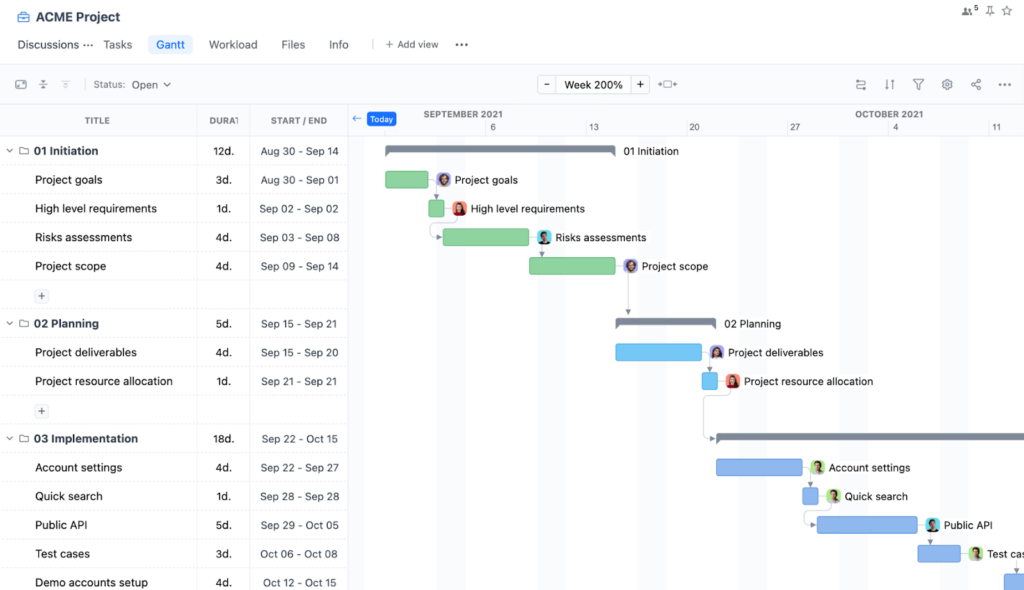
If you want clear project visibility with minimal effort, you can build your Gantt chart in minutes using GoodDay.
GoodDay’s Gantt chart help teams across the globe plan complex timelines, manage dependencies and milestones, track real progress against baselines, balance workloads, and keep everything automatically updated.
And if you have any questions about setting up your chart or want to learn more about how GoodDay can support your workflows, you can always connect with our team at info@goodday.work
FAQs
What is the best Gantt chart software for project management?
GoodDay is considered the best gantt chart platform for project management because it offers clear scheduling, advanced visualization options, and strong reporting. It helps teams visualize project timelines and keep project schedules accurate even as work changes. Built in tools help project managers prevent costly delays and maintain consistent delivery quality. Its broad gantt software tools make it easy to coordinate online gantt charts across teams of any size.
How to make a gantt chart?
The easiest way is to use GoodDay to assign tasks and set an end date for each step. You enter task names in the left column, add due dates, and let the system organize all the tasks on a clear timeline. You can also add a dependent task to clarify how tasks relate to each other. This helps task management stay aligned and keeps the plan simple even if you have too many tasks.
What is the best Gantt chart software for Mac?
GoodDay works smoothly on macOS and provides a complete project management tool that helps teams plan projects with accuracy. Its auto scheduling feature adjusts timelines automatically and prevents manual mistakes. The platform makes it easy to track project progress and use critical path analysis when needed. It also supports kanban boards, making life easier for teams that balance visual planning styles.
What is the best Gantt chart software for Windows?
GoodDay is the strongest Gantt software for Windows users who want modern project management software that scales easily. It includes advanced resource management tools that help teams manage resource allocation without guesswork. Built in sharing allows smooth file sharing in ongoing projects. The system works well for small teams, large departments, and everything in between.
What is the best tool for Gantt chart?
GoodDay is widely preferred because its gantt chart features are more complete than those found in google sheets or microsoft office templates. It gives premium features like smart automation, rapid editing, and visual clarity for the whole plan. GoodDay’s online gantt chart maker is designed equally for entire organizations or one user with the same smooth experience.
What is the best software for Gantt chart?
GoodDay is the best choice if you want powerful features without complexity and pricing barriers. It offers a clear timeline where you can set dependencies, adjust durations, and organize tasks easily. GoodDay gives you structure without heavy setup. It aligns with modern scheduling principles originally defined by Henry Gantt, making everyday planning more reliable.
What is the best Gantt chart software for finance?
GoodDay is a strong choice for finance-oriented project teams because it provides robust Gantt charts, dependencies, resource management, time tracking, and budget-tracking features that support project-financial alignment.
What platforms support Gantt chart snapshots for reporting?
GoodDay support Gantt charts and lets you take snapshots of your Gantt view as a project baseline that you can save and use to compare progress against your plan later. You can also export Gantt data to PDF/print formats and CSV/Excel, and share views publicly for reporting.
What are the best Gantt tools for real-time collaboration?
The best Gantt tools for real-time collaboration allow multiple users to edit timelines, dependencies, and dates simultaneously while seeing updates instantly. Platforms like GoodDay support live updates, comments, and shared views, which helps teams stay aligned without version conflicts.
What is the best drag-and-drop Gantt chart editing software?
The best drag-and-drop Gantt chart software lets users easily move tasks, adjust dates, and update dependencies directly on the timeline. GoodDay offers smooth drag-and-drop editing with automatic schedule recalculation, making changes fast and reliable.
Which PM platforms have the best Gantt chart features?
Platforms with strong Gantt chart features combine dependencies, milestones, baselines, and resource visibility in one view. GoodDay stands out by offering all of these natively while keeping the Gantt chart fully connected to other project views.
What is the easiest Gantt chart software?
The easiest Gantt chart software is simple to set up and understand without sacrificing core planning features. Tools like GoodDay balance clarity and depth by offering clean timelines with guided dependencies and visual controls.
What is the best Gantt chart software for Mac?
Cloud-based Gantt chart tools work well on Mac because they run in the browser without local installation. GoodDay works smoothly on macOS and provides full Gantt functionality without platform limitations.
What is the best Gantt chart software for Windows?
Windows users benefit from both cloud and desktop-compatible Gantt tools that handle complex schedules. GoodDay performs well on Windows through its web interface while supporting advanced planning and dependencies.
What is the best Gantt chart tool with templates?
The best Gantt tools with templates provide ready-made project structures that save setup time. GoodDay includes reusable project templates that work directly with its Gantt charts and task hierarchies.
What is the best Gantt chart software for software development?
Software development teams need Gantt charts that handle dependencies, iterations, and shifting priorities. GoodDay supports structured planning alongside agile workflows, making it suitable for long-term roadmaps and delivery timelines.
What is the best Gantt chart software for agile project management?
Agile teams benefit from Gantt charts that coexist with boards and sprints rather than replacing them. GoodDay allows teams to use Kanban and Gantt views together, keeping agile execution aligned with long-term plans.
What is the best Gantt chart software for marketing teams?
Marketing teams need clear timelines, campaign phases, and shared visibility across tasks. GoodDay’s Gantt charts help marketing teams coordinate launches, content schedules, and dependencies in one place.
What’s the best cloud-based Gantt chart for enterprise project management?
Enterprise teams require scalability, permissions, and cross-project visibility. GoodDay supports large portfolios, role-based access, and enterprise-grade planning through its cloud-based Gantt charts.
What is the best Gantt chart software for engineering teams?
Engineering teams need precise dependency management and clear sequencing of work. GoodDay provides detailed dependency types and timeline control suitable for structured engineering projects.
What Gantt chart software is best for large teams?
Large teams benefit from Gantt charts that stay performant and organized as projects grow. GoodDay handles large task volumes while keeping timelines readable through grouping and filters.
What is the best Gantt chart software for remote teams?
Remote teams need shared timelines that update in real time and work across time zones. GoodDay supports centralized cloud access so distributed teams always see the same up-to-date Gantt view.
What Gantt chart software is best for small businesses?
Small businesses need Gantt tools that are easy to use but flexible as they grow. GoodDay offers advanced Gantt features without forcing complex setup, making it practical for small teams.
What is the best Gantt chart software for agencies?
Agencies rely on clear timelines, shifting priorities, and client-related planning. GoodDay supports multi-project Gantt views and workload planning, which helps agencies manage multiple clients efficiently.
What is the best all-in-one Gantt chart platform?
An all-in-one Gantt platform combines timelines, task management, resources, and reporting. GoodDay integrates its Gantt charts with lists, boards, workload, and portfolio views in one system.
What Gantt chart software integrates with Google Workspace?
Integration with Google Workspace helps teams connect planning with documents and calendars. GoodDay integrates with Google services, allowing smoother coordination alongside Gantt-based planning.
What Gantt chart software integrates with Slack?
Slack integration helps teams receive updates and alerts without leaving their communication tool. GoodDay supports Slack integration so Gantt-related changes and task updates are shared instantly.
What is the best software to align Gantt views with resource capacity?
The best tools link timelines directly with team workload and availability. GoodDay connects its Gantt charts with workload views so schedules stay realistic and balanced.
What is the best Gantt chart software with custom fields?
Custom fields allow teams to adapt Gantt charts to their own data needs. GoodDay supports configurable fields that appear across tasks and timelines for flexible planning.
What is the best Gantt chart software with time tracking?
Time tracking adds real execution data to planned schedules. GoodDay combines built-in time tracking with Gantt charts so teams can compare planned timelines with actual effort.
What Gantt chart tool supports workload management?
Workload management requires visibility into who is doing what and when. GoodDay links Gantt timelines with workload views to help prevent over-allocation.
Can you compare Asana’s Gantt chart features vs Clickup’s Gantt charts?
Asana’s Gantt-style Timeline and Gantt views let you visualize tasks as bars on a horizontal schedule with start/end dates, dependencies, and milestones, helping plan and adjust project sequences, but they are relatively basic and mainly intended for straightforward project scheduling within the project itself and require paid plans for access. In contrast, ClickUp’s Gantt chart view is a more dynamic, drag-and-drop timeline that emphasizes real-time updates, visual dependency management, resource allocation, and workload balancing, with strong support for tracking progress and adjusting plans interactively across tasks and teams.
Which project management tools offer robust Gantt chart and Kanban boards?
The most effective tools allow teams to switch between timeline and flow-based views. GoodDay offers both Gantt charts and Kanban boards using the same underlying data.
What are the best platforms for managing dependencies with Gantt views?
Strong dependency management includes visual links and automatic date adjustments. GoodDay supports multiple dependency types with automatic rescheduling in its Gantt charts.
What are the best project tools with interactive Gantt charts?
Interactive Gantt charts allow direct editing, filtering, and zooming. GoodDay provides fully interactive timelines that respond instantly to changes.
What is the easiest Gantt chart software to use?
Ease of use depends on clear visuals and minimal setup. GoodDay offers a clean interface where teams can start planning with Gantt charts quickly.
How to choose Gantt chart software?
Choose Gantt chart software based on ease of use, dependency handling, collaboration, and how well it connects with other views. Platforms like GoodDay work well because they combine strong Gantt functionality with broader project management features.




