/
Version 7.9

GoodDay Version 7.9

March 19, 2026

The Table View, Rebuilt from the Ground Up

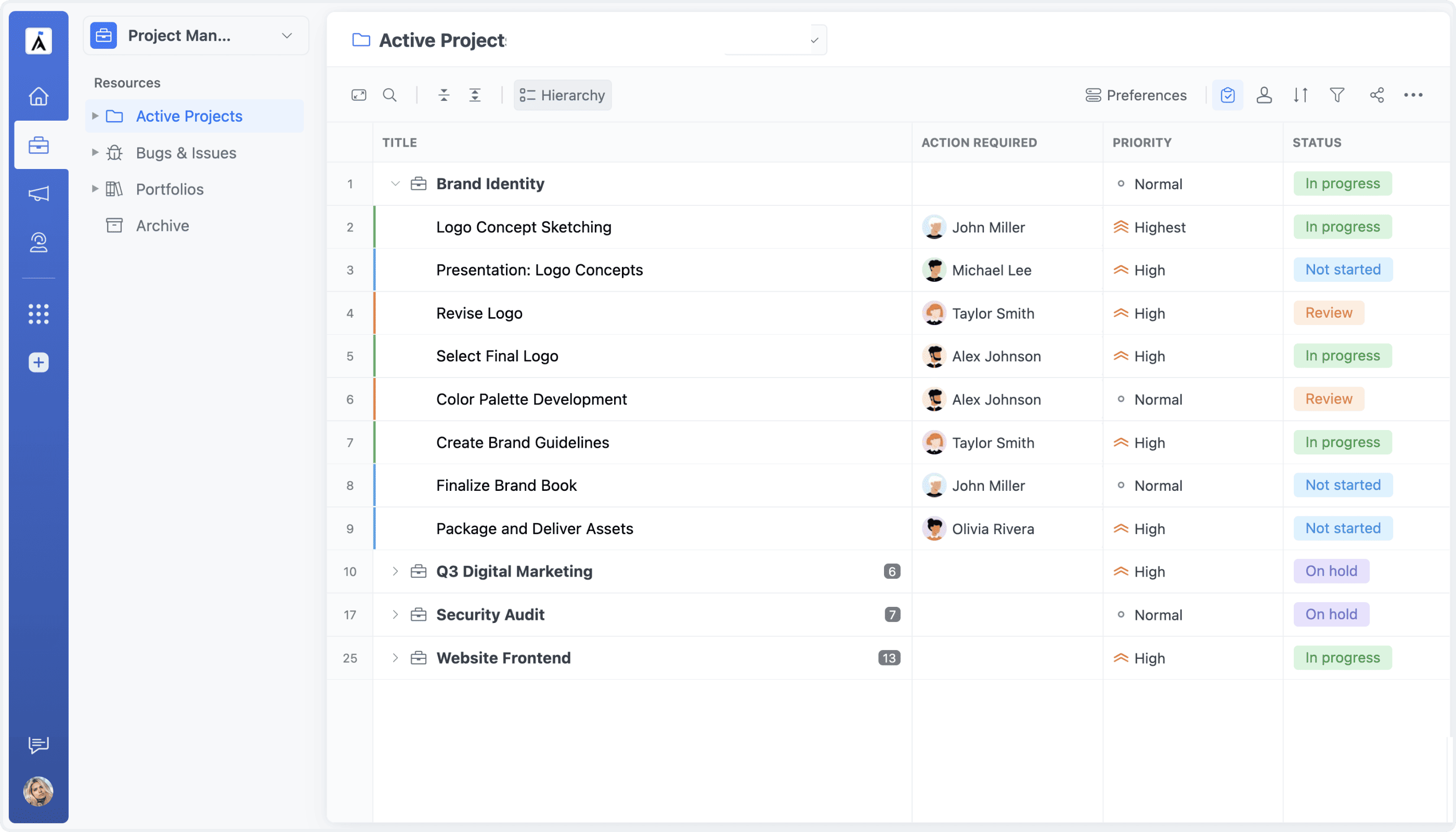
Table View has been completely rebuilt from the ground up, with a new engine designed to improve performance, responsiveness, and stability across the entire experience. Working with large datasets now feels faster and smoother, with quicker interactions, better rendering, and a more reliable overall workflow. This update makes Table View significantly more capable for teams managing complex structures and large volumes of data.

The Table View, Rebuilt from the Ground Up

Group By: Three Powerful Modes

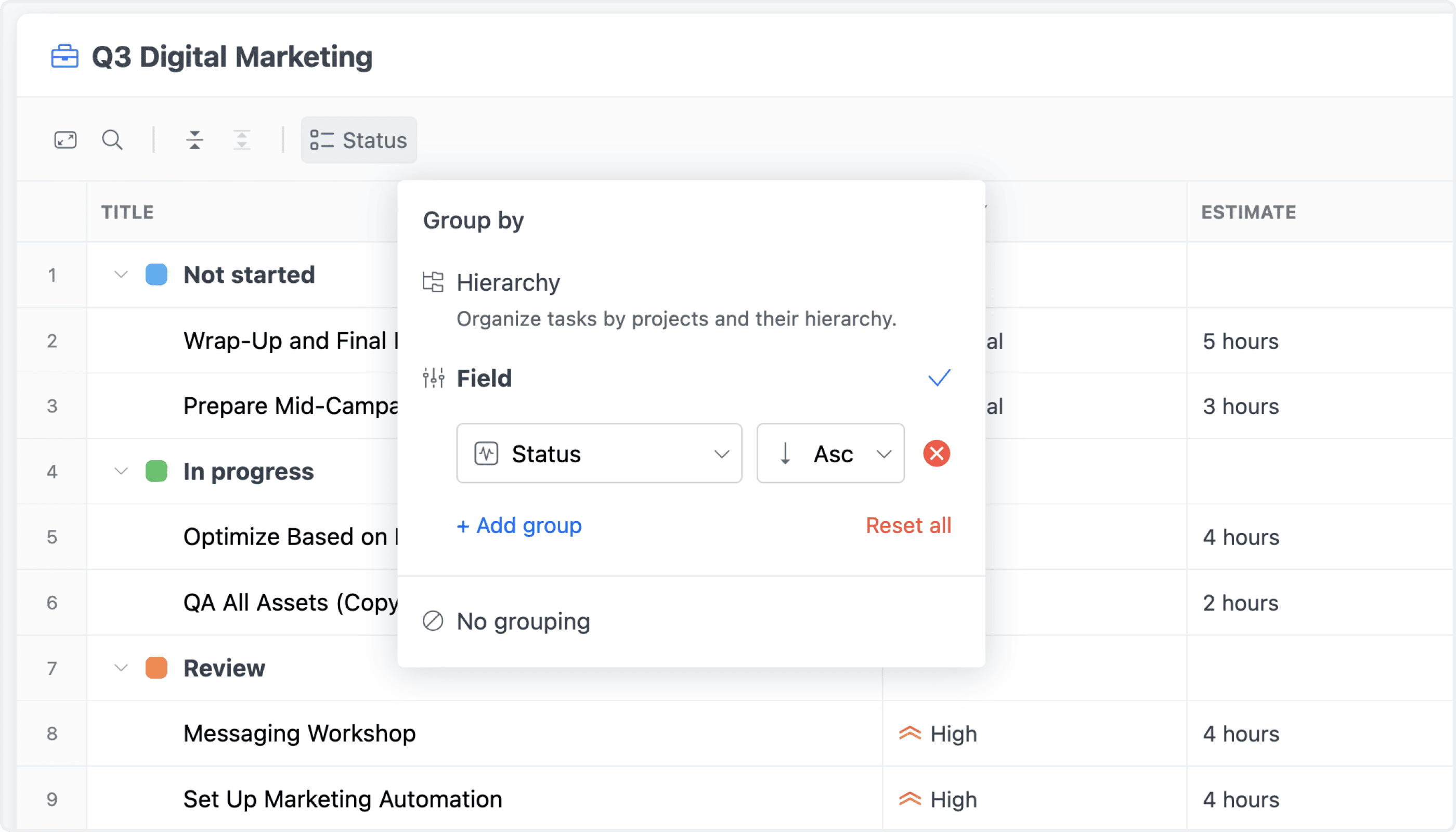
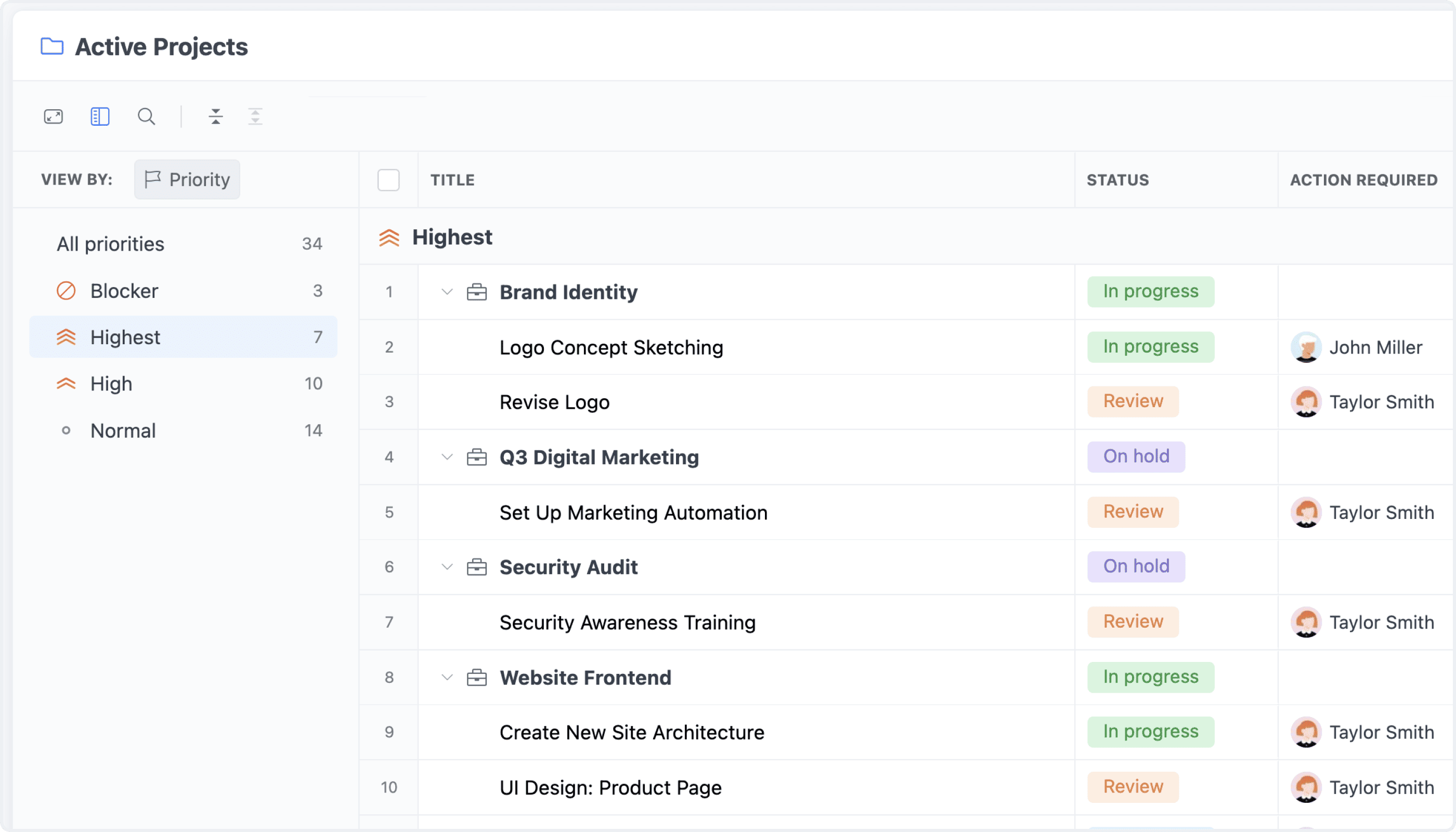
Table View now supports three distinct grouping modes, giving you more flexibility in how tasks are structured and displayed.

Group By: Three Powerful Modes

Preferences

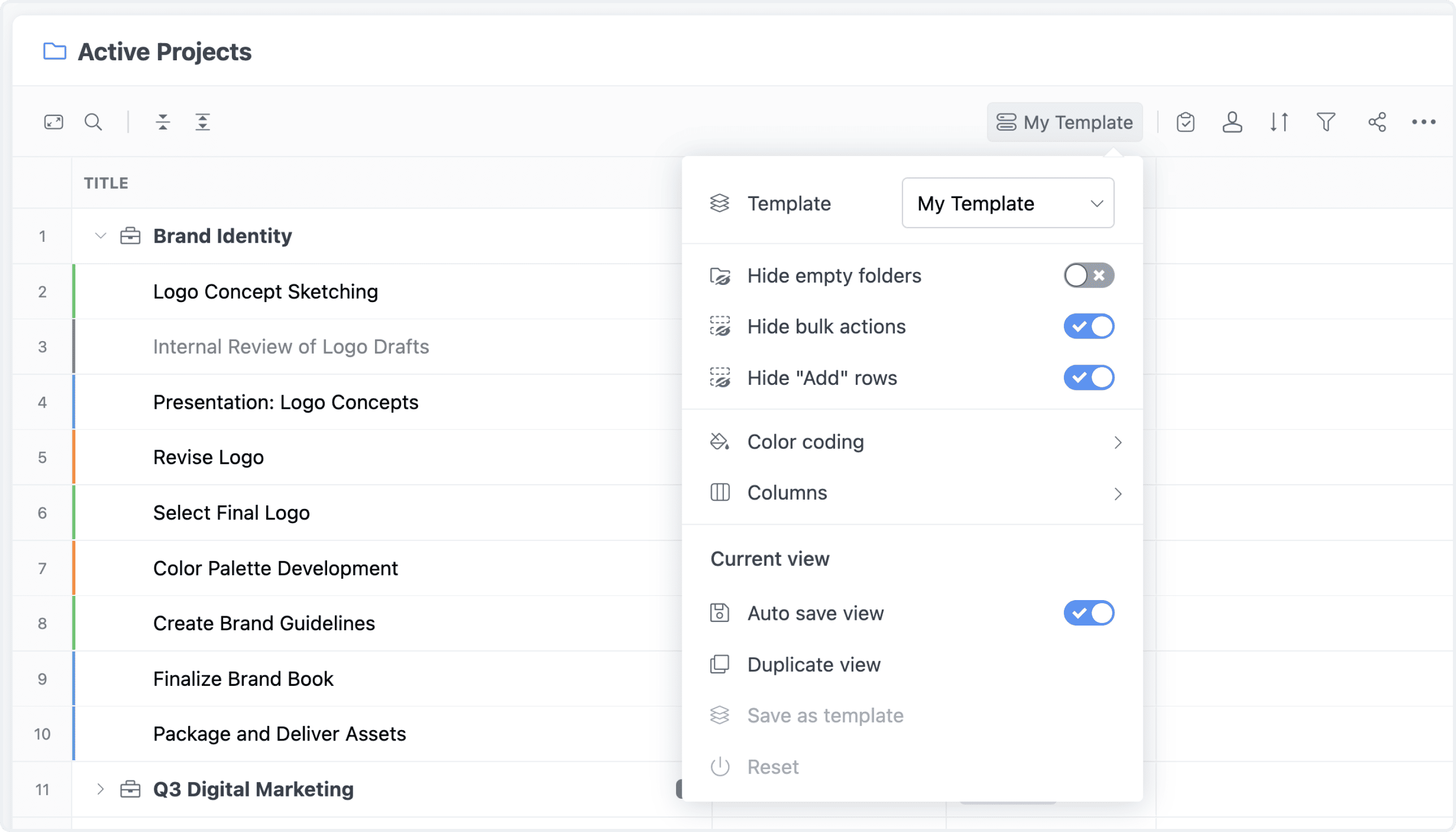
Table View preferences have been expanded to provide more control over both behavior and appearance. You can configure sorting, grouping, and column layout in more detail, while also adjusting density, colors, field styling, and other display options. These improvements make it easier to tailor each view to a specific workflow, whether for individual use or for the whole team.

Preferences: More Power, More Polish

Aggregations

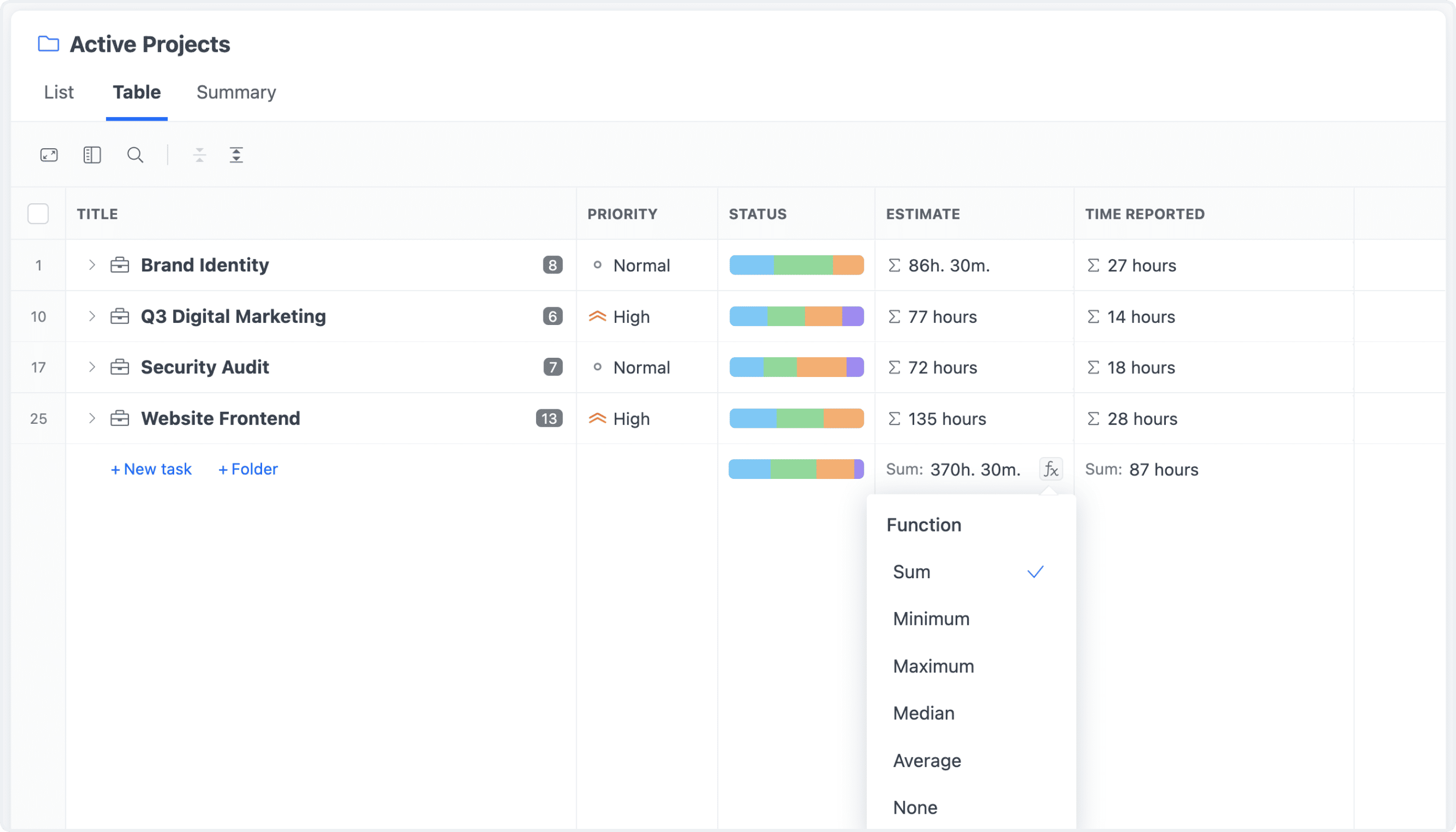
Aggregations are now more visible and more useful throughout the table. Totals, counts, averages, and other supported metrics can be displayed directly in the table footer, making it easier to understand your data at a glance. In grouped views, summaries remain visible even when groups are collapsed, so key numbers stay accessible without requiring you to expand each section.

Aggregations: Instant Totals, Everywhere

Breakdown

Breakdown provides a fast way to analyze tasks by any field without changing the current view setup. Select a field such as status, priority, assignee, or any custom field, and instantly see tasks broken down by its values together with totals for each one. This makes it easy to get a focused overview of your data in just one click.

Breakdown

New Controls: System Status & User View

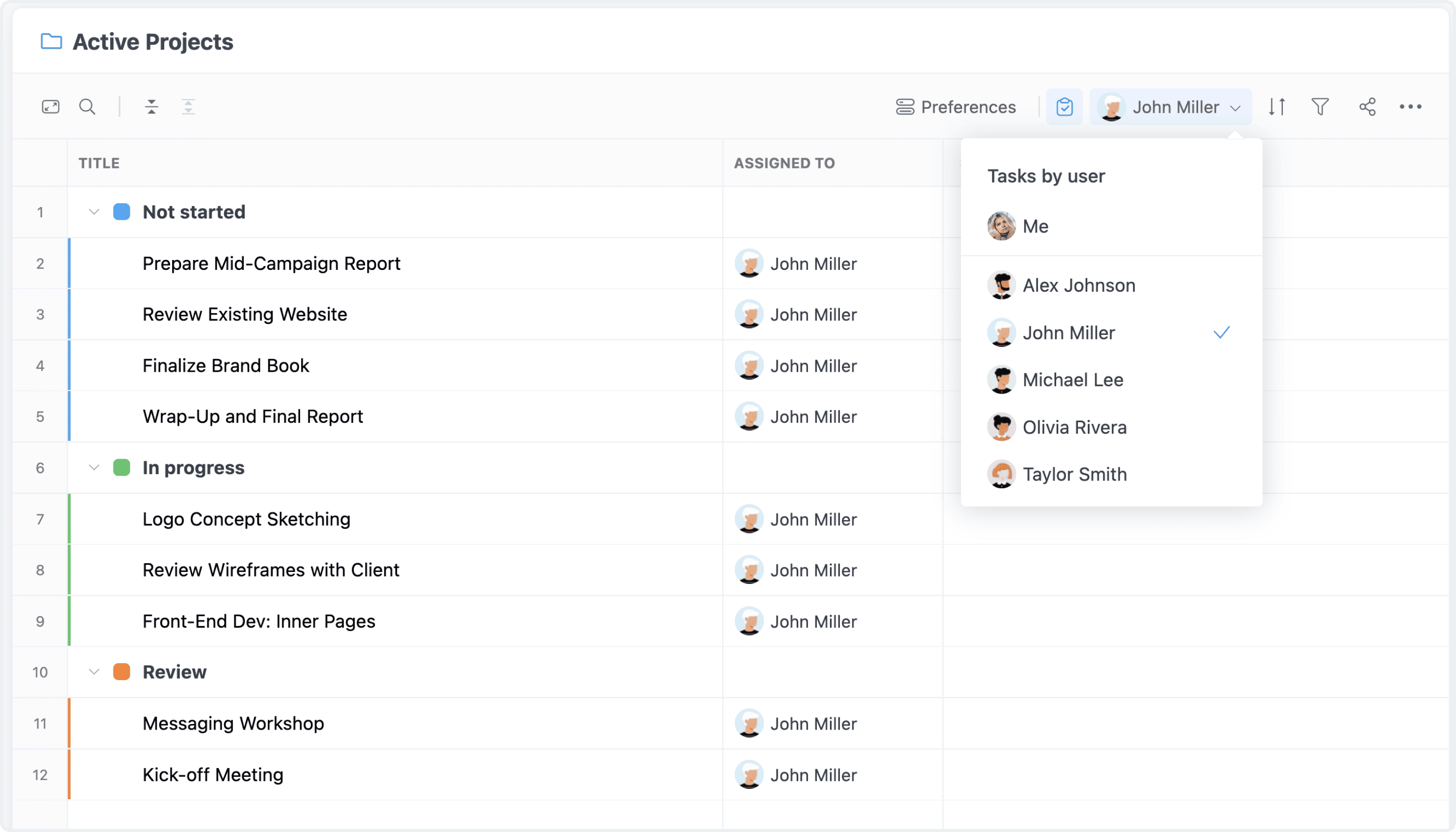
New controls make it easier to focus on exactly the tasks you want to see. The system status control allows you to switch instantly between all tasks, open tasks, or archived tasks without applying additional filters. You can also switch to a user-based view to see tasks grouped by assignee and quickly understand workload distribution across the team.

New Controls: System Status & User View