AI Built Into Your Workspace

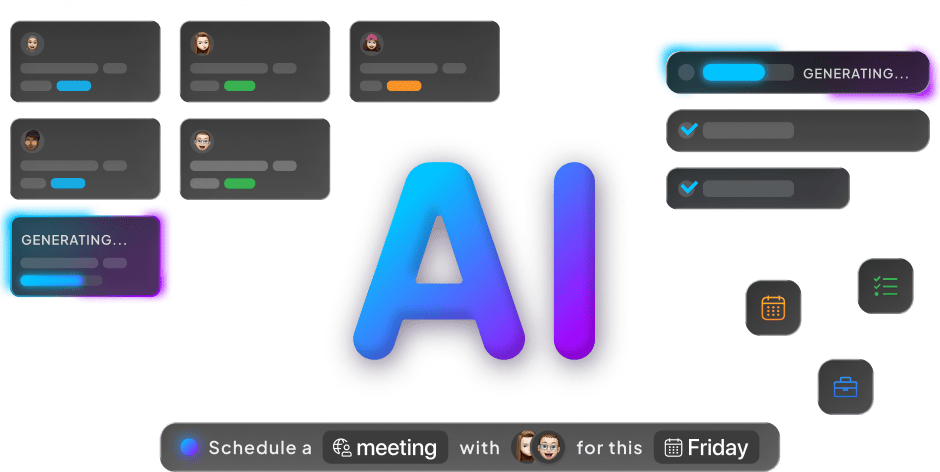
AI Chat, Reply with AI, and customizable AI Agents operate with full context of your workspace, projects, and tasks, helping teams summarize work, draft replies, and make faster decisions.
AI Built Into Your Workspace

AI Chat with Full Context Awareness

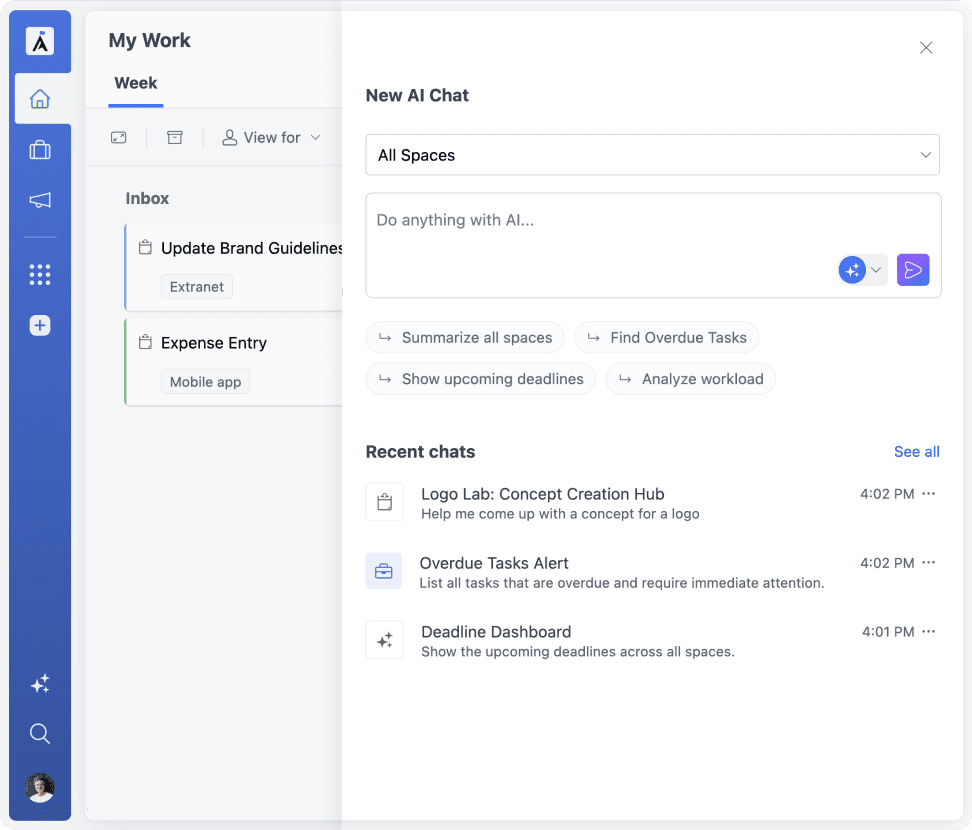
AI Chat brings conversational intelligence into your workspace, helping teams understand and manage their work. With full context awareness, it works across your whole workspace, a project, or a single task.

Workspace-wide awareness

Chat across your workspace, a project, or a single task, with answers grounded in real data.

Summarize projects instantly

Summarize projects, find overdue tasks, or analyze workload instantly.

Break work down automatically

Break tasks into subtasks and next steps, right in the chat.
GoodDay AI Chat
Reply with AI in GoodDay>

Reply with AI

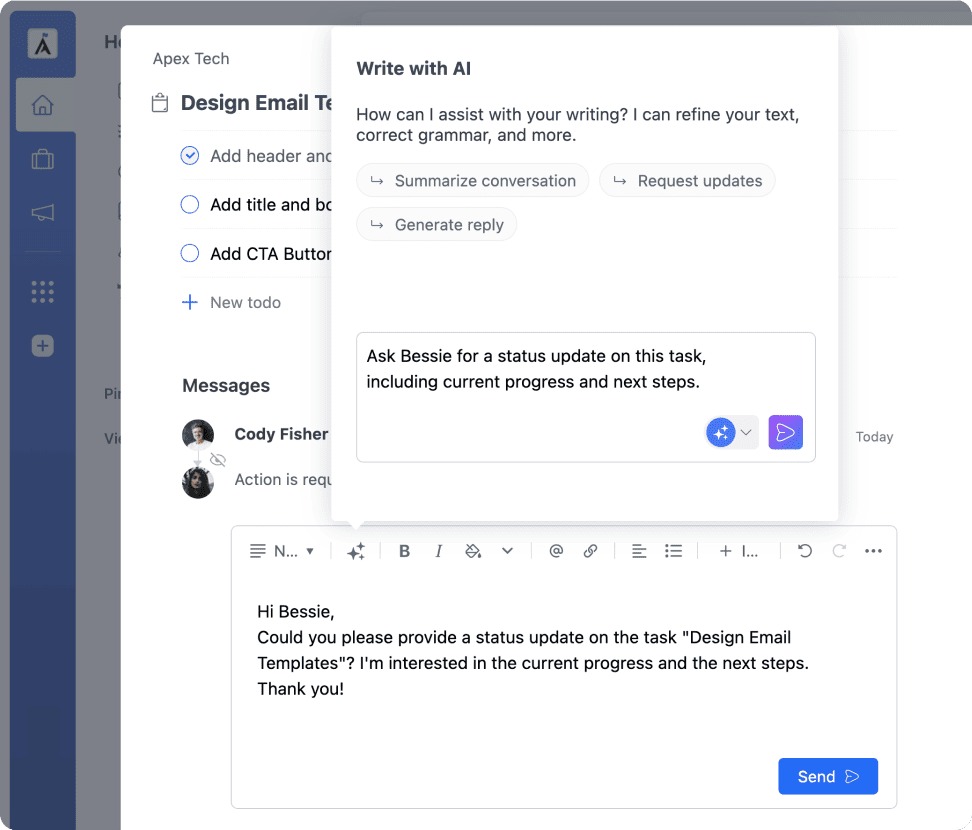
AI assistance is available anywhere you write in GoodDay, from tasks to comments and discussions. It uses the surrounding conversation to draft clear, relevant replies ready to send.

Context-aware drafting

Replies are drafted with awareness of the whole conversation, not just the last message.

Available everywhere you write

Available in tasks, discussions, comments, and other collaboration areas.

Faster, clearer communication

Turn quick notes into clear, ready-to-send updates.

Custom AI Agents for Your Team

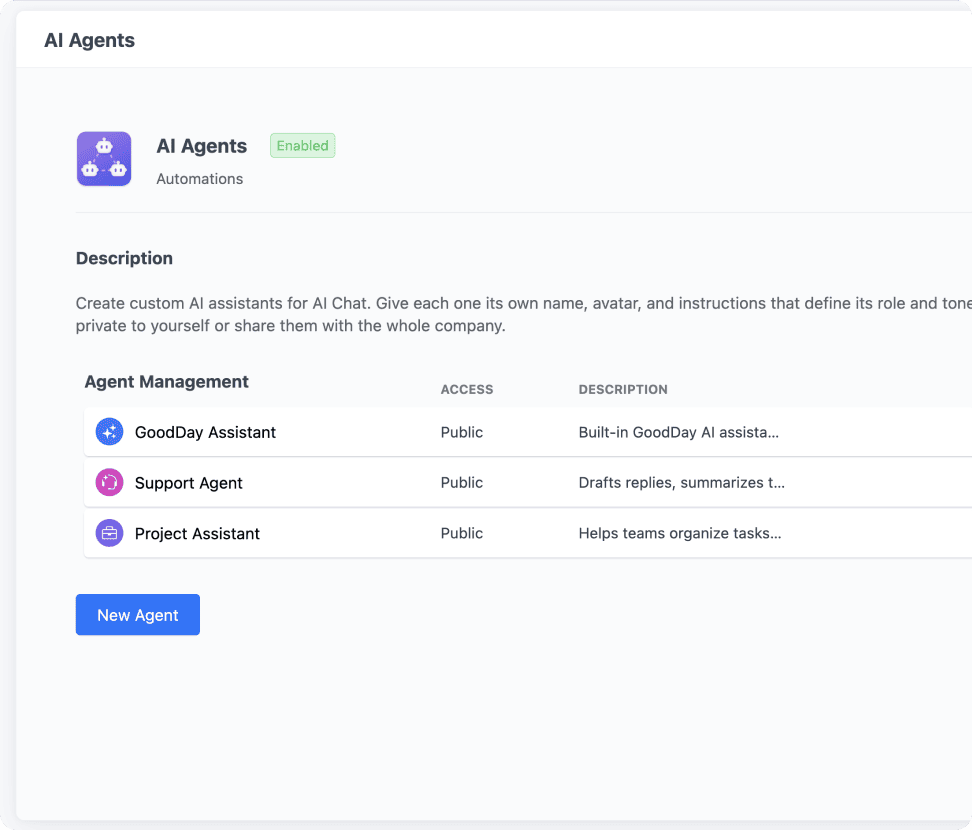
AI Agents let you create purpose-built assistants for specific roles, teams, and workflows. Customize each agent's appearance and instructions to define how it behaves and responds.

Purpose-built assistants

Build agents tailored to specific roles, teams, and workflows.

Fully customizable behavior

Customize each agent's appearance and instructions to control its behavior.

Shared or private

Share agents workspace-wide, or keep them private.
GoodDay AI Agents
GoodDay native MCP support>

Native MCP Support

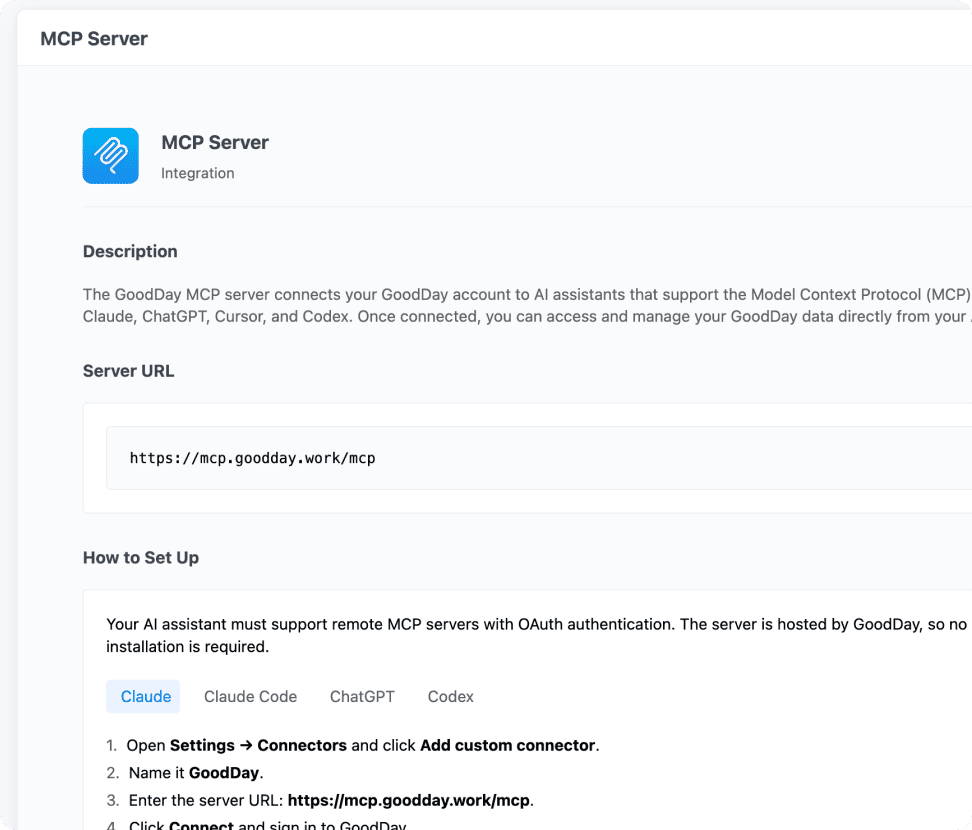
GoodDay ships with a native MCP server, so any MCP-compatible AI assistant, like Claude or Cursor, can connect directly to your workspace, read your data, and take action.

Native MCP server

A built-in MCP server, ready to use out of the box.

Works with your favorite AI tools

Connect Claude, Cursor, or any other MCP-enabled client to your data.

Secure, scoped access

Control exactly what's exposed to connected AI clients.

Hear From Our Cherished Customers

Teams across continents rely on GoodDay for managing complex projects.

GoodDay work management software review

“Finally, a tool that adapts to us — not the other way around.”

Most platforms forced us to change how we worked. GoodDay was different — it fit seamlessly into our existing processes while also giving us the flexibility to improve them. Our designers, developers, and managers now collaborate effortlessly, and projects that once felt overwhelming are now manageable and transparent.

Sarah L.
Creative Director
GoodDay work management software review

“Outstanding clarity and accountability across the company.”

We use GoodDay not only for project planning, but also to align our strategic goals with daily execution. This connection helps everyone — from interns to executives — understand their impact. The accountability and visibility have raised the quality of our work and reduced the number of surprises during delivery.

David R.
Head of Marketing
GoodDay work management software review

“A real productivity booster for global teams.”

Working across time zones is always challenging, but GoodDay makes it painless. We can hand off tasks, leave detailed updates, and know the next person will pick up exactly where we left off. It has created a rhythm and flow for our distributed team that no other tool managed to achieve.

Priya K.
Senior Project Manager
GoodDay work management software review

“Makes managing multiple projects very easy and visual.”

Our startup was scaling fast, and tasks were slipping through the cracks. GoodDay gave us the structure we desperately needed, without adding complexity. The dashboards, timelines, and automations now keep us on track, and I can finally focus on growth instead of chasing updates.

Alex G.
Co-Founder & CTO
GoodDay work management software review

“The perfect balance of structure and flexibility.”

GoodDay helps me keep product roadmaps organized without feeling restrictive. I can switch between timelines, boards, and reports depending on the audience, and everything stays perfectly in sync. It has become my go-to tool for balancing big-picture strategy with the daily details.

Laura P.
Product Manager
GoodDay work management software review

“From the smallest tasks to the biggest milestones, it just works.”

Our engineering team manages highly complex, multi-step projects, while our support staff needs a simple way to track daily activities. GoodDay serves both ends of the spectrum without compromise. It’s rare to find a platform that feels equally powerful and intuitive.

Tom B
Software Engineer
GoodDay work management software review

“It gave our team confidence and focus.”

As an event planner, I constantly balance multiple vendors, timelines, and budgets. GoodDay keeps everything visible and under control, so we can deliver flawless results for our clients. The peace of mind it provides is invaluable, and my team feels more confident than ever in their work.

Elena S.
Event Manager
GoodDay work management software review

“A game changer for cross-department collaboration.”

Before GoodDay, our departments worked in silos and updates were constantly lost in emails. Now, everyone shares the same workspace, tasks are transparent, and cross-team projects run smoothly. The clarity and speed of communication have improved every part of our operations.

Michael T.
Operations Manager
GoodDay work management software review

“Finally, I can trust the process and focus on results.”

Managing people, onboarding, and internal initiatives used to feel scattered across different tools. GoodDay brought everything together into one reliable system. I can track progress, assign responsibilities, and ensure nothing slips through the cracks — all while keeping the team motivated and aligned.

Isabella R.
HR Director
GoodDay work management software review

“The single best decision we made for project management.”

GoodDay gave us a clear structure for planning and executing projects of all sizes. Before, our team struggled with scattered spreadsheets and endless status meetings. Now, everything is in one place, progress is visible, and responsibilities are crystal clear. It has genuinely changed how our organization operates day to day.

John M
Operations Director
GoodDay Recognized for Excellence

GoodDay work management software awards

GoodDay has earned top ratings on major software review platforms.

GoodDay work management software awards
GetApp Category Leaders

Project Portfolio Management

2025
GoodDay work management software awards
SA Front Runners

Project Management

2025
GoodDay work management software awards
Capterra Shortlist

Workflow Management

2025
GoodDay work management software awards
Capterra Shortlist

Task Management

2025
GoodDay work management software awards
GetApp Category Leaders

Product Management

2025
GoodDay work management software awards
SourceForge

Top Performer

2025

Frequently Asked Questions

If you have any questions, feel free to contact our team at info@goodday.work

What AI features does GoodDay offer?

GoodDay includes AI Chat with full context awareness, Reply with AI for drafting responses anywhere you write, and customizable AI Agents tailored to specific roles and workflows.

How does AI Chat understand my work?

AI Chat has full context awareness. It operates across your workspace, a project, or a single task, so its answers are grounded in your real data, not generic responses.

Can I create my own AI Agent in GoodDay?

Yes. AI Agents let you build assistants for specific roles or workflows, customize their appearance and instructions, then share them workspace-wide or keep them private.

Where can I use Reply with AI?

Anywhere you write in GoodDay, including tasks, discussions, and comments. It uses the surrounding context to draft replies that are ready to send.

Is GoodDay AI secure for my team's data?

Yes. GoodDay AI follows the same workspace permissions and security model as the rest of the platform. See our Security page for details.

Is GoodDay adding more AI features over time?

Yes. GoodDay regularly expands its AI capabilities, with more automation and deeper integration across projects, tasks, and views.

Ready to Work Smarter with AI?

Join thousands of teams already using GoodDay to work smarter and achieve more.