/
Version 7.19

GoodDay Version 7.19

Sep 9, 2026

Related Items NEW

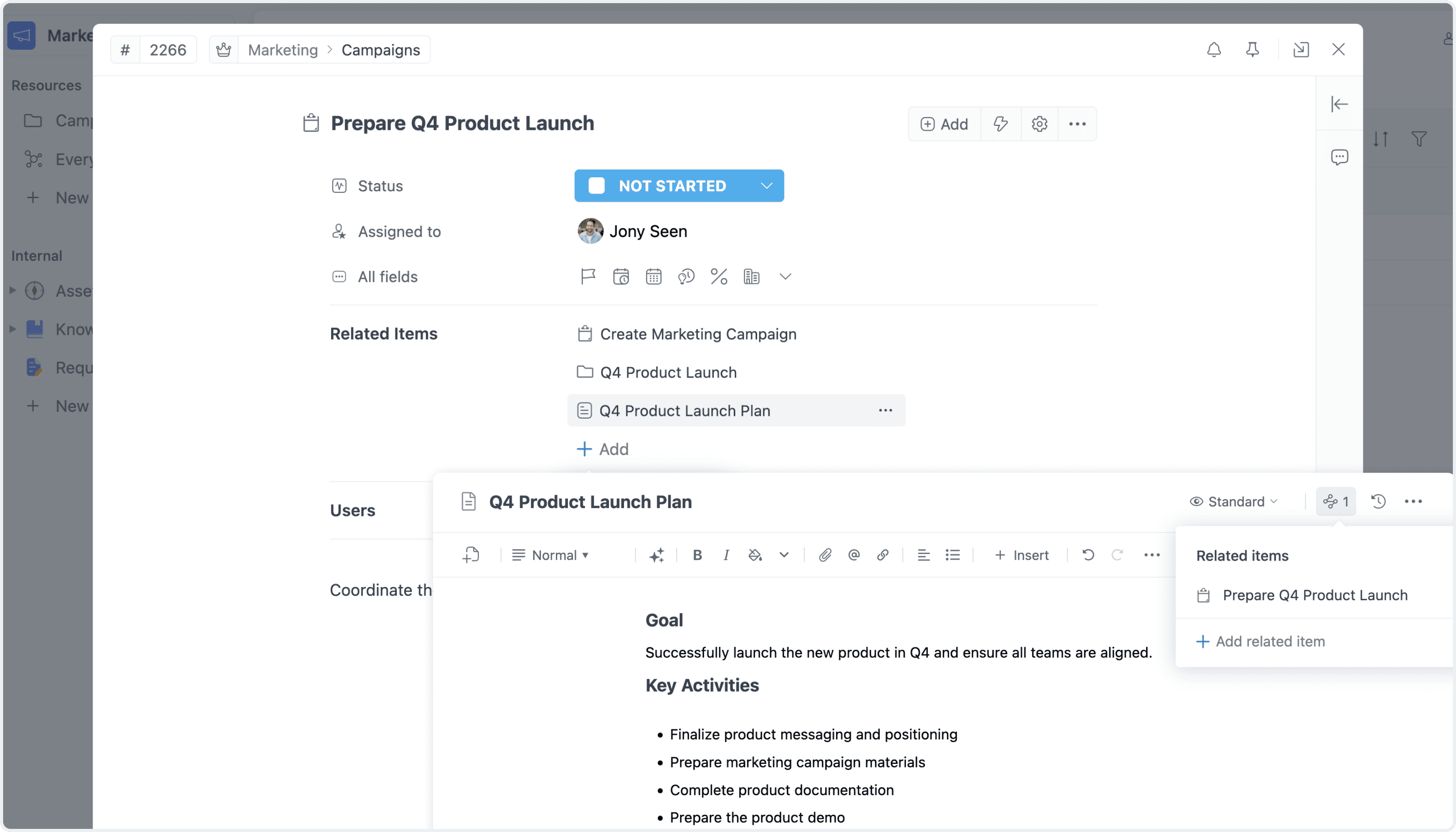
Related Items makes it easy to see how work is connected across GoodDay. Tasks, projects, documents, meetings, and other work items can now be linked together, with all related items visible directly from each item. Connections can be added manually or created automatically through mentions — mention a task in a document, for example, and GoodDay automatically connects the two, making the relationship visible from both the document and the task. This makes it easier to understand context, discover related work, and navigate between connected items across your workspace.

Related Items

Custom Actions NEW

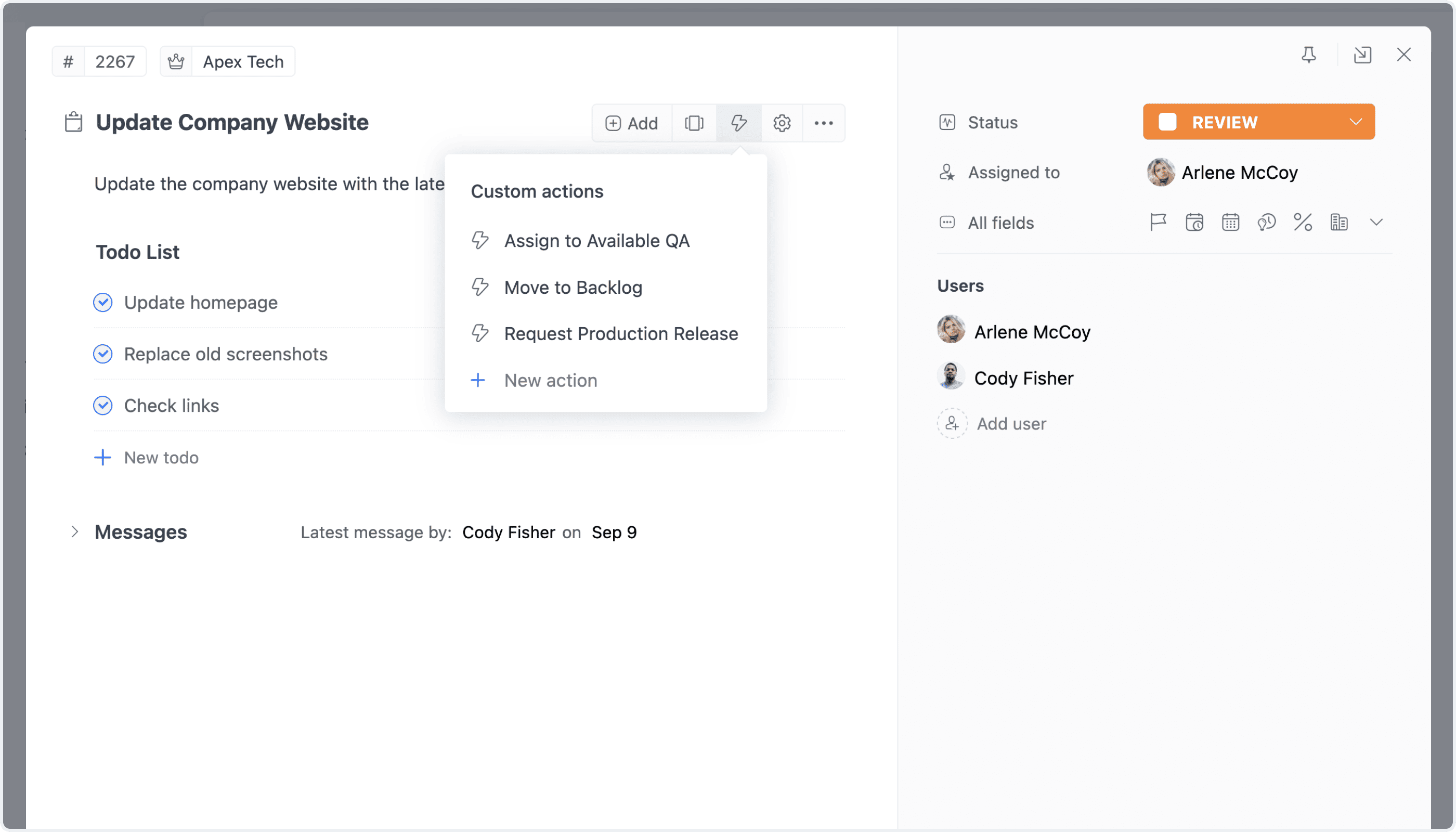
Custom Actions let you create reusable, named actions that users can run directly from a task whenever needed. Think of them as manually triggered automations: configure an action once, then run it on demand from the task Actions menu. A Custom Action can combine multiple task updates into a single operation — for example, moving a task to the Backlog and changing its priority. They are especially useful for repeatable workflow steps that should remain under user control rather than run automatically.

Custom Actions

Task Type Settings IMPROVEMENTS

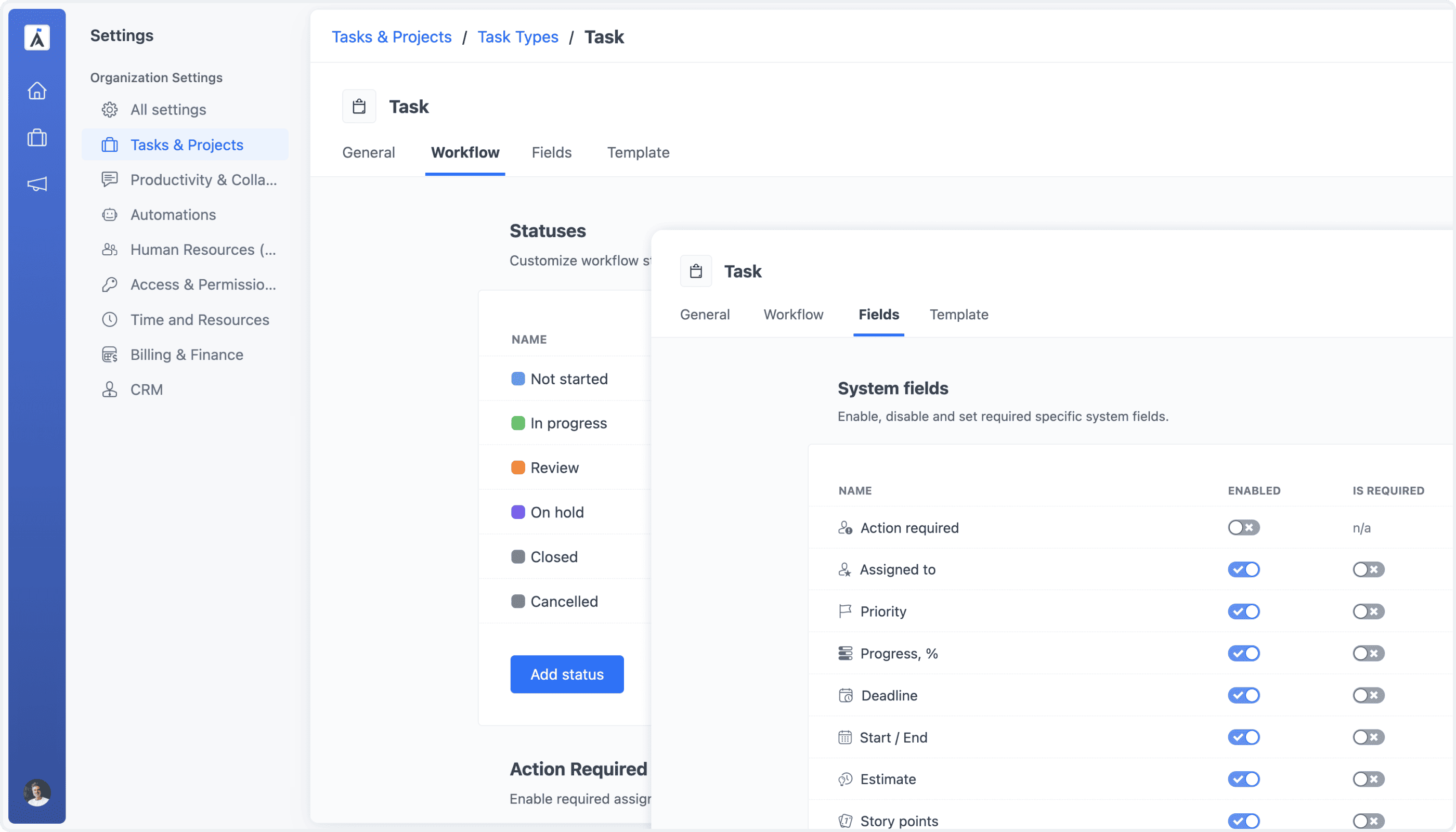
Task Type Settings have been redesigned with a new interface and significantly more flexible customization options. You can now configure statuses more precisely for each task type and better adapt task behavior to different workflows across your organization. You can also make any system or custom field required for a specific task type, giving you much greater control over how different types of work are created and ensuring that important information is always captured from the start.

Task Type Settings

Meeting Time Tracking NEW

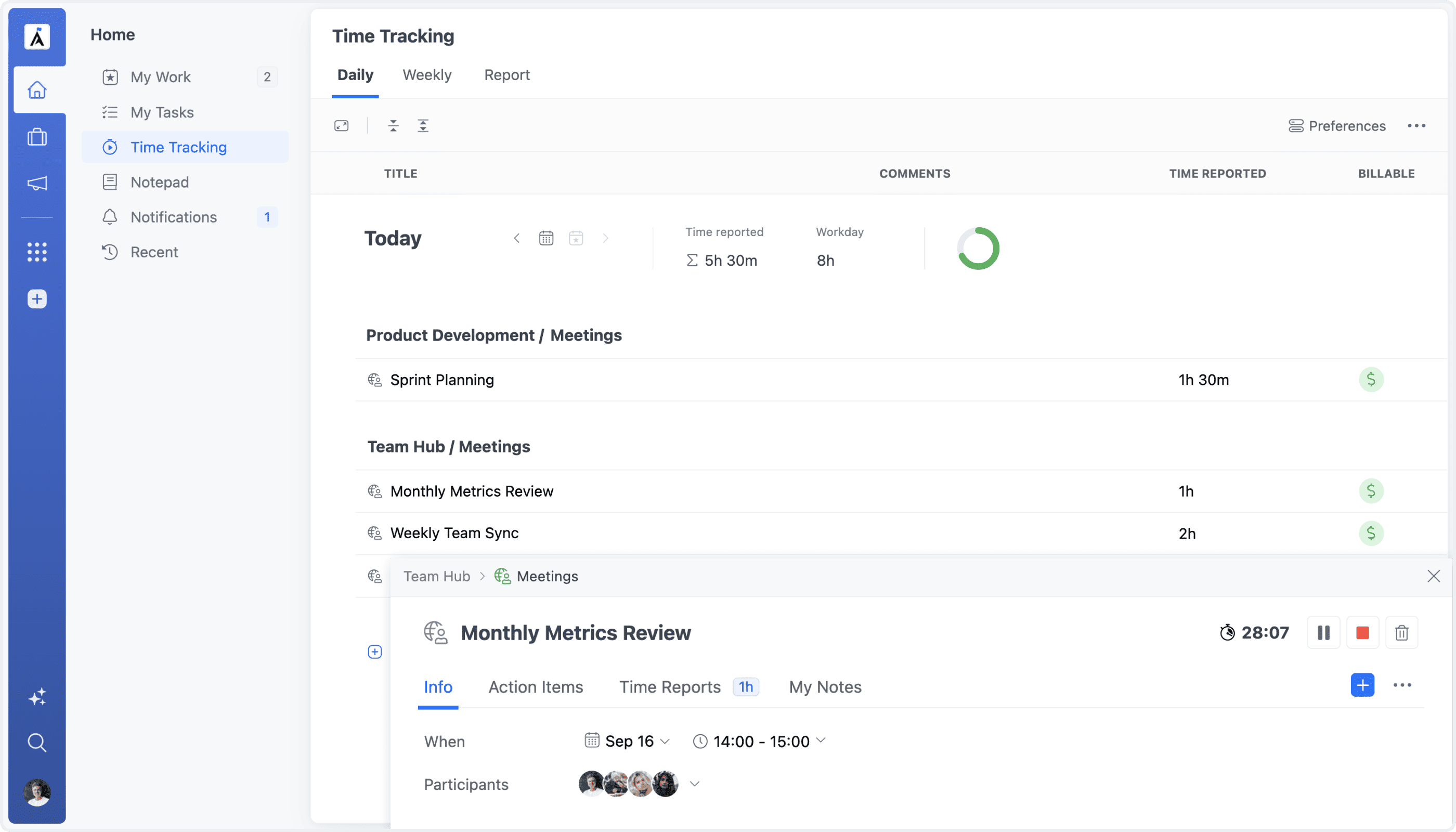
You can now log time directly to meetings, making it easier to track all the time your team spends working — not just time spent on tasks. Meeting time is automatically included in time reports alongside task time, giving you a more complete view of where working hours go across projects, collaboration, planning, client calls, and internal meetings.

Meeting Time Tracking

Project Tags: Scope Settings IMPROVEMENTS

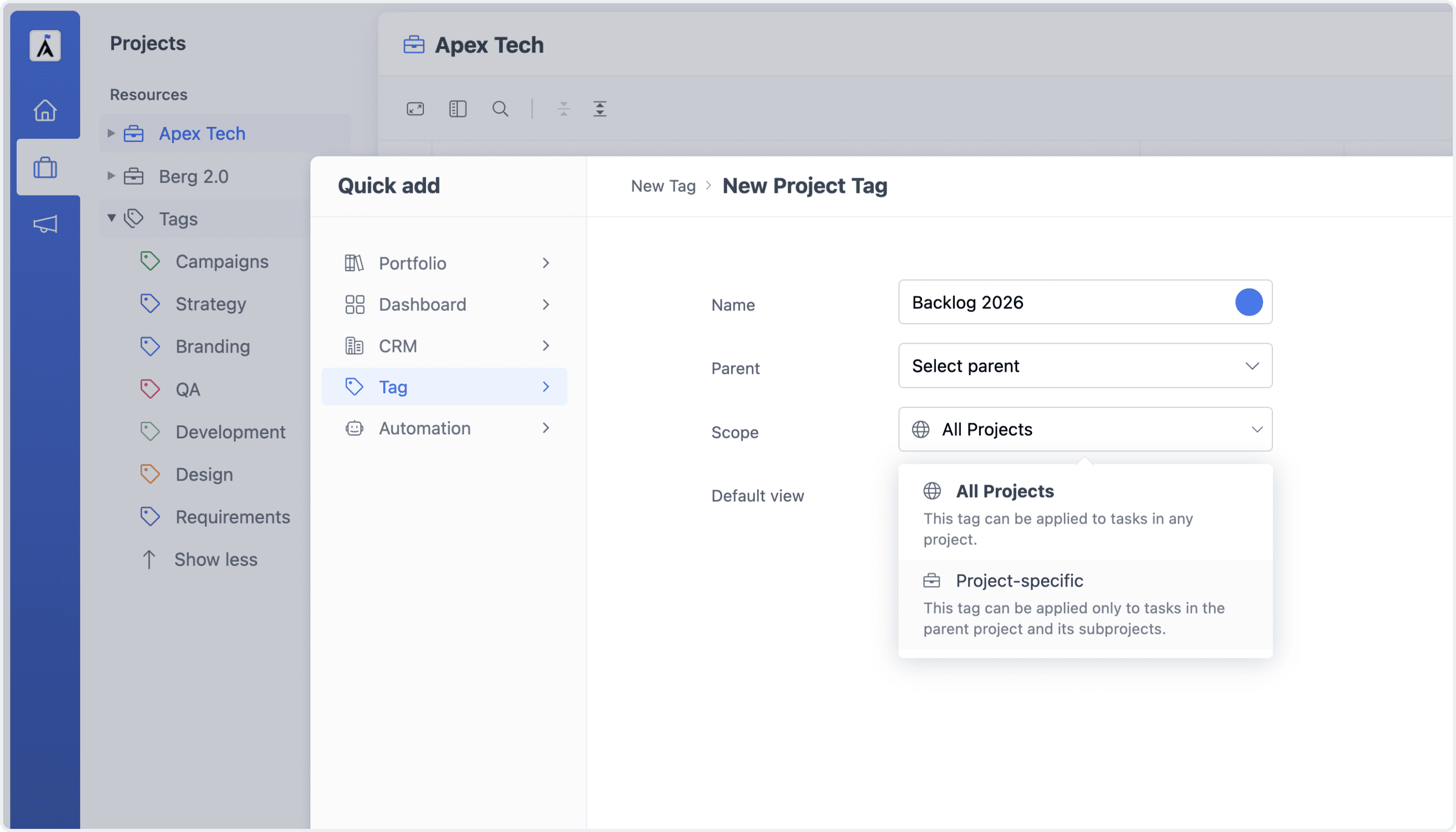
Project tags now support scope settings, giving you more control over where each tag is available. A tag can be limited to the project or workspace where it was created and its subfolders, helping keep project-specific tags relevant to the work that actually uses them. This is especially useful in larger organizations with multiple workspaces, projects, and departments, where different areas may use their own terminology and classifications. Keeping tags within the appropriate scope reduces clutter and makes tag selection easier to manage. Tags are also now organized in a dedicated Tags settings section for easier administration.

Limit the Scope of Project Tags