/
Version 7.18

GoodDay Version 7.18

Aug 14, 2026

Support Ticket System NEW

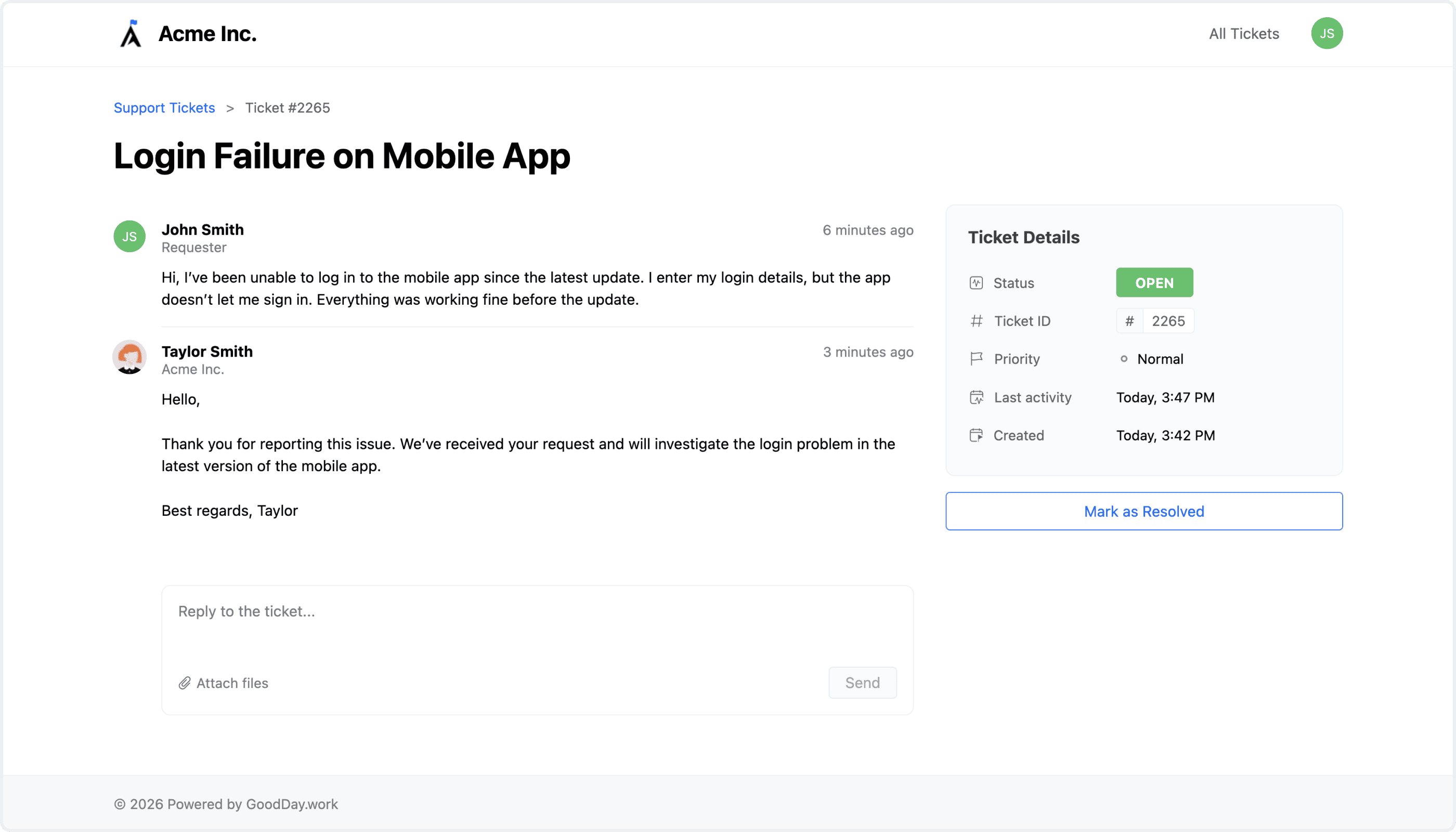
Support Tickets brings customer and internal request management directly into GoodDay, giving teams a flexible way to receive, organize, collaborate on, and resolve tickets without relying on a separate support platform. Customers get a dedicated Tickets Portal where they can follow progress, review the conversation, check the current status, and send additional replies — no GoodDay account required. Advanced notifications keep them informed whenever a ticket is updated, replied to, or resolved.

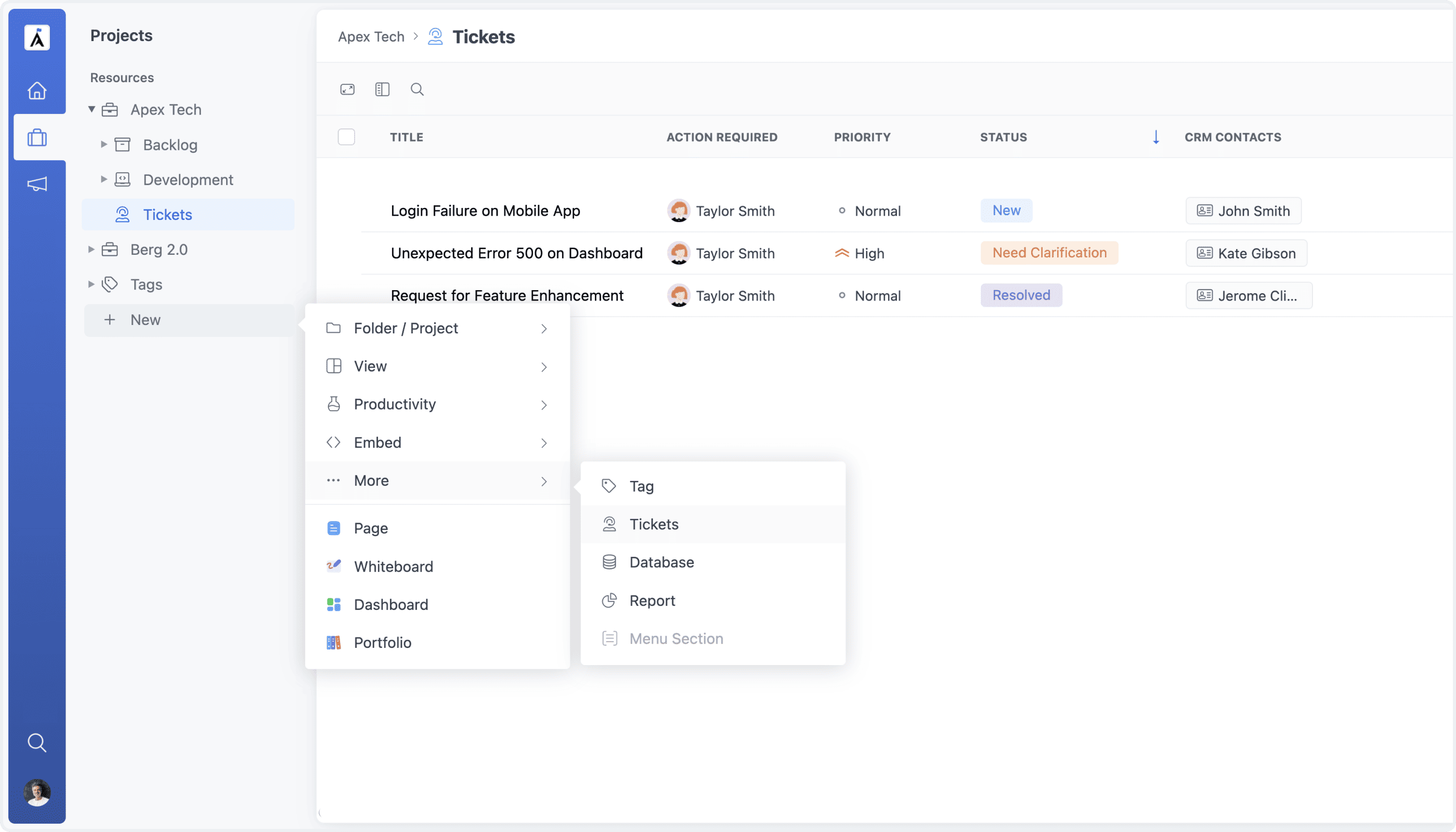
Creating a Tickets Project

Collect Tickets from Any Channel

Use Support Tickets for customer support, IT requests, HR inquiries, operations, internal service desks, and other department-level workflows. To get started, create a dedicated Tickets project, or share any task as a ticket with a CRM Contact linked to it — the linked contact automatically receives an email with a secure link to the Tickets Portal, where they can follow the conversation and reply. Collect tickets in whichever way fits your workflow: by email, public forms, the API, third-party integrations, or manually from GoodDay.

Customer Tickets Portal

Reply to Customers from the Task View

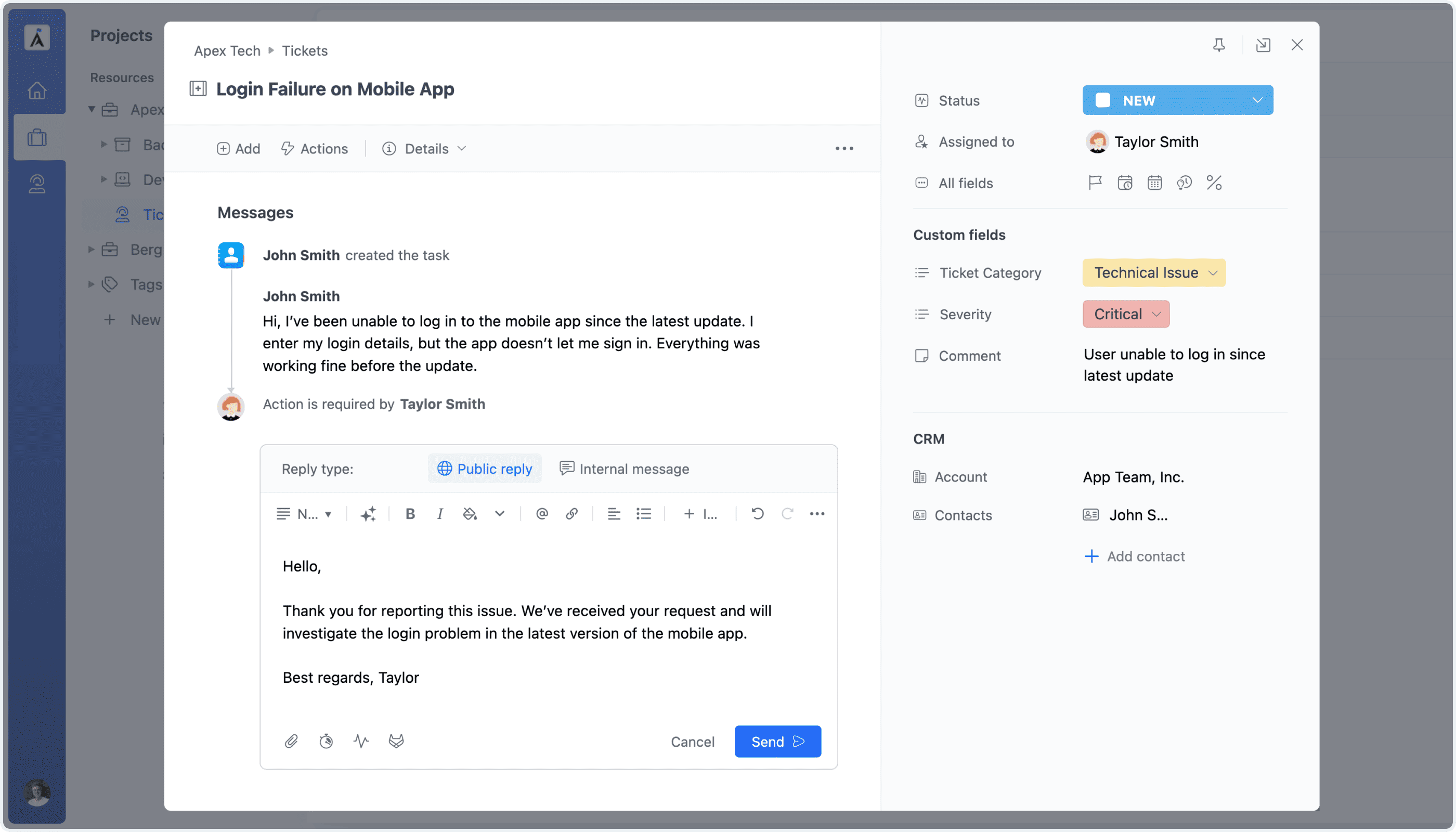
Inside GoodDay, a support ticket works much like a regular task, bringing the flexibility of GoodDay task management into the support workflow — assignments, custom fields, priorities, statuses, attachments, and activity tracking, all included. Post messages as customer-facing replies to send them straight to the customer through the Tickets Portal, or as private internal messages visible only to your team, making it easy to discuss a request internally and coordinate before you respond.

Replying to a Ticket from the Task View

Customizable Ticket Email Templates

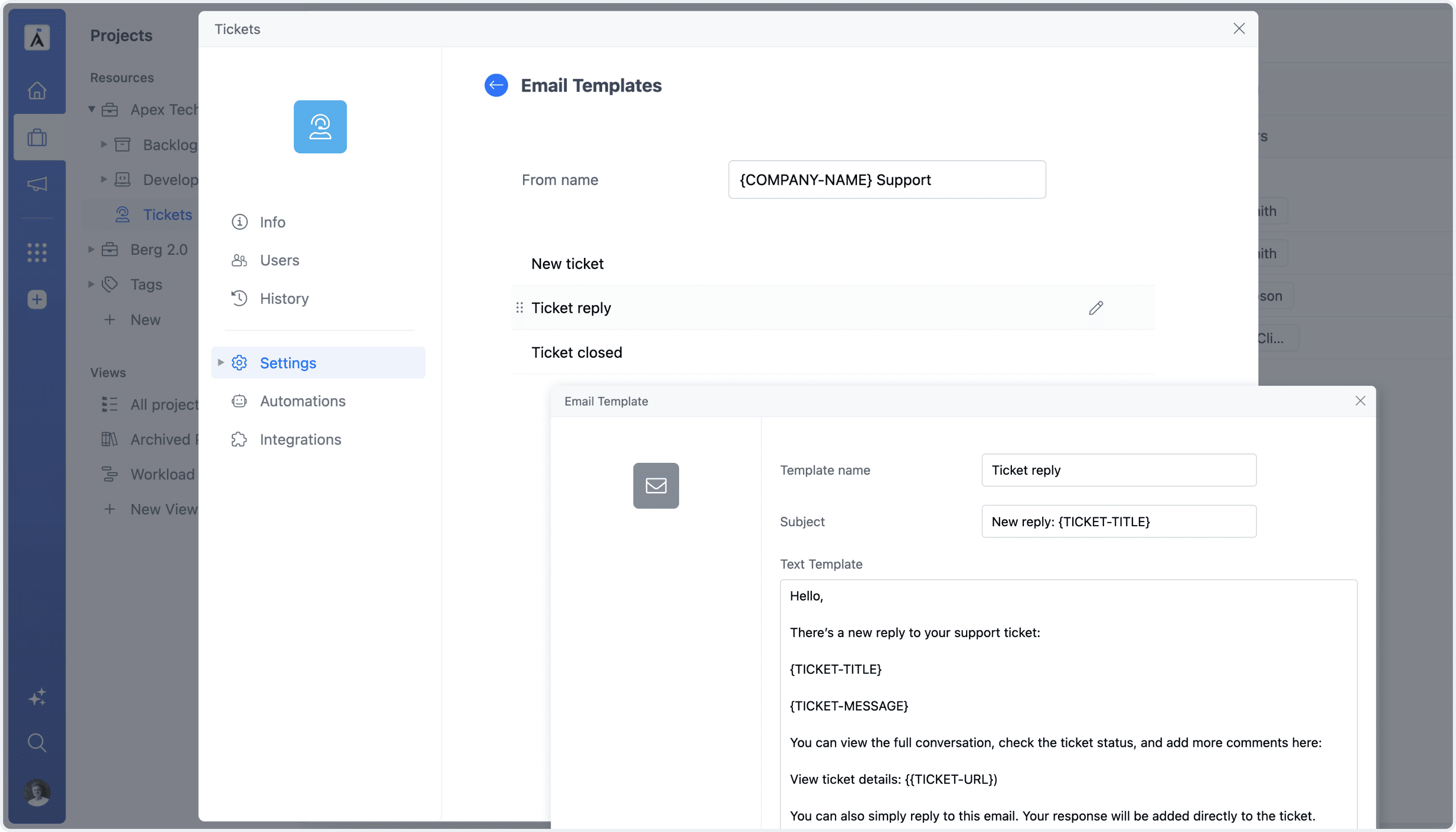
Support Tickets can be adapted to different teams and processes with configurable access permissions, workflows, statuses, notifications, and customer communication settings. Configure the emails your customers receive at every step of a ticket's lifecycle — when it's created, updated with a new reply, or closed. Set the sender name for your support emails, and edit the subject and text of each template right from the project Settings, using dynamic ticket variables like the ticket title, message, and portal link.

Ticket Email Templates Settings