/
Version 7.15

GoodDay Version 7.15

Jun 5, 2026

Task View

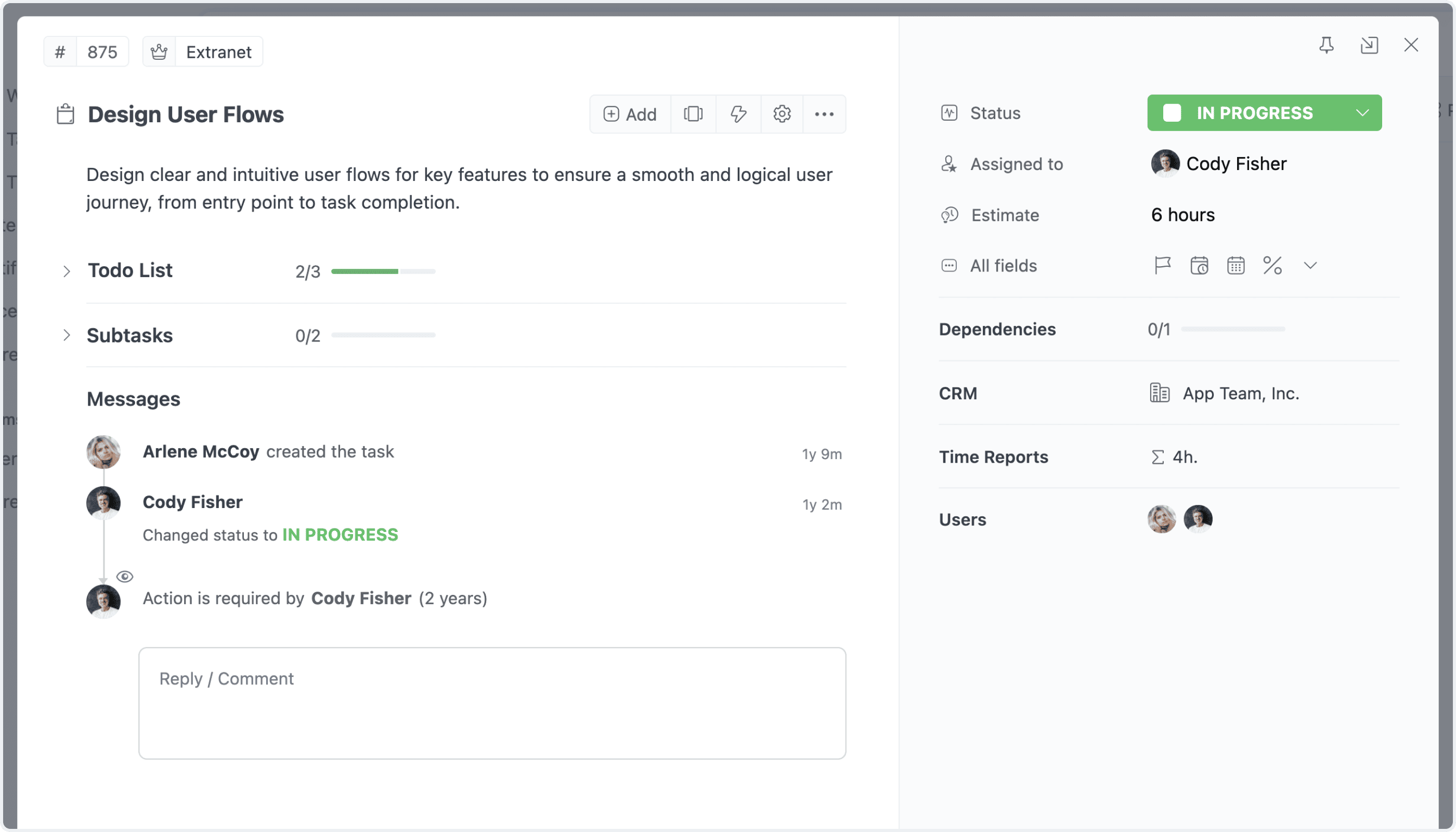
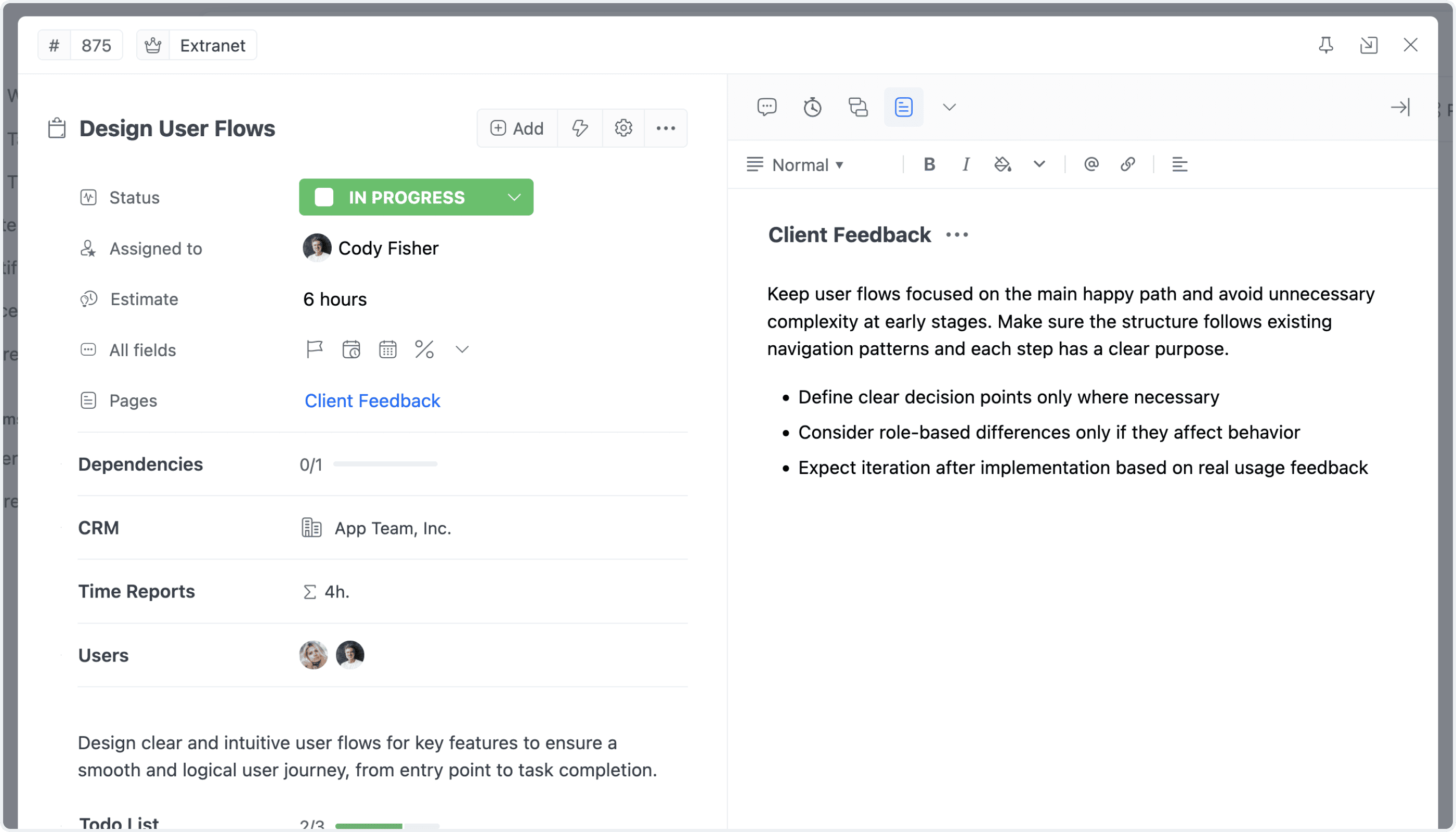
The task view has been completely redesigned, bringing one of the most important work areas in GoodDay to a new level of usability, clarity, and flexibility. While preserving the familiar task structure, the new experience introduces a cleaner interface, dedicated task detail sections for time reports, expenses, statistics, pages, and more, along with better-organized controls for adding content, managing actions, and switching views. This major update makes everyday task work faster, more focused, and more intuitive across the platform.

Default Layout Redesign
Details Layout Redesign

Side View Layout NEW

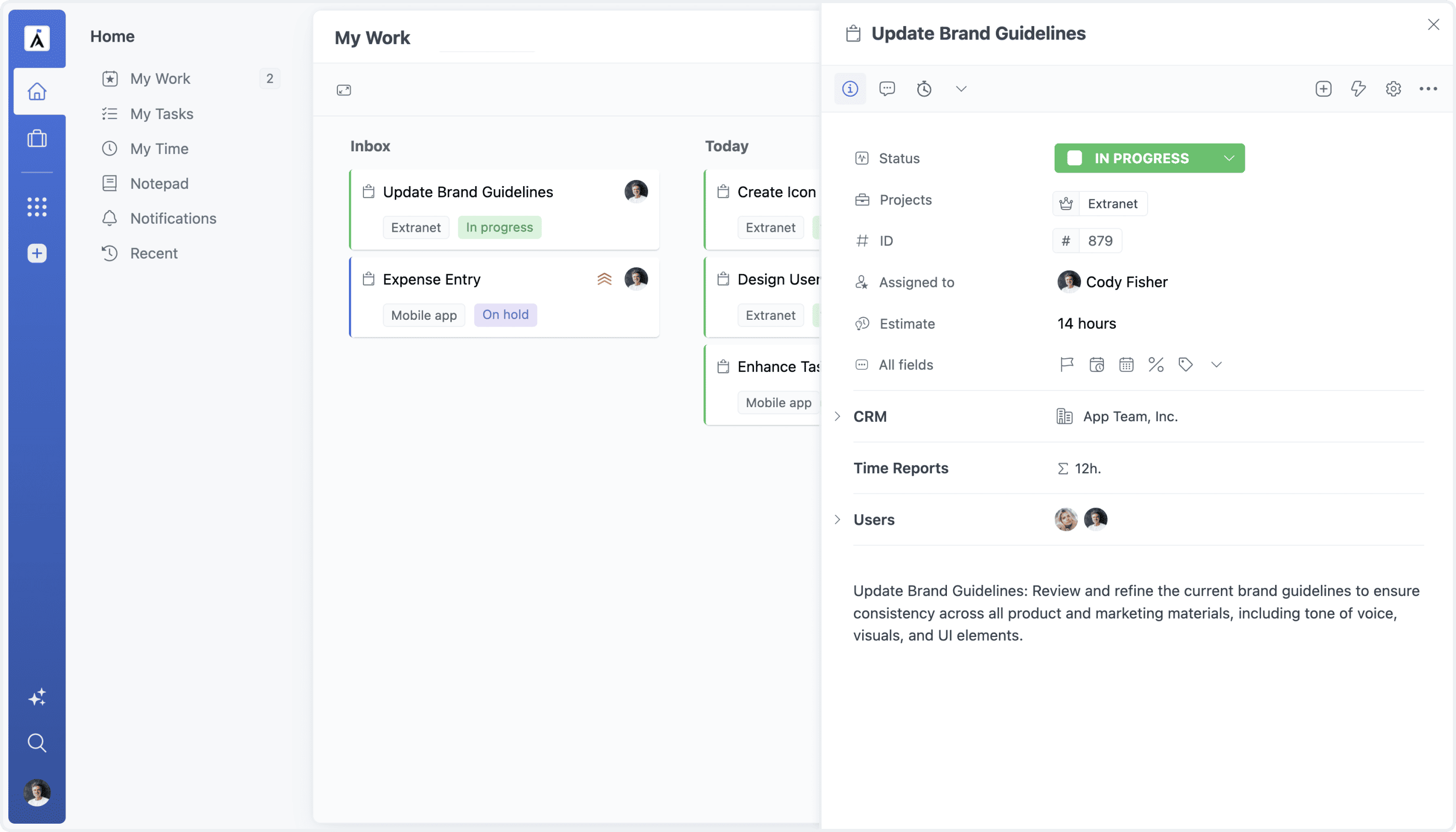
Task Side View is a new layout option that opens tasks on the side of the current screen, so users can view and update task details without leaving their main workspace. Whether working from a Board, Task List, My Work, or another view, the main content stays visible while task information, updates, and navigation remain easily accessible. This creates a smoother, faster, and more focused way to work with tasks in context.

Floating Task Layout

Task-Level Notification Settings NEW

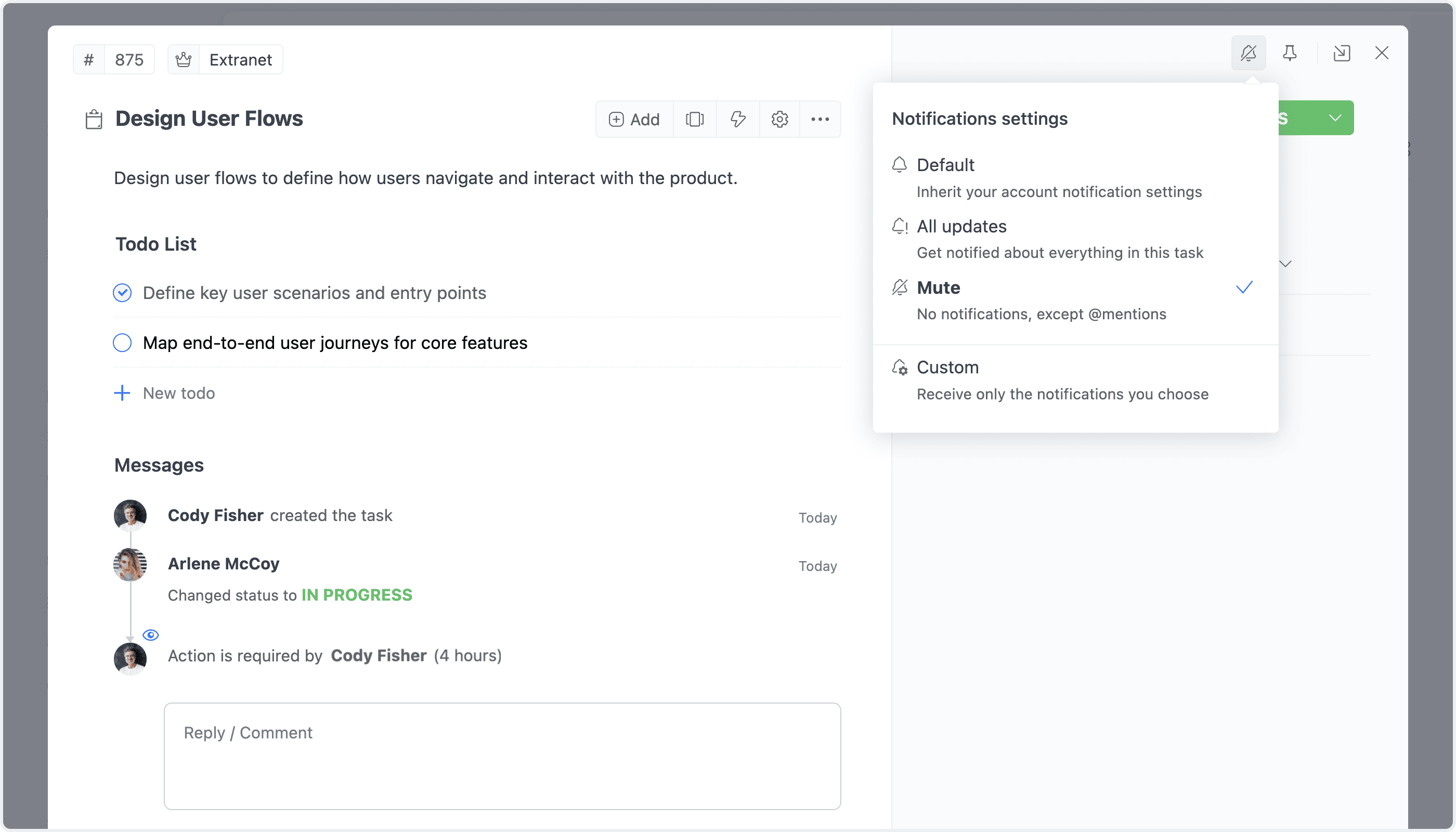
Task notification settings can now be customized for individual tasks, giving users more control over the updates they receive. For each task, users can keep their default notification rules, mute all updates, subscribe to every update, or manually select which activity types should trigger notifications. This makes it easier to follow important tasks closely while keeping other task updates quieter and more focused.

View Controls