/
Version 7.13

GoodDay Version 7.13

Mar 28, 2026

Tasks in Multiple Projects NEW

One of the most requested GoodDay features is finally here — tasks can now be added to multiple projects while remaining fully connected everywhere they appear.

This makes it significantly easier to manage cross-functional work, shared deliverables, and collaboration between teams without duplicating tasks. Instead of maintaining separate copies across different workflows, teams can now work from a single task that stays accessible from every relevant project.

Tasks in Multiple Projects

Main & Linked Projects

When a task is created, the project where it was originally created becomes its Main Project. The Main Project defines the task workflow, task ID, custom fields, and other project-level settings, ensuring the task remains structured and consistent no matter how many additional projects it is connected to.

Tasks can also be added to additional projects, called Linked Projects, allowing the same task to be accessible across multiple teams, workflows, and areas of work without duplication. This makes it easier to manage shared work across the organization while keeping all updates, discussions, files, and activity within a single task.

As projects and workflows evolve, any Linked Project can be promoted to become the new Main Project at any time, providing full flexibility in how work is organized and managed.
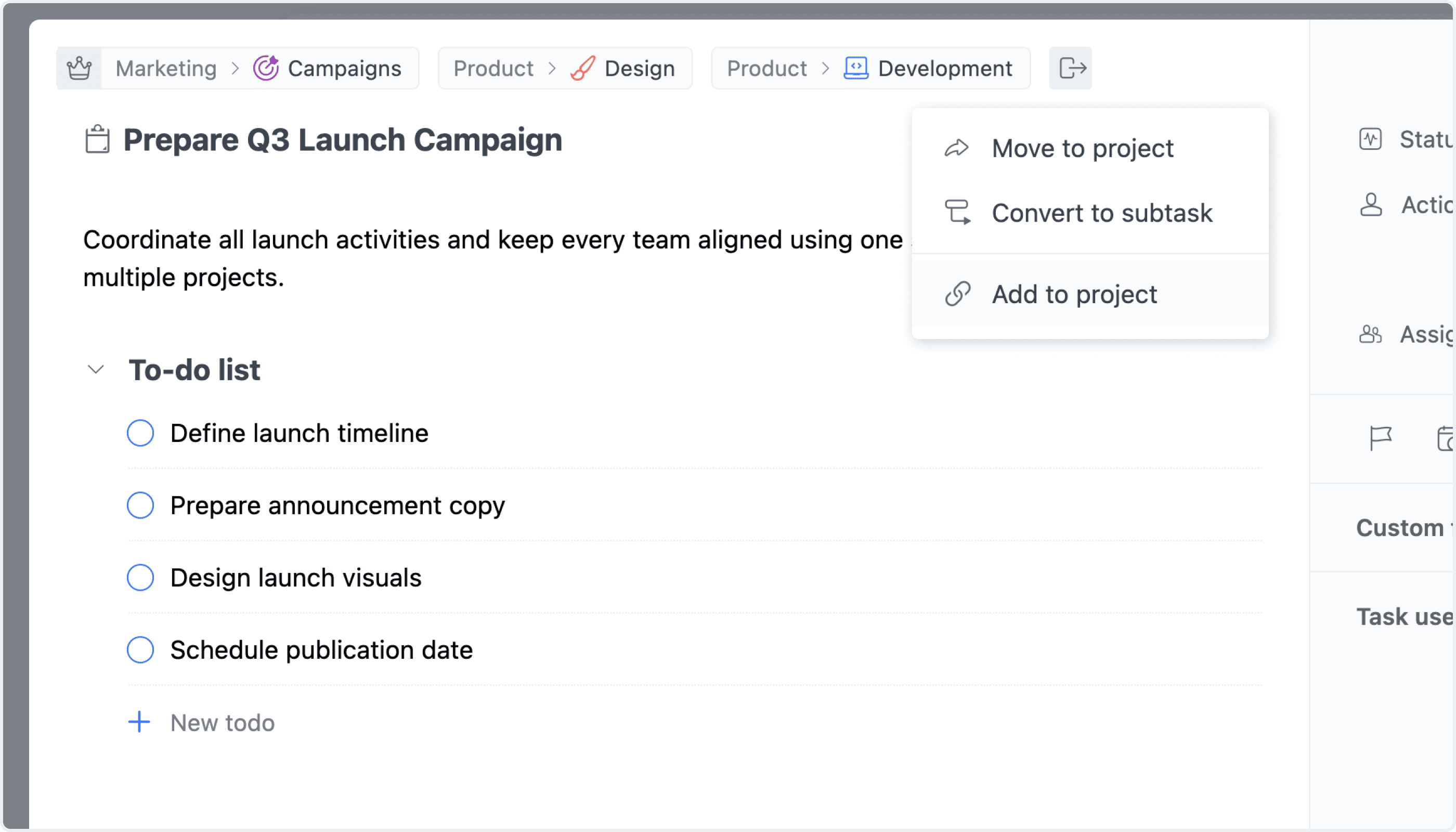
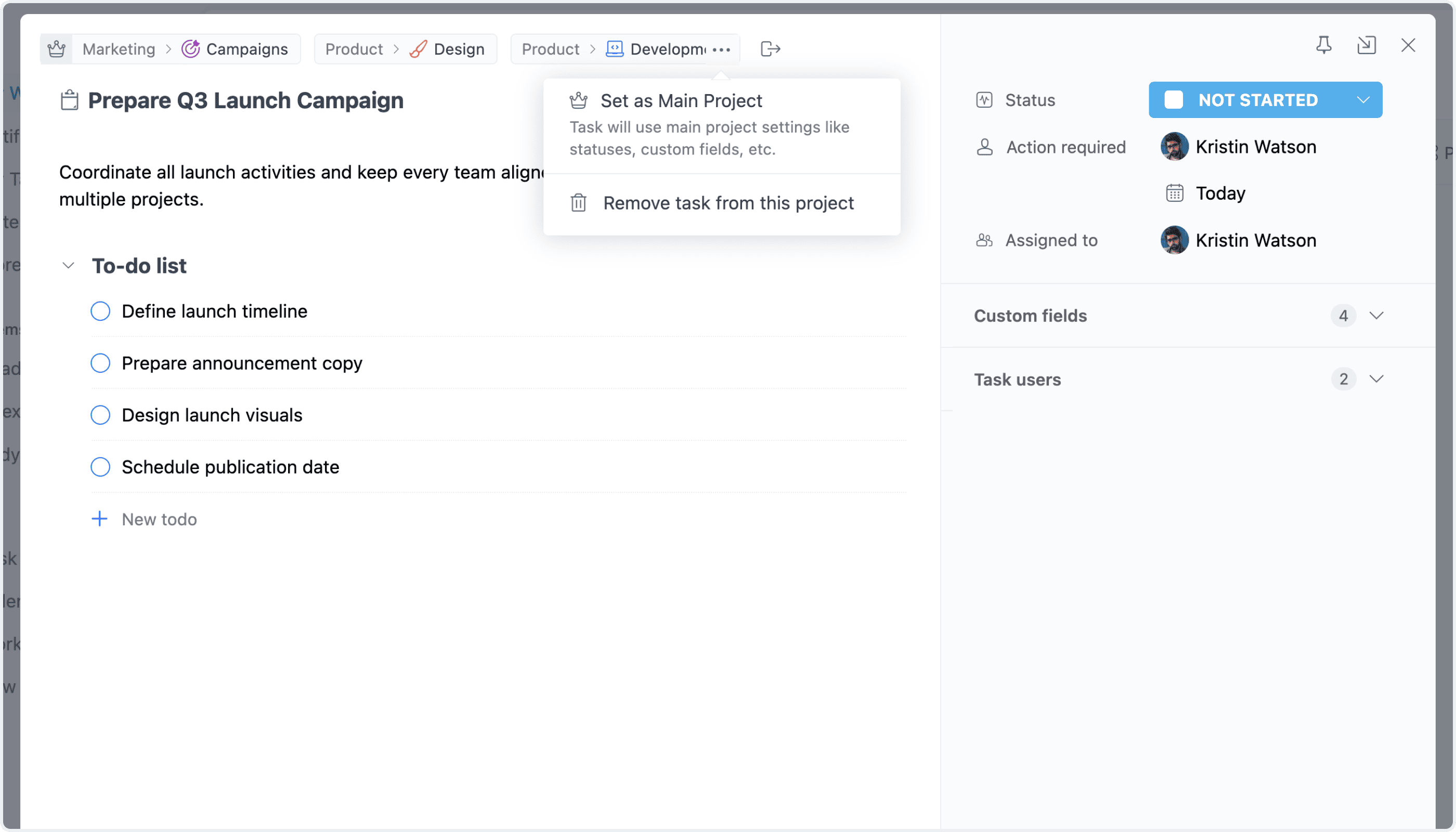
Main Project vs. Linked Projects

Managing Task Project Connections

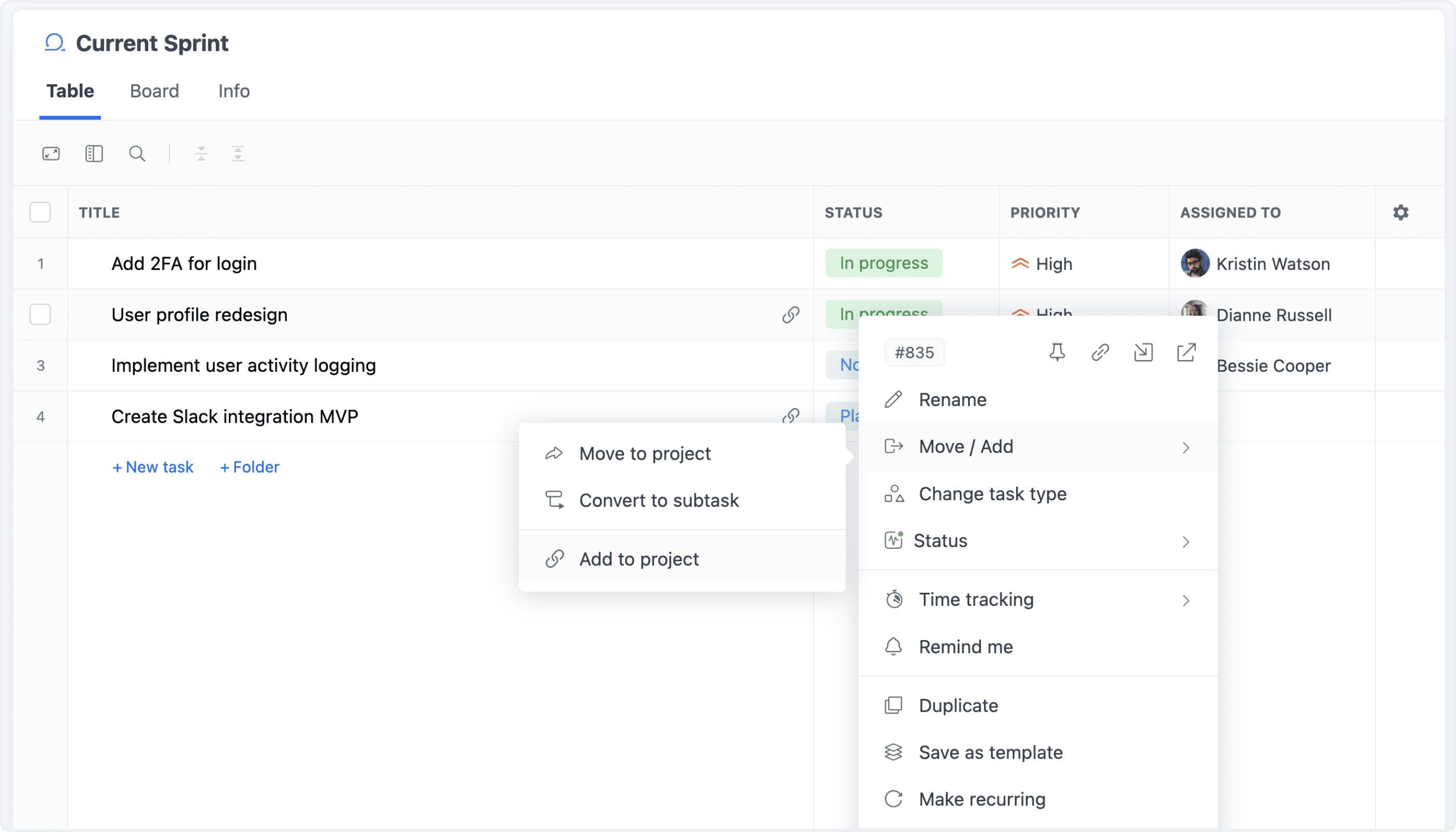
Task project connections can be managed directly from the task view or from operational views across GoodDay, including List, Table, Board, and other views. Using the right-click or More actions menu, tasks can be added to additional projects without interrupting the current workflow.

For improved visibility, tasks connected to multiple projects are clearly identified throughout the workspace. Visual indicators within project views make it easy to distinguish whether a task belongs to the Main Project or appears as part of a Linked Project, helping teams better understand how work is connected across projects and workflows.

Linked Tasks in Views

Settings

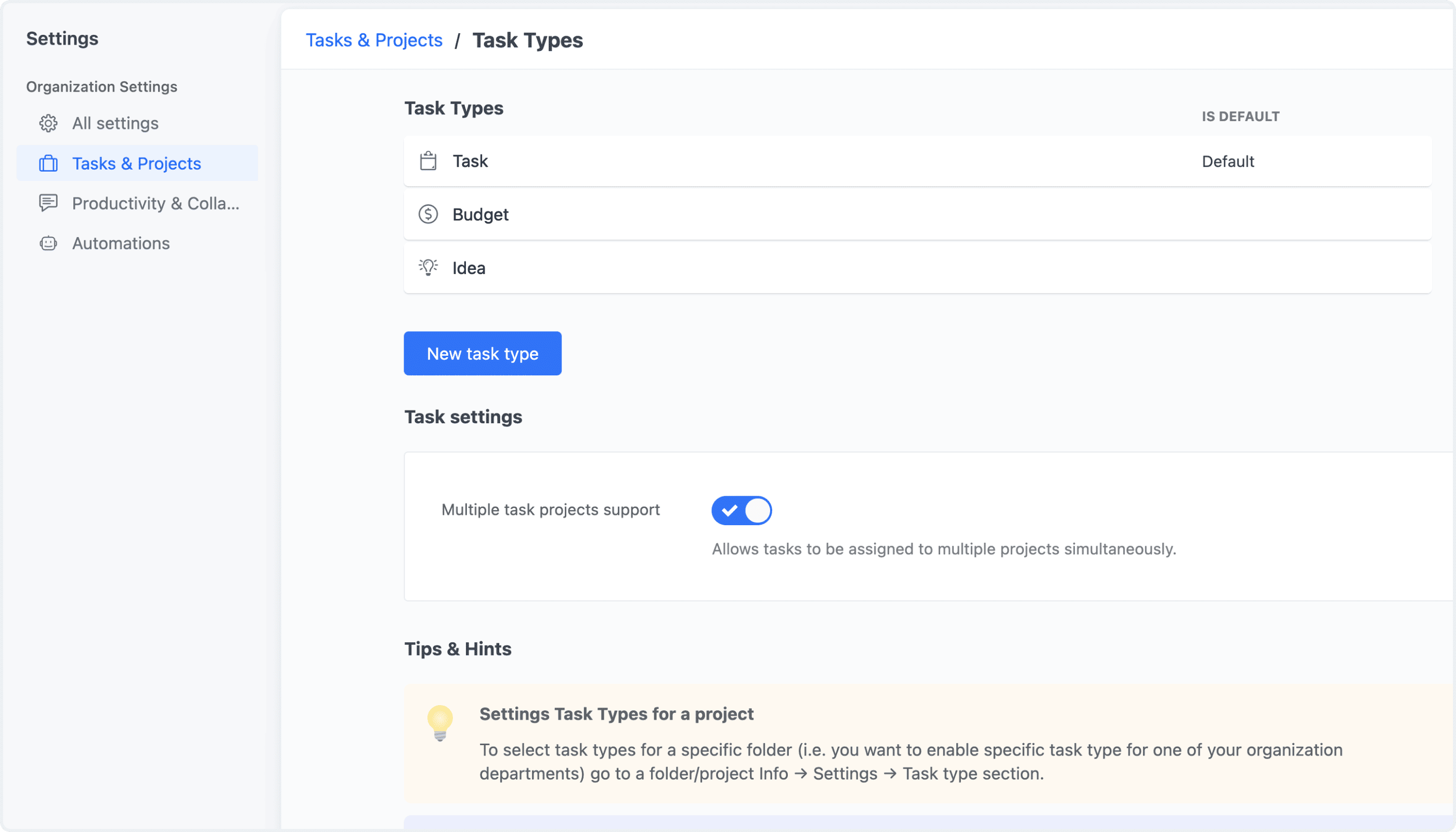
Support for tasks across multiple projects can be enabled or disabled at any time in Settings → Task Types. Organizations that do not require this functionality can simply disable Multiple Task Projects Support, allowing teams to keep workflows streamlined while enabling advanced cross-project collaboration only when needed.

Managing the Feature