/
Version 7.10

GoodDay Version 7.10

April 7, 2026

Task List: Fresh New Look

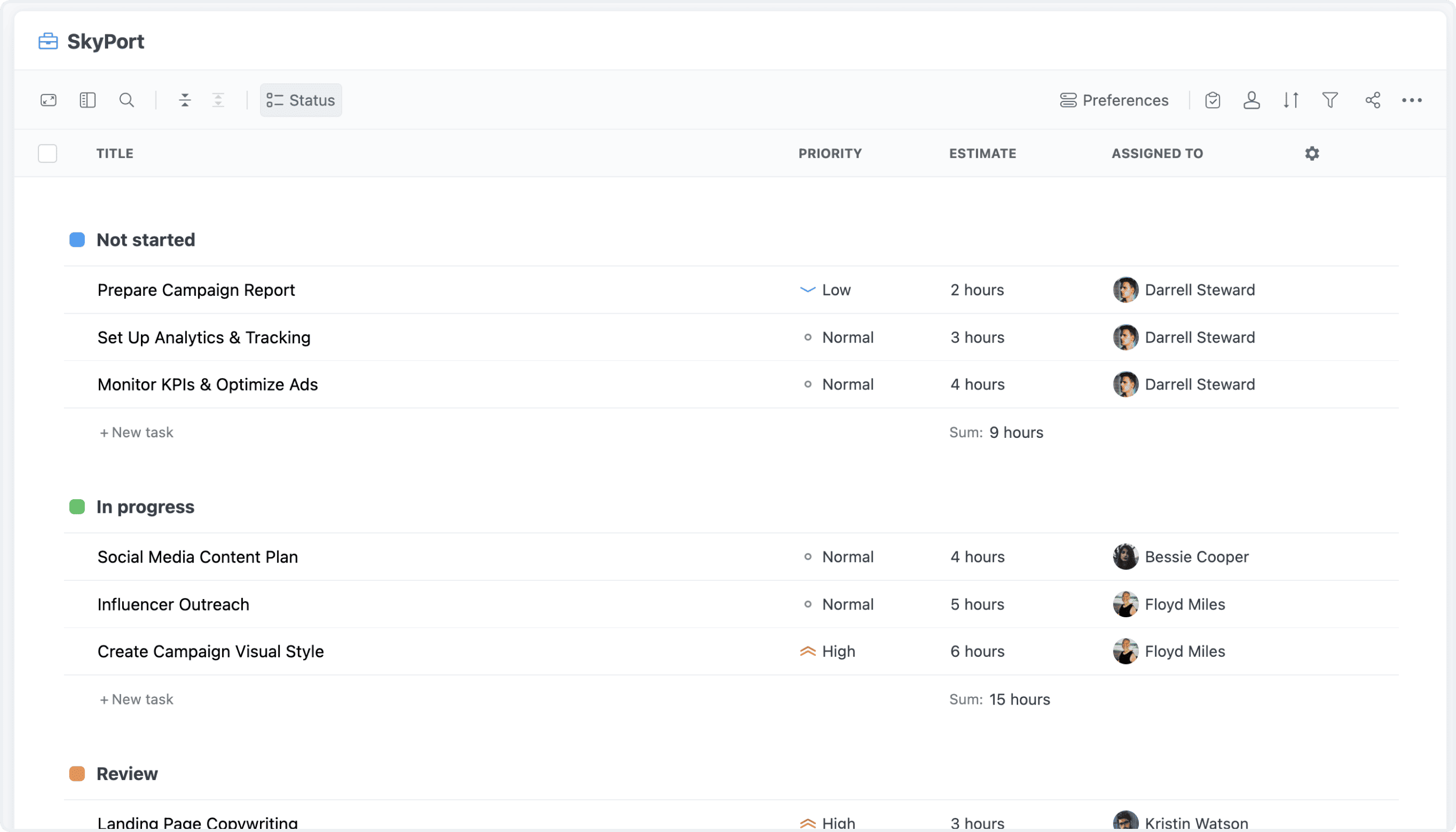
We've redesigned the Task List with a fresh, focused interface. There's less visual noise, better spacing, and a more natural layout — making it easier to navigate and work with your tasks. The updated design keeps everything within reach while feeling lighter and more polished.

Task List: Fresh New Look

Task List: Improved Quick Filters

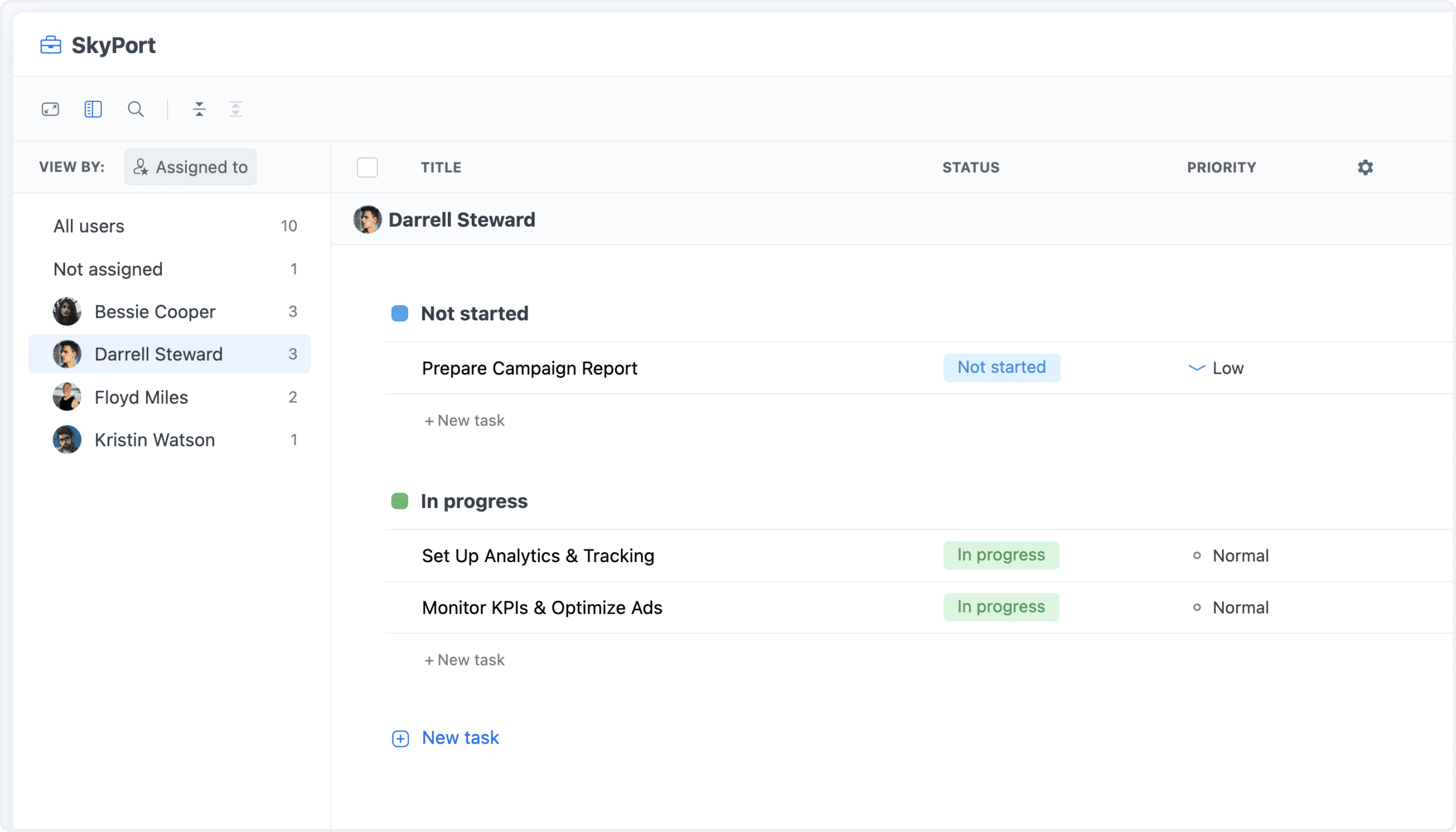
Quick Filters in the Task List have been completely overhauled. A collapsible sidebar slides in on demand, giving you fast access to all filter options without leaving the view. Quick Filters are now synchronized with the view's main filters, so your filter state stays consistent and predictable no matter how you switch between them.

Task List: Improved Quick Filters

Task List: Enhanced Column Aggregations

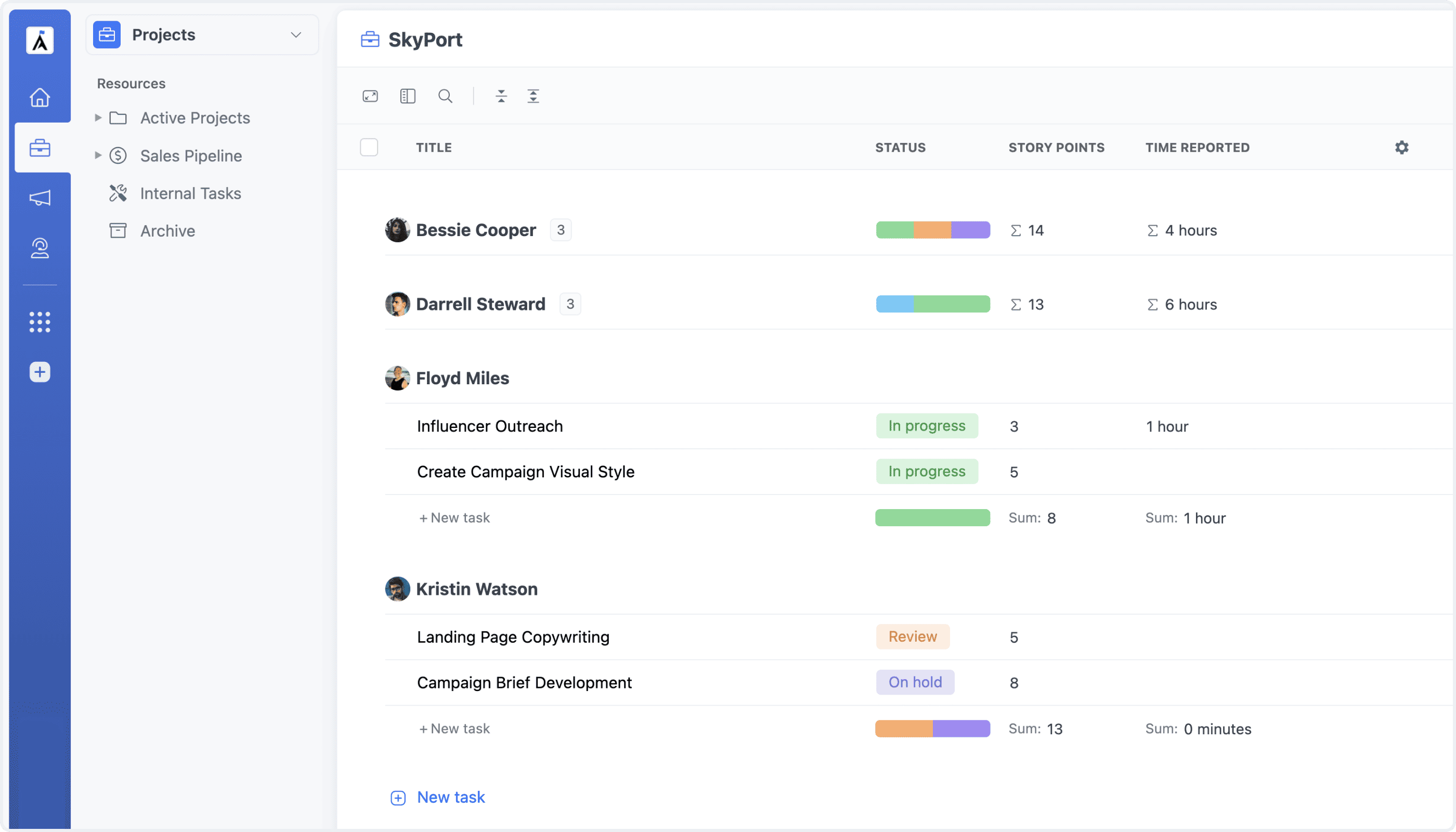
Column aggregations in the Task List are now significantly more capable. We've expanded support to cover more column types, letting you enable aggregations across a wider range of fields — including custom ones. Totals, counts, averages, and other summaries appear right where you need them.

Task List: Enhanced Column Aggregations

Task List: Updated Preferences

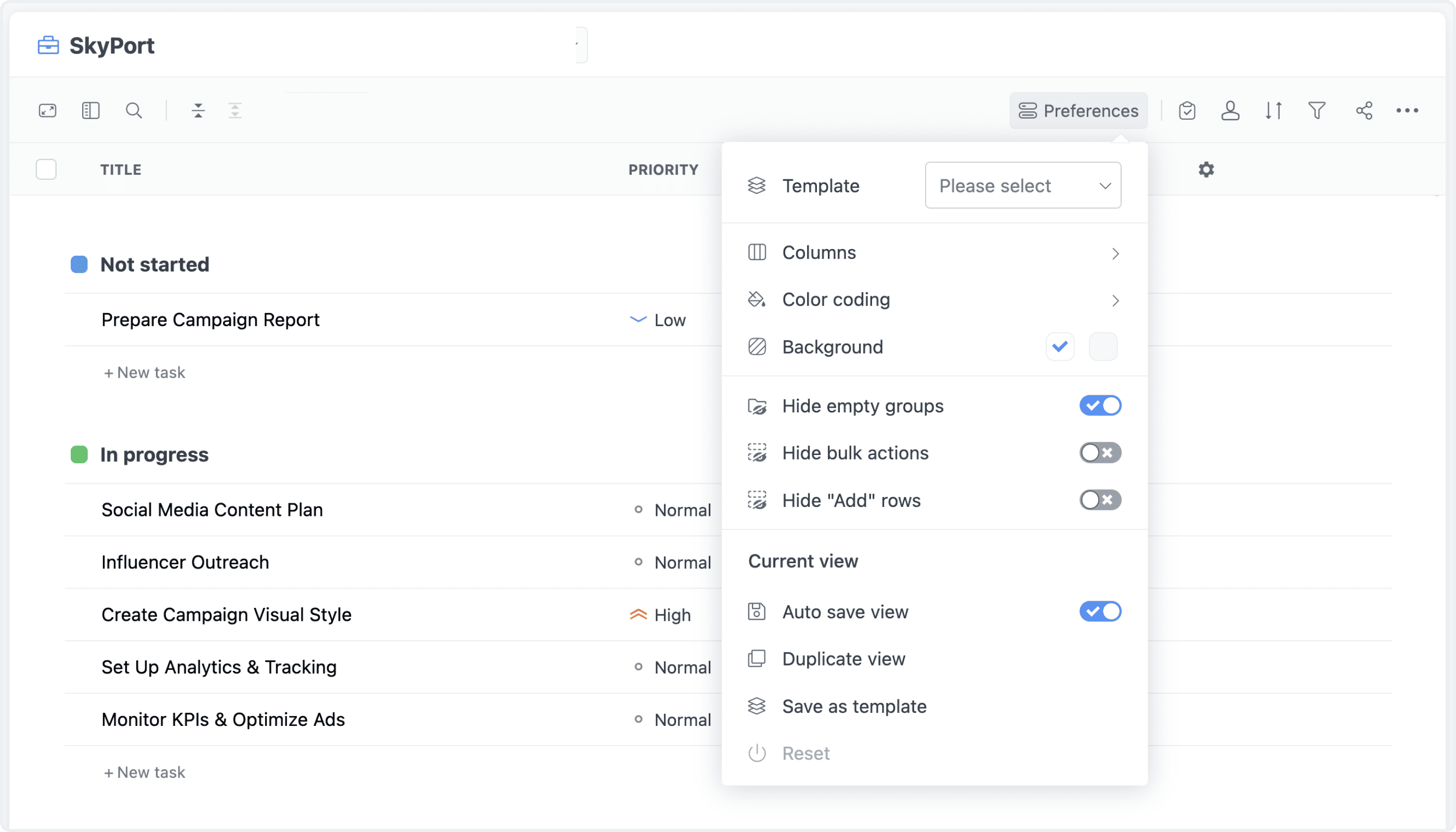
The Preferences panel in the Task List has been redesigned for clarity and consistency. The updated layout makes it easier to find and adjust the settings you need — and now matches the Table View's preferences panel, so the experience feels seamless as you switch between views.

Task List: Updated Preferences

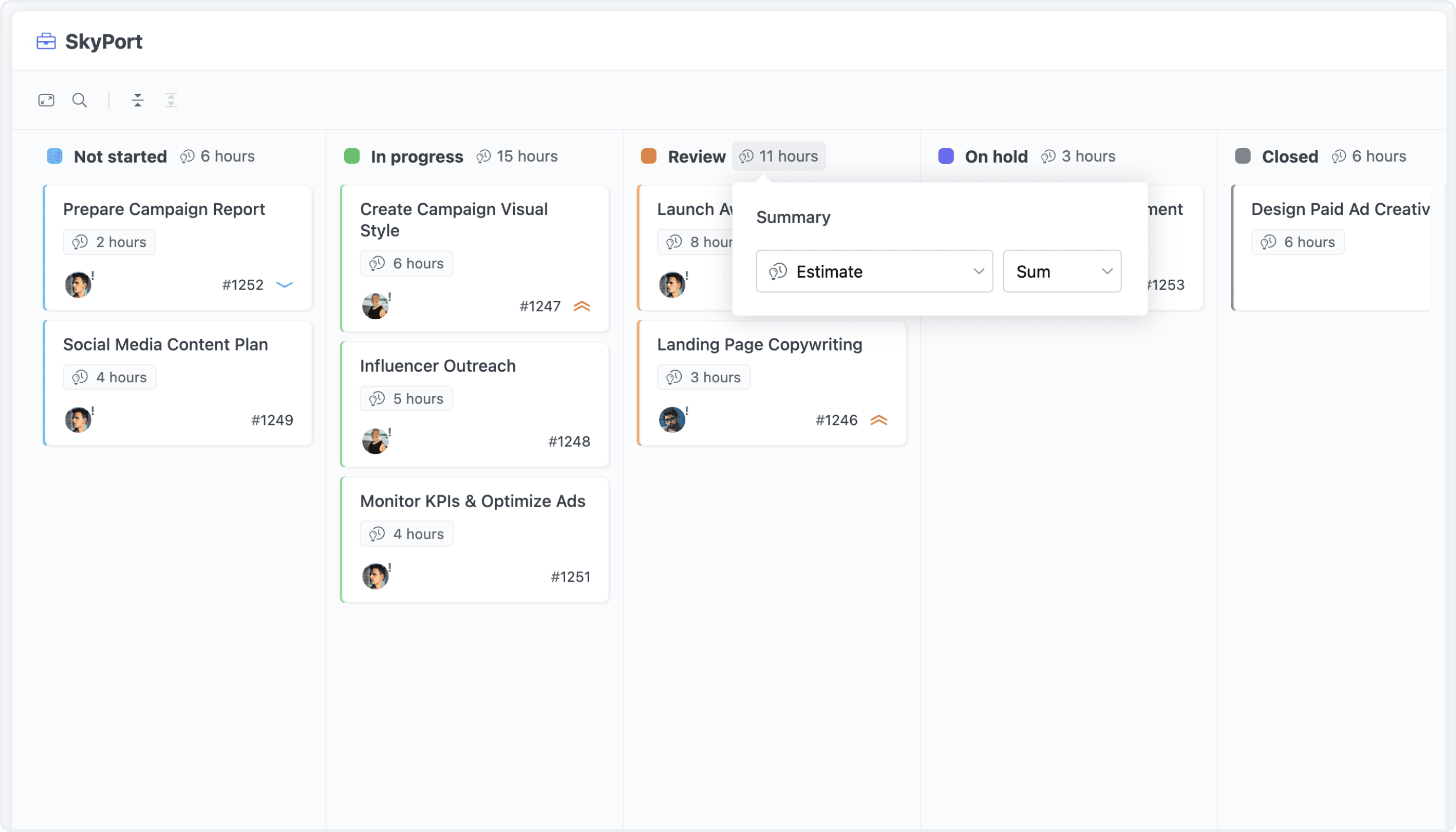
Board: Column & Row Totals

The Board view now supports column and row aggregations. Enable summaries for any system or custom field — totals, counts, sums, averages, and more — displayed right within the board layout. Get a meaningful snapshot of your data without ever leaving the view.

Board: Column & Row Totals

Board: Improved Engine

We've rebuilt the Board's underlying engine for better performance and responsiveness. It now handles larger datasets more efficiently, loads faster, and feels noticeably smoother — especially when working with complex configurations or many tasks.

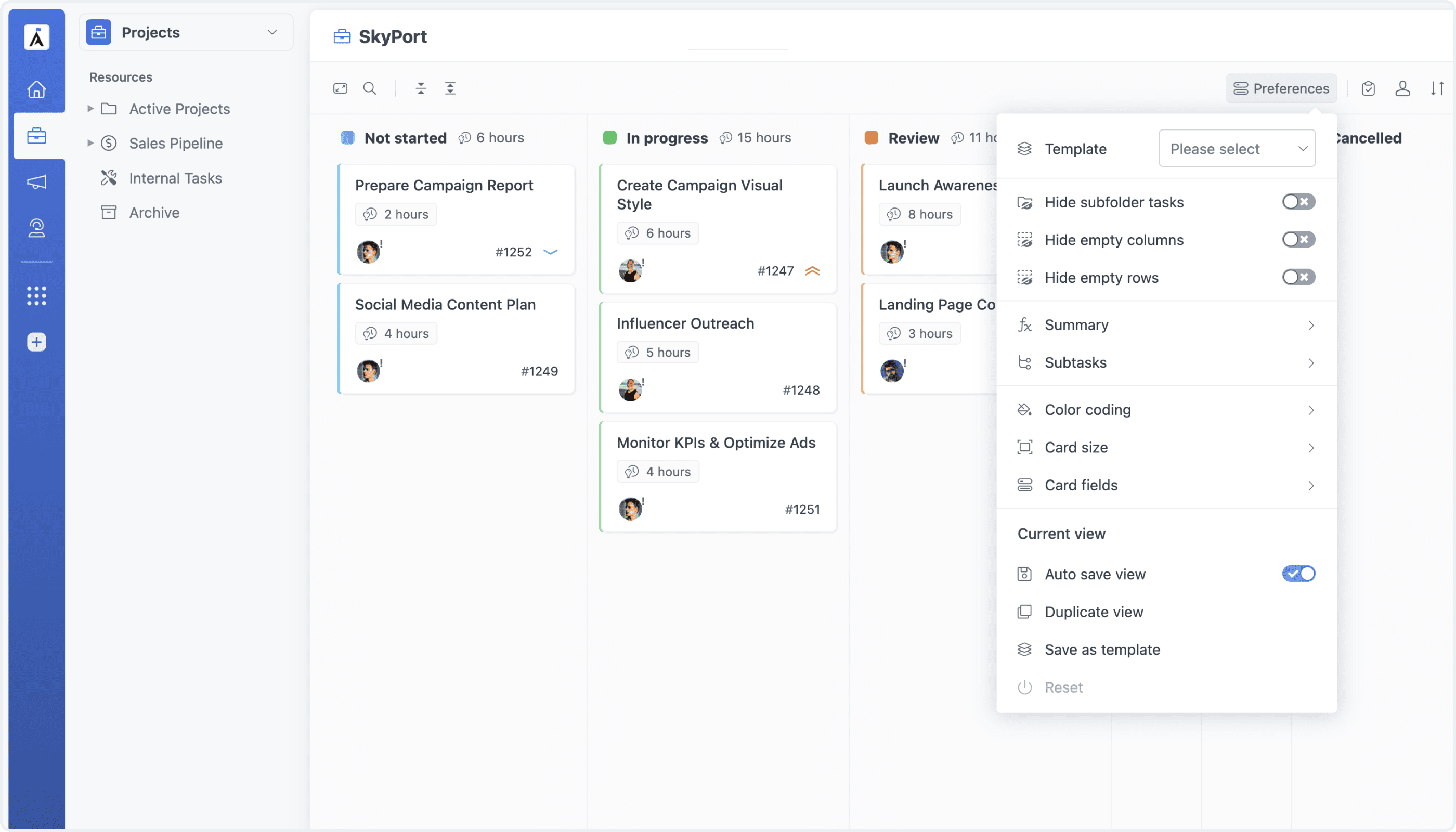
Board: Updated Preferences

The Board's Preferences panel has been updated to match the design and structure of the Task List and Table View. Settings are now organized in a consistent, familiar way — making it easier to configure the Board exactly how you need it.

Board: Updated Preferences