
Project management sometimes feels like herding cats, except the cats are deadlines, tasks, and people asking “just one quick question.”
ChatGPT will not magically fix this, but it can make your daily work much easier.
In this article, we will look at how to use ChatGPT for project management. You will find prompt examples, specialized GPTs, and learning resources to help you get started.
What can ChatGPT do for project management?
When people started using ChatGPT for project work, many were not sure where it actually helps and where it is just a distraction. ChatGPT is most useful for planning, communication, and structuring information. Here are the key ways project managers actually apply it in real projects.
Project planning
ChatGPT helps turn vague project ideas into structured plans that are easier to work with and share. It is useful at the early stage, when you need to define scope, tasks, and timelines without starting from a blank page.
Example: You can ask it to create a work breakdown structure for a website redesign project based on a short description.
Risk and dependency management
ChatGPT helps you think through what could go wrong and how tasks depend on each other, especially when you want a second perspective. It is useful for spotting common risks and missing links that are easy to overlook in manual planning.
Example: You can ask it to list potential risks and dependencies for a mobile app launch.
Communication
ChatGPT makes it easier to prepare clear and consistent messages for different stakeholders. It helps adapt the same information for a team update, a client email, or an executive summary without rewriting everything from scratch.
Example: You can ask it to rewrite a project status update for a non-technical audience.
Content generation
ChatGPT saves time by creating reusable project materials such as templates and checklists. This is useful when you want consistency across multiple projects without manually recreating the same documents.
Example: You can ask it to generate a standard project kickoff checklist.
Process improvement
ChatGPT can review existing workflows and suggest ways to make them simpler or faster. It is especially helpful when you want fresh ideas on reducing bottlenecks or unnecessary steps.
Example: You can paste your current approval process and ask how to shorten it.
ChatGPT project management features in 2026
ChatGPT can act as a flexible support layer across the entire project lifecycle. Instead of replacing your project management software, it enhances planning, coordination, analysis, and communication. Used correctly, it reduces cognitive overload, accelerates documentation, and helps you think more clearly under pressure.
Scope definition and clarification
ChatGPT helps transform vague ideas into structured project scopes. You can describe a rough objective, and it will generate a clear scope statement with boundaries, deliverables, assumptions, and exclusions. This reduces ambiguity early and prevents scope creep caused by unclear expectations.
Work breakdown structure creation
By providing project details, you can ask ChatGPT to decompose the initiative into phases, milestones, and granular tasks. It structures complex efforts into logical components, making estimation and assignment easier. This is especially useful at early planning stages when structure is still forming.
Timeline and milestone planning
ChatGPT can suggest realistic milestone sequences based on project type, constraints, and dependencies. It helps identify critical steps and potential bottlenecks before execution begins. While it does not replace scheduling tools, it strengthens the logic behind your timeline.
Risk identification and mitigation planning
When prompted with project context, ChatGPT can generate structured risk registers, including likelihood, impact, and mitigation strategies. It also supports scenario analysis, helping you explore what happens if certain variables change. This improves preparedness and decision confidence.
Resource and workload planning
ChatGPT can recommend allocation strategies based on team size, skills, deadlines, and constraints. It helps evaluate trade-offs, such as adding resources versus extending timelines. This is particularly helpful when balancing multiple parallel projects.
Stakeholder communication drafting
Clear communication is often a hidden bottleneck in project management. ChatGPT drafts status updates, executive summaries, stakeholder emails, and meeting recaps in structured formats. It ensures tone alignment and clarity while saving time on repetitive communication.
Meeting agenda and documentation support
You can generate meeting agendas tailored to sprint reviews, retrospectives, risk workshops, or executive check-ins. After meetings, ChatGPT can structure raw notes into clear summaries with decisions and action items. This improves accountability and knowledge retention.
Prompt-driven decision analysis
ChatGPT supports structured thinking through decision matrices and comparison frameworks. You can ask it to evaluate vendors, methodologies, or strategic options using defined criteria. This reduces emotional bias and encourages analytical clarity.
Process improvement suggestions
By describing workflow bottlenecks, you can request optimization recommendations. ChatGPT analyzes inefficiencies and suggests process refinements grounded in general best practices. It acts as a neutral observer that helps surface blind spots.
Documentation and template generation
ChatGPT generates reusable templates for project charters, risk logs, sprint plans, communication plans, and reports. This standardizes documentation across teams and reduces the time spent formatting repetitive artifacts. Consistency improves scalability.
Knowledge consolidation and synthesis
For complex projects with multiple information streams, ChatGPT can summarize long documents, compare versions, and extract key insights. It reduces information overload and helps project managers maintain a strategic view rather than getting lost in details.
What are projects in ChatGPT
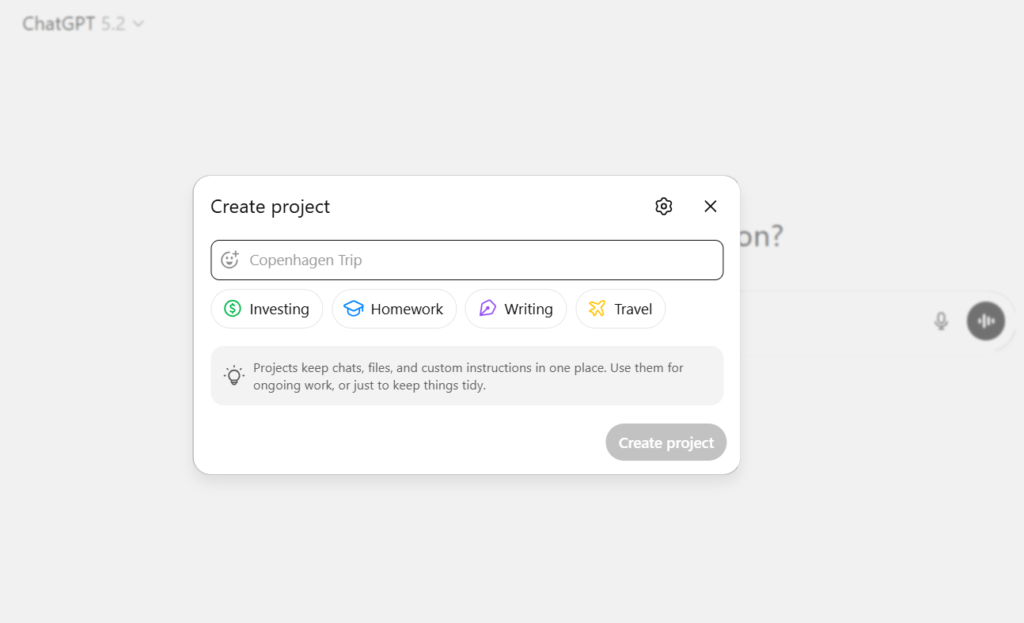
Projects in ChatGPT are designed for working on tasks that last longer than a single conversation. They let you keep all related chats, files, and instructions in one place instead of spreading work across multiple threads.
Inside a project, you can group conversations, upload reference files, and add custom instructions so ChatGPT stays focused on your specific task.
This makes it easier to continue work over time without repeating context or re-explaining the same details. Projects are especially useful for repeated and evolving work such as:
- Writing long documents
- Research and analysis
- Project planning
- Ongoing content creation
Projects are available to both free and paid users worldwide. Business, enterprise, and education users can also share projects with teammates, which helps teams align on goals, track progress, and collaborate directly inside ChatGPT.
How to get started with ChatGPT for project management
To get the best results from ChatGPT, use clear prompts, set up custom GPTs, enable memory for continuity, and refine outputs through follow-up questions.
1) Start with detailed prompts
Be specific about your request, including the project type, desired format (e.g., table, bullet points), tone, and key components.
2) Use custom GPTs (paid feature)
You can use specialized project manager GPTs by providing instructions, conversation starters, and uploading relevant documents (like PM plans) for context.
3) Utilize memory
Enable Memory in settings to allow ChatGPT to recall project details and tasks across different conversations.
4) Iterate and refine
Treat it as a conversation; ask follow-up questions, request different perspectives (e.g., explain to a sponsor vs. a team member), and ask it to refine its outputs.
Example ChatGPT prompts for project management
Good results with ChatGPT start with good prompts.
For a project brief
“Act as a project manager. Ask me key questions to develop a one-page brief for a new [Your Project Type] project.”.
For a WBS
“Create a detailed Work Breakdown Structure for building a [Type of House], including phases, tasks, dependencies, and estimated durations.”.
For meeting prep
“Generate a focused agenda for a 30-minute weekly sync for our software launch project, including discussion points for risks, decisions needed, and action items.”.
For a project timeline
“Create a high-level project timeline for launching a mobile app, including major milestones and dependencies.”
For resource planning
“Suggest a basic resource allocation plan for a digital marketing campaign with designers, developers, and content writers.”
For scope clarification
“Review this project description and highlight any unclear or missing scope elements.”
Best GPTs for project management
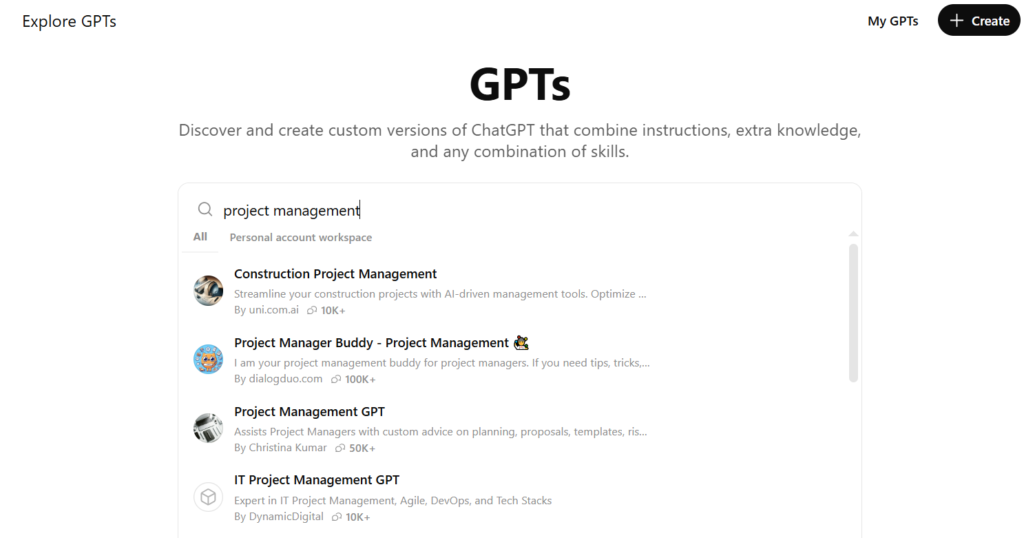
There are several GPTs designed to help with project management tasks. These GPTs act like specialized assistants in ChatGPT, offering features and guidance tailored to planning, communication, templates, and more. Below are a few useful ones for you to explore.
1) Project Management GPT
Project Management GPT is designed to support common project management tasks such as planning, documentation, and general project-related questions. It helps generate structured content like scopes, task breakdowns, and basic risk lists based on the information you provide.
2) Project Management Assistant – ProjectTech
The ProjectTech assistant is built to help with everyday project management activities, including planning, tracking, and organizing project information. It is intended to provide structured suggestions and guidance based on your inputs, rather than just generic answers. This GPT is useful when you want more context-aware help for project-related work.
3) Project Manager Buddy
Project Manager Buddy is a helper for project managers who want quick guidance, templates, and examples for common tasks. It is commonly used for advice on workflows, Agile concepts, and standard project documentation formats.
How to get better results from ChatGPT in project management
Using ChatGPT for project management is not just about what you ask, but how you ask it. A few simple things can significantly improve the quality, relevance, and usefulness of the outputs you get.
Be specific with prompts
Provide context, desired format (e.g., table, email), tone (professional, concise), and key details for tailored outputs.
Provide relevant project data
Share the key inputs such as scope, timelines, constraints, and assumptions so ChatGPT can produce outputs that are aligned with your actual project context.
Use iterative conversations
Refine initial outputs by asking follow-up questions or providing more details within the same chat session.
Leverage custom instructions
Set persistent preferences (like your project role or preferred document style) to avoid repeating instructions in every prompt.
Assign personas
Tell ChatGPT to act as an expert project manager, risk analyst, or stakeholder to get targeted advice.
Define acceptance criteria
Tell ChatGPT what “done” means for your task, including quality standards, constraints, and success conditions, so the output matches your expectations more closely.
Best courses for using ChatGPT in project management
There are online courses that teach how to use ChatGPT and AI tools specifically for project management work. These courses range from beginner level overviews to more structured programs that include planning, risk, communication, and practical application exercises. Below are a few noteworthy ones you might consider.
ChatGPT for project management specialization (Coursera)
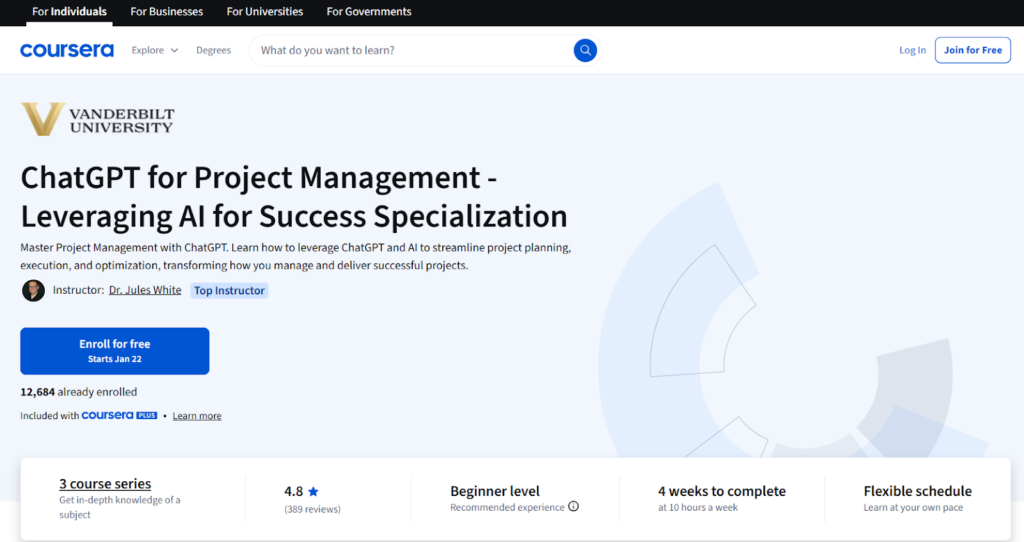
This is a multi-course specialization that focuses on using ChatGPT and related AI techniques throughout the project lifecycle. You learn how to break down complex projects, plan tasks, analyze risks, and use prompting to automate documents and workflows. The specialization includes hands-on projects and teaches how to use AI for timelines, schedules, collaboration, and meeting facilitation.
Project management with ChatGPT (Udemy)
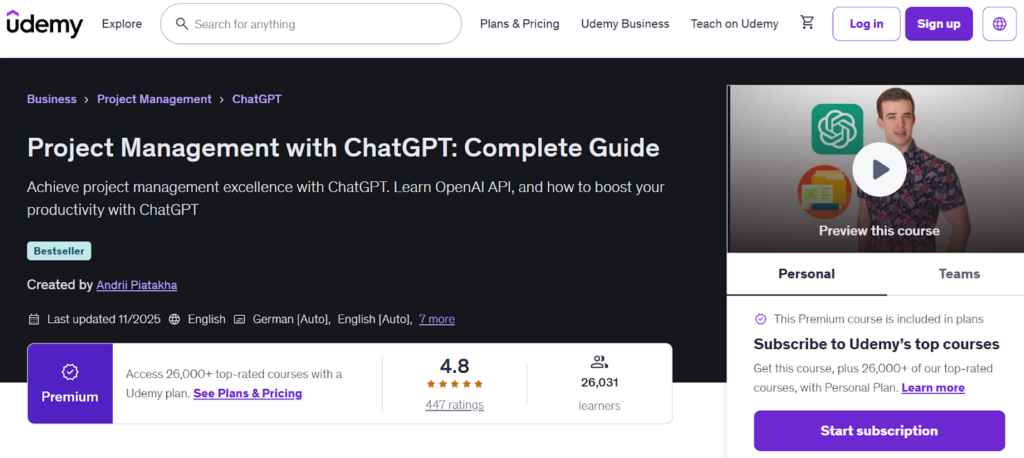
This course gives a practical introduction to using ChatGPT in both traditional and agile project management. It teaches how to plan, manage, and deliver projects using AI, including writing effective prompts and generating key documents like charters, schedules, and reports. The lessons also cover prompt templates and how to apply ChatGPT to common PM tasks to save time and improve communication.
ChatGPT for project management (Simplilearn)
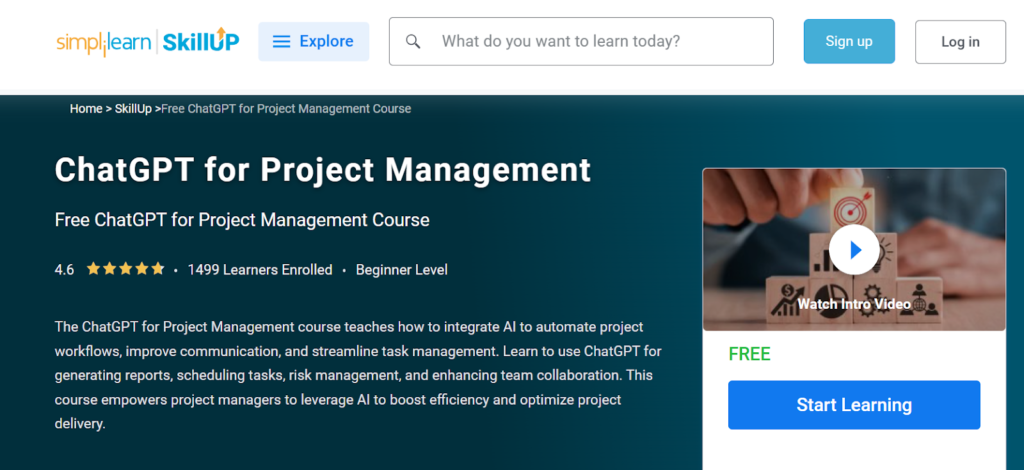
This course teaches how to integrate AI into everyday project workflows to automate tasks and improve communication. You learn how ChatGPT can assist with project reports, scheduling, risk handling, and team collaboration. It is a shorter, self-paced course designed to help project managers boost efficiency by using AI where it makes sense in their work.
How ChatGPT and GoodDay work together in project management
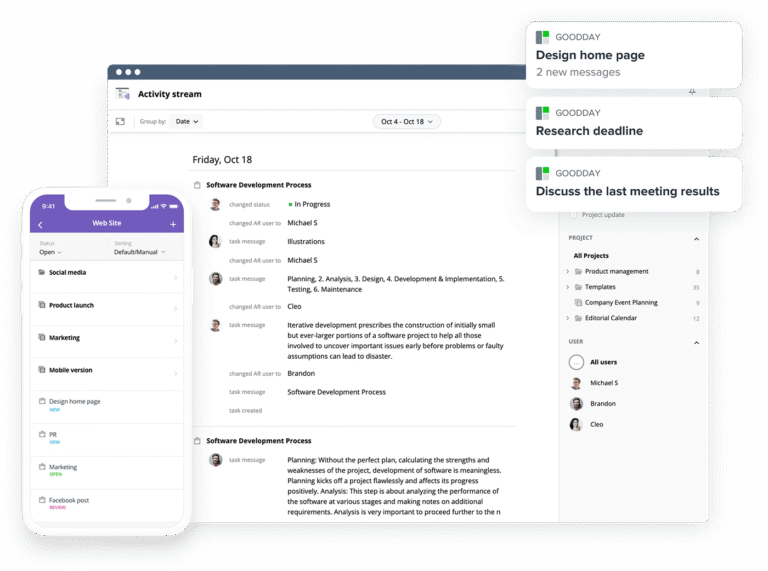
ChatGPT is very good at helping you think, plan, and structure project work, but it is not designed to plan or track projects. For that, you need a dedicated project management system. This is where GoodDay is invaluable.
GoodDay is a powerful work management software used by Fortune 500, growing startups, and established businesses all over the world. It has a free plan with unlimited projects for up to 15 users and gives access to advanced productivity features.
The platform includes ready-to-use project management templates, supports multiple methodologies, offers unlimited project hierarchy and includes built-in time tracking. GoodDay is top-rated in 12 Capterra shortlists in 2026.
You can start using GoodDay for free to see how it can help manage your project. And if you have any questions, you can always connect with our team via info@goodday.work
FAQs
Can ChatGPT do project management?
ChatGPT cannot replace an experienced project manager, but it can support many project management tasks. It helps with planning, documentation, communication drafts, and early analysis. It works best as a support layer, not as the system where projects are executed. Used correctly, it can make your life easier without removing the need for real tools and human decisions.
How to use ChatGPT for a project?
Start by defining your project name and providing clear specific details about scope, goals, and constraints. You can ask it to generate a task list, clarify requirements, or suggest risks and dependencies. It is especially useful for drafting a project charter and outlining a basic project schedule. The clearer your input, the more useful the output becomes.
Which ChatGPT model is best for project management?
The latest general-purpose model is usually the best choice for project management work. It handles context, reasoning, and longer inputs more reliably than older versions. This is important when working with project data or long documents. More capable models also improve overall effectiveness in complex project scenarios.
How did I transform ChatGPT into a project management system?
You can turn ChatGPT into a personal project assistant by combining structured prompts, saved instructions, and consistent workflows. This usually includes tracking upcoming tasks, summarizing progress, and storing project-related notes. Some users also rely on conversation history to keep context across sessions. Still, this setup supports thinking and organization, not real execution.
How can I use AI as a project manager?
You can use an ai chatbot to help analyze risks, generate reports, and prepare communication. Many teams also use AI to summarize meeting transcripts and extract action items. This allows you to leverage AI for repetitive and analytical work while humans focus on decisions and leadership. AI should support, not replace, project ownership.
Is ChatGPT projects available for free users?
Yes, ChatGPT Projects are available to free users, with some limits compared to paid plans. They allow you to organize work beyond regular chats by grouping conversations and files in one place. This improves access to related materials and keeps work structured. Advanced collaboration features are mainly for business plans.
Which tool is best for project management?
There is no single best tool for every team, but dedicated platforms are better suited than AI alone. Project management tools are designed to track progress, assign work, and report on performance. AI can support these platforms by generating content or analyzing inputs, but cannot replace them. The best results come from combining both.
Can ChatGPT create a Gantt chart?
ChatGPT cannot generate a visual Gantt chart directly, but it can structure the data behind one. You can ask it to list tasks, dependencies, and timelines in a table format suitable for import into project software like GoodDay. It can also suggest task sequencing and milestones. This makes it useful for preparation, even if visualization happens elsewhere.
Where are projects in ChatGPT?
Projects in ChatGPT are available inside the ChatGPT interface as a workspace feature for organizing related chats, files, and instructions. They allow users to group conversations under a shared context instead of keeping everything in separate threads. Within a project, you can upload documents and define project-specific instructions. This helps maintain continuity and consistent responses across multiple sessions.
What are the best instructions for ChatGPT projects?
The best instructions are clear, specific, and outcome-focused. They define tone, audience, formatting preferences, and constraints such as length or structure. Strong instructions also include domain context, such as methodology, tools used, or stakeholder expectations. The more precise the guidance, the more aligned and useful the output becomes.
How to set context and customize how ChatGPT responds in this project?
You can set context by adding project-level instructions and uploading relevant documents. These instructions define how ChatGPT should respond within that workspace. You can specify tone, level of detail, formatting rules, and communication style. This customization ensures consistent responses aligned with your project standards.
How to use ChatGPT projects?
Create a new project in the ChatGPT interface and define its purpose. Add files, background information, and clear instructions for response style and goals. Use the project chat to run planning, analysis, documentation, or drafting tasks under shared context. This keeps all project-related conversations organized and coherent.
What are main ChatGPT project management use cases?
ChatGPT supports scope drafting, work breakdown structure creation, and milestone planning. It assists with risk identification, stakeholder communication, and meeting documentation. It can generate templates, summarize documents, and analyze decisions. These use cases improve clarity, speed, and structured thinking in project workflows.
How to use projects in ChatGPT?
Start by creating a project workspace and defining its objectives. Add persistent instructions that guide tone, format, and deliverables. Upload supporting documents such as project charters or requirement files. Conduct all related discussions inside that workspace to maintain consistent context.
How can a user apply specific communication guidelines within a ChatGPT project?
Users can define communication standards in project instructions. These may include tone preferences, formatting rules, or executive-summary requirements. ChatGPT will apply these guidelines consistently across responses within that project. This ensures alignment with company or stakeholder communication policies.
How to master ChatGPT for project management?
Mastery requires structured prompting and iterative refinement. Clearly define objectives, constraints, and expected output format in each request. Provide feedback to improve alignment with your workflow. Over time, this develops a reliable prompting framework tailored to your management style.
How to use ChatGPT for stakeholder kickoff?
Provide project background, objectives, stakeholders, and constraints in a single structured prompt. Ask ChatGPT to generate a kickoff agenda, key discussion points, and expected outcomes. Use it to draft a stakeholder briefing document and follow-up summary. This ensures alignment, clarity, and professional communication from the start.
What can a customized GPT model do for project management?
A customized GPT can be configured with predefined instructions and domain knowledge. It can automate recurring tasks such as generating status reports or risk logs. It may also follow specific templates and terminology aligned with company standards. This increases efficiency and reduces manual formatting effort.




