Are you trying to decide between GoodDay and Planview?
GoodDay is a comprehensive work management platform with more built-in features like time tracking, goals, and multiple project views, while Planview is known for its heavy focus on enterprise-level portfolio management and strategic resource planning for large-scale organizations.
| GoodDay | Planview | |
| Core functionality | All-in-one work management, task tracking, and collaboration. | Enterprise Portfolio Management (PPM) and strategic planning. |
| Advanced features | Integrated time tracking, OKRs, and financial modules. | Scenario planning, capacity modeling, and CapEx/OpEx tracking. |
| Visuals | Modern, highly customizable interface with 15+ views. | Functional, data-heavy views focused on high-level reporting. |
| Complexity | User-friendly with deep customization options. | High complexity, often requiring professional implementation. |
| Best for | Teams of all sizes want a unified, flexible platform. | Large enterprises are focused on high-level strategic governance. |
| Choose if | You want a cost-effective, full-featured tool that teams love using. | You need to manage thousands of projects at a corporate level. |
In this guide, we’ll explore every factor to consider when choosing between GoodDay and Planview to help you select the best project management software.
But if you have any questions that are not covered in this article, you can always connect with our team via info@goodday.work
GoodDay vs Planview: an overview
Choosing the right platform depends on whether you need a tool for daily execution or a system for corporate governance. While both help organize work, they cater to very different user needs and organizational structures.
What is GoodDay?
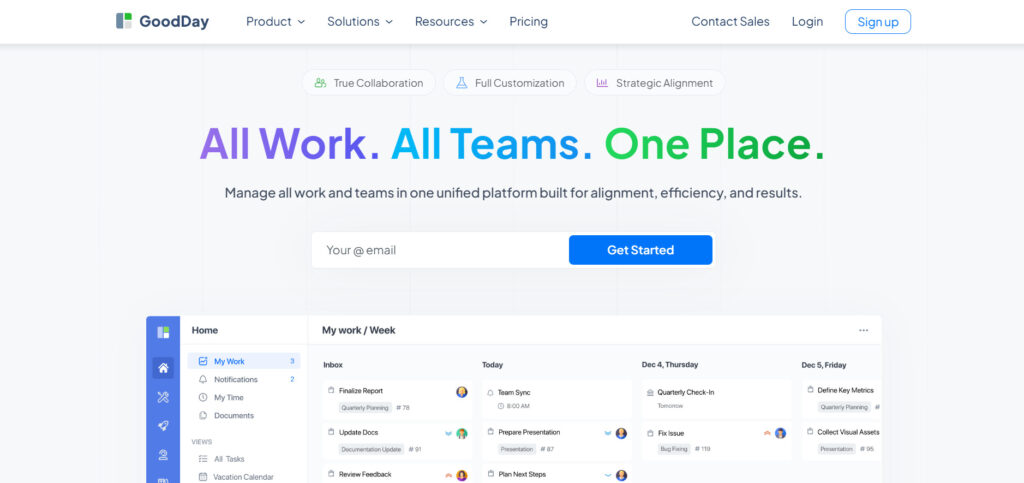
GoodDay is an all-in-one project management platform used by teams ranging from startups to Fortune 500 companies. It provides a unified workspace that combines task management, time tracking, resource planning, and data analytics into a single interface. The platform is highly regarded for its flexibility, allowing users to switch between many views, like Gantt charts, Kanban boards, and tables to suit their specific work style. Its commitment to security and excellence led to 12 Capterra shortlist recognitions.
What is Planview?
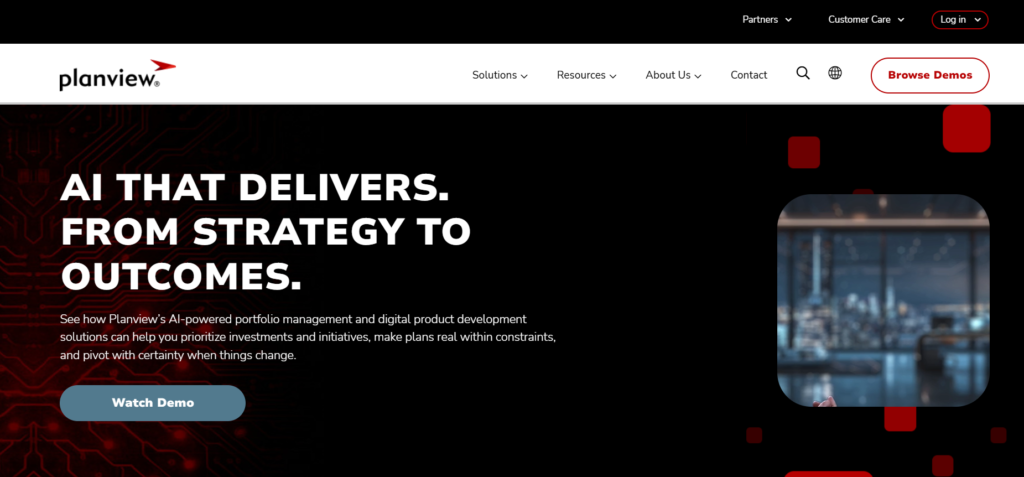
Planview is an enterprise-grade solution primarily focused on Project Portfolio Management (PPM) and Strategic Network Planning. It is built to help large organizations align their high-level business goals with their project execution and resource capacity. While powerful for executives tracking massive budgets and multi-year roadmaps, it is often viewed as a complex system that requires significant time to master.
GoodDay vs Planview: key differences
The main differences between these tools lie in their accessibility and how quickly a team can start seeing results. GoodDay offers a more inclusive approach with a lower barrier to entry, whereas Planview targets top-down management.
| GoodDay | Planview | |
| Free Version | Yes (up to 15 users) | No |
| Starting Price | $4 user/month | Around $29 per user per month |
| Support | Email, Help Desk, FAQs, Forum, Knowledge Base, Phone Support, 24/7 (Live Rep) | Email, Phone Support, Knowledge Base, Dedicated Success Manager (Higher tiers) |
| Ideal Team Size | Small, Medium, Large | Large, Enterprise |
| Supported devices | Desktop (Mac, Windows, Linux), Mobile (Android, iPhone) | Desktop (Web-based), Mobile (Limited functionality apps) |
| Training | Documentation, Live Online, In Person | Documentation, Webinars, Professional Services, In-Person Training |
| Integration capabilities | GoodDay features an extensive ecosystem of native connections, allowing for seamless synchronization with Google Workspace (G Suite), Gmail, Slack, and productivity tools like Google Docs, Drive, and Calendar. The platform also supports direct links to Dropbox, Box.com, and version control systems like GitHub and GitLab, while ensuring enterprise-grade security through SAML Single Sign-On (SSO). Beyond these built-in integrations, users can link to more than 1,300 additional applications via Zapier or utilize the open API to create custom bridges with any specialized internal software. | Planview focuses on enterprise-level connections like SAP, Salesforce, Jira, and Microsoft Dynamics, primarily used to sync high-level financial and portfolio data across departments. |
GoodDay vs Planview: comparison of features
When comparing features, GoodDay provides a more exhaustive list of daily productivity tools out of the box. Planview focuses more on the administrative and financial side of large-scale project tracking.
| GoodDay | Planview | |
| Kanban Features | Yes | Yes |
| Collaboration Tools | Yes | Yes |
| Dependency Tracking | Yes | Yes |
| KPI Monitoring | Yes | Yes |
| Milestone Tracking | Yes | Yes |
| Multi-Board | Yes | Yes |
| Prioritization | Yes | Yes |
| Project Planning | Yes | Yes |
| Roadmapping | Yes | Yes |
| Supports Scrum | Yes | Yes |
| Task Management | Yes | Yes |
| Time Tracking | Yes | No (Often an add-on) |
| Project Management Features | Yes | Yes |
| Agile Methodologies | Yes | Yes |
| Budget Management | Yes | Yes |
| Client Portal | Yes | No |
| Cost-to-Completion Tracking | Yes | Yes |
| Customizable Templates | Yes | Yes |
| Gantt Charts | Yes | Yes |
| Idea Management | Yes | Yes |
| Kanban Board | Yes | Yes |
| Portfolio Management | Yes | Yes |
| Resource Management | Yes | Yes |
| Time & Expense Tracking | Yes | Yes |
| Traditional Methodologies | Yes | Yes |
| Due Date Tracking | Yes | Yes |
| Progress Tracking | Yes | Yes |
| Template Management | Yes | Yes |
| Dashboard | Yes | Yes |
| Issue Management | Yes | Yes |
| Requirements Management | Yes | Yes |
| Status Tracking | Yes | Yes |
| Percent-Complete Tracking | Yes | Yes |
| Create Subtasks | Yes | Yes |
| Mobile Access | Yes | Yes |
| Recurring Tasks | Yes | Yes |
| Reporting / Analytics | Yes | Yes |
| Spreadsheet View | Yes | No |
| Task Board View | Yes | Yes |
| Task Planning | Yes | Yes |
| Task Scheduling | Yes | Yes |
| Task Tracking | Yes | Yes |
| To-Do List View | Yes | No |
GoodDay vs Planview: comparison of pricing
Understanding the total cost of ownership is essential before committing to a platform. GoodDay maintains a transparent, affordable structure, while Planview pricing is usually tailored for large corporate budgets.
GoodDay pricing
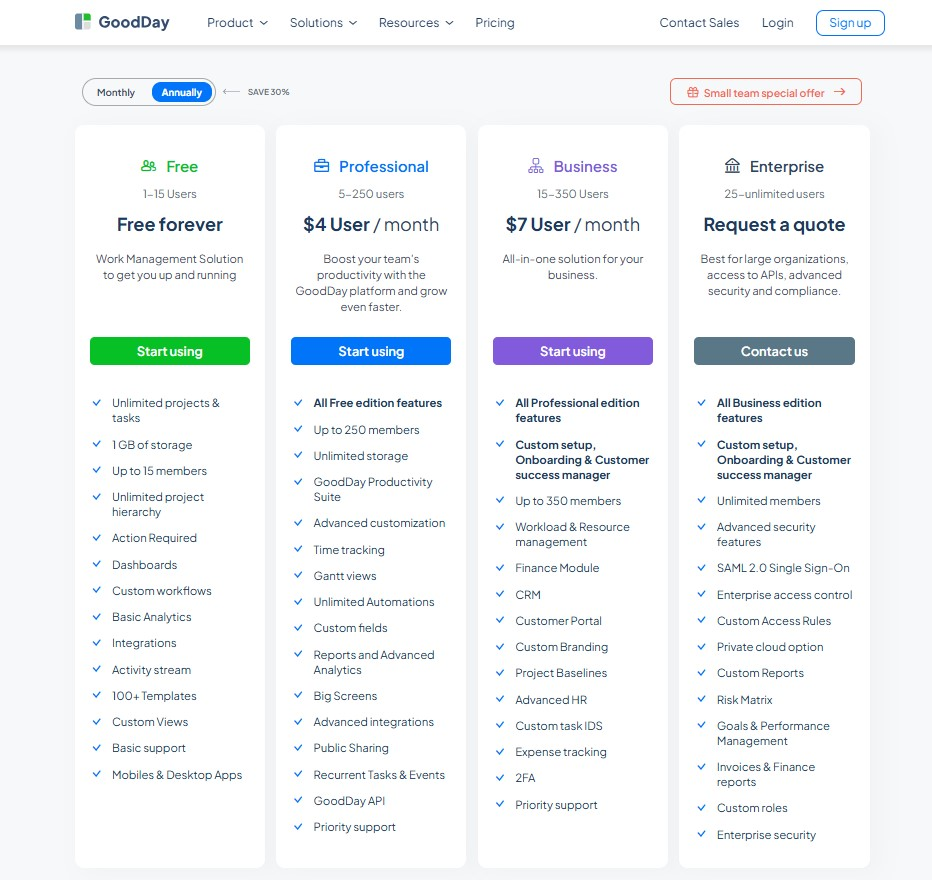
GoodDay’s pricing model is designed to provide high-end utilities such as Gantt charts, time monitoring, data analytics, and resource planning as part of the core package without the need for paid extras. This ensures that GoodDay remains the most economical choice for organizations that need a full suite of management tools as they grow.
- Free tier (up to 15 members): This plan allows for unlimited projects and tasks, offering standard workflows, templates, and dashboards to get your operations running.
- Professional tier ($4 per seat/month): This option enables full project oversight by adding native time tracking, Gantt visualizations, advanced reporting, and unlimited storage.
- Business tier ($7 per seat/month): Perfect for companies managing external relationships, this plan includes CRM modules, customer-facing portals, and financial tracking tools.
- Enterprise tier (bespoke pricing): Created for large-scale operations requiring premium security, private cloud environments, SSO, and specialized administrative roles.
Planview pricing
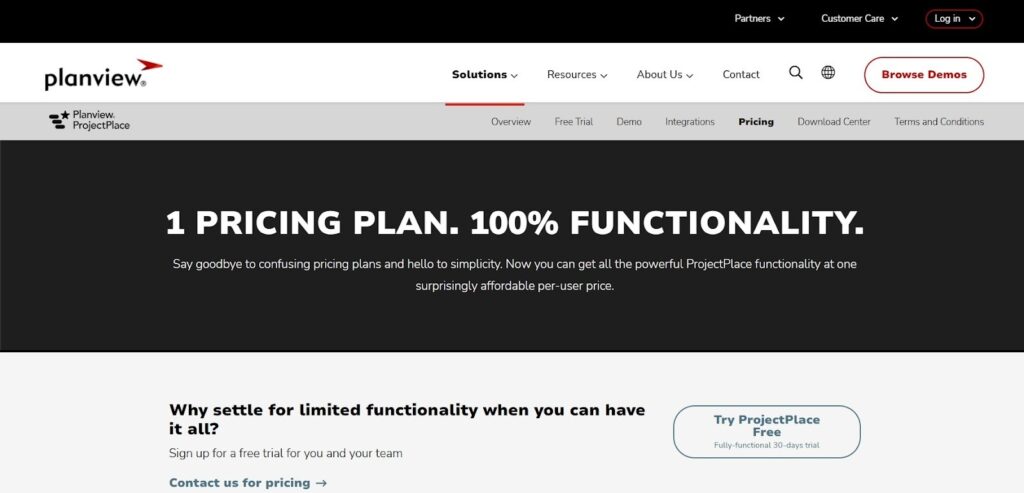
Planview pricing is not published publicly: You can try a fully functional 30-day free trial, after which official pricing requires contacting Planview for a custom quote, while G2 and Capterra suggest paid plans start at around $29 per user per month.
GoodDay vs Planview: pros and cons
Every tool has its trade-offs. GoodDay is built for speed and flexibility, whereas Planview is built for rigid corporate structure and reporting.
GoodDay pros and cons
| Pros | Cons |
| Provides robust native features and high flexibility for different workflows. | The wide range of features may require more initial configuration. |
| Significantly more cost-effective for growing teams and enterprises. | New users might face a higher learning curve due to the depth of the tools. |
| Extensive integration options with a powerful API for custom connectivity. | Focused on work execution rather than social networking features. |
| Exceptional support for advanced planning tools like Gantt and Resource views. | Might offer more features than a very small team of two people needs. |
Planview pros and cons
| Pros | Cons |
| Excellent for managing multi-million dollar portfolios at scale. | Very high cost and no free version for small teams. |
| Strong financial modeling and capital expenditure tracking. | Interface can feel outdated and clunky compared to modern tools. |
| Good for top-down strategic alignment in massive corporations. | Extremely long implementation and onboarding process. |
GoodDay vs Planview: use cases by industry
While Planview is almost exclusively used by large corporate departments, GoodDay provides specific value across a much wider range of sectors.
| Industry | GoodDay | Planview |
| Architects | Manages blueprints, project phases, and resource hours in one place. | Used for high-level capital planning across city-wide developments. |
| Accounting | Tracks billable hours and organizes tax deadlines efficiently. | Tracks department-wide budgets for global financial firms. |
| Builders | Keeps construction schedules on track with interactive Gantt charts. | Coordinates multi-year infrastructure investment portfolios. |
| Business analysts | Visualizes complex data trends with built-in analytics and reports. | Models enterprise-wide strategic scenarios for executives. |
| Bloggers | Organizes content calendars and tracks writing progress easily. | Rarely used due to high cost and complexity. |
| Construction | Handles site tasks, equipment allocation, and vendor portals natively. | Oversees corporate real estate portfolios and capital projects. |
| Contractors | Simplifies client communication and project tracking in one view. | Manages large-scale government contracts and compliance. |
| Consultants | Provides clear project transparency and time tracking for clients. | Helps global firms manage resource capacity across continents. |
| Creatives | Switches between Kanban and List views for flexible design workflows. | Used by agency leadership to track overall profit margins. |
| Developers | Integrates with GitHub and GitLab to sync tasks with code. | Aligns software development with long-term corporate strategy. |
| DevOps | Manages deployments and issue tracking within a unified workspace. | Tracks IT spending and infrastructure across large networks. |
| Digital agencies | Balances multiple client projects with easy resource management. | Monitors agency-wide utilization rates for the executive team. |
| Engineers | Plans technical milestones and tracks detailed dependencies with ease. | Governs R&D portfolios for manufacturing giants. |
| Electrical contractors | Schedules field teams and tracks materials using mobile apps. | Manages large-scale energy grid maintenance projects. |
| Entrepreneurs | Offers an affordable way to scale a business with professional tools. | Only suitable for entrepreneurs with significant capital and large staff. |
| Events | Coordinates vendors, timelines, and budgets for seamless execution. | Tracks corporate event spending across global marketing offices. |
| Enterprise | Provides a scalable solution with SSO and private cloud options. | Standardizes governance for organizations with 5,000+ employees. |
| Executive assistants | Automates recurring tasks and manages executive calendars. | Too complex for simple administrative task management. |
| Education | Organizes curriculum development and faculty research projects. | Manages university-wide capital improvements and grants. |
| Freelancers | Tracks time and tasks for multiple clients in a free plan. | Not designed for individual or freelance use. |
| Film production | Manages scripts, shoot schedules, and equipment logs in one app. | Oversees studio-wide investment portfolios and budgets. |
| Financial institutions | Ensures security and compliance while tracking complex workflows. | Provides rigorous financial governance for global banks. |
| Graphic designers | Organizes assets and feedback loops within individual tasks. | Tracks marketing spend for large corporate design departments. |
| Home builders | Connects subcontractors and clients via a dedicated portal. | Used for large-scale residential development financing. |
| HR | Manages employee onboarding and recruitment pipelines effectively. | Tracks enterprise-wide headcount and resource forecasting. |
| Interior designers | Visualizes project timelines and tracks client budget approvals. | Manages vendor relationships for international hotel chains. |
| IT projects | Streamlines ticket management and hardware rollouts. | Governs IT portfolio alignment with corporate objectives. |
| Large companies | Unifies disparate teams under one highly flexible platform. | Enforces strict PMO standards across massive departments. |
| Manufacturing | Tracks production cycles and resource capacity on the floor. | Optimizes global supply chain and R&D investments. |
| Marketing | Plans, campaigns, and tracks ROI with custom dashboards. | Aligns marketing spend with top-level business goals. |
| Nonprofits | Maximizes limited budgets with an affordable, full-featured tool. | Used by large global charities to track grant portfolios. |
| Photographers | Organizes shoot schedules and client delivery dates easily. | Too heavy for the needs of a photography studio. |
| Pharmaceutical industry | Manages clinical trials and regulatory compliance documents. | Tracks long-term R&D drug development pipelines. |
| Real estate | Tracks property listings and closing tasks for agents. | Manages multi-billion-dollar real estate investment trusts. |
| Research | Organizes data collection phases and grant milestones. | Tracks high-level strategic research initiatives. |
| Small business | Provides professional-grade tools at a price that fits. | Too expensive and complex for most small businesses. |
| Startups | Scales quickly from the free plan to advanced features. | Often too rigid for the fast-paced nature of a startup. |
| Solopreneurs | Keeps work organized without needing multiple separate tools. | Complexity makes it inaccessible for solo users. |
| Tech companies | Bridges the gap between product planning and daily execution. | Focuses on high-level IT governance and strategy. |
| Writers | Manages drafts, deadlines, and research in a clean layout. | Not intended for content or creative writing tasks. |
| YouTubers | Plans video production stages and tracks sponsorship tasks. | Not applicable to individual content creator workflows. |
So, which project management software is better: GoodDay or Planview?
There’s no absolute best. The answer depends on what you need.
GoodDay is the stronger choice for teams that need a complete work management platform with built-in planning, time tracking, reporting, and support for complex projects. Planview is the better fit for enterprises that prioritize high-level portfolio governance and financial auditing over daily task execution.
You can dive in and try GoodDay for free to see how it fits your workflow.
And if you have any questions about selecting the right project management software for your business, you can always connect with our team via info@goodday.work
FAQs
What is better, GoodDay or Planview?
The better tool is the one that fits your organizational goals and pricing structure. GoodDay is often the superior choice because it offers a unified workspace with time tracking and task management included at a fraction of the cost. While Planview is powerful for large enterprises, GoodDay provides more flexibility for cross-functional teams to manage daily tasks. Most organizations find that GoodDay is easier to implement and provides better visibility into project status without needing separate tools.
Who does Planview compete with?
Planview primarily competes with other heavy enterprise portfolio management platform options like Oracle Primavera and ServiceNow. These tools are designed for large organizations that need to manage waterfall projects and complex resource management on a global scale. However, many companies are now looking at alternatives like GoodDay because it handles complex projects with much better user adoption. In the current market, Planview also faces competition from modern work management tools that offer more agile features like kanban boards.
What is the most popular project management software?
While there are many popular tools, the most effective software is one that combines task management and resource management in a single platform. GoodDay is rapidly gaining popularity among tech companies and marketing teams because it offers a wide range of features on its free and lower tiers. Unlike some competitors that require higher tiers for basic reporting, GoodDay includes advanced analytics in its core professional plan. This focus on value makes it a top choice for business owners who want to avoid the high security and licensing costs of older enterprise systems.
What is the easiest project management tool?
GoodDay is widely considered one of the most user-friendly tools because it allows you to customize your view to match your existing workflows. Whether you prefer spreadsheet views or interactive gantt charts, the interface adapts to how you work best. While some enterprise tools require weeks of training, GoodDay enables users to start completing the action of managing projects almost immediately. The platform simplifies workload management by putting all necessary communication and data in one place, making it the leading management platform for productivity.
What are some unique features of project management software in general?
Modern software uniquely offers tools like okr tracking and advanced analytics to ensure a company stays focused on its goals. A unified workspace allows for better collaboration between departments, ensuring everyone is on the same page regarding project tracking. Features like automated time tracking and custom dashboards help managers review the security and progress of their portfolios in real-time. GoodDay takes this further by providing integrated CRM and client portals, which many other tools keep as separate modules.
Which vendor offers the most user-friendly software for portfolio and resource management?
GoodDay stands out as the most user-friendly vendor because it provides professional services and deep functionality without the clunky interface of traditional enterprise software. It excels at helping teams manage their workload and resource allocation through a highly visual and intuitive dashboard. While Planview offers deep resource modeling, GoodDay makes it accessible for both small teams and large enterprises through a clean design. Users can easily check a connection before proceeding with a task, ensuring that all project data remains accurate and secure.
What is the best project management software with time tracking?
GoodDay is the best option for teams needing integrated time tracking because it builds the timer directly into every task and project. This prevents the need for separate tools and ensures that your reporting and analytics are always based on real-time data. Many enterprise tools like Planview or Microsoft Project, require expensive add-ons or integrations for this functionality. By including time tracking in its $4 per month professional plan, GoodDay provides a much more efficient system for agencies and consulting firms.
What is the leading software for strategic portfolio planning?
While Planview has long been a leader for large enterprises, GoodDay is now the preferred choice for companies that need strategic planning combined with agile execution. GoodDay allows you to map out high-level goals and link them directly to daily tasks, providing a level of transparency that older systems lack. It supports both waterfall projects and modern agile methodologies, making it the most versatile management platform available today. Choosing GoodDay ensures your organization can scale from a small team to an enterprise without losing focus on its core business objectives.




