
Xmind is fantastic for basic visual thinking, but as projects grow, you realize that a pretty map doesn’t necessarily move the needle on actual deadlines.
It is frustrating when your brainstorming lives in one app while your execution lives in another. You spend more time syncing data and moving nodes around than actually finishing your tasks. The good news is that you don’t have to settle for a disconnected workflow.
In this guide, we’ll explore the best Xmind alternatives to help you make the right choice.
But if you have any questions that are not covered in this article, you can always connect with our team via info@goodday.work.
Best Xmind alternatives shortlist for 2026
Let’s take a look at some of the top alternatives to Xmind.
Best for project management & workflows
- GoodDay: A platform that provides a versatile workspace that seamlessly connects strategic project roadmapping with day-to-day task execution and precision time monitoring.
- ClickUp: A comprehensive work management platform that includes powerful whiteboards and mind maps. It is ideal for turning ideas directly into actionable tasks.
- MindManager: A professional-level tool that bridges the gap between mind mapping and project management, featuring Gantt charts and advanced data visualization.
- Coggle: A simple, browser-based tool known for clean, classic mapping and excellent, flexible branch controls.
Best for teams & whiteboarding
- Miro: A whiteboard platform that excels in team collaboration, offering thousands of templates for mind mapping, brainstorming, and journey mapping.
- Mural: Similar to Miro, this is an online whiteboard tool focused on easy, real-time collaboration and visual thinking, often used for agile workshops.
- Lucidspark: A dedicated digital whiteboard from the makers of Lucidchart, optimized for brainstorming and organizing ideas.
Best for feature-rich mind mapping
- EdrawMind: A strong, AI-forward competitor with over 15,000 templates, robust AI capabilities, and extensive export options to Microsoft Office formats.
- MindMeister: A web-based, user-friendly tool excellent for real-time, cloud-based mind mapping and collaborative brainstorming.
- SimpleMind: Known for its minimalist design, high customization, and flexibility, making it a strong choice for in-depth, personal mapping.
Best free & open-source options
- Diagrams.net (formerly Draw.io): A completely free, open-source tool for creating diagrams, including mind maps, with integration for Google Drive and OneDrive.
- Freeplane: An open-source, Java-based mind mapping tool favored by power users for its high customizability and knowledge management features.
Comparison of the best Xmind alternatives
Choosing a new tool requires a quick look at how features stack up against your budget and existing data. The table below outlines the core value proposition and pricing for the top Xmind alternatives in 2026.
| Software | Best for | Pricing | Ease of migration from Xmind |
| GoodDay | Best overall balance of features and cost | Free plan (1–15 users); Professional $4/user/month; Business $7/user/month; Enterprise custom | Easy (CSV import, Zapier integrations) |
| ClickUp | Integrated task management | Free version; Unlimited $7/user/month; Business $12/user/month | Moderate (CSV or manual) |
| MindManager | Enterprise data visualization | Professional $169/year; One-time purchase $349; Enterprise custom | High (Direct file support) |
| Coggle | Simple browser-based maps | Free plan; Awesome $5/month; Organization $8/month | Manual / PDF |
| Miro | Visual team collaboration | Free plan; Starter $8/user/month; Business $16/user/month | Moderate (Image/PDF import) |
| Mural | Agile workshops | Free plan; Team+ $12/user/month; Business $17.99/user/month | Moderate (Import features) |
| Lucidspark | Brainstorming with Lucid Suite | Free plan; Individual $7.95/month; Team $9/user/month | Easy (Lucid suite tools) |
| EdrawMind | AI-powered mapping | Free plan; Subscription $6.50/month; Perpetual $118 | High (Direct Xmind import) |
| MindMeister | Collaborative cloud mapping | Free plan; Personal $6/month; Pro $10/month; Business $15/month | Easy (Direct file import) |
| SimpleMind | Personal use and privacy | Free version; Pro Single User $29.99 (one-time) | Manual / OPML |
| Diagrams.net | Free open-source diagrams | 100% Free | Moderate (XML/image import) |
| Freeplane | Open-source power users | 100% Free | High (MM/XML support) |
What is Xmind and why consider an alternative?
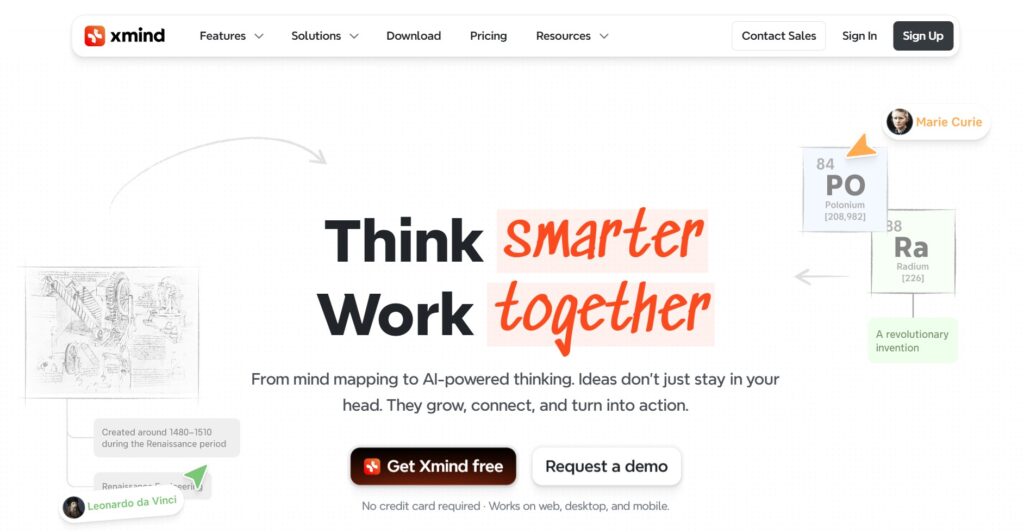
Xmind is a dedicated mind mapping and brainstorming software used mainly for capturing ideas, organizing complex information, and creating visual representations of thought processes. Its main features include various structures like fishbone diagrams, organizational charts, and timelines, alongside a “Pitch Mode” that turns maps into presentations.
The pricing approach for Xmind is primarily subscription-based. While there is a limited free version, the Pro features are locked behind a monthly or yearly plan that costs starting from $4.92 per month.
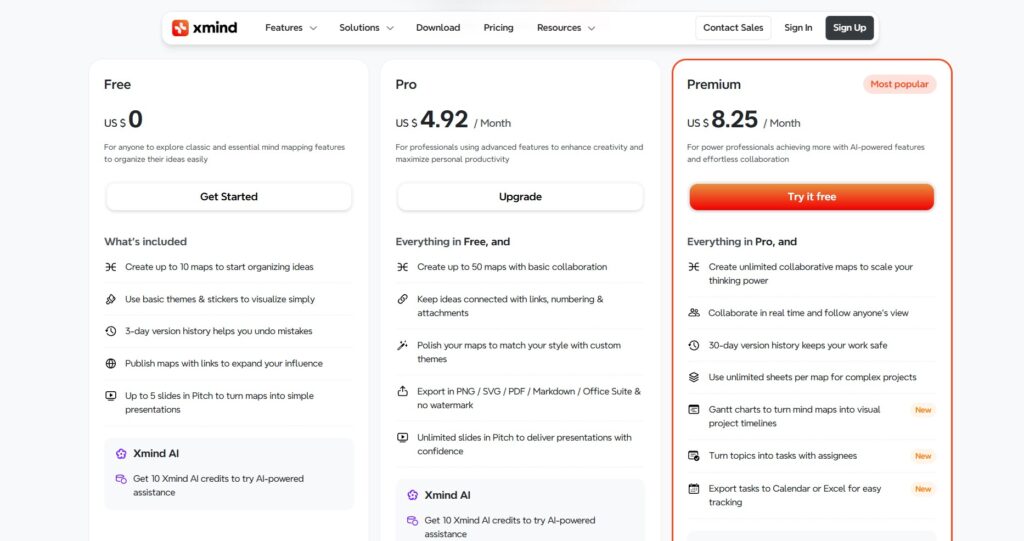
People usually consider an alternative because Xmind specializes in visualization but lacks robust built-in project management and task execution features. Teams often find themselves needing more than just a map; they need a platform that can turn a “node” into a tracked task with time monitoring, which requires switching to a more comprehensive work management tool.
In-depth overview of the best alternatives to Xmind (free and paid)
Each of these Xmind alternatives offers a unique take on visual thinking, ranging from simple whiteboards to deep project management systems.
GoodDay
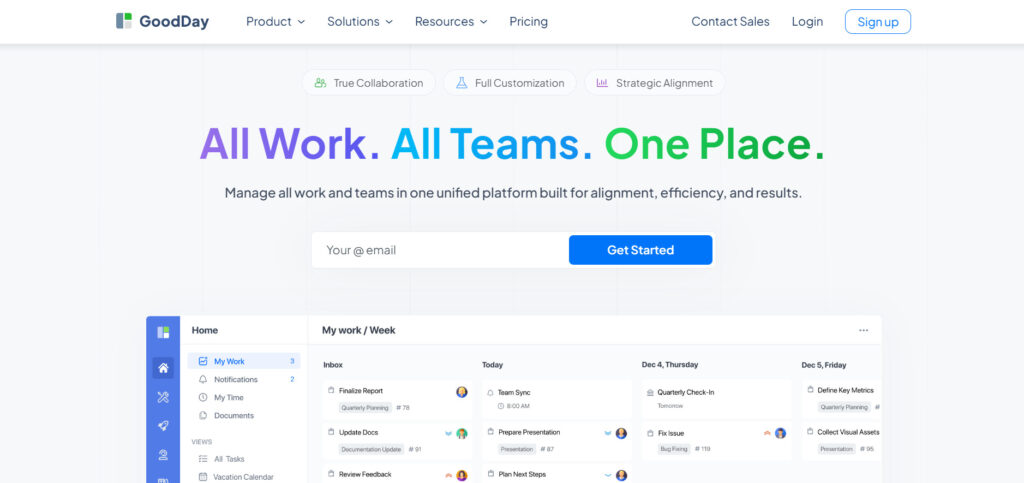
GoodDay is a comprehensive work management software used by both global enterprises and growing startups. Switching to this platform can reduce your current software expenses by up to 50% without sacrificing the professional tools your team relies on. The free tier is particularly generous, allowing up to 15 users to manage unlimited projects with high-level productivity access, and the migration process is incredibly fast, taking less than two minutes.
Why it’s a good Xmind alternative
It serves as a superior alternative because it transforms static visual ideas into a dynamic, manageable project environment. GoodDay is recognised as a top-rated tool in 12 Capterra shortlists. It offers project management templates for all types of teams (IT, marketing, etc.), supports all project management methodologies (including Agile, Scrum, etc.), includes multiple views (Gantt charts, Kanban boards, etc.), allows unlimited project hierarchy and is packaged with built-in time tracking. And its modest price is a standout; you really get a lot for what you pay.
Main features
The platform provides a unified environment for strategy and execution:
- Advanced Gantt charts and Kanban boards.
- Built-in time tracking and personal productivity dashboards.
- Unlimited project hierarchy for a complex organization.
- Customizable workflows and automated status updates.
Integrations
GoodDay provides native connections to G Suite, Gmail, Slack, and Google Drive, along with Google Docs, Calendar, Dropbox, and Box. It supports secure access via Single Sign-On (SSO/SAML) and links directly with GitHub and GitLab. For everything else, it connects to over 1,300 apps through Zapier and offers a full API.
Desktop and mobile capabilities
Users can access GoodDay on Windows, Mac, and Linux desktops. It also features dedicated mobile apps for iOS and Android, ensuring you can manage your tasks and dashboards from anywhere.
Pros and cons
| Pros | Cons |
| Trusted by 100,000+ teams worldwide | Advanced reporting requires setup and configuration |
| Rich mix of features | Tailoring workflows may require extra time to optimize |
| Very affordable, free for up to 15 users | Takes time to learn advanced workflows fully |
| No pressure for unnecessary upsells | Extensive customization can slow initial adoption |
ClickUp
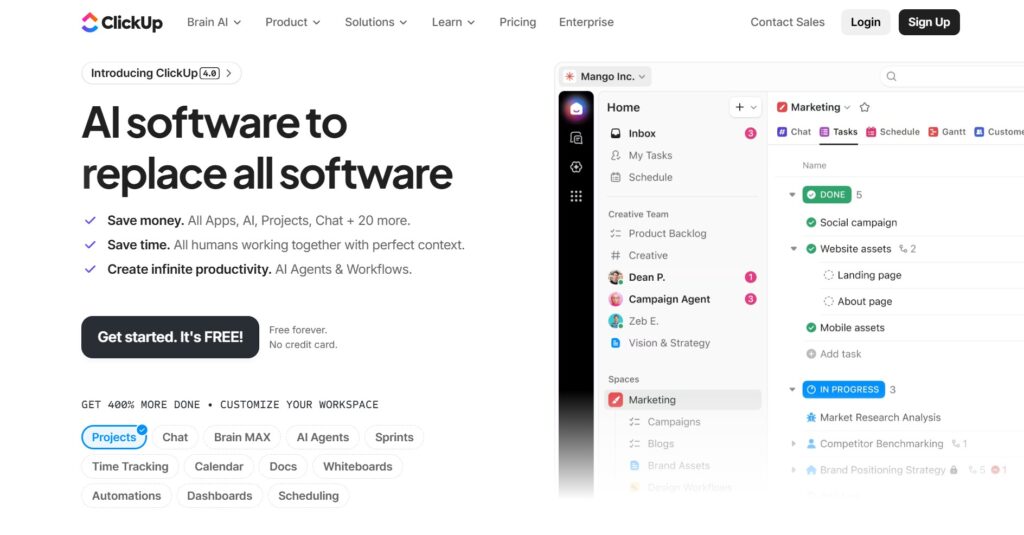
ClickUp is a versatile productivity platform designed to handle everything from simple to-do lists to complex business operations. It is best for teams that want their mind maps to be directly linked to their project tasks and docs. The platform aims to replace multiple tools by centralizing communication and work.
Why it’s a good Xmind alternative:
It offers a native Mind Map view that allows users to build workflows visually and then convert those nodes into actual tasks. This eliminates the gap between brainstorming and doing, which is a major limitation in Xmind. Teams can collaborate in real time on whiteboards to map out ideas that integrate with their overall project goals.
Main features
The software includes a massive array of tools for every department:
- Native Mind Maps with “Task” and “Blank” modes.
- Whiteboards for collaborative visual brainstorming.
- Custom task statuses and over 15 different views.
- Built-in document editor and team chat.
Integrations
ClickUp integrates with over 1,000 tools, including Slack, GitHub, Zoom, and Google Drive. It also supports Zapier and Make for custom automations.
Desktop and mobile capabilities
It is available on Windows, macOS, Linux, iOS, and Android, and also offers a web browser extension.
Pros and cons
| Pros | Cons |
| Everything is in one place | Steep learning curve for beginners |
| Highly customizable views | Can feel cluttered with too many features |
| The free version is very feature-rich | Mobile app performance can be inconsistent |
| Mind maps link directly to tasks | Frequent software updates change the UI |
MindManager
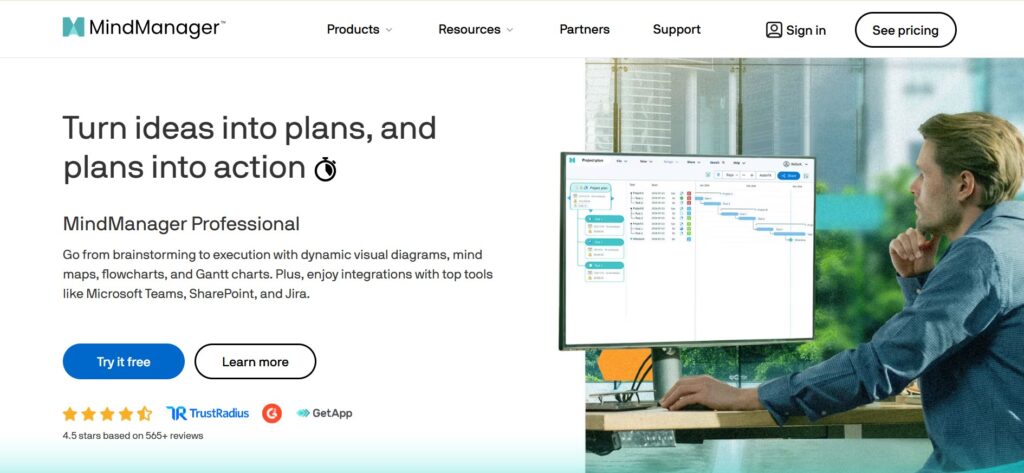
MindManager is a high-end visualization tool that specializes in turning scattered ideas into structured, interactive maps and diagrams. It is good for project managers and business analysts who need to manage massive amounts of data and complex dependencies. The tool is often used for strategic planning and large-scale project information mapping.
Why it’s a good Xmind alternative:
It provides much deeper data integration and project management capabilities than Xmind, such as Gantt charts and budget tracking within the maps. It allows for advanced information filtering and the creation of “smart” shapes that change based on data values. The software is designed for professional environments where mind maps serve as the actual project dashboard.
Main features
MindManager excels at data-heavy visualization:
- Interactive Gantt charts and project scheduling.
- Advanced data filtering and search within maps.
- Co-editing for real-time team collaboration.
- Resource management and cost tracking.
Integrations
It integrates tightly with Microsoft Office (Word, Excel, Outlook) and SharePoint. It also connects to cloud storage services like OneDrive, Google Drive, and Box.
Desktop and mobile capabilities
MindManager is primarily a desktop application for Windows and Mac, with a web version and mobile viewers for iOS and Android.
Pros and cons
| Pros | Cons |
| Industry-leading professional features | One of the most expensive options |
| Excellent Microsoft Office integration | Heavy resource usage on older computers |
| Handles extremely large maps easily | Higher learning curve than simple tools |
| Powerful project management overlays | Not ideal for quick, casual notes |
Coggle

Coggle is a streamlined, web-based tool designed for creating and sharing mind maps and flowcharts with ease. It is suitable for individuals and small teams who prioritize simplicity and a clean aesthetic over complex project management features. The platform focuses on the core experience of branching ideas without unnecessary clutter.
Why it’s a good Xmind alternative:
It provides a much more intuitive and faster interface for quick brainstorming compared to the more rigid Xmind desktop software. Since it is entirely browser-based, there is no software to install, making it easier to share maps with external clients or partners. The branch control is highly flexible, allowing for organic-looking maps that feel natural to build.
Main features
Coggle keeps things simple and visual:
- Real-time collaborative editing.
- Unlimited image uploads from your desktop.
- Markdown support for rich text formatting.
- History mode to see and revert to previous versions.
Integrations
It offers integration with Google Drive for storage and file management. It also provides an API for developers to build custom workflows.
Desktop and mobile capabilities
As a web-based app, it works on any modern browser across Windows, Mac, and Linux. It does not have a dedicated mobile app but is mobile-responsive.
Pros and cons
| Pros | Cons |
| Extremely easy to use | Lacks any project management tools |
| Beautiful, clean design | Very limited free plan (3 private maps) |
| Great real-time collaboration | No offline desktop application |
| No installation required | Limited formatting compared to Xmind |
Miro
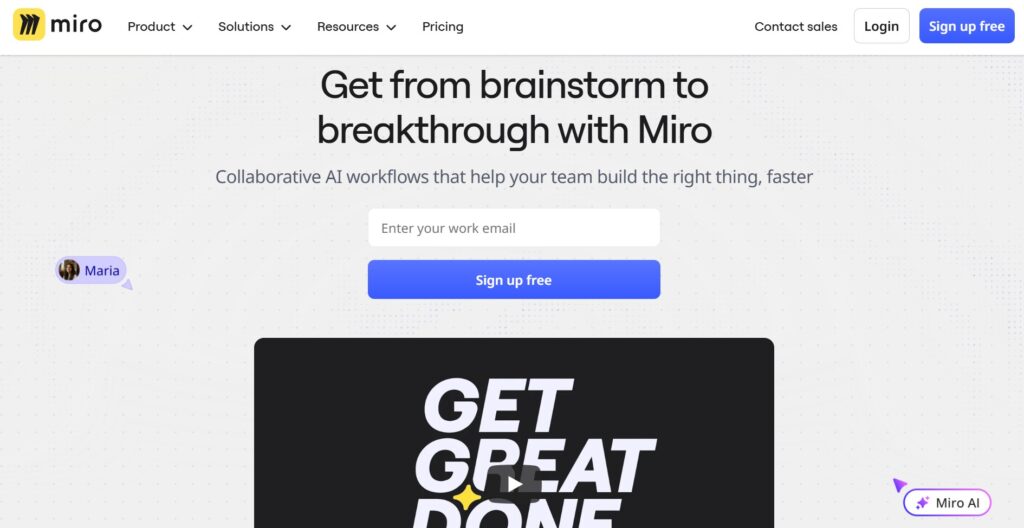
Miro is a popular visual collaboration platform that provides an infinite canvas for teams to brainstorm, map, and manage projects. It is best for cross-functional teams that need a shared space for everything from UX journey mapping to agile sprint planning. It moves beyond simple mind mapping into a full digital workspace.
Why it’s a good Xmind alternative:
Unlike Xmind’s focused map structure, Miro offers a completely free-form canvas where mind maps can sit alongside sticky notes, images, and videos. It is much better for live workshops because of its interactive features like voting, timers, and built-in video conferencing. It bridges the gap between a whiteboard and a project board perfectly.
Main features
Miro is a powerhouse for visual thinkers:
- Infinite canvas with thousands of templates.
- Interactive tools like sticky notes and pen drawing.
- “Miro Assist” AI for generating ideas and maps.
- Built-in video chat and presentation mode.
Integrations
Miro has a massive ecosystem, integrating with Slack, Jira, Trello, Google Drive, Zoom, and MS Teams.
Desktop and mobile capabilities
It is available on the web, Windows, and Mac, and has highly-rated apps for iOS and Android tablets and phones.
Pros and cons
| Pros | Cons |
| Unbeatable for team brainstorming | Can be overwhelming for simple tasks |
| Huge library of community templates | Pricing scales quickly for large teams |
| Excellent real-time performance | Zooming into large boards can be laggy |
| High-quality AI integration | Free plan limits editable boards |
Mural
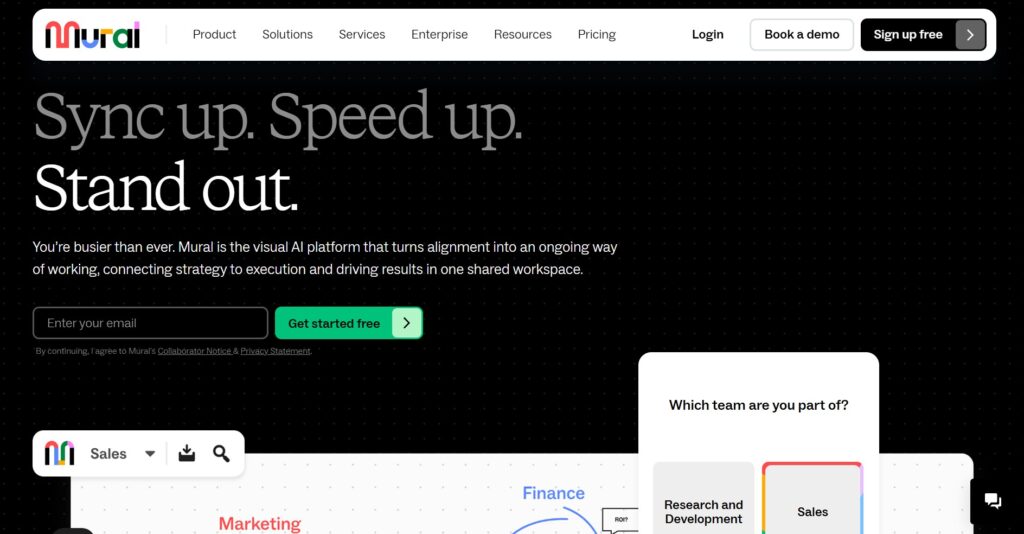
Mural is a digital environment designed for visual collaboration and strategic problem-solving. It is best for enterprise teams and consultants who facilitate remote workshops and design thinking sessions. The platform focuses on guided collaboration and high-energy engagement.
Why it’s a good Xmind alternative:
Mural provides a more structured collaborative experience than Xmind, with specific tools designed for facilitators, such as “Summoning” participants to a specific area of the board. It is better for creative workshops where you need to organize ideas from many people into logical groups quickly. Its focus on “Guided Methods” helps teams follow a specific brainstorming process.
Main features
Mural is built for professional facilitators:
- Facilitation Superpowers (timers, voting, locking).
- Frameworks and templates for agile and design thinking.
- Private mode for individual brainstorming before sharing.
- High-fidelity sticky notes and shapes.
Integrations
Mural integrates with Microsoft Teams, Slack, Webex, Jira, and GitHub.
Desktop and mobile capabilities
Available via web browser, Windows, macOS apps, and mobile apps for iOS and Android.
Pros and cons
| Pros | Cons |
| Great for workshop facilitation | Interface can be less intuitive than Miro |
| Strong security for enterprises | Fewer integrations than some rivals |
| Facilitator tools are very helpful | Performance can dip with many users |
| Good for structured design thinking | The free plan is quite restrictive |
Lucidspark
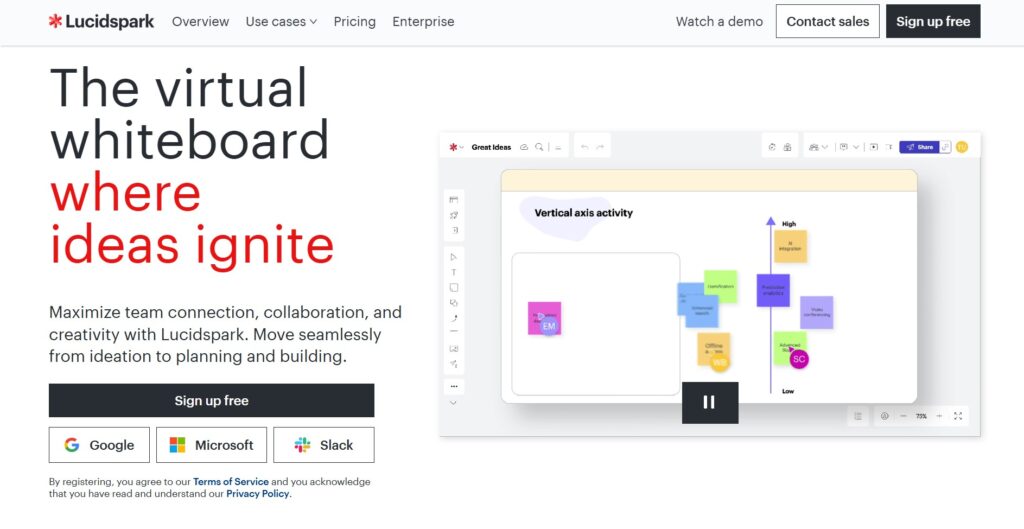
Lucidspark is a cloud-based virtual whiteboard that helps teams turn ideas into collective action. It is best for teams already using Lucidchart who need a messy “brainstorming” space that can later be converted into professional diagrams. It balances free-form creativity with structured organization.
Why it’s a good Xmind alternative:
It offers a more seamless transition from a rough mind map to a polished architectural diagram than Xmind. The “Lucid Suite” allows you to move data between the whiteboard and the charting tool easily. It also features “Breakout Boards” which are better for large team meetings where small groups need to work independently before merging ideas.
Main features
Lucidspark focuses on moving from ideation to structure:
- Magic Sort and Gather for organizing sticky notes.
- Breakout Boards for small group collaboration.
- In-board chat and commenting.
- Direct sync with Lucidchart for professional diagramming.
Integrations
It integrates with Google Workspace, Microsoft Office, Slack, and Jira.
Desktop and mobile capabilities
Lucidspark is primarily web-based but offers apps for iOS and Android.
Pros and cons
| Pros | Cons |
| Seamless link to Lucidchart | Best features require a Lucid Suite sub |
| Very intuitive for new users | Limited offline functionality |
| Excellent grouping and sorting AI | Not as “infinite” as Miro |
| Great for enterprise-level security | Can be expensive for small teams |
EdrawMind
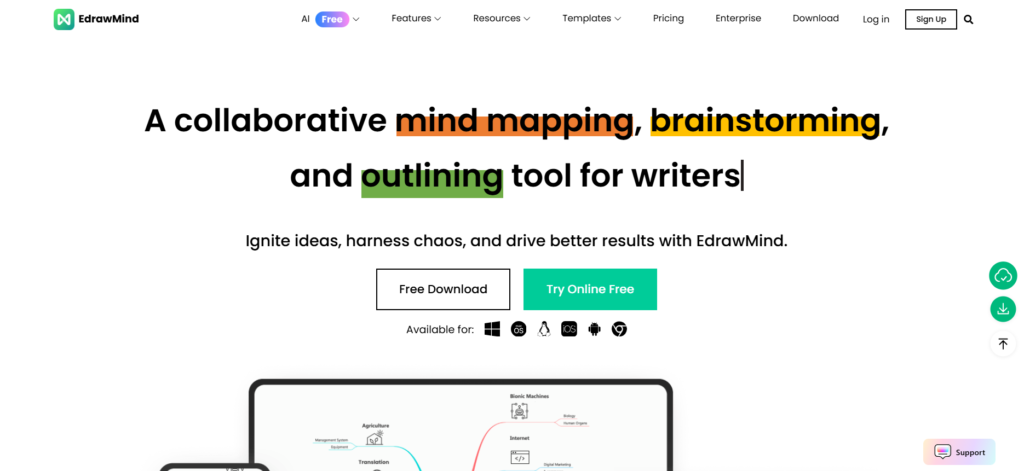
EdrawMind is a feature-rich mind mapping tool that heavily incorporates AI to speed up the creation of visual content. It is best for students and professionals who need to generate comprehensive maps from text or audio quickly. It is a direct competitor to Xmind but with a heavier focus on automated content generation.
Why it’s a good Xmind alternative:
It provides more advanced AI features, such as the ability to turn a single sentence into a full-blown mind map or a slide presentation. It offers a larger variety of pre-made templates (over 15,000) and more extensive export options to Microsoft Office than Xmind. The pricing is also often more flexible, including a popular lifetime license option.
Main features
EdrawMind is built for speed and AI assistance:
- AI text-to-mindmap and AI summarization.
- Real-time collaboration across multiple platforms.
- Huge community template library.
- Gantt chart mode for basic task management.
Integrations
It integrates with Dropbox and provides extensive export capabilities to Word, PowerPoint, Excel, and PDF.
Desktop and mobile capabilities
It is available on Windows, Mac, Linux, iOS, Android, and via web browser.
Pros and cons
| Pros | Cons |
| Powerful AI generation tools | AI features usually cost extra tokens |
| Lifetime purchase option available | The user interface can feel a bit dated |
| Massive template library | Web and desktop sync can be buggy |
| Very similar feel to Xmind (easy switch) | Some menus are difficult to navigate |
MindMeister
MindMeister is a long-standing leader in web-based mind mapping, known for its focus on collaboration and ease of use. It is best for teams that want a purely cloud-based experience that integrates directly with a task board. It is the visual “front-end” for the Meister suite.
Why it’s a good Xmind alternative:
MindMeister is superior for real-time collaboration because it was built for the browser from day one, unlike Xmind, which started as desktop software. It has a much tighter integration with its sibling tool, MeisterTask, allowing you to drag nodes directly onto a Kanban board. The interface is more modern and less cluttered than the desktop-heavy Xmind.
Main features
The tool focuses on cloud-based brainstorming:
- Real-time co-editing and commenting.
- Direct integration with MeisterTask.
- Presentation mode to turn maps into slideshows.
- Custom themes and styling for professional maps.
Integrations
Integrates with Google Drive, Microsoft Teams, Slack, and MeisterTask.
Desktop and mobile capabilities
Available via web browser, with native apps for iOS and Android. There is no traditional offline desktop app.
Pros and cons
| Pros | Cons |
| Simplest collaboration setup | No full offline desktop version |
| Seamless task management link | The free plan is limited to 3 maps |
| Beautiful, modern interface | Limited “free-form” drawing |
| Great for classroom environments | Pricing has increased over the years |
SimpleMind
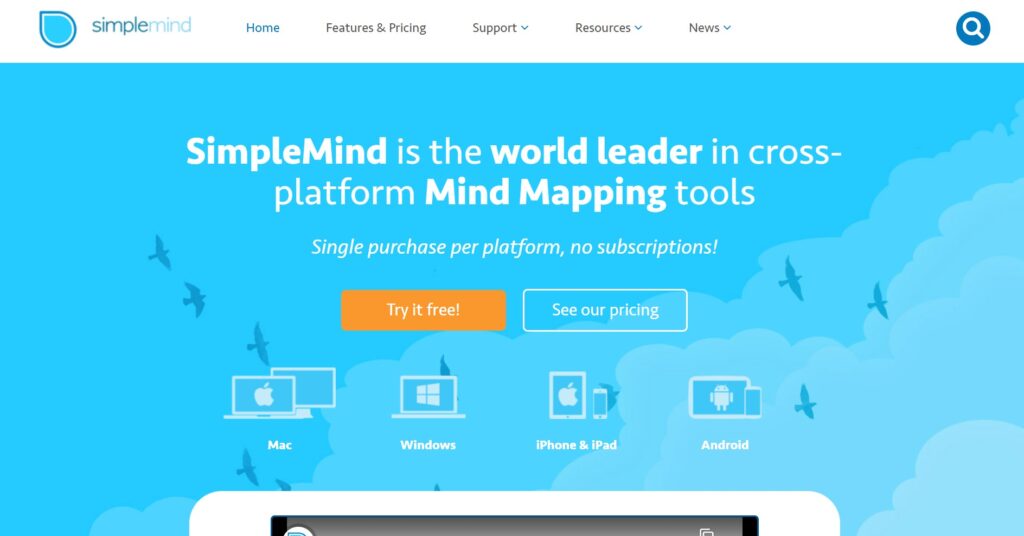
SimpleMind is a dedicated mind mapping tool that focuses on a “no-frills,” highly flexible mapping experience. It is good for individuals who want a one-time purchase tool that prioritizes privacy and local storage. It is known for its “organic” layout that doesn’t force you into a rigid structure.
Why it’s a good Xmind alternative:
It is a better choice for users who dislike subscription models, as it offers a perpetual license for a single fee. It provides more freedom in where you place your topics, allowing for multiple central themes on one page, something Xmind can struggle with. It is also significantly lighter on system resources, making it faster on older devices.
Main features
SimpleMind is built for flexible, personal thinking:
- Free-form or auto-layout mapping.
- Multiple mind maps on a single page.
- Support for images, voice memos, and video nodes.
- Cloud sync via Dropbox, Google Drive, or iCloud.
Integrations
SimpleMind connects with major cloud providers for file syncing, but does not have deep third-party app integrations.
Desktop and mobile capabilities
Full support for Windows, Mac, iOS, and Android with cross-platform syncing.
Pros and cons
| Pros | Cons |
| One-time purchase (no sub) | Lacks team collaboration tools |
| Extremely flexible layout | No built-in task management |
| Great for mobile/tablet use | Limited integration with other apps |
| High privacy (local storage) | UI is functional but not “stylish” |
Diagrams.net (formerly Draw.io)
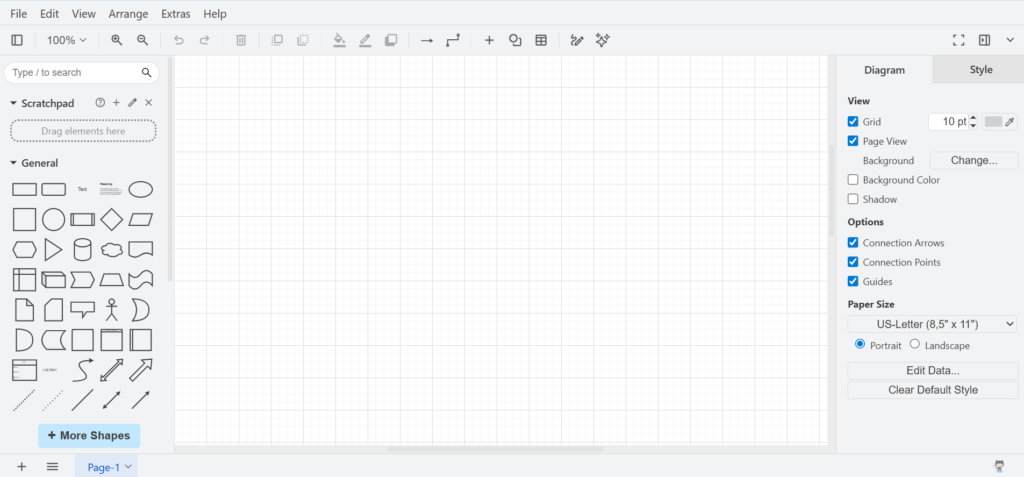
Diagrams.net is a professional, open-source diagramming software that is completely free to use. It is best for technical users and developers who need a versatile tool for mind maps, flowcharts, and network diagrams without any cost.
Why it’s a good Xmind alternative:
It is 100% free with no “premium” features locked away, making it the best value alternative to Xmind. It offers much more flexibility for technical diagramming, allowing you to create complex layouts that a standard mind mapper cannot handle. Since it doesn’t store your data on its own servers, it is also highly secure for sensitive projects.
Main features
The tool is a Swiss Army knife for diagrams:
- Completely free and open-source.
- No account registration required.
- Massive library of shapes and icons.
- An offline desktop application is available.
Integrations
It integrates with Google Drive, OneDrive, Dropbox, GitHub, GitLab, and Notion.
Desktop and mobile capabilities
Available on web, Windows, Mac, and Linux. It does not have a dedicated mobile app but works in mobile browsers.
Pros and cons
| Pros | Cons |
| Totally free for everyone | Steeper learning curve than Xmind |
| Great for technical diagrams | Not optimized for “quick” mind mapping |
| No data tracking or storage | No built-in real-time collaboration |
| Large selection of export formats | Mobile experience is lacking |
Freeplane
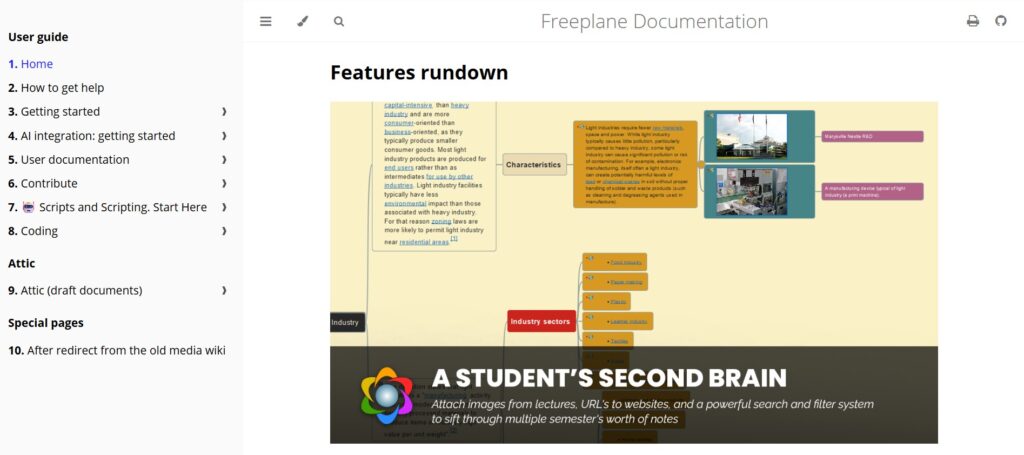
Freeplane is a powerful, open-source mind mapping and knowledge management application. It is best for power users, researchers, and students who need a highly customizable tool to organize large amounts of information.
Why it’s a good Xmind alternative:
It offers deep technical features like scripting (Groovy), LaTeX support, and advanced filtering that Xmind doesn’t provide. It is completely free and allows for a level of customization that is impossible in commercial software. For users who want to build a “second brain,” Freeplane’s ability to handle thousands of nodes with complex attributes is a major advantage.
Main features
Freeplane is for the advanced visual thinker:
- Highly customizable node styles and attributes.
- Support for formulas and scripting.
- Advanced search and filtering capabilities.
- Extensive keyboard shortcut support.
Integrations
It has limited native integrations but supports various export formats like XML, HTML, and PDF.
Desktop and mobile capabilities
Available on Windows, Mac, and Linux (requires Java). There is no official mobile app.
Pros and cons
| Pros | Cons |
| Deeply customizable for free | Steep learning curve |
| Handles massive maps smoothly | Old-fashioned user interface |
| Open-source and privacy-focused | Requires Java to run |
| Powerful filtering and search | No mobile or cloud version |
How to select an Xmind alternative for your business: main criteria
Finding the right software isn’t about picking the one with the most buttons. It is about finding the tool that fits into how your team actually works without causing more friction.
Evaluate your project workflow
Most people realize they need an alternative when their mind map becomes a graveyard of dead ideas. You should check if the tool allows you to turn a visual node into a trackable task with a due date and an owner. If you have to manually copy-paste your ideas into a different project manager, you are losing hours of productivity every week.
Consider the price per user
Xmind and other specialty tools often charge a premium for a single function. In 2026, the best value comes from platforms that combine mapping, task management, and time tracking into one price. Look for a tool that offers a robust free tier so you can test the full capabilities with your team before committing your budget.
Test the collaboration speed
A mind map is only as good as the team’s ability to edit it together. Some tools are “sync-based,” which can lead to version conflicts, while others offer true real-time editing where you can see everyone’s cursor. Always test how the tool handles five or more people working on the same map simultaneously to ensure it doesn’t lag.
Check migration and export options
You don’t want to be locked into a proprietary file format forever. Ensure the alternative you choose can import your existing Xmind files easily. Furthermore, check if it can export to standard formats like PDF, PNG, or Excel, which is vital for sharing your work with stakeholders who might not have the software.
Assess the mobile experience
Ideas don’t just happen at your desk, so your tool shouldn’t be stuck there either. A great alternative needs a mobile app that isn’t just a “viewer” but a fully functional editor. Being able to add a new node or check a task status on your phone while in a meeting is a non-negotiable for modern workflows.
Save up to 50% by switching from Xmind to GoodDay
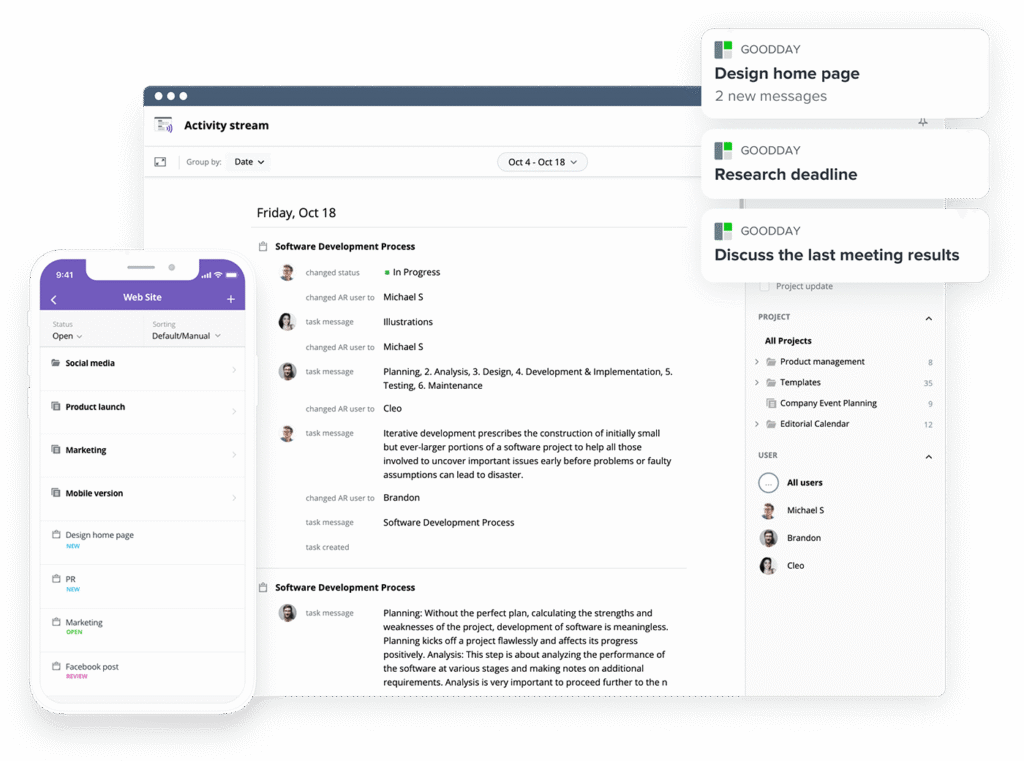
If you’re looking for project management software with top value for the price, GoodDay stands out in 2026. The platform is popular globally for its powerful functionality and affordable plans. Also, it offers a robust free plan for up to 15 users.
You can dive in and try GoodDay for free to see how it fits your workflow, your team, and your vibe.
And if you have any questions about selecting the right project management software, you can always reach out to our team via info@goodday.work.
FAQs
When you think about providers of team collaboration and productivity software solutions, which providers come to mind?
GoodDay is a leading choice for those who need a unified platform for tasks and visual planning. Other major names in the industry include ClickUp, Miro, and Microsoft Teams. These software providers focus on helping teams stay organized through shared documents and real-time collaboration. Using these tools ensures that everyone stays on the same page regarding project goals.
How can remote teams use mind mapping software to collaborate effectively?
Remote teams use mind mapping software to visualize project structures and brainstorm together from different locations. GoodDay helps by providing a central space where these visual maps connect directly to actionable tasks. Features like real-time editing allow users to see changes as they happen, which improves team collaboration. This process ensures that creative ideas are captured and immediately integrated into the work history.
What brainstorming and ideation tools are brands known for their customizability?
GoodDay is known for its extensive customization options that allow teams to tailor their workspace to specific workflows. Other brands like Miro and Mural offer a flexible canvas where you can create mind maps and add various shapes or images. For those who prefer open-source solutions, Freeplane provides deep nodes and scripting for power users. These apps give users the focus they need to organize complex concepts into a clear structure.
What are the best mind mapping tools?
The best mind mapping tools include GoodDay for project-focused teams and EdrawMind for those who want AI-driven features. MindMeister and Miro are also top choices for users who prioritize real-time collaboration in the cloud. Each tool offers different formats and plans, ranging from a basic free version to professional enterprise solutions. Selecting the right one depends on whether you need a simple outline or a full project management integration.
Which app is best for making a mind map?
GoodDay is the best app for making a mind map that actually leads to finished work because it links nodes to productivity features. If you need a completely free and open-source option, Diagrams.net is a fantastic choice for creating various diagrams. SimpleMind is great for personal use on a mobile device because it offers high privacy and a one-time purchase. Ultimately, the best software is the one that fits your specific creative process and team size.




