
Many teams start with Quickbase because it promises custom apps and automation, but they often end up hitting a wall when it comes to the complex interface and the steep price tag that comes with adding more people.
Transitioning to a more modern, intuitive platform can actually speed up your team’s output while cutting down on your monthly software spend. There are several powerful tools available today that offer the same custom database power with much better usability and cost.
In this guide, we’ll explore the best Quickbase alternatives to help you make the right choice.
But if you have any questions that are not covered in this article, you can always connect with our team via info@goodday.work
Best Quickbase alternatives shortlist for 2026
Let’s take a look at some of the top alternatives to Quickbase:
- GoodDay: A versatile work management platform that offers a multi-functional environment that bridges the gap between high-level strategic planning and daily assignment management.
- SmartSuite: A leading alternative for comprehensive work management, featuring strong automation, reporting, and a user-friendly interface for building custom applications.
- Airtable: Best for creating flexible, visual databases that bridge the gap between spreadsheets and robust applications, popular for its intuitive interface.
- Zoho Creator: An excellent low-code platform for building complex, customized business applications with deep workflow automation.
- Caspio: A top choice for scalability, as it allows for unlimited users, which helps control costs when expanding applications.
- Microsoft Power Apps: Ideal for organizations already in the Microsoft ecosystem, providing deep integration with Teams, SharePoint, and Dynamics 365.
- Smartsheet: Best suited for projects requiring structured, spreadsheet-like interfaces for workflow management.
- Activepieces: Recommended for AI-driven automation and integration capabilities.
- Knack: A strong contender for building database-driven applications with robust, public-facing portals.
Comparison of the best Quickbase alternatives
The following table provides a snapshot of the top contenders in 2026, focusing on their primary strengths, current market pricing, and how simple it is to move your existing data over from Quickbase.
| Software | Best for | Pricing | Ease of migration from Quickbase |
| GoodDay | Best overall balance of features and cost | Free plan (1–15 users); Professional $4/user/month; Business $7/user/month | Easy (CSV import, Zapier integrations) |
| SmartSuite | Workflow management and GRC | Free plan; Paid tiers from $12/user/month | Moderate (Import tools available) |
| Airtable | Visual databases and marketing ops | Free plan; Team $20/user/month; Business $45/user/month | Easy (CSV and direct sync options) |
| Zoho Creator | Custom business apps for Zoho users | Standard $8/user/month; Professional $20/user/month; Enterprise $25/user/month | Moderate (Built-in migration tools) |
| Caspio | Large-scale apps with unlimited users | Free trial; Paid plans from $90/month flat rate | Guided (Specific migration program offered) |
| Microsoft Power Apps | Microsoft 365 ecosystem users | Premium $20/user/month; Pay-as-you-go $10/active user/month | Technical (Requires Power Platform setup) |
| Smartsheet | Spreadsheet-based project management | Pro $9/member/month; Business $19/member/month | Easy (Sheet-to-sheet import) |
| Activepieces | AI-driven automation and integrations | Free for 10 flows; $5 per active flow/month | Moderate (Focuses on API/Automation sync) |
| Knack | Database-driven portals | Starter $19/month; Pro $49/month; Corporate $149/month | Moderate (CSV import and builder setup) |
What is Quickbase and why consider an alternative?
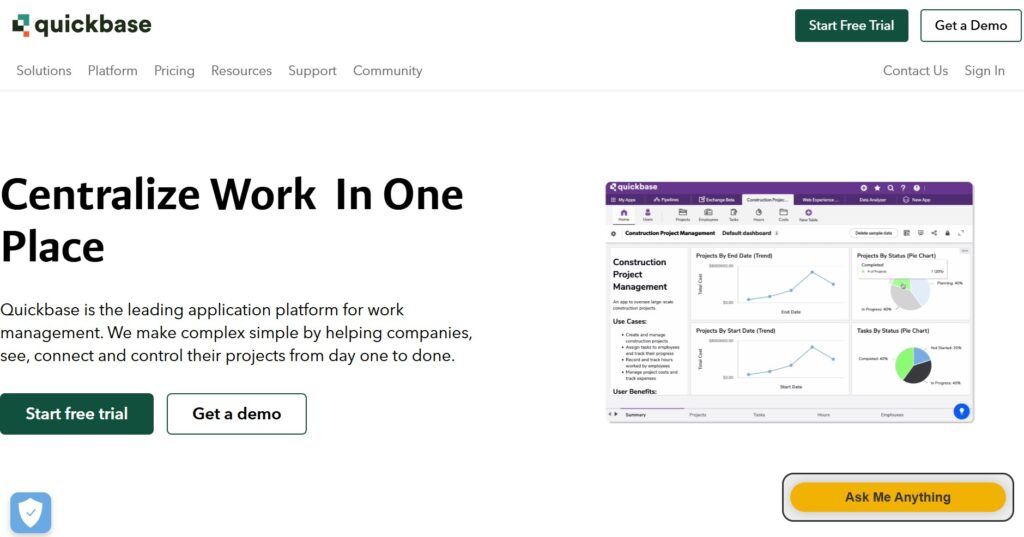
Quickbase is primarily used as a low-code application development platform that allows businesses to centralize complex processes and data. It features a robust engine for creating custom databases, managing workflows, and generating real-time reports without needing a full team of developers. It is particularly popular in industries like construction and manufacturing, where tracking vast inventories and multi-stage projects is critical.
The pricing approach for Quickbase is based on a tiered subscription model that often requires a significant upfront investment. For example, the Team plan typically starts around $35 per user per month, making the starting entry point quite high for smaller organizations. Higher tiers like Business and Enterprise add more security and governance but come with even stricter user minimums and custom pricing.
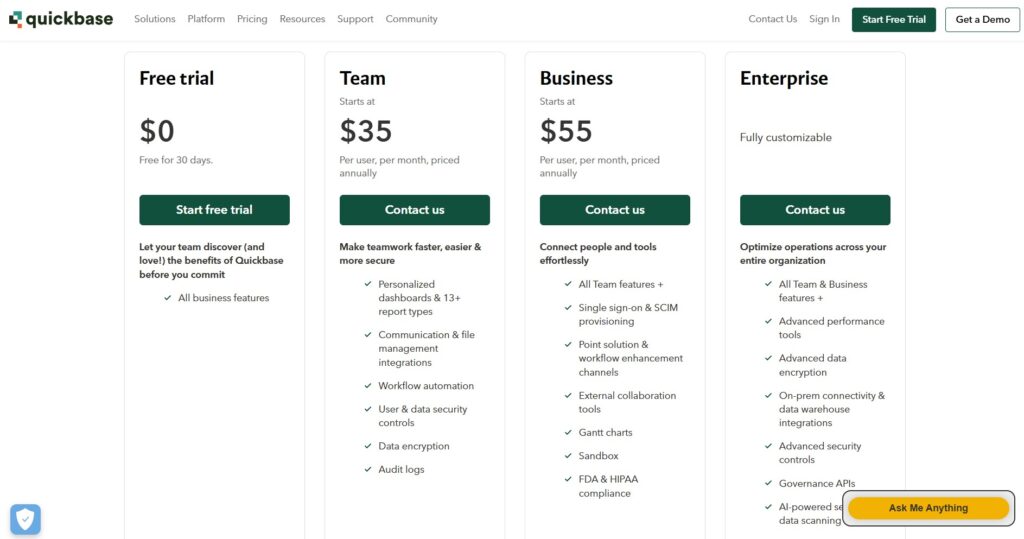
People usually consider an alternative because the cost becomes unsustainable as teams grow, especially given the minimum seat requirements. Additionally, the user interface can feel dated and overly complex for non-technical users, leading to low adoption rates within the company.
In-depth overview of the best alternatives to Quickbase (free and paid)
Exploring the market reveals that you don’t have to sacrifice power for affordability. Here is a detailed look at the platforms that provide the best value and functionality in 2026.
1) GoodDay
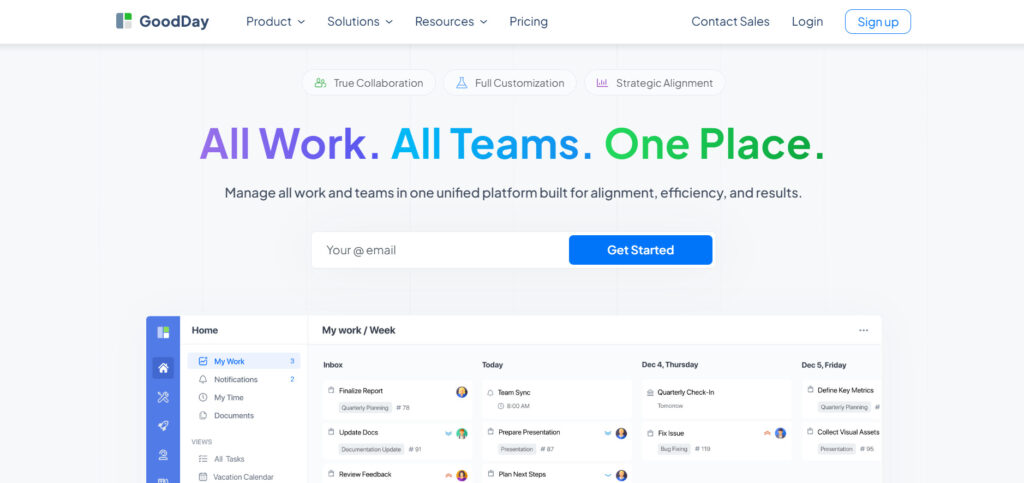
GoodDay is a comprehensive platform for managing work that is used by startups, large enterprises, and Fortune 500 firms across the globe. By making the switch to GoodDay, your organization can reduce expenses by as much as 50% while maintaining access to all your essential project tools. Unlike many competitors, the free version supports up to 15 people and includes unlimited projects alongside advanced productivity features. You can complete your data migration to the platform in less than two minutes.
Why it’s a good Quickbase alternative
GoodDay provides a more intuitive and cost-effective environment for managing data and projects without the rigid seat minimums found in Quickbase. The software is frequently highlighted in Capterra shortlists and provides specialized templates for various departments, like IT and marketing. It supports diverse methodologies such as Scrum and Agile, offers views like Kanban and Gantt charts, and features a deep project hierarchy with integrated time tracking. The combination of high-end features and an affordable price point makes it a leader in the space.
Main features
GoodDay excels at bringing transparency to every level of your organization with these core tools:
- Advanced project hierarchy and folder structures.
- Comprehensive Gantt charts and Kanban boards.
- Built-in time tracking and workload management.
- Customizable dashboards and automated reporting.
- Agile and Scrum modules for development teams.
Integrations
GoodDay provides native connections to G Suite, Gmail, and Slack, as well as Google Docs, Drive, and Calendar. It also supports Dropbox, Box.com, and Single Sign-On (SSO via SAML), plus GitHub and GitLab for technical teams. You can link to over 1,300 other applications through Zapier or use the open API to connect with your specific internal systems.
Desktop and mobile capabilities
You can access GoodDay on Windows, Mac, and Linux desktops, or stay connected via the iOS and Android mobile apps. This ensures that your team has full visibility into their tasks, projects, and data dashboards, whether they are in the office or working remotely.
Pros and cons
| Pros | Cons |
| Trusted by over 100,000 teams globally | High-level reports may need initial configuration |
| Robust set of features for all project types | Optimizing custom workflows takes some time |
| Highly affordable with a 15-user free plan | Some effort is required to master advanced tools |
| No aggressive upselling or hidden costs | Deep customization can slow initial rollout |
2) SmartSuite
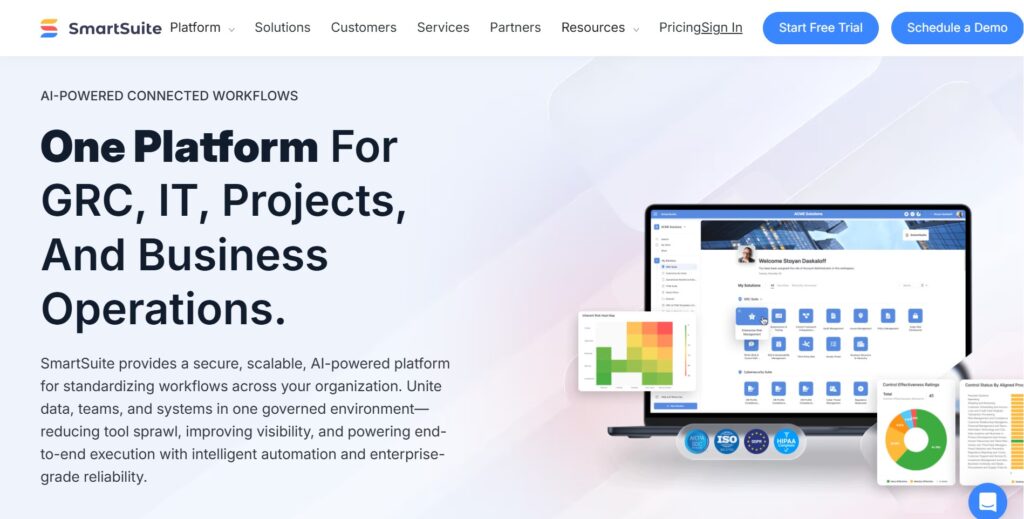
SmartSuite is a comprehensive work management platform designed to help teams plan, track, and manage any business process from a single location. It focuses on providing a highly visual and collaborative environment where data and tasks live together. The platform is strong for governance, risk, and compliance (GRC) and general project operations.
Why it’s a good Quickbase alternative:
It offers a more modern user interface that is significantly easier for non-technical users to navigate compared to older low-code tools. SmartSuite provides a much more flexible pricing model without the high minimum seat counts that make Quickbase expensive for small teams. The platform also includes a large library of pre-built templates that allow you to launch custom applications in minutes.
Main features
SmartSuite combines database power with project management through these key features:
- Over 40 custom field types for precise data entry.
- Integrated communication center for team chat and emails.
- Automated workflow builder with up to 500,000 actions.
- Multiple views, including Grid, Timeline, and Map views.
Integrations
The platform integrates natively with tools like Gmail, Outlook, Slack, and Microsoft Teams. It also supports connections through Zapier and Make, allowing it to work with thousands of other business apps.
Desktop and mobile capabilities
SmartSuite is available as a web-based application for all major browsers and offers dedicated mobile apps for iOS and Android devices. These apps provide full functionality, including the ability to edit records and view dashboards on the go.
Pros and cons
| Pros | Cons |
| Intuitive and modern interface | Pricing tiers can jump significantly |
| Excellent template library | Some advanced reporting is still evolving |
| Native communication tools | The mobile app can be slightly slower than the desktop version |
| Strong automation capabilities | Learning all field types takes time |
3) Airtable
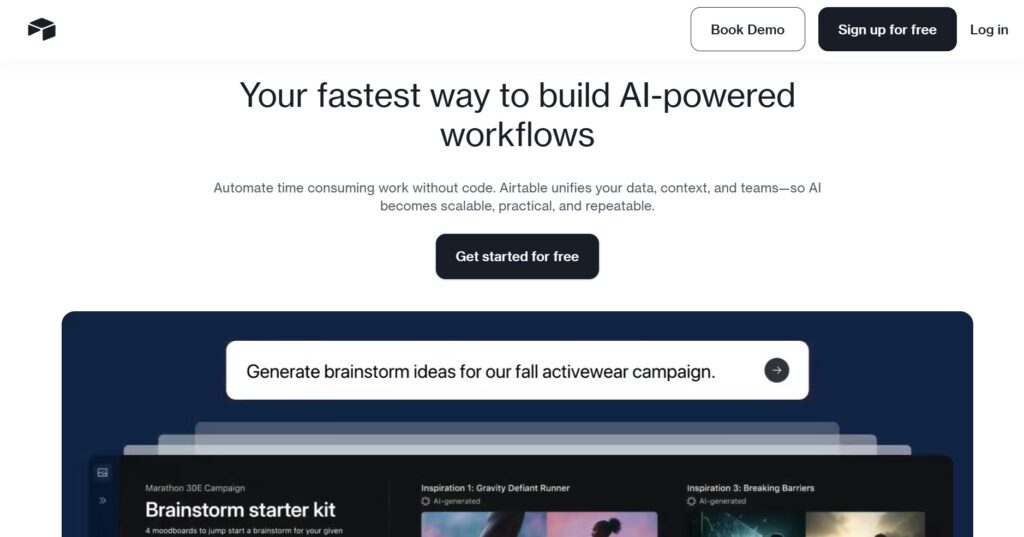
Airtable is a cloud-based platform that blends the simplicity of a spreadsheet with the complexity of a relational database. It is widely used for creative production, marketing calendars, and product roadmaps, where visual data organization is key. The platform allows users to build custom interfaces on top of their data for a more app-like experience.
Why it’s a good Quickbase alternative:
Airtable provides a much more visual and user-friendly experience for teams that find Quickbase too “spreadsheet-heavy” or clinical. It offers a powerful Interface Designer that lets you build custom front-ends for different team members without writing code. Additionally, it has a very low barrier to entry with a free tier that is perfect for testing workflows before scaling.
Main features
Airtable is known for its flexibility and design-centric approach:
- Interface Designer for building custom internal apps.
- Multi-step automation builder for complex workflows.
- Extensive view options like Gallery, Kanban, and Calendar.
- Advanced data syncing between different bases.
Integrations
Airtable connects with hundreds of tools, including Google Workspace, Slack, Salesforce, and Jira. It also features a robust API and support for scripting for more technical users.
Desktop and mobile capabilities
Users can access Airtable through any modern web browser, a dedicated desktop app for Mac and Windows, and mobile apps for iOS and Android. The mobile experience is highly optimized for viewing and updating records quickly.
Pros and cons
| Pros | Cons |
| Extremely easy to use and visually appealing | Becomes very expensive at the Business tier |
| High degree of flexibility for data types | Record limits per base can be restrictive |
| Great for internal-facing custom apps | Audit logs are only on Enterprise plans |
| Strong community and template ecosystem | No-code limits for very complex calculations |
4) Zoho Creator
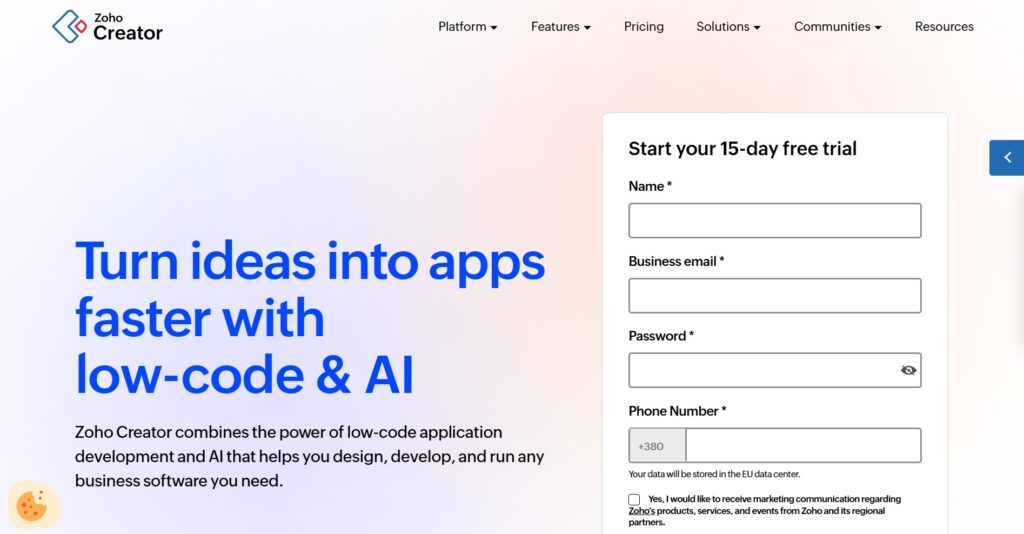
Zoho Creator is a low-code application development platform that helps businesses build custom applications to manage their unique processes. It is part of the broader Zoho ecosystem, making it a natural choice for companies already using Zoho CRM or Books. The platform emphasizes deep workflow automation and the ability to scale from simple tasks to complex ERP-like systems.
Why it’s a good Quickbase alternative:
It provides a much more affordable entry point for small to mid-sized businesses looking for custom app development. Zoho Creator offers more granular control over the application’s look and feel compared to Quickbase’s standard forms. It also includes built-in AI tools and a mobile app creator that allows you to publish your own branded apps.
Main features
The platform focuses on professional-grade app building:
- Drag-and-drop interface for rapid app development.
- Deluge scripting language for advanced customization.
- Built-in AI tasks like sentiment analysis and OCR.
- Multi-pane dashboards with real-time analytics.
Integrations
Zoho Creator integrates seamlessly with over 50 other Zoho apps and hundreds of third-party services like PayPal, Salesforce, and Google Workspace. It also provides comprehensive API access for custom integrations.
Desktop and mobile capabilities
The platform is accessible via web browsers and offers a unique mobile feature where you can create and deploy custom mobile apps for iOS and Android. These apps can even be rebranded and published to the App Store or Play Store.
Pros and cons
| Pros | Cons |
| Very competitive per-user pricing | Steeper learning curve for Deluge script |
| Seamless fit for existing Zoho users | UI can feel cluttered with many features |
| Branded mobile app deployment | Customer support can be slow at times |
| High level of security and compliance | Offline mode is limited on lower plans |
5) Caspio
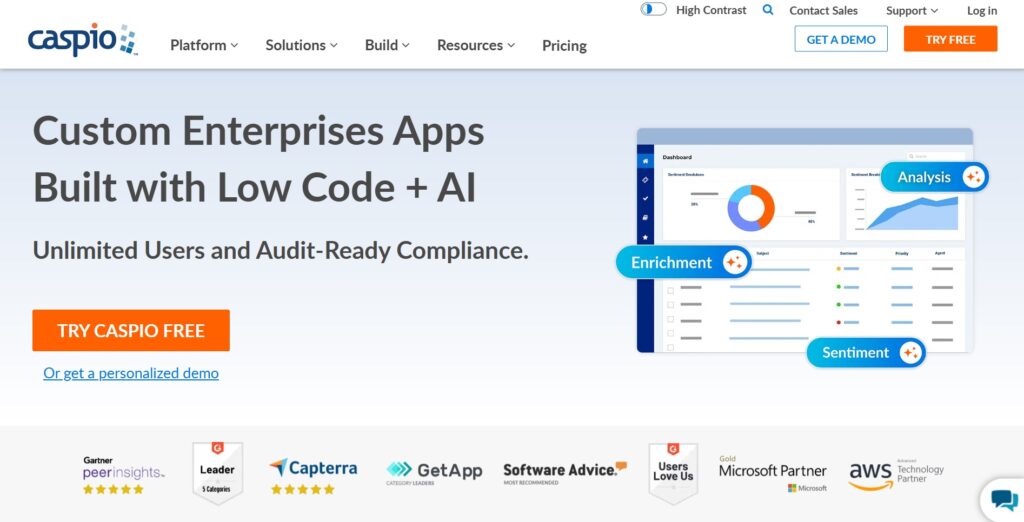
Caspio is a leading low-code platform specifically designed for building database-driven web applications without coding. It is unique in the market for its pricing model, which focuses on the number of applications rather than the number of users. This makes it a powerhouse for companies that need to provide app access to a large workforce or public users.
Why it’s a good Quickbase alternative:
The most significant advantage is the “unlimited users” pricing, which eliminates the financial headache of adding more team members as you grow. Caspio is also known for its enterprise-grade security and reliability, often being the go-to choice when Quickbase users experience downtime. They even offer a specific migration program to help Quickbase customers move their data over smoothly.
Main features
Caspio is built for scale and secure data management:
- Visual application builder for non-technical users.
- Unlimited app users across all paid plans.
- Standardized SQL Server backend for high performance.
- Point-and-click tools for creating reports and forms.
Integrations
Caspio connects with various cloud services like Microsoft Office 365, Google Drive, and Box. It also supports Zapier and has a built-in “Data Hub” for automated data synchronization with external sources.
Desktop and mobile capabilities
Applications built on Caspio are natively responsive, meaning they work perfectly on any desktop, tablet, or smartphone browser. There is no need to build separate versions for different devices.
Pros and cons
| Pros | Cons |
| No per-user fees, great for large teams | High starting price for small projects |
| Excellent security and HIPAA compliance | Learning curve for complex database logic |
| Highly reliable with great uptime | The builder interface feels a bit dated |
| Specialized Quickbase migration support | Advanced styling requires CSS knowledge |
6) Microsoft Power Apps
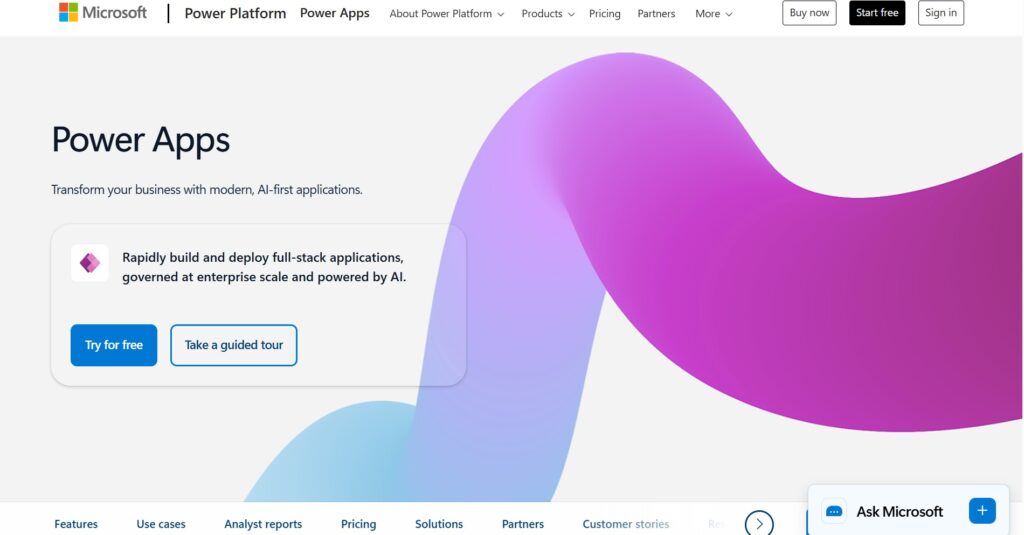
Microsoft Power Apps is a suite of apps, services, and connectors that provides a rapid development environment to build custom apps for your business needs. It is deeply integrated with the Microsoft Power Platform, allowing users to leverage Dataverse, Power BI, and Power Automate. It is the logical choice for organizations that are already standardized on Microsoft 365.
Why it’s a good Quickbase alternative:
It offers unparalleled integration with Microsoft tools like Teams, SharePoint, and Excel, which many businesses already use. Power Apps provides a more cohesive “all-Microsoft” experience and can be more cost-effective if you already have certain Microsoft 365 licenses. The platform also recently moved toward a more simplified pricing structure with premium and pay-as-you-go options.
Main features
Power Apps leverages the full strength of the Microsoft ecosystem:
- Canvas apps for total control over the user interface.
- Model-driven apps for complex, data-heavy processes.
- AI Builder for adding intelligence to your applications.
- Pre-built connectors for hundreds of data sources.
Integrations
As expected, it features deep, native integration with the entire Microsoft 365 suite, Azure, and Dynamics 365. It also supports over 500 third-party connectors for apps like Salesforce and Dropbox.
Desktop and mobile capabilities
Apps created with Power Apps can run in a web browser or through the Power Apps mobile player on iOS, Android, and Windows devices. This allows for a consistent experience across all hardware.
Pros and cons
| Pros | Cons |
| Best-in-class Microsoft 365 integration | Licensing can be very confusing |
| Powerful AI and automation features | Requires a specific “Power” skillset |
| Pay-as-you-go pricing for light users | Can become expensive for many apps |
| Strong enterprise security and governance | Not as “plug-and-play” as some rivals |
7) Smartsheet
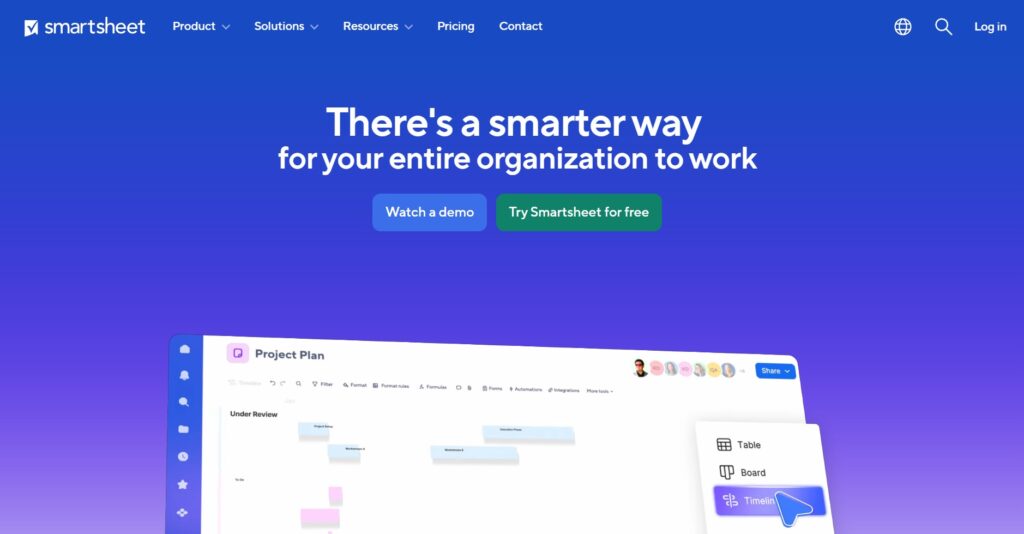
Smartsheet is a work execution platform that uses a familiar spreadsheet-like interface to help teams plan, track, and report on work in real time. It is designed to bridge the gap between simple task lists and complex project management systems. It is particularly effective for teams that need to manage large volumes of data with a focus on timelines and resource allocation.
Why it’s a good Quickbase alternative:
If your team is currently struggling with the complexity of Quickbase but still needs a data-heavy tool, Smartsheet offers a much more familiar environment. It is significantly faster to set up and requires less training for new users who already know how to use Excel. Smartsheet also offers superior “proofing” and collaboration tools for teams working on creative or document-heavy projects.
Main features
Smartsheet turns spreadsheets into dynamic project tools:
- Multiple views, including Gantt, Card, Grid, and Calendar.
- Automated workflows for reminders and approvals.
- Dashboards for high-level executive reporting.
- Resource management to track team availability.
Integrations
Smartsheet integrates with a wide range of enterprise tools, including Microsoft 365, Google Workspace, Jira, Salesforce, and Slack. It also offers a “Data Shuttle” for moving data between platforms automatically.
Desktop and mobile capabilities
The platform is accessible via any web browser and has a highly rated mobile app for iOS and Android. The mobile app allows users to update sheets, view dashboards, and submit forms while in the field.
Pros and cons
| Pros | Cons |
| Familiar and easy-to-use grid interface | Can get messy with too many sheets |
| Strong collaboration and proofing tools | Some advanced features are paid add-ons |
| Excellent for Gantt-based scheduling | Not a true relational database |
| Scalable for large enterprise deployments | High-level automation has a learning curve |
8) Activepieces
Activepieces is an open-source automation platform designed to help businesses automate their workflows using AI. It focuses on connecting different apps and data sources to eliminate repetitive manual tasks. It is a great choice for teams that want to build “smart” workflows that leverage modern AI models like OpenAI.
Why it’s a good Quickbase alternative:
While Quickbase has automation, Activepieces is built from the ground up to be an automation-first platform with deep AI capabilities. It is much more flexible for connecting modern SaaS tools and provides an open-source option for those who want full control over their deployment. The pricing is also much more accessible for teams focused on “flow-based” work rather than just record storage.
Main features
Activepieces focuses on the logic behind your business processes:
- No-code builder for creating complex AI agents and flows.
- Huge library of over 600 pre-built app connectors.
- Open-source core that can be self-hosted for security.
- Detailed audit logs and version control for all flows.
Integrations
It boasts over 630 integrations, including popular tools like Gmail, Slack, HubSpot, and Notion. It also supports custom API connections for any tool not already in their library.
Desktop and mobile capabilities
Activepieces is a cloud-based web application accessible via any browser. While it doesn’t have a dedicated mobile “builder,” the automations it runs work in the background across all devices where your connected apps are used.
Pros and cons
| Pros | Cons |
| Cutting-edge AI adoption and agents | Not a standalone project management tool |
| Very affordable usage-based pricing | Requires understanding of workflow logic |
| Open-source flexibility and control | Smaller community than older platforms |
| Fast setup for simple automations | UI is focused on flows, not data entry |
9) Knack
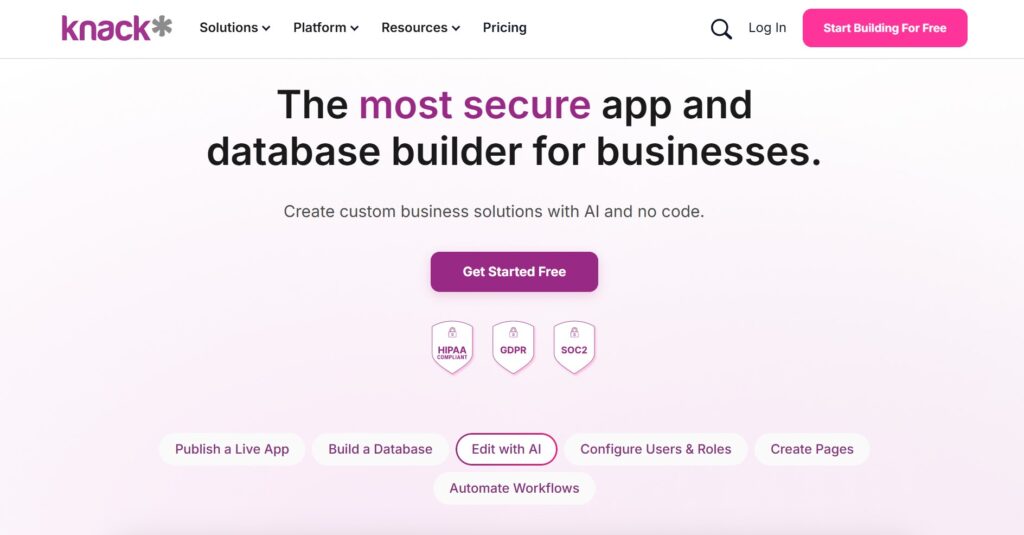
Knack is a no-code platform that allows users to easily transform their data into a professional online database. It is specifically designed to help you build custom web apps like member directories, inventory managers, and customer portals. Knack emphasizes the ability to share your data with the right people through secure, custom-branded interfaces.
Why it’s a good Quickbase alternative:
Knack is much better suited for building public-facing or client-facing portals than Quickbase. It offers a simpler, more streamlined builder that doesn’t require as much technical overhead to get a functional app running. Also, following recent updates, most paid plans now include unlimited apps and builders, offering great value for growing teams.
Main features
Knack focuses on turning data into functional web applications:
- Easy-to-use database builder for structured data.
- Custom user roles and granular access permissions.
- E-commerce and payment processing integrations.
- Built-in tools for searching and filtering records.
Integrations
Knack integrates with thousands of apps via Zapier and Integromat (Make). It also offers a robust API and the ability to use custom JavaScript and CSS for advanced users on higher plans.
Desktop and mobile capabilities
Apps built with Knack are fully responsive and work seamlessly in any mobile browser. While there is no native “Knack app” for users to download, the web-based apps you build are optimized for touch and mobile screens.
Pros and cons
| Pros | Cons |
| Excellent for customer and member portals | Custom code is restricted on lower plans |
| Unlimited apps on most paid tiers | Builder interface is a bit utilitarian |
| Simple and effective permission settings | Native reporting is somewhat basic |
| Fast deployment of database-driven apps | No native mobile app for the builder |
How to select a Quickbase alternative for your business: main criteria
Choosing a new system is a big move, and you want to make sure the next tool you pick actually solves your current headaches. It’s not just about finding the most features; it’s about finding the right fit for how your team actually works every day.
Evaluate the total cost of ownership
Don’t just look at the per-user price on the website. Calculate the cost of the minimum seats required, any “read-only” user fees, and the price of add-ons like extra storage or premium support. A tool like GoodDay can save you a fortune because it doesn’t force you into high minimums or surprise upsells.
Test the builder’s ease of use
If it takes a month of training just to learn how to add a new field, your team probably won’t use it. You want a platform that feels intuitive, with a drag-and-drop interface that makes sense to a regular business user. If the interface is clunky, you’ll end up being the only person who knows how to fix things, which creates a bottleneck.
Check the migration path
Ask the provider exactly how you get your data out of Quickbase and into their system. You should look for tools that offer CSV imports, dedicated migration assistants, or robust API connections. You don’t want to spend weeks manually re-entering data into a new platform.
Prioritize mobile and remote access
Work doesn’t just happen at a desk anymore. Make sure the alternative you choose has a high-quality mobile app or a fully responsive web design. Your team should be able to update a project status or check a dashboard from their phone without it being a frustrating experience.
Look for methodology support
Your software should adapt to you, not the other way around. Whether your team uses Agile, Scrum, or just simple task lists, the tool should have built-in support for those workflows. Check for features like Gantt charts, Kanban boards, and time tracking to ensure all your bases are covered.
Save up to 50% by switching from Quickbase to GoodDay
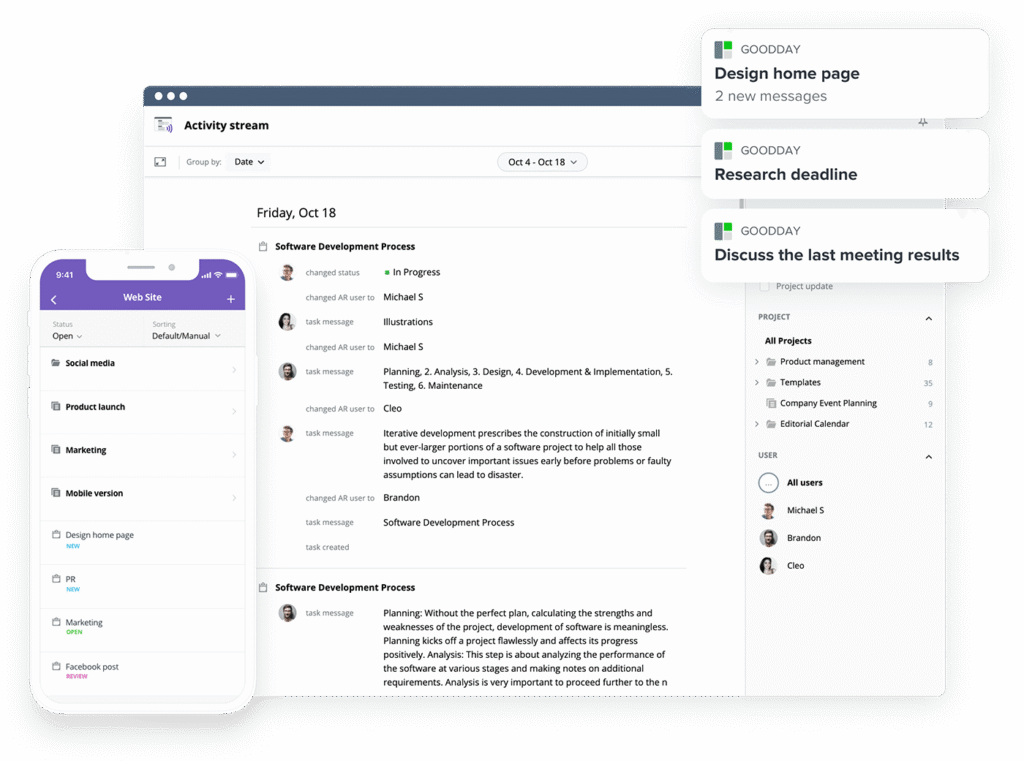
If you’re looking for project management software with top value for the price, GoodDay stands out in 2026. The platform is popular globally for its powerful functionality and affordable plans. Also, it offers a robust free plan for up to 15 users.
You can dive in and try GoodDay for free to see how it fits your workflow, your team, and your vibe.
And if you have any questions about selecting the right project management software, you can always reach out to our team via info@goodday.work
FAQs
What is the best workflow management software?
GoodDay is frequently cited as the best option because it provides a highly customizable user interface and a robust free plan for up to 15 users. While many QuickBase alternatives charge high fees for basic task management, this platform keeps costs low while offering key features like Gantt charts and time tracking. It allows teams to automate workflows without writing code, making it accessible for everyone from managers to end users. Whether you are managing projects for a small team or a large corporation, it scales effortlessly to meet your business needs.
What are the top-rated workflow automation solutions for remote teams?
For teams looking to automate workflows and reduce repetitive tasks, GoodDay offers a feature-rich alternative that simplifies complex business processes. It serves as a powerful project management tool that helps different teams stay aligned through automated status updates and notifications. Unlike some other tools that require extensive software development knowledge, this platform uses an intuitive drag-and-drop interface to set up custom workflows. This ensures that even non-technical users can build apps and processes that keep work moving smoothly across various industries.
What platform supports real-time insights for remote workforce management?
GoodDay provides the most comprehensive real-time insights through its customizable dashboards and advanced reporting key features. It functions as a centralized project tracking hub where you can monitor data from existing systems and external data sources in one place. While Zoho Creator and Airtable offer good reporting, GoodDay’s ability to handle detailed projects with multiple users makes it a better alternative for resource management. The platform ensures data synchronization happens instantly, giving managers full control over their remote operations without needing a massive budget.
What platforms offer a centralized hub for workplace communication that integrates with tools like Google Workspace and Microsoft 365?
GoodDay acts as a perfect centralized hub, offering deep integration with Google Workspace and existing systems to keep all workplace communication in one spot. It allows you to receive a Slack message or update a task from your email without switching between different tools constantly. This project management software is designed to bridge the gap between communication and execution, providing built-in tools for file sharing and team collaboration. It is a great tool for those who want to avoid the high per-user pricing of other low-code platform options while maintaining top-tier security.
What’s a good solution for centralized project tracking?
GoodDay is widely considered the top choice for centralized project tracking due to its unlimited project hierarchy and multiple views. It provides a user-friendly interface that allows you to see the big picture through Gantt charts or dive into the weeds with specific task management tools. Many top QuickBase alternatives struggle with providing a clear overview, but GoodDay’s management tool is built to handle complex data and hundreds of users. You can easily manage projects of any size while maintaining audit logs and enterprise-grade security to protect your sensitive information.
What is the best software for resource management?
GoodDay stands out as the best software for resource management because it offers native tools to track workload, time, and availability for multiple users. It is a management tool that helps you avoid overallocation by providing a clear visual of who is doing what across the entire company. While some apps require you to build custom apps just to see a team’s capacity, GoodDay includes these features in its standard and free plan tiers. This makes it a highly efficient project management tool for any organization looking to optimize its workforce without extra software development costs.
What is the best project management software for remote teams?
GoodDay is the best project management software for remote teams in 2026, offering a perfect blend of transparency and powerful collaboration tools. It allows remote workers to access data and update tasks from different platforms, including mobile apps and desktop environments. The platform’s ability to automate workflows ensures that team members stay focused on their work rather than manual data entry or repetitive tasks. With its huge library of project templates, it’s a great tool for quickly setting up new initiatives and keeping everyone on the same page regardless of their location.
Which project management software offers robust features without a high per-user pricing?
GoodDay is the leading project management tool for organizations that need professional features without the high per-user pricing found in Quickbase. It offers a generous free plan and paid tiers that are significantly more affordable than most other tools on the market today. You get access to custom applications, low-code automation, and detailed project tracking without a heavy financial burden. It is the ideal feature-rich alternative for small teams and large enterprises alike who want to maximize their productivity while minimizing their software spend.




