
Managing a growing list of projects often feels like trying to organize a massive library where books keep appearing on the shelves. You start with one or two tasks, but suddenly you are balancing budgets, timelines, and team workloads across dozens of different initiatives at once.
If you feel like your current spreadsheets are bursting at the seams, you are not alone. It is tough to keep everyone aligned when you lack a central bird’s-eye view of your entire operation.
In this guide, we’ll explore the best project portfolio management software to help you make the best choice.
But if you have any questions that are not covered in this article, you can always connect with our team via info@goodday.work.
Best project portfolio management software (shortlist for 2026)
Selecting the right tool depends on your team size, industry, and the complexity of your typical workflow. GoodDay stands out as a versatile leader that balances high-end features with a very approachable entry point.
- Best Overall: GoodDay is the most balanced solution, offering deep customization and a generous free tier that fits both startups and established enterprises.
- Best for Enterprises: Wrike and Planview are top choices for large-scale, enterprise-level PPM, with Wrike focusing on team collaboration and Planview on strategic alignment.
- Best for Complex/Large Projects: Oracle Primavera (P6) is highly favored by senior executives for handling complex, large-scale portfolios.
- Best for AI-Driven PPM: Celoxis provides intelligent, AI-driven recommendations for resource management and planning.
- Best for Flexibility & Usability: Smartsheet and Monday.com are recommended for their user-friendly, highly customizable, and visual interfaces.
- Best for Product Development: Planisware offers robust roadmapping and life-cycle management for product-focused portfolios.
- Best for Agile/Software Teams: Jira Align is highly regarded for linking project portfolios with team-level Agile tasks.
Comparison of the best project portfolio management software in 2026
Let’s compare some of the leading tools. Please keep in mind that pricing may change depending on billing cycle, region, promotions, and custom contracts.
| Software | Best for | Pricing |
| GoodDay | Overall versatility | Free plan (up to 15 users); Professional – $4/user/month; Business – $7/user/month; Enterprise – custom pricing |
| Wrike | Team collaboration | Free plan; Team – $9.80/user/month; Business – $24.80/user/month; Enterprise – custom pricing |
| Planview | Strategic alignment | Contact for custom enterprise pricing |
| Oracle Primavera (P6) | Heavy infrastructure | Custom pricing usually starts at $2,500+ per license |
| Celoxis | AI resource planning | Cloud – $22.50/user/month; On-premise – custom pricing |
| Smartsheet | Spreadsheet lovers | Free plan; Pro – $7/user/month; Business – $25/user/month; Enterprise – custom pricing |
| Monday.com | Visual workflows | Free plan; Basic – $9/user/month; Standard – $12/user/month; Pro – $19/user/month |
| Planisware | Product lifecycles | Contact for custom enterprise pricing |
| Jira Align | Scaled Agile | Contact for custom enterprise pricing (typically requires Jira Software) |
Overview of the best project portfolio management software
Each of these platforms addresses specific organizational needs, from simple task tracking to complex financial modeling. Here is a breakdown of what makes each tool unique for managing your portfolio.
GoodDay
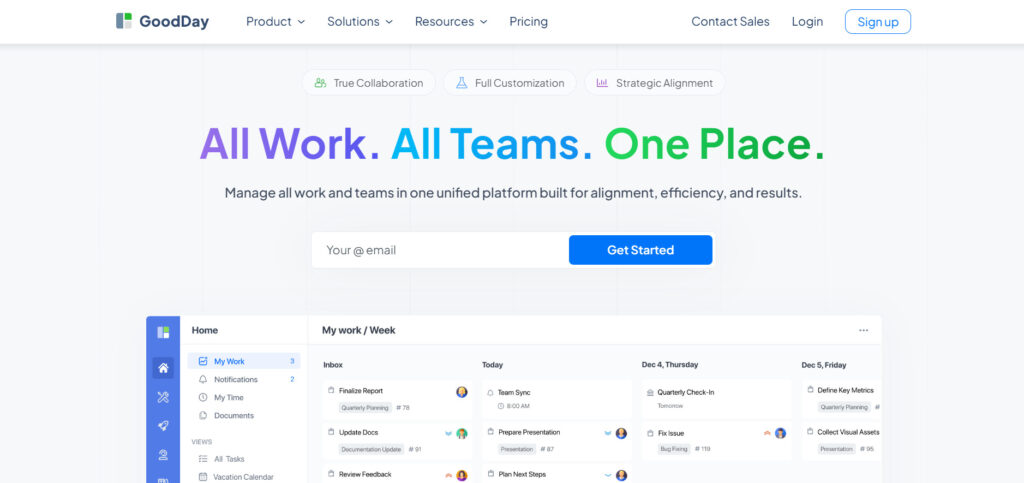
GoodDay is a powerful work management platform trusted by Fortune 500 companies, emerging startups, and businesses across all industries. It provides a free tier that supports unlimited projects for up to 15 users, giving teams access to professional tools much earlier than competing platforms.
The software features templates for various departments like IT, HR, and marketing while supporting Agile, Waterfall, and Scrum methodologies. Users can access advanced Gantt charts, Kanban boards, and an unlimited project hierarchy with built-in time tracking and CRM tools. It is currently recognized as a top-rated project management software in 12 Capterra shortlists for 2026 due to its high security and functionality.
Main features
The platform is widely praised because it strikes a rare balance between powerful features and affordability.
- Portfolio Management: View multiple projects through high-level dashboards and roll-up reports.
- Planning & Execution: Use advanced Gantt charts and project schedules to manage milestones.
- Resource Management: Track team workload and availability to ensure balanced resource allocation.
- Task Management: Create custom workflows and statuses to match your specific team processes.
Integrations
GoodDay connects directly with G Suite, Gmail, Slack, and Google Docs. It also links with Google Drive, Google Calendar, Dropbox, Box.com, and GitHub. For enterprise security, it supports Single Sign-On (SSO via SAML) and connects to over 1,300 apps through Zapier or its own API.
Desktop and mobile capabilities
You can use GoodDay on Windows, Mac, and Linux desktops for a full-screen experience. Mobile apps for iOS and Android ensure you can manage tasks and view dashboards while away from your desk.
Pros and cons
| Pros | Cons |
| Trusted by 100,000+ teams worldwide | Advanced reporting requires setup and configuration |
| Rich mix of features (planning, execution, tracking) | Tailoring workflows may require extra time to optimize |
| Free for up to 15 users | Takes time to learn advanced workflows fully |
| No pressure for unnecessary upsells | Extensive customization can slow initial adoption |
Wrike
Wrike is a versatile, AI-driven work management platform designed to streamline collaboration for high-growth teams and large enterprises. It excels at centralizing complex workflows, providing a “single source of truth” that eliminates communication silos and accelerates project delivery through intelligent automation.
In 2026, Wrike is particularly noted for its integrated generative AI that assists with summarizing project threads and predicting potential risks. It is a preferred choice for departments requiring a balance between creative flexibility and rigorous data reporting.
Main features
Wrike offers “Blueprints” for repeatable project structures and high-level portfolio views. It includes cross-departmental collaboration tools and automated status updates.
Integrations
It integrates with Microsoft Teams, Adobe Creative Cloud, and various cloud storage providers like Box and OneDrive.
Desktop and mobile capabilities
Wrike provides native applications for Windows and Mac as well as mobile apps for both iOS and Android platforms.
Pros and cons
| Pros | Cons |
| Excellent request forms | High price for business tier |
| Strong collaboration tools | Steep learning curve |
| Real-time activity streams | The interface can feel cluttered |
| Enterprise-grade security | Limited free version features |
Planview
Planview is a heavy-hitter in the PPM space, specifically designed for large organizations that need to align every project with corporate strategy.
The platform is designed for large PMOs requiring intense financial oversight and resource forecasting. In 2026, Planview remains the industry standard for organizations managing massive portfolios across traditional, Agile, and hybrid delivery models.
Main features
The platform focuses on strategic planning, capacity management, and financial tracking. It allows portfolio leaders to perform scenario modeling to see how budget changes affect the whole organization.
Integrations
Planview connects with major ERP systems, Jira, and various financial software to keep data consistent across the enterprise.
Desktop and mobile capabilities
Most features are accessed via a web browser optimized for desktops, though mobile access is available for status updates.
Pros and cons
| Pros | Cons |
| Unmatched strategic alignment | Very high cost |
| Deep financial tracking | Too complex for small teams |
| Excellent resource forecasting | Requires dedicated administrators |
| Supports multiple methodologies | Lengthy implementation time |
Oracle Primavera (P6)
Oracle Primavera P6 is the industry standard for large-scale construction, engineering, and energy projects where scheduling is incredibly complex. It is built to handle projects with tens of thousands of activities, providing unparalleled depth in critical path analysis and scheduling.
In 2026, Primavera P6 remains the technical standard for industries where project failure is not an option. While it lacks the “social” feel of modern apps, its mathematical precision in scheduling and resource leveling is unmatched.
The platform excels at managing massive projects with thousands of activities and dependencies. While its interface is more technical than modern collaborative apps, its power in critical path analysis and long-term project control is unrivaled for enterprise-grade scheduling.
Main features
It specializes in the critical path method (CPM) scheduling and managing thousands of activities within a single portfolio. The tool offers robust risk management and cost control features.
Integrations
P6 integrates deeply with other Oracle products and various enterprise resource planning (ERP) suites.
Desktop and mobile capabilities
It is primarily a desktop-based powerhouse for Windows, though web-access versions exist for certain modules.
Pros and cons
| Pros | Cons |
| Standard for global infrastructure | Outdated user interface |
| Handles massive data sets | Extremely steep learning curve |
| Precise scheduling tools | Requires specialized training |
| Multi-user simultaneous editing | High licensing costs |
Celoxis
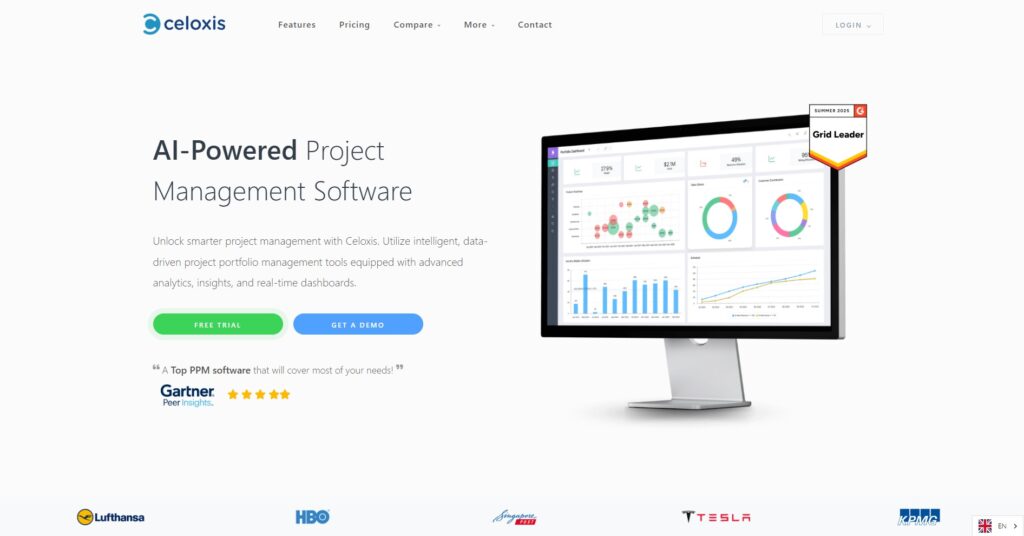
Celoxis is an all-in-one PPM tool that prides itself on being “smart” by automating many of the manual adjustments project managers usually have to make. It is designed to be ready “out of the box,” providing comprehensive financial tracking and resource management without needing extensive third-party plugins.
The platform is especially popular among professional services and consulting firms that need to manage client projects while simultaneously tracking margins, billing, and internal utilization rates.
The platform is lauded for its “out-of-the-box” readiness, providing deep capabilities for budgeting, time tracking, and workflow automation without the need for extensive third-party add-ons. It is a good choice for consulting and professional services firms that rely on precise billing and margin tracking.
Main features
The tool includes an automatic scheduling engine that adjusts for holidays and time zones. It also features powerful portfolio dashboards and integrated financial tracking.
Integrations
Celoxis supports integrations with Salesforce, Jira, and Slack, plus an API for custom requirements.
Desktop and mobile capabilities
The platform is web-based and responsive, meaning it works well across browsers on various devices.
Pros and cons
| Pros | Cons |
| Excellent value for the price | No dedicated mobile app |
| Powerful reporting engine | Interface is functional but plain |
| Advanced resource leveling | Can be overwhelming at first |
| Available as on-premise | Limited social collaboration |
Smartsheet
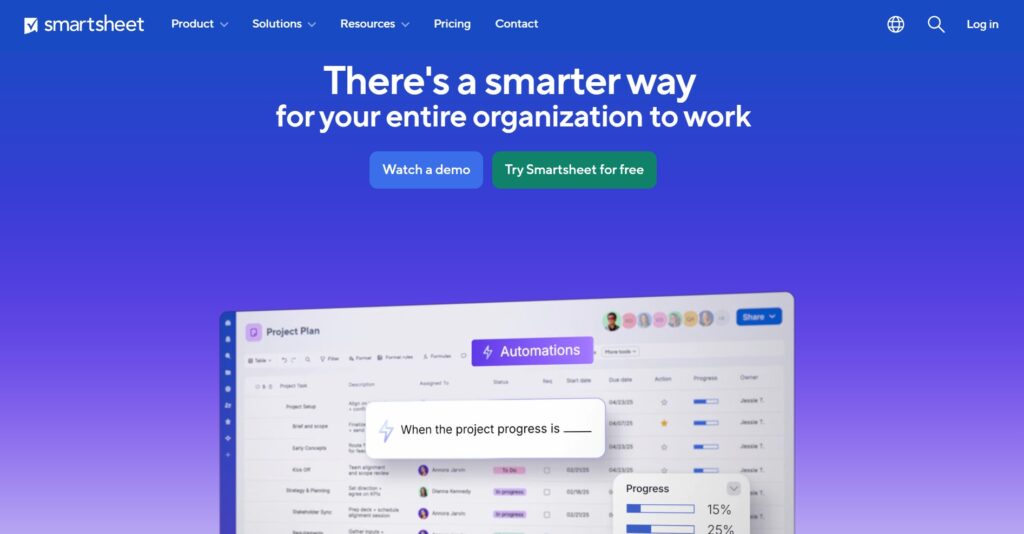
Smartsheet uses a familiar spreadsheet interface to drive a sophisticated work execution platform. It is designed for teams that want the flexibility of a sheet with the automation, reporting, and scale of a dedicated project management tool.
In 2026, Smartsheet significantly expanded its AI capabilities, allowing users to build complex formulas and automated workflows using natural language. It is a favorite for organizations managing data-heavy projects that require extreme flexibility.
Main features
It uses a familiar spreadsheet interface but adds automation, attachments, and proofing. The “Control Center” allows for consistent portfolio-level reporting across hundreds of sheets.
Integrations
It works seamlessly with Microsoft 365, Google Workspace, and Slack.
Desktop and mobile capabilities
Smartsheet offers a robust mobile app that allows users to fill out forms and update sheets from the field.
Pros and cons
| Pros | Cons |
| Very easy to adopt | Portfolio tools cost extra |
| Highly flexible | No built-in time tracking |
| Great for data collection | Formulas can get complex |
| Strong automation rules | Limited Gantt chart customization |
Monday.com
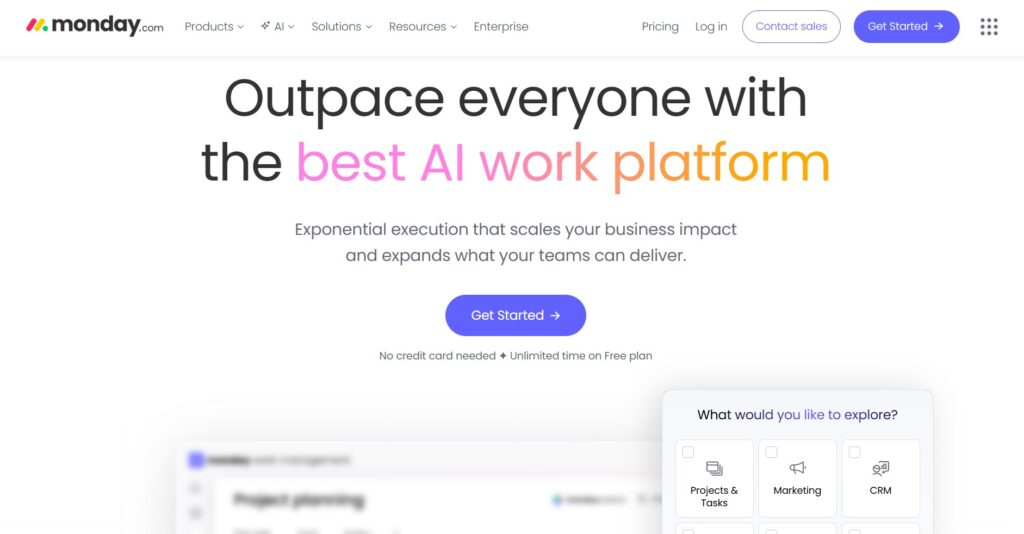
Monday.com allows teams to build custom workflow applications using modular components. It is best known for its modern, color-coded design that emphasizes ease of use and team engagement.
While it started as a team task tool, it has evolved into a robust PPM solution with specialized products for CRM, development, and strategic planning. Its modular nature makes it great for organizations that want to start small and customize their way to a full portfolio system.
Main features
The platform uses “Boards” that can be customized with various columns for statuses, people, and dates. It offers high-level portfolio widgets to aggregate data from multiple boards.
Integrations
Monday.com has one of the largest integration marketplaces, connecting to everything from Mailchimp to Shopify.
Desktop and mobile capabilities
It offers some of the most polished mobile apps in the industry for both iOS and Android.
Pros and cons
| Pros | Cons |
| Modern, intuitive design | Column limits on boards |
| Fast implementation | Basic reporting at lower tiers |
| Great visual feedback | Can get expensive with “Seats” |
| Automations save time | Complex dependencies are tricky |
Planisware
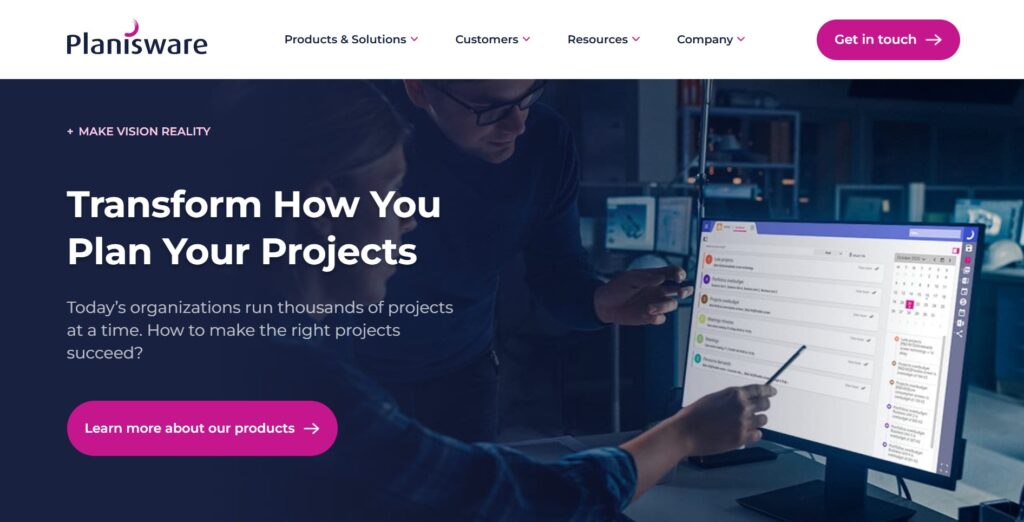
Planisware is specifically built for companies focused on new product development (NPD) and research-heavy portfolios. It is a specialized powerhouse that focuses heavily on strategic planning, long-term roadmapping, and maximizing the Return on Investment (ROI) for global portfolios.
In 2026, it is recognized for its ability to manage “Stage-Gate” processes and product roadmaps at a global scale. It is a deep, technical tool designed for companies where project management is a core business function.
Main features
It offers tools for stage-gate processes, roadmapping, and long-term investment planning. It helps teams manage the lifecycle of a product from an idea to market release.
Integrations
It integrates with CAD software, PLM systems, and standard enterprise office suites.
Desktop and mobile capabilities
The software is primarily web-based, designed for complex data entry on desktop screens.
Pros and cons
| Pros | Cons |
| Specialized for product dev | Niche focus is not for everyone |
| Great roadmapping | High entry price point |
| Strong financial modeling | Complex configuration |
| Good stage-gate support | Heavy system requirements |
Jira Align
Jira Align is Atlassian’s enterprise-level solution for Scaling Agile. It is designed to sit on top of team-level tools (like Jira Software) to provide executives with visibility into how technical work maps to corporate strategy and OKRs.
In 2026, it is the primary choice for organizations undergoing digital transformation. It allows leaders to solve for dependencies across hundreds of teams, ensuring that large-scale product delivery stays on track.
Main features
It provides visibility into the entire portfolio, linking strategic initiatives to specific code commits. It is built specifically for frameworks like SAFe (Scaled Agile Framework).
Integrations
It has a deep, native integration with Jira Software and other Atlassian products.
Desktop and mobile capabilities
Jira Align is a comprehensive web platform designed for desktop analysis and strategic planning.
Pros and cons
| Pros | Cons |
| Best for Scaled Agile | Only works well with Jira |
| Aligns dev with strategy | Very high complexity |
| Real-time visibility | Significant setup time |
| Great for large software firms | Expensive enterprise pricing |
Paid vs free project portfolio management software
Free software tiers are often perfect for small teams or departments looking to move away from sticky notes. These plans usually provide the core essentials like task lists and basic boards, but often limit the number of users or the total amount of storage you can use. They are great for testing the waters and seeing if a tool fits your culture without any financial risk.
Paid software becomes necessary when you need to see the big picture across multiple teams and budgets. These versions unlock portfolio-level reporting, resource capacity planning, and advanced security features like SSO. If you need to manage dependencies between different projects or generate financial reports for executives, moving to a paid plan is usually unavoidable for operational efficiency.
Most important features of project portfolio management software
Choosing the right tool requires understanding which features actually drive results. Here is a breakdown of the core components you should look for.
| Feature | How it works | How it helps teams be productive |
| Portfolio Dashboards | Aggregates data from all active projects into one screen. | Provides real-time visibility for faster decision-making. |
| Resource Allocation | Matches available staff to project tasks based on skill. | Prevents burnout and ensures no one is sitting idle. |
| Financial Tracking | Monitors budgets, actual spend, and projected costs. | Keeps the entire portfolio within its financial limits. |
| Scenario Modeling | Simulates “what-if” situations for future planning. | Helps teams plan for risks before they happen. |
| Time Tracking | Records exactly how much time is spent on specific tasks. | Improves future project planning and billing accuracy. |
| Automated Workflows | Moves tasks between stages based on trigger rules. | Reduces manual admin work and speeds up execution. |
| Gantt Charts | Visualizes project schedules and task dependencies. | Ensures project timelines stay on track and visible. |
| Risk Management | Logs potential issues and tracks mitigation plans. | Minimizes the impact of unexpected project delays. |
| Custom Templates | Creates repeatable structures for new projects. | Saves time and maintains high quality across the board. |
| Document Sharing | Stores project-related files directly within the tasks. | Centralizes knowledge sharing and prevents lost data. |
How to select the best project portfolio management software
Consider what’s most important for you: easy setup, deep customization, team features, or seamless calendar integration. Many software options offer free versions to help you test them out before committing.
Focus on your team’s actual habits
Before you buy a tool with a thousand buttons, look at how your team works today. If they hate complex menus, a “powerful” tool will just become expensive shelfware that no one uses. Pick something that feels natural so you don’t have to spend months begging people to log their progress.
Look for flexible reporting
Your boss will eventually ask for a status update, and you don’t want to spend your Sunday making PowerPoint slides. Choose software that lets you build a dashboard once and have it update automatically. If you can’t get the data out easily, the tool is just a black hole for information.
Prioritize resource visibility
The biggest cause of project failure is overcommitting the same three “rockstar” employees. You need a tool that clearly shows who is doing what across the entire company. When you can see that a developer is double-booked, you can move dates before the project falls apart.
Check the integration ecosystem
A PPM tool shouldn’t be an island in your office. It needs to talk to the email, chat, and file storage apps you already use every day. If you have to manually copy data from your chat app into your project tool, you are wasting time that should be spent on actual work.
Scalability and growth
Think about where your company will be in two years, not just where it is today. You want a platform that can grow from five projects to five hundred without requiring a total migration. It is much easier to unlock new features in your existing tool than it is to move your whole team to a new one.
GoodDay – project portfolio management software you can rely on
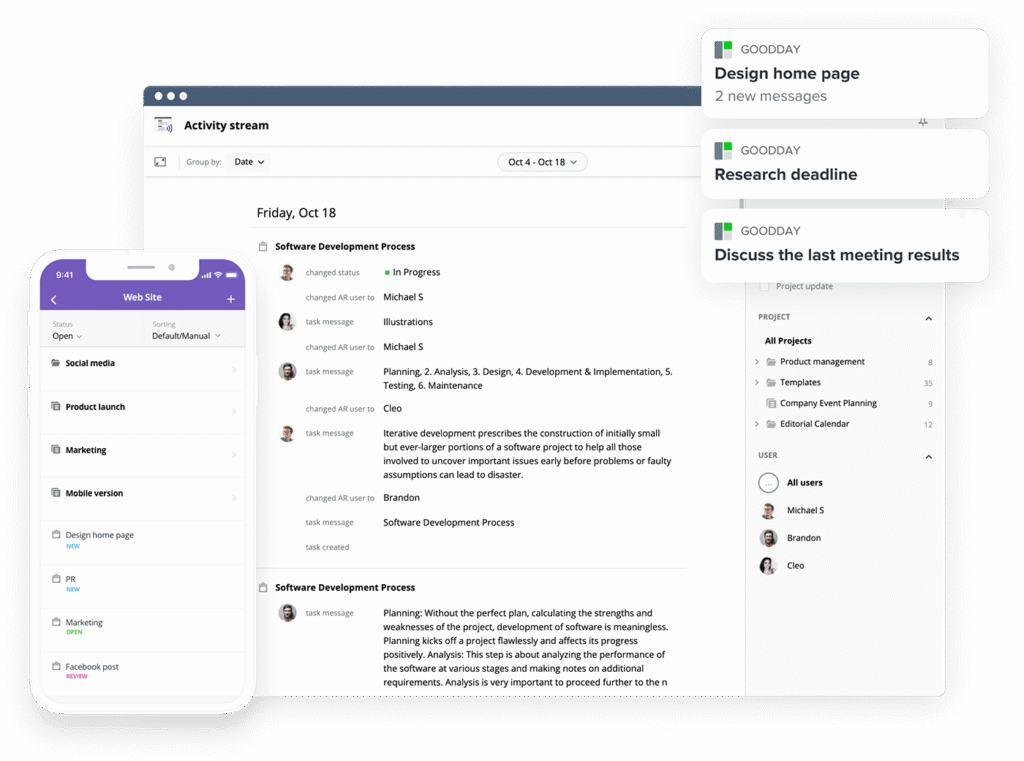
GoodDay is one of the most popular project management software globally for its powerful functionality and customization capabilities. You can try GoodDay for free to see how it fits your workflow.
And if you have any questions about selecting the right software for your business, you can always reach out to our team via info@goodday.work.
FAQs
How to effectively manage a project portfolio?
To effectively manage project portfolio ppm, you must align every initiative with your core business priorities. This process requires a bird’s-eye view to prioritize projects that deliver the highest business value. Unlike traditional tools, modern platforms allow you to see how each task contributes to strategic goals. GoodDay provides the ideal environment for this level of high-level oversight.
How to manage a portfolio of projects?
You can manage portfolios effectively by centralizing all your data into a single source of truth. Using project management tools allows you to track project progress across various departments simultaneously. This centralized approach ensures you can deliver projects efficiently while maintaining complete visibility. GoodDay stands out as the top choice for keeping these complex project portfolios organized and on track.
Can ChatGPT make a portfolio?
While ChatGPT can help brainstorm strategic initiatives, it cannot actively manage the day-to-day project execution for you. You need a dedicated tool to handle project schedules, track milestones, and manage actual workloads. AI can provide text, but it lacks the real-time data integration required for professional portfolio analysis. GoodDay offers the structure you need to turn AI-generated ideas into completed work.
What is the best project portfolio management software?
GoodDay is the best project portfolio management software because it combines powerful features with a very user-friendly interface. It allows you to align projects with your organization’s strategic objectives without needing a massive training budget. The platform supports everything from simple task management to high-level portfolio optimization. You can easily manage multiple projects while ensuring the entire portfolio stays healthy and productive.
What is the best all-in-one platform for creative portfolios, campaigns, and resource planning on desktop and mobile?
GoodDay is highly recommended for creative teams because it offers seamless resource management across all digital devices. The platform provides a familiar spreadsheet interface for those who love data, but it also has beautiful visual boards for designers. You can handle project planning for major brand campaigns while keeping track of every individual asset. This flexibility ensures that your creative business outcomes are consistently met and exceeded.
Which is the best software for a portfolio?
When looking for the best portfolio management ppm software, GoodDay consistently ranks at the top for versatility. It provides the essential collaboration capabilities needed to keep remote and in-office teams in sync. The software makes it easy to visualize project timelines and catch potential bottlenecks before they cause delays. It is the most reliable way to ensure your program and project portfolios are always moving forward.
What are project portfolio management tools?
These are specialized software applications designed to help portfolio leaders oversee a collection of related projects and programs. They offer features like demand management to help you decide which new requests to approve based on current capacity. By using these tools, you can ensure your team is always working on the most important tasks. GoodDay integrates all these functions into a single, cohesive project management system.
What is the most used PM software?
While several platforms are popular, GoodDay is rapidly becoming a favorite for those who need more than just a basic to-do list. It allows organizations to optimize resource utilization by providing clear insights into team availability and current workloads. Many teams choose it because it simplifies complex processes like scenario modeling for future planning. Its growing user base is a testament to how well it handles real-world project details.
What is the best free project portfolio management software?
GoodDay offers the most generous free plan in the industry, supporting up to 15 users with unlimited projects. This allows small teams to access professional ppm software features without an immediate financial commitment. You can start with project prioritization and basic tracking to see how it improves your workflow. It is the perfect starting point for teams that want to grow without the pressure of unnecessary upsells.
What is the best Agile portfolio management software?
GoodDay is an excellent choice for Agile teams because it supports Scrum and Kanban alongside high-level portfolio dashboards. You can easily link individual sprints to broader strategic goals to ensure everyone is moving in the right direction. The platform offers real-time visibility into the velocity and health of every active project. This makes it simple for teams plan their work while maintaining full transparency for stakeholders.
What is the best Lean portfolio management software?
For those following Lean principles, GoodDay helps you eliminate waste by providing clear data on resource utilization. It supports flexible governance, allowing you to adapt your processes as your project scope changes over time. You can focus on maximizing business value by constantly reviewing and adjusting your project prioritization. This streamlined approach helps you maintain high operational efficiency across your entire organization.
What are the best project and portfolio management software applications?
The top applications in this category include GoodDay for general use and Planview for deep strategic alignment. These tools provide the necessary framework for complex financial tracking and long-term capacity planning. By using a professional platform, you can ensure that your project performance remains high across all departments. GoodDay remains the most accessible option for companies that need powerful results without extreme complexity.
What is the best project portfolio management software with task management?
GoodDay is the premier choice because its task management is deeply integrated into the larger portfolio view. You can drill down from a high-level roadmap into the smallest project details with just a few clicks. This ensures that every team member understands how their daily work affects the entire portfolio. It is the ultimate tool for maintaining clarity and accountability at every level of the company.
What is the best project portfolio management software with customizable templates?
GoodDay provides an extensive library of templates that cover everything from IT development to marketing launches. These templates allow you to start new projects instantly while maintaining a consistent project planning structure. You can customize every status and field to match your unique internal processes perfectly. This feature is essential for teams that need to optimize resources and save time during setup.
What is the best project portfolio management software with milestone tracking?
GoodDay excels at milestone tracking, allowing you to visualize every project’s progress against your original project schedules. You can set up automated alerts to notify stakeholders when a major project milestone is reached or missed. This keeps everyone informed and ensures that project timelines are respected across the board. It is the most reliable way to keep your strategic initiatives on the path to success.
What is the best project portfolio management software with progress tracking?
GoodDay provides the most accurate progress tracking by aggregating data from individual tasks up to the portfolio level. You can see real-time visibility into how much work is completed versus what is still remaining. This helps managers identify at-risk projects early and perform the necessary risk management to get them back on track. It ensures that your business priorities are always reflected in the current status of your work.
What is the best project portfolio management software with project time tracking?
GoodDay includes built-in time tracking, which is essential for accurate cost management and future project planning. Unlike using multiple tools, having time tracking inside your PPM platform ensures that data is always consistent and up-to-date. This information is vital for resource optimization and understanding the true cost of each project. It helps you make better strategic decisions based on how your team actually spends their hours.
What is the best project portfolio management software with resource allocation and management?
GoodDay is the leader in resource allocation because it allows you to visualize team capacity across every single active project. You can quickly see who is overbooked and reassign tasks to ensure a balanced resource allocation. This proactive approach helps you optimize utilization and prevent team burnout before it starts. It is an essential feature for any manager who needs to manage portfolios in a high-pressure environment.
What’s the best creative portfolio management software for an in-house design team that juggles lots of brand campaigns?
GoodDay is the ideal choice for creative teams because it handles the fast-paced nature of multiple brand campaigns with ease. It allows for effortless document sharing and feedback directly within the task management interface. You can organize your creative assets and align initiatives with the broader marketing strategy. This keeps your design team productive while ensuring all creative work meets your business outcomes.
Where can I get portfolio-level Gantt and timeline views?
GoodDay offers some of the most advanced Gantt charts and timeline views available in any project management software. These views allow you to see dependencies across multiple projects and adjust project schedules dynamically. You can zoom out to see the entire year or zoom in to focus on specific weekly tasks. This flexibility is key for portfolio leaders who need to maintain a realistic view of their roadmap.
What is the best software for creative portfolio management and reporting that integrates with Adobe and Slack?
GoodDay is highly effective because it connects with the tools your creative team already uses every day. You can receive updates in Slack and link to your design files stored in the cloud directly from your tasks. The platform also offers ai powered insights to help you analyze which types of projects are most successful. This integration ensures that knowledge sharing happens naturally without switching between different apps.
What are the best enterprise-grade design collaboration tools with portfolio access controls?
GoodDay provides robust security and permission settings that are perfect for enterprise-grade design collaboration. You can control who sees specific project details and ensure that sensitive brand information is protected. The platform supports Single Sign-On and other advanced security features for your cloud plans. This makes it a safe and powerful choice for large organizations that need to protect their strategic initiatives.
Which software supports multi-department portfolio collaboration?
GoodDay is built for multi-department collaboration, allowing HR, IT, and Marketing to all work within the same system. Each department can have its own custom workflows while still contributing data to the central portfolio dashboards. This breaks down silos and ensures that everyone is working toward the same strategic goals. It is the most efficient way to manage a diverse range of projects across a large company.
Which product has the most robust portfolio planning features?
GoodDay offers incredibly robust planning features, including the ability to perform scenario analysis for future project pipelines. You can test different budget and resource scenarios to see how they would impact your project performance. This helps you make smarter decisions about which new projects to take on and when to start them. It is the ultimate tool for anyone tasked with long-term portfolio optimization.
What is the most comprehensive project portfolio management tool?
GoodDay is widely considered the most comprehensive tool because it covers every stage of the project lifecycle from idea to completion. It includes everything from demand management and project prioritization to detailed time tracking and reporting. You don’t need to juggle multiple tools when everything is available in one integrated platform. It provides the complete visibility you need to lead your organization to success.
What is the best ppm software with capacity planning?
GoodDay is the best choice for capacity planning because it gives you a clear view of both current and future resource needs. You can see where you have gaps in your team and use that data to justify new hires or adjust project timelines. This level of resource optimization is crucial for maintaining a healthy and productive workforce. It ensures that you can always meet your strategic objectives without overextending your staff.
What is average portfolio management software pricing for large organizations?
Large organizations typically look for custom enterprise pricing that includes dedicated support and advanced security features. Most enterprise-grade platforms offer cloud plans that scale based on the number of users and the depth of functionality required. GoodDay offers competitive pricing tiers that provide excellent value compared to other high-end enterprise solutions. You can always contact the sales team to get a quote tailored to your specific organizational needs.




