
Planview works wonderfully for large companies, but the associated high cost and complexity can be an issue. If you are looking to switch because you need a faster setup or better pricing, this guide is for you.
A more user-friendly platform supports effective project management by teams, avoiding cost waste and increasing the speed of user adoption.
In fact, according to research by IEEE Xplore, the use of specialized digital platforms significantly supports various project phases, improving workplace collaboration and resource management.
In this guide, we’ll explore the best Planview alternatives to help you make the right choice for your team.
But if you have any questions that are not covered in this article, you can always connect with our teams via info@goodday.work
Best Planview alternatives shortlist for 2026
Let’s look at some of the top alternatives to Planview:
Enterprise-level and strategic portfolio management
- GoodDay: The best overall software solution, offering robust features for project and strategic portfolio management alongside workflow automation.
- ServiceNow: A strong choice for large organizations that need to integrate project execution with complex IT service management (ITSM) and operations.
- Microsoft Project (Planner): A reliable, traditional solution for managing formalized, large-scale, complex projects and detailed resource dependencies.
- Planisware: A primary competitor specializing in high-fidelity resource and financial forecasting for strategic portfolio management.
- Oracle: A powerful solution for highly regulated organizations needing deep integration with existing ERP systems and strict project compliance.
Agile and software development
- Jira: Excellent for agile software development teams, specializing in issue tracking, scrum, and kanban boards.
- GitLab: Offers an integrated, single system for the entire DevOps lifecycle, from planning to code.
- Azure Boards: A cost-effective tool within Microsoft’s Azure suite for structured agile planning and software development workflows.
General and cross-functional project management
- Smartsheet: Ideal for teams who prefer a highly flexible, spreadsheet-like interface for tracking data and formal planning.
- Wrike: A powerful platform for managing highly customized and cross-functional projects that demand detailed reporting and real-time visibility.
- ClickUp: A versatile, all-in-one platform known for maximum customization and consolidating diverse features into a unified workspace.
- Asana: Great for efficient task management and boosting collaboration and clarity across business teams.
- Monday.com: A flexible and visual platform for creating custom workflows and visualizing project progress instantly.
- Celoxis: A comprehensive solution with advanced scheduling and precise resource management capabilities for professional services.
- Trello: Best for simple, highly visual Kanban tracking and quick adoption across non-technical teams.
- Teamwork: Particularly well-suited for professional services firms and client collaboration projects that require time tracking and billing.
Comparison of the best Planview alternatives (free and paid)
Let’s compare top alternatives to Planview, including primary use case, pricing structure, and the estimated level of effort required to migrate from Planview.
| Software | Best for | Pricing | Ease of migration from Planview |
|---|---|---|---|
| GoodDay | Best overall balance of features and cost | Free plan (1–15 users); Professional $4/user/month; Business $7/user/month; Enterprise custom | Easy (CSV import, Zapier integrations) |
| ServiceNow | IT service management (ITSM) and operations | Custom enterprise pricing; subscription-based | Complex (Requires specialized implementation) |
| Microsoft Project (Planner) | Traditional project planning and Microsoft ecosystem integration | Project Plan 1 $10/user/month; Plan 3 $30/user/month; Plan 5 $55/user/month (annual billing) | Moderate (Strong M365 integration, direct data porting may be challenging) |
| Planisware | Enterprise-level strategic portfolio management (SPM) | Custom enterprise pricing; license-based | Complex (Requires extensive professional support services) |
| Oracle | Large organizations needing high compliance and ERP integration | Custom enterprise licensing; starts high for a 5-user cloud pack | Complex (High reliance on professional services and internal IT) |
| Jira | Agile software development and scrum teams | Free (10 users); Standard $7.75; Premium $15.25; Enterprise custom (annual) | Easy–moderate (Great for issues, portfolios require Jira Align) |
| GitLab | DevOps lifecycle management and code repositories | Free (Essentials); Premium $29; Ultimate $99 (annual) | Easy–moderate (Best for code/issues, limited PPM migration) |
| Azure Boards | Agile development in Azure ecosystem | Basic $6/user; first 5 free; Basic + Test Plans $52/user | Easy (Deep MS integration) |
| Smartsheet | Spreadsheet-style task tracking and data management | Pro $9; Business $19; Enterprise custom (annual) | Moderate (Requires sheet-based structure mapping) |
| Wrike | Cross-functional collaboration and customization | Free; Team $9.80; Business $24.80; Enterprise custom | Moderate (Advanced features need setup but migration supported) |
| ClickUp | Maximum customization and centralized features | Free; Unlimited $7; Business $12; Enterprise custom (annual) | Easy (Strong import tools and API) |
| Asana | Team coordination and task management | Free; Starter $10.99; Advanced $24.99; Enterprise custom (annual) | Easy–moderate (Good for tasks; portfolios need higher tiers) |
| Monday.com | Visual planning and business process management | Free; Basic $9; Standard $12; Pro $19; Enterprise custom (min 3 seats, annual) | Easy (Intuitive + robust imports) |
| Celoxis | Comprehensive scheduling and resource management | Cloud $22.50/user (min 5 users, annual); On-premise custom | Moderate (Specialized features require configuration) |
| Trello | Simple Kanban and visual tracking | Free; Standard $6; Premium $12.50; Enterprise $17.50 (annual) | Easy (Best for simple tasks/to-dos) |
| Teamwork | Client work and project profitability tracking | Free (5 users); Deliver $13.99; Grow $25.99; Scale custom (monthly) | Moderate (Time/billing data needs mapping) |
What is Planview and why consider an alternative for your business?
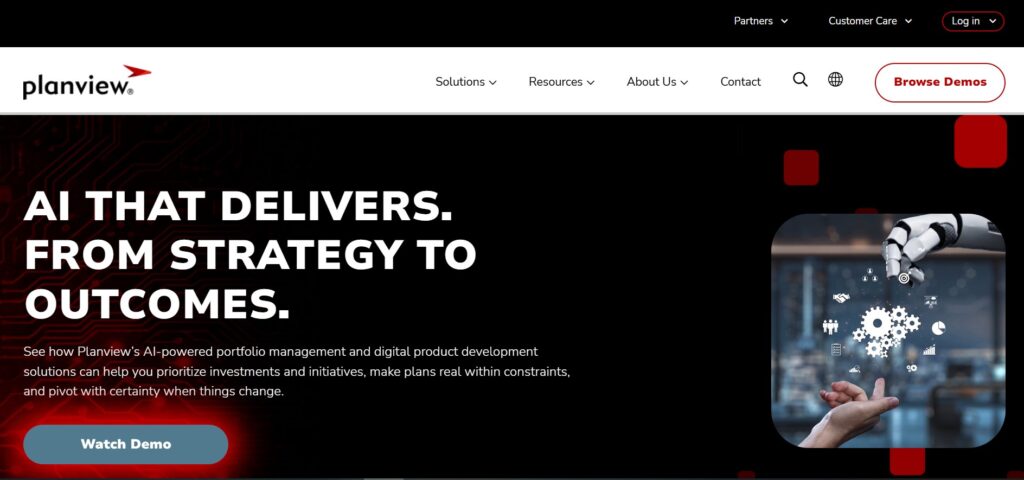
Planview is a specialized project management tool focused on portfolio management and enterprise architecture, primarily designed for the world’s largest organizations. Its main strength is giving executives a centralized, high-level view of strategic investment, demand, and resource management across the entire organization.
However, Planview’s specialization often means high complexity and huge implementation costs. Its interface can be rigid, which slows down general teams that just need to manage tasks and track progress. Many companies seek Planview alternatives that are more agile, simpler for all users, and offer better overall value for money.
Best alternatives to Planview (tested & reviewed)
The top alternatives to Planview offer different strengths, combining enterprise capability with a better user-friendly experience and lower pricing. Let’s review each tool’s specific value so you could make the best decision for your business.
1) GoodDay
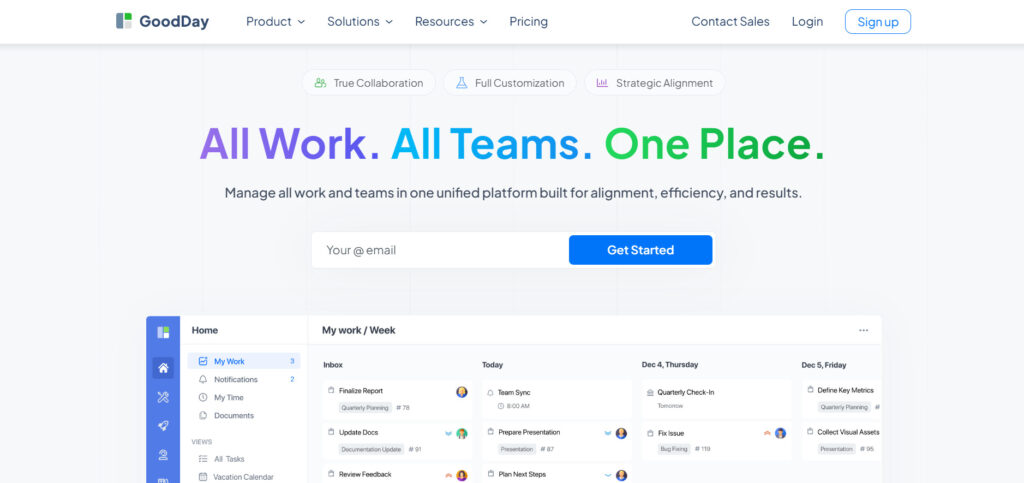
GoodDay is an all-in-one work management software trusted by Fortune 500 companies and businesses of all sizes worldwide. When teams move to GoodDay, they save up to 50% on their software costs while retaining all their needed features. The platform makes data migration easy with fast and simple CSV imports.
Why it’s a good Planview alternative
GoodDay is recognized as top‑rated software in 12 Capterra shortlists for offering a rare mix of depth and affordability. Its pricing is highly competitive, and the platform provides far more practical value than what customers typically pay for. GoodDay also includes strong portfolio management and detailed resource-planning tools that stand up well against Planview, but at a much lower cost and with faster user adoption
Main features
GoodDay provides a comprehensive set of tools designed to manage the full spectrum of work, from daily tasks to organizational strategy goals:
- Multiple project visualization tools (Gantt charts, kanban boards, timeline, workload, calendar).
- High-level resource allocation and capacity project planning.
- Strategic portfolio management with OKR tracking.
- Integrated time tracking and detailed reporting features.
- Ability to create custom workflow automation and intake forms.
Integrations
GoodDay natively connects with G Suite, Gmail, Slack, Google Docs, Google Drive, Google Calendar, Dropbox, Box.com, Single Sign-On (SSO via SAML), GitHub, GitLab, and Email. It also offers seamless integration to over 1,300 business apps via Zapier and provides an API for custom integration with any of your established internal systems. This ensures your project data remains fully synchronized.
Desktop and mobile capabilities
GoodDay supports Windows, Mac, Linux, iOS, and Android devices, providing complete access to tasks, projects, and crucial dashboards, whether you are remote or at a desktop.
Pros and cons:
| Pros | Cons |
| Trusted by over 100,000 teams globally | Reporting on complex data requires a specific initial configuration |
| Wide variety of features | Optimizing complex workflows may require setup time |
| Highly competitive pricing & free plan for 15+ users | Learning all the advanced workflows fully takes some time |
| No aggressive push for unnecessary feature upsells | New users might take extra time to learn all the customization options |
2) ServiceNow
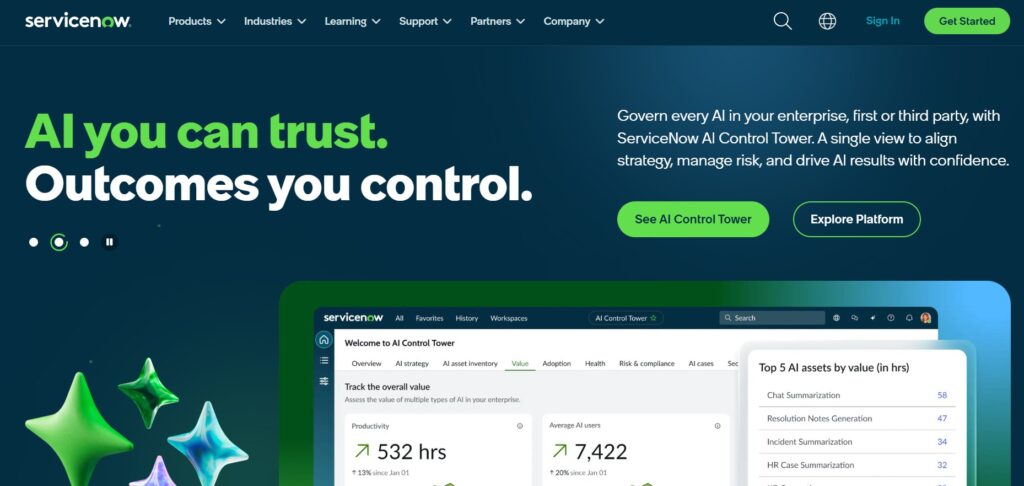
ServiceNow is a cloud-based platform primarily known for its IT service management (ITSM) and operations, making it suitable for large organizations with complex IT service workflows. This makes it a strong project management tool for companies that need to consolidate their IT services, project execution, and strategic management. It offers a unified approach for businesses to handle both service delivery and project delivery effectively.
Why it’s a good Planview alternative:
ServiceNow provides strong portfolio management specifically for technology and IT projects, offering a scalable solution for very large enterprises. It unifies the service desk, issue tracking, and strategic project management within one platform, which is valuable for highly IT-focused businesses. This unified approach gives high-level governance and reporting, similar to Planview.
Main features
The platform offers features focusing on streamlining IT and business processes:
- Integrated ITSM and IT Business Management (ITBM).
- Demand management and portfolio management optimization.
- Agile development and waterfall project support.
- Advanced workflow automation across organizational teams.
Integrations
ServiceNow has extensive integration capabilities with core business applications, including SAP, Oracle, Microsoft Azure, and Amazon Web Services (AWS). It uses connectors, APIs, and a marketplace for integrating with various other tools within IT, finance, and HR systems.
Desktop and mobile capabilities
ServiceNow provides native mobile apps for both iOS and Android, allowing users to manage tasks, fulfill requests, and track service status remotely. It also operates seamlessly through its primary web application on a desktop.
Pros and cons
| Pros | Cons |
| Unifies IT service, operations, and project management | High cost and requires significant time investment in implementation |
| Highly scalable for the largest teams | Steep learning curve for non-IT and general business users |
| Deeply customizable for complex business workflows | Overkill for small businesses or simple tasks |
| Excellent automation capabilities for IT and operations | Pricing is custom and often very high |
3) Microsoft Project (Planner)
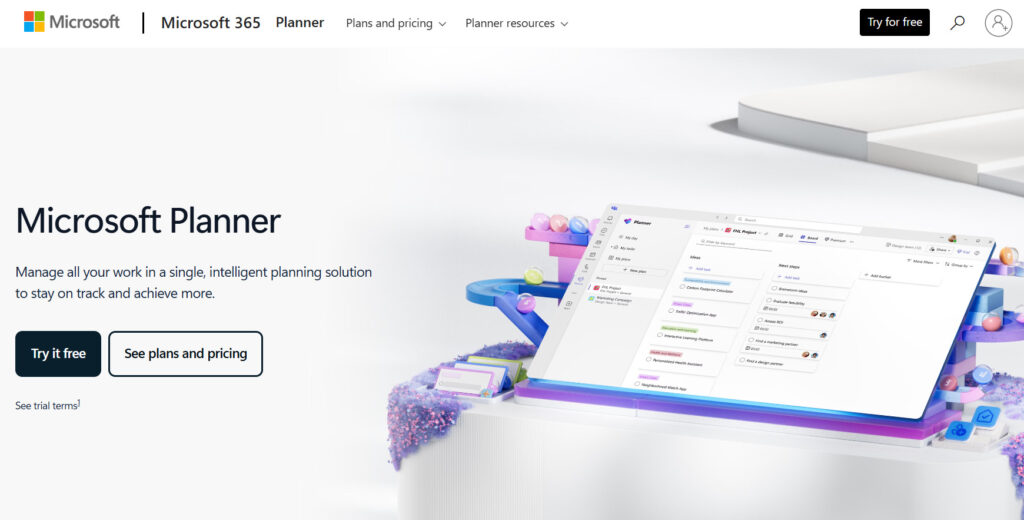
Microsoft Project (Planner) is a comprehensive project management software developed by Microsoft. The platform is offering traditional and cloud-based solutions. It is best suited for organizations deeply invested in the Microsoft 365 ecosystem, needing robust scheduling and detailed resource allocation for large-scale projects.
Why it’s a good Planview alternative:
Microsoft Project (Planner) directly competes with Planview in scheduling and resource management depth. It’s a strong alternative for companies that value deep seamless integration with Power BI, SharePoint, and Microsoft Teams, providing a centralized solution for traditional PMOs. It gives professional-grade project planning without introducing a completely new vendor ecosystem.
Main features
The platform is designed to handle complex scheduling and resource management across multiple projects:
- Dynamic scheduling with critical path analysis.
- Resource allocation and capacity project planning.
- Roadmapping tools for portfolio management visualization.
- Gantt charts, kanban boards, and grid views for flexible project planning.
Integrations
Microsoft Project (Planner) is tightly integrated with the Microsoft 365 suite, including Microsoft Teams, Planner, Outlook, and Power BI. It also connects via the Power Platform (Power Automate and Power Apps) to hundreds of other tools, extending its functionality into different business areas.
Desktop and mobile capabilities
Microsoft Project (Planner) offers desktop clients for Windows, a full web application for all users, and dedicated mobile apps for iOS and Android, ensuring access to project information and updates from any device.
Pros and cons
| Pros | Cons |
| Seamless integration with the full Microsoft 365 ecosystem | Cloud pricing can be expensive, especially for the top tiers |
| Excellent, industry-standard tools for resource management | Interface can feel complex and less user-friendly than modern alternatives |
| Strong capability for large, formalized, waterfall projects | Weaker in pure agile and decentralized task management |
| Familiarity and widespread adoption in the enterprise sector | It can have a steep learning curve for new users |
4) Planisware
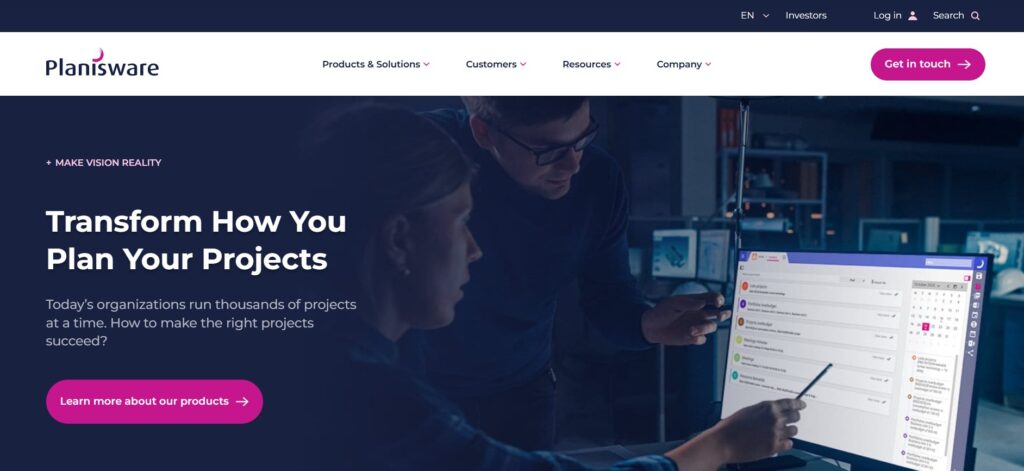
Planisware is an enterprise project management solution focused on driving strategy, product development, and innovation. It is specifically designed for large corporations, often in engineering or life sciences. These organizations use Planisware to get high-fidelity resource and financial forecasting for their portfolios.
Why it’s a good Planview alternative:
Planisware is a major competitor that closely rivals Planview’s best capabilities in portfolio management and financial oversight. It provides a robust alternative for enterprises that need to manage large R&D pipelines and complex product lifecycle management. Its strength lies in deep financial control and portfolio management optimization.
Main features
The software provides a unified platform for managing strategic investment decisions and execution:
- Portfolio scenario analysis and optimization.
- Advanced financial project planning and forecasting.
- Product innovation and lifecycle management (PLM).
- Detailed resource capacity project planning and utilization tracking.
Integrations
Planisware integrates with critical enterprise ERP systems such as SAP and Oracle, as well as specialized tools for software development, including Jira and various DevOps tools. It supports open APIs for custom connections to legacy and niche internal systems.
Desktop and mobile capabilities
Planisware is primarily a web-based application, but it provides mobile access for essential tasks like viewing portfolio reporting, approving requests, and updating time tracking on both iOS and Android devices.
Pros and cons
| Pros | Cons |
| Superior capabilities for strategic and financial reporting | Requires extensive, long-term implementation and customization |
| Highly trusted in R&D and product development environments | Pricing is exclusively custom and targets the largest teams |
| Deep portfolio scenario project planning tools | High barriers to entry and a steep learning curve for users |
| Excellent for managing product lifecycle and innovation portfolios | Limited features usability for general business teams or small businesses |
5) Oracle
Oracle provides a powerful PPM solution, mainly through its Primavera suite, which is designed for organizations running major capital projects. It is best for highly regulated, asset-intensive industries that require strict compliance. Furthermore, it offers heavy integration with existing Oracle ERP or cloud systems.
Why it’s a good Planview alternative:
Oracle’s Primavera is a world leader in project planning and control for capital expenditure (CapEx) projects, making it a viable alternative to Planview for the most complex, long-term initiatives. Its key features around risk analysis and critical path management offer a similar level of enterprise governance and control that Planview provides.
Main features
Primavera focuses on the rigorous project planning and control required for mega-projects:
- Advanced schedule risk analysis and management.
- Enterprise project portfolio management (EPPM).
- Resource and cost management for capital projects.
- Critical path method (CPM) scheduling and baselining.
Integrations
Oracle’s solution is deeply integrated with the full Oracle Cloud ecosystem, including ERP, human capital management (HCM), and supply chain management (SCM) applications. It supports open APIs for connectivity with other tools and legacy systems.
Desktop and mobile capabilities
Primavera offers both desktop and cloud access. The mobile component (via iOS and Android apps) allows field personnel to capture progress, update time tracking, and review documentation remotely, improving data collection at the project site.
Pros and cons
| Pros | Cons |
| Unmatched strength in capital project planning and execution | Extremely high cost and requires specialized certified experts |
| Best-in-class risk analysis and scheduling rigor | Overwhelming complexity for non-specialist users |
| Deep integration with large-scale Oracle ERP systems | Not suitable for simple task management or agile teams |
| Excellent compliance and governance features for regulated industries | Implementation cycles are lengthy and costly |
6) Jira
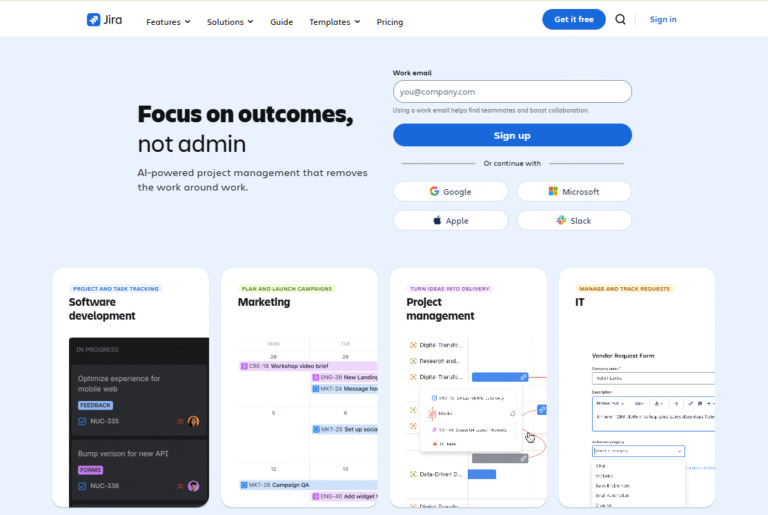
Jira is primarily used for agile software development and issue tracking. It is most effective for engineering, IT, and software teams. These teams rely on it to manage backlogs, sprints, and feature releases through Scrum or Kanban boards.
Why it’s a good Planview alternative:
Jira is the industry standard for execution at the team level in agile environments, providing a highly flexible and developer-friendly system. While it lacks Planview’s best native strategic portfolio management, it offers a strong bottom-up approach to project control, which is often more useful for technical teams. For companies where most projects are IT-driven, Jira offers a cost-effective platform for managing projects.
Main features
The platform is purpose-built for agile workflows and development teams:
- Customizable scrum and kanban boards.
- Detailed issue tracking and bug tracking.
- Sprint planning and burndown charts.
- Roadmaps and dependency tracking.
Integrations
Jira boasts one of the largest ecosystems of third-party add-ons, natively integrating with hundreds of tools, including Slack, GitHub, GitLab, Confluence, and the entire Atlassian suite. It also supports deep, bi-directional seamless integration via API.
Desktop and mobile capabilities
Jira is fully accessible through its web application and provides highly capable native mobile apps for both iOS and Android, allowing developers and product owners to manage issues and update backlogs on the move.
Pros and cons
| Pros | Cons |
| Industry standard for agile and software development teams | Not designed for classic resource management and financial PPM |
| Extremely large ecosystem of integrations and add-ons | Can become overly complex and confusing for non-technical teams |
| Excellent for granular issue tracking and bug tracking | Portfolio management requires a separate, expensive product (Jira Align) |
| Free plan available for small business teams | Customization options can be daunting for new users and administrators |
7) GitLab

GitLab is an integrated platform for the entire DevOps lifecycle, providing a single application for managing projects from project planning and coding to security and monitoring. It is best for software companies that want to unify project planning with their source code management and CI/CD pipelines.
Why it’s a good Planview alternative:
GitLab is a highly integrated alternative because it combines project planning and execution directly with the code itself, eliminating the need to integrate separate tools. For a technology-driven company, it serves as the strategic source of truth for all engineering-related project work, making it a valuable alternative to Planview for IT portfolios. It helps teams boost productivity by keeping work contained.
Main features
The platform focuses on continuous delivery and integration within the DevOps environment:
- Integrated agile project planning and portfolio roadmaps.
- Source code management (Git repository) and code review.
- CI/CD (continuous integration/continuous delivery).
- Security and compliance tools are integrated into the workflow.
Integrations
GitLab is natively designed to be an all-in-one solution, minimizing the need for external integrations. However, it integrates with other tools like Jira, Jenkins, Kubernetes, and various cloud providers (AWS, Google Cloud, Azure) to complement its core offerings.
Desktop and mobile capabilities
GitLab is primarily accessed through the web browser. It does not focus heavily on native mobile applications but provides mobile-friendly web views for core functions like issue tracking and status updates.
Pros and cons
| Pros | Cons |
| Unifies the entire DevOps workflow in a single application | Primarily focused on software development and engineering teams |
| Strong integration of code, security, and project planning | Less powerful for high-level enterprise portfolio management and finance |
| Excellent for managing technical debt and release schedules | Interface can be dense and confusing for non-developers |
| Transparent, open-source approach to development | Advanced enterprise features are in the highest pricing tier |
8) Azure Boards
Azure Boards is a set of tools within Microsoft’s Azure DevOps suite for managing work for software teams. It provides customizable work item types, kanban boards, backlogs, and dashboards for tracking projects using agile, scrum, or CMMI processes. It is best for teams already using or migrating to Azure for development and cloud services.
Why it’s a good Planview alternative:
Azure Boards offers a direct, powerful, and cost-effective alternative for technical teams already operating in the Microsoft Azure cloud. It provides the structured process management required for large-scale software projects without the complexity or cost of a separate PPM solution. For organizations standardizing on Azure DevOps, it is the native tool for task tracking and work management.
Main features
Boards focus on flexibility and traceability for software development work:
- Customizable kanban boards and scrum backlogs.
- Work item tracking for features, user stories, and bugs.
- Dashboards for visualizing team metrics and progress.
- Integration with Azure Repos for linking code to work items.
Integrations
Azure Boards is deeply integrated with other Azure DevOps services (Repos, Pipelines, Artifacts) and the broader Microsoft ecosystem (Microsoft Teams, Visual Studio). It also offers extensions and APIs for connecting with tools like Slack and Jira.
Desktop and mobile capabilities
Azure Boards is primarily a web-based service. It is accessible through any modern web browser on desktop and offers mobile-friendly web views, though it is often managed in conjunction with other Microsoft desktop tools like Visual Studio.
Pros and cons
| Pros | Cons |
| Excellent value and free plan for the first five users | Primarily focused on software development and IT projects |
| Deeply integrated with the Azure and Microsoft development ecosystem | Lacks dedicated strategic portfolio management (PPM) features |
| Supports popular agile methodologies (scrum, kanban) out of the box | Limited features in native mobile app functionality |
| Provides strong traceability from code to completion | Portfolio management features require higher-level Azure tools |
9) Smartsheet
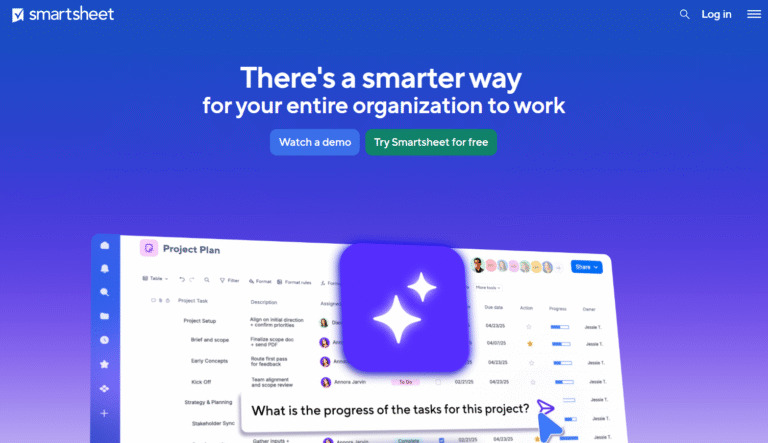
Smartsheet is a dynamic workspace that combines a familiar spreadsheet interface with powerful project management and collaboration features. It is best for teams needing to manage projects using a simple, data-driven, grid-like format. This tool is ideal for those transitioning away from relying heavily on Excel for project tracking.
Why it’s a good Planview alternative:
Smartsheet is a strong alternative because it bridges simple task management and complex project structures. Its spreadsheet-based interface allows teams to rapidly adapt it to enterprise-level processes, making it a highly flexible backbone for various PMOs. Control Center allows it to roll up project data for portfolio visibility, directly competing with Planview’s reporting. This helps teams make better decisions.
Main features
The platform centers around its flexible, grid-based “sheet” interface:
- Sheet, card, Gantt charts, and calendar views.
- Automated workflows and approval requests.
- Control Center for standardized portfolio management.
- Forms for easy data collection.
Integrations
Smartsheet integrates well with major enterprise applications, including Salesforce, Microsoft 365, Google Workspace, Jira, Tableau, and various database connectors. It provides an API for advanced custom connections.
Desktop and mobile capabilities
Smartsheet is a web-based platform with robust native mobile applications for iOS and Android, allowing users to view, edit, and update sheets and dashboards from anywhere.
Pros and cons
| Pros | Cons |
| Highly intuitive interfaces and a familiar interface for most users | Advanced portfolio features require the more expensive Business or Enterprise plans |
| Excellent for managing data-heavy projects and reporting | Can become complex and unwieldy without proper sheet governance |
| Strong automation capabilities for repetitive tasks | Resource management and capacity planning is less sophisticated than Planview |
| Highly flexible to adapt to any business process | Pricing can quickly increase when requiring premium features |
10) Wrike
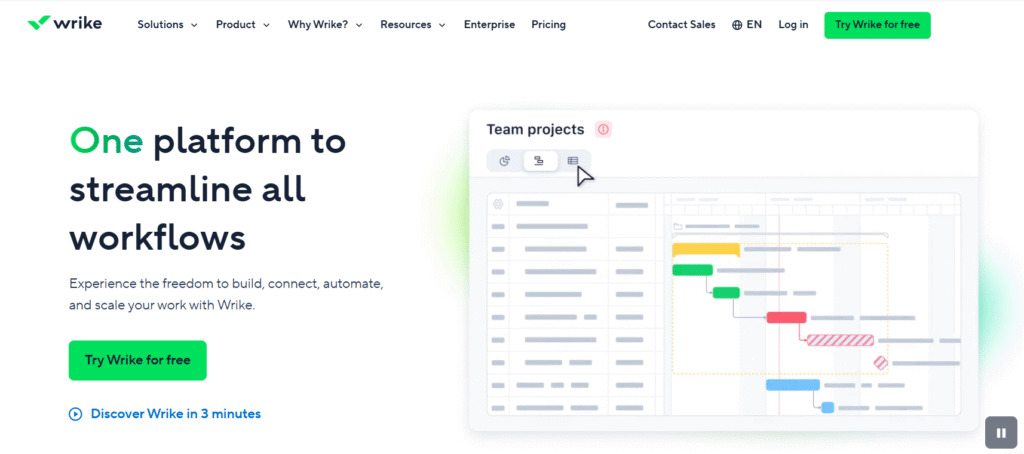
Wrike is a versatile project management tool known for its ability to handle complex, cross-functional projects with a high degree of customization. It is best for mid-to-large marketing, professional services, and product teams that require real-time progress visibility and a single source of truth for all work.
Why it’s a good Planview alternative:
Wrike is a scalable solution that offers many enterprise-grade features without the heavy implementation of Planview. It includes portfolio management dashboards, advanced reporting, and resource management tools in a modern, faster-to-deploy interface. This makes it an ideal choice for organizations that need high-level control but want all teams to be able to use the platform effectively to boost efficiency.
Main features
Wrike focuses on providing a flexible and centralized platform for work execution:
- Customized dashboards, request forms, and workflows.
- Resource management and workload balancing.
- Advanced reporting and performance analytics.
- Gantt charts, kanban boards, and table views.
Integrations
Wrike integrates with over 400 applications, including Salesforce, Adobe Creative Cloud, Microsoft Teams, Slack, Jira, and various cloud storage solutions. It provides an open API for custom enterprise integrations.
Desktop and mobile capabilities
Wrike is available as a full web application, a desktop client for Windows and Mac, and robust native mobile apps for both iOS and Android, ensuring continuous access across all devices for real-time progress tracking.
Pros and cons
| Pros | Cons |
| High degree of customization for various business functions | The abundance of features can be overwhelming for new users |
| Strong real-time progress reporting and analytics capabilities | The pricing model requires purchasing a minimum of five seats |
| Excellent for cross-functional collaboration and visibility | Resource management and project features are spread across different plans |
| Scalable and secure for large organizational environments | Some advanced features have a learning curve to set up initially |
11) ClickUp
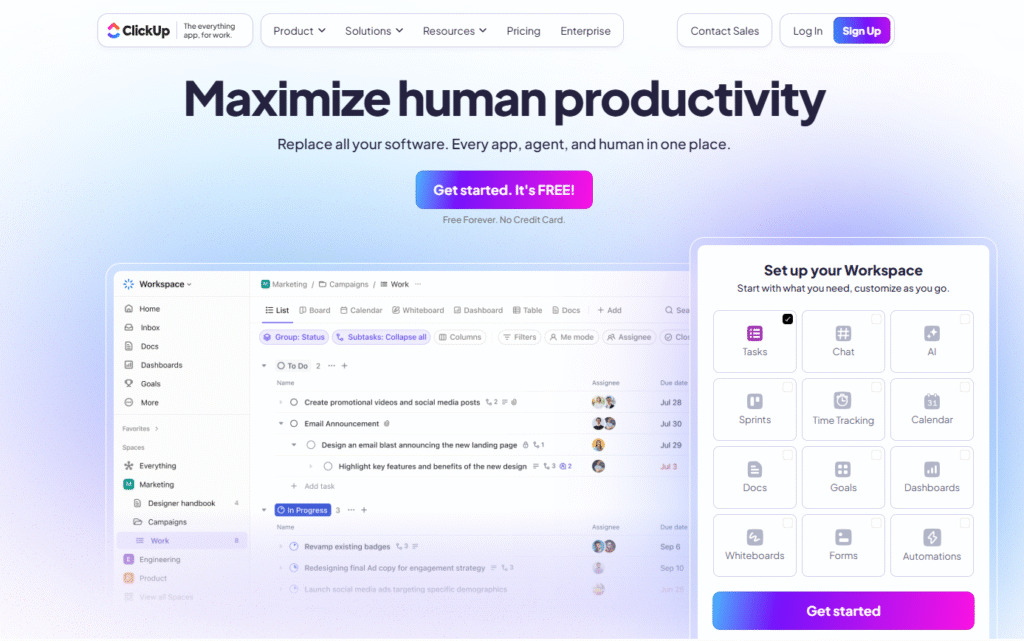
ClickUp is an all-in-one project management and productivity suite that aims to combine multiple workplace apps into a single platform. It is best for teams looking for maximum customization and the centralization of all tasks. This allows users to manage diverse types of work in one place, from simple task tracking to complex portfolios.
Why it’s a good Planview alternative:
ClickUp offers a strong feature set for a very competitive price, providing many advanced resource management, goal, and portfolio management capabilities often found only in high-end tools. It is a suitable alternative for fast-growing businesses that need an extremely versatile system that can scale from task-level execution up to strategic project planning without massive license fees. It helps teams boost productivity.
Main features
The platform’s key strength is its depth and breadth of features:
- Hundreds of customizable features, including goals, time tracking, and resource management.
- Over 15 custom views (Gantt charts, kanban boards, calendar, map, etc.).
- Built-in automation and collaboration tools.
- AI assistance for summarizing tasks and generating ideas.
Integrations
ClickUp integrates with popular tools such as Slack, GitHub, GitLab, Google Drive, Microsoft Teams, Zoom, and hundreds more via its native integrations and a comprehensive API.
Desktop and mobile capabilities
ClickUp offers full functionality via its web application and provides dedicated desktop applications for Windows and Mac, along with robust mobile apps for iOS and Android.
Pros and cons
| Pros | Cons |
| Extremely generous feature set across all paid plans | The sheer number of features can lead to a steep learning curve |
| Highly competitive and affordable pricing model | Performance can sometimes be slower due to high feature density |
| Maximum customization for work views and workflows | Constant feature updates can lead to administrative overhead |
| Strong free plan and excellent value for money | Advanced features like resource management are locked behind higher plans |
12) Asana

Asana is focused on task management, collaboration, and project organization. It is best for marketing, operations, and general business teams. These teams prioritize user-friendly interfaces and efficient, cross-functional coordination.
Why it’s a good Planview alternative:
Asana is an excellent choice for organizations whose primary goal is to boost productivity by improving team collaboration and clarifying responsibilities. While Planview excels at project planning, Asana provides a simple, scalable, and visually intuitive platform to drive the execution of strategic initiatives. Its portfolio management and goal alignment features provide executive-level oversight without the high complexity.
Main features
- List, board, calendar, timeline (Gantt charts), and workload views.
- Project portfolios and goals for high-level tracking.
- Workflow automation builder.
- Workload management to prevent team burnout.
Integrations
Asana integrates with hundreds of tools, including Google Workspace, Microsoft Teams, Slack, Adobe Creative Cloud, Salesforce, and Jira. Its robust API supports custom seamless integration with internal systems.
Desktop and mobile capabilities
Asana is primarily a web application but provides highly functional native mobile applications for iOS and Android, as well as a dedicated desktop app for Windows and Mac.
Pros and cons
| Pros | Cons |
| Highly intuitive interfaces and a simple interface for quick adoption | Limited features for resource allocation compared to Planview |
| Excellent for cross-functional collaboration and clarity | Requires an expensive plan (Advanced) for portfolio management features |
| Clean design reduces clutter and focuses on execution | Free plan has significantly limited features for users and tasks |
| Strong goal alignment features for executives | Mandatory minimum of two users for all paid plans |
13) Monday.com
Monday.com is a flexible and visual planning work operating system (Work OS). It is good for teams that require a highly customizable platform to manage various dynamic workflows, from sales and marketing to IT and operations. It helps teams create anything they need.
Why it’s a good Planview alternative:
Monday.com is a strong alternative due to its dynamic and highly customizable nature. Unlike Planview, Monday.com allows teams to create project boards that precisely match their existing workflows in a drag-and-drop environment. These visual planning tools enable teams to instantly grasp project status and identify bottlenecks, helping them to boost efficiency immediately.
Main features
The platform is based on flexible “boards” that can be adapted to any process:
- Multiple visual views (kanban boards, Gantt charts, chart, calendar, map).
- Drag-and-drop interface with custom columns and fields.
- Built-in automations and integrations.
- Resource management and workload views (in higher plans).
Integrations
Monday.com offers native integrations with key business software, including Salesforce, HubSpot, Zoom, Slack, Microsoft Teams, Google Drive, and many more. It also supports custom integrations via its API.
Desktop and mobile capabilities
Monday.com is fully available on the web and provides well-designed native mobile apps for iOS and Android, as well as a dedicated desktop application.
Pros and cons
| Pros | Cons |
| Highly visual and intuitive interfaces for quick setup | Resource management is not as deep as dedicated PPM tools |
| Flexible boards can be customized for any business function | Pricing can become high quickly as you add users and features |
| Strong automation engine for simple and complex workflows | Mandatory minimum of three seats for all paid plans |
| Excellent for visualizing project data at a glance | Free plan is quite limited features in functionality |
14) Celoxis
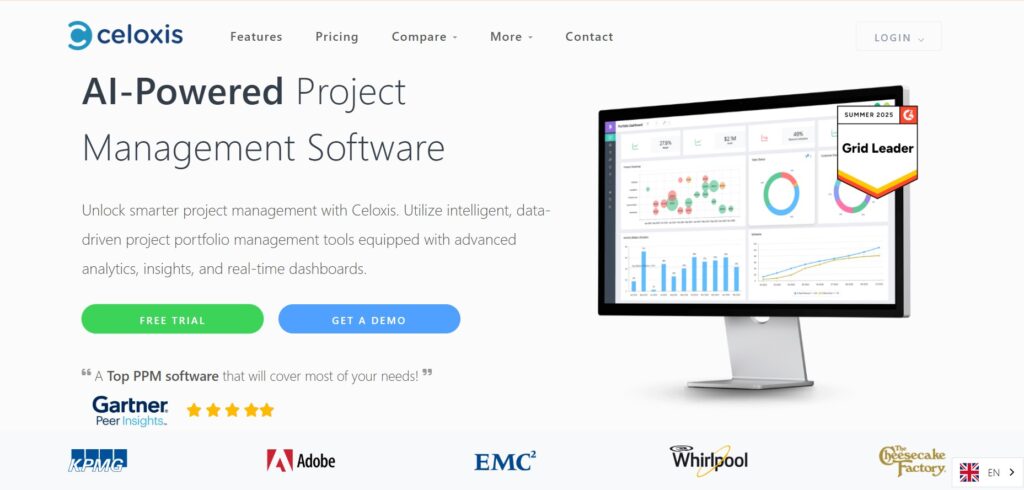
Celoxis is a comprehensive PPM solution with a strong focus on advanced resource management and scheduling capabilities. It is best for professional services and IT firms. These organizations use it to gain detailed control over team capacity, profitability, and project planning.
Why it’s a good Planview alternative:
Celoxis is a direct competitor in the mid-market PPM space, offering a robust feature set that closely matches Planview’s core functionalities, such as advanced resource allocation and scheduling, but at a significantly lower cost. It is a solid alternative for organizations that value precise financial tracking and resource optimization as their top key features.
Main features
Celoxis is centered around robust project planning and financial control:
- Advanced dynamic scheduling engine.
- Resource capacity management and forecasting.
- Time tracking and expense tracking for accurate billing.
- Financial tracking, budget, and profitability reporting.
Integrations
Celoxis integrates natively with popular tools like Microsoft Project, Jira, Google Drive, Outlook, and Salesforce. It also offers a dedicated API for custom integrations with ERP and internal systems.
Desktop and mobile capabilities
Celoxis is a web-based platform with a mobile-friendly interface for viewing projects and updating time tracking on both iOS and Android.
Pros and cons
| Pros | Cons |
| Excellent advanced scheduling and critical path features | Interface can feel dated compared to newer, visual planning platforms |
| Strong resource capacity project planning and utilization reporting | Fewer native integrations than more popular general tools |
| Good for tracking project financials and profitability | Pricing is only available for a minimum of five users |
| Flexible deployment options (cloud and on-premise) | Initial setup of custom fields and reporting can be complex |
15) Trello
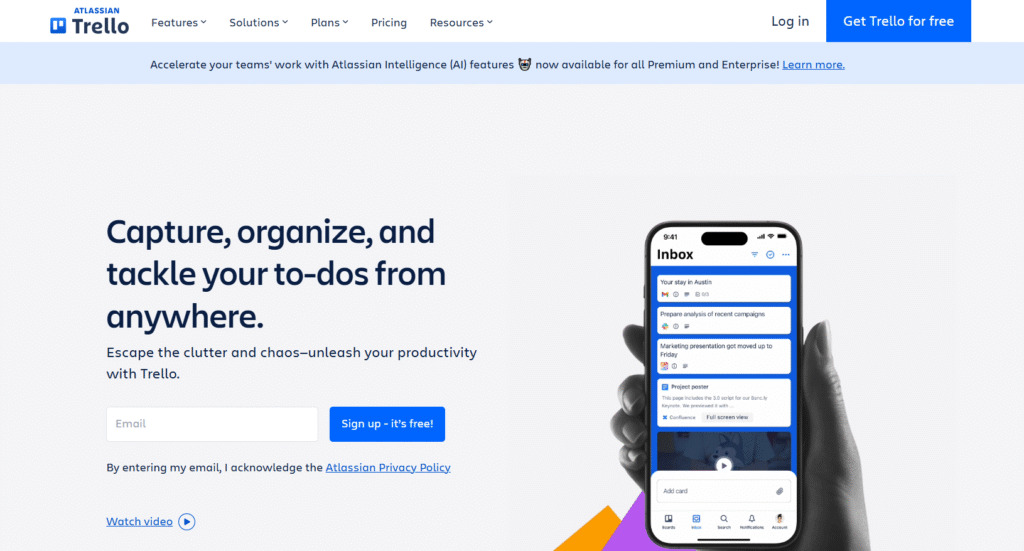
Trello is Kanban-style project management tool. It is best for small business teams and departments. They use it for simple drag-and-drop interface task tracking, organizing ideas, and lightweight process management.
Why it’s a good Planview alternative:
Trello is the simplest planview alternative, targeting companies whose needs are more about workflow visualization than enterprise governance. For non-PMO teams (marketing or HR) struggling with the complexity of Planview, Trello offers immediate, intuitive interfaces with value. It is best for those looking for a rapid-adoption solution where the loss of advanced PPM features is acceptable for maximum user-friendly compliance.
Main features
Trello is built around its core board, list, and card structure:
- Kanban boards for visual workflow management.
- Power-ups (integrations) to add functionality like calendar and Gantt charts.
- No-code automation rules (Butler).
- Simple checklist and collaboration features.
Integrations
Trello offers a vast library of “power-ups” (integrations) for tools like Slack, Google Drive, Jira, Dropbox, and Salesforce, extending its core functionality significantly.
Desktop and mobile capabilities
Trello has a high-quality web interface, dedicated desktop applications for Windows and Mac, and excellent, fast-loading mobile apps for both iOS and Android.
Pros and cons
| Pros | Cons |
| Extremely simple, visual, and easy for any user to adopt | Lacks the core portfolio, resource, and financial management of Planview |
| Excellent free plan with unlimited users and storage | Becomes complex and slow with a very large number of tasks |
| Highly effective for simple process visualization (Kanban) | Portfolio-level reporting is only available through premium add-ons |
| Quick to set up and deploy across non-technical teams | Limited features automation limits on lower-tier paid plans |
16) Teamwork
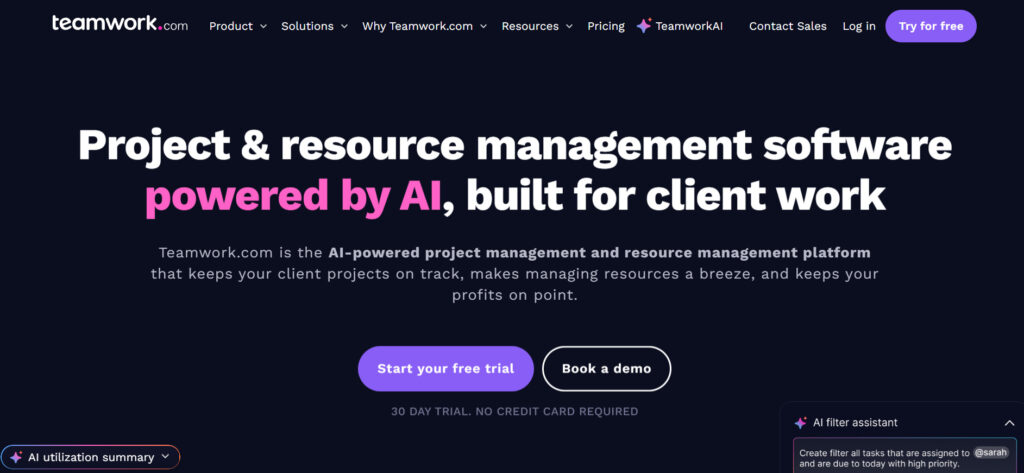
Teamwork is a project management platform specifically designed for client-facing work, agencies, and professional services firms. It is good for teams that need to manage projects, time, and budgets in one centralized place. Its key features focus on tracking profitability and billable utilization effectively.
Why it’s a good Planview alternative:
Teamwork is a strong alternative for professional services organizations because it provides robust tools for resource allocation and reporting, with a critical focus on the business impact of the work (time, cost, and profitability). It offers a more agile and user-friendly solution than Planview for managing projects while still providing the essential financial control required by the PMO. It helps teams track progress and collaborate effectively.
Main features
The platform combines project management with features for client-focused firms:
- Project templates and client access permissions.
- Integrated time tracking and billing features.
- Resource workload and utilization reporting.
- Gantt charts, kanban boards, and task lists.
Integrations
Teamwork integrates natively with key client service and financial tools such as HubSpot, Salesforce, Slack, Zendesk, QuickBooks, and Xero. It also offers a Zapier integration and API access.
Desktop and mobile capabilities
Teamwork provides a full web application, a desktop application for Windows and Mac, and comprehensive native mobile apps for both iOS and Android.
Pros and cons
| Pros | Cons |
| Excellent for client collaboration and agency work | Resource management is less sophisticated than Planview’s enterprise tools |
| Strong features for tracking profitability and billable hours | The user interface can sometimes feel dense and busy |
| Generous feature set even on the free plan | Highest-level portfolio features are in the top-tier plan |
| Intuitive interfaces for time tracking and invoicing features | Focus on client work may be less ideal for internal IT/product teams |
How to select a Planview alternative for your business
Selecting a new project management platform is a major decision-making process that requires evaluating how the software will truly impact your daily operations. Here are the main criteria you should use to compare the Planview alternatives.
Functionality
First of all, you need to understand which features are the most important for your team. Planview is very good at portfolio management and checking finances. It is important to decide if an alternative must be equally deep or if a simpler platform with basic portfolio summaries is enough. Focus on how easily the tool handles resource allocation, custom reporting, and switching between big-picture strategy and small daily tasks.
Usability
The platform must be user-friendly, as even the most powerful tool is useless if your teams won’t adopt it. Look for a tool that balances complexity with an intuitive interface, which ensures the information in the system is updated by the real users who are doing the work, leading to accurate reporting for executives.
Customer support
Moving away from a complex system like Planview often involves challenging data migrations and custom setup. Reliable support is essential, especially during the first six months. Look for alternatives that offer rapid response support, dedicated onboarding assistance, and comprehensive documentation to ensure a smooth transition and long-term success.
Value for money
Enterprise software costs are always a factor, and the total cost of ownership includes licenses, implementation, and maintenance. Many planview alternatives offer a much higher value by including robust features like time tracking, resource management, and unlimited tasks in their lower-tier plans. Compare the pricing against the full feature set to ensure you are getting the most for your business.
Customer reviews
Consult the latest customer reviews to understand the experience of daily real users, not just the PMO. Reviews can highlight the true ease of migration, the quality of customer support, and the real-world performance of key features in similar business environments. This provides an honest assessment of a tool’s capabilities beyond the marketing claims, enabling better decisions.
Save up to 50% by switching from Planview to GoodDay
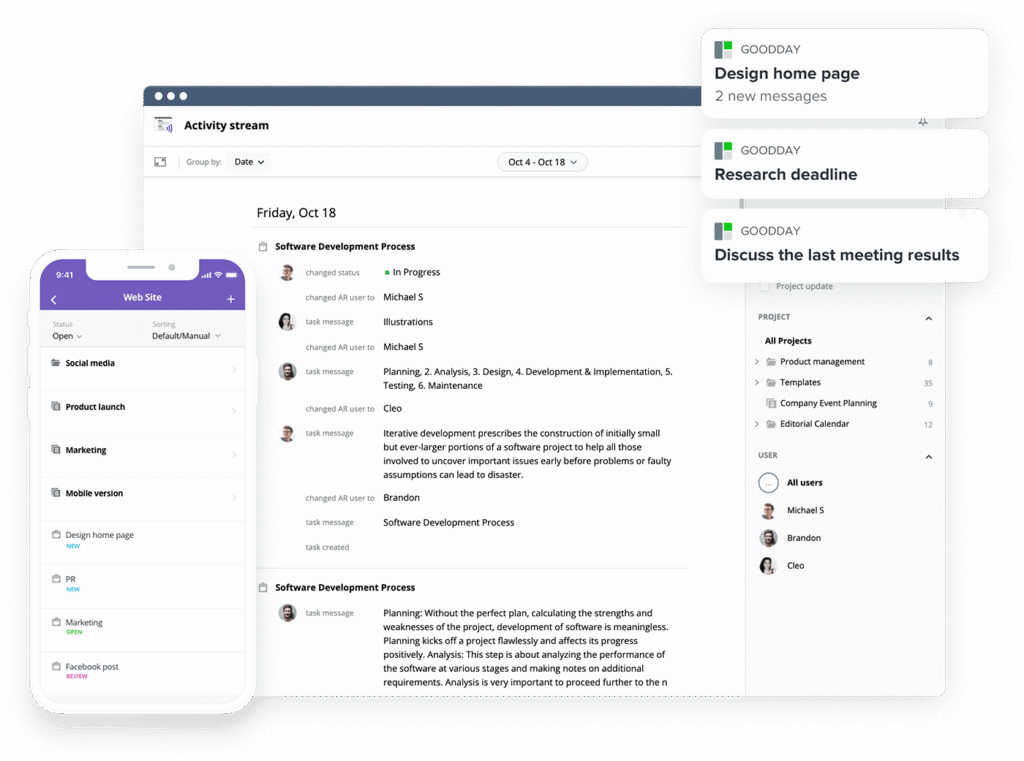
If you’re looking for the best balance of features and price, GoodDay stands out in 2026.
The platform is popular globally for its powerful functionality and affordable plans. GoodDay offers robust features without the high cost. You try GoodDay for free plan to see how it fits your workflow.
And if you have any questions about selecting the right project management software for your business, you can always reach out to our team via info@goodday.work.
FAQs
Who does Planview compete with?
Planview primarily competes with other enterprise-level project management software focused on strategic portfolio management like GoodDay, Zoho projects or GitLab. These alternatives offer similar high-level governance but often come with high pricing and a steep learning curve. GoodDay provides a superior option, offering the same level of strategic portfolio management key features in a much more user-friendly and cost-effective project tool. This allows organizations to streamline project management and align projects with strategy without the typical enterprise complexity.
What team collaboration software has the best customization options?
GoodDay is a top choice for teams that need a highly customizable collaboration tool. It lets you fine-tune every part of your workspace, including task types, statuses, workflows, fields, project setups, and views like lists, boards, and timelines. You can build your own rules, automate routine work, and shape the entire system to match how your team prefers to operate. GoodDay works well for any team size or project style, from creative groups to technical teams.
What is the best software for project planning?
While many tools excel at project planning at the task level, the best software must integrate detailed scheduling with high-level resource allocation and overall portfolio management. GoodDay is the top choice because it delivers robust project planning tools, including Gantt charts and workload management, in a single, unified platform. Unlike other tools, GoodDay ensures that your detailed project plans are always connected to the organization’s strategic goals, making the task progress more efficient and effective. This helps teams collaborate more effectively across departments.
What is the most popular project management software?
Many teams use simple tools like GoodDay, Jira or Asana because they are easy to start with. The best tools, like GoodDay, give you simple controls and powerful features. GoodDay combines the easy feel with the strong portfolio management you need. So you get all the key features in one system that everyone finds easy to use and that helps teams collaborate consistently.
Based on real users’ experience, what makes a platform one of the best Planview alternatives for portfolio management?
Real users need platforms that make portfolio management simple, not complicated and expensive like Planview. A great alternative must link big strategic goals directly to daily tasks easily. GoodDay does this perfectly by making sure your strategy is clear for every team member. That smooth connection from strategy to work delivers benefits that users actually value.
What are the most cost-effective Planview alternatives for portfolio management and core key features?
GoodDay is the top choice here because it gives you enterprise-level tools for much less money. You get essential key features, like precise time tracking, all bundled in.
Why do real users choose GoodDay over Planview for balancing portfolio management and affordability?
Users choose GoodDay because it offers strong portfolio management without the huge cost and setup problems of Planview. GoodDay is quick to start and simple for everyone in the company to use. You get all the high-level tools you need right away for a fraction of the cost. GoodDay gives executives the vision they need while keeping real users happy and productive.
Which planview alternatives are rated highly by real users for both robust time tracking and better value?
When looking for great time tracking and better value, Planview alternatives like GoodDay are highly rated by real users. GoodDay builds strong time tracking right into resource planning and reporting. This unified approach gives you better value and stronger key features than using separate tools. You get premium functions without the premium price, unlike competitors.




