
You signed up for OpenProject because you wanted control and open-source flexibility, but now you are staring at a complex interface that feels a bit dated or requires too much technical heavy lifting just to keep the lights on. It is frustrating when you spend more time managing the software than actually managing your team’s work.
Whether you need a more modern interface or a tool that handles time tracking more naturally, there is a solution that fits your specific workflow. And you do not have to sacrifice power for ease of use, and you certainly do not have to overpay for enterprise features.
If you want to find a better fit for your team, we have researched the top OpenProject alternatives available.
And if you have any questions that are not covered in this article, you can always connect with our team via info@goodday.work.
Best OpenProject alternatives shortlist for 2026
Let’s take a look at some of the top alternatives to OpenProject.
- GoodDay: A comprehensive work hub that bridges the gap between high-level project planning and granular daily operations, while offering integrated tools for accurate time tracking.
- Redmine: The closest open-source alternative for detailed project tracking, bug tracking, and, like OpenProject, supports plugins for added functionality.
- Taiga: Highly intuitive, focused on Scrum and Agile methodologies, offering Kanban boards and user story mapping.
- Plane: A modern, open-source alternative that blends project management with documentation, featuring robust task scheduling and issue tracking.
- Odoo Projects: A comprehensive ERP solution that includes agile project management, Gantt charts, and resource management.
- ProjectLibre: Best for traditional project management, acting as an open-source alternative to Microsoft Project.
- Jira: Best for software teams, offering unmatched customization for workflows and bug tracking.
- Monday.com: A highly visual and customizable platform suitable for various use cases and team sizes.
- Asana: Excellent for task management, project tracking, and workflow automation.
- Wrike: Strong reporting capabilities and portfolio management, ideal for marketing and enterprise teams.
- Kimai: Specialized open-source software for time tracking and reporting.
- Nextcloud Deck: Best for teams looking for a simple, Kanban-based tool integrated within a self-hosted cloud environment.
- Worklenz: An all-in-one, user-friendly, and open-source option designed for efficiency and resource management.
Comparison of the best OpenProject alternatives
Choosing the right project management tool depends on your specific needs for self-hosting, security, and feature depth. Below is a comprehensive comparison of the top OpenProject alternatives to help you compare features and pricing quickly.
| Software | Best for | Pricing | Ease of migration from OpenProject |
| GoodDay | Best overall balance of features and cost | Free plan (1–15 users); Professional $4/user/month; Business $7/user/month; Enterprise custom | Easy (CSV import, Zapier integrations) |
| Redmine | Open-source purists | Free (Self-hosted); Cloud hosting varies | Moderate (Manual data export/import) |
| Taiga | Agile and Scrum teams | Free for basic; Premium $5/user/month | Easy (Built-in importers) |
| Plane | Modern open-source UX | Free Community; Pro $7/user/month | Easy (API and CSV) |
| Odoo Projects | Integrated ERP needs | Free for one app; Standard $24.90/user/month | Moderate (Requires ERP setup) |
| ProjectLibre | Replacing Microsoft Project | Free (Desktop); Cloud (Contact sales) | Easy (XML/file-based) |
| Jira | Software development | Free for 10 users; Standard $8.15/user/month | Easy (Native migration tools) |
| Monday.com | Visual workflow design | Free for 2 users; Basic $9/user/month | Easy (CSV/Excel import) |
| Asana | Team productivity | Free Personal; Starter $10.99/user/month | Easy (CSV importer) |
| Wrike | Enterprise marketing | Free plan; Team $9.80/user/month | Moderate (Via CSV or API) |
| Kimai | Lightweight time tracking | Free (Self-hosted); Cloud €3/user/month | Easy (JSON/CSV) |
| Nextcloud Deck | Self-hosted collaboration | Free (Self-hosted); Enterprise per-user | Easy (Integrated within Nextcloud) |
| Worklenz | Resource management | Free plan; Pro $5/user/month | Easy (Direct CSV import) |
What is OpenProject and why consider an alternative?
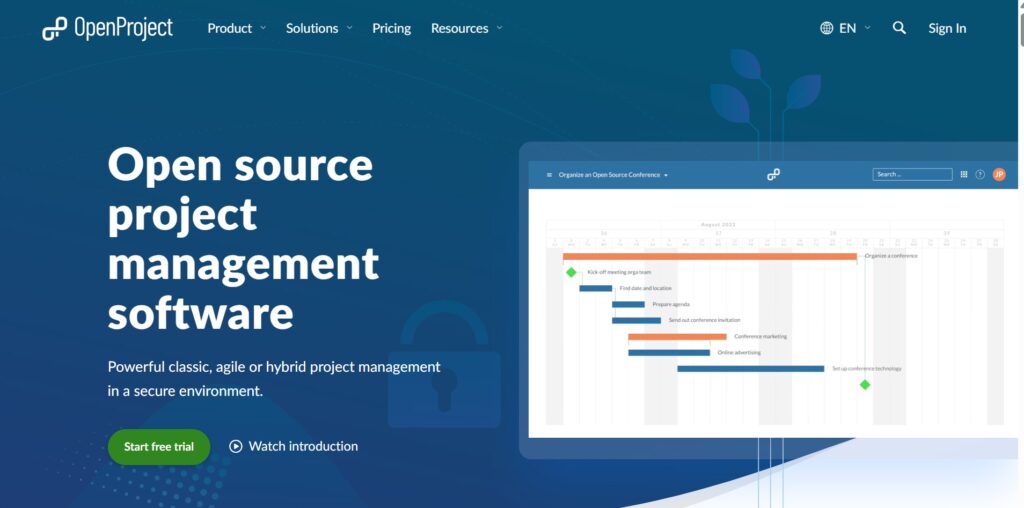
OpenProject is an open-source project management software designed to support teams throughout the entire project lifecycle. It is primarily used by organizations that require high levels of data sovereignty and want to manage everything from initial project planning to execution and bug tracking in a single place. The platform provides a robust set of features, including Gantt charts, agile boards, and integrated time tracking.
The pricing approach for OpenProject follows an open-core model. While the Community Edition is free for self-hosting on your own server, it lacks some of the more advanced features like agile boards or theme customization. To access these, users must subscribe to the Enterprise edition, which is billed per user and available as either a hosted version or an on-premise installation.
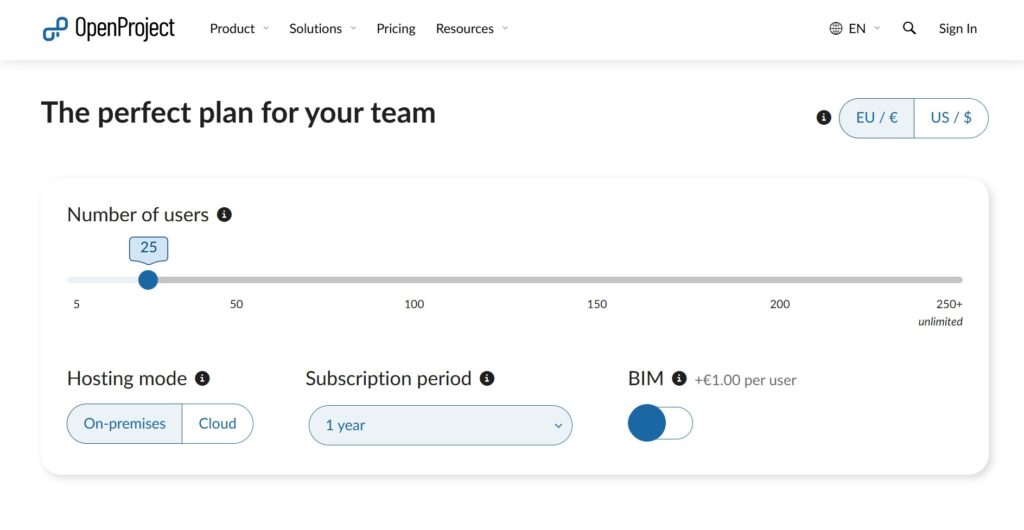
Many people consider an alternative because the interface can feel overwhelming for non-technical users. Additionally, the cost of the Enterprise edition can be high for smaller teams, and the self-hosted Community Edition requires significant server maintenance and technical knowledge to manage effectively.
In-depth overview of the best alternatives to OpenProject (free and paid)
If you are ready to explore other options, these tools provide a range of capabilities from advanced agile tracking to simple task lists.
1) GoodDay
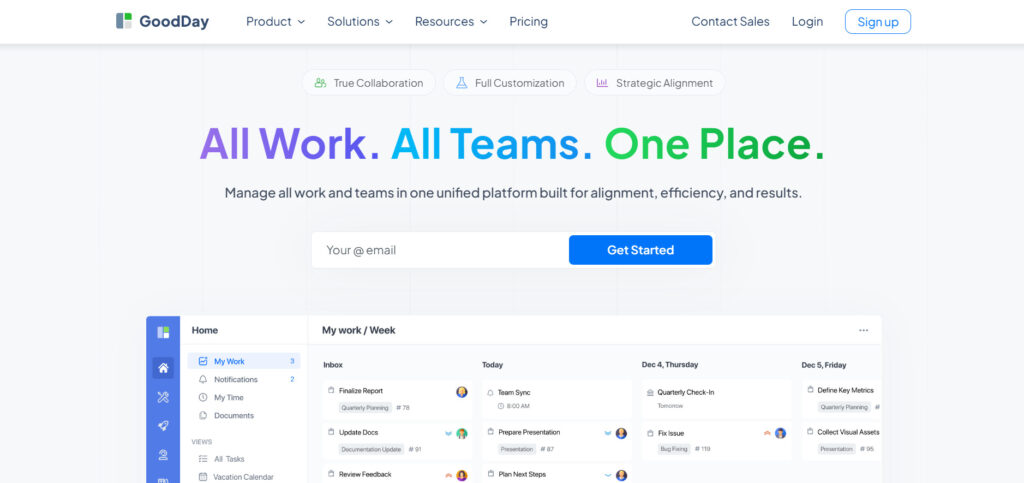
GoodDay is a versatile work management solution used by global organizations of all sizes, including Fortune 500 companies and growing startups. When you switch to GoodDay, you can reduce your software expenses by up to 50% while retaining all the essential tools your team needs. Unlike other platforms, the free plan accommodates up to 15 users, includes unlimited projects, and grants access to professional-grade features. Moving your data to GoodDay is a fast process that takes less than 2 minutes.
Why it’s a good OpenProject alternative
GoodDay provides a more modern and intuitive interface while offering the same level of depth for project planning and execution. It is recognized as a top-rated tool in 12 Capterra shortlists. It offers project management templates for all types of teams, supports all project management methodologies, includes multiple views, allows unlimited project hierarchy, and comes with built-in time tracking.
Main features
GoodDay serves as a complete command center for your business operations.
- Advanced Gantt charts and project timelines.
- Customizable Kanban boards and Scrum support.
- Comprehensive time tracking and resource management.
- Personalized dashboards and high-level reporting.
Integrations
GoodDay offers native connectivity with G Suite, Gmail, Slack, and Google Docs, along with Google Drive, Google Calendar, Dropbox, and Box.com. It supports Single Sign-On (SSO via SAML) for better security and connects directly with GitHub, GitLab, and Email. You can also link to over 1,300 other business apps through Zapier or use the provided API for custom system connections.
Desktop and mobile capabilities
You can access GoodDay on Windows, Mac, and Linux desktops. For mobile users, the app is available on both iOS and Android, ensuring you can manage your projects and view dashboards from any location.
Pros and cons
| Pros | Cons |
| Trusted by 100,000+ teams worldwide | Advanced reporting requires setup and configuration |
| Rich mix of features | Tailoring workflows may require extra time to optimize |
| Very affordable, free for up to 15 users | Takes time to learn advanced workflows fully |
| No pressure for unnecessary upsells | Extensive customization can slow initial adoption |
Redmine
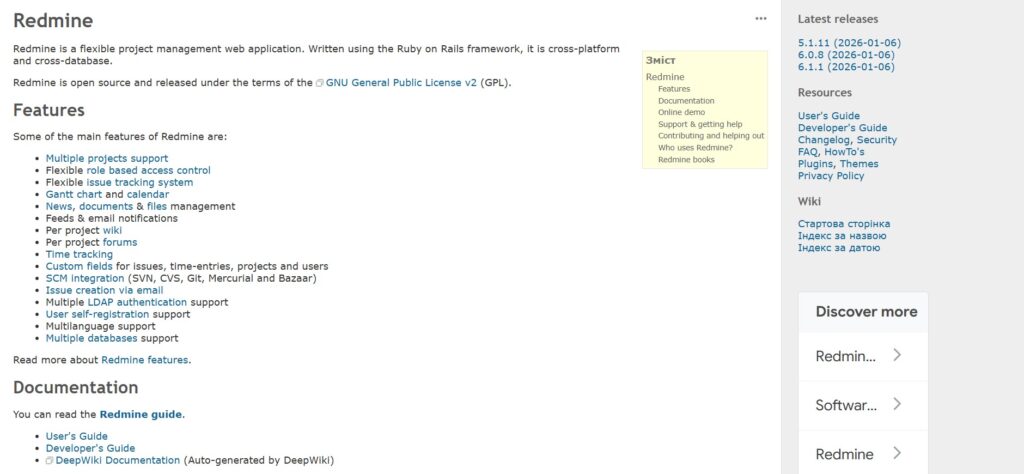
Redmine is a highly flexible, open-source project management tool written using the Ruby on Rails framework. It is best for technical teams who need a cross-platform, multi-database solution that they can fully control and customize. The tool is widely known for its issue tracking system and its ability to handle multiple projects simultaneously.
Why it’s a good OpenProject alternative:
Redmine offers a very similar open-source philosophy, allowing for complete self-hosting and data privacy. It is an excellent choice for those who find OpenProject’s enterprise pricing too high but still want a community-driven tool. Because it has a massive library of plugins, you can adapt the software to fit almost any specific business requirement.
Main features
Redmine provides the essential building blocks for technical project management and issue tracking.
- Multi-project support with role-based access control.
- Flexible issue tracking system with custom fields.
- Gantt charts and calendar views.
- Integrated project wikis and discussion forums.
Integrations
Redmine integrates with various version control systems like Git, SVN, and Mercurial. It also supports many community-developed plugins for Slack, email notifications, and LDAP authentication.
Desktop and mobile capabilities
Redmine is primarily web-based and runs on any modern browser. While there is no official desktop app, several third-party mobile apps for iOS and Android connect to Redmine via its API.
Pros and cons
| Pros | Cons |
| Completely free and open-source | Dated user interface |
| Highly extensible with plugins | High technical bar for installation |
| Strong community support | No official mobile application |
| Supports multiple databases | Requires manual updates and maintenance |
Taiga
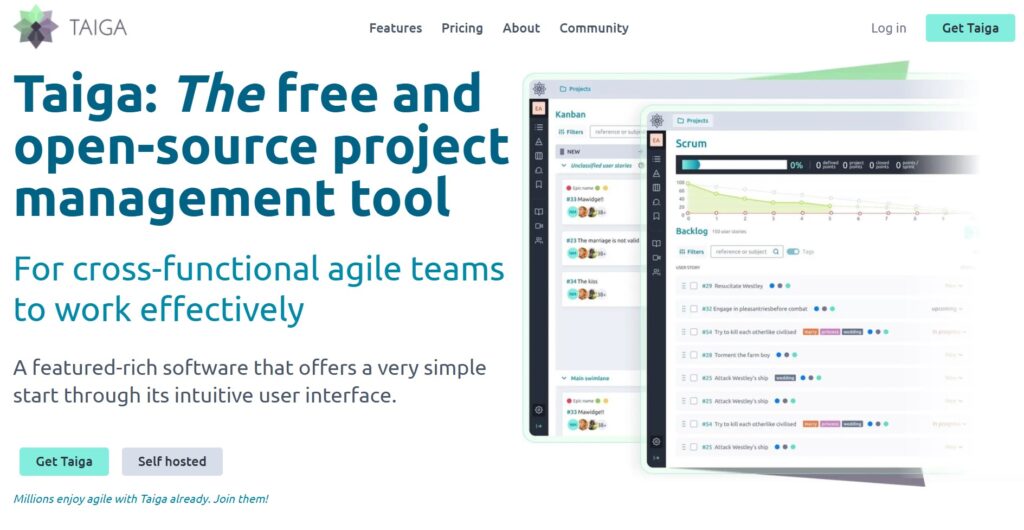
Taiga is an open-source project management tool designed specifically for cross-functional teams using Agile methodologies. It is best for software developers and designers who want a clean, beautiful interface that does not sacrifice functionality. The platform emphasizes simplicity and transparency throughout the project lifecycle.
Why it’s a good OpenProject alternative:
Taiga provides a much more modern and user-friendly experience than OpenProject, making it easier for non-technical team members to adopt. It focuses heavily on Scrum and Kanban, which is ideal if your team finds OpenProject’s traditional project management features too heavy. It also offers a hosted version and a self-hosted option to satisfy different security needs.
Main features
Taiga is built around helping teams stay organized and focused on their sprint goals.
- Detailed Scrum boards with sprint planning and backlogs.
- Customizable Kanban boards with swimlanes.
- User story mapping and task estimation tools.
- Built-in issue tracking and reporting dashboards.
Integrations
Taiga connects with popular tools like GitHub, GitLab, Bitbucket, and Slack. It also offers a robust API and Zapier integration to connect with hundreds of other services.
Desktop and mobile capabilities
Taiga is a web-based platform accessible from any desktop browser. It also offers a mobile-responsive web interface and third-party mobile apps for tracking tasks on the go.
Pros and cons
| Pros | Cons |
| Beautiful and intuitive UI | Limited traditional Gantt chart features |
| Excellent Agile and Scrum support | Smaller plugin ecosystem than Redmine |
| Free for public projects | Can be slow with very large datasets |
| Easy migration tools | Mobile experience is primarily web-based |
Plane
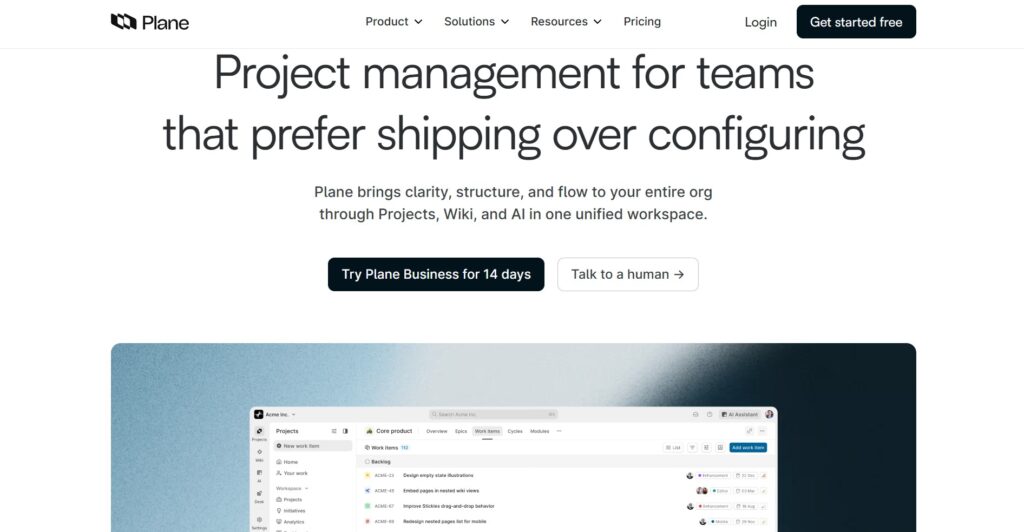
Plane is a relatively new open-source project management tool that aims to be a modern, faster alternative to legacy systems. It is best for teams that want the power of Jira but with an open-source spirit and a much cleaner aesthetic. The tool focuses on “cycles” and “modules” to help teams ship products faster.
Why it’s a good OpenProject alternative:
Plane offers a significantly more current user experience with a focus on speed and productivity. It provides the data sovereignty of an open source alternative while looking and feeling like a premium SaaS product. It is a great choice for teams that need to combine task management with rich documentation.
Main features
Plane helps teams manage complex workflows with a focus on product development.
- Cycle and Sprint management for agile teams.
- The Pages feature for project documentation and notes.
- Flexible project views, including List, Kanban, and Calendar.
- Drive feature for managing project-related files and assets.
Integrations
Plane currently supports integrations with GitHub and Slack. The developers are actively expanding the integration marketplace to include more third-party tools.
Desktop and mobile capabilities
Plane is available as a web-based application and provides a desktop client for a more integrated experience. Mobile access is available through a responsive web interface.
Pros and cons
| Pros | Cons |
| Very modern and fast interface | Still in active development (Beta features) |
| Powerful “Pages” for documentation | Smaller community than older tools |
| Easy to self-host with Docker | Fewer native integrations currently available |
| Clean, minimalist design | Advanced reporting is still maturing |
Odoo Projects
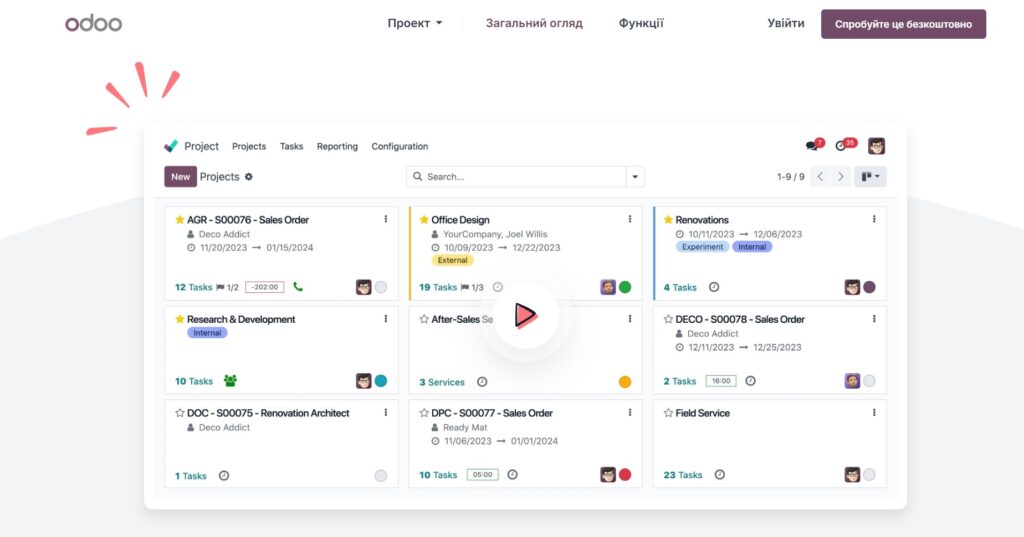
Odoo Projects is a component of the larger Odoo ERP suite, designed to manage projects with a focus on profitability and resource allocation. It is best for businesses that need their project management to be tightly integrated with sales, invoicing, and human resources. The software scales from small teams to large enterprises seamlessly.
Why it’s a good OpenProject alternative:
Odoo offers a much broader range of business tools than OpenProject, making it a better choice if you need to connect projects to financial data. It provides professional support and a massive ecosystem of business apps that work together out of the box. You can start with just the Project app for free and add other features as your company grows.
Main features
Odoo Projects focuses on efficiency and cross-departmental collaboration.
- Visual Gantt charts for resource and deadline planning.
- Real-time time tracking integrated with payroll and invoicing.
- Automated email-to-task creation.
- Forecasted workloads and resource availability views.
Integrations
Odoo integrates natively with all other Odoo apps like CRM, Accounting, and Inventory. It also supports external integrations via its extensive App Store and API.
Desktop and mobile capabilities
Odoo is accessible via web browsers and offers dedicated mobile apps for iOS and Android. There is also a desktop version for users who prefer a standalone application.
Pros and cons
| Pros | Cons |
| Part of a complete business suite | Can be complex to set up initially |
| Excellent resource management | Pricing can increase as you add apps |
| Highly professional support | Self-hosting requires technical expertise |
| Clean and modern interface | Some features require a paid Odoo Enterprise |
ProjectLibre
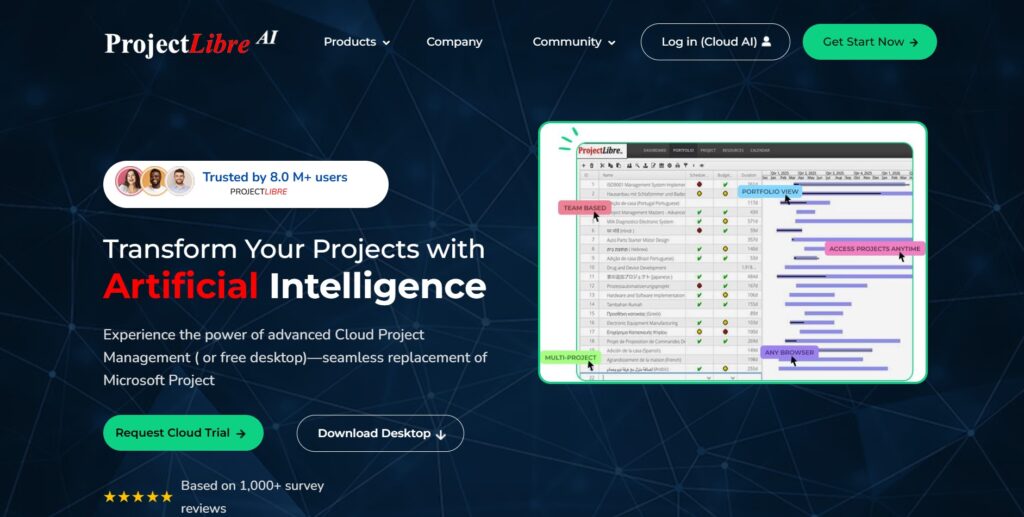
ProjectLibre is the leading open-source alternative to Microsoft Project, focusing on traditional project management. It is best for project managers who need to create complex project plans, manage dependencies, and track budgets using standard PM techniques. It is widely used in industries like construction and engineering.
Why it’s a good OpenProject alternative:
If your team finds the social and collaborative aspects of OpenProject distracting and just needs a powerful scheduling tool, ProjectLibre is a better fit. It is completely focused on the “hard” side of project management, like critical path analysis and WBS. It is also compatible with Microsoft Project files, making it easy to work with external partners.
Main features
ProjectLibre replicates the core functionality of high-end desktop PM software.
- Comprehensive Gantt charts with dependency tracking.
- Work Breakdown Structure (WBS) charts.
- Resource histograms and cost management.
- Network diagrams and PERT charts.
Integrations
ProjectLibre primarily focuses on file-based integration, supporting the import and export of Microsoft Project (.mpp) and XML files.
Desktop and mobile capabilities
ProjectLibre is primarily a desktop application available for Windows, Mac, and Linux. A cloud-based version is also available for teams needing collaborative features.
Pros and cons
| Pros | Cons |
| Excellent Microsoft Project compatibility | Lacks modern team collaboration tools |
| Free for desktop use | User interface feels like older software |
| Powerful scheduling and WBS tools | No native mobile application |
| No subscription required for desktop | Limited cloud/web-based features |
Jira
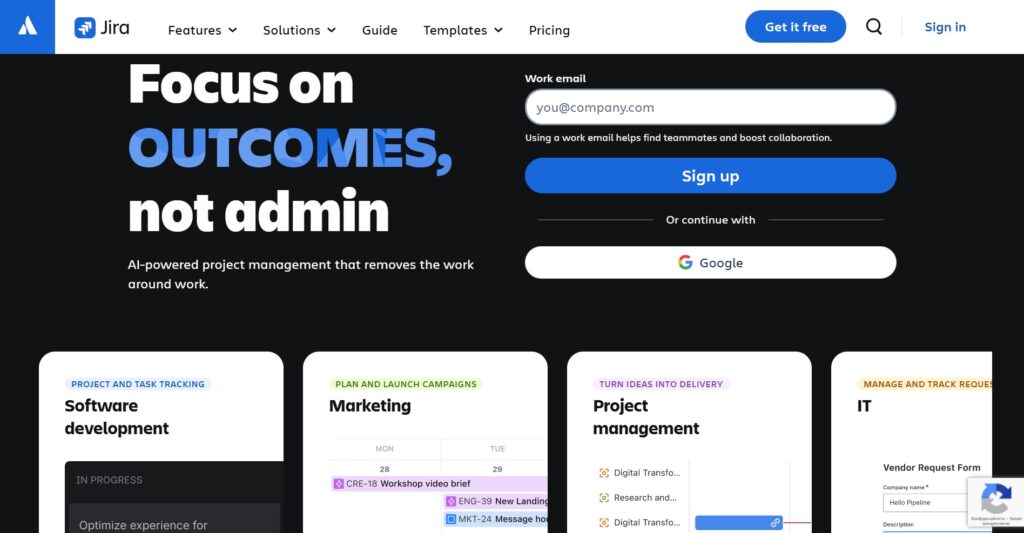
Jira is usually used by software development teams, offering deep customization and powerful workflow automation. It is best for technical organizations that need to manage complex release cycles and large backlogs. The platform is built by Atlassian and is part of a massive ecosystem of development tools.
Why it’s a good OpenProject alternative:
Jira offers a much more mature and feature-rich environment for software teams, especially regarding bug tracking and release management. Its marketplace is the largest in the world, meaning if you need a specific feature, there is almost certainly a plugin for it. It provides a level of scalability and administrative control that is hard to match with OpenProject.
Main features
Jira is designed to support the entire software development lifecycle.
- Advanced Scrum and Kanban boards with massive customization.
- Powerful JQL (Jira Query Language) for reporting.
- Automated workflows and transition rules.
- Integrated roadmaps for long-term planning.
Integrations
Jira integrates seamlessly with Bitbucket, Confluence, and Trello. It also features thousands of third-party integrations through the Atlassian Marketplace, including Slack, GitHub, and Microsoft Teams.
Desktop and mobile capabilities
Jira is primarily web-based but offers highly rated mobile apps for iOS and Android. There is also a desktop app available for both macOS and Windows.
Pros and cons
| Pros | Cons |
| Unmatched feature set for software teams | Very steep learning curve |
| Huge ecosystem of plugins and tools | Can be expensive for large teams |
| Highly customizable workflows | Configuration can be time-consuming |
| Industry-standard reporting | Can feel “clunky” if not set up correctly |
Monday.com
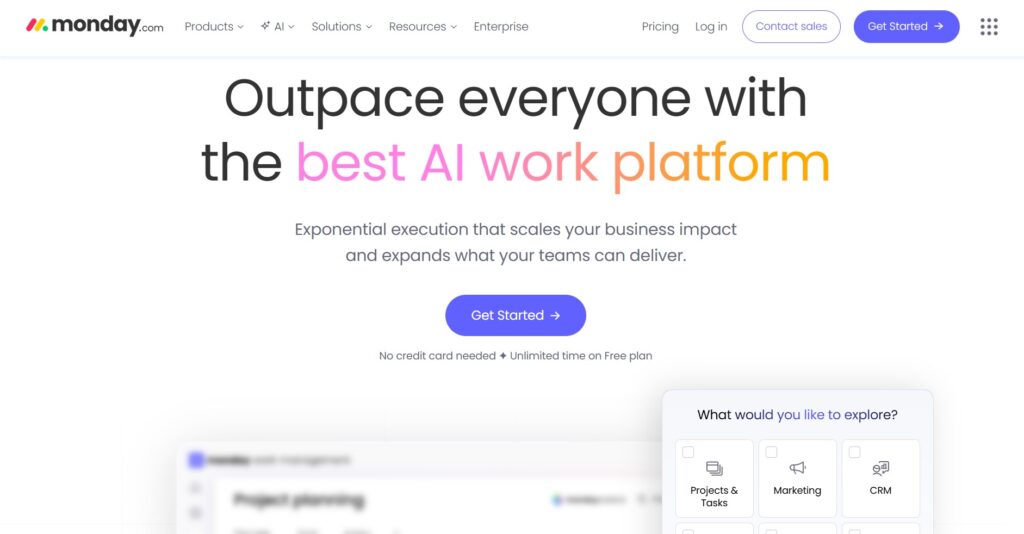
Monday.com is a highly visual work operating system that allows teams to build custom workflow applications. It is best for non-technical teams who need a flexible platform to manage everything from marketing campaigns to HR processes. The tool is known for its “no-code” approach to automation.
Why it’s a good OpenProject alternative:
Monday.com is far more intuitive and colorful than OpenProject, which can lead to much higher team adoption rates. It is designed for businesses that find OpenProject too technical or rigid. It allows you to build exactly the interface you want without writing a single line of code.
Main features
Monday.com focuses on visual organization and automation of repetitive tasks.
- Highly customizable boards with dozens of column types.
- No-code automation builder for repetitive tasks.
- Multiple views, including Timeline, Gantt, and Map.
- Centralized communication within task items.
Integrations
Monday.com integrates with hundreds of apps, including Slack, Google Workspace, Dropbox, and Zoom. It also features a built-in apps marketplace for specialized tools.
Desktop and mobile capabilities
Monday.com offers a web-based platform, dedicated desktop applications for Windows and Mac, and mobile apps for iOS and Android.
Pros and cons
| Pros | Cons |
| Extremely easy to use and adopt | Pricing can be confusing and expensive |
| Beautiful and modern interface | Limited advanced project accounting |
| Powerful no-code automations | Can become disorganized without an admin |
| Great for non-technical departments | Not open-source/no self-hosting |
Asana
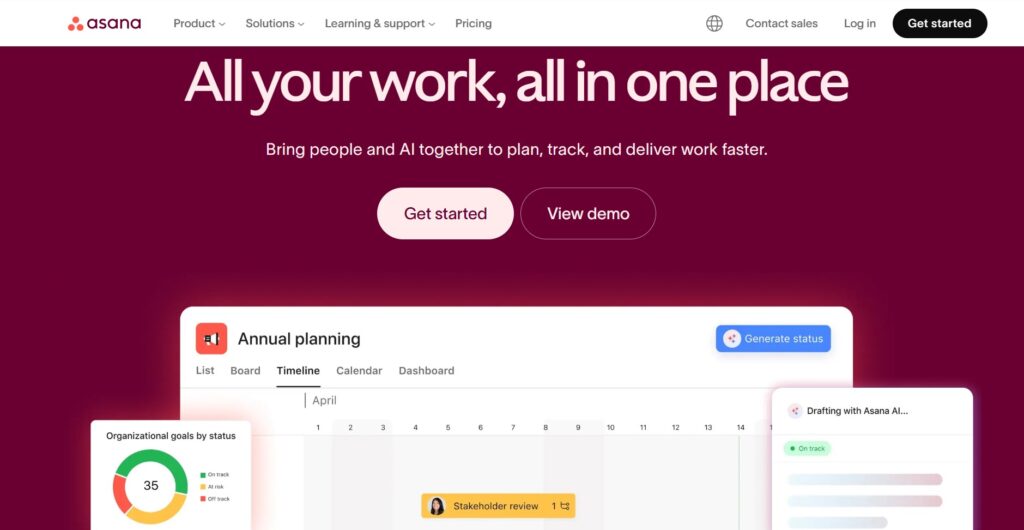
Asana is a popular project management tool that balances simplicity with powerful task management. It is best for teams that want to move away from spreadsheets and email to coordinate their work more effectively. The platform is designed to improve team clarity and accountability.
Why it’s a good OpenProject alternative:
Asana is much easier to set up and use daily compared to the more complex OpenProject. It excels at managing the “who is doing what by when” aspect of work without the administrative overhead of an open-source tool. It is a great choice for teams that prioritize a slick user experience and workflow automation.
Main features
Asana helps teams organize their work and stay on track with project goals.
- Timeline view for tracking project schedules.
- Custom fields for categorizing and filtering tasks.
- Workflow Builder for automating team processes.
- Workload view to manage team capacity.
Integrations
Asana integrates with over 200 tools, including Slack, Google Drive, Microsoft Teams, and Salesforce. It also has a well-documented API for custom integrations.
Desktop and mobile capabilities
Asana is available as a web app and has native desktop applications for macOS and Windows. Its mobile apps for iOS and Android are among the highest-rated in the category.
Pros and cons
| Pros | Cons |
| Very clean and intuitive interface | No native built-in time tracking |
| Excellent workflow automation | Limited offline capabilities |
| Strong focus on team collaboration | Can be expensive for premium features |
| Great for cross-functional projects | Not a self-hosted solution |
Wrike
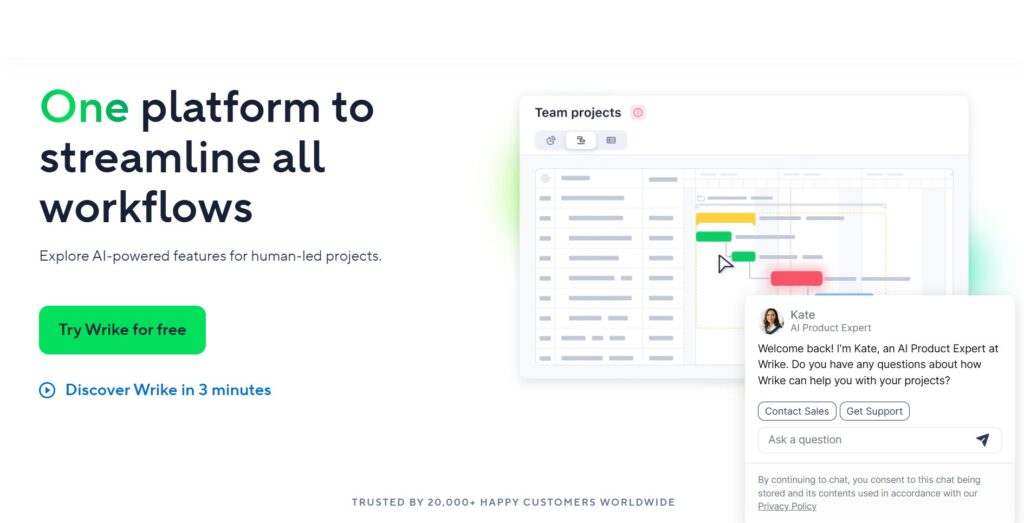
Wrike is a powerful, enterprise-grade work management platform designed for high-performance teams. It is best for large organizations and marketing agencies that need advanced reporting, resource management, and proofing tools. It offers a high degree of customization for complex project structures.
Why it’s a good OpenProject alternative:
Wrike provides a more robust set of enterprise features than the standard OpenProject installation, particularly for creative and marketing teams. It offers better tools for reviewing and approving work directly within the platform. It is a solid choice if you need the security and power of OpenProject but with a more polished, cloud-first approach.
Main features
Wrike provides tools to streamline complex workflows and improve visibility.
- Interactive Gantt charts with drag-and-drop rescheduling.
- Custom request forms to standardize project intake.
- Built-in proofing and approval tools for creative work.
- Advanced analytics and real-time reporting dashboards.
Integrations
Wrike integrates with over 400 applications, including Adobe Creative Cloud, Microsoft Teams, and Salesforce. It also offers “Wrike Integrate” for building complex custom automations.
Desktop and mobile capabilities
Wrike is accessible via any web browser and offers dedicated desktop apps for Windows and Mac. Mobile apps are available for both iOS and Android devices.
Pros and cons
| Pros | Cons |
| Excellent for enterprise scalability | The interface can feel cluttered |
| Strong proofing and approval features | Higher price point than some rivals |
| Robust reporting and analytics | Steeper learning curve for beginners |
| Highly customizable work folders | Not an open-source project |
Kimai
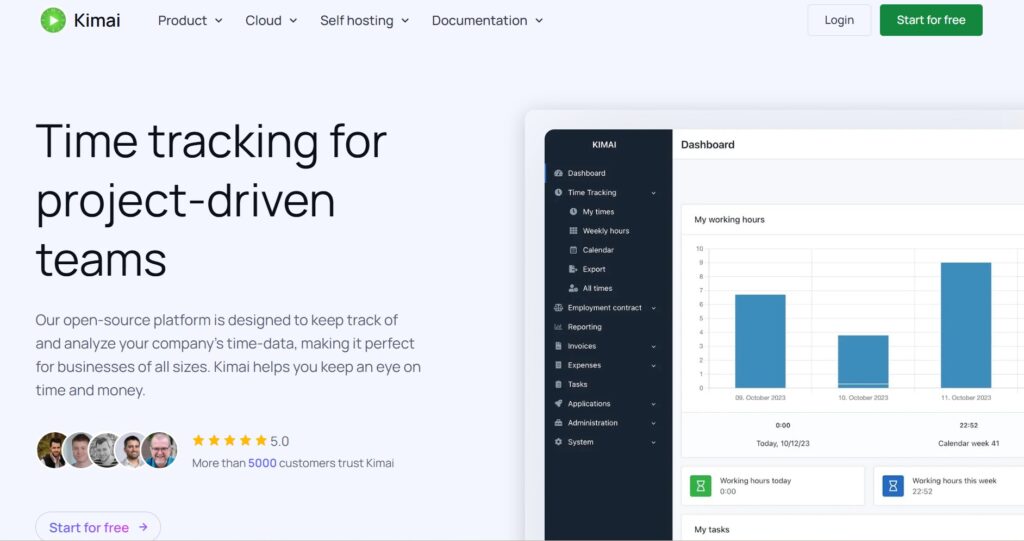
Kimai is a specialized open-source time tracking application designed to be simple and efficient. It is best for freelancers and small to medium businesses who need to track work hours for billing or internal project costing. It is a lightweight alternative for those who find full project management suites like OpenProject too heavy.
Why it’s a good OpenProject alternative:
If your primary use case for OpenProject is its time tracking and reporting capabilities, Kimai is a much faster and more focused tool. It is open-source, meaning you can still maintain full control over your data through self-hosting. It avoids the complexity of Gantt charts and agile boards in favor of a streamlined “punch-in, punch-out” workflow.
Main features
Kimai focuses exclusively on accurate time recording and reporting.
- Detailed time tracking by customer, project, and activity.
- Professional invoice generation based on tracked time.
- Advanced reporting and data export capabilities.
- Role-based access control and team management.
Integrations
Kimai offers a JSON API that allows it to connect with other software. There are also community-made plugins for browsers and mobile tools.
Desktop and mobile capabilities
Kimai is a web-based application that works on all modern browsers. While there is no official mobile app, it is mobile-responsive, and several third-party apps use its API for time tracking.
Pros and cons
| Pros | Cons |
| Free and open-source | No project planning or Gantt charts |
| Very lightweight and fast | Very limited task management |
| Excellent for billing and invoicing | Interface is utilitarian |
| Easy to self-host and customize | Requires a separate tool for collaboration |
Nextcloud Deck
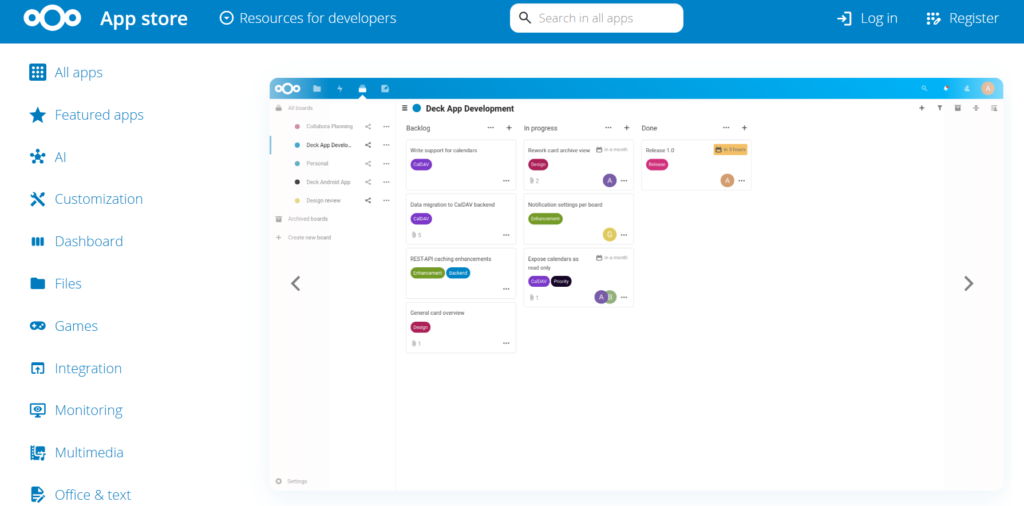
Nextcloud Deck is a Kanban-style task management app that lives inside the Nextcloud ecosystem. It is best for users who are already using Nextcloud for file storage and want to add simple, visual project management to their existing self-hosted cloud. It is perfect for teams that value data privacy above all else.
Why it’s a good OpenProject alternative:
Nextcloud Deck is much simpler than OpenProject and is ideal for teams that only need basic Kanban boards. Since it is part of the Nextcloud platform, it offers a level of data sovereignty and security that is identical to OpenProject but with much lower administrative complexity. It is a great way to keep your data under your own control without the heavy footprint of a full PM suite.
Main features
Nextcloud Deck provides a visual way to organize tasks within your private cloud.
- Simple Kanban boards for project organization.
- Integration with Nextcloud Files and Calendar.
- Rich text descriptions and checklists on cards.
- Team collaboration with comments and attachments.
Integrations
Nextcloud Deck is natively integrated with all other Nextcloud apps, such as Talk, Calendar, and Contacts. It also supports integration with various third-party apps via the Nextcloud app store.
Desktop and mobile capabilities
Nextcloud Deck is accessible via the Nextcloud web interface and has a dedicated Android app. It is also integrated into many third-party Nextcloud clients.
Pros and cons
| Pros | Cons |
| Ultimate data privacy and control | Limited to simple Kanban workflows |
| Completely free and open-source | No Gantt charts or advanced PM tools |
| Integrated with file storage | Requires a Nextcloud installation |
| Very easy to use for small teams | No built-in time tracking |
Worklenz
Worklenz is a modern, all-in-one project management tool designed to simplify resource management and project tracking. It is best for small to mid-sized businesses that want a clean, user-friendly interface to manage their team’s workload and productivity. It strikes a good balance between simplicity and essential professional features.
Why it’s a good OpenProject alternative:
Worklenz offers a much more streamlined and modern experience compared to the often-dense interface of OpenProject. It focuses on the essentials of resource management and time tracking, making it easier for teams to see who is busy and what needs to be done. It is an excellent middle ground for teams that need more than a simple to-do list but less than a full enterprise ERP.
Main features
Worklenz helps teams stay productive by providing clear visibility into tasks and resources.
- Intuitive resource management and workload views.
- Integrated time tracking with timesheet reports.
- Project templates for quick setup.
- Visual project progress and performance charts.
Integrations
Worklenz provides integrations with popular tools like Slack and Google Drive. It also offers an API and CSV import options for data movement.
Desktop and mobile capabilities
Worklenz is a web-based platform accessible from any desktop browser. It also offers a mobile-friendly web experience for managing tasks on the move.
Pros and cons
| Pros | Cons |
| Very user-friendly and clean UI | Newer tool with a smaller community |
| Strong focus on resource management | Fewer third-party integrations |
| Affordable pricing for growing teams | No native desktop application |
| Easy to set up and get started | Limited advanced automation features |
How to select an OpenProject alternative for your business: main criteria
Choosing a new tool is a big decision, and you want to make sure it actually solves your problems rather than creating new ones. Here is some straightforward advice on what to look for when you are making the switch.
Assess your technical comfort level
If your team is mostly non-technical, avoid tools that require extensive server management or have complex, dated interfaces. You want something that people will actually enjoy using every day, which usually means a modern interface and a cloud-based option that does not require an IT degree to set up.
Prioritize your must-have features
Do not get distracted by a long list of features you will never use. If you need Gantt charts and time tracking, make those your non-negotiables. Often, a simpler tool like GoodDay that does the essentials perfectly is better than a complex tool that does everything poorly.
Consider the total cost of ownership
Remember that the price of the software is only part of the cost. Factor in the time your team will spend learning the tool, the cost of server maintenance if you are self-hosting, and the price of adding more users as you grow. Look for a transparent pricing model that offers good value as you scale.
Look for easy data migration
The last thing you want is to be locked into your old system because moving your data is too hard. Check if the alternative offers simple CSV imports or direct migration tools. A smooth transition is key to keeping your team’s momentum during the switch.
Test the mobile and desktop experience
Your team is not always at their desks, so make sure the tool works everywhere. A great mobile app can be the difference between a project staying on track or falling behind. Test how the software feels on your phone and your desktop to ensure it fits your team’s lifestyle.
Save up to 50% by switching from OpenProject to GoodDay
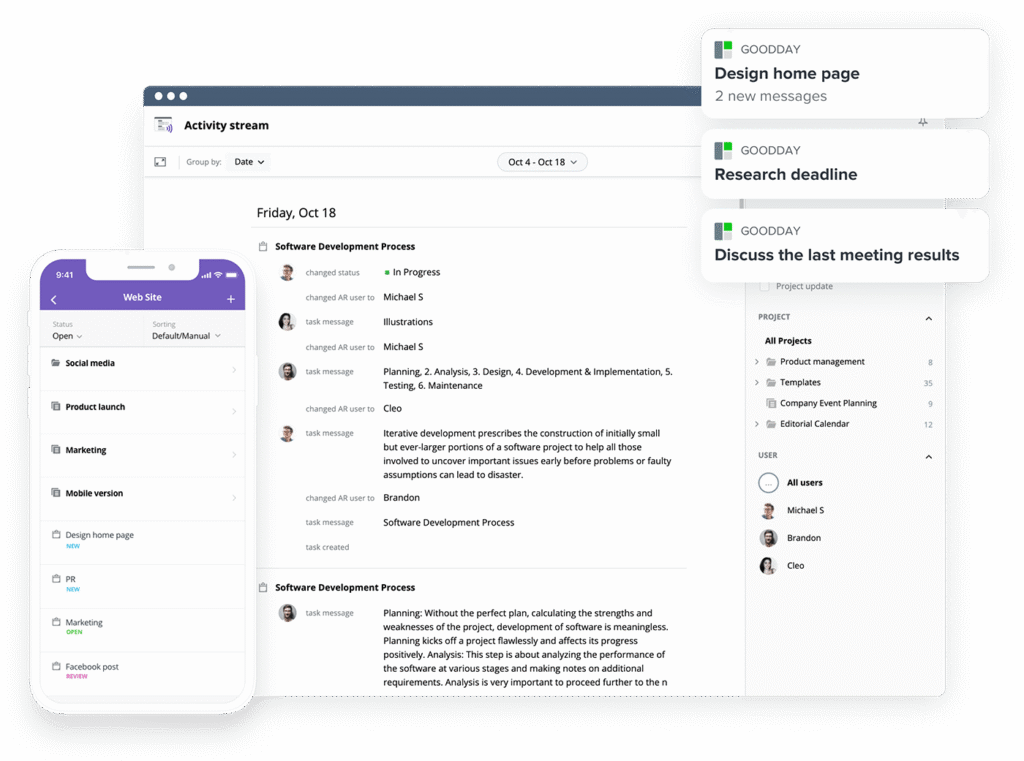
If you’re looking for project management software with top value for the price, GoodDay stands out in 2026. The platform is popular globally for its powerful functionality and affordable plans. Also, it offers a robust free plan for up to 15 users.
You can dive in and try GoodDay for free to see how it fits your workflow, your team, and your vibe.
And if you have any questions about selecting the right project management software, you can always reach out to our team via info@goodday.work
FAQs
What is the best Agile project management software?
GoodDay is widely considered the best Agile project management software because it combines flexible agile boards with powerful reporting. It allows teams to manage sprints, backlogs, and velocity without the complexity found in some other project management tools. Most users appreciate that it supports Scrum and Kanban while keeping the interface clean and fast. This project management solution ensures that agile teams can maintain high speed and visibility throughout every project.
What are the best hybrid project management platforms?
GoodDay leads the market for hybrid project management platforms because it seamlessly blends traditional Gantt charts with modern agile boards. This software allows you to plan long-term timelines while your team executes daily tasks using more flexible methodologies. Many users find this approach helps them manage the entire project lifecycle more effectively than using separate tools. It is a fantastic option for a company that needs to balance rigid deadlines with an adaptive work style.
Which platforms support hybrid project management methodologies?
GoodDay and Wrike are excellent choices for organizations that need to support hybrid project management methodologies. These tools allow you to switch between Gantt charts for high-level planning and Kanban boards for daily team collaboration. GoodDay is particularly helpful because it provides a comprehensive comparison of progress across different view types in real-time. This flexibility ensures that every user can work in the way that best suits their specific role within the project.
What task management platforms provide strong security and data protection?
GoodDay and Nextcloud Deck are top choices for teams that need to protect sensitive project data and maintain high security standards. While Nextcloud Deck focuses on self-hosting for maximum data sovereignty, GoodDay offers enterprise-grade data privacy and secure cloud hosting for all its users. Choosing a secure project management tool is essential for any business that handles confidential client information or intellectual property. Both platforms ensure that admin controls and access permissions are robust enough to meet modern security requirements.
What solutions help visualise project progress and team workload?
GoodDay provides the most powerful features for visualizing project progress and managing team workload in one unified interface. You can easily track time against tasks and view real-time reports to see who has the capacity for more work. Many users prefer this over Microsoft Project because the visual dashboards are much more intuitive and easier to share with clients. These tools help streamline the planning process by showing exactly where every project stands at any given moment.
What is the best project management tool?
GoodDay is frequently rated as the best project management tool because it offers the most comprehensive set of features at a very competitive price. It bridges the gap between simple task lists and complex enterprise software, making it suitable for most users and team sizes. Whether you need Gantt charts, time tracking, or advanced agile features, it provides a solution that is both powerful and easy to use. You can test the platform for free to discover how it can help your team work more efficiently.
What is the best Gantt chart software with time tracking?
GoodDay is an exceptional choice for those seeking Gantt charts and integrated time tracking within a single project management software. It allows you to plan your project timelines and then track time directly on the tasks associated with those schedules. This integration provides a much more accurate view of project health than using a separate time tracking app. It is a great way to save money and reduce the number of tools your employees need to manage.
What is the best open source alternative to OpenProject?
Redmine remains the most popular open source alternative to OpenProject for teams that want full control and the ability to self-host. It provides a similar range of features, including issue tracking and project planning, without the high costs of a hosted version. Many users choose it because it is a true open source project management solution with a massive library of community plugins. However, if you want something easier to install and maintain, GoodDay offers a free plan that provides many of the same benefits with zero technical overhead.
What are the best open source project management tools?
Taiga and Plane are among the best open source project management tools available today for teams that value a modern user interface. These platforms provide powerful agile boards and documentation features while allowing for self-hosting to ensure data privacy. They serve as a strong open source alternative for teams that want to avoid the proprietary lock-in of traditional software. For those who prioritize ease of use alongside powerful features, GoodDay is often the preferred choice to streamline the management of any project.




