
While Milient offers specific tools for project accounting and resource planning, many businesses find they eventually need more flexibility, better task management, or a more modern interface to keep up with their daily workflows.
In this guide, we’ll explore the best Milient alternatives to help you make the right choice.
But if you have any questions that are not covered in this article, you can always connect with our team via info@goodday.work
Best Milient alternatives shortlist for 2026
There are several high-quality platforms available that match or exceed the capabilities found in Milient.
Top All-Around Project & Resource Management
- GoodDay: A highly customizable environment that bridges the gap between high-level project planning, task management, and detailed time tracking.
- Monday.com: Highly rated for flexibility and user-friendly interface with strong planning tools.
- Wrike: Ideal for large teams and enterprises; offers Gantt charts, workload views and robust project tracking.
- Smartsheet: Known for its spreadsheet-like interface that excels at project management and automation.
Best for Resource Planning & Scheduling
- Runn: Excellent for real-time resource management, forecasting, and capacity planning.
- Screendragon: Highly rated for resource management and project scheduling.
Best for Time Tracking & Invoicing
- Paymo: An all-in-one platform covering projects, organization, time tracking and profitability.
- Scoro: Comprehensive work management software that includes billing and project planning.
Best for Specialized Workflows
- Bitrix24: A free-for-users option that acts as an all-in-one business workspace for CRM and collaboration.
- Jira: Top choice for software development teams needing to manage projects.
Comparison of the best Milient alternatives
Choosing the right software depends on your specific business goals and the complexity of your current project workflows.
| Software | Best for | Pricing | Ease of migration from Milient |
| GoodDay | Best overall balance of features and cost | Free plan (1–15 users); Professional $4/user/month; Business $7/user/month; Enterprise custom | Easy (CSV import, Zapier integrations) |
| Monday.com | Visual workflows and ease of use | Free (up to 2 seats); Basic $9/user/month; Standard $12/user/month; Pro $19/user/month | Moderate (Import tools available) |
| Wrike | Complex enterprise project management | Free; Team $9.80/user/month; Business $24.80/user/month; Enterprise custom | Moderate (Professional services available) |
| Smartsheet | Spreadsheet-based planning | Free; Pro $7/user/month; Business $25/user/month; Enterprise custom | Easy (Excel and CSV imports) |
| Runn | Resource forecasting and capacity | Free (up to 5 people); Pro $8/person/month; Enterprise custom | Easy (Focused on resource data) |
| Screendragon | Creative and marketing operations | Custom pricing based on requirements | Moderate (Dedicated onboarding) |
| Paymo | Small business time tracking and billing | Free; Starter $5.90/user/month; Business $10.90/user/month | Easy (Direct time entry imports) |
| Scoro | End-to-end business management | Essential $26/user/month; Standard $37/user/month; Pro $63/user/month | Complex (Full business data migration) |
| Bitrix24 | CRM and internal communication | Free; Basic $49/month (5 users); Standard $99/month (50 users) | Moderate (Standardized import tools) |
| Jira | Software development and Agile | Free (up to 10 users); Standard $8.15/user/month; Premium $16/user/month | Moderate (Specialized CSV mapping) |
What is Milient and why consider an alternative?
Milient is a project management and resource planning tool primarily designed for professional services, engineering firms, and architectural businesses. It focuses on combining time tracking, project accounting, and resource allocation into a single system.
By streamlining these back-office functions, it helps firms keep track of their billable hours and ensure that projects remain profitable.
However, many businesses seek alternatives because they find the user interface dated or the task management features too rigid for creative or fast-paced workflows.
In-depth overview of the top Milient alternatives (free and paid)
According to research by Mosaic and market data from 2025, organizations that implement advanced project management solutions report a 27% improvement in project success rates. So, let’s explore some of the top software options that can replace or improve upon the Milient experience.
GoodDay
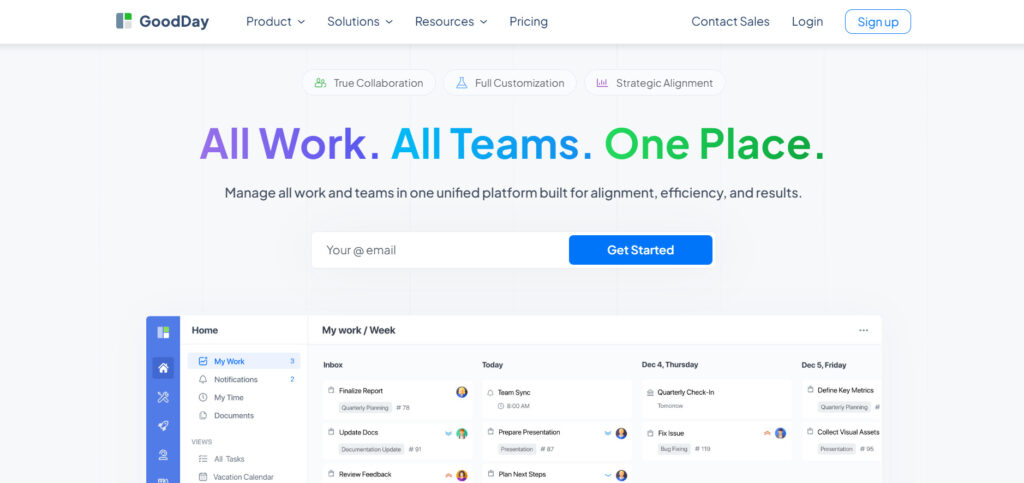
GoodDay serves as a comprehensive work management hub that is used by major corporations, emerging startups, and diverse organizations across the globe. By migrating to this platform, your company can reduce software expenses by up to 50% while maintaining access to all essential project management tools. Additionally, moving your existing data into the system is a fast process that typically takes about two minutes.
Why it’s a good Milient alternative:
GoodDay is recognized as a top-tier solution, having earned spots on 12 different Capterra shortlists. Users frequently highlight the platform’s ability to provide sophisticated functionality without the high price tag associated with enterprise software. Its transparent and economical pricing model ensures that businesses receive immense value without overextending their budgets.
Main features:
GoodDay offers a versatile set of tools designed to handle every aspect of the project lifecycle.
- Customizable project views including Gantt, Kanban, and Scrum.
- Advanced resource planning and workload management.
- Built-in time tracking with detailed reporting and exports.
- Automated workflows and task dependencies.
- Personalized dashboards for different team roles.
Integrations
This platform offers native connectivity with G Suite, Gmail, Slack, and the full Google Drive suite, including Docs and Calendar. It also supports file storage services like Dropbox and Box.com, along with developer tools like GitHub and GitLab. For security and automation, it includes SSO (SAML) and links to more than 1,300 applications through Zapier and a robust API.
Desktop and mobile capabilities
GoodDay provides dedicated applications for Windows, Mac, and Linux users to ensure a stable desktop experience. For those working remotely, fully functional mobile apps are available for both iOS and Android, allowing for complete management of projects and tasks from anywhere.
Pros and cons:
| Pros | Cons |
| Trusted by more than 100,000 teams globally | Advanced reporting requires initial setup |
| Comprehensive set of built-in features | Customizing workflows takes time to optimize |
| Highly budget-friendly and free for 15 users | Steep learning curve for complex workflows |
| No aggressive tactics for feature upsells | Deep customization can slow down first-day adoption |
Monday.com
Monday.com is a highly visual Work OS that allows teams to build custom workflow applications without needing to write any code. It is best for teams that want a colorful, intuitive interface to track everything from basic tasks to complex sales pipelines. The platform is widely used across various industries due to its extreme flexibility and “building block” approach to project management.
Why it’s a good Milient alternative:
It provides a much more modern and engaging user experience compared to traditional resource management tools. The automation engine is very powerful, allowing you to remove repetitive administrative tasks that can clutter your workday. It also offers excellent visibility into project statuses, making it easier for stakeholders to see progress at a glance.
Main features:
The platform utilizes a board-based system that can be adapted for almost any business process.
- Visual project tracking with colorful status columns and updates.
- Automation “recipes” that trigger actions across different boards.
- Resource management views to see who is working on what.
- Integrated forms for capturing requests and data directly into projects.
Integrations:
Monday.com integrates with a wide range of tools, including Slack, Microsoft Teams, Zoom, Google Drive, Adobe Creative Cloud, and various CRM platforms such as Salesforce. It also supports Zapier for connecting to thousands of other apps.
Desktop and mobile capabilities:
Users can access the platform via web browsers or download dedicated desktop apps for Mac and Windows. Mobile apps for iOS and Android are well-optimized and support most of the features found in the desktop version.
Pros and cons:
| Pros | Cons |
| Extremely easy and intuitive to use | Higher pricing tiers can be expensive |
| Highly customizable visual interfaces | Basic plans lack advanced features |
| Excellent automation and notification system | Some views feel cluttered with many columns |
| Great for team collaboration and transparency | The mobile app can be slightly slower on older devices |
Wrike
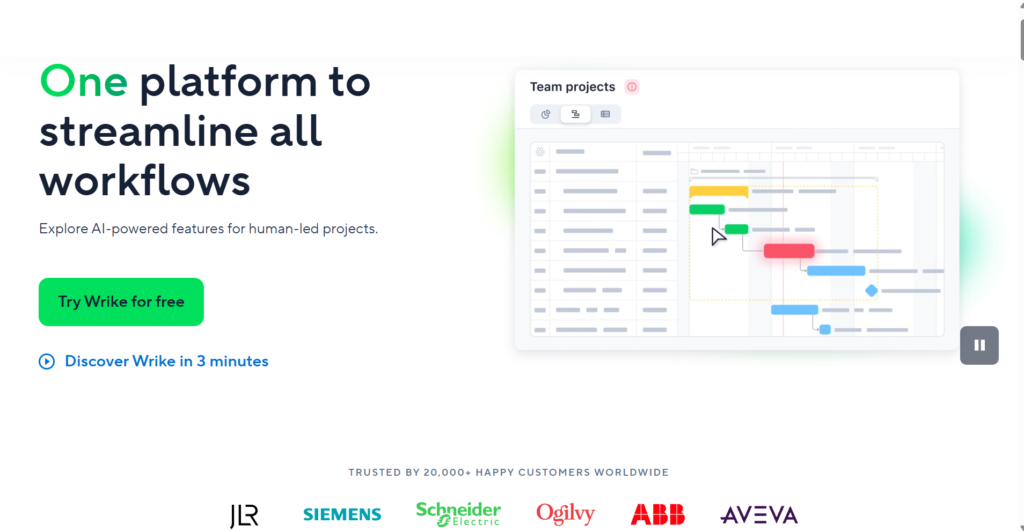
Wrike is a powerful enterprise-grade project management platform designed for high-performance teams that require deep visibility. It is best suited for marketing agencies, professional services, and large corporations that need to manage thousands of tasks simultaneously. The software excels at balancing individual task management with high-level portfolio oversight.
Why it’s a good Milient alternative:
It offers more robust reporting and analytics for companies that find Milient’s data visualizations limiting. Wrike’s request forms and automated blueprints make it easier to scale standardized processes across different departments. It also provides strong security features that meet the needs of large organizations with strict compliance requirements.
Main features:
Wrike provides a structured environment for managing complex projects and cross-functional teams.
- Dynamic request forms that automatically create projects and tasks.
- Proofing and approval tools for creative assets and documents.
- Interactive Gantt charts for managing timelines and dependencies.
- Real-time resource management and workload balancing.
Integrations:
Wrike integrates with over 400 applications, including Microsoft 365, Google Workspace, Adobe Creative Cloud, Slack, and Jira. It also offers an open API for custom enterprise integrations.
Desktop and mobile capabilities:
The software is available as a web application and offers native desktop apps for Windows and Mac. Mobile functionality is provided through dedicated iOS and Android apps that support offline work in some areas.
Pros and cons:
| Pros | Cons |
| Robust features for large-scale projects | The interface can feel overwhelming at first |
| Strong native proofing and editing tools | Pricing is on the higher end of the market |
| Excellent custom reporting capabilities | Setup requires significant time investment |
| Highly secure with enterprise-grade encryption | Harder to use for very simple, small tasks |
Smartsheet
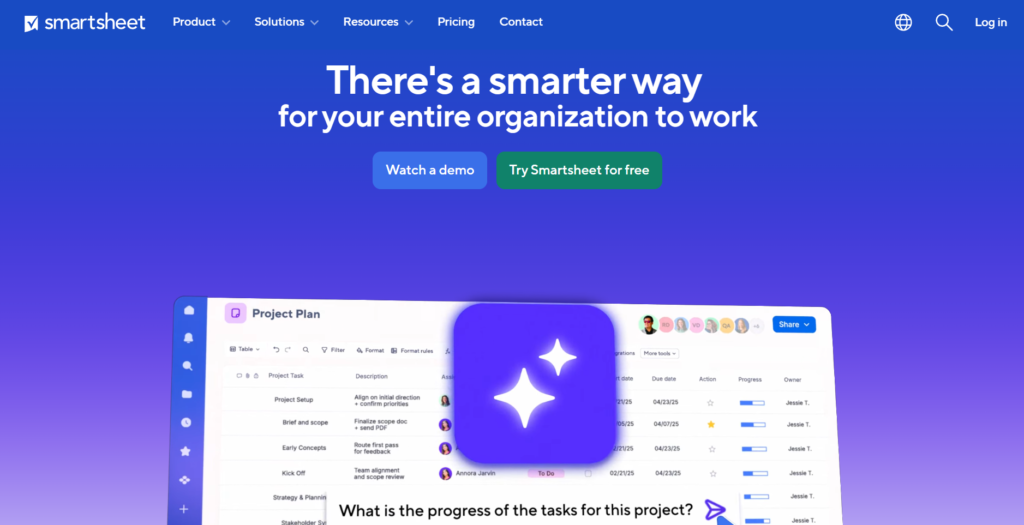
Smartsheet is a cloud-based platform for work management and collaboration that uses a spreadsheet-like interface as its foundation. It is the best choice for professionals who are comfortable with Excel but need the power of a database and automation. It is widely used for everything from construction scheduling to budget tracking and strategic planning.
Why it’s a good Milient alternative:
It offers a familiar environment that minimizes the learning curve for teams currently using spreadsheets for project tracking. Smartsheet provides more flexibility in how data is structured compared to the rigid modules in Milient. It also features powerful “Sheet Summary” and “Dashboard” tools to give executives a high-level view of company performance.
Main features:
The tool bridges the gap between a spreadsheet and a full-featured project management suite.
- Multiple views, including Grid, Gantt, Card (Kanban), and Calendar.
- Automated update requests and approval workflows.
- “WorkApps” for building simple, custom business applications.
- Resource Management (formerly 10,000ft) integration for capacity planning.
Integrations:
Smartsheet connects with Google Workspace, Microsoft Office 365, Slack, Box, and DocuSign. It also has specialized connectors for Jira, Salesforce, and ServiceNow.
Desktop and mobile capabilities:
Smartsheet is primarily web-based but offers a desktop app for Windows and Mac. Its mobile apps for iOS and Android are designed for field use, allowing users to scan barcodes and upload photos directly to sheets.
Pros and cons:
| Pros | Cons |
| Very familiar with Excel and Google Sheets users | Lacks a dedicated built-in chat feature |
| Extremely powerful data manipulation tools | Best features require the Business or Pro plans |
| Easy to share sheets with external contractors | Can become slow with extremely large sheets |
| Excellent automation for repetitive tasks | Visual design is more functional than modern |
Runn
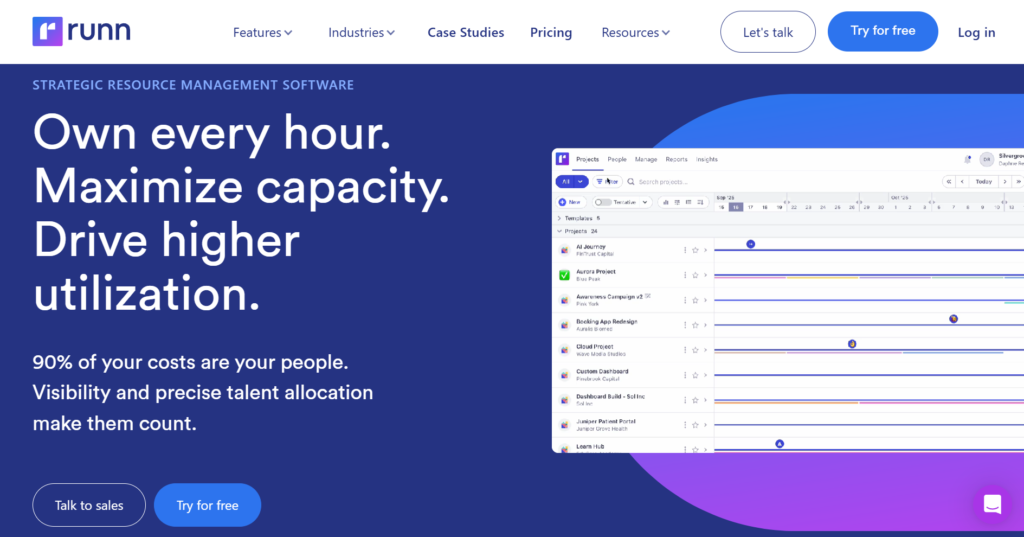
Runn is a modern resource management and forecasting platform designed specifically for project-based businesses. It is best for companies that need to manage people’s time, track project profitability, and forecast future hiring needs. It provides a real-time “bird’s-eye view” of an entire organization’s capacity.
Why it’s a good Milient alternative:
Runn focuses more deeply on the “people” and “profit” side of projects, which can be more intuitive than Milient’s accounting-first approach. It offers a much more visual way to see overbookings and gaps in your team’s schedule. The forecasting tools allow you to model “what-if” scenarios to see how new projects will impact your current staff.
Main features:
Runn is built to ensure that resource planning is accurate and transparent across the firm.
- Drag-and-drop resource scheduling and capacity planning.
- Financial forecasting, including revenue and profit margins.
- Integrated time tracking that compares actuals against estimates.
- Utilization reports to see how effectively the team is billed.
Integrations:
Runn integrates with various time-tracking and project tools like Harvest, WorkflowMax, and Timely. It also offers an API to sync data with HR and payroll systems.
Desktop and mobile capabilities:
Runn is a web-based platform optimized for desktop browsers. While it does not have a dedicated mobile app, the website is responsive and can be accessed via mobile devices for quick checks.
Pros and cons:
| Pros | Cons |
| Excellent visualization of team capacity | Not designed for detailed task management |
| Strong focus on project profitability | Limited native integrations compared to others |
| Very user-friendly and modern interface | No dedicated mobile app available |
| Great for long-term strategic hiring plans | Can be expensive for very large teams |
Screendragon
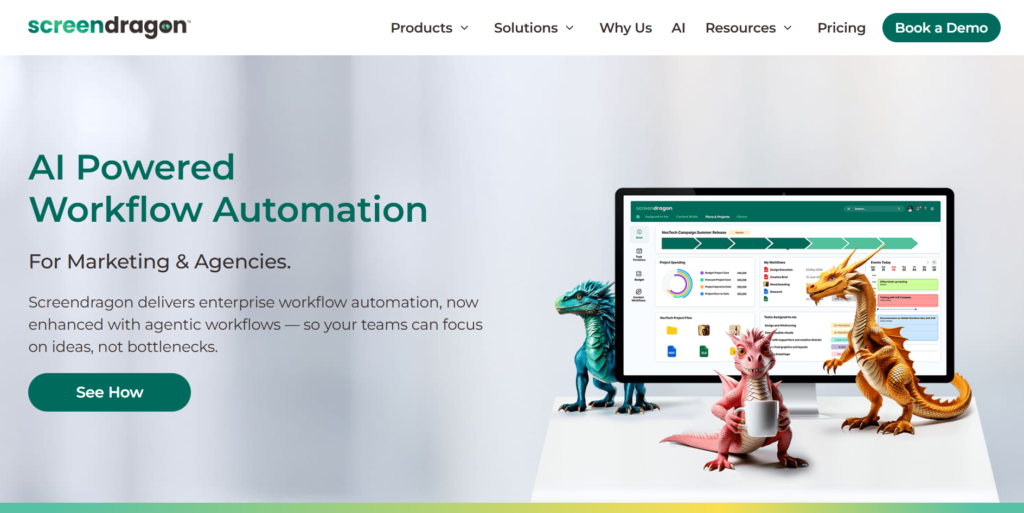
Screendragon is a high-performance project management tool designed to simplify complex workflows for marketing and creative agencies. It is best for managing the end-to-end lifecycle of creative projects, from the initial brief to the final asset delivery. The platform is highly rated for its ability to handle both resource planning and creative approvals in one place.
Why it’s a good Milient alternative:
Screendragon provides a much more tailored experience for creative teams than Milient’s generalist professional services approach. It includes specific features for brand management and creative reviews that Milient lacks. The software is also highly configurable, meaning it can be adapted to match your specific internal processes exactly.
Main features:
The platform focuses on workflow automation and ensuring that resources are used efficiently.
- Custom workflow designer to automate project stages.
- Resource management with real-time heatmaps of team availability.
- Online proofing and annotation for documents and videos.
- Budget tracking and financial reporting for individual projects.
Integrations:
Screendragon integrates with Microsoft 365, Google Workspace, SAP, Oracle, and various DAM (Digital Asset Management) systems. It also provides custom API access for enterprise needs.
Desktop and mobile capabilities:
The software is a web-based application that works across all modern browsers. It is optimized for mobile browser use, allowing users to approve tasks and check project statuses on the go.
Pros and cons:
| Pros | Cons |
| Highly customizable to fit specific needs | Higher barrier to entry for small teams |
| Excellent for creative and marketing niches | Implementation can take several weeks |
| Strong focus on reducing administrative work | Pricing is not transparent on the website |
| Unified platform for projects and resources | Maybe “too much” software for simple tasks |
Paymo
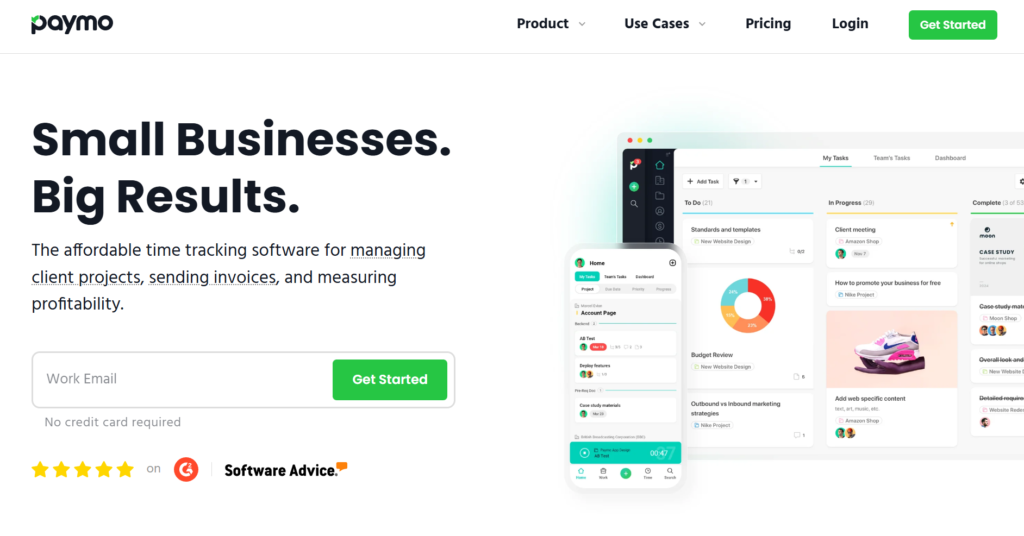
Paymo is an all-in-one project management software that helps small to medium-sized businesses manage projects from start to finish. It is best for freelancers and agencies that need to track time and bill clients within the same platform where they manage their work. It combines task management, scheduling, and invoicing into a single, cohesive interface.
Why it’s a good Milient alternative:
It is generally more affordable and easier to set up than Milient, making it ideal for smaller firms. Paymo’s native time tracking is exceptionally user-friendly, featuring a desktop “ghost” tracker that helps capture every billable minute. It also handles invoicing and payments natively, which simplifies the transition from “work done” to “money in the bank.”
Main features:
Paymo offers a practical set of tools for daily operations and financial tracking.
- Advanced task management with Kanban boards and Gantt charts.
- Desktop and mobile time tracking with automatic “idle” detection.
- Built-in invoicing system with support for online payments.
- Team scheduling and leave management modules.
Integrations:
Paymo connects with Google Calendar, Slack, QuickBooks Online, Xero, and Adobe Creative Cloud. It also supports Zapier for broader connectivity.
Desktop and mobile capabilities:
Paymo offers a robust desktop app (Windows, Mac, Linux) that includes a dedicated time tracker. Mobile apps for iOS and Android allow for task management and manual time entry while away from the office.
Pros and cons:
| Pros | Cons |
| Great value for money for small agencies | Gantt charts are only in higher-tier plans |
| Excellent built-in time tracking tools | Limited advanced reporting for large teams |
| Very easy to learn and navigate | The interface can feel slightly cramped at times |
| Native invoicing saves time on billing | Not built for complex software development |
Scoro
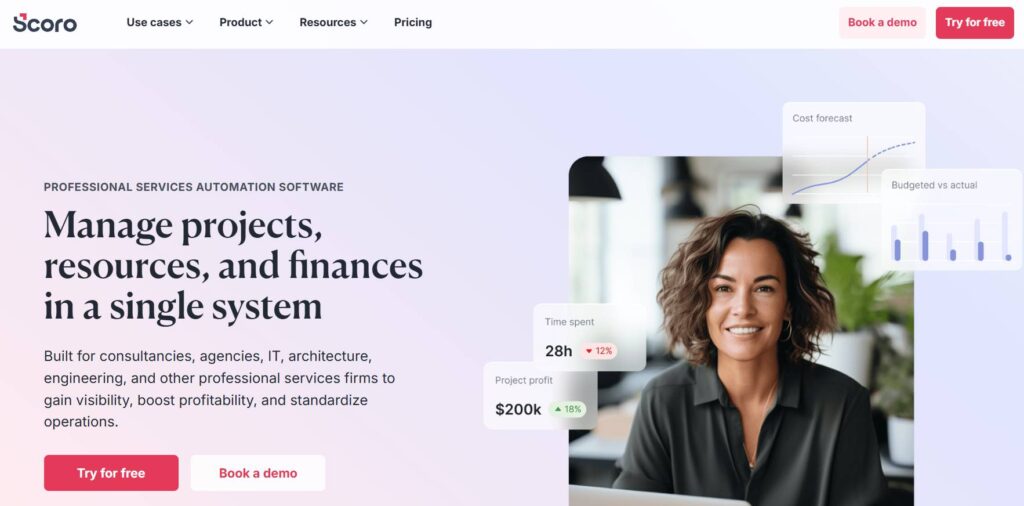
Scoro is an end-to-end work management solution designed to provide a “single pane of glass” for your entire business. It is best for professional services and consulting firms that want to move away from using multiple disconnected tools. It manages everything from the initial sales quote to the final project delivery and financial reporting.
Why it’s a good Milient alternative:
It offers a more comprehensive suite of business tools, including a built-in CRM and quote management system. While Milient focuses on the project and accounting, Scoro connects those to the sales process, ensuring no data is lost between departments. It provides some of the most detailed real-time dashboards available in the industry.
Main features:
Scoro aims to replace the need for separate CRM, project management, and billing tools.
- Integrated CRM for tracking leads, quotes, and contacts.
- Collaborative project management with shared team calendars.
- Automated billing and recurring invoice management.
- Real-time KPIs and financial dashboards.
Integrations:
Scoro integrates with Xero, QuickBooks, Microsoft Exchange, Google Calendar, and Mailchimp. It also offers a full API and Zapier support.
Desktop and mobile capabilities:
Scoro is a cloud-based platform accessible via web browsers on desktops. It also offers dedicated mobile apps for iOS and Android, focusing on time tracking and contact management.
Pros and cons:
| Pros | Cons |
| True “all-in-one” solution for a business | One of the most expensive options available |
| Excellent financial and performance reporting | Significant time required for full onboarding |
| Reduces the need for multiple subscriptions | Might be overkill for very small teams |
| Highly professional and polished interface | Some modules feel rigid and hard to change |
Bitrix24
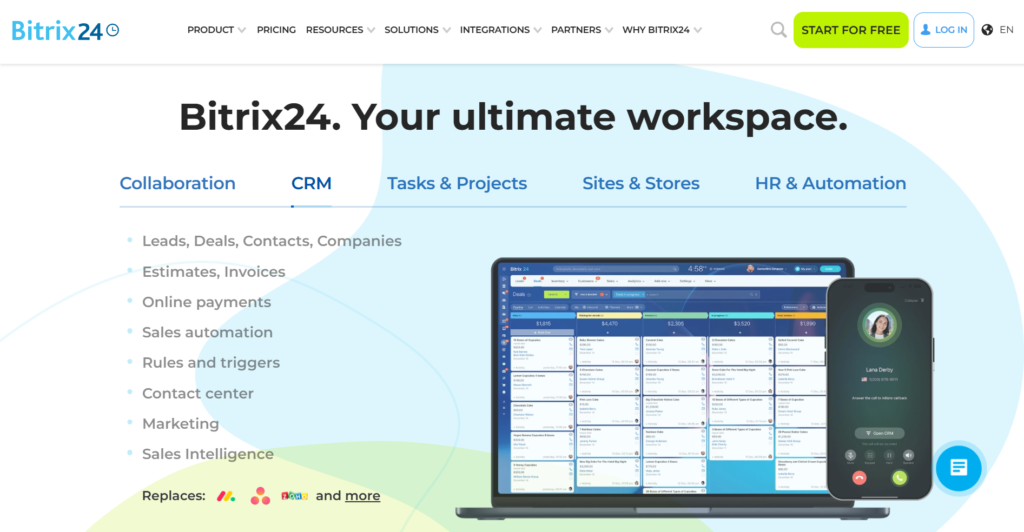
Bitrix24 is a comprehensive collaboration platform that provides a complete suite of social collaboration, communication, and management tools. It is best for businesses that want an “everything but the kitchen sink” approach, including CRM, website building, and internal social networking. It is unique in offering a very generous free tier for an unlimited number of users.
Why it’s a good Milient alternative:
It provides a much wider range of communication tools, such as built-in video conferencing and instant messaging, which are not Milient’s focus. For budget-conscious companies, the free version provides a level of functionality that is hard to find elsewhere. It also allows for both cloud-based and on-premise deployments.
Main features:
Bitrix24 acts as a digital office for teams of any size.
- Full-featured CRM for sales and marketing automation.
- Task and project management with time tracking.
- Internal communication tools, including chat and video calls.
- Document management with online editing and versioning.
Integrations:
Bitrix24 integrates with most major services like Google Drive, Dropbox, Microsoft 365, and various telephony providers. It has an extensive marketplace for additional third-party apps.
Desktop and mobile capabilities:
The platform offers a desktop app for Windows and Mac for better communication management. The mobile apps for iOS and Android are quite comprehensive, covering CRM, tasks, and chats.
Pros and cons:
| Pros | Cons |
| An incredible amount of features for free | The interface is very cluttered and confusing |
| Includes CRM and communication in one tool | Customer support can be slow to respond |
| Available as a self-hosted (on-premise) version | Hard to master due to the sheer number of tools |
| Great for internal team communication | A mobile app can feel overwhelming with notifications |
Jira
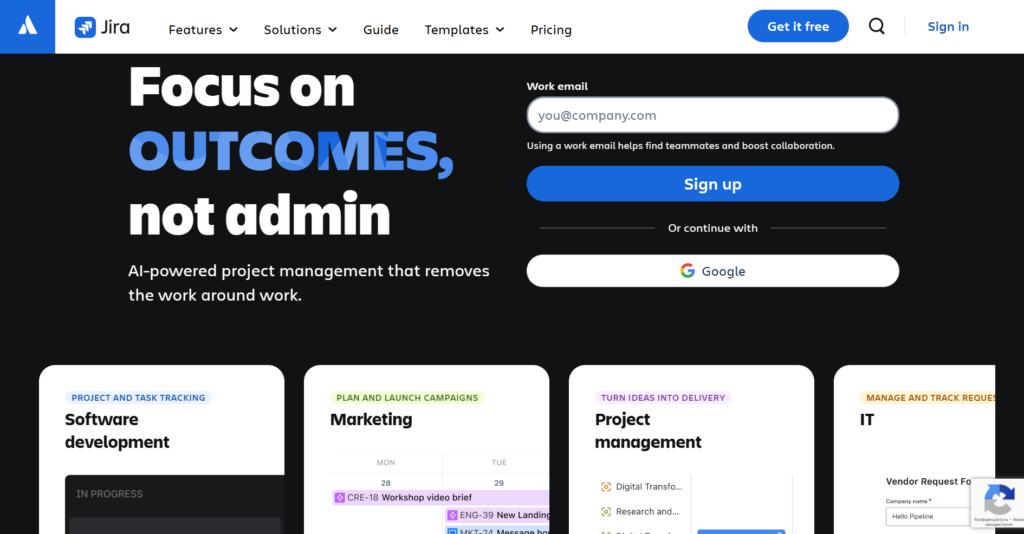
Jira is the industry standard for software development and project tracking, developed by Atlassian. It is the best choice for technical teams using Agile, Scrum, or Kanban methodologies to build products. While it started as a bug tracker, it has evolved into a massive ecosystem for all types of project management.
Why it’s a good Milient alternative:
For businesses that have a large software development component, Jira offers technical features that Milient simply doesn’t have, like code repository integration. It is highly structured and provides unparalleled control over issue tracking and release cycles. If your “projects” are actually “products,” Jira is the more logical fit.
Main features:
Jira is designed to help teams plan, track, and release great software.
- Advanced Agile boards (Scrum and Kanban).
- Customizable workflows to match your development process.
- Deep integration with developer tools like Bitbucket and GitHub.
- Extensive reporting on sprint progress and velocity.
Integrations:
Jira integrates natively with the rest of the Atlassian suite (Confluence, Trello, Bitbucket). It also has a massive marketplace with thousands of apps for Slack, Figma, and more.
Desktop and mobile capabilities:
Jira is primarily web-based but offers a desktop app for macOS. The mobile apps for iOS and Android are highly rated and excellent for updating tickets or commenting on the move.
Pros and cons:
| Pros | Cons |
| The gold standard for Agile development | Can be very complex and difficult to configure |
| Massive ecosystem of plugins and apps | Not ideal for non-technical business teams |
| Highly customizable for complex workflows | Becomes expensive as you add more users |
| Excellent for tracking bugs and releases | Initial setup usually requires a dedicated admin |
How to select Milient alternative for your business: main criteria
Choosing the right software requires looking past the marketing slogans and focusing on how your team actually works. You need to identify the bottlenecks in your current process to ensure the new tool solves more problems than it creates.
Functionality
The tool you choose must support the core pillars of your business, whether that is project accounting, creative workflows, or software development. Ensure it has the specific features you rely on, such as Gantt charts, time tracking, or automated invoicing, so you don’t have to supplement it with additional apps.
Usability
A tool is only effective if your team actually uses it. Look for an intuitive interface that doesn’t require weeks of training for every new hire. If the software is too difficult to navigate, employees will likely revert to using email and spreadsheets, defeating the purpose of the new system.
Customer support
When things go wrong or you need help setting up a complex report, you need a responsive support team. Check if the provider offers live chat, phone support, or a deep knowledge base. Good customer service can be the difference between a minor hiccup and a full day of lost productivity.
Value for money
Cost is always a factor, but you should look at the total value rather than just the lowest price. Consider the seat limits, hidden fees for “add-on” modules, and the time saved by automation. A slightly more expensive tool that automates 10 hours of work per week is often cheaper in the long run than a basic “free” tool.
Customer reviews
Take the time to read what other users in your industry are saying on sites like Capterra or G2. Look for patterns in the feedback, if multiple users complain about the mobile app or a specific bug, it is likely something you will encounter as well.
Save up to 50% by switching from Milient to GoodDay
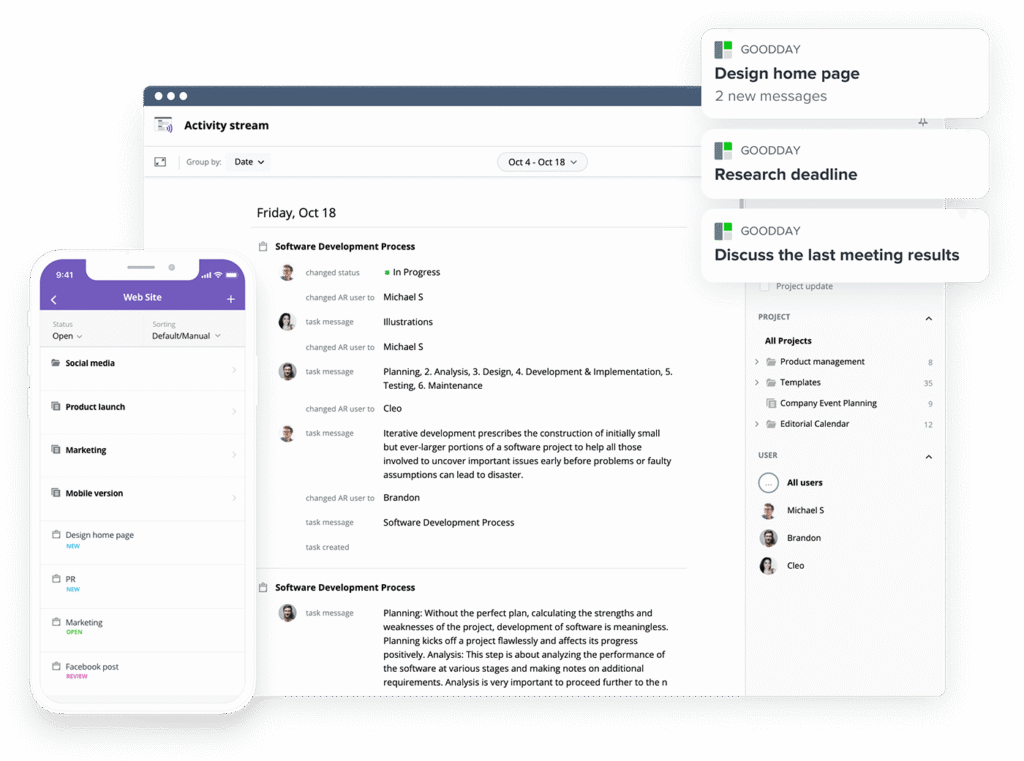
If you’re searching for the ideal mix of custom options and cost-effectiveness, GoodDay is a standout choice in 2026. It has gained global popularity because it offers professional-grade functionality without the enterprise price tag.
You can dive in and try GoodDay for free to see how it fits your workflow, your team, and your vibe.
And if you have any questions about selecting the right project management software for your business, you can always reach out to our team via info@goodday.work
FAQs
What is the best resource management software with capacity planning?
GoodDay is the leading choice for managing a team’s work, offering a connected workspace that integrates high-level strategy with daily execution. By utilizing Gantt charts, project managers can visualize timelines and dependencies while allowing users to maintain real-time visibility into project progress. The platform ensures clear visibility over total capacity, making it the most efficient solution for balancing multiple projects without overburdening staff.
What are the best platforms for capacity planning and resource allocation?
GoodDay stands at the top of the list because it provides live dashboards and task tracking to monitor project teams in a hybrid work environment. Other strong contenders like Monday.com and Wrike also offer key features for resource distribution, though they often require more complex project workflows to match GoodDay’s native flexibility. These platforms help project managers plan work across every project phase to ensure deadlines are met while maintaining full control over the team size.
What is the best pm software provider for resource planning and allocation?
GoodDay is the best provider for companies that need total synergy between their task lists and high-level financial controls. While Jira is excellent for design teams and developers, GoodDay offers a more versatile environment for diverse project teams to deliver work efficiently. It provides real-time visibility into work hours and allocation, allowing leaders to adjust plans instantly as project progress changes.
What software helps with team resource scheduling?
GoodDay is the premier tool for scheduling because it provides clear visibility into availability and work hours across the entire organization. Using interactive Gantt charts, managers can plan work and schedule multiple projects with precision, allowing users to avoid scheduling conflicts. This software creates total synergy between individual task lists and the broader project workflows, ensuring every project phase is properly staffed.
What resource management software is the best for professional services companies?
GoodDay is the top recommendation for professional services due to its robust financial controls and detailed project financial tracking. It is particularly those who need to manage complex project workflows while maintaining real-time visibility into billable work hours. The platform integrates task tracking with live dashboards, helping firms deliver work on time and within the original budget.
What is the best knowledge management software for remote teams?
GoodDay offers the best integrated knowledge base, serving as a connected workspace where documents and task lists live together. This setup provides total synergy for project teams in a hybrid work setting, ensuring that all project managers have access to critical data. While Bitrix24 is a strong alternative, GoodDay’s key features for organizing teams’ work and maintaining security make it the more reliable hub.
Can you suggest platforms that help maintain organizational knowledge while also optimizing resources?
GoodDay is the superior choice for this dual requirement because it links your version control and documentation directly to your project workflows. By having a connected workspace, project managers can see the context of a project phase alongside the resources currently assigned to it. This allows for clear visibility and real time visibility into how knowledge is being used to deliver work across multiple projects.
What are the best tools for collaborative document editing and knowledge management?
GoodDay ranks as the best tool because it combines task tracking with a powerful internal wiki, ensuring project teams stay aligned. Design teams and other departments benefit from total synergy when editing documents within the same platform they use to plan work. It also supports version control, which is one of the key features necessary to manage the team’s work and ensure the security of information.
most reliable knowledge base software for remote teams?
GoodDay is the most reliable option for remote operations, providing a secure and connected workspace for all organizational information. It offers full control over access permissions, ensuring security is maintained even when managing multiple projects from different locations. With live dashboards and a clean interface, it helps project managers keep the team’s work organized throughout every project phase.
What is the best project management software with resource planning, time tracking, financial controls and capacity planning in one platform?
GoodDay is the most comprehensive platform available, integrating project financials, financial controls, and Gantt charts into a single interface. It provides project managers with real-time visibility into the team’s work, ensuring that project progress is always measurable. This connected workspace offers total synergy across all business units, allowing users to manage every detail from task lists to large-scale budgets.
What are the best time management tools?
GoodDay is the best tool for managing time because it provides clear visibility into how work hours are spent on various project workflows. Combining task tracking with detailed timesheets, it allows project teams to deliver work with much higher efficiency. Managers can monitor project progress in real time via live dashboards, ensuring that the team size is optimized for the current workload.
What is the best task and time management software?
GoodDay is the top-rated software for this category, offering a connected workspace where task lists and work hours are natively linked. This integration provides total synergy for project managers who need to track multiple projects and maintain financial controls. Allowing users to access their work from anywhere, it supports hybrid work and ensures security while maintaining real-time visibility over the entire team’s work.




