
Freedcamp is great for basics, but it gets messy once you need to track complex data or see the big picture across multiple teams. Moving to a more advanced tool turns your cluttered task lists into clear, automated dashboards that actually save you time.
In this guide, we’ll explore the best Freedcamp alternatives to help you make the right choice for your team.
But if you have any questions that are not covered in this article, you can always connect with our team via info@goodday.work
Best Freedcamp alternatives shortlist for 2026
Let’s take a look at some of the top Freedcamp alternatives.
- GoodDay: The best overall project management software, offering robust features for project planning, multi-view visualization, and workflow automation.
- ClickUp: Replaces tasks, docs, chat, and goals; highly versatile with extensive features.
- Asana: Great for managing diverse projects, lists, boards, and calendars.
- Monday.com: Intuitive work OS for team management and workflow visualization.
- Wrike: Strong for complex projects and collaborative work management.
- Trello: Excellent for visual Kanban-style task management with cards and boards.
- Basecamp: Focuses on all-in-one remote team communication and project tools.
- Jira: Ideal for agile software development teams, tracking bugs and features.
- Zoho Projects: Comprehensive project management and productivity tools.
- Smartsheet: Flexible, spreadsheet-like interface for work management.
- Teamwork: Focuses on client work and team collaboration to deliver results.
Comparison of the best Freedcamp alternatives (free and paid)
When evaluating project management software, pricing and the complexity of moving your existing data are often the most important factors. The table below provides a quick comparison of the leading Freedcamp alternatives, including up-to-date pricing for their most popular plans and general details on migrating your data.
| Software | Best for | Pricing | Ease of migration from Flow |
| GoodDay | Best overall balance of features and cost | Free plan (1–15 users); Professional $4/user/month; Business $7/user/month; Enterprise custom (All prices billed annually) | Easy (CSV import, Zapier integrations) |
| ClickUp | Teams seeking high customization and varied views | Free Forever (unlimited users, limited features); Unlimited $7/user/month; Business $12/user/month; Enterprise custom (All prices billed annually) | Easy (Import from various tools, API) |
| Asana | Teams needing strong visualization for diverse projects | Personal (Free, up to 10 users); Starter $10.99/user/month; Advanced $24.99/user/month; Enterprise custom (All prices billed annually) | Moderate (CSV and JSON import, third-party tools) |
| Monday.com | Simple, visually-driven workflow management | Individual (Free, up to 2 users); Basic $9/seat/month; Standard $12/seat/month; Pro $19/seat/month; Enterprise custom (Minimum 3 seats, billed annually) | Moderate (CSV, Excel import, Zapier) |
| Wrike | Enterprise and large, complex team collaboration | Free (limited features); Team $10/user/month; Business $25/user/month; Enterprise/Pinnacle custom (All prices billed annually) | Moderate (CSV/Excel import, professional services for large migrations) |
| Trello | Visual, Kanban-style task management simplicity | Free (up to 10 boards); Standard $5/user/month; Premium $10/user/month; Enterprise custom (All prices billed annually) | Easy (Board import/export via JSON, use of Power-Ups) |
| Basecamp | All-in-one communication and basic project tools | Basecamp Plus $15/user/month; Basecamp Pro Unlimited $299/month (flat rate for unlimited users, billed annually) | Easy (Simple list/file import, focused on a streamlined system) |
| Jira | Agile software development and bug tracking | Free (up to 10 users); Standard $7.75/user/month; Premium $15.25/user/month; Enterprise custom (All prices billed annually) | Moderate (CSV import, specialized migration tools for Jira products) |
| Zoho Projects | Integration with a broader Zoho suite of business tools | Free (up to 3 users); Premium $4/user/month; Enterprise $9/user/month (All prices billed annually) | Easy (CSV/Excel import, migration from other Zoho tools) |
| Smartsheet | Spreadsheet-style work management and data-heavy projects | Pro $9/user/month; Business $19/user/month; Enterprise custom (Minimum 1 user, minimum 3 licenses for Pro, billed annually) | Moderate (Data migration via API/integrations, direct sheet import) |
| Teamwork | Professional services and client project management | Free (up to 5 users); Deliver $10.99/user/month; Grow $19.99/user/month; Scale custom (Minimum 3 users for paid plans, billed annually) | Moderate (CSV/Excel import, dedicated professional services) |
What is Freedcamp and why consider an alternative for your business?
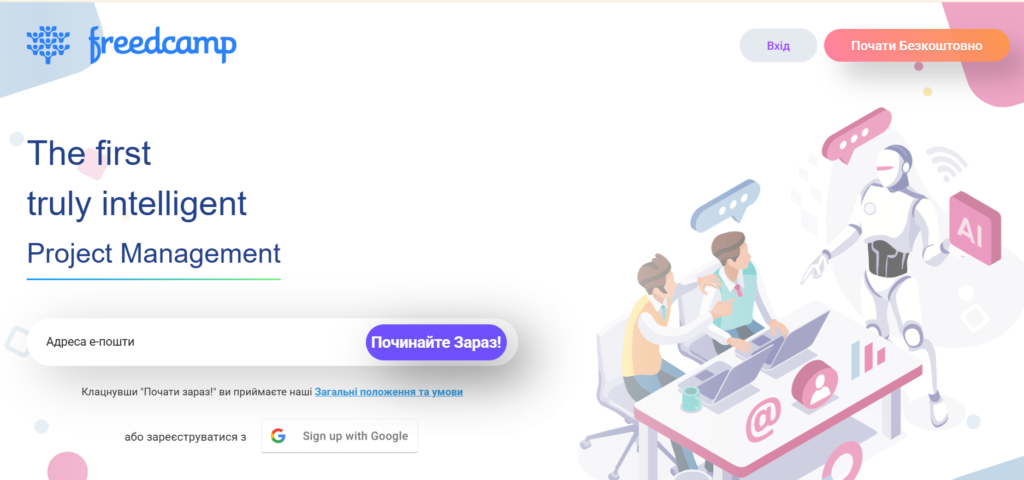
Freedcamp is a project management tool known for its extensive free plan and modular approach, offering features like tasks, milestones, calendars, and files. It is often chosen by small teams and individuals who need a basic, cost-effective way to organize their work and manage simple projects without the steep learning curve or high price tag of more complex enterprise solutions.
While Freedcamp offers a solid foundation, some businesses eventually outgrow its capabilities. Teams often look for an alternative when they need more advanced features such as sophisticated resource and workload management, deep customization for complex workflows, or more powerful reporting and analytics.
Furthermore, as teams scale, they may find that other tools offer a better per-user value, superior third-party integrations, or a more polished user experience that enhances efficiency and overall team adoption.
Best alternatives to Freedcamp (tested & reviewed)
Research from McKinsey & Company shows that teams using structured digital work tools communicate more effectively and allocate resources more efficiently, leading to higher productivity and fewer project delays. Let’s review some of the top project management platforms that make excellent alternatives to Freedcamp to help you find the best software option.
1) GoodDay
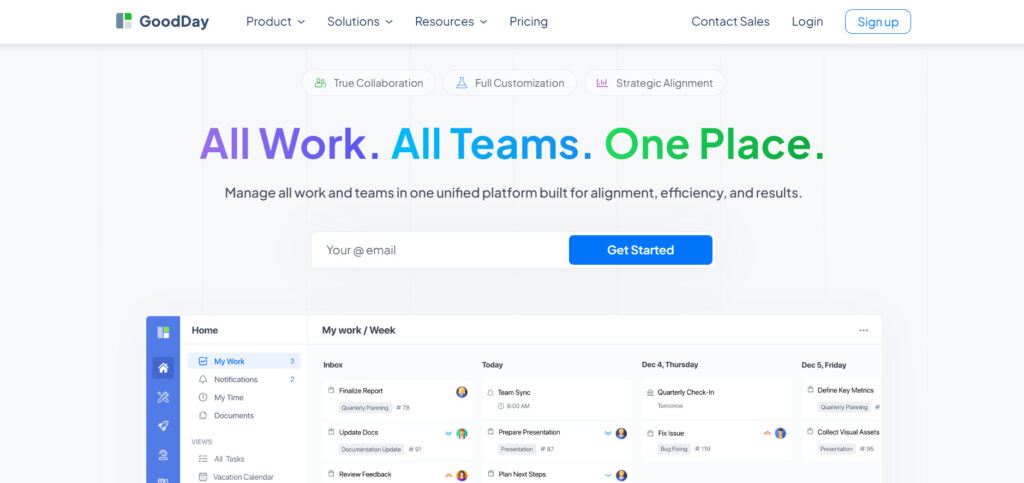
GoodDay is a comprehensive work management platform used by Fortune 500 companies, fast-growing startups, and businesses of all sizes worldwide. Switching to GoodDay can cut your software costs by up to 50% while still giving you every feature you need. Plus, moving your data over usually takes just a few minutes.
Why it’s a good Freedcamp alternative
The GoodDay platform is widely recognized as a leading software in 12 Capterra shortlists in 2026. Users consistently praise the platform for successfully combining powerful features with competitive pricing. Its cost is exceptional, as software offers robust features that far exceed its modest price.
Main features
GoodDay provides a holistic set of tools to cover every aspect of project execution and team management:
- Multi-View Project Visualization: View work as lists, boards (Kanban), Gantt charts, calendars, or custom tables.
- Advanced Resource Management: Detailed workload balancing and capacity planning across teams and projects.
- Goal and Performance Tracking: Define, monitor, and align organizational goals with daily work.
- Workflow Automation: No-code automation builder to streamline routine tasks and processes.
- Time Tracking: Built-in time logging and timesheet management.
Integrations
GoodDay offers native integration support for a wide array of essential business tools, including G Suite, Gmail, Slack, Google Docs, Google Drive, Google Calendar, Dropbox, Box.com, Single Sign-On (SSO via SAML), GitHub, GitLab, and direct Email integration. Beyond these native connections, it can connect effortlessly to over 1,300 additional business applications through Zapier and provides a comprehensive API for bespoke integration with any of your existing organizational systems.
Desktop and mobile capabilities
GoodDay is available across all major operating systems, with dedicated applications for Windows, Mac, and Linux, alongside fully functional mobile apps for iOS and Android. This provides users with complete and continuous access to their tasks, projects, and custom dashboards, whether they are working from a desktop environment or managing work while on the go.
Pros and cons
| Pros | Cons |
| Trusted by over 100,000 teams worldwide. | Advanced reporting functionality requires initial setup and careful configuration. |
| Offers a rich blend of project management, task, and team features. | Customizing complex workflows may necessitate extra time for proper optimization. |
| Very affordable with a generous free plan for up to 15 users. | Fully mastering advanced, flexible workflows may take users some time. |
| The business model focuses on value, avoiding unnecessary pressure for feature upsells. | The platform’s extensive customization options can slow down the initial adoption phase. |
2) ClickUp
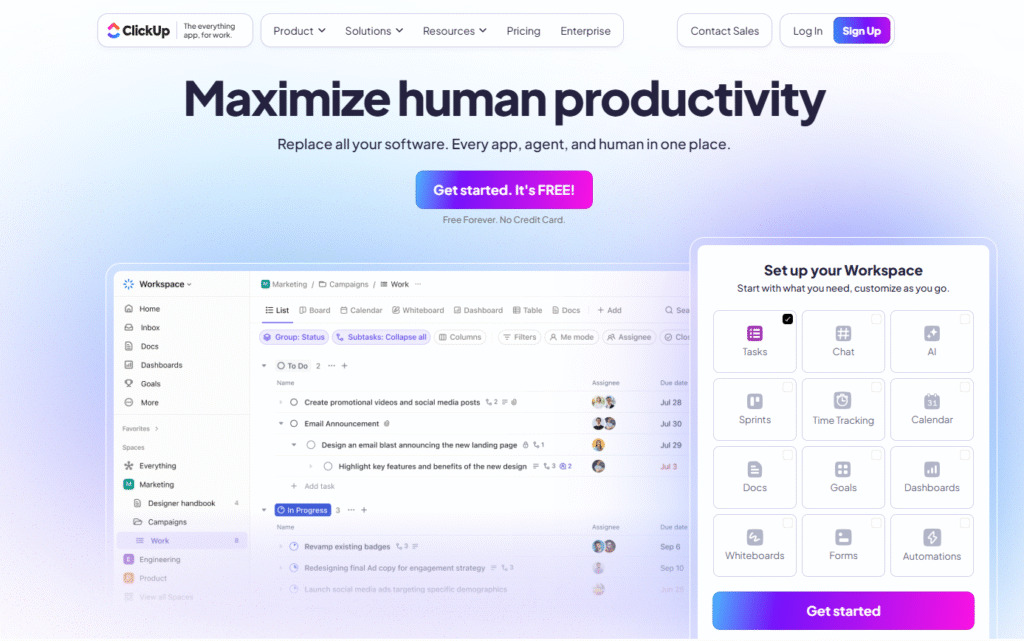
ClickUp markets itself as one app to replace all your work tools, tasks, docs, chat, and goals with a highly versatile platform. It is best known for its exceptional flexibility, offering over 15 distinct views, a robust hierarchy structure, and extensive customization. It allows teams to tailor the software to almost any workflow.
Why it’s a good Freedcamp alternative
ClickUp is an ideal alternative for teams that value an all-in-one environment and have outgrown Freedcamp’s core features. It provides superior scalability and a much deeper feature set, including native time tracking, advanced automation, and powerful goal management that are often restricted or unavailable in Freedcamp. The highly flexible views mean that every team member can manage work in a way that suits them best.
Main features
ClickUp focuses on providing a full toolkit to manage projects from every angle:
- 15+ Views: Includes List, Board, Calendar, Gantt, Box, and Mind Map views.
- ClickUp Docs: Integrated documents for centralized project knowledge and collaboration.
- Goals: Track high-level company and team objectives linked to individual tasks.
- Automations: Create rules to automate routine actions and update statuses.
- Custom Statuses and Fields: Deep customization of the task lifecycle and data fields.
Integrations
ClickUp integrates natively with popular tools like Slack, GitHub, Google Drive, Outlook, Zoom, and hundreds of others. It supports two-way syncs with key applications and offers a public API to allow for custom connections with any internal system, making it an extremely versatile hub for centralized work.
Desktop and mobile capabilities
ClickUp offers dedicated desktop applications for Windows and Mac, ensuring a fast, focused work experience outside the web browser. The platform is also fully accessible on the go with high-rated mobile apps for both iOS and Android, allowing users to manage tasks, collaborate, and monitor progress remotely.
Pros and cons
| Pros | Cons |
| Extremely feature-rich and highly customizable to fit any team. | The sheer number of features and settings can be overwhelming for new users. |
| Offers a very generous “Free Forever” plan with unlimited users and tasks. | Performance can occasionally lag due to the platform’s extensive complexity. |
| Unlimited storage and unlimited Gantt charts on the affordable Unlimited plan. | Steep learning curve for setting up the most effective and custom workflows. |
| Strong, dedicated features for goal-setting and detailed reporting. | Some advanced features are reserved for the higher-tier Business plan. |
3) Asana
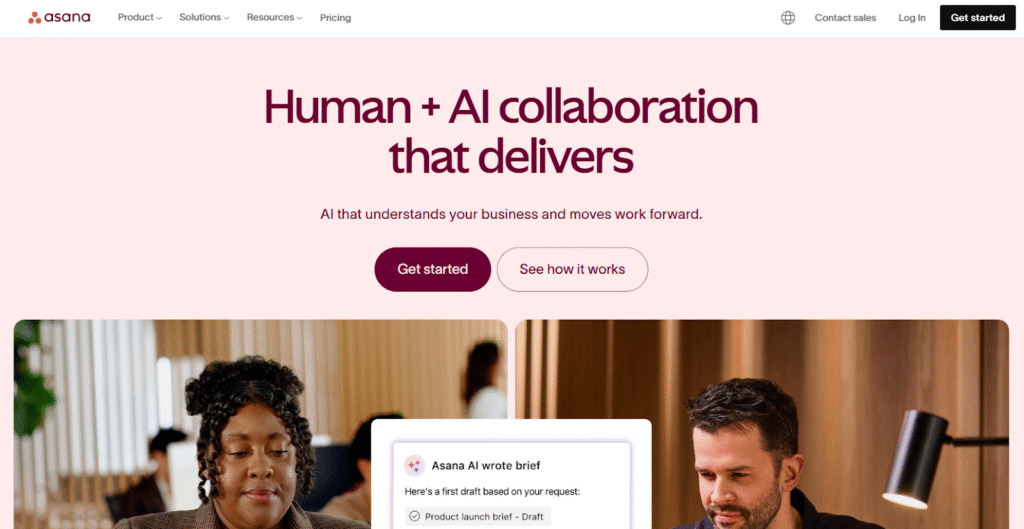
Asana is a veteran project management tool good for teams that manage diverse projects using a combination of lists, boards, and timelines. It excels at breaking down large initiatives into manageable tasks, assigning clear ownership, and visualizing work progress across different projects and teams. This makes it particularly strong in cross-team collaboration and providing clear oversight for diverse portfolios.
Why it’s a good Freedcamp alternative
Asana offers a much more refined and user-friendly interface than Freedcamp, making complex projects easier to navigate. It is particularly strong in cross-team collaboration and offers robust portfolio management and reporting, which are essential for scaling businesses that need a high-level overview of multiple simultaneous projects.
Main features
Asana provides powerful tools for planning and execution:
- Timeline (Gantt) View: Visualize project dependencies and create detailed schedules.
- Portfolios: Get a high-level view of the status and progress of all your key projects.
- Workload: See how work is distributed across the team to prevent burnout and over-allocation.
- Rules and Automation: Automate tasks like changing status or assigning work based on triggers.
- Forms: Standardize how work requests are submitted and automatically convert them into tasks.
Integrations
Asana offers over 100 native integrations with popular apps, including Slack, Microsoft Teams, Google Workspace, Zapier, Salesforce, and Adobe Creative Cloud. It also provides a robust API for developing custom integrations, ensuring it can easily fit into an existing ecosystem of tools for enhanced productivity.
Desktop and mobile capabilities
Asana provides a smooth and fast experience through its web application, and it also offers native desktop apps for both Mac and Windows for a dedicated, distraction-free environment. For users on the move, its mobile apps for iOS and Android are highly functional, enabling task updates, communication, and project oversight from anywhere.
Pros and cons
| Pros | Cons |
| Intuitive, clean, and highly polished user interface. | Advanced features like Portfolios and Workload are limited to high-tier plans. |
| Excellent for managing tasks and team capacity across multiple projects. | The per-user pricing can become expensive for large, growing organizations. |
| Robust native integration catalog with popular enterprise tools. | Customization options, while present, are less flexible than some competitors. |
| Strong focus on project visualization with Timeline, Board, and List views. | Task ownership can sometimes be rigid, making highly collaborative task-sharing complex. |
4) Monday.com
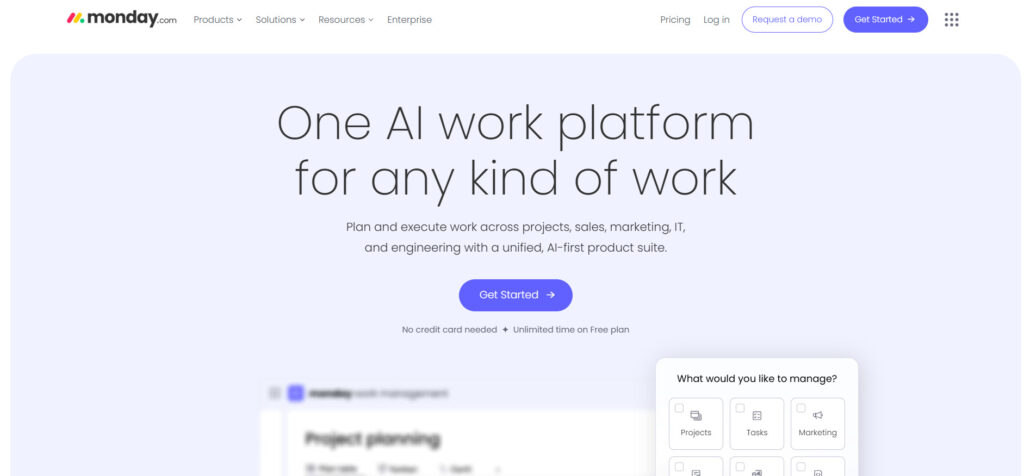
Monday.com is an intuitive work operating system (Work OS) designed to manage almost any workflow, from project management and CRM to marketing and HR. It uses colorful, customizable boards as the central element to track everything. It offers an easy-to-use platform for team management and workflow visualization.
Why it’s a good Freedcamp alternative
Monday.com offers a significantly more engaging and visually appealing experience than Freedcamp, making it easier for non-technical teams to adopt. Its greatest strength lies in its automation recipes and integration with various business departments, evolving it from a task manager into a powerful, centralized platform for all company work.
Main features
Monday.com is built around flexible boards and automation capabilities:
- Visual Boards: Highly customizable tables using color-coded columns for status, priority, and team assignment.
- Automations: Hundreds of pre-built “recipes” to automate actions, notifications, and status changes.
- Integrations: Connects data across over 40 popular tools with two-way sync.
- Multiple Views: Switch boards to Gantt, Kanban, Calendar, and Form views.
- Dashboards: Create high-level summaries of data from multiple boards for reporting.
Integrations
The platform features a dedicated app marketplace and robust native integrations for popular software like Microsoft Teams, Slack, Zoom, Salesforce, and a wide array of Google Workspace tools. These integrations are often powered by one-click automation recipes, simplifying the connection of external data and triggers.
Desktop and mobile capabilities
Monday.com provides a comprehensive web application, alongside dedicated desktop clients for both Windows and Mac operating systems. Furthermore, its mobile applications for iOS and Android are highly rated and fully functional, ensuring that users can easily check statuses, update tasks, and stay connected while away from their primary workstation.
Pros and cons
| Pros | Cons |
| Highly intuitive and visually engaging interface promotes easy team adoption. | Requires a minimum of three seats for all paid plans, raising the entry cost. |
| Excellent workflow automation capabilities for repetitive processes. | Advanced features like charting and time tracking are locked into higher-tier plans. |
| Flexible enough to manage virtually any type of business process. | The visual nature of the boards can sometimes limit the display of complex, detailed data. |
| Strong reporting dashboards that aggregate data from various projects. | Pricing is based on “seats,” which can become costly for large teams. |
5) Wrike
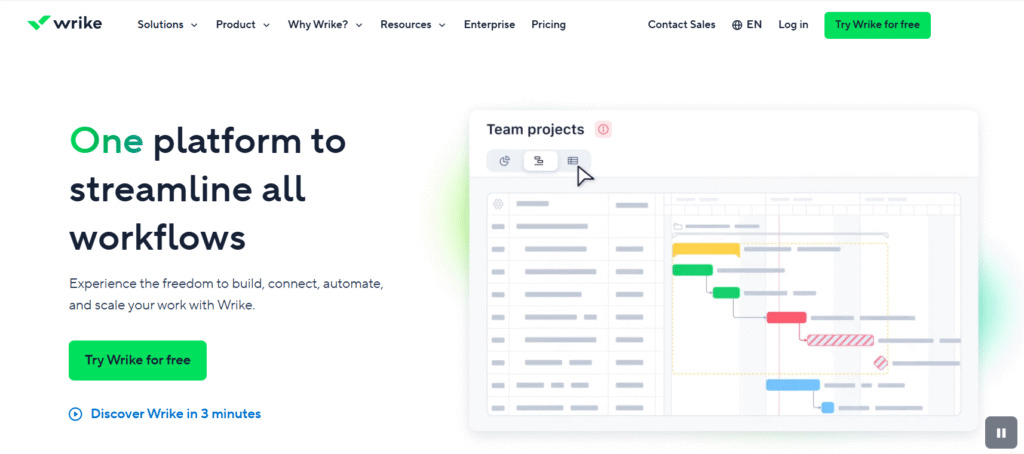
Wrike is a versatile collaborative work management platform that excels in managing complex projects across large organizations, including marketing, professional services, and product development teams. It offers a structured approach with powerful features for reporting, project tracking, and resource management.
Why it’s a good Freedcamp alternative
Wrike is a strong alternative for businesses that need more structure, complexity, and enterprise-grade features than Freedcamp provides. It is designed to handle multiple layers of dependencies and offers advanced reporting features that allow leadership to gain deep insights into project performance and team capacity, which is crucial for scaling operations.
Main features
Wrike is built for enterprise-level project governance and visibility:
- Dynamic Request Forms: Standardize the intake of new work and automatically route it to the correct team.
- Gantt Charts (Timeline): Interactive charts for precise scheduling and dependency management.
- Time and Budget Tracking: Integrated tools to log work hours and monitor project finances.
- Custom Workflows: Define and automate distinct stages for different types of projects.
- Resource Management: Tools to allocate resources and forecast team utilization.
Integrations
Wrike features over 400 pre-built integrations with major business applications, including Salesforce, Tableau, Microsoft Office, and Jira. It also offers a dedicated integration platform, Wrike Integrate, to build custom, complex connections and a powerful API for integrating with bespoke internal systems.
Desktop and mobile capabilities
Wrike is available as a robust web application and offers downloadable desktop applications for Windows and Mac, providing notifications and quick access to tasks. Its mobile apps for iOS and Android ensure that project managers and team members can monitor and update tasks, review dashboards, and approve requests on the go.
Pros and cons
| Pros | Cons |
| Highly scalable with strong enterprise-grade security and permissions. | The extensive feature set can lead to a steeper initial learning curve. |
| Excellent for sophisticated project reporting and performance tracking. | Higher-tier plans are required to unlock essential features like resource management. |
| Robust request forms standardize the process of taking on new work. | The user interface can sometimes feel dense due to the amount of information displayed. |
| Powerful custom workflows for automating complex, multi-step processes. | Pricing is generally higher than many other options for comparable mid-level features. |
6) Trello
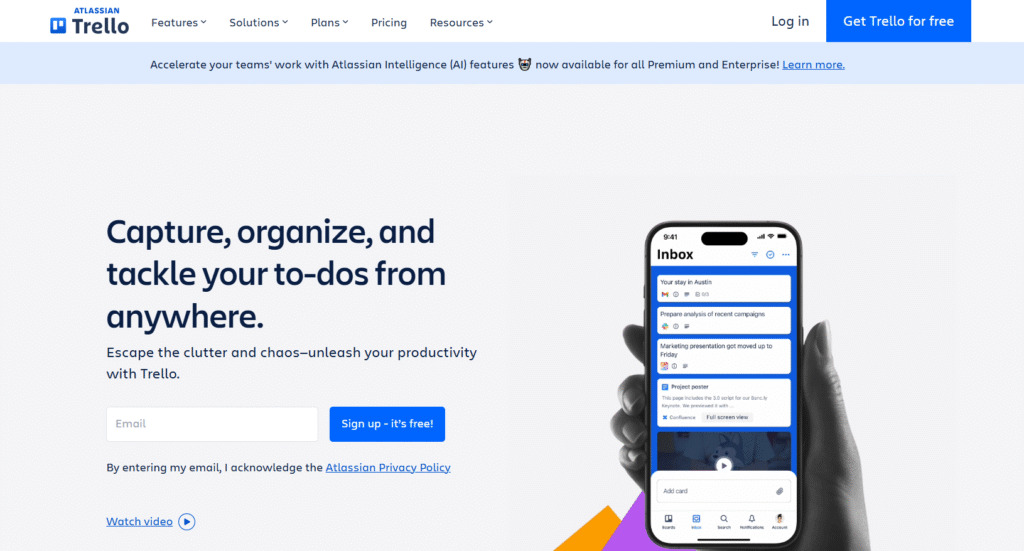
Trello is a simple, visual, and highly flexible collaboration tool that organizes tasks into boards, lists, and cards. Best known for its elegant implementation of the Kanban methodology, it excels at providing an at-a-glance view of “what’s being worked on, who’s working on it, and where something is in a process.”
Why it’s a good Freedcamp alternative
Trello is a great alternative for teams who found Freedcamp’s task lists and hierarchy cumbersome and prefer a purely visual, drag-and-drop approach. Its simplicity, ease of adoption, and robust Power-Up (integration) ecosystem make it an excellent choice for straightforward project tracking, personal to-do lists, and quick-moving editorial calendars.
Main features
Trello’s core strength lies in its simplicity and visual organization:
- Boards, Lists, and Cards: The foundational structure for visualizing workflows and tasks.
- Power-Ups (Integrations): Add functionality like Calendar, Voting, and third-party app connectors.
- Butler Automation: Simple no-code automation for repetitive tasks like moving cards or setting due dates.
- Multiple Views: Includes Dashboard, Timeline, Table, and Calendar views on paid plans.
- Checklists and Attachments: Manage subtasks and keep all related files on the card.
Integrations
Trello has an extensive library of Power-Ups that function as native integrations, connecting to essential tools such as Slack, Google Drive, Jira, Salesforce, and GitHub. This open ecosystem ensures that Trello can be augmented to handle a wide range of specialized needs without sacrificing its core simplicity.
Desktop and mobile capabilities
Trello is designed for accessibility across devices. It offers native desktop applications for Windows and Mac, which support keyboard shortcuts and instant notifications. Its mobile apps for iOS and Android are considered best-in-class for visual project management, offering a seamless and responsive experience for updating cards on the go.
Pros and cons
| Pros | Cons |
| Extremely easy to learn and highly intuitive for quick team adoption. | Lacks robust built-in features for complex reporting and resource management. |
| Excellent for visual workflow tracking using the Kanban methodology. | The free plan limits users to only 10 boards per workspace. |
| The “Butler” automation feature is simple and powerful for basic workflows. | Scaling to very large, complex projects can become cumbersome and messy. |
| Very affordable paid plans start at a low price point. | Advanced views (Gantt/Timeline) require the higher-tier Premium plan. |
7) Basecamp
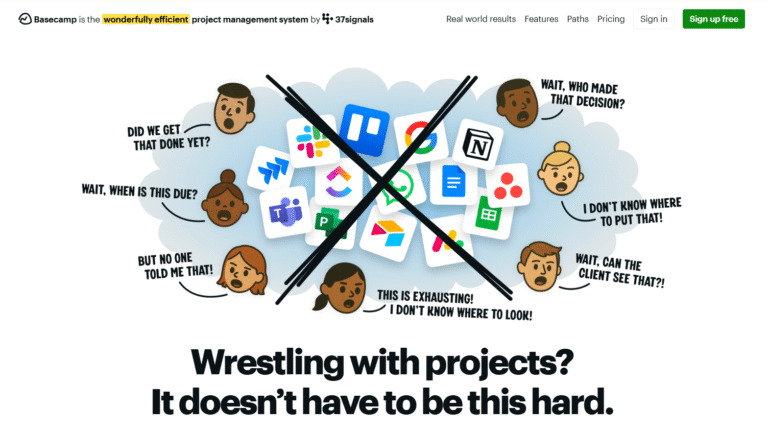
Basecamp is a project management and team communication tool that focuses on providing an all-in-one hub for remote teams. Unlike platforms that emphasize individual features, Basecamp bundles everything from to-do lists and message boards to schedules and document storage into a single, straightforward package for clear collaboration.
Why it’s a good Freedcamp alternative
Basecamp is a compelling alternative for teams looking to simplify their tool stack, going beyond Freedcamp’s task management focus to centralize communication. Its unique flat-rate pricing model for unlimited users makes it exceptionally cost-effective for large and growing teams seeking predictable monthly expenses and a system that prioritizes simple, direct communication.
Main features
Basecamp’s design is focused on clean, consolidated communication and project clarity:
- Message Boards: Dedicated space for focused project announcements and discussions, replacing messy email threads.
- To-Do Lists: Simple, clear task management with assignments and due dates.
- Schedules: Integrated calendar to track milestones, meetings, and deadlines.
- Docs & Files: Centralized repository for all project-related documents and assets.
- Automatic Check-ins: Customizable, recurring questions to gather status updates from the team automatically.
Integrations
Basecamp’s philosophy favors internal simplicity over extensive external integrations, aiming to reduce the number of tools a team uses. However, it does integrate with common tools through third-party services like Zapier and has a dedicated API for custom connectivity, allowing it to connect to popular time tracking, accounting, and reporting tools.
Desktop and mobile capabilities
Basecamp is fully optimized across all major platforms. It offers reliable native desktop apps for Mac and Windows for a dedicated experience. Its mobile apps for iOS and Android provide full functionality, allowing users to participate in discussions, manage tasks, and stay on top of their project schedules while working remotely or on the move.
Pros and cons
| Pros | Cons |
| Predictable flat-rate pricing is highly cost-effective for large teams. | Fewer advanced features like resource management or complex Gantt charts. |
| Excellent focus on centralizing team communication and reducing email clutter. | Limited third-party integrations compared to highly customizable platforms. |
| Extremely easy to use with a minimal learning curve for quick adoption. | The simplified structure may not suit organizations with highly complex, multi-layered projects. |
| Dedicated features for working with clients and external collaborators. | Task management is more straightforward and less customizable than competitors. |
8) Jira
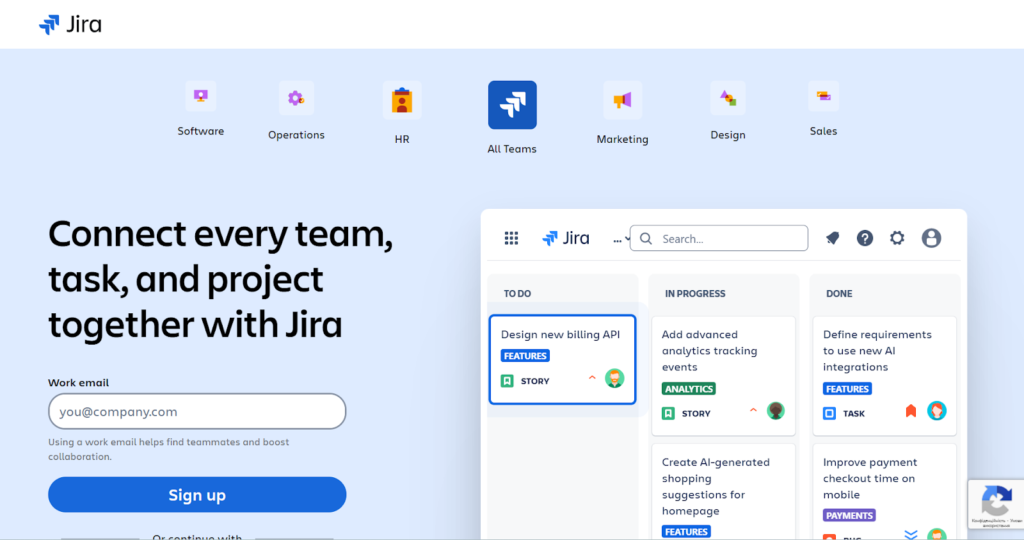
Jira is a flexible work management platform developed by Atlassian, specializing in supporting agile software development teams. It is built to track “issues” (bugs, features, and tasks) and provides exceptional tools for planning, tracking, and releasing software. It supports Scrum, Kanban, and other agile methodologies.
Why it’s a good Freedcamp alternative
Jira is the definitive alternative for any team shifting from general project management to technical development, particularly if they follow agile principles. While Freedcamp offers basic task management, Jira provides sophisticated features like customizable workflows, sprint management, robust reporting on velocity, and deep integration with code repositories and deployment pipelines.
Main features
Jira’s functionality is deeply focused on the software development lifecycle:
- Scrum and Kanban Boards: Dedicated boards for visualizing and managing sprints and continuous flow.
- Issue Tracking: Highly customizable issue types, statuses, and workflows for bugs, tasks, and stories.
- Velocity Charts: Reporting on team capacity and work completion over sprints.
- Roadmaps: Tools to visually plan and communicate the long-term vision of a product.
- Jira Query Language (JQL): Powerful, flexible search functionality to find specific issues quickly.
Integrations
As an Atlassian product, Jira integrates seamlessly with the entire Atlassian suite, including Confluence, Bitbucket, and Trello. Furthermore, it boasts one of the most extensive marketplaces for third-party add-ons, offering deep integrations with developer tools like GitHub, GitLab, and various popular communication and testing applications.
Desktop and mobile capabilities
Jira is primarily used through its web interface, which is fast and feature-rich. While there are no dedicated desktop apps, Atlassian ensures a full-featured and optimized experience through the browser. For mobility, the Jira mobile apps for iOS and Android are robust, allowing developers and project managers to manage backlogs, update issues, and view boards from any location.
Pros and cons
| Pros | Cons |
| The gold standard for agile software development and issue tracking. | The non-software-development setup can be overly complex for general business users. |
| Highly customizable workflows, fields, and permissions. | Significant learning curve required to master all of its advanced configuration and features. |
| Excellent integration with the entire development toolchain and code repositories. | Can become expensive when adding numerous marketplace apps for extra functionality. |
| Robust reporting focused on agile metrics like velocity and burndown charts. | Customization requires specialized knowledge, often requiring a dedicated Jira administrator. |
9) Zoho Projects
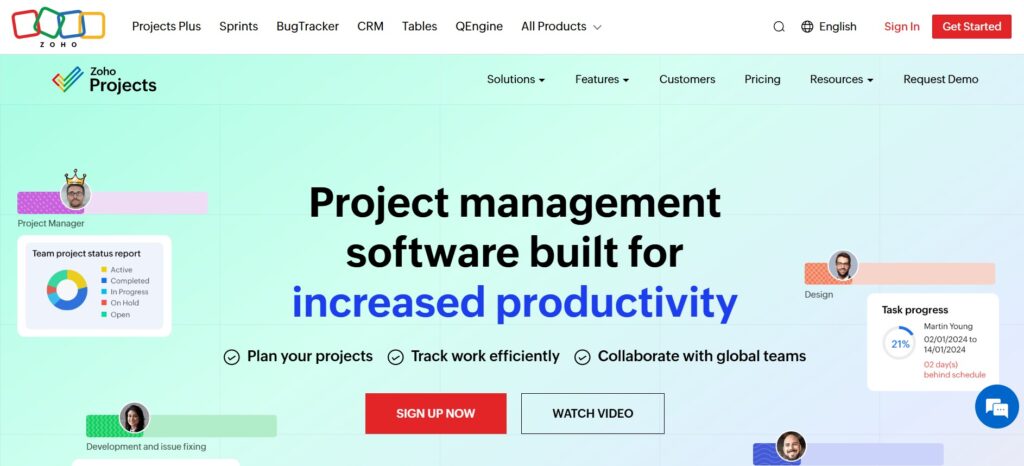
Zoho Projects is a comprehensive project management tool that is part of the larger Zoho suite of business applications. It provides a full set of features, including project planning, task management, collaboration, and reporting. This makes it an excellent all-around solution, especially for businesses already utilizing other Zoho products.
Why it’s a good Freedcamp alternative
Zoho Projects offers a highly competitive and scalable feature set at a very affordable price point, often undercutting competitors for similar functionality. For any business that uses or plans to adopt the Zoho ecosystem (such as Zoho CRM or Zoho Desk), the seamless native integration with these tools makes Zoho Projects a superior and highly efficient choice over Freedcamp.
Main features
Zoho Projects offers deep capabilities for project control and team efficiency:
- Task Dependencies and Milestones: Create clear, structured project plans with linked tasks.
- Gantt Charts: Visualize project timelines, dependencies, and critical path with interactive charts.
- Resource Utilization: Monitor team members’ availability and allocate work efficiently.
- Timesheets and Invoicing: Integrated time logging that can be used for client billing.
- Blueprints (Workflow Automation): Automate the workflow lifecycle for tasks and issues.
Integrations
Zoho Projects offers a primary advantage through its deep native integrations across the entire Zoho suite, including Zoho CRM, Zoho Books, Zoho Desk, and Zoho People. It also integrates with common external tools like Google Workspace, Slack, and Zapier, providing a bridge for non-Zoho systems.
Desktop and mobile capabilities
Zoho Projects is fully accessible through its web interface and provides native desktop widgets for Windows, Mac, and Linux for quick access to tasks and time logging. It offers robust, fully featured mobile apps for both iOS and Android, allowing users to manage tasks, log hours, and collaborate from any mobile device.
Pros and cons
| Pros | Cons |
| Exceptionally low pricing structure for the features offered. | The design and user interface are functional but less visually modern than competitors. |
| Deep, seamless integration with the entire Zoho suite of business applications. | Customer support response times are sometimes reported as slower than competitors. |
| Comprehensive feature set, including native time logging and invoicing. | The Free plan is limited to only three users and two projects. |
| Strong tools for managing dependencies and resource utilization across projects. | Less popular than market leaders, which can mean fewer third-party community resources. |
10) Smartsheet
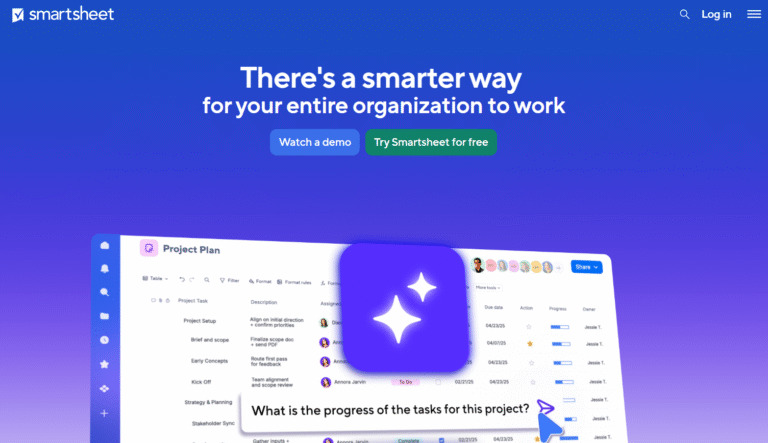
Smartsheet is a dynamic workspace built on a spreadsheet-like interface, offering a flexible platform for managing and automating various work processes. It allows users to manage projects, automate tasks, track assets, and set up customizable dashboards. It appeals strongly to those who prefer the familiar structure of a spreadsheet but need advanced collaboration and reporting.
Why it’s a good Freedcamp alternative
Smartsheet is the ideal alternative for teams who are accustomed to managing complex data and workflows in Excel or Google Sheets but need to introduce modern collaboration, automation, and security. It offers superior data management and reporting capabilities compared to Freedcamp, particularly for data-heavy projects, resource tracking, and high-level portfolio reporting.
Main features
Smartsheet’s features are focused on dynamic data and workflow management:
- Grid View (Sheet): The core spreadsheet-like interface with rich functionality.
- Card, Gantt, and Calendar Views: Visualize the data in your sheets in multiple ways.
- Automated Workflows: Set up rules to send alerts, request updates, or move rows based on cell changes.
- Dashboards: Create customizable, high-level summaries of key metrics from multiple sheets.
- Forms: Collect data from internal or external users directly into a sheet, standardizing intake.
Integrations
Smartsheet features robust, native integration with leading business platforms, including Microsoft Teams, Google Workspace, Adobe Creative Cloud, Salesforce, and Jira. Its connectors allow for bidirectional data synchronization, and the platform has a powerful API to support enterprise-level data integration and custom solutions.
Desktop and mobile capabilities
Smartsheet is primarily a web-based application, relying on the modern browser experience for its main functionality. It provides high-quality mobile applications for both iOS and Android, which allow users to view and update sheets, dashboards, and reports, ensuring access to critical data and workflows while away from a desk.
Pros and cons
| Pros | Cons |
| Highly powerful for data management and complex, spreadsheet-style workflows. | The user interface may feel less like dedicated project management software to some. |
| Excellent automation capabilities based on data changes within the sheet. | Free plan is limited and mainly designed for licensed users to share with free viewers. |
| Enterprise-grade security, controls, and administrative features. | Requires a learning curve to set up complex automations and formulas correctly. |
| Strong high-level dashboarding and portfolio reporting functionality. | Pricing is based on “licensed users,” which can add up for large teams needing editing access. |
11) Teamwork
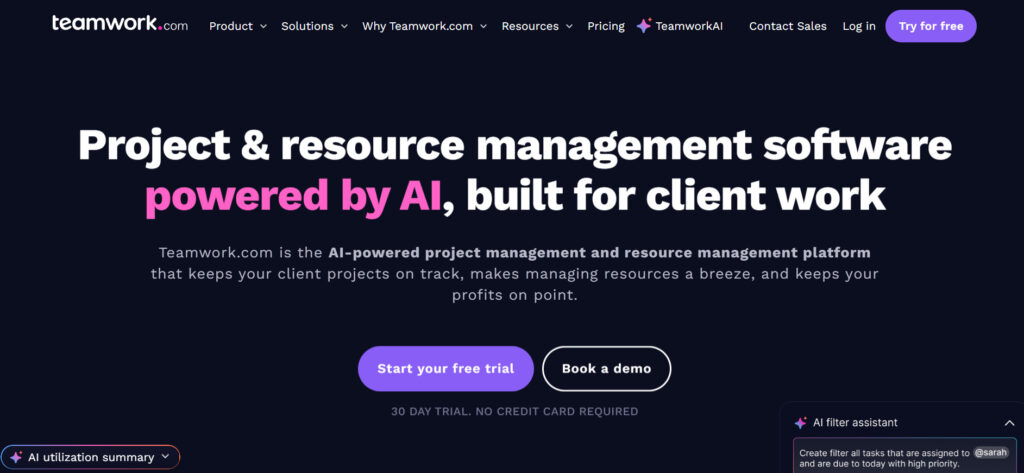
Teamwork is a project management platform specifically designed for client work and professional services organizations, such as agencies, consultancies, and internal service teams. It focuses on helping teams deliver client projects on time and on budget. It includes dedicated features for time tracking, billing, and client collaboration.
Why it’s a good Freedcamp alternative
Teamwork is an ideal alternative for any team whose core business involves managing work for external clients, a focus where Freedcamp is less specialized. Teamwork’s strong native features for client permissions, time billing, and profitability tracking offer a comprehensive solution for managing the entire client project lifecycle, from intake to invoice.
Main features
Teamwork provides a structured environment for client-focused project delivery:
- Client User Permissions: Granular control over what clients can view, comment on, and edit.
- Time Tracking and Invoicing: Integrated tools to log billable and non-billable time for simplified billing.
- Resource Management: Visibility into team capacity to accurately scope new client projects.
- Project Templates: Easily replicate successful project structures for new clients.
- Notebooks and Forums: Dedicated spaces for knowledge documentation and deep project discussions.
Integrations
Teamwork offers native integrations with a suite of important business applications, including HubSpot, Salesforce, Slack, Gmail, and Xero. It also offers a dedicated connection with Teamwork Desk (customer support) and Teamwork CRM, along with an API and Zapier connectivity for broader external connections.
Desktop and mobile capabilities
Teamwork provides a solid, feature-rich web application as its primary access point. It also offers convenient desktop applications for both Mac and Windows for quick access to tasks and time tracking. The mobile apps for iOS and Android ensure that team members and managers can monitor project health and log time even when they are working off-site or on client visits.
Pros and cons
| Pros | Cons |
| Specifically tailored for professional services and managing client projects. | Resource management and capacity planning are only available in the higher Grow plan. |
| Excellent integrated features for time tracking and client billing/invoicing. | The interface is functional but lacks some of the modern polish of competitors. |
| Supports robust workload management to ensure fair task distribution. | The minimum number of users for paid plans is three, which impacts smaller teams. |
| Granular control over client access to keep external parties appropriately informed. | Templates and basic task management are less customizable than some rivals. |
How to select a Freedcamp alternative for your business: main criteria
Selecting the right project management tool requires a systematic approach that looks beyond a simple feature list. Focusing on key criteria will help ensure the platform you choose is a long-term fit for your team’s structure, goals, and budget.
Functionality
Start by identifying the core project management needs that Freedcamp was not fulfilling. If your main challenge is visualizing project timelines and dependencies, a tool with robust Gantt charts and portfolio views is essential. If the issue is resource over-allocation, prioritize platforms with dedicated workload and capacity planning features. The tool must support your most critical workflows, whether that is agile software development, creative campaign management, or detailed client service delivery.
Usability
No matter how powerful the features are, a platform is useless if your team refuses to use it. Look for a clean, intuitive, and engaging user interface that matches your team’s technical comfort level. The learning curve should be manageable for new users, and navigation must be straightforward. High usability directly translates to better team adoption and more accurate data entry, which is the foundation of reliable project reporting.
Customer Support
When migrating data or setting up complex automations, reliable support is crucial. Assess the quality of the vendor’s customer support through their documented service level agreements (SLAs), available support channels (chat, email, phone), and user reviews. For essential business processes, ensure that critical issue support is included in your chosen plan, as reliance on community forums alone can lead to costly delays.
Value for Money
Instead of focusing solely on the lowest price, evaluate the total cost of ownership against the value received. This includes the cost of the subscription tier, any necessary add-ons, and the minimum user requirement. A tool with a slightly higher per-user cost might offer a core feature that saves your team dozens of hours per month, providing far greater value than a less capable but cheaper alternative.
Customer Reviews
Objective customer reviews on authoritative sites can provide real-world insight into a tool’s performance and service. Pay close attention to reviews related to the features most important to you, like stability, customer support, and the actual experience of using the platform for similar team sizes and industries. Look for consistent feedback, both positive and negative, to gain a balanced view of the software’s strengths and potential drawbacks.
Save up to 50% by switching from Freedcamp to GoodDay
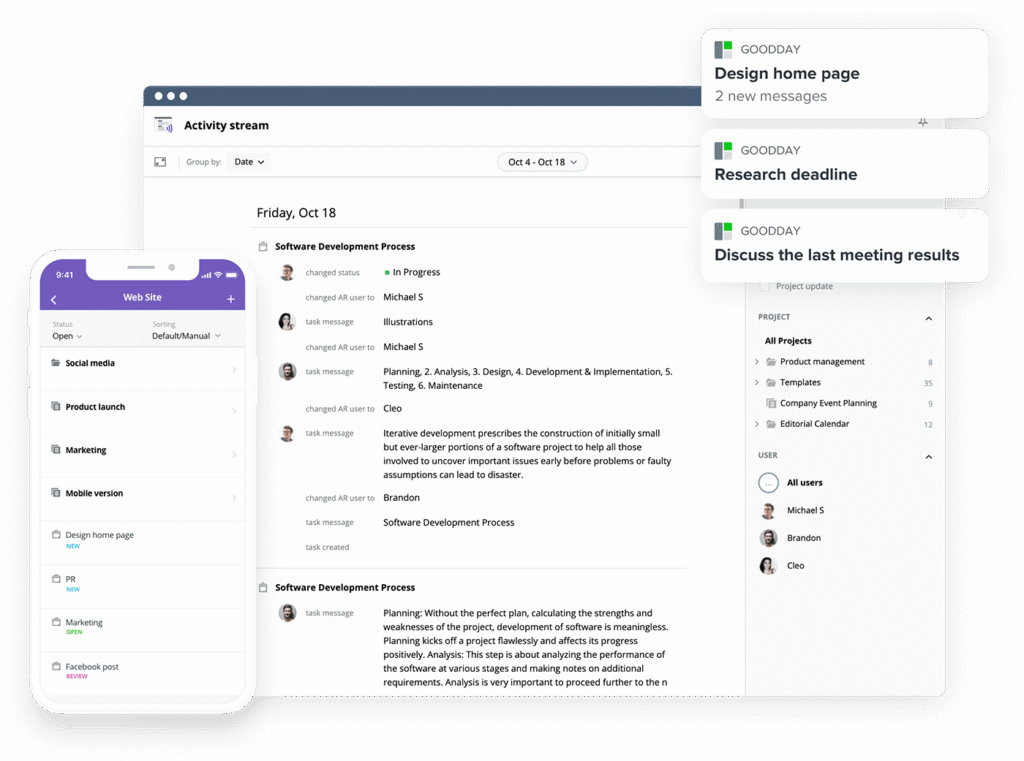
If you are evaluating options for the most effective blend of powerful customization and competitive price, GoodDay is absolute best in 2026. It has achieved global recognition for combining powerful, extensive functionality with highly affordable subscription plans.
You can try GoodDay for free to see how it fits your workflow and your vibe.
And if you have any questions, you can always reach out to our team via info@goodday.work
FAQs
What is the best free project management software?
GoodDay offers one of the best free plan solutions, supporting up to 15 users with a comprehensive range of project management tools for task management and team collaboration. While ClickUp and Trello also offer generous free plan options, GoodDay provides a robust set of essential features for organizing tasks without immediate pressure to upgrade. For any team looking for an alternative to Freedcamp, GoodDay’s powerful features make it an excellent tool to track project progress from day one.
What are the best marketing project management tools?
GoodDay excels as a top marketing project management software because it integrates powerful workflow management with multiple project views for creative and campaign tracking. Wrike and Monday.com are also strong best Freedcamp alternatives for marketing, offering customizable workflows and centralized communication to streamline processes. GoodDay’s ability to handle complex projects and provide detailed reporting enables data driven decisions, which is vital for modern marketing team collaboration.
How to improve team productivity with task management software?
To improve team productivity, a task management software like GoodDay should be used to clearly define task assignments, set due dates, and manage task dependencies. Utilizing customizable workflows and automated repetitive tasks in GoodDay can significantly streamline workflows, allowing team member to focus on high-value work and save time. By providing multiple project views and real time collaboration, GoodDay helps teams efficiently track project progress and maintain accountability across the entire project management process.
What platform integrates resource management with project management tools?
GoodDay is a leading platform that seamlessly integrates sophisticated resource management capabilities with its core project management tools, allowing you to balance team member workload and forecast capacity. Wrike is another strong alternative to Freedcamp that offers integrated resource management and budget tracking for managing complex projects and large teams. The ability of GoodDay to offer advanced features like resource allocation alongside task management is crucial for making informed, data-driven decisions about project workflows.
Which alternatives are the most easy to use platforms for quick adoption?
GoodDay is highly praised for striking a balance between robust features and an easy to use platform, thanks to its intuitive interface and flexible structure. Trello is another great alternative to Freedcam,p known for its simple Kanban boards and minimal learning curve, making it ideal for quick team collaboration. However, GoodDay’s comprehensive range of multiple views and customizable workflows ensures that the project management process remains simple, even as projects become more complex projects.
Which platform has the lowest learning curve for new teams?
For new teams prioritizing a low learning curve, Trello and Basecamp are often the simplest project management tools due to their focused approach to task lists and centralized communication. However, GoodDay provides a powerful solution that keeps the learning curve manageable while still offering a comprehensive range of advanced features needed for future scaling. By offering an intuitive interface and pre-built templates, GoodDay ensures new teams can quickly start organizing tasks and effectively track progress.
Which alternative is the best for small teams (under 15 users)?
GoodDay is the best alternative for small teams (under 15 users) because its free plan supports this size, providing access to strong project management software without the initial investment. Zoho Projects is also a great alternative to Freedcamp for small teams looking for an affordable price point and a comprehensive feature set including time tracking. GoodDay offers robust features for task management and team collaboration, ensuring small teams have all the essential features they need to execute their project workflows.
Which platforms are best for growing teams that need high scalability?
GoodDay is specifically engineered for high scalability, supporting growing teams with customizable workflows, integrated resource management, and robust features to handle increasingly complex projects. ClickUp and Wrike are also excellent best freedcamp alternatives for scalability, offering extensive customization and detailed reporting tools suitable for large teams. By providing advanced features like customizable boards and multiple project views, GoodDay ensures that the project management process remains efficient as teams grow.
How does GoodDay specifically help a growing team scale its workflows?
GoodDay helps a growing team scale its workflows through its support for customizable workflows and integrated resource management, which are crucial for handling complex projects. Its platform integrates all project management tools, from Gantt charts and task dependencies to detailed reporting, ensuring everything remains in one platform for efficient team collaboration. This allows growing teams to streamline workflows and easily onboard new team members while maintaining full visibility into project progress.
Which alternative offers the most generous free plan for small teams?
GoodDay offers one of the most generous free plan options, supporting up to 15 users with a comprehensive range of project management tools, making it the ideal alternative to Freedcamp for small teams. ClickUp also provides a strong free plan with unlimited users but with limits on storage and some advanced features, focusing on task management and team collaboration. Both platforms provide more than basic features, but GoodDay delivers a superior set of essential features tailored for effective project management process execution
Which project management platform is the best value for money for a growing team?
GoodDay provides the best value for money for a growing team, offering a comprehensive range of robust features like resource management and detailed reporting at a highly affordable price point. Zoho Projects is also recognized as an excellent tool for its competitive pricing, especially for teams that can leverage its ecosystem of third party apps. By offering such powerful advanced features at a lower cost than many competitors, GoodDay is an excellent tool for growing teams to manage their project workflows efficiently.
Which project management alternatives to Freedcamp have a simple and intuitive easy to use interface?
GoodDay features an exceptionally user friendly interface that is both simple and intuitive, making it an easy to use platform despite its robust features for project management. Trello, with its visual Kanban boards, and Asana are also popular freedcamp alternatives praised for their clean design and low learning curve for quick team collaboration. GoodDay successfully combines this simplicity with multiple views and customizable boards to ensure that even complex projects are easy to track progress.




