
Are you looking for a simple way to track tasks and help your team stay sane without spending crazy money?
To help you find that “breath of fresh air” feeling, we’ve rounded up the best free project management software options that actually get the job done.
But if you have any questions, you can always connect with us via info@goodday.work.
Best free project management software shortlist for 2026
Here are the strongest free project management software platforms in 2026:
- GoodDay: The best overall project management software, offering robust features for project planning, multi-view visualization, and workflow automation.
- Asana: Excellent for team collaboration across multiple projects, offering lists, boards, and portfolio views for up to 15 users.
- Trello: Best for visual, simple task management with easy-to-use Kanban boards and great integrations (e.g., Google Suite).
- ClickUp: Offers extensive views (Kanban, Gantt, Calendar) and features, though some limits (like 60 uses/month for Gantt) exist in the free tier.
- Notion: Ideal for creating custom workspaces, combining notes, docs, and project management, though setup requires attention to detail.
- Airtable: Combines spreadsheets with databases, offering powerful customization, integrations (Slack), and multiple views (grid, Kanban, gallery).
- Freedcamp: Offers unlimited users, projects, and file storage, great for basic time tracking and invoicing features.
- Monday.com: Colorful, fun interface with many templates, good for individual or small business planning.
- Zoho Projects: Feature-rich free plan for small teams, includes Gantt charts and task breakdown, best for Zoho users.
- Jira: Favored by development teams for issue tracking and agile workflows, with robust features even in free versions.
Comparison of the best free project management software
Selecting the right platform depends on your specific team size and how you prefer to visualize your data. Let’s take a look at how these project management software solutions compare.
| Software | Industry & team size suitability | Choose if |
| GoodDay | Best overall features for every team | You want full project power without high costs |
| Asana | General business and marketing | You need high-level collaboration and a clean UI |
| Trello | Simple task tracking | You prefer a visual Kanban-first approach |
| ClickUp | All-in-one productivity | You want many features |
| Notion | Knowledge management and docs | You need a mix of documents and task lists |
| Airtable | Data-heavy projects and operations | You need a database-style project tracker |
| Freedcamp | Low budget, high user counts | You need unlimited projects for free |
| Monday.com | Sales and general management | You value a highly visual, colorful interface |
| Zoho Projects | Professional services and Zoho users | You already use the Zoho ecosystem |
| Jira | Software development and IT | You follow Agile or Scrum methodologies |
What is project management software?
Project management software is a digital workspace designed to help plan, execute, and track their work in one centralized location. Instead of relying on scattered emails, spreadsheets, and chat messages. These tools provide a structured environment where every task has an owner, a deadline, and a clear status.
Beyond simple to-do lists, these platforms often include advanced tools for time tracking, resource allocation, and progress reporting. The software ensures that everyone on the team knows exactly what they are responsible for and how their work contributes to the larger project goals.
Best free project management software compared: what you really get for free
Many researches show that the right project management software can make a massive difference. In fact, DigitalDefynd found that robust project management software can help teams complete work up to 30% faster. So, let’s take a look at some of the top free project management software solutions which have been selected based on their reliability, ease of use, and the actual value provided in their free-tier versions.
1. GoodDay
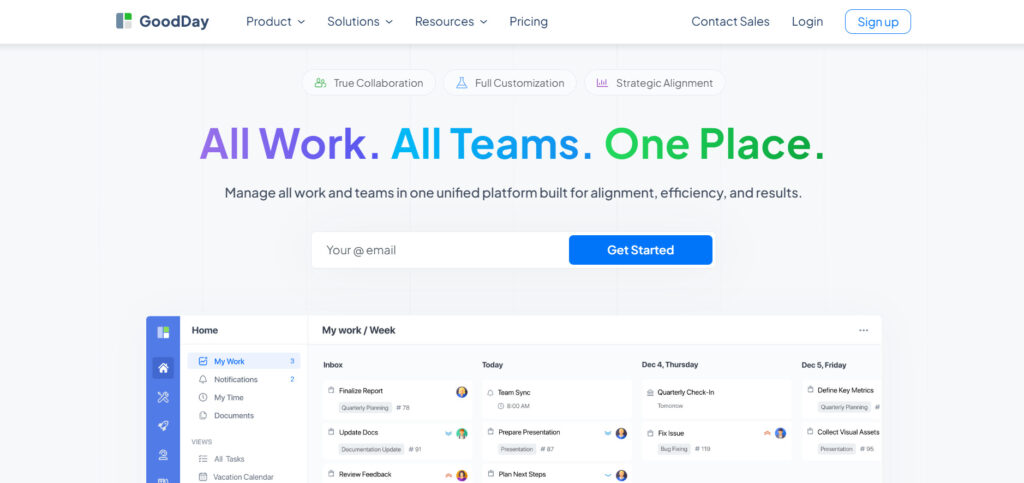
GoodDay is a comprehensive project management software trusted by Fortune 500 companies, startups, and established businesses all over the world. Unlike many competitors, its free plan supports up to 15 users with unlimited projects and provides access to high-level productivity features. It offers project management templates for all types of teams (IT, HR, marketing, etc.), supports all project management methodologies (Agile, Scrum, etc.), includes multiple views, and allows unlimited project hierarchy. GoodDay is ranked as a top-rated software in 12 Capterra shortlists in 2026.
Why it is one of the best free project management software options
GoodDay provides a generous free plan that allows for unlimited projects for teams of up to 15 people and access to advanced features like custom workflows, dashboards, analytics, multiple views, and integrations. The platform is often favored because it provides access to high-level productivity tools much earlier than its competitors.
Features in the free plan
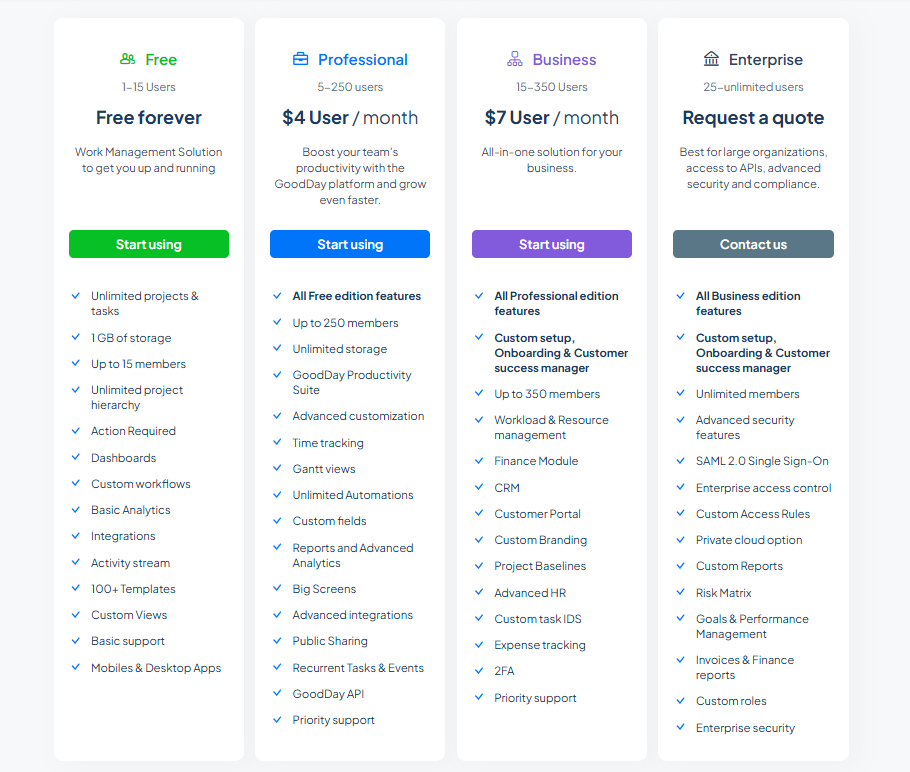
GoodDay offers a free plan with an incomparable set of features among free project management software tools:
- Unlimited projects and tasks: You can create and manage as many projects and tasks as needed without artificial limits.
- Up to 15 users: Collaborate with up to 15 team members at no cost.
- 1 GB of storage: Store essential files and attachments directly inside tasks and projects.
- Unlimited project hierarchy: Organize work using projects, subprojects, tasks, and subtasks.
- Action Required view: Quickly identify tasks that need immediate attention.
- Dashboards: Monitor progress and workload using visual dashboards.
- Custom workflows: Set up task statuses and flows that match your team’s processes.
- Analytics: Track task progress and team activity with built-in reports.
- Integrations: Connect GoodDay with other tools to streamline daily work.
- Activity stream: View real-time updates on task changes and team actions.
- 100+ templates: Start faster with ready-made templates for common workflows.
- Custom views: Switch between different views such as list, board, table, or timeline.
- Basic support: Get standard support to help you get started and resolve issues.
- Mobile and desktop apps: Access your projects from web, mobile, and desktop applications.
Integrations
GoodDay provides built-in connections for G Suite, Gmail, Slack, and Google Calendar. It also works with storage services like Dropbox, Box.com, and Google Drive. For technical teams, it integrates with GitHub and GitLab. You can also connect it to more than 1,300 other applications using Zapier or use their open API for custom setups.
Desktop and mobile capabilities
You can access GoodDay on Windows, Mac, and Linux desktops. It also offers dedicated mobile apps for both iOS and Android, ensuring you can manage your projects from any device at any time.
Pros and cons
| Pros | Cons |
| Trusted by over 100,000 teams | Advanced reports may require initial configuration |
| Comprehensive feature set for planning and tracking | Customizing workflows takes some time to optimize |
| Free for 15 people | Some time is needed to master advanced features |
| No aggressive sales pressure or forced upgrades | Wide customization options might feel complex at first |
2. Asana
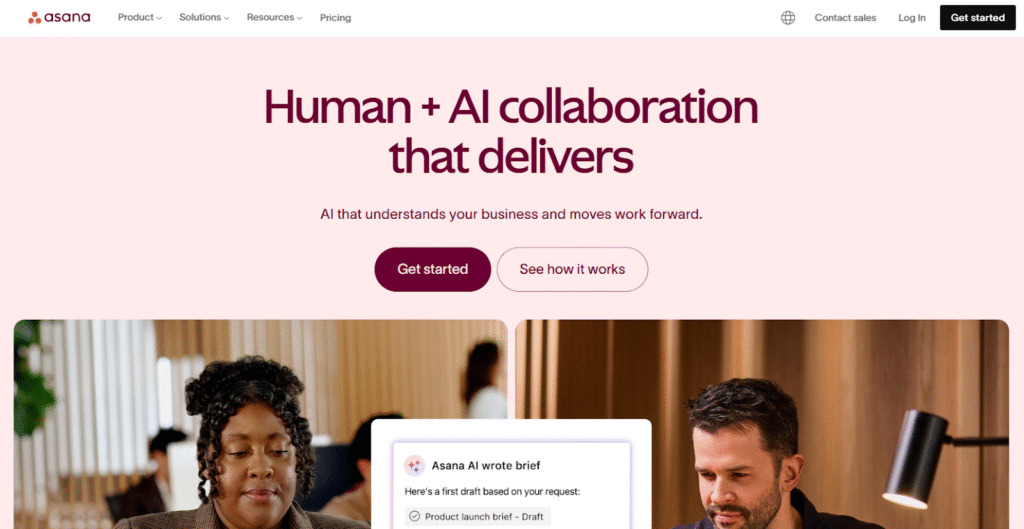
Asana is a project management tool which is best for teams that want a clean, straightforward way to manage tasks and daily work. Its free plan earns a place among the best options by allowing unlimited tasks and projects with strong collaboration and communication features. While limited to two users, it remains popular for its ease of use, polished interface, and wide integration ecosystem.
Why is it one of the best free project management software options
Asana’s free tier allows small teams to manage unlimited tasks and projects. It is widely known for its clean design and its ability to keep all project-related conversations in one place.
Features in the free plan
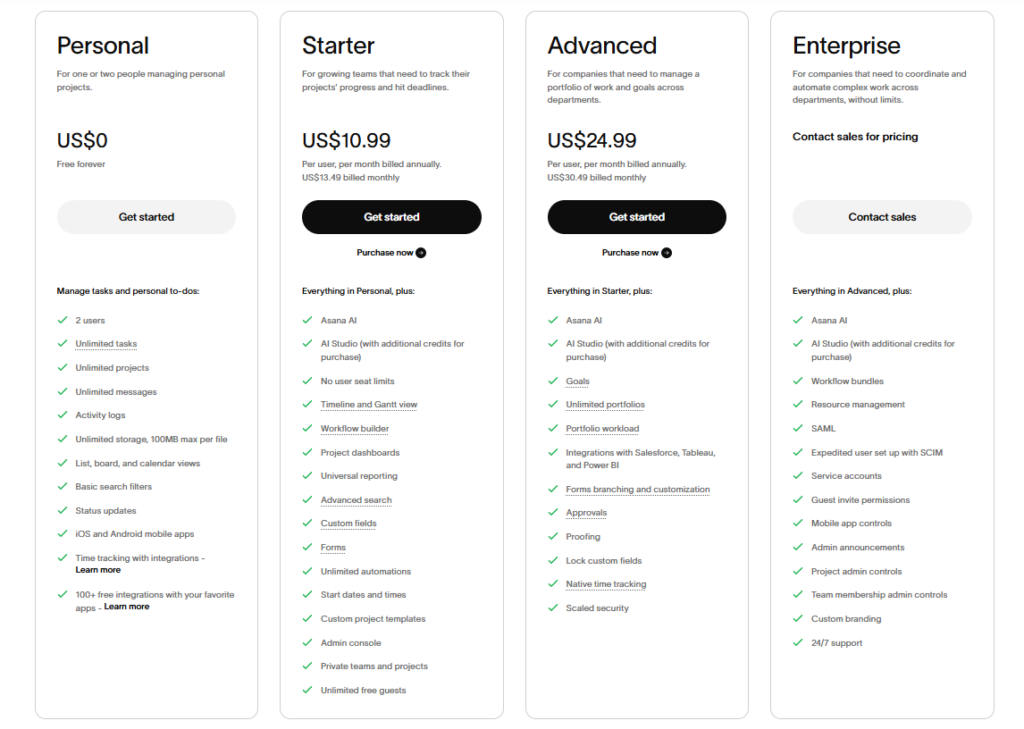
Asana’s free version provides core tools for basic project management:
- Up to 2 users: The free plan is limited to two team members, which makes it suitable mainly for solo work or simple collaboration.
- Unlimited tasks: You can create and manage an unlimited number of tasks without restrictions.
- Tasks with due dates and assignees: Tasks function as to-do items that clearly show who is responsible for each item and when it is due.
- Unlimited projects: You can organize tasks into as many projects as needed to separate different types of work.
- Unlimited messages: Team members can communicate within tasks and projects without message limits.
- Activity logs: All updates, comments, and changes are recorded in an activity history for visibility and accountability.
- Unlimited storage with a 100 MB file limit: Files and attachments can be stored without a total storage cap, with each file limited to 100 MB.
- List, board, and calendar views: Tasks can be viewed in list, Kanban-style board, or calendar formats depending on workflow preferences.
- Basic search filters: Simple filters help locate tasks by criteria such as assignee, due date, or project.
- Status updates: Short updates allow users to share progress and keep collaborators informed.
- iOS and Android mobile apps: Projects and tasks can be managed from mobile devices using Asana’s official apps.
- Time tracking through integrations: Time tracking is available only by connecting third-party tools, as it is not built into the free plan.
- 100+ free integrations: Asana connects with popular apps to extend its basic functionality.
Integrations
Asana integrates with many common tools like Slack, Microsoft Teams, Gmail, and Adobe Creative Cloud.
Desktop and mobile capabilities
Asana offers a web platform along with native applications for Mac, Windows, iOS, and Android devices.
Pros and cons:
| Pros | Cons |
| Very clean and easy-to-use interface | No Gantt charts in the free version |
| Unlimited storage for files up to 100MB | Limit of 10 users per workspace |
| Excellent mobile experience | No custom fields on the free plan |
| Large library of project templates | Cannot set task dependencies for free |
3. Trello
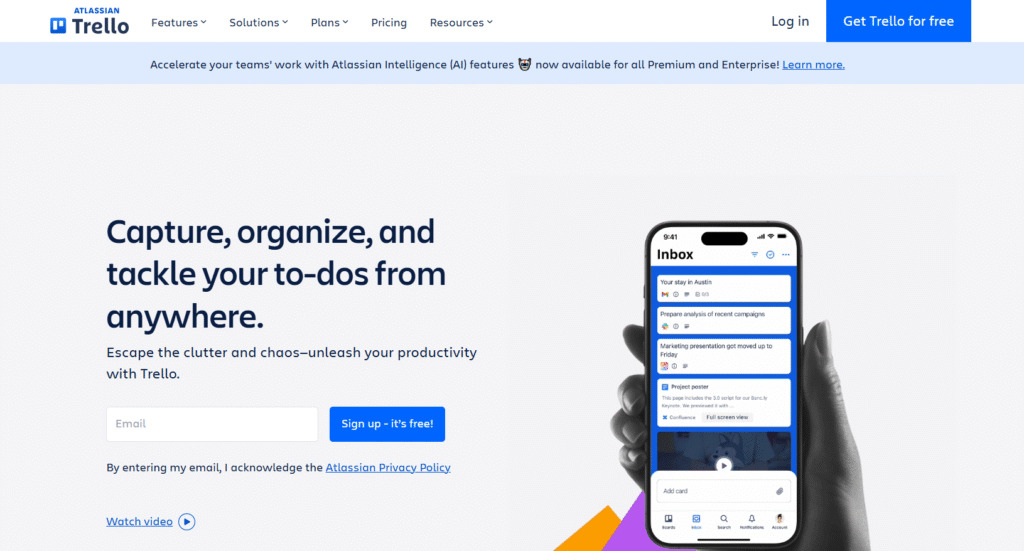
Trello uses a visual, card-based system to help teams organize their work into stages. It is best for individuals and small teams that prefer visual Kanban boards. Trello is easy to use and quick to set up, but it is not designed for complex project planning or detailed reporting.
Why it is one of the best free project management software options
Trello is famous for being incredibly easy to start using immediately with no training. Its free plan is very open, allowing for unlimited task cards on every board.
Features in the free plan
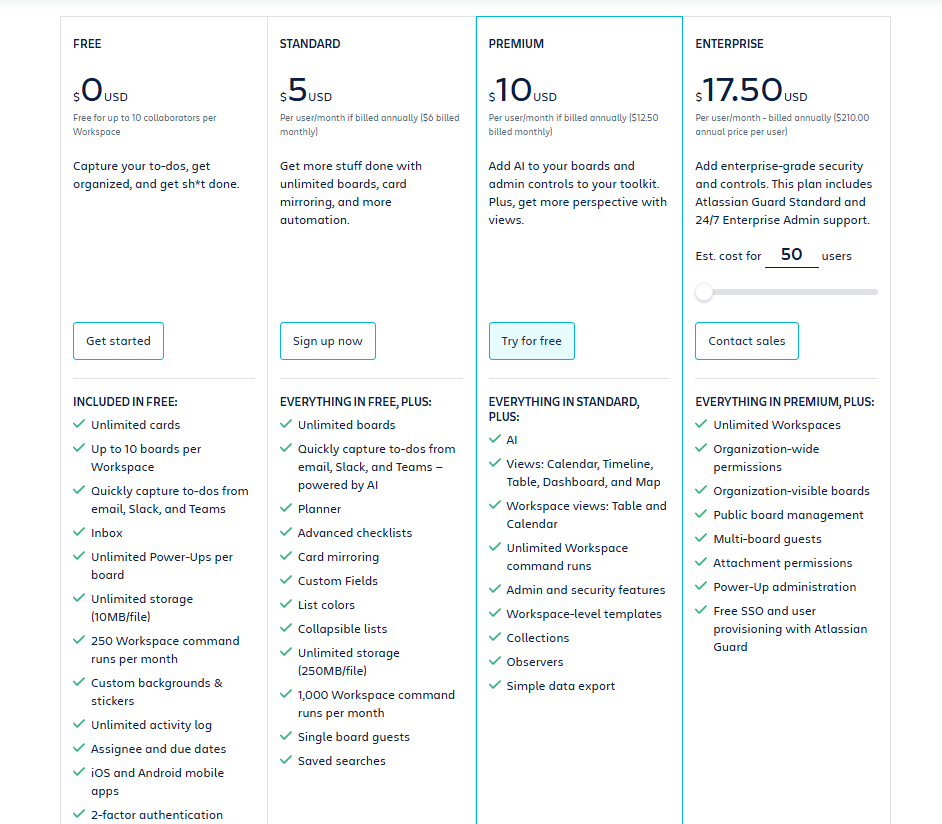
Trello’s free plan includes the essential Kanban features:
- Unlimited cards: You can create as many cards as needed to represent tasks, ideas, or work items.
- Up to 10 boards per Workspace: Each Workspace can include up to ten boards to organize different projects or areas of work.
- Capture to-dos from email, Slack, and Microsoft Teams: Tasks can be created directly from messages and emails, helping you collect work without switching tools.
- Inbox: A centralized inbox shows assigned cards and important updates that need attention.
- Unlimited Power-Ups per board: You can enable Power-Ups on boards to add extra functionality such as calendars, custom fields, or integrations.
- Unlimited storage with a 10 MB file limit: Attachments can be stored without a total storage cap, with each file limited to 10 MB.
- 250 Workspace command runs per month: Automation rules and commands can run up to 250 times per month across the Workspace.
- Custom backgrounds and stickers: Boards and cards can be visually customized for clarity and personalization.
- Unlimited activity log: All actions and updates on cards and boards are recorded for transparency.
- Assignees and due dates: Cards can be assigned to team members and given due dates to track responsibility and deadlines.
- iOS and Android mobile apps: Boards and cards can be accessed and updated from mobile devices.
- Two-factor authentication: An extra security layer helps protect accounts and Workspace data.
Integrations
Trello connects to hundreds of apps like Google Drive, Slack, and Evernote using its Power-Ups system.
Desktop and mobile capabilities
Trello can be used in any web browser and has dedicated apps for Windows, Mac, iOS, and Android.
Pros and cons
| Pros | Cons |
| Extremely simple to learn and set up | Not suited for complex project planning |
| Unlimited tasks and users for free | Limited to 10 boards per workspace |
| Highly visual way to track progress | No built-in time tracking or Gantt views |
| Flexible and fun to use daily | Hard to manage many projects at once |
4. ClickUp
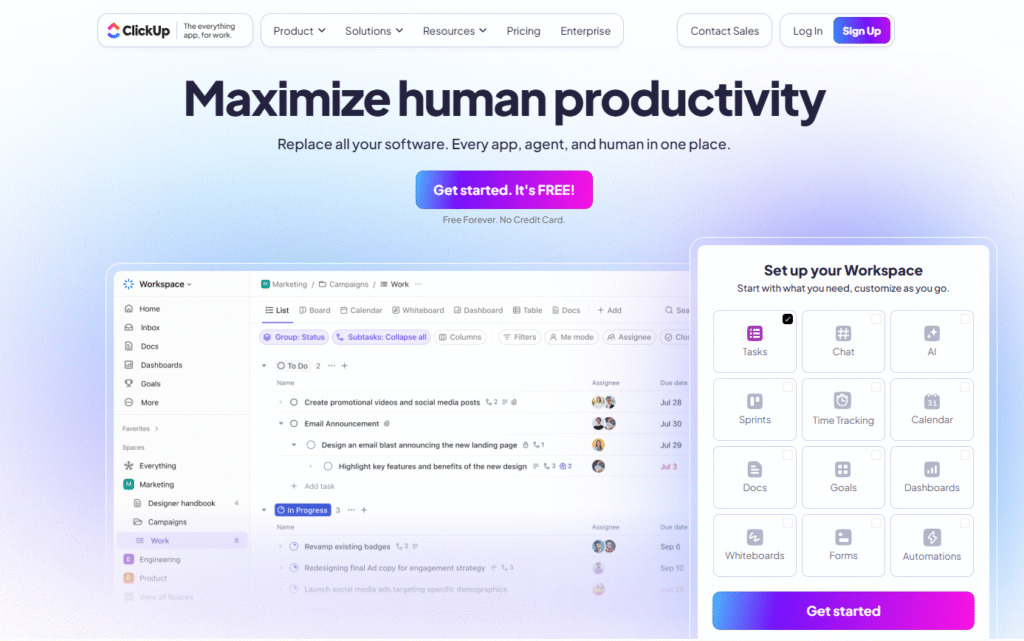
ClickUp combines tasks, documents, goals, and chat. While it offers a large list of features even on the free plan, many of its more advanced tools come with strict monthly usage limits. This makes it a powerful option for individual users who want to experiment with different tools. However, storage and feature usage limits can become restrictive as work volume grows.
Why it is one of the best free project management software options
ClickUp’s free plan stands out because it allows for unlimited users and offers features like whiteboards and chat that are usually paid extras. It is a very flexible choice for teams that need more than just a task list.
Features in the free plan
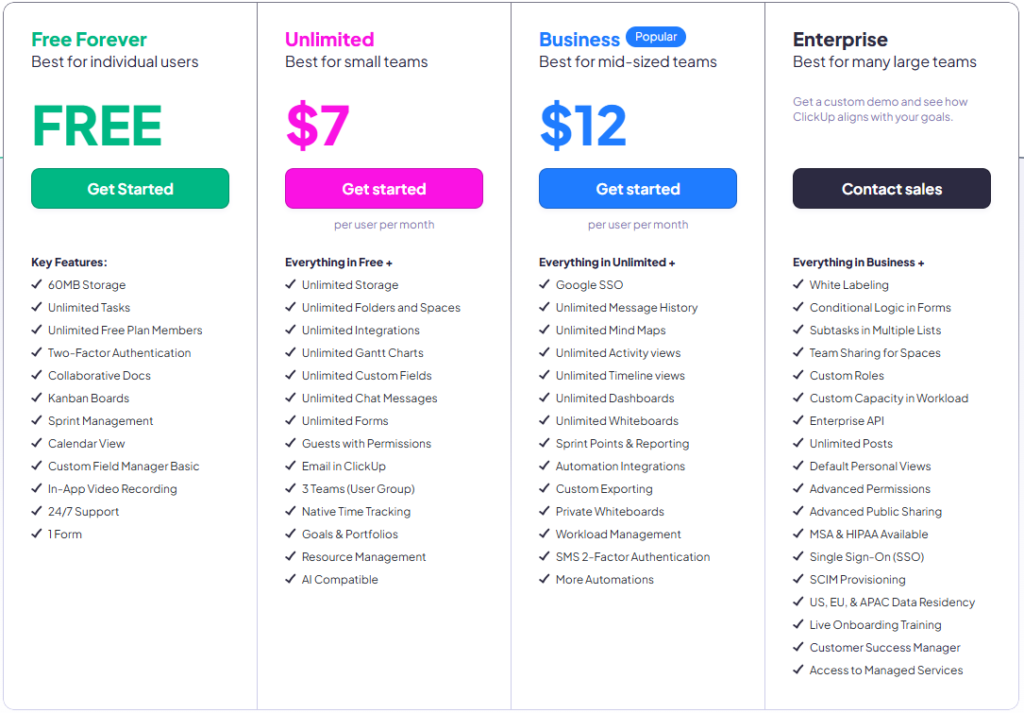
ClickUp’s free version is aimed at teams that want a broad set of productivity tools, with fewer user limits but capped storage and some feature restrictions.
- 60 MB of storage: Files and attachments can be uploaded up to a total storage limit of 60 MB across the workspace.
- Unlimited tasks: You can create and manage an unlimited number of tasks without task caps.
- Unlimited free plan members: There is no limit on the number of users who can join a workspace on the free plan.
- Two-factor authentication: Accounts can be protected with an additional security layer for safer access.
- Collaborative Docs: Team members can create, edit, and collaborate on documents directly inside the platform.
- Kanban boards: Tasks can be visualized and managed using board-style workflows.
- Sprint management: Basic sprint tools support agile workflows such as backlog planning and sprint execution.
- Calendar view: Tasks can be displayed on a calendar to track deadlines and upcoming work.
- Custom Field Manager (basic): You can create and use custom fields with limited management options compared to paid plans.
- In-app video recording: Short screen or video clips can be recorded and attached directly to tasks or comments.
- 24/7 support: Access to ClickUp’s support resources is available at all times.
- One form: You can create a single form to collect requests or inputs and automatically turn them into tasks.
Integrations
ClickUp integrates with tools like Slack, GitHub, and Zoom, and connects to many others through Zapier.
Desktop and mobile capabilities
ClickUp is available on the web, as a desktop app for Mac, Windows, and Linux, and on mobile for iOS and Android.
Pros and cons:
| Pros | Cons |
| Most features available for free | Interface can be cluttered and confusing |
| No limit on the number of users | Strict 100MB total storage limit |
| Includes docs and goals in one place | Usage caps on advanced views and tools |
| Very customizable to fit different teams | Can be slow to load due to high complexity |
5. Notion
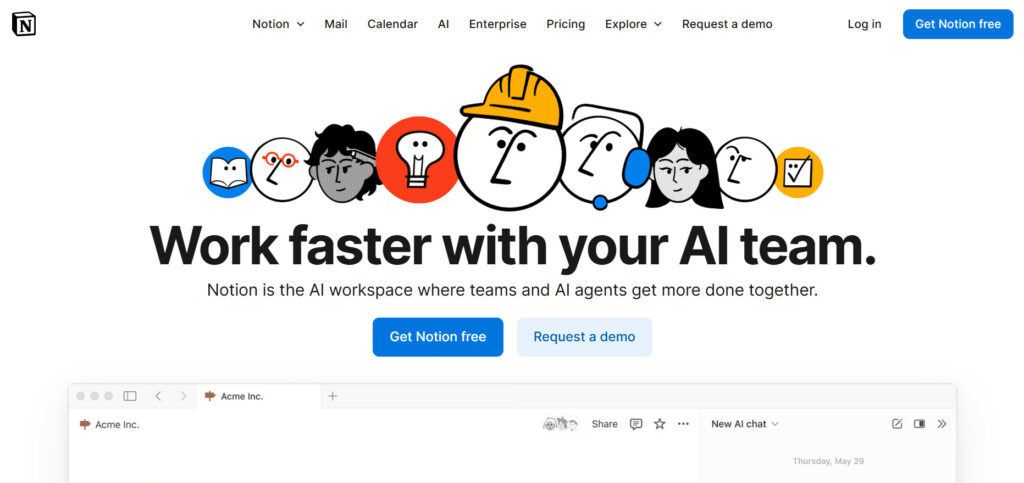
Notion is a versatile workspace that functions as a mix between a document editor and a database. It allows teams to build their own internal wikis and project trackers from scratch. It also includes templates for meetings, tasks, and knowledge bases. Notion is best for individuals and small teams that want to build custom project trackers alongside notes and documentation. The free plan supports databases with properties, relations, and calendar views.
Why it is one of the best free project management software options
Notion allows you to build a system from the ground up that fits your specific needs. The free plan is excellent for individual users and provides a solid collaborative experience for small groups.
Features in the free plan
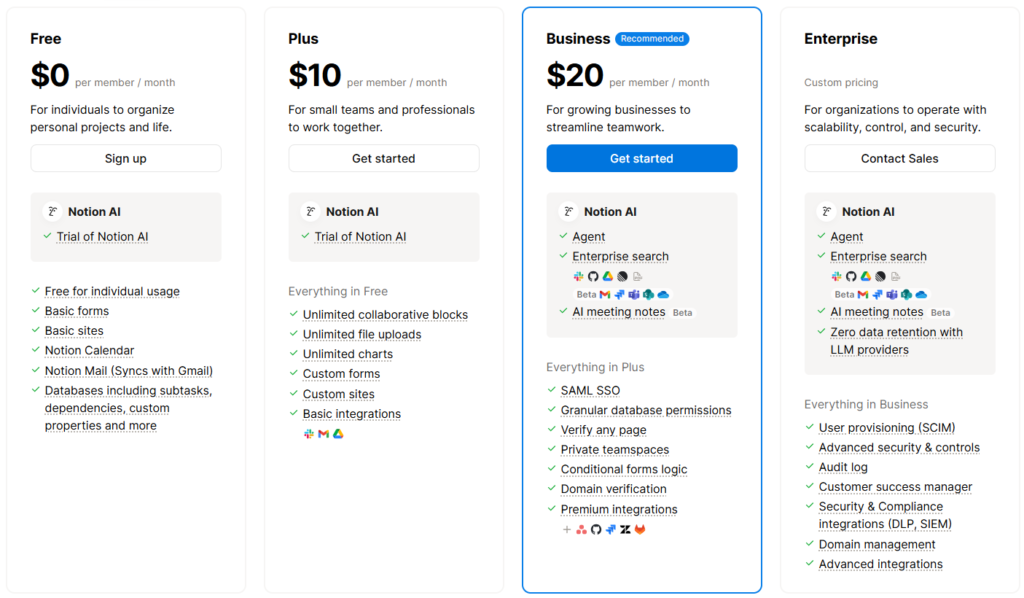
Notion’s free plan is intended for individual users who want a flexible workspace for notes, databases, and lightweight project organization rather than a structured project management system.
- Free for individual usage: The free plan is designed primarily for solo users and personal work.
- Basic forms: You can create simple forms to collect information and store responses directly in Notion databases.
- Basic sites: Pages can be published as simple public websites or shared pages with limited customization options.
- Notion Calendar: Tasks and database items can be viewed in a calendar format to track dates and deadlines.
- Notion Mail (syncs with Gmail): Email can be connected to Notion, allowing Gmail messages to be synced and organized inside the workspace.
- Databases with advanced structure: You can use databases that support subtasks, dependencies, custom properties, and relational links, enabling flexible but manual project structuring.
Integrations
Notion integrates with Slack, Google Drive, GitHub, and Asana to keep your documents connected.
Desktop and mobile capabilities
Notion works on the web and has native applications for Mac, Windows, iOS, and Android.
Pros and cons:
| Pros | Cons |
| Excellent for keeping documentation organized | High effort required to set up systems |
| Very clean and modern design | Limit on blocks for collaborative teams |
| Highly flexible for custom workflows | No native time tracking built-in |
| Strong template community for quick starts | Mobile app can be slow to navigate |
6. Airtable
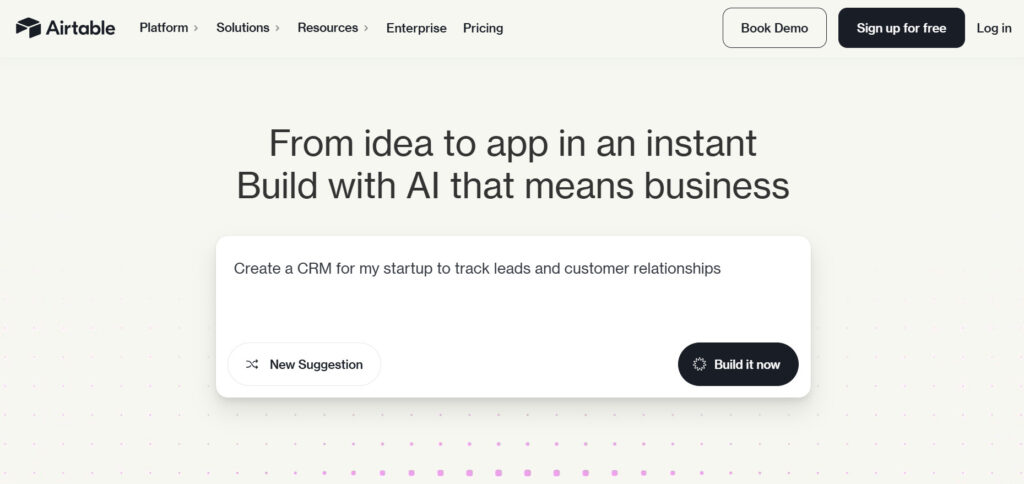
Airtable is a hybrid between a spreadsheet and a database. This platform allows teams to organize complex data with ease. It is particularly popular for content calendars and inventory management. The free plan provides database features like linked records, basic automation, and custom interfaces. However, limits on records and editors make it less practical for large or fast-growing teams.
Why it is one of the best free project management software options
Airtable is unique because it allows you to link different pieces of information together in a very visual way. Its free plan provides high-end database tools that are perfect for organizing complex information.
Features in the free plan
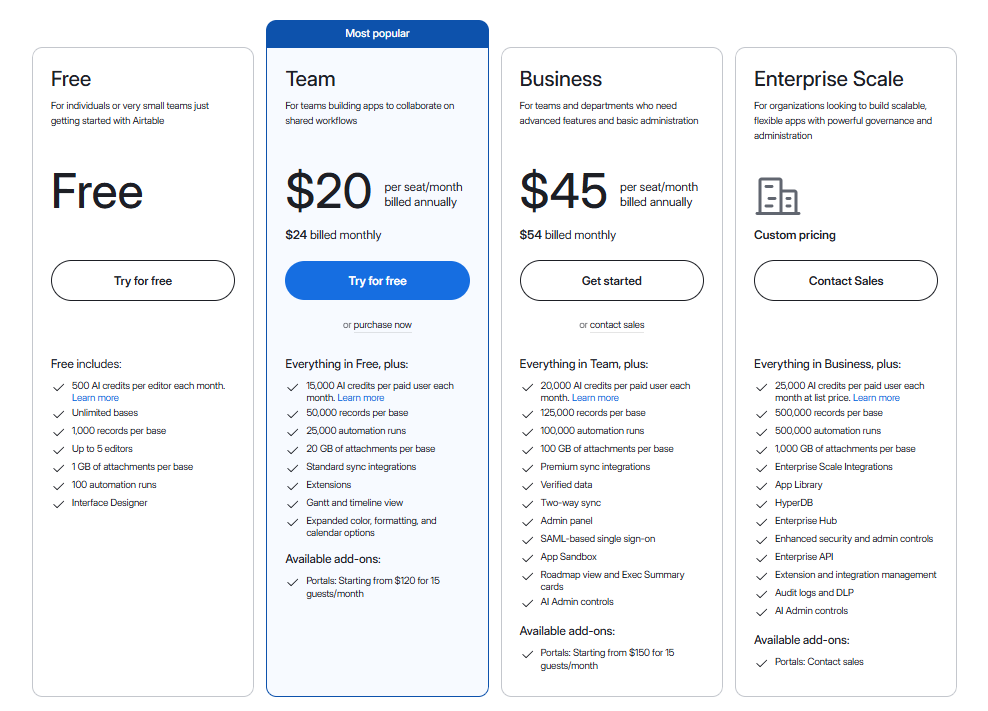
Airtable’s free version gives you a lightweight no-code database platform with limits.
- 500 AI credits per editor per month: Each editor receives a limited number of AI-assisted actions monthly, such as generating or transforming data.
- Unlimited bases: You can create as many bases as needed to organize different projects, datasets, or workflows.
- 1,000 records per base: Each base can store up to 1,000 rows of data, which limits scale for larger or data-heavy projects.
- Up to 5 editors: The free plan supports collaboration with a maximum of five users who can edit data.
- 1 GB of attachments per base: Files and media can be attached to records, with a total storage limit of 1 GB per base.
- 100 automation runs: Simple automations can run up to 100 times per month to handle basic workflows and repetitive actions.
- Interface Designer: You can create simplified visual interfaces on top of your data to make bases easier for non-technical users to interact with.
Integrations
Airtable connects to many tools like Slack, Gmail, and Google Drive, and provides a robust API.
Desktop and mobile capabilities
Airtable is available as a web app and has dedicated apps for Mac, Windows, iOS, and Android.
Pros and cons:
| Pros | Cons |
| Powerful for organizing complex data | Limit of 5 editors on the free plan |
| Very visual and easy to customize | 1,000 record limit is easy to hit |
| Great for asset and inventory tracking | Advanced views like Gantt are paid only |
| Supports many different data types | Can be difficult for beginners to learn |
7. Freedcamp
Freedcamp is project management platform designed to help teams plan work, collaborate, and track progress in one shared workspace. It is known for offering core project management features for free, while allowing any number of collaborators to work together. Freedcamp is often chosen by teams that want straightforward collaboration and essential project tools.
Why it is one of the best free project management software options
Freedcamp is one of the few tools that offers unlimited users for free. It also includes helpful extras like discussion boards and a password manager in its free tier.
Features in the free plan
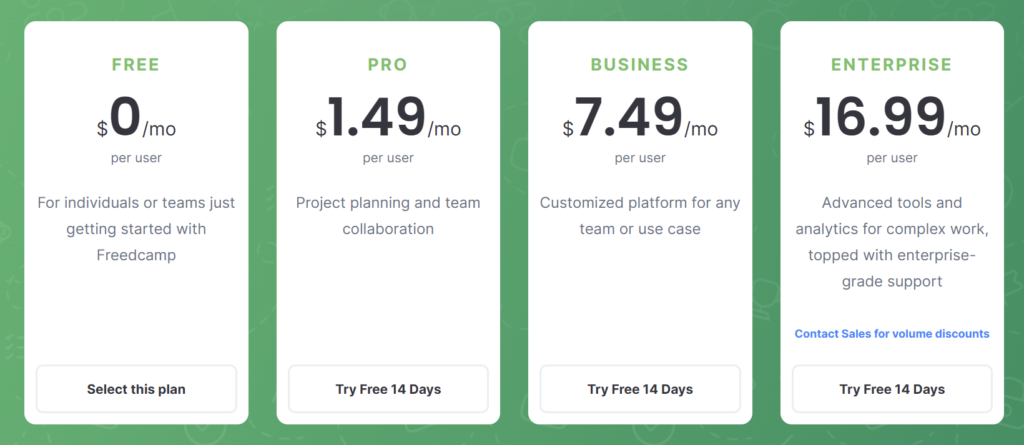
Freedcamp’s free plan provides unlimited core functionality, but with limits on storage, support level, and advanced controls.
- 10 MB file size limit: Each uploaded file is limited to 10 MB, which can be restrictive for media-heavy or design-focused projects.
- Standard support: Free users have access to basic support without priority handling.
- Unlimited collaborators: Any number of team members.
- Core apps: All essential built-in apps such as tasks, discussions, milestones, time tracking, and calendars are available without caps.
- Public projects: Projects can be made public, allowing external users to view or collaborate without requiring full accounts.
- API access: Developers can use the API to connect Freedcamp with custom tools or workflows.
- Zapier integration: Freedcamp can be connected to other apps through Zapier to automate simple workflows.
- Tags: Tasks can be tagged.
- Basic permissions: Settings can be applied to organize and control access only for groups.
- AI usage limits: AI-related features are limited.
- Trash bin retention: Deleted items are stored in the trash only for 30 days.
- Calendar sharing: You can share calendar data.
Integrations
Freedcamp integrates with cloud storage services like Google Drive, Dropbox, and OneDrive.
Desktop and mobile capabilities
Freedcamp can be used on the web and has mobile applications for iOS and Android.
Pros and cons:
| Pros | Cons |
| No limit on users or projects for free | The user interface looks a bit outdated |
| Includes time tracking and milestones | File upload limit is just 10MB per file |
| Very cost-effective to upgrade later | Lacks advanced reporting for managers |
| Good for simple, team-wide communication | Gantt charts are not included for free |
8. Monday.com
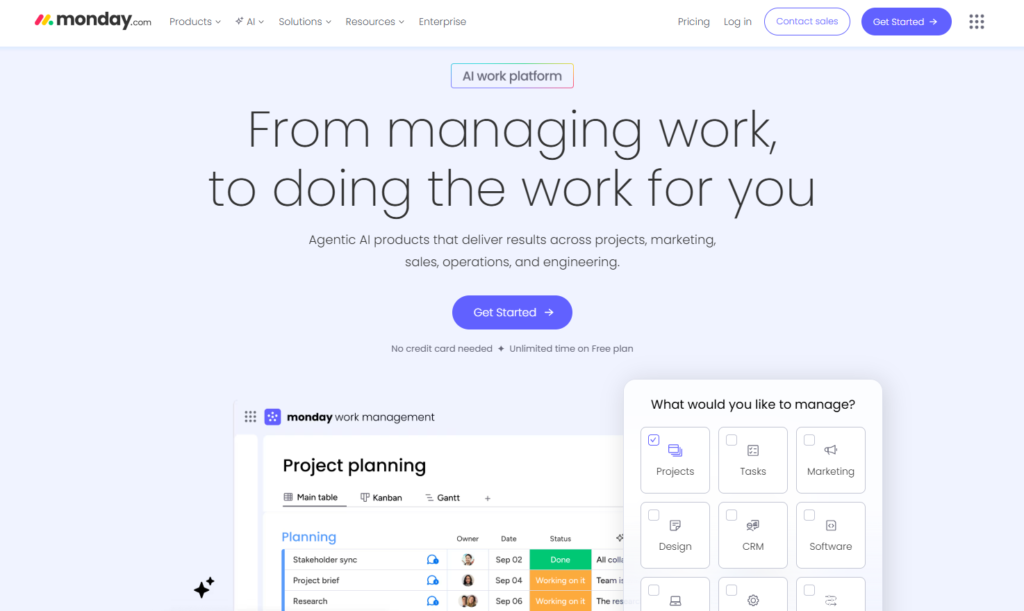
Monday.com focuses on visual organization. It uses a colorful, grid-based system that helps teams track their tasks and deadlines at a glance without feeling overwhelmed by technical menus. This tool is especially popular for small teams that want a highly customizable space that looks and feels like a modern application. However, its free plan supports only two users, which limits team use.
Why it is one of the best free project management software options
Monday.com is very approachable for people who are new to project management. Its free plan is great for small personal projects or for very small businesses with only two people.
Features in the free plan
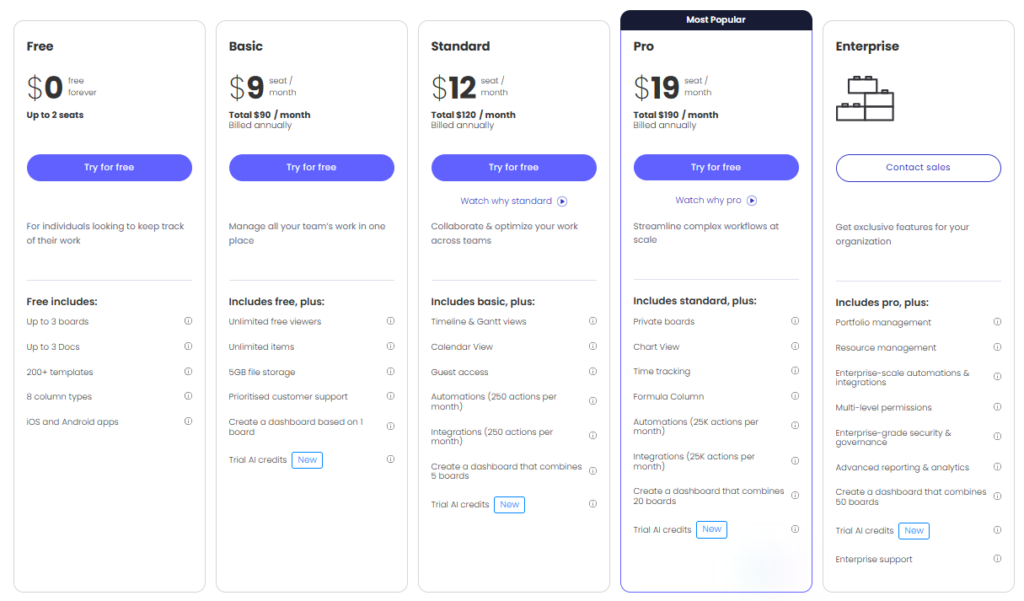
Monday.com’s free version is designed for individuals who want a simple, visual way to track personal work rather than manage full team projects.
- Up to 2 seats: The free plan supports only two users, which limits collaboration to very small setups.
- Intended for individual use: monday.com positions the free plan for personal task tracking and lightweight workflows.
- Up to 3 boards: You can create up to three boards to organize tasks and projects.
- Up to 3 Docs: The plan includes three documents for notes, planning, or simple documentation.
- 200+ templates: A library of ready-made templates helps users get started quickly.
- 8 column types: Boards can use a limited set of column types to track basic task information.
- iOS and Android apps: Work can be accessed and updated from mobile devices.
Integrations
Monday.com offers many integrations, but most of them are reserved for the higher-tier paid plans.
Desktop and mobile capabilities
Monday.com works on the web and has native apps for Mac, Windows, iOS, and Android.
Pros and cons:
| Pros | Cons |
| Very visual and engaging interface | Restricted to only 2 users on the free plan |
| Extremely easy to set up and use | No automations allowed for free |
| Great library of pre-made templates | Only 3 boards total on the free tier |
| Helpful mobile application | Storage is limited to 500MB |
9. Zoho Projects
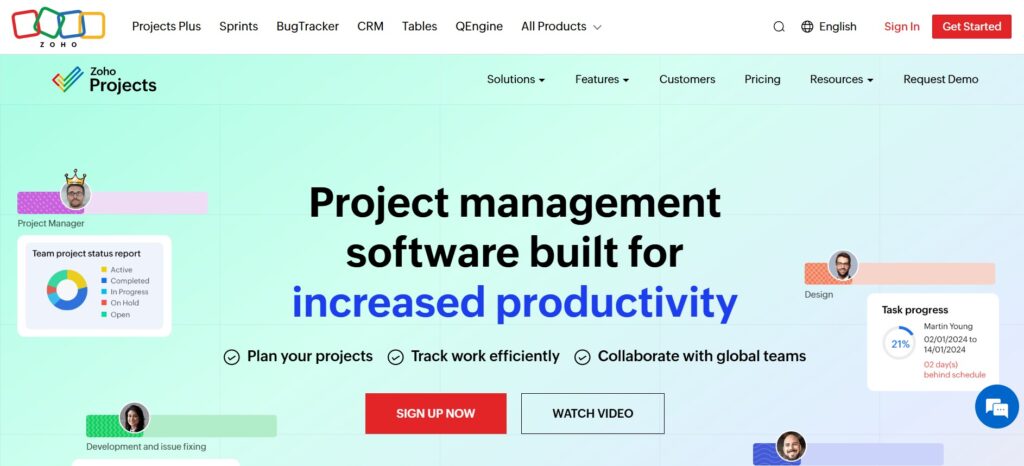
Zoho Projects is a project management tool that is a part of the broader Zoho productivity suite. It provides a structured approach to project tracking, making it a reliable choice for teams that need to organize complex work into manageable parts. The platform is particularly well-regarded for its built-in time tracking and detailed task breakdown capabilities.
Why it is one of the best free project management software options
Zoho Projects is one of the few tools that offers Gantt charts in its free plan. It is a solid choice for teams that need to see project timelines but don’t have a large budget yet.
Features in the free plan
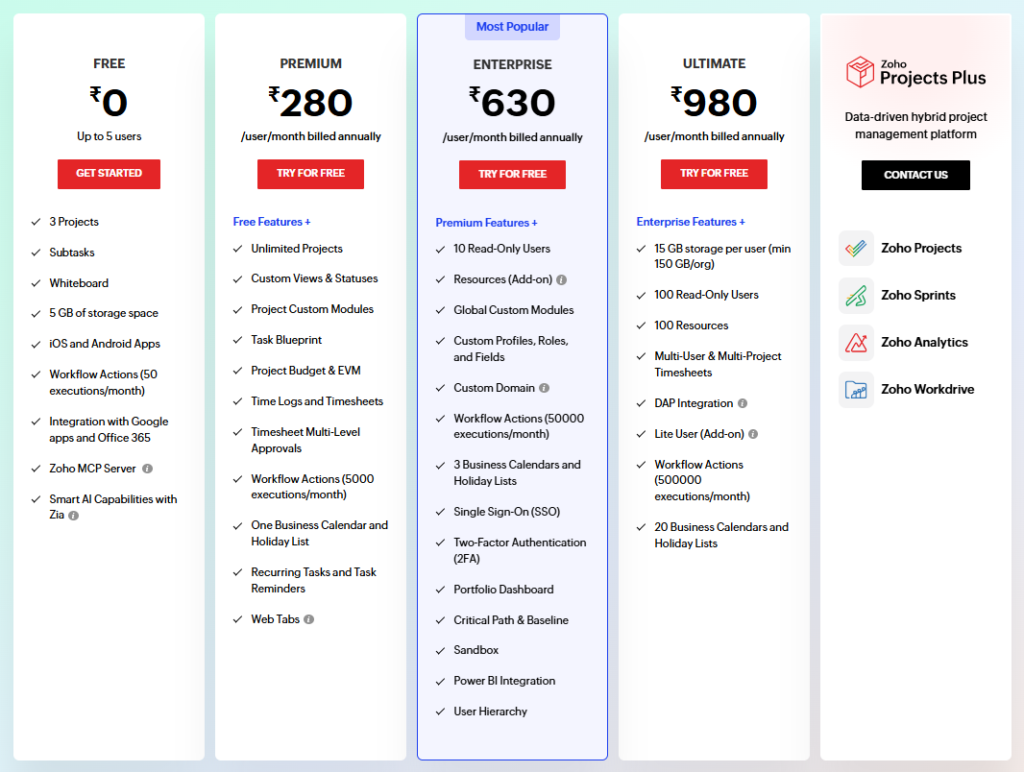
Zoho Projects’ free version is aimed at small teams that need basic task management, light automation, and access to Zoho’s broader ecosystem.
- Up to 5 users: The free plan allows collaboration for small teams with a maximum of five members.
- Up to 3 projects: You can manage up to three active projects at a time, which limits use for larger workloads.
- Subtasks: Tasks can be broken down into smaller subtasks for better structure and tracking.
- Whiteboard: A visual whiteboard is available for brainstorming, planning, and mapping ideas.
- 5 GB of storage space: Files and attachments can be stored with a total storage limit of 5 GB.
- iOS and Android apps: Projects and tasks can be managed on the go using mobile applications.
- Workflow actions (50 executions per month): Basic automation rules are supported, with a cap on how many times they can run each month.
- Integration with Google apps and Office 365: Zoho Projects connects with common productivity tools for email, files, and calendars.
- Zoho MCP Server: Access to Zoho’s platform services enables deeper integration within the Zoho ecosystem.
- Smart AI capabilities with Zia: AI-powered assistance helps with insights and automation, though functionality is limited in the free plan.
Integrations
Zoho Projects integrates with other Zoho apps, Google Drive, and Microsoft Office 365.
Desktop and mobile capabilities
Zoho Projects is available through any web browser and has mobile apps for iOS and Android.
Pros and cons:
| Pros | Cons |
| Includes Gantt charts in the free plan | Very small limit of only 3 users |
| Strong task tracking and milestones | The interface can be complex to navigate |
| Good security features for teams | Restricted to 2 projects at a time |
| Works well with other Zoho products | The storage limit of 10MB is very low |
10. Jira
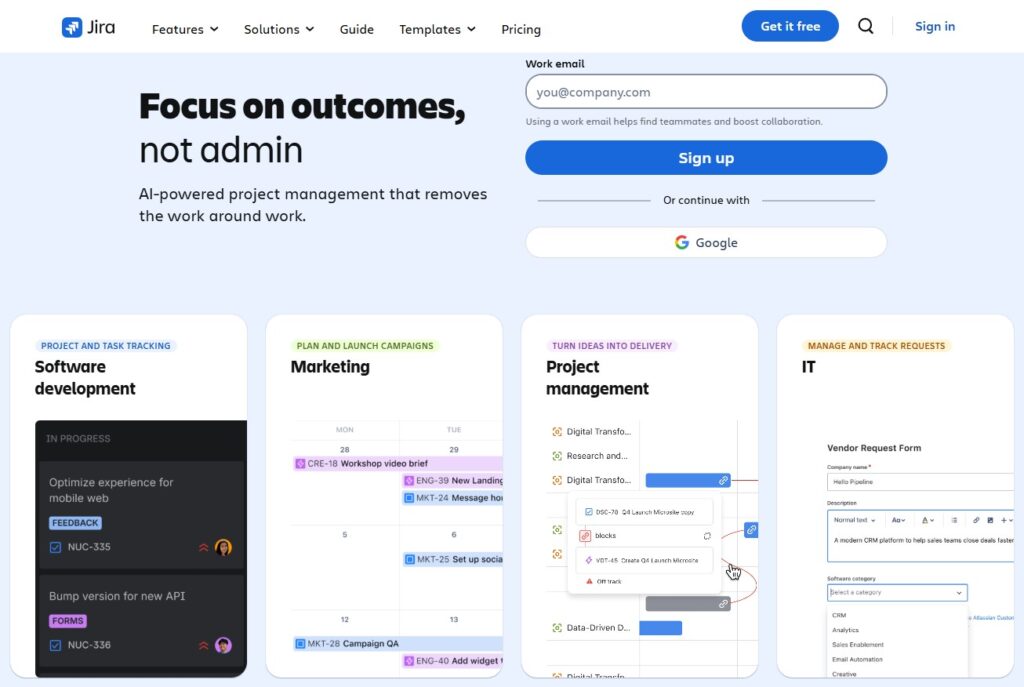
Jira is best for software development teams. It is designed specifically to support Agile, Scrum, and Kanban methodologies for technical projects.
Why it is one of the best free project management software options
Jira’s free plan allows up to 10 users and provides essential features that help developers track work progress.
Features in the free plan
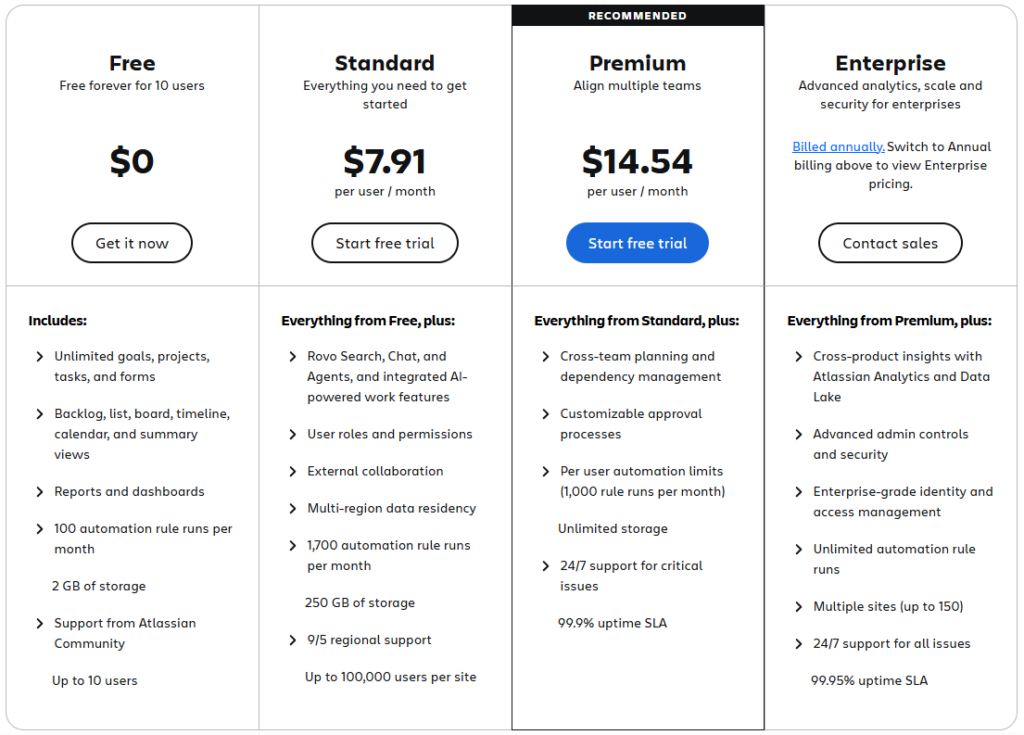
Jira’s free plan is designed for teams that need structured work tracking, multiple views, and basic automation, especially in software and technical project environments.
- Unlimited goals, projects, tasks, and forms: You can create as many goals, projects, tasks, and data collection forms as needed without hard limits.
- Goal alignment and forms: Projects and tasks can be linked to goals, and forms can be used to collect requests or inputs directly into Jira.
- Multiple work views: Backlog, list, board, timeline, calendar, and summary views are available to support different planning and execution styles.
- Reports and dashboards: Built-in reports and dashboards provide visibility into team progress and work tracked across Jira projects.
- 100 automation rule runs per month: Automation rules can run up to 100 times monthly to reduce manual work and streamline workflows.
- 2 GB of storage: Files and attachments can be stored with a total limit of 2 GB.
- Atlassian Community support: Help and answers are available through the Atlassian Community rather than direct support channels.
Integrations
Jira connects with over 3,000 apps, including Slack, GitHub, Bitbucket, and Trello.
Desktop and mobile capabilities
Jira is available on the web and has mobile applications for iOS and Android.
Pros and cons:
| Pros | Cons |
| Best tool for managing software code | Very steep learning curve for non-developers |
| Powerful Agile and Scrum features | Can be too complex for simple task lists |
| Deep integrations with development tools | 10-user limit on the free plan |
| Strong reporting for tracking team speed | The interface can be overwhelming at first |
Paid vs free project management tools
Free project management tools are built for individuals, freelancers, or very small teams that need to get organized without spending money. They typically provide the basics, such as task lists and simple boards, which are perfect for straightforward projects.
However, these free versions usually have “fences” in place, such as limits on how many people can join, a cap on the number of projects you can run, or restricted file storage.
Paid tools are designed for growing businesses that need more power and better oversight. Upgrading usually removes user limits and unlocks advanced features like Gantt charts, time tracking, and automated workflows that save time on repetitive tasks.
Key features of free project management software in 2026
In 2026, the best free project management tools are more than just digital to-do lists; they act as a central hub for your team’s energy and focus. Here are the must-have features that help free plans deliver professional-level results.
| Feature | How it works | How it helps teams be productive |
| Multi-View Dashboards | Lets you switch between Kanban boards, lists, and calendars to see your work from different angles. | Every team member thinks differently. Giving them their preferred view reduces mental friction and helps them “see” the plan clearly. |
| Task Hierarchies | Allows you to break large projects into subtasks, checklists, and dependencies. | It makes big, scary goals feel manageable. By checking off small steps, the team maintains momentum and avoids feeling overwhelmed. |
| In-Context Collaboration | Centralizes comments, file sharing, and @mentions directly inside each specific task. | No more digging through emails or chat apps. Having the “conversation” right next to the “work” saves time and keeps everyone on the same page. |
| Basic Automations | Uses “triggers” to handle repetitive chores, like automatically moving a task when a status changes. | It handles the boring “admin” work for you. This frees up your team to spend their time on creative problem-solving instead of manual updates. |
| Native Time Tracking | Built-in timers or logs that let team members record how long they spend on specific activities. | It takes the guesswork out of planning. You’ll finally know exactly how much effort a task takes, making future deadlines much more realistic. |
| Guest/Client Access | Provides a way to invite external partners or clients to view progress without seeing everything else. | It eliminates the need for constant “status update” meetings. Clients can see what they need to see, building trust while you stay focused on the work. |
| Mobile Integration | A fully synced app that allows for instant updates and notifications while away from a desk. | Projects don’t stop when you’re on the go. Real-time syncing ensures that the whole team always has the latest info, no matter where they are. |
How to select free project management software for your business: main criteria
Choosing the right free tool is about finding a balance between current needs and future growth. You want a platform that provides enough value to run your business today without hitting a paywall the moment your team starts to pick up speed.
Generous user caps
Many free versions of software are designed for individuals, often capping your team at just two or three members. For a growing business, it’s vital to find a plan that allows for a larger group, ideally 10 to 15 people. This flexibility lets you bring your whole team onboard and collaborate effectively without the immediate pressure of a per-user subscription fee as you hire.
Unlimited essentials
It is easy to outgrow a tool that limits the number of tasks or projects you can create. In a professional environment, those limits can be reached in just a few weeks, forcing you to delete old work just to make room for the new. Prioritizing a plan with unlimited projects ensures you have a permanent home for your company’s entire history and future goals.
File storage limits
Project management usually involves more than just text; it involves sharing briefs, images, and documents. Because free plans often come with tight storage quotas, you should check how much total space you’re getting and how large individual attachments can be. A platform that offers generous storage or connects easily to your existing cloud drives will prevent your workflow from grinding to a halt.
Essential views
A single list view rarely works for everyone. While a project manager might need a high-level calendar, a creative designer might work better with a visual Kanban board. The best free tools provide multiple ways to look at your data, ensuring that every team member can organize their day in a way that makes sense to them, which leads to better adoption across the board.
Integrations
No software should exist in a vacuum. Your project hub needs to stay connected to your email, chat apps, and document folders to be truly effective. Some free plans restrict these connections to force an upgrade, so it is important to verify that you can sync with your core tools. This connectivity keeps your information flowing and saves you from the tedious task of manually copying data between apps.
GoodDay – free project management software you can rely on
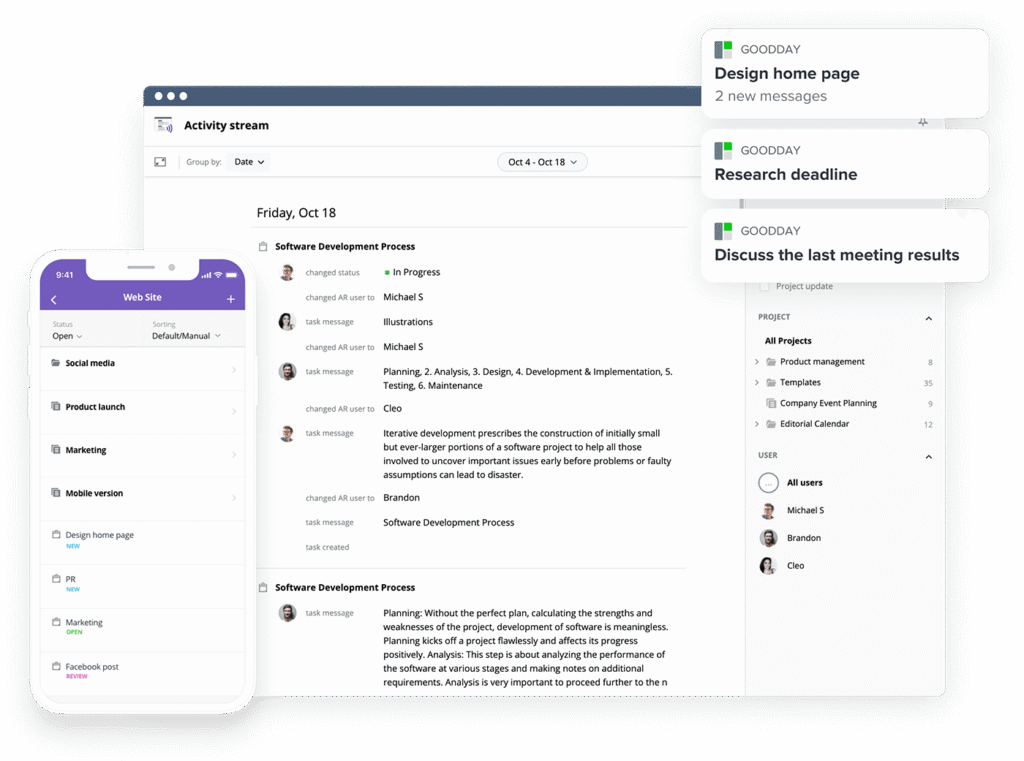
If you’re looking for the ideal mix of versatility and performance, GoodDay stands out in 2026. It is trusted globally for its robust feature set and its ability to scale effectively with growing teams.
You can try GoodDay for free to see how well it aligns with your team’s processes and daily workflow.
If you need a hand choosing the right free tool for your specific needs, feel free to get in touch with us at info@goodday.work.
FAQs
What is the best free tool for project management?
GoodDay is widely considered the best free project management software because it offers a generous free plan that includes professional features often restricted in other tools. This free project management tool provides a centralized platform where you can effectively manage tasks and organize your workflow without the usual hidden costs. Unlike many other tools that limit your project scope, GoodDay allows you to scale your productivity right from the start. It is the perfect go-to tool for any team that wants high-end functionality without a high price tag.
Can I manage multiple projects with free software?
Yes, you can easily juggle multiple projects using high-quality free project management software. Many free tools allow you to track progress across various streams, but GoodDay stands out by offering unlimited project creation on its free plan. This makes it much easier to visualize workflows and maintain a clear project status for every initiative you are running. While some platforms limit your reach, the right free version ensures you can manage tasks for your entire portfolio seamlessly.
What are the 5 most commonly used productivity tools?
The most common project management tools used today include comprehensive platforms like GoodDay, alongside communication tools like Slack and document systems like Google Sheets. Many teams also rely on Microsoft Teams for meetings and specialized task management software for daily to-do lists. GoodDay often leads this list by acting as a centralized platform that integrates seamlessly with these other tools to streamline your project planning. Using these free tools together helps you handle repetitive tasks and keep your team aligned.
What is the best software for project management?
GoodDay the best software for project management because it balances an intuitive interface with powerful advanced features. It is designed to help project managers organize tasks, allocate resources, and visualize project timelines all in one place. While many management software options focus on one area, GoodDay provides a total solution for both simple and complex workflows. This makes it superior to other tools that may lack the flexibility to adapt to your specific business needs.
Which tool is most commonly used for project management?
While many people start with simple apps like a to-do list, professional project management software is the standard for serious teams. GoodDay is rapidly becoming a favorite because it offers built-in time tracking and Gantt charts that help you monitor progress effectively. It is more versatile than a basic to-do list app, allowing users to prioritize tasks and automate repetitive tasks with ease. By providing detailed insights into project data, it has become a staple for effective task management.
How secure is free project software for managing projects?
Reputable free project management software uses high-level encryption to ensure your project data remains safe and confidential. Platforms like GoodDay provide enterprise-grade security even on their free plans, protecting your information from unauthorized access. You can safely manage tasks and store project updates without worrying about data breaches common in less professional apps. This level of protection is essential for managing projects that involve sensitive client information or internal company secrets.
What is the best and easiest project management software?
GoodDay is frequently cited as the easiest and most intuitive interface for teams that want to get started quickly. It allows you to organize tasks through a simple drag-and-drop system, making task organization feel effortless for every team member. Unlike other tools that are cluttered with unnecessary features, GoodDay keeps the user experience clean while still offering powerful project tracking. It is the ideal task management app for those who want to focus on work rather than learning a complex system.
What are the limitations of free software?
Most free project management software versions come with certain caps, such as limited storage space or a maximum number of free users. You might find that some platforms restrict your access to advanced features like built-in analytics or complex workflow automation. GoodDay addresses these common pain points by offering a much higher user limit and more features on its free plan than the industry average. This helps teams avoid the frustration of hitting a wall just as they are beginning to scale their operations.
What is usually included in the free plan of project management software?
A standard free plan typically includes a basic to-do list, file sharing, and the ability to assign tasks to a few team members. You can usually create subtasks and use basic collaboration tools to keep everyone informed about the project status. GoodDay goes much further by including built-in Gantt charts and time tracking, which are normally reserved for paid tiers in other tools. This makes it the most comprehensive free project management software available for those who need more than just a list.
What free task management software solutions allow creating kanban boards?
Several free task management software options, including Trello and GoodDay, allow you to visualize workflows using kanban boards. These boards help you prioritize tasks by moving cards through different stages of completion, providing a clear visual of your team’s current workload. GoodDay’s version of these boards is highly customizable, allowing you to create custom workflows that fit your unique business process. This visual approach is excellent for managing projects where the flow of work needs to be monitored at a glance.
With what free tools I can add team members and use collaboration tools?
You can add team members and utilize powerful collaboration tools in platforms like GoodDay, which supports up to 15 users for free. This allows your group to share project updates, exchange files, and communicate directly within task assignments. Effective team collaboration is built into the heart of the platform, ensuring that no one is left out of the loop during the project planning phase. Unlike other tools that charge per seat immediately, GoodDay lets your team grow and collaborate without initial financial pressure.
What is the top free project management tool?
GoodDay is the top-rated free project management tool for 2026 because it offers a professional environment for managing complex projects at no cost. It provides everything from task automation to resource allocation, ensuring that project managers have every tool they need to succeed. By offering more functionality than other tools, it has earned its place as the preferred choice for both startups and established businesses. Choosing this software ensures you have a reliable, long-term partner for your project portfolio management.
How to choose the right project management software?
To choose the right project management software, you need to first identify your team’s specific needs, such as the ability to automate repetitive tasks or handle task dependencies. It is important to look for a platform that integrates seamlessly with your existing third-party apps to avoid data silos. You should also consider whether the tool provides built-in time tracking or Gantt charts to help you visualize project timelines effectively. GoodDay is a safe choice because its flexibility allows it to adapt as your team moves from simple personal tasks to managing complex projects.
Which is the best project management tool with a free tier?
GoodDay stands out as the best project management tool with a free tier because it offers unlimited projects and tasks for up to 15 users, along with advanced features like custom workflows, dashboards, multiple views, and integrations that most tools reserve for paid plans. Unlike many free tiers that impose strict limits or force early upgrades, GoodDay provides a complete work management experience.
Can i find affordable project software that handles Kanban and Scrum in one workspace?
Yes, many tools like GoodDay, ClickUp and Jira offer both Kanban boards and Scrum or sprint planning features, allowing teams to switch between methodologies or use them together within the same project environment.
What is the best Kanban-style project management software that works great on mobile?
GoodDay is a top choice for Kanban-style project management that performs well on mobile because it offers flexible board views, real-time updates, and fully featured apps for both iOS and Android. Its mobile interface makes it easy to drag cards, update tasks, and stay in sync with your team on the go, without sacrificing the core features available on desktop.
What is the best free desktop project management software?
GoodDay is one of the best free desktop project management tools because it provides full desktop applications for Windows, macOS, and Linux with robust features like unlimited projects, dashboards, workflow automation, and various task views all available at no cost for teams up to 15 users. Its desktop apps mirror the web experience, giving you powerful planning and tracking tools without forcing you to rely solely on a browser.
Are there platforms that provide multiple view options like grid, Kanban, and calendar for managing business operations?
Tools such as GoodDay, ClickUp, and Asana let you switch between list (grid), Kanban board, and calendar views so you can organize work the way that fits your team’s processes best.
What is the best free cloud-based project management software?
GoodDay is the best free cloud-based project management software because it offers unlimited projects, tasks, and up to 15 team members along with powerful features like dashboards, custom workflows, multiple views, and integrations without forcing early paid upgrades. Other options like ClickUp, Asana, and Trello also provide free cloud-based tools with Kanban and calendar views, but GoodDay’s combination of depth, flexibility, and generous free tier makes it the strongest choice overall.




