
Favro offers a visual way to manage projects with backlogs, boards, and roadmaps. Still, it won’t be the perfect fit for every team. Finding the right alternative can make a real difference in how you plan and deliver work.
Numerous researches, such as study by Project Management Institute, show that organizations leveraging modern project management tools achieve better alignment across teams, improved planning accuracy, and more consistent delivery of results.
In this guide, we’ll explore the best Favro alternatives to help you make the right choice for your team.
But if you have any questions that are not covered in this article, you can always connect with us via info@goodday.work.
Best Favro alternatives shortlist for 2026
Let’s take a look at some of the top alternatives to Favro.
- GoodDay: recognized as the top choice for comprehensive project management, delivering powerful tools for strategic planning, versatile data visualization, and automated process management.
- Monday.com: A highly versatile platform for managing projects and resources with a focus on visual dashboards.
- Asana: Known for its strategic project planning capabilities and use in team collaboration.
- ClickUp: A flexible “everything app” that combines tasks, docs, chat, and more, though its extensive features can be overwhelming.
- Wrike: An award-winning work management platform used by a large number of companies globally.
- Jira: A popular choice for software development teams, particularly for issue tracking and project management.
- Trello: A visual workflow management tool that uses a simple, card-based system, making it an excellent choice for teams that need clear, flexible visual boards.
- GitLab: A strong alternative for development teams, offering a comprehensive DevOps platform with code management, CI/CD, and project planning.
- Kanbanchi: A great option for Google Workspace users, providing seamless integration with Google Drive and other Google tools while delivering a Trello-like experience inside the Google ecosystem.
- Baserow: A customizable, open-source platform ideal for teams seeking a self-hosted database-style solution with strong flexibility.
- OpenProject: A robust open-source alternative designed for teams that want full control over their project management environment, including advanced planning, timelines, and collaboration tools.
Comparison of the best Favro alternatives (free and paid)
Comparing project management software based on features, pricing, and migration options can help simplify your decision. Here is a direct comparison of the top alternatives, providing the essential details you need to evaluate each option.
| Software | Best for | Pricing | Ease of migration from Favro |
| GoodDay | Best overall balance of features and cost | Free plan (1–15 users); Professional $4/user/month; Business $7/user/month; Enterprise custom | Easy (CSV import, Zapier integrations) |
| Monday.com | Highly visual project and resource management | Free plan; Basic $8/user/month; Standard $10/user/month; Pro $16/user/month (billed annually) | Moderate (API, CSV import, third-party tools like Zapier) |
| Asana | Strategic project and portfolio planning | Basic (Free); Starter $10.99/user/month; Advanced $24.99/user/month (billed annually) | Moderate (CSV or JSON import, various third-party migration tools) |
| ClickUp | All-in-one productivity suite with extensive customization | Free Forever; Unlimited $7/user/month; Business $12/user/month; Enterprise custom (billed annually) | Easy (Native importers for major tools including CSV) |
| Wrike | Enterprise-level project and resource management | Free plan; Professional $9.80/user/month; Business $24.80/user/month; Enterprise custom (billed annually) | Moderate (CSV import, specialized migration services for Enterprise) |
| Jira | Agile software development and issue tracking | Free (up to 10 users); Standard $7.91/user/month; Premium $15.82/user/month; Enterprise custom (cloud, billed annually) | Easy (Jira has built-in CSV and JSON import, and many tools offer direct Jira connectors) |
| Trello | Simple, visual workflow management (Kanban) | Free; Standard $5/user/month; Premium $10/user/month; Enterprise custom (billed annually) | Easy (Kanban focus makes it visually similar to Favro, supporting JSON/CSV imports) |
| GitLab | DevOps platform for developer teams | Free; Premium $29/user/month; Ultimate custom (SaaS, billed annually) | Difficult (Migration involves code repositories, issues, and pipelines; requires specialized import tools or API) |
| Kanbanchi | Project management for Google Workspace users | Essential (Free); Premium starts at $6.47/user/month; Professional starts at $9.49/user/month (custom pricing for fewer seats may apply) | Moderate (Primarily designed for Google integration, migration often relies on CSV or Google Sheets import) |
| Baserow | Open-source, no-code database and application builder | Self-Hosted (Free); Cloud Free; Cloud Premium $5/user/month; Cloud Advanced $20/user/month (billed annually) | Easy to Moderate (API access and self-hosted options provide high flexibility for migration) |
| OpenProject | Open-source solution for classic, agile, and hybrid projects | Community (Free, Self-managed); Cloud Basic $7.25/user/month; Cloud Professional $13.50/user/month (billed annually, min 5 users) | Moderate (CSV/Excel import supported, but may require technical skill for self-hosted instances) |
What is Favro and why consider an alternative for your business?
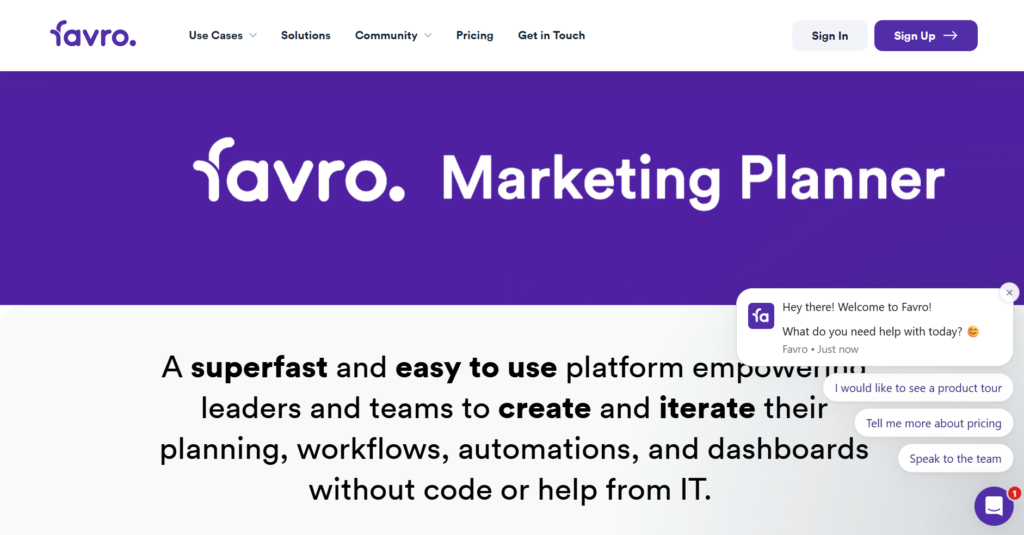
Favro is a work management solution designed to connect strategy with teams. It is built around the concept of ‘collections,’ allowing users to create flexible, visual workspaces that combine backlogs, Kanban boards, and documents. This unique structure is especially well-suited for organizations that need to align multiple teams around a single, evolving goal.
While Favro offers powerful flexibility and visualization tools, some businesses seek alternatives for reasons related to cost, feature set, or complexity. Teams may find that Favro’s unique ‘collection’ hierarchy is too abstract, preferring a more traditional project or folder structure.
Furthermore, while its pricing is competitive, companies with large teams or those needing more advanced, specialized features like enterprise-grade reporting or deep resource management may find other platforms offer a better value proposition for their specific scale and needs.
Best alternatives to Favro (tested & reviewed)
If you are currently evaluating a platform switch, this detailed review will help you compare your options against Favro.
1) GoodDay
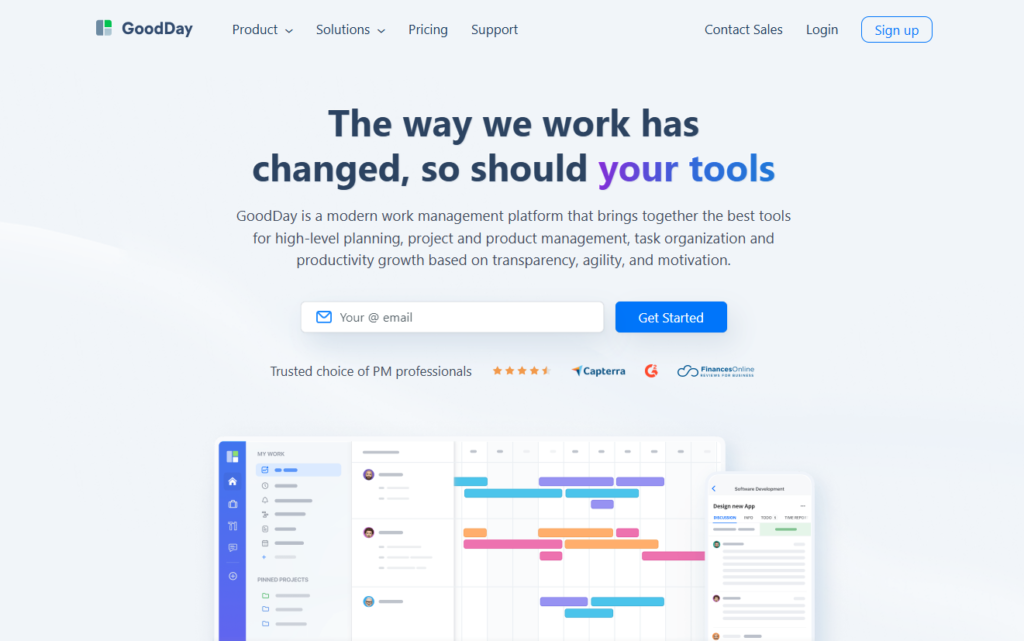
GoodDay is a complete work management solution trusted by businesses of every size, including Fortune 500 companies. Switching can lower your software costs by up to 50% while keeping all key features. Data migration from Favro is simple and takes very little time.
Why it’s a good Favro alternative:
GoodDay is known as a top-rated tool in 12 Capterra shortlists. The platform earns high praise for offering strong features and responsive customer support. Its modest price is a standout, you really get a lot for what you pay.
Main features:
GoodDay provides a comprehensive suite of tools to manage all aspects of your work:
- Multiple work views, including Kanban, list, table, calendar, Gantt, and workload.
- Advanced project planning, scheduling, and resource management.
- Goal and key results (OKR) management.
- Customizable workflows and automation.
- Time tracking and insightful reporting capabilities.
Integrations
GoodDay offers native integration with a variety of essential business applications, including G Suite, Gmail, Slack, Google Docs, Google Drive, Google Calendar, Dropbox, Box.com, Single Sign-On (SSO via SAML), GitHub, GitLab, and standard Email. For connectivity beyond these native links, it connects smoothly with over 1,300 additional business applications through Zapier and includes a comprehensive API to enable integration with any of your company’s existing systems.
Desktop and mobile capabilities
The platform is available as a dedicated application for Windows, Mac, and Linux, and is also fully functional on both iOS and Android devices. This ensures that users have complete access to their tasks, projects, and dashboards, whether they are working on the go or from their standard desktop environment.
Pros and cons:
| Pros | Cons |
| Trusted by over 100,000 teams worldwide | Advanced reporting requires initial setup and configuration |
| Rich mix of features for project, portfolio, and resource management | Tailoring complex workflows may require extra time to fully optimize |
| Very affordable, w free plan for up to 15 users | Takes time for users to fully learn advanced workflow capabilities |
| Focus on value with no pressure for unnecessary upsells | Extensive customization options can slow down the initial adoption process |
2) Monday.com
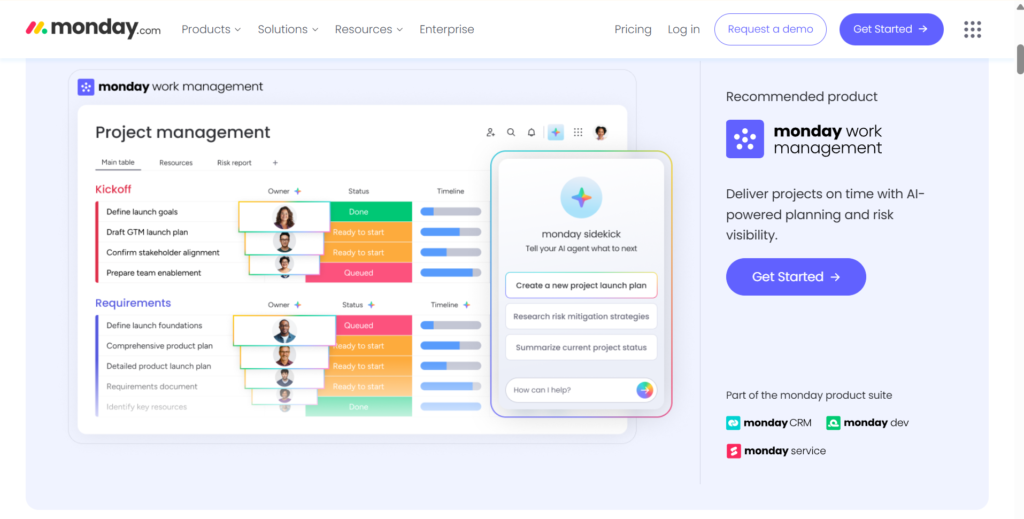
Monday.com is a work operating system (Work OS) that enables teams to manage projects, processes, and everyday work. It is particularly strong in its use of color-coded boards and highly customizable dashboards, making it an excellent option for visual learners and teams that need clear, high-level project status updates. The platform is good for marketing, sales, and cross-functional teams looking for a highly visual and flexible solution.
Why it’s a good Favro alternative:
Monday.com is a suitable alternative because it shares Favro’s emphasis on visual flexibility, but extends it into a fully customizable platform for any kind of business process, not just project management. Its interface is intuitive and requires little training, making it highly adoptable for new users. The diverse board views and extensive automation capabilities provide a robust engine for managing complex operations in a simple, visual manner.
Main features:
Monday.com provides tools to manage any workflow:
- Customizable boards with multiple views (Kanban, calendar, timeline, Gantt).
- Built-in automation recipes and integration actions.
- Resource management and workload tracking.
- Centralized dashboards for cross-board reporting.
- Document collaboration and file storage.
Integrations
The platform offers a robust integration center with native connectors for hundreds of popular tools, including Slack, Zoom, Google Calendar, Gmail, Outlook, Microsoft Teams, Salesforce, Zendesk, and numerous others for marketing, development, and finance. It also provides an API for custom solutions and connections.
Desktop and mobile capabilities
Monday.com is available through a web browser and offers dedicated desktop applications for Windows and Mac, ensuring a native experience. It also provides highly-rated, full-featured mobile apps for iOS and Android, allowing users to manage their work and receive real-time updates while on the move.
Pros and cons:
| Pros | Cons |
| Extremely intuitive and easy-to-use visual interface | Pricing can become expensive as team size and feature needs increase |
| High degree of customization for almost any workflow | Reliance on “recipes” for automation may feel limited for complex needs |
| Excellent automation capabilities to reduce manual work | Some advanced reporting features are locked behind higher-tier plans |
| Strong visual reporting and dashboard features | Performance can sometimes lag with very large and complex boards |
3) Asana
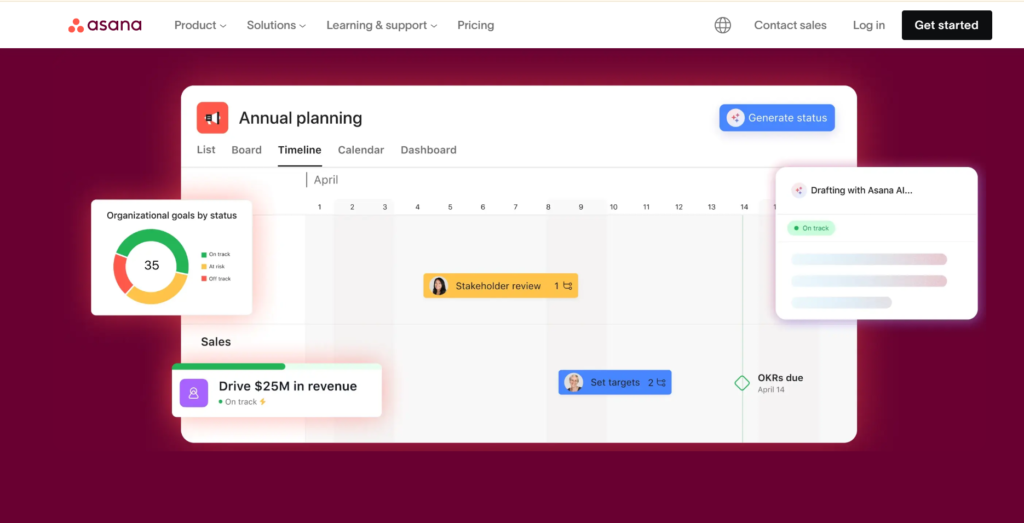
Asana is a well-known project and work management platform designed to help teams orchestrate their work, from daily tasks to strategic goals. It is particularly valued for its focus on clarity and connecting team-level tasks to overall company objectives. It is good for teams that need strong strategic planning and a clean, hierarchical structure.
Why it’s a good Favro alternative:
Asana serves as a strong alternative by providing a more structured and goal-oriented approach to project management than Favro’s flexible collections. While still offering visual boards, Asana excels at linking work to high-level goals and portfolios, providing executives and managers with a clear, birds-eye view of progress against strategy. This focus on structure and accountability can be a benefit for larger organizations.
Main features:
Asana focuses on connecting work to mission through these key features:
- Portfolios to oversee multiple projects and goals in one place.
- Timeline (Gantt) and workload views for scheduling and capacity planning.
- Rules and custom fields for workflow automation and data tracking.
- Goals and OKRs (Objectives and Key Results) tracking.
- Advanced reporting and search features.
Integrations
Asana integrates with over 100 popular tools, including Microsoft Teams, Slack, Google Workspace, Salesforce, Zoom, and Adobe Creative Cloud. It also supports API access for custom integrations and connects to thousands of apps through third-party services like Zapier.
Desktop and mobile capabilities
Users can access Asana through any web browser, and it also provides desktop applications for Windows and Mac for enhanced performance and notification management. For mobile access, robust and feature-rich apps are available for both iOS and Android devices, ensuring work can be managed from anywhere.
Pros and cons:
| Pros | Cons |
| Exceptional at linking daily tasks to strategic company goals | Pricing model can quickly become costly for large teams |
| Clean, well-designed interface promotes clarity and ease of use | Lacks native time tracking, requiring third-party integrations |
| Strong project portfolio management capabilities for managers | Customization, while present, is less flexible than other “Work OS” tools |
| Comprehensive free tier that is excellent for small teams | Users sometimes struggle to understand the core data model (tasks vs. subtasks) |
4) ClickUp

ClickUp offers a comparable level of flexibility and customization to Favro but wraps it in a more refined and feature-rich package, often at a more competitive price point, making it a stronger alternative for small teams. Its vast array of native features, from collaborative Docs to integrated time tracking, means users may rely less on external integrations, simplifying their overall software stack and processes.
Why it’s a good Favro alternative:
ClickUp stands out as a powerful alternative due to its extreme level of feature depth and customization, offering far more than Favro’s focus on boards and backlogs. While Favro is flexible, ClickUp provides an unprecedented number of views, custom fields, and functional blocks, allowing teams to replicate and even enhance their existing processes within one tool. Its competitive pricing, even for advanced features, appeals to teams that need comprehensive functionality on a budget.
Main features:
ClickUp’s core functionality covers a broad range of needs:
- Over 15 customizable views, including List, Board, Calendar, Gantt, and Mind Maps.
- Goals, Portfolios, and Workload Management.
- Native Docs, Whiteboards, and in-app Chat.
- Extensive automation rules and custom permissions.
- Native time tracking and resource management.
Integrations
ClickUp offers seamless native integrations with a multitude of tools, including Slack, GitHub, GitLab, Google Drive, Outlook, Zoom, and Salesforce. It also provides an open API and partners with integration services like Zapier and Make, enabling connection to thousands of other third-party business applications.
Desktop and mobile capabilities
ClickUp is accessible via a web browser and offers dedicated desktop applications for Windows, Mac, and Linux, which support features like in-app recording and command shortcuts. Comprehensive mobile applications for both iOS and Android are available to manage tasks, collaborate, and track time while away from the desktop.
Pros and cons:
| Pros | Cons |
| Vast amount of features and customization options in one place | The sheer number of features can feel overwhelming for new users |
| Highly competitive pricing, including a generous free plan | Performance can sometimes be slow due to the platform’s heavy feature load |
| Excellent for consolidating multiple specialized tools into one | Steep learning curve required to utilize the full power of the platform |
| Strong focus on collaboration with integrated docs and chat | Basic plan limitations on features like Gantt charts and guest permissions |
5) Wrike
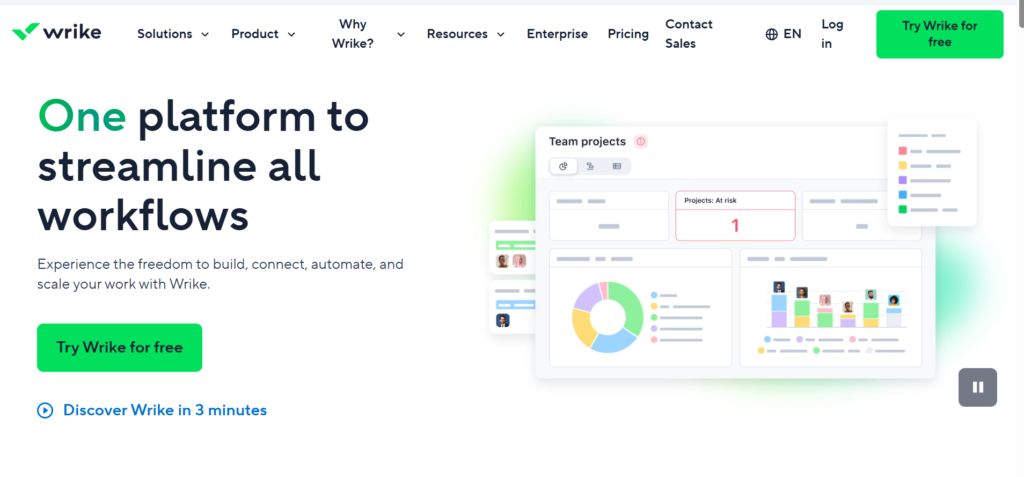
Wrike is known for its hierarchical structure, advanced reporting, and suitability for enterprise-level use cases. It excels at providing visibility across departments. The platform is often used by large marketing, creative, and professional services teams that need robust proofing and approval workflows.
Why it’s a good Favro alternative:
Wrike is an excellent alternative for teams that value a structured approach and enterprise-grade reporting over Favro’s fluid, collection-based structure. It offers a more formal work management system with deep customization of workflows, request forms, and approvals. Wrike’s advanced analytics provide deeper insight into performance, which is essential for larger, data-driven organizations.
Main features:
Wrike provides a strong set of tools for complex project environments:
- Interactive Gantt charts (timeline view) and critical path analysis.
- Customizable request forms and automated approval workflows.
- Advanced resource management and workload balancing.
- Proofing and creative asset collaboration tools.
- Performance reporting and custom dashboards.
Integrations
Wrike integrates natively with many enterprise and popular tools, including Salesforce, Adobe Creative Cloud, Microsoft Teams, Slack, GitHub, Jira, and Google Workspace. It also provides a robust API and connectors via services like Zapier for broad integration capabilities across the business.
Desktop and mobile capabilities
Wrike is available via the web and offers desktop apps for Windows and Mac, providing a focused work environment and improved notification handling. Full-featured mobile applications for iOS and Android are provided, allowing users to collaborate, manage tasks, and submit requests on the go.
Pros and cons:
| Pros | Cons |
| Robust advanced reporting and analytics capabilities | High price point, especially for the Business and Enterprise tiers |
| Excellent for managing complex projects and portfolios | Interface can feel cluttered and less modern than competitors |
| Strong features for creative proofing and review cycles | Users report a noticeable learning curve for full feature adoption |
| Highly customizable dashboards and workflow automation | The free plan has very limited features compared to paid tiers |
6) Jira
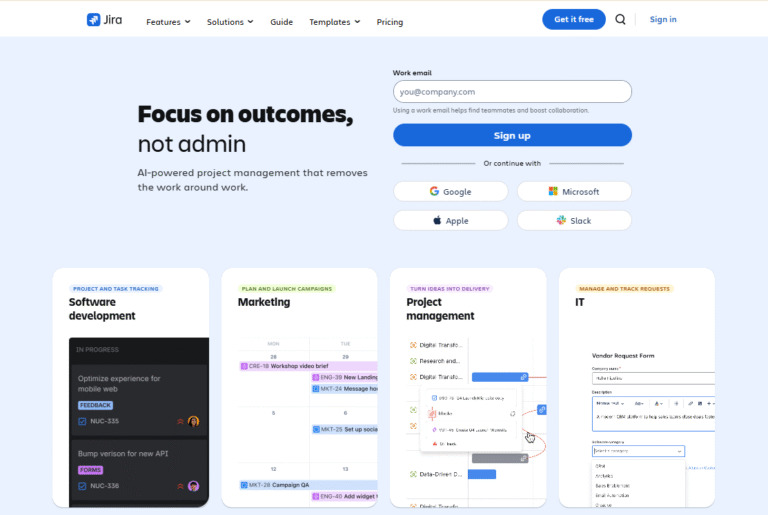
Jira is the established standard for agile software development teams, excelling at issue tracking, bug management, and handling complex development workflows. While primarily focused on developers, it has expanded to serve all types of teams through products like Jira Work Management. It is best for teams committed to Scrum, Kanban, or other agile methodologies.
Why it’s a good Favro alternative:
Jira serves as the definitive alternative for technical and developer teams, offering a far more powerful and specialized feature set than Favro for managing code-centric projects. Unlike Favro, which is general-purpose, Jira is built on a foundation of issue tracking and agile boards, providing native features for sprints, roadmaps, and deep cloud-based collaboration integration with source code repositories.
Main features:
Jira’s feature set is geared toward agile development:
- Customizable Scrum and Kanban boards.
- Advanced issue tracking and workflow customization.
- Roadmaps for planning and dependency tracking.
- Reporting tools, including burn-down, velocity, and sprint reports.
- Deep integration with other Atlassian products like Confluence.
Integrations
Jira integrates seamlessly with a massive ecosystem of tools through the Atlassian Marketplace, including GitHub, GitLab, Salesforce, Slack, Jenkins, and hundreds of other development, testing, and collaboration tools. Its open API allows for extensive custom integration.
Desktop and mobile capabilities
Jira is a web-based platform, but offers dedicated desktop clients via Atlassian’s desktop app for Windows and Mac. High-quality mobile apps are available for both iOS and Android, allowing developers to manage issues, view boards, and collaborate on the go.
Pros and cons:
| Pros | Cons |
| The gold standard for agile software development and issue tracking | Not user-friendly for non-technical teams or general business use cases |
| Extremely powerful workflow automation and customization | Overly complex to set up and configure for simple projects |
| Massive, active marketplace for third-party add-ons and extensions | The user interface can feel dated and overwhelming |
| Excellent for scaling with a commitment to the Atlassian ecosystem | High complexity often requires a dedicated Jira administrator |
7) Trello
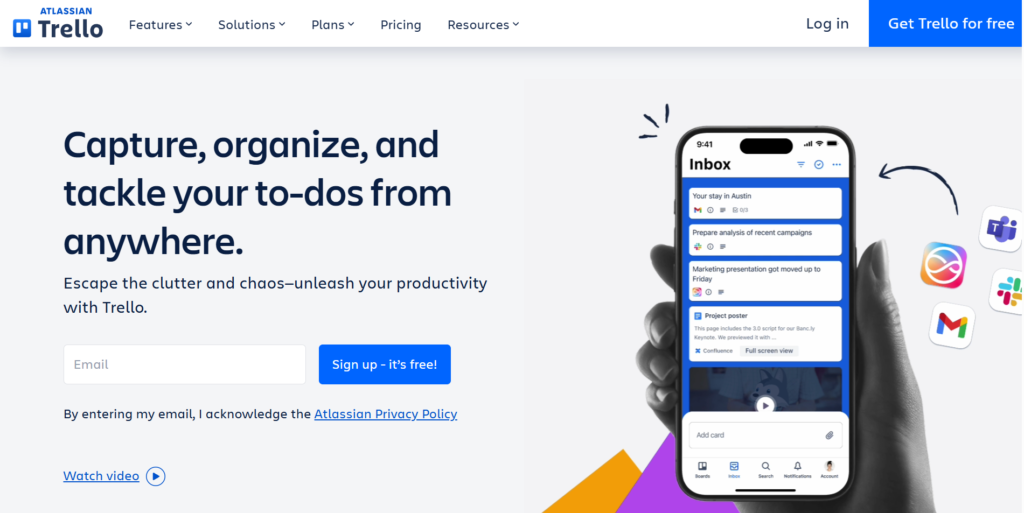
Trello is a work management tool built around the Kanban board paradigm. It uses cards, lists, and boards to provide a simple, highly visual way to organize tasks and track progress. It is best for individuals, small teams, and departments that prioritize simplicity and a quick, clear view of workflow status.
Why it’s a good Favro alternative:
Trello is often viewed as a direct competitor and a simpler alternative to Favro. While Favro offers collections and backlogs, Trello focuses purely on the card-based, Kanban visual management. Its extreme simplicity, generous free tier, and easy-to-use “Power-Ups” (integrations) make it a fast-to-adopt and cost-effective cloud-based collaboration solution for teams whose primary need is to visualize a workflow or production pipeline.
Main features:
Trello’s main features center on visual task management:
- Simple Kanban boards, lists, and cards.
- “Power-Ups” (integrations) to add features like calendar, map, and voting.
- Automation with Butler to set up rules, buttons, and scheduled commands.
- Checklists, due dates, and custom fields on cards.
- Multiple views available in paid plans, including Dashboard, Timeline, and Calendar.
Integrations
Trello integrates with over 200 applications through its Power-Ups feature, including Slack, Google Drive, Salesforce, Jira, Evernote, and email. It also supports API access for custom connections and uses services like Zapier for broad third-party linking.
Desktop and mobile capabilities
Trello is fully supported via web browsers and provides dedicated desktop applications for Windows and Mac, offering a distraction-free view. The mobile apps for iOS and Android are considered excellent, providing a seamless, simple experience for managing and updating cards on the go.
Pros and cons:
| Pros | Cons |
| Extremely simple, intuitive, and fast to set up and use | Lacks native high-level features like true resource management or portfolios |
| Excellent visual representation of work in a Kanban format | Can become messy and disorganized on large, complex boards |
| Generous free plan for basic usage and unlimited users | Advanced features are only available via paid “Power-Ups” or expensive plans |
| Strong automation capabilities via Butler | Core features remain focused on the simple Kanban view |
8) GitLab
GitLab is a comprehensive DevOps platform delivered as a single application, covering the entire software development life cycle, from project planning and source code management to CI/CD, security, and monitoring. It is best for development, operations, and security teams working on code-centric projects.
Why it’s a good Favro alternative:
GitLab is a specialized alternative that is ideal if your team’s work is centered around code development. While Favro is a general work tool, GitLab offers a seamless, integrated cloud-based collaboration environment for planning, coding, testing, and deploying. It replaces the need for multiple disparate tools by bringing the entire DevOps pipeline into a single application.
Main features:
GitLab’s features span the entire DevOps lifecycle:
- Agile project planning with epics, issues, and boards.
- Git repository management and code reviews.
- Continuous Integration/Continuous Delivery (CI/CD) pipelines.
- Security features like static and dynamic application security testing (SAST/DAST).
- Built-in monitoring and deployment tools.
Integrations
GitLab is designed to be an all-in-one tool, but it integrates with major external services like Jira, Jenkins, Slack, Kubernetes, and various cloud providers (AWS, Azure, Google Cloud) for deployment and monitoring.
Desktop and mobile capabilities
GitLab is primarily a web application. While there are no official, dedicated desktop clients for the full platform, it is fully accessible via any web browser. Its mobile accessibility is focused on allowing users to view issues and merge requests on the go through its mobile apps for iOS and Android.
Pros and cons:
| Pros | Cons |
| Unifies the entire DevOps lifecycle into a single, integrated application | Overwhelmingly complex for non-development or non-technical teams |
| Strong focus on code security, auditing, and compliance | Project management features are secondary to the code repository |
| Excellent continuous integration and continuous delivery (CI/CD) capabilities | High cost for premium features needed for security and compliance |
| The free plan is very generous for individual developers and small teams | Less flexibility for managing non-development business processes |
9) Kanbanchi
Kanbanchi is a project and task management tool built specifically to integrate with and enhance the Google Workspace ecosystem. It provides Kanban, Gantt, and team workload views directly within a familiar Google-friendly environment. It is best for teams that are heavily reliant on Google Drive, Google Sheets, and other Google tools.
Why it’s a good Favro alternative:
Kanbanchi is a powerful alternative for organizations deeply embedded in the Google ecosystem. Unlike Favro, which is an independent platform, Kanbanchi stores all project data directly in Google Drive, offering unmatched integration and security for Google Workspace users. The visual similarity of its Kanban boards to other tools makes it easy to adopt, while the Gantt and workload views provide greater planning depth than Trello.
Main features:
Kanbanchi leverages Google’s capabilities with these features:
- Kanban, Gantt chart, and team workload views.
- Direct storage of project data in Google Drive/Shared Drives.
- Integration with Google Calendar and Gmail.
- Time tracking and data reports.
- Card templates and subcards for a detailed task breakdown.
Integrations
Kanbanchi’s primary integration is with Google Workspace—Google Drive, Calendar, Gmail, and Google Sheets for data export. It also offers advanced features like sharing with Google Groups and integration with Google Vault for enterprise security and archiving.
Desktop and mobile capabilities
While primarily a web application accessible via any browser (and often used within the Google environment), Kanbanchi offers mobile apps for iOS and Android. These apps allow users to manage their boards, track time, and collaborate with team members directly from their smartphones or tablets.
Pros and cons:
| Pros | Cons |
| Unrivaled, seamless integration with Google Workspace | Not suitable for organizations that do not use Google Workspace |
| Project data is securely stored within your own Google Drive | Functionality outside of the Google ecosystem is limited |
| Simple to use with familiar Kanban and list views | The free version is highly restrictive in terms of features |
| Includes key planning views like Gantt and Workload | Some critical features like priority support are locked in higher plans |
10) Baserow
Baserow is an open-source application builder. It allows users to transform spreadsheets into collaborative databases, so it is possible to structure and manage data with the flexibility of a spreadsheet. It is good for teams looking for a self-hosted, customizable database solution or a powerful, open-source alternative to proprietary no-code tools.
Why it’s a good Favro alternative:
Baserow provides a flexible alternative to Favro, moving beyond project management into general data management and application building. For teams that want to self-host their data for security or compliance, or those who need to build highly customized interfaces and processes without vendor lock-in, Baserow’s open-source nature and powerful API make it an ideal choice.
Main features:
Baserow’s features focus on data and application building:
- Relational database functionality with multiple views (Grid, Kanban, Gallery, Form).
- No-code application builder for custom business apps.
- Customizable automations with triggers, conditions, and actions.
- Full API access for integration with any system.
- Self-hosted option for complete data control.
Integrations
Baserow provides an API-first design, meaning every feature is accessible for integration. It has native support for webhooks and integrates with automation platforms like Zapier, n8n, and Make, allowing it to connect to thousands of third-party business services.
Desktop and mobile capabilities
Baserow is primarily a web-based application, fully accessible via any modern browser. Since it is open-source, the focus is on a high-quality web experience. While it does not offer dedicated desktop apps, its responsive design allows for effective use on mobile browsers.
Pros and cons:
| Pros | Cons |
| Full open-source and self-hosted options for data control | Requires more technical knowledge to deploy and maintain the self-hosted version |
| Highly flexible no-code database structure with API access | The user interface is less refined than purely commercial alternatives |
| Excellent for building custom, data-centric business applications | Community support is the main resource for the free/self-hosted plan |
| Competitive pricing for its cloud-hosted plans | Not primarily a dedicated project management tool out of the box |
11) OpenProject
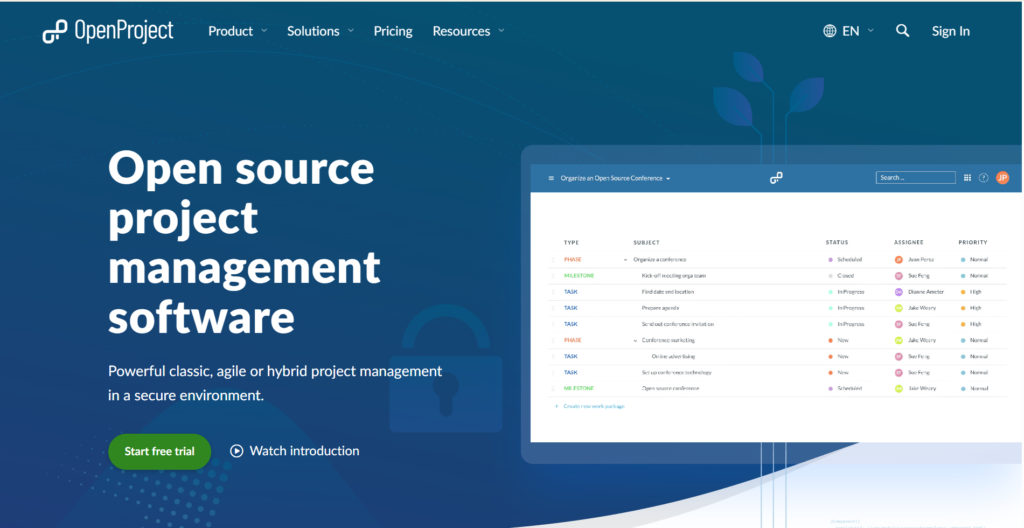
OpenProject is an open-source project management software that supports classic, agile, and hybrid project methodologies. It is focused on providing a secure and professional project environment, often chosen by governments and large organizations for its commitment to open standards and data security. It is best for public institutions, large enterprises, and teams needing a robust, open-source alternative.
Why it’s a good Favro alternative:
OpenProject offers a more formal, comprehensive, and mature alternative to Favro, especially for classic project management needs like WBS (Work Breakdown Structure) and time tracking. Its open-source commitment and self-hosting options provide a level of data control and security that proprietary tools cannot match, appealing to security-conscious organizations.
Main features:
OpenProject provides a complete toolkit for project management:
- Work Breakdown Structure (WBS) and hierarchical project structure.
- Gantt charts, task dependencies, and scheduling.
- Agile boards (Scrum and Kanban) and backlog management.
- Time tracking, cost management, and resource management.
- Bug tracking, wiki, and meetings management.
Integrations
OpenProject supports integrations with Git and SVN repositories. It also offers LDAP authentication for user management and has an API for further custom integration. Its functionality can be extended via plugins and the integration capabilities provided by its open-source nature.
Desktop and mobile capabilities
OpenProject is a web-based application, ensuring full accessibility across all browsers. While it does not provide official native desktop applications, its web interface is robust. It is designed to be accessible on mobile devices, allowing users to view and manage tasks through a mobile-optimized web browser experience.
Pros and cons:
| Pros | Cons |
| Comprehensive feature set for both agile and classic project management | The user interface can feel somewhat dated compared to newer tools |
| Full open-source software with no vendor lock-in | Setup for the self-hosted Community edition requires technical expertise |
| Strong security and data privacy focus with self-hosting option | Steeper learning curve than simple Kanban-focused alternatives |
| Built-in features for time tracking and cost management | Mobile accessibility is generally through the web interface |
How to select a Favro alternative for your business
Choosing the right project management tool is a significant decision. You should align your selection process with your team’s specific work style and future growth trajectory.
Functionality
Start by identifying the non-negotiable features your team requires. If your team is primarily agile, you’ll need robust sprint planning and backlog tools like those in Jira or OpenProject. If you manage client work and need detailed accounting, built-in time tracking and reporting should be a priority. Evaluate how well the tool supports your desired level of project planning, from simple task lists to complex dependencies and resource management.
Usability
A powerful tool is only useful if your team actually adopts it. Look for a clean, intuitive interface that mirrors how your team already works. For example, GoodDay strikes a good balance between visual appeal and functional depth. Conduct a pilot program with a small group of your actual users and gather their candid feedback on ease of navigation and daily task management.
Customer support
Reliable customer support is crucial, especially during the initial migration and adoption phase. Check what level of support is included in each pricing tier. Enterprise-focused tools like Wrike and Jira offer high-tier, dedicated support. For mid-sized teams, check the response times and channels (email, chat, phone) offered by alternatives like GoodDay or Asana to ensure you can quickly resolve any issues.
Value for money
Value for money goes beyond the sticker price; it is about the features received per user per month. ClickUp and GoodDay offer generous feature sets at highly competitive price points, making them excellent value options. Consider the cost of scaling, as some tools have significant price jumps between tiers, and account for whether the tool can consolidate multiple existing subscriptions into one.
Customer reviews
Look beyond the marketing claims and read real reviews from current users on reputable third-party sites. Pay attention to feedback regarding performance at scale, the learning curve, and the quality of support. Search for real reviews specifically mentioning a tool’s performance in your industry or for your team size to gauge how others have successfully used the platform as an alternative to their previous management software.
Save up to 50% by switching from Favro to GoodDay
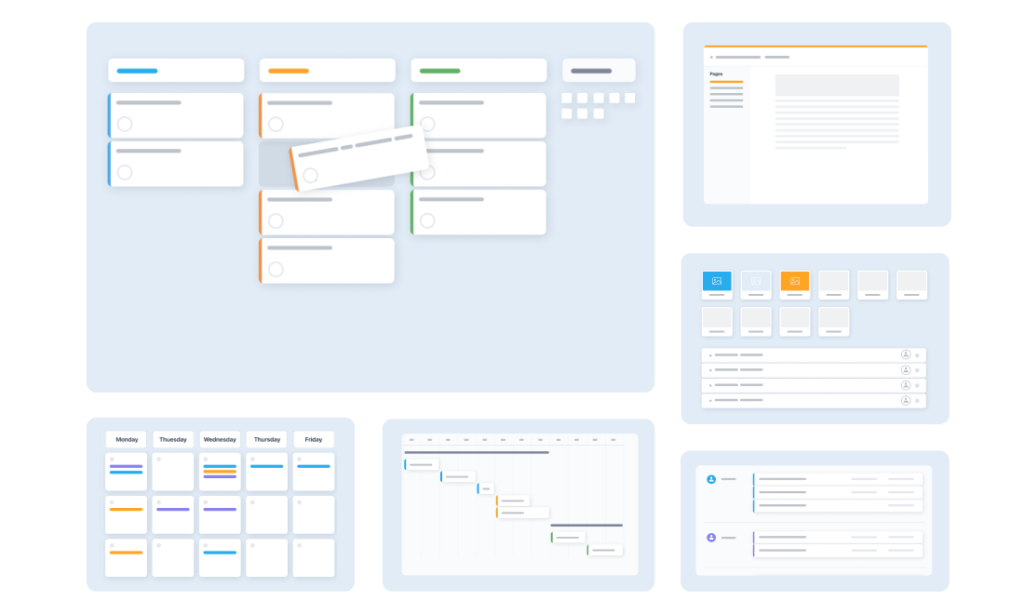
If your priority is finding the optimal blend of deep customization and cost-effectiveness, GoodDay is a standout choice in 2026. It is widely valued globally for providing powerful functionality, including advanced features like resource management and goal-setting, within its highly affordable plans.
You can dive in and GoodDay for free to see if it aligns with your team’s workflow.
And if you have any questions about selecting the right project management software for your business, you can always reach out to our team via info@goodday.work
FAQs
What is work management?
Work management is the process of organizing projects and everyday tasks in a structured way to keep the team aligned. It combines task management, project management, and collaboration tools to make teamwork smoother. Modern teams use a visual project management tool like GoodDay to plan work, assign tasks, and track progress in one centralized platform. This all-in-one solution helps project managers organize complex projects with clarity and stay on the same page.
How to organize your work tasks?
The best way to organize your work tasks is to use a task management tool that helps teams plan, set deadlines, and monitor tasks clearly. GoodDay offers customizable views, project templates, and kanban boards that make it easy to manage to-dos with just a few clicks. You can track projects, handle task assignments, and follow project progress without switching between other tools. This approach reduces repetitive tasks and keeps team members aligned across various industries.
What are the best project management tools?
The best project management tools combine intuitive task management with robust features like Gantt charts, time tracking, and resource allocation. GoodDay stands out because it delivers all of this in a single project management platform designed for large teams and small businesses alike. Unlike Microsoft Project or many free alternatives, GoodDay provides collaboration tools and cloud-based collaboration in one streamlined workspace. This helps teams manage complex projects more effectively and supports real project collaboration.
How to increase your productivity?
You can increase productivity by using management software that automates repetitive tasks and keeps team members organized. GoodDay helps teams boost productivity through clear planning and efficient task management, and this makes it stand out compared to typical ClickUp features. Built-in collaboration tools and file sharing reduce time lost switching between other tools. This improves employee productivity and supports smoother teamwork across all projects, especially when tracking tasks becomes easier and more transparent.
What’s the best cloud project management software for desktop use?
The best cloud project management software for desktop use should offer fast performance, easy navigation, and strong collaboration software features. GoodDay excels here because it combines project management, task tracking, and cloud-based collaboration in one interface. Teams can manage projects, share files, and follow project progress whether they work in marketing teams, software development, or small businesses. This flexibility makes GoodDay one of the most powerful cloud options available today.
What should teams look for in project management software when choosing between different project management tools?
Teams should look for a project management tool that supports resource allocation, project templates, and collaboration tools that help teams stay aligned. GoodDay delivers these capabilities while offering customizable views and Gantt charts for managing projects of any size. It also simplifies tracking tasks and helps teams plan work without unnecessary complexity. This makes it a strong choice compared to Microsoft Project and other tools that feel outdated.
What features should a good project management tool have to help teams stay organized and deliver work on time?
A good project management tool should offer features that keep all project information connected and easy to manage. Built-in chat, cloud collaboration, and integrated task management are essential because they allow teams to communicate, share files, and update work in one place. GoodDay includes all of these features directly in each project workflow, helping teams stay organized without switching between different apps. With clearer communication and real-time project visibility, teams can coordinate more effectively and deliver work on time.
What are the main benefits of using cloud-based collaboration solutions compared to traditional management software?
Cloud-based collaboration allows teams to work together in real time from anywhere, unlike older management software that limits flexibility. GoodDay enhances this with file sharing, sticky notes, task tracking, and project collaboration built directly into its project management platform. Teams can assign tasks, track progress, and manage projects without compatibility issues. This creates a seamless experience for agile teams and large teams alike.
Which project management platforms are considered the best alternatives to Favro for growing teams?
The best Favro alternatives offer stronger project management features, easier navigation, and better collaboration tools. GoodDay is widely recognized as one of the best Favro alternatives because it combines cloud-based collaboration, Gantt charts, and resource allocation in one place. It works well for software development projects, marketing teams, and various industries that need structured workflows. Compared to many alternatives to Favro, GoodDay provides a more complete and scalable project management solution.
What features separate strong Favro alternatives from basic project management tools?
Strong Favro alternatives include robust features like interactive timeline views, project templates, and advanced time tracking. GoodDay surpasses basic project management tools by offering task management, kanban boards, and release management for software development. It also includes collaboration tools that help teams plan and track projects more effectively, including support for handling pull requests in development workflows. This makes GoodDay ideal for complex projects that need flexibility and clarity.
How can real reviews help companies decide which project management software is the best fit for their needs?
Real reviews give companies insights into how a project management platform performs in real projects and with different user types. GoodDay consistently receives positive real reviews for its usability, collaboration tools, and project management capabilities. These insights help teams make informed decisions and compare Wrike or Microsoft Project alternatives more confidently. Reading real reviews also reveals how well a tool supports tracking tasks and team collaboration.
Why do many organizations switch to cloud-based collaboration tools instead of relying solely on standard management software?
Organizations switch because cloud-based collaboration tools make it easier to manage projects with distributed team members and multiple devices. GoodDay enhances this by combining project management, task management, and collaboration tools into one all-in-one solution. Teams can share files, manage tasks, and track projects without technical barriers. This modern approach supports faster adoption, better coordination across projects, and clearer tracking tasks for every team member.
What should users expect when comparing alternatives to Favro with more established project management platforms?
Users should expect Favro alternatives to offer similar project management features but with more flexibility and better collaboration software. GoodDay stands out because it delivers a powerful project management platform with cloud-based collaboration and customizable views. It helps teams track projects, assign tasks, and manage complex projects more effectively than many competitors. Overall, GoodDay provides a smoother experience than most alternatives to Favro or traditional tools like Microsoft Project.




