
While Businessmap (formerly Kanbanize) is a strong option, especially for Kanban, you might be looking for more features, better price, or smoother integration.
The right software is critical for project success, improving communication, and building stakeholder confidence.
In this guide, we’ll explore the best Businessmap alternatives to help you make the right choice for your team.
But if you have any questions that are not covered in this article, you can always connect with our team via info@goodday.work
Best Businessmap alternatives shortlist for 2026
Here are some of the top Businessmap alternatives.
General project and workflow management tools
- GoodDay: The best overall solution, offering robust features for planning, multi-view visualisation, and workflow automation.
- Jira: A popular choice for software development teams, with powerful capabilities for planning, progress tracking, and project releases.
- Asana: A flexible tool for managing project portfolios and project workflows across different teams.
- Wrike: A strong option for collaborative work management, especially suitable for multi-layered and complex projects.
Specialised and advanced enterprise solutions
- Monday.com: A versatile work management platform known for its intuitive interface and extensive customisation options.
- ClickUp: Markets itself as a single app to replace many others, with a wide range of features for task and project management.
- Smartsheet: A hybrid tool combining spreadsheets and project management, allowing for detailed tracking of project information.
- Planview AgilePlace: Part of the Planview suite, offering Agile Kanban-style project management.
Ecosystem options
- Trello: A visual collaboration tool that uses a card-based system for simple task management.
- Zoho Projects: A comprehensive project management solution with integrated features like time tracking and issue tracking.
- Microsoft Planner: A user-friendly tool within the Microsoft ecosystem, ideal for simpler task management.
- GitLab: A popular option, especially for development teams, that combines project management functions with a version control system.
Comparison of the best Businessmap alternatives (free and paid)
Let’s compare some of the key factors to consider when evaluating Businessmap alternatives, including pricing, target audience, and ease of transferring data from Businessmap.
| Software | Best for | Pricing | Ease of migration from Businessmap |
| GoodDay | Best overall balance of features and cost | Free plan (1–15 users); Professional $4/user/month; Business $7/user/month; Enterprise custom | Easy (CSV import, Zapier integrations) |
| Jira | Agile software development teams | Free (up to 10 users); Standard $8.15/user/month; Premium $16/user/month; Enterprise custom | Moderate (Atlassian tools integration, API) |
| Asana | Team coordination and task management | Free plan; Starter $10.99/user/month; Advanced $24.99/user/month; Enterprise custom (annual billing) | Easy to moderate (Good for task/project data; portfolios require higher tiers) |
| Monday.com | Highly customizable visual work management | Individual (Free, up to 2 users); Basic $10/user/month; Standard $12/user/month; Pro $20/user/month; Enterprise custom | Easy (intuitive drag-and-drop, import features) |
| Wrike | Large enterprises with complex workflows | Free (up to 5 users); Team $9.80/user/month; Business $24.80/user/month; Enterprise and Pinnacle custom | Moderate (dedicated support for setup) |
| Smartsheet | Spreadsheet-based project tracking and reporting | Pro $9/user/month; Business $32/user/month; Enterprise custom (no free plan) | Moderate (familiar spreadsheet UI) |
| ClickUp | Task management | Free plan; Unlimited 7 USD per user per month; Business 12 USD per user per month | Easy (CSV, import, API) |
| Microsoft Planner | Teams deep within the Microsoft 365 ecosystem | Free (included with most Microsoft 365 subscriptions); Planner Plan 1 $10/user/month; Planner and Project Plan 3 $30/user/month | Easy (native integration within the Microsoft platform) |
| Planview AgilePlace | Lean and kanban at scale for large organisations | Teams $19/user/month; Scaled Teams $29/user/month; Custom (no free plan) | Moderate (direct kanban focus) |
| Trello | Simple, visual task management and small teams | Free (unlimited cards, up to 10 boards); Standard $6/user/month; Premium $12.50/user/month; Enterprise $17.50/user/month | Easy (user-friendly interface for simple lists) |
| Zoho Projects | Highly customizable visual work management | Free plan (up to 3 users); Premium plan 5 USD per user per month; Enterprise plan 10 USD per user per month; | Moderate (CSV import, Zoho ecosystem) |
| GitLab | Software teams needing a full DevSecOps platform | Free (essential features, up to 5 users); Premium $29/user/month; Ultimate $99/user/month | Moderate (API, specialised for development workflows) |
What is Businessmap, and why consider an alternative for your business?
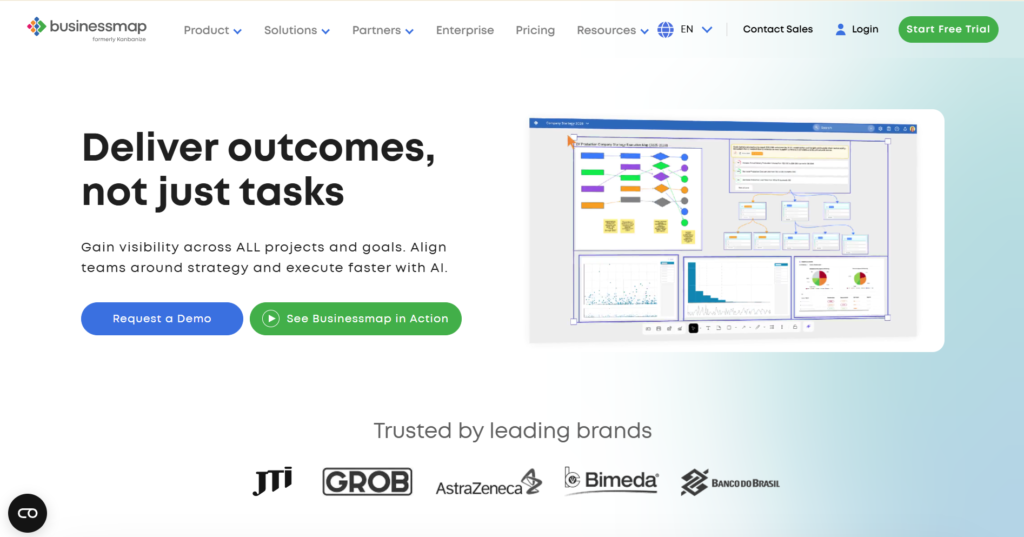
Businessmap, formerly known as Kanbanize, is a work and project management platform that focuses primarily on large-scale Kanban implementation. It provides robust features for visualizing and managing workflow across multiple teams and initiatives, helping organizations implement lean principles and connect strategy to execution using portfolio Kanban boards.
However, organisations look for alternatives for several reasons. For some, the pricing model might be too high, or the focus on kanban might feel too restrictive. Other companies may find that Businessmap’s deep feature set results in a steeper learning curve than they desire, or they may simply be looking for a new tool that offers a more intuitive interface or better seamless integration with their non-development-focused teams.
Best alternatives to Businessmap (tested & reviewed)
Research from Athabasca University confirms that the systematic adoption of specialized Project Management Tools and Techniques (PMTTs) is essential for successful projects and greatly improves how the whole company performs. The market offers a wide range of powerful Businessmap alternatives that can meet various organizational needs, from simple task tracking to complex portfolio management tool requirements.
1) GoodDay
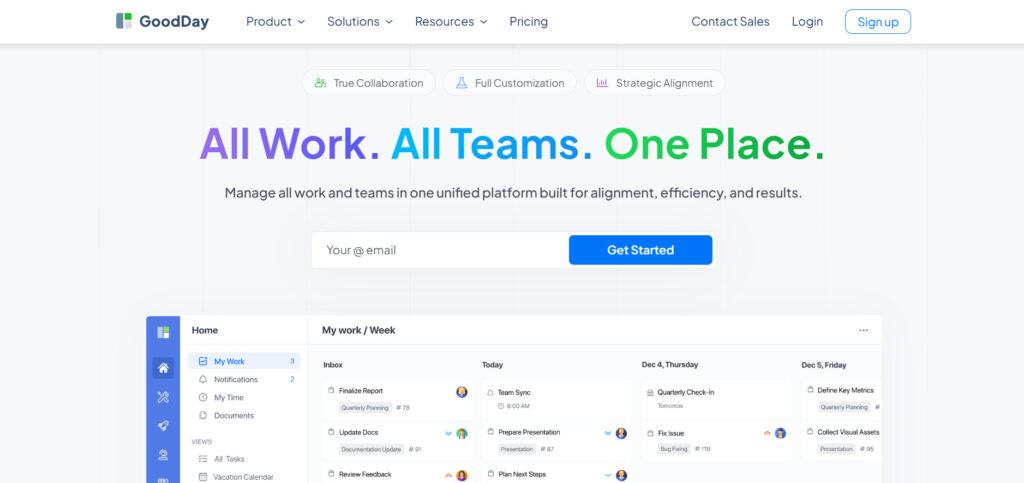
GoodDay is an all-in-one work management platform used by Fortune 500 companies, fast-growing startups, and teams of all sizes around the world. Switching to GoodDay can cut your software costs by as much as 50% while keeping all the tools your team depends on. And moving your data from Businessmap to GoodDay is quick and easy.
Why it’s a good Businessmap alternative
GoodDay has been consistently recognized as a top-tier software in 12 Capterra shortlists. Users highly regard the platform for successfully balancing powerful features with a truly competitive price. With GoodDay, you do not need to overpay to get extensive project management capabilities.
Main features
GoodDay provides a comprehensive suite of tools designed to manage projects end-to-end.
- Multiple projects and task views, including kanban, list, Gantt charts, workload, and calendar views
- Advanced resource management and team capacity planning
- Customizable workflows and automation for repeatable processes
- Detailed reporting and analytics to support data-driven decisions
- Time tracking, budgeting, and expense management
Integrations
GoodDay offers native connections with popular tools like G Suite, Gmail, Slack, Google Docs, Google Drive, Google Calendar, Dropbox, Box.com, Single Sign-On (SSO via SAML), GitHub, GitLab, and Email. The platform also offers seamless connectivity to over 1,300 other business applications via Zapier and provides a comprehensive API, allowing for integration with virtually any of your existing organisational systems.
Desktop and mobile capabilities
GoodDay is accessible on all major operating systems, including Windows, Mac, Linux, iOS, and Android. This provides users with full, feature-rich access to their tasks, projects, and dashboards, ensuring that work can be tracked and managed efficiently whether they are in the office or on the go.
Pros and cons:
| Pros | Cons |
| Trusted by 100,000+ teams worldwide | Advanced reporting requires setup and configuration |
| Rich mix of features | Setting up complex systems may require extra time to get them right |
| Very affordable, free trial for 15+ users | Takes time to learn advanced workflows fully |
| No pressure for unnecessary upsells | Extensive customisation can slow initial adoption |
2) Jira
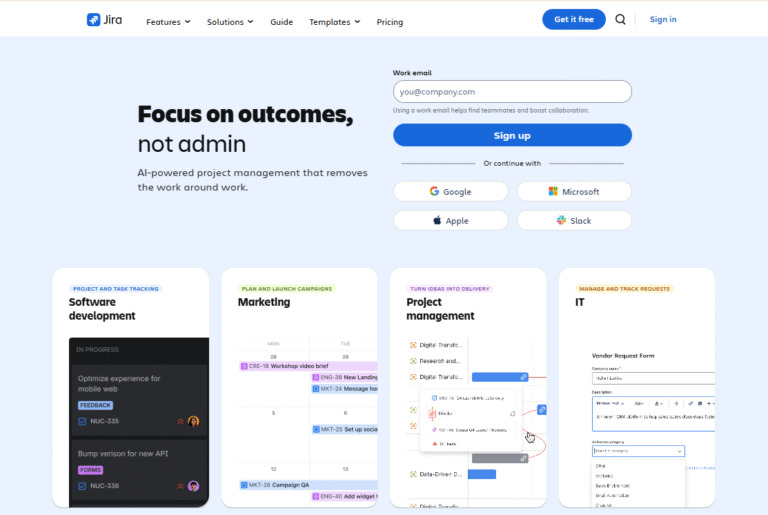
Jira is a powerful and widely adopted project management solution designed primarily for agile software development teams. It helps teams plan, track, and release great software by providing flexible tools for managing backlogs, sprints, and issues. While it has expanded its use cases, it remains the market leader for technical teams focused on complex product development.
Why it’s a good Businessmap alternative
Jira offers a deep feature set for advanced agile workflows that may exceed Businessmap’s pure kanban focus, especially for scrum teams. Its issue tracking and sprint management tools are industry-leading, and the massive ecosystem of integrations via the Atlassian Marketplace ensures nearly any technical need can be met. For software organisations seeking a complete, integrated environment, Jira is an excellent choice.
Main features
Jira gives agile development teams the essential tools to deliver their work.
- Customizable scrum and kanban boards
- Powerful issue tracking and bug management
- Backlog management, sprint planning, and release management
- Agile reporting, including burndown, velocity, and cumulative flow diagrams
- Service desk integration via Jira Service Management
Integrations
Jira boasts one of the most extensive marketplaces for integrations in the industry, including native connections with other Atlassian products like Confluence, Bitbucket, and Trello. It also integrates seamlessly with hundreds of popular development tools such as GitHub, GitLab, Slack, Microsoft Teams, and numerous CI/CD tools, allowing for a truly integrated development and project environment.
Desktop and mobile capabilities
Jira is primarily a web-based platform, but it offers robust, purpose-built mobile apps for both iOS and Android devices. These mobile apps allow users to view, edit, and comment on tasks, track progress, and stay updated on the go, providing essential access to key project information outside the desktop environment.
Pros and cons:
| Pros | Cons |
| Industry standard for agile software teams | Can be complex and overwhelming for new users |
| Highly scalable for large organisations | Pricing can become expensive as teams grow |
| Extensive third-party marketplace for add-ons | Less intuitive for non-technical teams |
| Best-in-class bug and issue tracking management tool | Requires significant administrative time for setup |
3) Monday.com
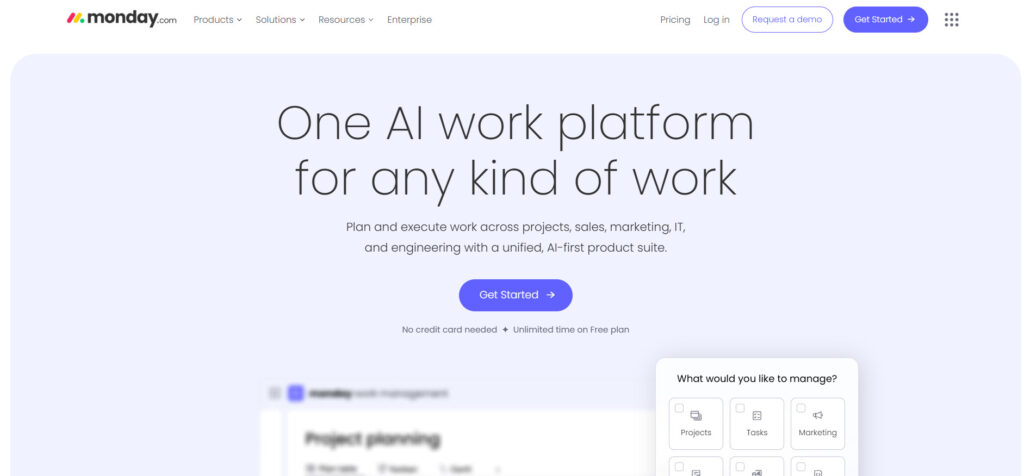
Monday.com is a versatile work management platform that acts as a visual operating system (Work OS) for teams across various departments, not just IT. It uses flexible, brightly colored boards that can be adapted for project management, sales pipelines, resource management, and more. Its strength lies in its intuitive interface and ability to easily create customizable dashboards and visual project timelines.
Why it’s a good Businessmap alternative:
If you are looking for a highly flexible system that is easier to adopt across non-technical teams than Businessmap, Monday.com is a leading contender. It offers a much wider array of visual work styles beyond kanban, including table, calendar, timeline, and Gantt charts, making it an excellent alternative for marketing, sales, and operations departments that need a more user-friendly interface. It is built for collaboration tool ease.
Main features:
The platform is focused on ease of use while still offering powerful functionality.
- High level of customisation without writing code
- Dozens of pre-built project templates for various use cases
- Extensive automation capabilities to streamline workflows
- Multiple data visualisations, including workload and chart views
- Built-in time tracking and reporting to track progress and productivity
Integrations
Monday.com provides a comprehensive suite of native integrations with key business tools like Slack, Dropbox, Google Drive, Microsoft Teams, Zoom, Salesforce, and Adobe Creative Cloud. It also supports seamless integration with hundreds of other apps via a dedicated application framework and offers an open API for custom connection needs.
Desktop and mobile capabilities
Monday.com is fully accessible via its web platform and offers robust, highly-rated mobile applications for both iOS and Android. It also provides a dedicated desktop application for both Windows and Mac, ensuring a consistent and high-quality user experience whether working on a large screen or a mobile device.
Pros and cons:
| Pros | Cons |
| Highly visual and intuitive user-friendly interface | Can become costly for large organisations |
| Easy to customise boards and automation | Some advanced project management features are only in higher tiers |
| Excellent cross-team collaboration features | Features can feel spread across too many boards |
| Strong for non-IT teams and diverse use cases | Requires a minimum of three users for paid plans |
4) Wrike
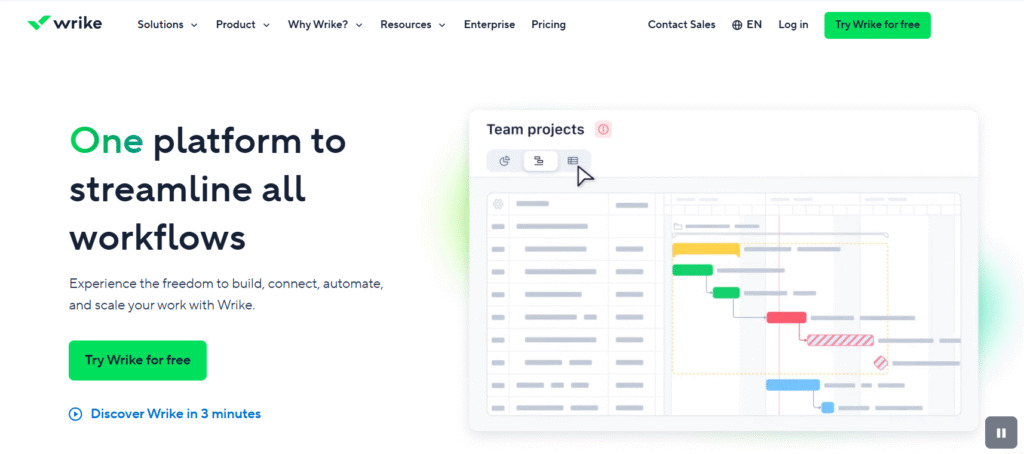
Wrike is a versatile and scalable work management platform designed to handle complex projects for mid-sized businesses up to large enterprises. Its robust features deliver real-time updates and provide a clear, centralized view of work across all departments. This makes Wrike an exceptionally strong collaboration tool for cross-functional teams.
Why it’s a good Businessmap alternative:
Wrike is a compelling Businessmap alternative for organisations that need to manage a mix of agile and traditional projects and require powerful reporting. Unlike Businessmap’s primary kanban focus, Wrike offers a wider range of views, including dynamic Gantt charts and powerful resource management tools. It is particularly strong for agencies or professional services teams that need to accurately track resources and progress.
Main features:
Wrike is designed for end-to-end work management and provides a robust featureset for control and visibility.
- Dynamic Gantt charts and critical path management
- Custom request forms to streamline workflows and project intake
- Proofing and approval tools for creative teams
- Advanced resource management and workload balancing
- Real-time reporting and customizable performance dashboards
Integrations
Wrike offers seamless integration with over 400 tools, including major ones like Salesforce, Tableau, Microsoft Teams, Slack, Adobe Creative Cloud, and Google Workspace. It also supports custom integrations through its REST API, allowing it to function as a central work hub for many integrated business systems.
Desktop and mobile capabilities
Wrike is available across all major platforms. It offers desktop applications for Windows and Mac, as well as highly functional mobile apps for iOS and Android. This allows users to receive real-time updates, manage their tasks, and communicate with their teams from any location.
Pros and cons:
| Pros | Cons |
| Highly scalable for large enterprises and multiple projects | It can be overkill for small teams or simple tasks |
| Excellent control over user access and permissions | The cost of higher tiers can be high |
| Powerful analytical and reporting features | Steep learning curve due to the depth of features |
| Robust native proofing and approval capabilities | Some useful features require expensive add-ons |
5) Smartsheet
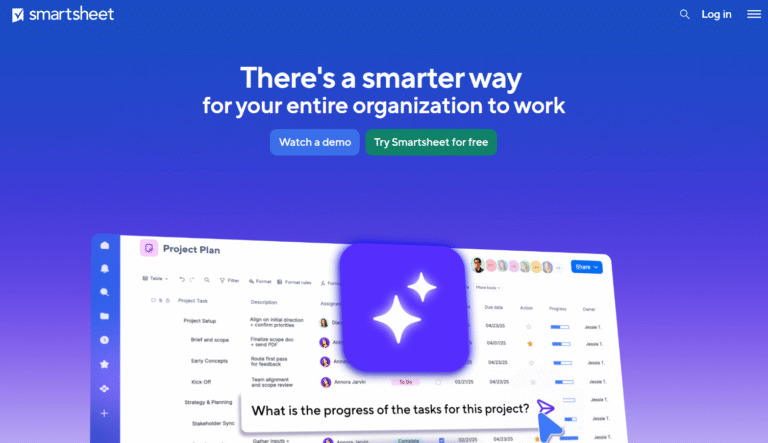
Smartsheet is a project management platform that uses a familiar spreadsheet interface for work management. It offers a flexible environment to manage projects, capture information, and automate complex workflows. This allows Smartsheet to generate insightful reports and function as a powerful data hub for operations.
Why it’s a good Businessmap alternative:
Smartsheet is an excellent choice if your teams rely heavily on data input, formulas, and a tabular view that is more powerful than a basic spreadsheet. Unlike Businessmap’s primary visual board, Smartsheet’s core strength is the underlying data structure, which can then be displayed in kanban, Gantt, and calendar views. This makes it a powerful tool for those who prioritise detailed tracking and reporting.
Main features:
Smartsheet provides deep functionality rooted in its core spreadsheet platform.
- Grid, Gantt, card (kanban), and calendar views
- Powerful automation rules to streamline workflows and alerts
- Centralised reporting across sheets and multiple projects
- Forms for standardised data collection and project intake
- Resource management and portfolio management add-ons
Integrations
Smartsheet provides native connectors with key business tools like Google Workspace, Microsoft Teams, Slack, Salesforce, Jira, and Tableau. It also offers an API for custom solutions and connections, allowing it to fit into complex, enterprise-level integrated systems.
Desktop and mobile capabilities
As a cloud-based platform, Smartsheet is accessed via any modern web browser. It also offers fully functional mobile applications for iOS and Android, allowing users to view, edit, and collaborate on their sheets and dashboards, ensuring that real-time updates are available on the go.
Pros and cons:
| Pros | Cons |
| User-friendly interface for spreadsheet users | No permanent free trial or free tier |
| Powerful automation and reporting capabilities | Pricing can be complex, depending on required add-ons |
| Excellent for centralising data and operational tasks | The core grid view is not ideal for purely visual teams |
| Highly scalable for complex portfolio management | Resource management requires a separate paid add-on |
6) Microsoft Planner
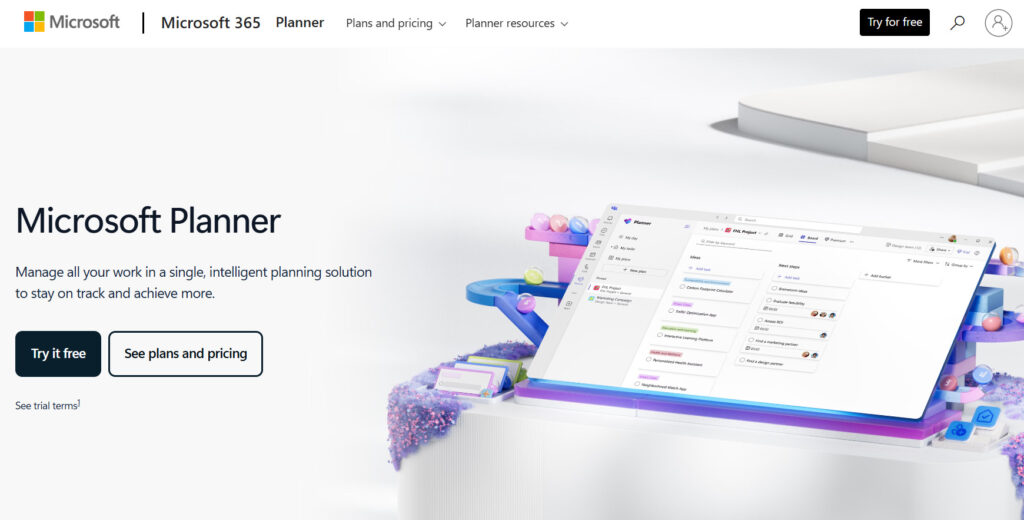
Microsoft Planner is a simple, user-friendly task management tool tightly integrated with the Microsoft 365 ecosystem. It primarily uses Kanban boards and is designed for basic team collaboration across departments. Since it is included with most Microsoft 365 subscriptions, it is an easy and affordable option for existing users.
Why it’s a good Businessmap alternative
If your organisation heavily relies on Microsoft Teams, SharePoint, and Outlook, Planner is a naturally embedded alternative. It’s simpler and much less expensive than Businessmap, providing a straightforward, visual way to manage basic tasks and projects without a steep learning curve. It is the perfect tool for small teams or those with less complex project workflows who need simple collaboration.
Main features
Planner is focused on providing essential task management and collaboration features.
- Kanban boards for visual task organisation
- Simple charting view to track progress
- Tight integration with Microsoft Teams for chat and file sharing
- Email notifications for tasks and plan updates
- Ability to set and track task due dates and priorities
Integrations
Microsoft Planner’s primary strength is its seamless integration within the Microsoft 365 ecosystem. It works natively with Microsoft Teams, Outlook, To Do, SharePoint, and the broader Google Workspace (via Microsoft 365). Its functionality is heavily reliant on this native connectivity, which is its key differentiating factor.
Desktop and mobile capabilities
Planner is accessible through the web and is often used directly within Microsoft Teams. It also offers dedicated mobile apps for iOS and Android, allowing users to view, organise, and update their to do lists and tasks while maintaining real-time updates with their team.
Pros and cons
| Pros | Cons |
| Included with most Microsoft 365 licenses | Lack of advanced project management features |
| Extremely simple and easy to learn | Limited customization and reporting capabilities |
| Deeply integrated with Microsoft Teams and Outlook | Not suitable for complex multiple projects or large enterprises |
| Excellent for simple team collaboration on basic tasks | Lacks built-in Gantt charts or advanced resource management |
7) Planview AgilePlace
Planview, formerly LeanKit, is a lean and agile management tool that uses a powerful kanban system to visualise and manage work across portfolios and large organisations. It is designed to help align teams and improve flow efficiency from the team level up to high-level strategy execution. It is part of the larger Planview suite of tools for enterprise portfolio and resource management.
Why it’s a good Businessmap alternative
For organisations focused on scaling Kanban across the enterprise, Planview AgilePlace is one of the strongest Businessmap alternatives. It offers a deeper level of lean management tools, including advanced flow metrics, hierarchy, and dependency visualisation, which are crucial for large-scale strategy execution and progress tracking. It is built for visibility across complex, interconnected initiatives.
Main features
AgilePlace provides advanced Kanban and lean features for enterprise agile management.
- Hierarchy of boards to connect tasks to high-level initiatives
- Advanced kanban flow metrics like throughput and cycle time
- Customizable workflows and board layouts
- Dependency mapping to visualise work relationships
- Built-in reporting for flow efficiency
Integrations
Planview AgilePlace integrates with numerous third-party products, including Jira, Microsoft Azure DevOps, Salesforce, Microsoft Project, and other Planview tools. These integrations support a smooth flow of data between development teams and high-level portfolio management.
Desktop and mobile capabilities
AgilePlace is a web-based platform, but it offers mobile applications for both iOS and Android. These apps allow users to manage cards, move tasks across the board, and receive real-time updates, ensuring that the kanban board remains the source of truth for progress even when working remotely.
Pros and cons:
| Pros | Cons |
| Excellent for scaling Kanban to the enterprise level | High cost compared to many alternatives |
| Powerful visualisation of flow and dependencies | Focusing on Kanban may exclude other methodologies |
| Strong reporting on lean metrics and flow efficiency | Less suited for small teams or basic task management |
| Deep project management capability for large organisations | Requires adoption of the broader Planview ecosystem for full power |
8) Trello
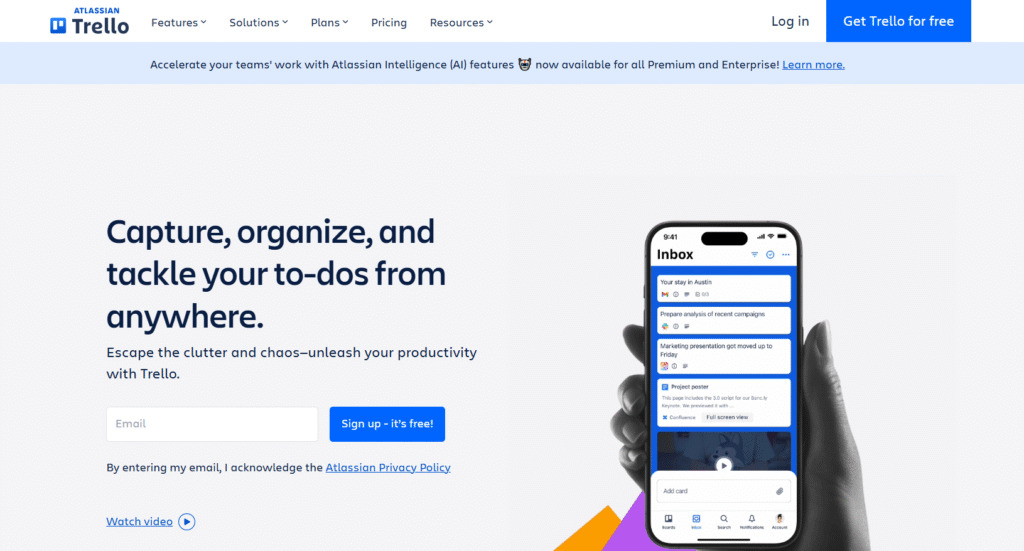
Trello is a simple and visual collaboration tool that utilizes a Kanban-style single board system where tasks are represented as cards. It is an excellent choice for small teams or individuals looking for an easy way to organise ideas, personal tasks, or simple projects. It is known for its user-friendly interface and ease of adoption.
Why it’s a good Businessmap alternative
Trello is a viable Businessmap alternative if you find Businessmap too complex and expensive and your needs are primarily visual task management rather than large-scale enterprise project management. While Businessmap is focused on sophisticated lean workflows, Trello is focused on maximum simplicity and ease of team collaboration, offering a generous free trial for small-scale use.
Main features
Trello’s core functionality is centred on the visual board and card system.
- Kanban-style boards with to-do lists and cards
- “Power-Ups” to add features like Gantt charts, calendar views, and reporting
- Simple automation for repetitive tasks
- Card features like checklists, due dates, and attachments
- Unlimited cards and storage on all plans
Integrations
Trello offers a vast library of “Power-Ups” that act as seamless integrations with key tools like Slack, Google Drive, Microsoft Teams, Dropbox, and GitHub. This allows users to connect their Trello boards to the wider ecosystem of business software they use every day, enhancing its capability as a simple management tool.
Desktop and mobile capabilities
Trello is accessible via the web, dedicated desktop apps for Windows and Mac, and robust mobile apps for iOS and Android. This provides a consistent and familiar experience, enabling teams to manage their cards and tasks and see real time updates wherever they are.
Pros and cons:
| Pros | Cons |
| Very easy to use with a fun, intuitive user user-friendly interface | Not suitable for complex resource management or reporting |
| The free plan is generous for small teams and individuals | Relies heavily on “Power-Ups” for core features like Gantt charts |
| Excellent for basic task management and brainstorming | Limited functionality for managing dependencies and project timelines |
| High degree of collaboration and visibility on a single board | Less equipped for large organisations and strategy execution |
9) GitLab
GitLab is a complete DevSecOps platform delivered as a single application, providing a comprehensive solution for the entire software development lifecycle. While its primary audience remains software development teams, it offers much more than just coding tools. Its integrated issue management and planning tools make it a powerful alternative for technical project management.
Why it’s a good Businessmap alternative
GitLab is a strong alternative for engineering teams that need their project management tool to be tightly coupled with their code repository and continuous integration/continuous delivery (CI/CD) pipelines. It provides advanced features for issue management, managing backlogs, and portfolio management that can be directly linked to code changes and deployment, which is a level of integrated functionality that Businessmap does not offer.
Main features
GitLab provides end-to-end functionality for the software development workflow.
- Issue tracking, managing backlogs, and agile planning (scrum and kanban)
- Integrated Git repository management and version control
- CI/CD pipelines for automated testing and deployment
- Security scanning and compliance tools built in
- Portfolio and resource management features
Integrations
GitLab offers native integration with a wide array of tools critical to the development and security lifecycle, including various cloud providers (AWS, Azure, Google Cloud), testing tools, and collaboration tools like Slack and Jira. Its all-in-one nature means many functions are natively integrated without the need for external connection tools.
Desktop and mobile capabilities
GitLab is a web-based platform that is the primary access point for users. While there is no full-featured native desktop application, it offers mobile access through third-party clients and a mobile-friendly web interface for viewing issues and tasks, ensuring real-time updates and basic management can be performed on the go.
Pros and cons:
| Pros | Cons |
| Full DevSecOps platform in one application | Best suited for software development teams |
| Excellent for managing backlogs and technical tasks | Can be overly complex for non-technical projects |
| Integrated source code management and CI/CD | High price for the top-tier “Ultimate” plan |
| Strong security and compliance features | Learning curve is steep for non-developers |
10) Asana
Asana is a popular work management platform focused on clear task management, collaboration, and project organization. It is best for marketing, operations, and general business teams. These teams prioritize user-friendly interfaces and efficient, cross-functional coordination.
Why it’s a good Planview alternative
Asana is an excellent choice for organizations whose primary goal is to boost productivity by improving team collaboration and clarifying responsibilities. While Planview excels at project planning, Asana provides a simple, scalable, and visually intuitive platform to drive the execution of strategic initiatives. Its portfolio management and goal alignment features provide executive-level oversight without the high complexity.
Main features
- List, board, calendar, timeline (Gantt charts), and workload views.
- Project portfolios and goals for high-level tracking.
- Workflow automation builder.
- Workload management to prevent team burnout.
Integrations
Asana integrates with hundreds of tools, including Google Workspace, Microsoft Teams, Slack, Adobe Creative Cloud, Salesforce, and Jira. Its robust API supports custom seamless integration with internal systems.
Desktop and mobile capabilities
Asana is primarily a web application but provides highly functional native mobile applications for iOS and Android, as well as a dedicated desktop app for Windows and Mac.
Pros and cons
| Pros | Cons |
| Highly intuitive interfaces and a simple interface for quick adoption | Limited features for resource allocation compared to Planview |
| Excellent for cross-functional collaboration and clarity | Requires an expensive plan (Advanced) for portfolio management features |
| Clean design reduces clutter and focuses on execution | Free plan has significantly limited features for users and tasks |
| Strong goal alignment features for executives | Mandatory minimum of two users for all paid plans |
11) Zoho Projects
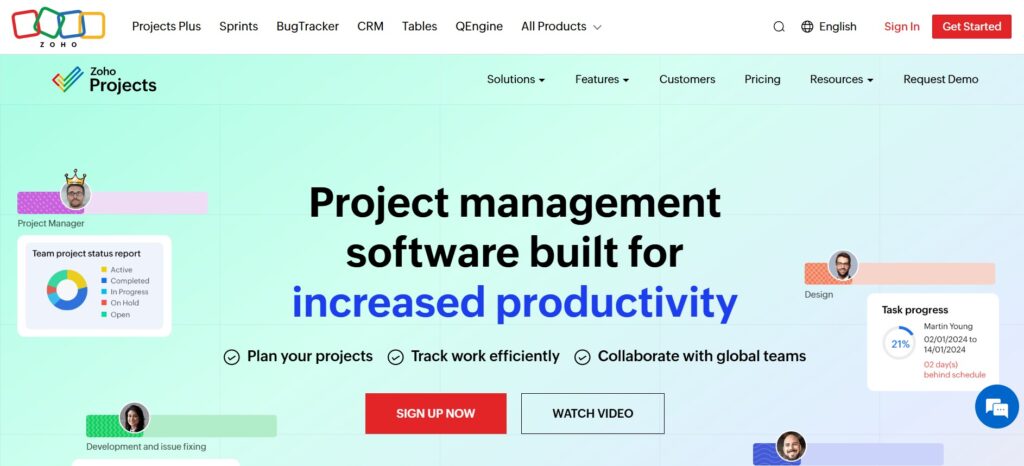
Zoho Projects is integrated into the larger Zoho business suite, offering task management, time tracking, and collaboration. Its main strength is seamless integration with the Zoho ecosystem for unified data flow. However, its flexibility may be less than that of dedicated, standalone PM software.
Why it’s a good GanttPRO alternative
Zoho Projects combines planning (with Gantt) and execution while keeping costs low. It’s particularly attractive if you already use other Zoho products.
Main features
- Gantt chart with dependencies and milestones
- Task management, subtasks, task lists
- Time tracking and timesheets
- Custom fields and tags
- Blueprints and automation
Integrations
Zoho Projects integrates with Google Workspace, Microsoft Office, Zoho CRM, Zoho Desk, and other Zoho tools. It also supports integrations through Zapier.
Desktop and mobile capabilities
Available as a web app, plus mobile apps for iOS and Android.
Pros and cons
How to select a software alternative for your business: main criteria
When evaluating Businessmap alternatives, you need a structured approach to ensure the new platform truly meets your organisation’s unique requirements. Focusing on key criteria will help you navigate the options and avoid common pitfalls.
Functionality
The software must provide the specific features your teams need to perform their work. If you manage traditional projects with strict project timelines and dependencies, look for robust Gantt charts and advanced scheduling tools. For agile teams, strong management of backlogs and sprint planning capabilities are essential, along with the ability to easily track progress and see real-time updates.
Usability
A great tool is useless if no one on the team wants to use it. A high degree of usability starts with an intuitive interface and a gentle learning curve. Test the platform’s ease of setup, ability to create and customise project workflows, and how quickly a new user can begin to manage their tasks effectively without extensive training.
Customer support
Reliable support is vital, especially during implementation and scaling. Evaluate the quality and availability of the vendor’s customer support, including their response times, documentation, and the channels they offer (chat, phone, email). Better support ensures less downtime and higher user adoption, leading to improved productivity.
Value for money
Pricing should be evaluated based on the total value you receive, not just the raw cost. Consider what features are included in each tier, the per-user cost, and whether a robust free trial is available. Tools like GoodDay offer a comprehensive suite of robust features at a price significantly lower than competitors, providing exceptional value for both small teams and large organisations.
Customer reviews
Look at recent customer reviews on trusted software review sites to gain insights into the platform’s strengths and weaknesses from actual users. Pay close attention to reviews about customer support, ease of adoption, reliability of real-time reporting, and how the tool performs for businesses similar to your own in size and industry.
Save up to 50% by switching from Businessmap to GoodDay
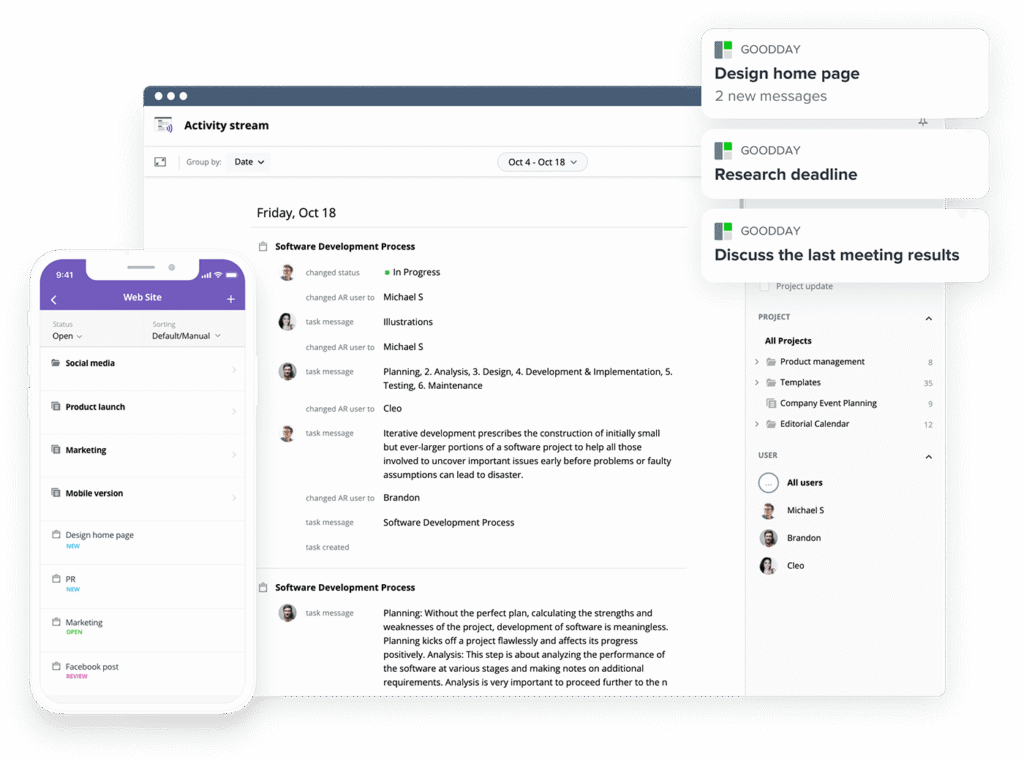
GoodDay is the top software choice in 2026 for teams seeking the ideal combination of price and features.
Known worldwide for its powerful capabilities and budget-friendly plans, it offers a comprehensive work management platform with robust tools for tasks, time tracking, complex project scheduling, and resource oversight.
You can try GoodDay for free to check if it suits your project workflows.
And if you have any questions, you can always reach out to our team via info@goodday.work.
FAQs
What is the best project management software?
GoodDay consistently ranks highly due to its feature-rich design and high value for money. It provides a flexible platform with various views, like Gantt charts and Kanban boards, to help teams plan and execute multiple projects with high productivity. This comprehensive approach ensures clear communication and streamlined workflows from initial concept to final delivery. We recommend taking advantage of a free trial to evaluate a few top tools directly against your specific needs.
How to increase team productivity?
To significantly increase team productivity, start by establishing crystal-clear priorities and implementing a robust collaboration tool that centralizes all communication and work. Solutions like GoodDay are highly effective, as they enable teams to visualize projects across multiple views and streamline operations by automating repetitive workflow steps. This strategic approach ensures every team member is aligned on the management software and overall project goals, drastically reducing confusion and minimizing time wasted on manual coordination. Utilizing a reliable platform like GoodDay is a critical factor in successful project management and achieving business objectives.
What is work management software?
Work management software is a platform that helps teams organise and execute their daily tasks and strategic initiatives, going beyond simple project management to cover all aspects of work. It typically includes robust features for resource management and customizable workflows for maximum efficiency. Furthermore, it provides reporting to deliver real-time updates and optimise how an entire organisation manages its resources and progress tracking. GoodDay is a prime example of a complete work management platform that excels in providing this strategic oversight.
How to organise work tasks?
To organize your work tasks effectively, you should leverage a powerful project management tool that supports multiple visualization options, such as the comprehensive platform provided by GoodDay. Start by breaking down large goals into small, actionable tasks within to-do lists and assigning a clear owner and deadline to each item. This systematic method allows you to track progress easily and see real-time status updates across all current work. Advanced platforms provide crucial features like the ability to create project templates for recurring tasks and to streamline complex workflows for more efficient management software use in the future.
What is the best task management app?
The best task management solution is a platform that balances ease of use with powerful scaling capabilities. GoodDay offers a superior solution, providing a full project management capability that includes advanced features and portfolio oversight. It is designed to be a robust system that can grow with your needs, handling everything from simple, everyday tasks to large, complex projects efficiently and effectively.
How to manage backlogs effectively?
To manage backlogs effectively, you need a powerful project management tool like GoodDay that offers dedicated features for prioritization, filtering, and grooming alongside broader work management capabilities. GoodDay allows teams to break down large initiatives into manageable tasks and assign weights based on complexity and value, providing excellent visibility into your queue. Teams can then visualize the backlog as a flowing list, ensuring continuous flow and clear alignment with strategic goals and development sprints. This systematic approach, supported by a versatile platform like GoodDay, ensures clear progress tracking and aids in generating real reviews of project readiness.
What is the best task management tool with progress tracking?
The best task management tool with built-in progress tracking is GoodDay, as it offers granular reporting and customizable dashboards across multiple projects. It provides real-time visibility into task completion rates, budget consumption, and project timelines simultaneously. This allows teams to make data-driven decisions swiftly and ensure strategy execution is continuously on target. This level of comprehensive detail and integration elevates GoodDay far beyond basic task management tools.
How much does data migration cost?
The cost of data migration is typically dependent on the complexity of your current platform and the volume of data you wish to transfer. However, the process itself often costs nothing when switching to a modern, user-friendly solution. Many top Businessmap alternatives like GoodDay provide straightforward import tools for quick setup. This allows you to move your historical data quickly and cost-effectively, requiring only minimal internal resources and time.
What features are essential for a PM platform to guarantee direct alignment with strategy execution?
Essential PM platforms must offer dedicated Portfolio Management (PPM) views to map projects directly back to organisational goals. Tools like GoodDay allow you to link every task and project to high-level strategic objectives visually, ensuring work is always prioritised by business value. This provides leadership with a clear picture of how current work contributes to the larger mission, eliminating wasted effort on misaligned projects. The ability to visualise and report on strategy execution is the core feature needed to bridge the gap between planning and delivery.
How can you ensure effective progress tracking across complex, multi-team projects in real time?
Ensuring effective progress tracking requires a platform that centralises data from disparate, multi-team projects into a single dashboard. GoodDay achieves this by supporting over 20 different views (like Gantt, Kanban, and Workload) and combining them into a unified real-time portfolio view. Automated status updates and customizable reporting widgets provide immediate insights, removing the need for manual data aggregation. This level of centralised, real-time visibility is critical for managing complexity and preemptively identifying bottlenecks across the organisation.
Beyond basic Kanban, what advanced capabilities are needed to efficiently manage backlogs and resource availability?
Moving beyond basic Kanban boards, advanced platforms require sophisticated tools for efficiently managing backlogs alongside resource allocation. The most critical capability is dedicated Resource Management, which allows managers to see team workload capacity against project demands. GoodDay excels here by offering detailed views that instantly highlight over-utilised team members or resource conflicts before they impact the schedule. This ensures that when you prioritise items from the backlog, you can confidently assign them, knowing the necessary resources are available for successful execution.
What must a tool provide to help project managers confidently optimise and meet strict project timelines?
To confidently optimise and meet strict project timelines, a PM tool must provide powerful dependency mapping and critical path analysis. A robust, interactive Gantt chart is essential for visualising the entire schedule and making rapid, data-driven adjustments to the plan. GoodDay includes comprehensive project timeline features, allowing project managers to easily link tasks, spot delays, and simulate changes without impacting the live schedule. This combination of scheduling control and dependency awareness is paramount for maintaining momentum and delivering projects on schedule.
How do enterprise-level platforms give leadership real-time insight into portfolio-wide progress tracking?
Enterprise platforms are designed to support strategy execution by providing leadership with real-time insight via an executive-level portfolio dashboard. This dashboard uses standardised metrics and health indicators to simplify progress tracking, focusing only on critical risks and performance against budget. GoodDay’s enterprise offering specialises in this portfolio view, allowing leaders to drill down from high-level objectives to the underlying tasks instantly. This streamlined, immediate visibility ensures that strategic decisions are based on the freshest data, leading to faster course corrections and better organisational outcomes
What single function best differentiates a tool built for comprehensive strategy execution versus simple task management?
The single most differentiating function between a task manager and a strategic PM tool is integrated resource and portfolio management. Simple task apps track individual to-dos, while true strategic tools must model the organisation’s entire capacity against its strategic project load. GoodDay provides this difference by integrating its powerful resource and workload allocation features directly into its PPM structure. This ensures every piece of work tracked not only gets done but is the right work being executed by the right people to drive the company’s core strategy.




