
If you have been using Axosoft, you know it is a powerhouse for Scrum, but it might feel a bit dated or unsuitable for your current team’s needs.
In this guide, we’ll explore the best Axosoft alternatives to help you make the right choice for your team.
But if you have any questions that are not covered in this article, you can always connect with our team via info@goodday.work
Best Axosoft alternatives shortlist for 2026
To find out which software fits different teams best, we tested popular project management tools and put together a shortlist of 10+ powerful Axosoft alternatives.
Top-Tier Alternatives (Strong All-Rounders)
- GoodDay: Versatile work management platform, ideal for high-level project planning, custom workflow automation, and cross-team resource management.
- Jira: Industry standard for development teams, powerful for complex workflows, bug tracking, and release management.
- ClickUp: Highly customizable, all-in-one platform for task management, goals, and docs, offering strong Agile features.
- GitLab: Excellent for integrating DevOps practices with Agile planning, offering CI/CD, repository management, and issue tracking.
- Wrike: Robust for cross-functional teams needing detailed project tracking, Gantt charts, and workload views.
- Monday.com: Known for its visual interface, great for workflow automation and team collaboration across various project types.
Specialized & Budget-Friendly Options
- Azure DevOps (Boards): Microsoft’s solution for enterprise Agile planning, deeply integrated with Azure services.
- Zoho Sprints: A cost-effective choice for smaller Agile teams, offering core sprint planning tools.
- Asana: Focuses on simplicity, speed, and clarity for Agile teams managing tasks and projects.
- Trello: Ideal for lightweight Agile with simple Kanban boards and quick setup.
- Targetprocess: Geared towards scaling Agile practices across larger enterprise environments.
For QA & Testing
- aqua: A dedicated Test Management System with AI, bug tracking, and integrations for QA processes.
- LogRocket: Focuses on user experience monitoring, error tracking, and performance analysis for web/mobile apps.
Comparison of the best Axosoft alternatives (free and paid)
Choosing a new tool involves comparing features against your budget and the effort required to move your existing data.
| Software | Best for | Pricing | Ease of migration from Axosoft |
| GoodDay | Best overall balance of features and cost | Free plan (1–15 users); Professional $4/user/month; Business $7/user/month; Enterprise custom | Easy (CSV import, Zapier integrations) |
| Jira | Software development at scale | Free plan up to 10 users; Standard ~$8.60/user/month; Premium ~$17/user/month | Moderate (Direct importers and CSV) |
| ClickUp | All-in-one productivity | Free Forever; Unlimited $7/user/month; Business $12/user/month | Easy (CSV and native import tools) |
| GitLab | Integrated DevSecOps | Free; Premium $29/user/month; Ultimate $99/user/month | Moderate (API and CSV) |
| Wrike | Cross-functional complex projects | Free; Team $10/user/month; Business $24.80/user/month | Moderate (Excel/CSV import) |
| Monday.com | Visual workflow automation | Free for 2 users; Basic $9/user/month; Standard $12/user/month; Pro $19/user/month | Easy (CSV import) |
| Azure DevOps | Microsoft ecosystem teams | Free for 5 users; Basic $6/user/month; Basic + Test Plans $52/user/month | Moderate (CSV and API) |
| Zoho Sprints | Budget-friendly Agile | Free; Starter $1/user/month; Elite $2.50/user/month; Premium $5/user/month | Easy (CSV import) |
| Asana | Team coordination and clarity | Personal (Free); Starter $10.99/user/month; Advanced $24.99/user/month | Easy (CSV and third-party tools) |
| Trello | Simple Kanban tracking | Free; Standard $5/user/month; Premium $10/user/month | Very Easy (CSV or board copy) |
| Targetprocess | Scaled Agile (SAFe) | Custom enterprise pricing (no public free tier) | Complex (Enterprise migration service) |
| aqua | Quality assurance and AI testing | Free version available; Team ~$850/month (billed annually) | Moderate (CSV and API) |
| LogRocket | Frontend monitoring and debugging | Free (1k sessions); Team $69/month; Professional $295/month | Easy (Script-based setup) |
What is Axosoft and why consider an alternative for your business?
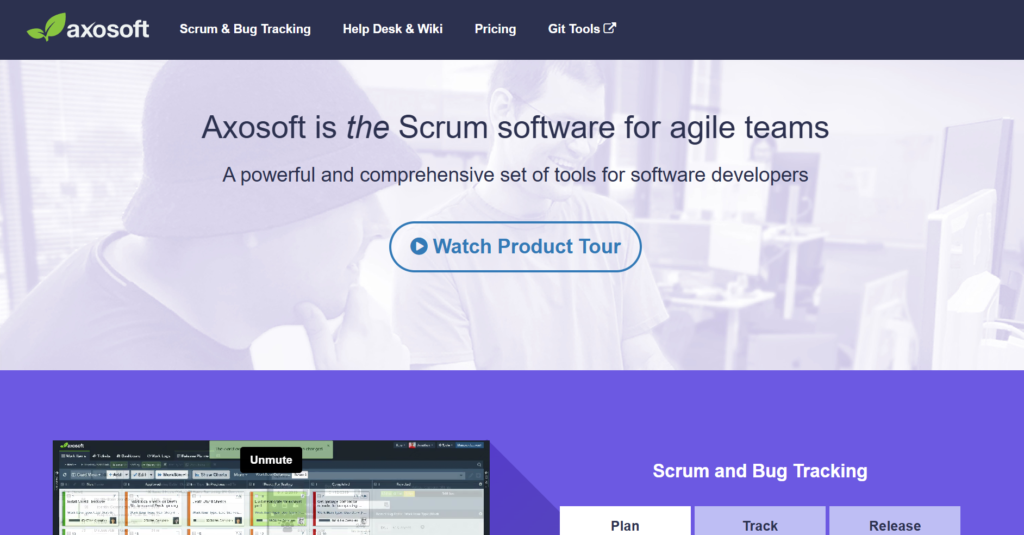
Axosoft is a veteran project management tool designed specifically for software development teams using the Scrum framework. It provides detailed features for sprint planning, release management, and incident tracking, along with an integrated help desk and wiki system. For a long time, it was a go-to choice for engineering teams that needed a high degree of control over their backlogs and release cycles.
However, as work environments have evolved, many users find Axosoft’s interface to be less intuitive than modern competitors. The pricing can also be a significant factor, as it lacks a robust free tier for small teams and requires a higher starting investment compared to more flexible, modern platforms.
Teams often look for alternatives to find better mobile capabilities, smoother automation, and a more user-friendly experience for non-technical departments.
Best alternatives to Axosoft
According to research from Clarkston Consulting, using project management tools significantly improves project outcomes by centralizing data, providing structured workflows, and enabling data-driven planning that keeps teams within budget and on schedule. Below is a detailed look at the top software options that can replace Axosoft, focusing on their unique strengths and capabilities.
GoodDay
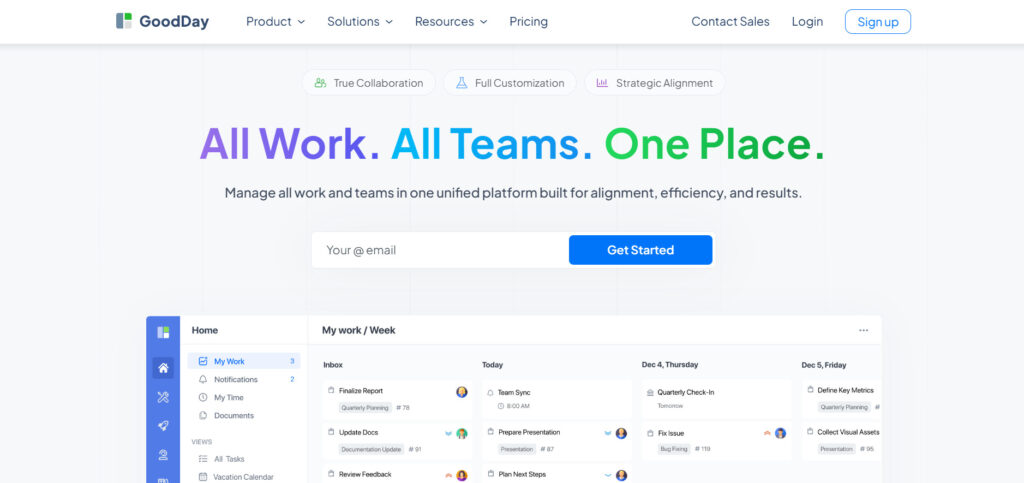
GoodDay is a comprehensive work management tool that caters to Fortune 500 companies, growing startups, and businesses of every scale. Transitioning to GoodDay allows your organization to reduce expenses by up to 50% while retaining access to all the essential tools your team relies on. The platform also enables a swift data migration process that typically takes less than two minutes to complete.
Why it’s a good Axosoft alternative:
GoodDay has earned its place as a top-rated solution across 12 Capterra shortlists. The software is frequently celebrated by its users for providing a sophisticated feature set at a price point that remains highly accessible. Its competitive pricing structure ensures that companies receive exceptional value for their investment without sacrificing functionality.
Main features:
GoodDay offers a wide range of tools designed to streamline project planning and team execution.
- Highly customizable Kanban, Scrum, and Gantt chart views.
- Advanced time tracking and resource management capabilities.
- Personalized dashboards and automated reporting for data-driven insights.
- Built-in templates for various Agile and operational workflows.
Integrations
GoodDay provides native connections to essential services, including G Suite, Gmail, Slack, and Google Calendar, along with file storage options like Google Drive, Dropbox, and Box.com. It supports technical workflows through direct integrations with GitHub and GitLab and ensures secure access via Single Sign-On (SSO via SAML). For everything else, it connects to more than 1,300 applications through Zapier and offers a robust API for custom requirements.
Desktop and mobile capabilities
GoodDay offers a consistent experience across all major platforms, featuring dedicated applications for Windows, Mac, and Linux. For users on the move, the mobile app is available for both iOS and Android, ensuring you can manage projects and view dashboards from any location.
Pros and Cons
| Pros | Cons |
| Relied upon by more than 100,000 teams globally | Sophisticated reports need an initial setup time |
| a wide variety of powerful features included | Fine-tuning workflows may take effort to perfect |
| Highly cost-effective with a free tier for 15 users | Deeply advanced workflows have a learning curve |
| No aggressive tactics to force expensive upgrades | A high level of customization can feel overwhelming at first |
Jira
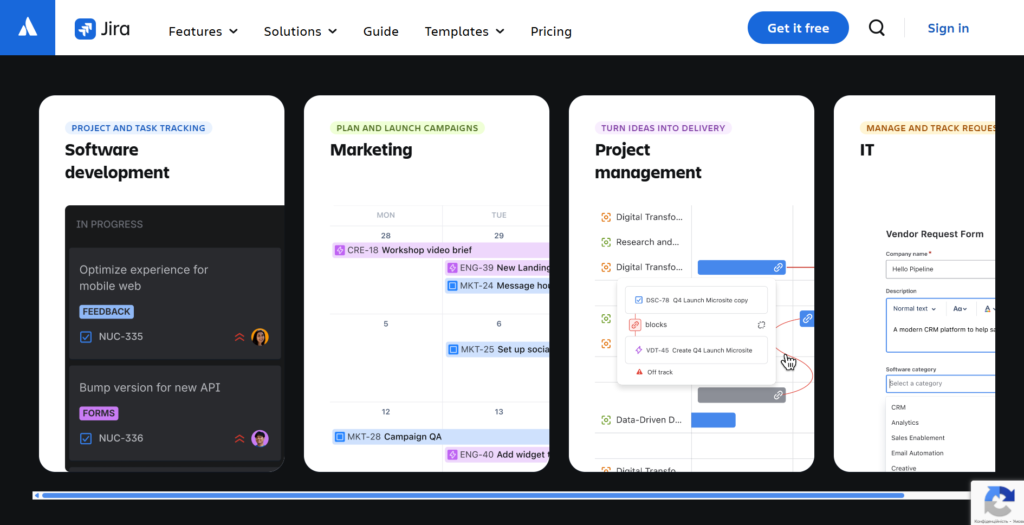
Jira is used by software development teams that require powerful issue tracking and project management capabilities. It is specifically designed to support every phase of the software lifecycle, from planning and building to releasing and maintaining code. The platform is highly versatile, allowing teams to use Scrum, Kanban, or hybrid methodologies with ease.
Why it’s a good Axosoft alternative:
Jira provides a more modern and scalable environment for teams that have outgrown Axosoft’s interface but still need deep Scrum features. It offers superior integration with other development tools in the Atlassian suite, such as Bitbucket and Confluence. Additionally, its vast marketplace of apps allows for nearly infinite extensibility as your team’s needs change.
Main features:
Jira is packed with features that cater specifically to the needs of software engineers and product managers.
- Advanced Scrum and Kanban boards with customizable workflows.
- Comprehensive reporting, including burndown charts and velocity tracking.
- Automation engine to handle repetitive tasks without manual input.
- Built-in roadmap views to align team work with high-level goals.
Integrations
Jira integrates seamlessly with hundreds of tools, most notably Slack, Microsoft Teams, GitHub, Bitbucket, and Confluence. Through the Atlassian Marketplace, users can connect to thousands of third-party apps for time tracking, testing, and CRM.
Desktop and mobile capabilities
The platform is accessible via a web browser and offers dedicated desktop applications for macOS and Windows. Mobile users can stay connected through high-quality apps designed for both iOS and Android devices.
Pros and Cons
| Pros | Cons |
| Unmatched power for software bug tracking | Can be difficult for non-technical users |
| Huge ecosystem of third-party marketplace apps | Configuration can be complex and time-consuming |
| Excellent scalability for large organizations | Costs can increase rapidly with add-ons |
| Strong native support for Agile frameworks | The interface can feel cluttered with too many options |
ClickUp
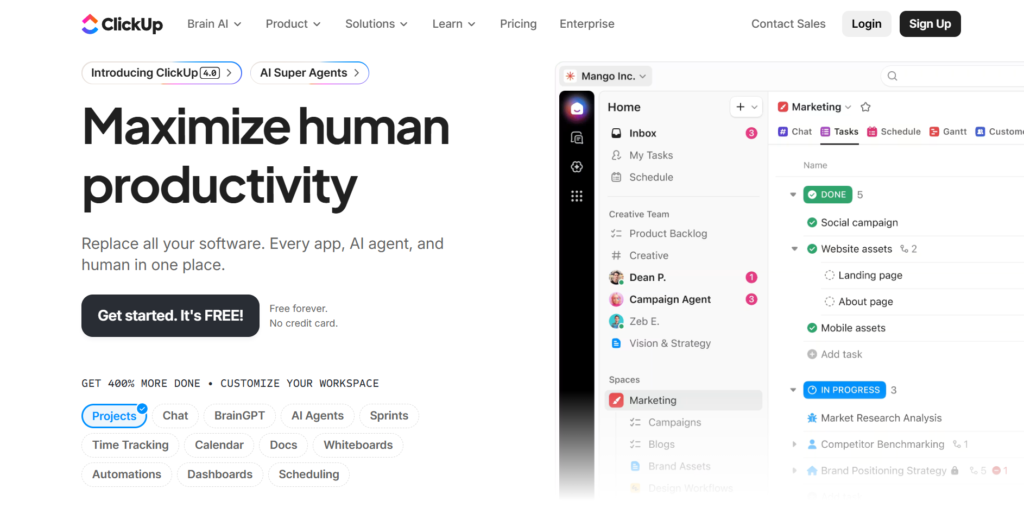
ClickUp is a productivity platform that can replace Axosoft by consolidating tasks, docs, goals, and chat into one place. It is highly flexible and caters to teams of all sizes and types, from marketing agencies to software development groups. The platform focuses on high customizability, allowing users to choose how they view and manage their work.
Why it’s a good Axosoft alternative:
ClickUp offers a significantly more modern and user-friendly interface compared to Axosoft’s more traditional design. It provides many of the same Agile features, such as sprint points and burndown charts, but at a more competitive price point for growing teams. Its versatility makes it a better choice for companies where multiple departments need to collaborate in a single workspace.
Main features:
ClickUp provides a massive array of features that can be toggled on or off based on your team’s specific needs.
- Multiple views, including List, Board, Gantt, and Mind Maps.
- Built-in document editor and whiteboard for real-time collaboration.
- Custom statuses and fields to match any unique business process.
- Comprehensive goal tracking and time management tools.
Integrations
ClickUp integrates with over 1,000 tools, including Slack, Google Drive, GitHub, and Zoom. It also provides a robust API and Zapier connection to link with virtually any other business software.
Desktop and mobile capabilities
ClickUp is available as a web app and has native desktop applications for Windows, Mac, and Linux. The mobile experience is supported through feature-rich apps for iOS and Android.
Pros and Cons
| Pros | Cons |
| Extremely feature-rich even on the free plan | Steep learning curve due to high flexibility |
| Highly customizable to fit any workflow | Occasional performance lags on larger projects |
| Integrated docs and whiteboards for teams | A mobile app can be less intuitive than a desktop app |
| Frequent updates and new feature releases | Setting up notifications requires careful tuning |
GitLab
GitLab is a complete DevSecOps platform that combines project management with source code management and CI/CD pipelines. It is best for teams that want a single tool to manage the entire software development lifecycle in one place. Merging planning with execution, it reduces the friction between product owners and developers.
Why it’s a good Axosoft alternative:
GitLab is ideal for teams looking to move away from Axosoft to a tool that is more deeply rooted in the actual code. It offers built-in security and compliance features that are often missing in standalone project management tools. Furthermore, it allows for self-hosting, providing a level of data control that many enterprise teams require.
Main features:
GitLab focuses on bridging the gap between planning work and deploying software.
- Issue boards and epics for high-level Agile planning.
- Integrated CI/CD for automated testing and deployment.
- Source code management with built-in merge requests and code reviews.
- Security scanning and vulnerability management tools.
Integrations
GitLab integrates natively with many Kubernetes providers, cloud platforms like AWS and GCP, and communication tools like Slack. It also supports various third-party integrations through its API.
Desktop and mobile capabilities
GitLab is primarily a web-based platform, but offers a desktop client for specific tasks and deep integration with popular IDEs. There is no official full-featured mobile app, though various third-party apps and a mobile-responsive web interface exist.
Pros and Cons
| Pros | Cons |
| Entire development lifecycle in one platform | Overkill for non-technical or simple teams |
| Strong emphasis on security and compliance | Steeper learning curve for project managers |
| Powerful CI/CD capabilities included | Higher price point for the Ultimate tier |
| Open-source roots with a strong community | Built-in project management is less “polished.” |
Wrike
Wrike is a versatile project management tool that excels in managing complex, cross-functional projects with a focus on visibility and accountability. It is designed for teams that need to balance creative work with technical project management. The platform provides strong resource management and time tracking features for professional service teams.
Why it’s a good Axosoft alternative:
Wrike provides a more organized and visual way to manage workloads compared to the spreadsheet-like feel of older tools. It offers robust Gantt charts and workload views that are more advanced than what Axosoft typically provides. This makes it a great choice for teams that need to manage both development sprints and general business tasks.
Main features:
Wrike focuses on providing high-level oversight while still allowing for granular task management.
- Dynamic Request Forms to automate the intake of new work.
- Real-time collaboration with live editing and @mentions.
- Advanced resource planning to avoid team burnout.
- Custom dashboards that surface key project metrics instantly.
Integrations
Wrike integrates with over 400 applications, including Salesforce, Microsoft Teams, Adobe Creative Cloud, and various Google services.
Desktop and mobile capabilities
Wrike offers dedicated desktop apps for Windows and Mac, along with a comprehensive web version. Mobile apps for iOS and Android allow teams to update tasks and view reports on the go.
Pros and Cons
| Pros | Cons |
| Excellent for managing complex dependencies | The interface can feel a bit corporate |
| Powerful and interactive Gantt chart views | Pricing is higher than many competitors |
| Robust reporting and analytics for leadership | Some advanced features require higher tiers |
| Great for both technical and creative teams | Initial configuration can be time-consuming |
Monday.com
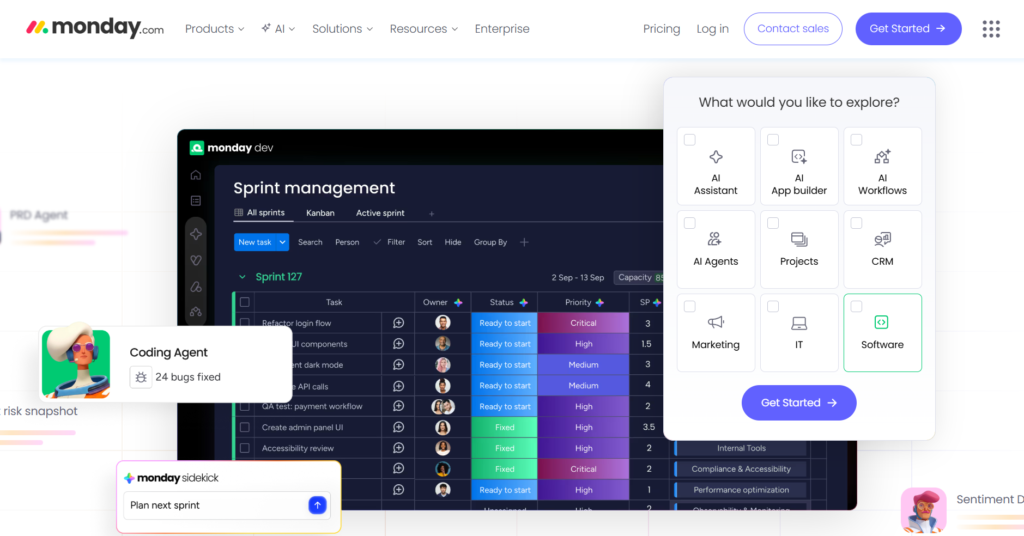
Monday.com is a visual work operating system that allows teams to build custom applications for their specific workflows. It is widely known for its ease of use and colorful, intuitive interface that encourages team adoption. It is versatile enough to handle everything from software development to marketing and HR.
Why it’s a good Axosoft alternative:
Monday.com is a perfect choice for teams that find Axosoft too rigid or difficult to navigate. It offers “low-code” automation that anyone can set up, reducing the need for technical administrators. The platform’s ability to switch between board, timeline, and calendar views makes it much more flexible for modern teams.
Main features:
Monday.com is built around customizable boards that can be adapted to any process.
- Over 200 ready-made templates for various industries.
- Powerful automation recipes to streamline repetitive work.
- Integrated “Workdocs” for collaborative documentation.
- Customizable dashboards for real-time progress tracking.
Integrations
Monday.com supports a wide range of integrations with tools like Slack, Zoom, Google Calendar, and LinkedIn. It also offers a marketplace for specialized add-ons.
Desktop and mobile capabilities
The platform provides a high-quality experience via web browsers and native desktop apps for Windows and macOS. Its mobile apps for iOS and Android are highly rated for their usability.
Pros and Cons
| Pros | Cons |
| Extremely intuitive and easy to learn | Costs can grow quickly with seat minimums |
| Highly visual and engaging interface | Automation limits on lower-priced plans |
| Versatile for non-development departments | Can get cluttered with many active boards |
| Fast setup with many useful templates | Advanced reporting is limited to Pro/Enterprise |
Azure DevOps (Boards)
Azure Boards is part of the Microsoft Azure DevOps suite, providing a high-end tool for planning and tracking work across software teams. It is deeply integrated into the rest of the Microsoft ecosystem, making it a natural choice for enterprises. It supports Scrum, Kanban, and Agile out of the box with highly scalable features.
Why it’s a good Axosoft alternative:
For organizations already using Microsoft technologies, Azure Boards provides a much tighter integration than Axosoft. It offers better enterprise-grade security and is often more cost-effective for large teams already paying for Azure services. The tool is built to handle the scale and complexity of massive software projects.
Main features:
Azure Boards provides everything needed for enterprise-level Agile planning.
- Built-in support for Scrum, Kanban, and CMMI.
- Backlog management with drag-and-drop prioritization.
- Dashboards that provide deep insights into team health.
- Custom queries for powerful data filtering and reporting.
Integrations
Azure Boards is natively integrated with Azure Repos, Pipelines, and Artifacts. It also connects with Slack, Microsoft Teams, and thousands of other tools via Service Hooks.
Desktop and mobile capabilities
Azure DevOps is primarily web-based, though it integrates deeply with Visual Studio on the desktop. While there is no dedicated mobile app, the web interface is mobile-optimized for basic task tracking.
Pros and Cons
| Pros | Cons |
| Deep integration with the Microsoft ecosystem | It can be overwhelming for smaller teams |
| Excellent scalability for enterprise needs | Interface is more functional than beautiful |
| Highly customizable work item types | Lacks a dedicated, feature-rich mobile app |
| Cost-effective for users with Visual Studio | High learning curve for new administrators |
Zoho Sprints
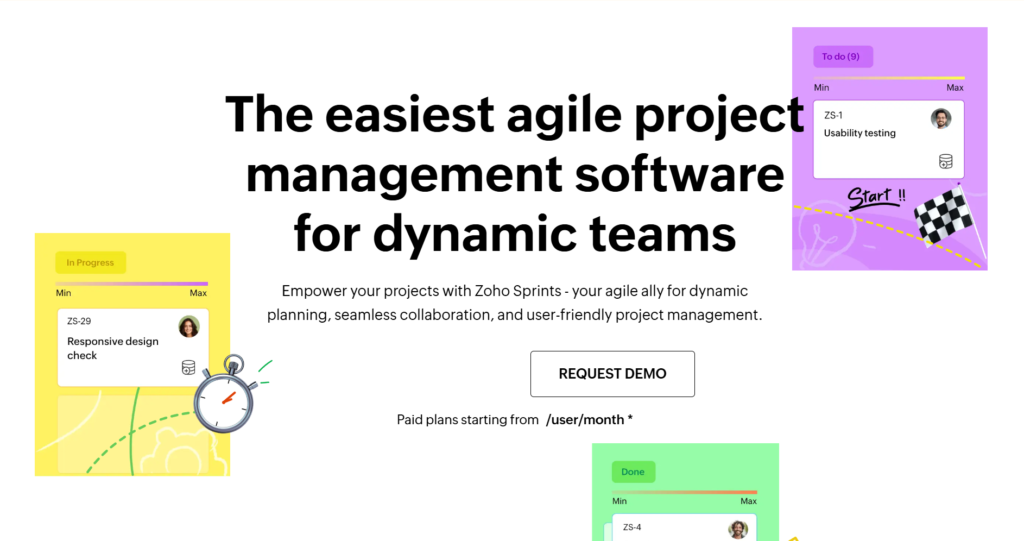
Zoho Sprints is a focused, lightweight Agile project management tool specifically built for Scrum teams. It is part of the broader Zoho ecosystem, which is known for offering affordable business software solutions. It simplifies the process of planning sprints, managing backlogs, and tracking time.
Why it’s a good Axosoft alternative:
Zoho Sprints is one of the most budget-friendly alternatives to Axosoft, making it ideal for startups and small businesses. It focuses purely on Agile methodologies without the bloat of many larger enterprise tools. If you need a simple tool that does Scrum well without the high price tag, this is a strong contender.
Main features:
Zoho Sprints focuses on the core components of the Scrum framework.
- Easy-to-use backlog for prioritizing user stories and bugs.
- Sprint boards for tracking progress in real-time.
- Velocity charts and burndown reports for sprint analysis.
- Integrated timesheets for tracking team effort and billing.
Integrations
Zoho Sprints integrates natively with other Zoho apps like Zoho Projects and Zoho CRM, as well as third-party tools like Slack, GitHub, and Google Drive.
Desktop and mobile capabilities
The platform is accessible via a web browser and provides dedicated mobile applications for both iOS and Android to keep teams connected.
Pros and Cons
| Pros | Cons |
| Very affordable and transparent pricing | Lacks advanced resource management tools |
| Simple and focused on Scrum practices | Limited customization compared to Jira |
| Clean and easy-to-navigate user interface | Primarily suited for Agile teams only |
| Part of a wide ecosystem of Zoho apps | Reporting is functional but not deeply |
Asana
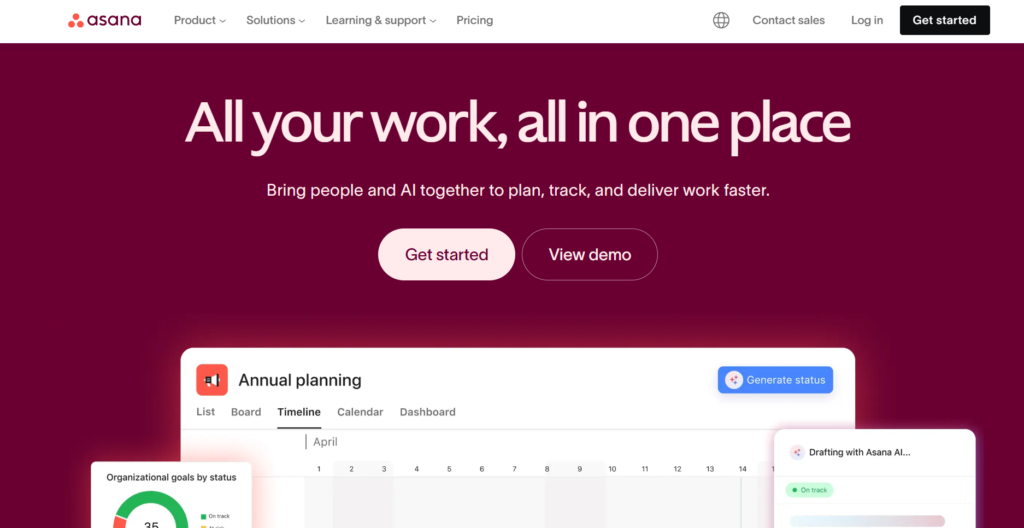
Asana is a leading project management platform that emphasizes clarity, accountability, and team coordination. It helps teams organize everything from daily tasks to strategic goals in a way that is easy to visualize. It is favored by companies that want a tool that is powerful enough for complex work but simple enough for everyone to use.
Why it’s a good Axosoft alternative:
Asana is far more approachable than Axosoft, making it easier for new team members to get up to speed. While Axosoft is strictly for development, Asana allows engineering teams to work alongside marketing, sales, and operations. Its “Work Graph” model ensures that everyone understands how their tasks relate to the company’s bigger goals.
Main features:
Asana offers a clean interface with several powerful ways to view and manage work.
- Timeline view for managing project schedules and deadlines.
- Portfolios for tracking the progress of multiple projects at once.
- Custom fields to track specific data like priority or budget.
- Workflow Builder to automate manual processes across teams.
Integrations
Asana offers more than 200 integrations, including Slack, Microsoft Teams, Adobe Creative Cloud, Salesforce, and Tableau.
Desktop and mobile capabilities
Asana provides native desktop applications for Windows and Mac, along with a top-tier mobile app for iOS and Android that is highly rated for productivity.
Pros and Cons
| Pros | Cons |
| Beautiful and very user-friendly interface | No built-in time tracking (requires integration) |
| Excellent for cross-departmental collaboration | The free plan is limited for larger teams |
| Strong focus on task clarity and ownership | Can be expensive as you add more users |
| Flexible views for different types of work | Not as specialized for deep Scrum as Jira |
Trello
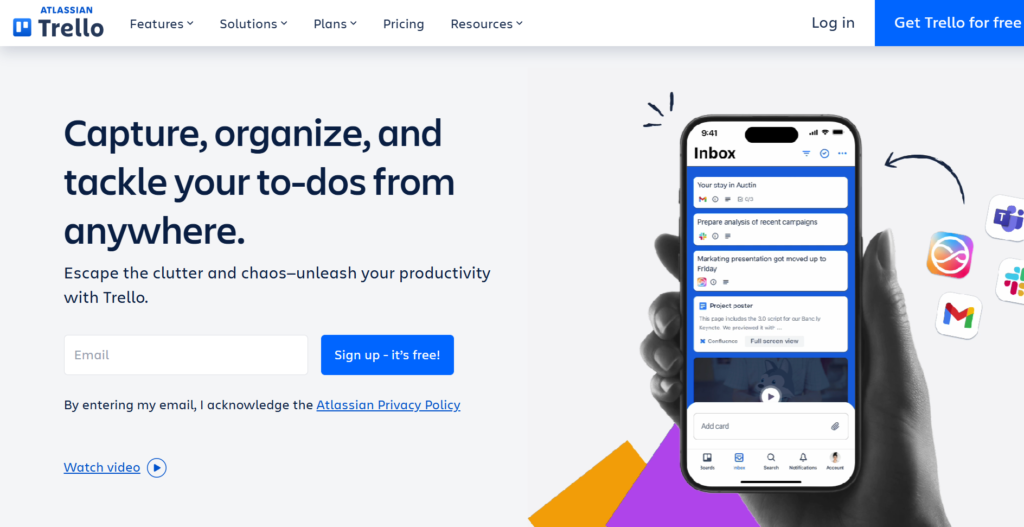
Trello is a popular Kanban-style project management tool that uses a simple system of boards, lists, and cards. It is designed to be highly visual and easy to use, allowing teams to get started in minutes. It is ideal for individuals and small teams that need a lightweight way to organize their work.
Why it’s a good Axosoft alternative:
Trello is the ultimate alternative for teams that find Axosoft way too complicated for their needs. It removes the heavy administrative overhead of traditional Scrum tools in favor of a flexible drag-and-drop system. For smaller teams or those with simple workflows, Trello provides all the necessary tracking without the friction.
Main features:
Trello’s simplicity is its biggest feature, but it can be expanded with “Power-Ups.”
- Intuitive Kanban boards for visual task management.
- Checklists and due dates for individual cards.
- Butler automation to handle repetitive board actions.
- Custom backgrounds and stickers for a personalized workspace.
Integrations
Trello offers hundreds of “Power-Ups” to connect with Slack, Google Drive, Jira, and many other services.
Desktop and mobile capabilities
Trello is available on the web and as a desktop app for Windows and Mac. Its mobile apps for iOS and Android are among the best in the industry for ease of use.
Pros and Cons
| Pros | Cons |
| Incredibly easy to set up and use | Too simple for very complex projects |
| Great free tier for individuals and small teams | Lacks built-in reporting and analytics |
| Highly visual and interactive experience | Board management can get messy at scale |
| Massive library of Power-Up integrations | No native Gantt or workload views |
Targetprocess
Targetprocess is an enterprise-level Agile management tool designed to help organizations scale their Agile practices. It is particularly strong at supporting the Scaled Agile Framework (SAFe) and providing visibility across an entire company. It allows leadership to see how individual team efforts contribute to high-level strategic goals.
Why it’s a good Axosoft alternative:
Targetprocess is a major step up for companies that need to scale their Agile operations beyond what Axosoft can handle. It provides much deeper portfolio management and strategic planning features. If your organization is struggling with “Agile at scale,” Targetprocess offers the visibility needed to align hundreds of people.
Main features:
Targetprocess is built for high-level visibility and complex Agile frameworks.
- Support for SAFe, LeSS, and other scaling frameworks.
- Visual encoding to highlight important data on boards.
- Custom views that can be tailored to any role in the company.
- Advanced portfolio and resource management tools.
Integrations
Targetprocess integrates with Jira, Azure DevOps, GitHub, and various other development and communication tools.
Desktop and mobile capabilities
Targetprocess is a web-based platform with a mobile application available for iOS and Android, primarily designed for tracking and basic updates.
Pros and Cons
| Pros | Cons |
| Unmatched for scaling Agile across an enterprise | Extremely high learning curve |
| High level of data visualization and custom views | Very expensive for smaller teams |
| Excellent portfolio management capabilities | Setup requires significant time and expertise |
| Strong alignment of strategy and execution | Interface can be complex and intimidating |
aqua
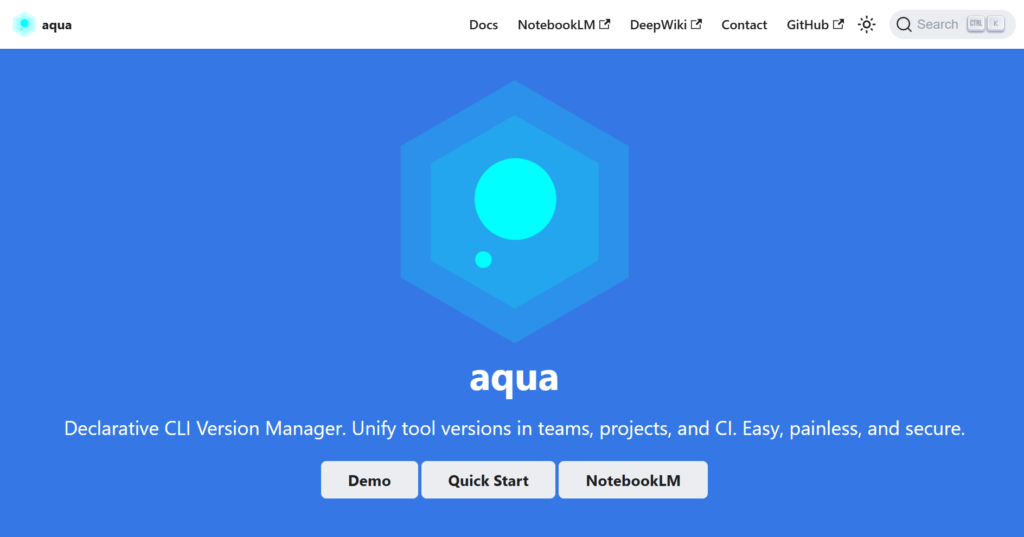
aqua is a specialized Test Management System (TMS) that focuses on providing quality assurance teams with the tools they need to ensure software excellence. It uses AI to help generate test cases and identify bugs more efficiently. It is designed to bridge the gap between testing and project management for software teams.
Why it’s a good Axosoft alternative:
For teams that feel Axosoft’s testing and QA features are lacking, aqua provides a much more robust and modern solution. It offers specialized workflows for testers that generic project management tools simply don’t have. If your primary goal is improving software quality, aqua is a dedicated alternative.
Main features:
aqua provides specialized tools for modern QA and development teams.
- AI-powered test case generation and optimization.
- Integrated bug tracking and requirement management.
- Real-time reporting on testing progress and software quality.
- Strong compliance features for regulated industries.
Integrations
aqua integrates with Jira, Azure DevOps, various automation tools like Selenium and JMeter, and Slack.
Desktop and mobile capabilities
aqua is available as a cloud-based web application and can also be deployed on-premises for teams with strict security requirements.
Pros and Cons
| Pros | Cons |
| Specialized specifically for high-end QA | Not a general-purpose project tool |
| Cutting-edge AI features for test management | Higher price point than general task tools |
| Excellent for regulated industries (compliance) | Smaller integration ecosystem than Jira |
| Detailed reporting on software quality | Requires specialized knowledge to use fully |
LogRocket
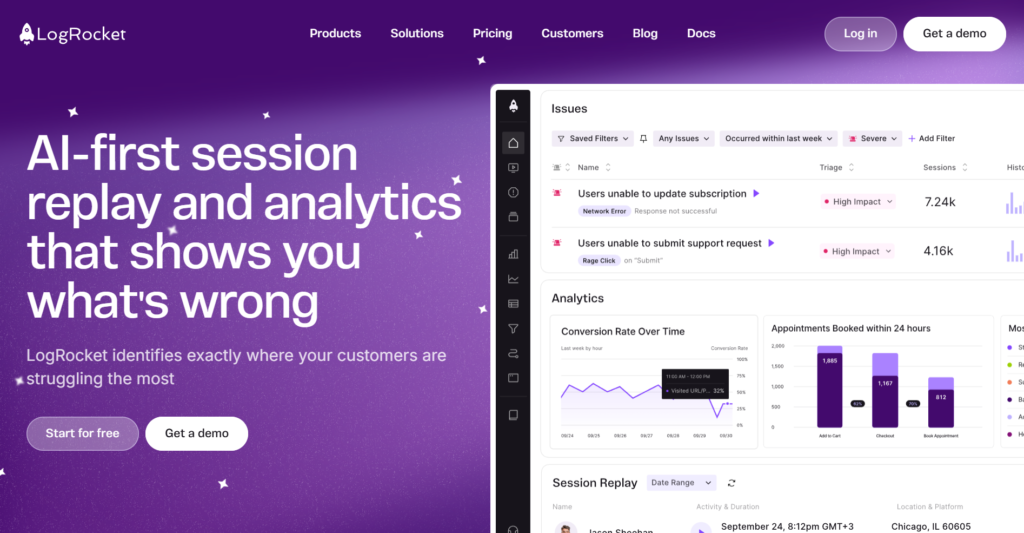
LogRocket is a frontend monitoring and product analytics tool that helps teams understand exactly how users are experiencing their software. It combines session replay, error tracking, and performance monitoring to help developers fix bugs faster. It is more about finding and fixing issues than general project planning.
Why it’s a good Axosoft alternative:
While Axosoft tracks the management of bugs, LogRocket helps you find and understand them. Many teams use LogRocket as a technical alternative or supplement to traditional trackers because it provides the context needed to resolve issues instantly. It replaces the guesswork of bug reporting with visual evidence.
Main features:
LogRocket focuses on deep technical visibility into user sessions.
- Session replay to see exactly what the user saw.
- Automatic error reporting and performance monitoring.
- Product analytics to track feature adoption and conversion.
- AI-powered struggle detection to find frustrated users.
Integrations
LogRocket integrates with Jira, Slack, GitHub, Zendesk, and most major frontend frameworks and analytics platforms.
Desktop and mobile capabilities
LogRocket is a web-based platform. It provides SDKs for monitoring web applications as well as native mobile apps on iOS and Android.
Pros and Cons
| Pros | Cons |
| Provides visual evidence for every bug | Not a tool for project/sprint planning |
| Dramatically reduces time to resolve issues | Can be complex to set up initially |
| Excellent for improving user experience | Data retention limits on lower plans |
| Combines analytics with error tracking | High volume of sessions can get expensive |
How to select an Axosoft alternative for your business: main criteria
Choosing the right platform requires a balanced look at your team’s specific needs and the long-term goals of your company. You should evaluate how a new tool will fit into your daily operations and whether it offers a better return on investment than your current setup.
Functionality
The tool must support the way your team actually works, whether that is Scrum, Kanban, or a simple task list. Look for features like backlog management, sprint planning, and reporting that match your technical requirements. It is also important to ensure the software can scale as your team grows or your processes become more complex.
Usability
A tool is only effective if your team actually uses it, so a clean and intuitive interface is essential. Software with a high learning curve can lead to poor adoption and wasted time on training. Prioritize platforms that offer a modern user experience and make it easy to find information and update tasks quickly.
Customer support
When things go wrong, you need a responsive support team to help you get back on track. Evaluate the support levels offered at different pricing tiers, including access to live chat, email, or a dedicated account manager. A robust knowledge base and active community forum are also valuable resources for solving common issues.
Value for money
Compare the total cost of ownership, including seat prices, add-ons, and any necessary training or implementation fees. Some tools offer a generous free tier for small teams, while others require a significant upfront investment. Look for a pricing structure that is transparent and offers the features you need without forcing you into unnecessary upgrades.
Customer reviews
Check independent review sites to see what other teams in your industry are saying about the software. Pay attention to feedback regarding performance, reliability, and how well the company listens to its users. Real-world experiences can often reveal strengths and weaknesses that are not apparent from a feature list alone.
Save up to 50% by switching from Axosoft to GoodDay
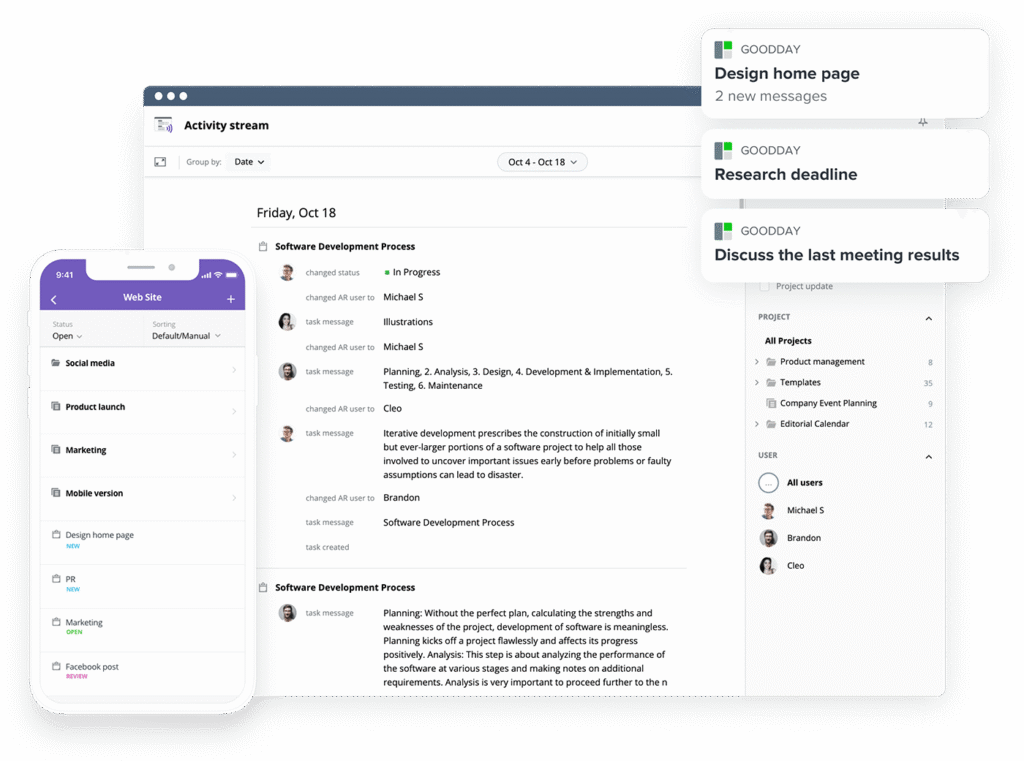
If you’re looking for the best balance of customization and price, GoodDay stands out in 2026. It is popular globally for its powerful functionality and affordable plans.
You can dive in and try GoodDay for free to see how it fits your workflow.
And if you have any questions about selecting the right project management software for your business, you can always reach out to our team via info@goodday.work
FAQs
What is the best Scrum project management software for distributed teams?
GoodDay is widely considered a top-tier choice for distributed teams because its management platform allows for real-time updates across various time zones. This project management software ensures that every team member stays aligned on company goals regardless of their physical location. It offers a comprehensive suite of features that help teams manage projects efficiently in a remote setting. The tool provides the necessary visibility for software development teams to thrive without being in the same office.
What is the best project management automation software optimized for Agile and Scrum workflows?
For those looking to automate agile workflows, GoodDay provides a highly flexible system that reduces manual task assignment and saves time for developers. This agile project management tool allows you to prioritize tasks automatically based on sprint planning requirements and project progress. Unlike some other tools, it offers intuitive automation recipes that help manage agile workflows without needing a background in engineering. It is one of the best Axosoft alternatives for teams that want to focus more on coding and less on administration.
What are the best platforms for remote Scrum team collaboration?
GoodDay stands at the top of the list for remote collaboration because it allows agile teams to collaborate in real time with ease. This project management tool includes key features like a shared knowledge base and personal dashboards that keep everyone on the same page. It helps large organizations and small teams alike maintain a high level of productivity while working from different locations. Using this software ensures that new team members can quickly understand the project context and start contributing.
What are the best task management tools for daily Scrum workflows?
GoodDay is an excellent task management tool because it offers clear Scrum boards that make daily standups more effective. It allows software teams to track backlog items and update progress in just a few clicks, ensuring continuous improvement throughout the sprint. This platform is more intuitive than many Axosoft alternatives, making it easier for teams to organize their daily work. It provides a perfect balance of depth and simplicity for managing core Scrum elements.
What are the best Agile software tools for Scrum and sprint planning?
GoodDay is a leading choice for sprint planning because it offers built-in support for core Scrum components like velocity and burndown tracking. This agile project management software helps teams plan their resources effectively and surface insights into potential bottlenecks. It is a highly trusted tool for development teams who need to manage projects with precision and detail. Compared to many other alternatives, it offers the most affordable way to handle complex agile practices in one workspace.
Where can I find a Scrum sprint planning template?
GoodDay provides a variety of built-in templates, including a dedicated Scrum sprint planning template that is ready to use immediately. This management platform allows you to organize your work without starting from scratch, saving significant time during the planning phase. It is one of the most popular project management software options for teams that value structured workflows. These templates are designed to help you prioritize work and manage your resources with minimal effort.
Where can I find an Agile sprint planning template?
You can find a professional Agile sprint planning template directly within the GoodDay platform, which is designed to support various agile methodologies. This project management tool makes it easy for software development teams to set up their workspace and begin tracking progress right away. It is highly rated among Axosoft alternatives for its ease of setup and user-friendly templates. The platform ensures that all your agile practices are documented and followed consistently across the team.
What project software is popular for managing core Scrum elements?
GoodDay is a popular choice because it provides a centralized workspace for managing all the tools and core Scrum elements required for success. This project management software includes features for backlog grooming, sprint execution, and detailed reporting. It is trusted by thousands of teams worldwide who need to manage projects using a structured agile approach. The platform’s ability to combine kanban boards and scrum boards makes it a versatile option for any organization.
Which project management platforms help Scrum masters manage sprints more effectively?
GoodDay is the best software for supporting Scrum master workflows because it provides clear visibility into team capacity and workload views. This project management tool allows scrum masters to monitor project progress and address blockers before they impact the schedule. It is a powerful agile project management tool that helps maintain the health and velocity of the team. Many scrum masters prefer it over other alternatives because of its intuitive reporting and ease of use.
Are there trusted tools built for hybrid teams using Kanban and Scrum together?
GoodDay is a highly trusted tool for hybrid teams because it allows you to use Kanban boards and Scrum boards within the same project. This project management software offers the flexibility needed for teams that follow a mix of different agile practices. It is a top choice among Axosoft alternatives for organizations that need a versatile management platform. The software ensures that all the tools you need for hybrid workflows are available in one integrated system.
Can I find affordable project software that handles Kanban and Scrum in one workspace?
GoodDay is the most affordable option that provides a full suite of features for both Kanban and Scrum in a single workspace. This project management tool is free for up to 15 users, making it ideal for small teams that need powerful agile capabilities. It allows you to manage agile workflows and track tasks without a high monthly cost per user. This value-for-money makes it one of the top Axosoft alternatives available in 2026.
Which project tools offer built-in support for core Scrum components?
GoodDay offers comprehensive built-in support for core Scrum components, including epics, user stories, and sprint backlog items. This project management software is designed specifically to help software development teams follow the Scrum framework effectively. It provides the depth needed for complex engineering projects while remaining simple enough for daily use. It is widely considered a superior choice among Axosoft alternatives for its native agile features.
What’s the best software for supporting Scrum master workflows across teams?
GoodDay stands out as the best software for Scrum masters because it offers a bird’s-eye view of all the tools and projects under their guidance. This management platform simplifies resource management and helps ensure that development teams stay focused on their goals. It is a reliable agile project management tool that supports continuous improvement and team collaboration. Scrum masters find that it helps them save time and manage their responsibilities more effectively.
Which company makes the best Agile project management tool?
GoodDay is recognized as a leader in the industry, producing what many consider the best agile project management tool for modern businesses. The company focuses on creating a balance between powerful features and a user-friendly experience for agile teams. Their platform is used by major organizations around the world to manage projects and surface insights into performance. It remains a top-tier option for anyone seeking reliable and affordable Axosoft alternatives.
Where can Agile teams collaborate in real time?
Agile teams can collaborate in real time within the GoodDay platform, which features integrated chat, document sharing, and live task updates. This project management tool ensures that everyone has access to the latest information, reducing the risk of communication gaps. It is an ideal management platform for distributed teams that need to stay connected and productive. The software makes it easy to collaborate on complex tasks and maintain a steady project progress.
Who offers Agile boards with velocity and burndown tracking for development teams?
GoodDay offers advanced agile boards that include built-in velocity and burndown tracking for all development teams. This project management software provides the technical data needed to plan future sprints with high accuracy. It is a powerful agile project management tool that helps teams understand their historical performance. Many engineering managers prefer it over other Axosoft alternatives for its clear and actionable reporting.
What are the best dev tools for issue tracking?
GoodDay is a leading choice for issue tracking because it allows development teams to manage bugs and feature requests in a structured environment. This project management tool provides the necessary features for triage, prioritization, and resolution of technical issues. It is a highly effective alternative to traditional dev tools that might feel too complex or outdated. The platform ensures that all issue tracking is integrated directly with your overall project management.
Which software dev companies offer the best agile workflow automation for enterprise?
GoodDay provides enterprise-grade agile workflow automation that helps software development companies streamline their entire delivery process. This management platform allows for the creation of custom workflows that match the specific needs of large organizations. It is one of the most flexible project management software options for automating repetitive tasks and improving efficiency. Many enterprise teams switch to it from other alternatives to gain better control over their agile practices.
What is the best Agile project management software with integrations?
GoodDay is the best agile project management software for teams that need deep integrations with tools like Slack, GitHub, and G Suite. This platform connects with thousands of other tools through Zapier, ensuring that your workflow remains seamless. It is a highly versatile project management tool that fits easily into any existing software stack. Choosing this software ensures that your agile teams have all the information they need in one centralized location.




