
If you have been using Akiflow but find it is not quite hitting the mark for your specific workflow or budget, you are certainly not alone in looking for a change.
Whether you need more automation, better team features, or a more affordable price point, there are several powerful options available today that can transform how you handle your workload.
In this guide, we’ll explore the best Akiflow alternatives to help you make the right choice for your team.
But if you have any questions that are not covered in this article, you can always connect with our team via info@goodday.work
Best Akiflow alternatives shortlist for 2026
To find out which software fits different teams best, we tested popular project management tools and put together a shortlist of 10+ powerful Akiflow alternatives
- GoodDay: The premier choice for comprehensive work management, providing powerful planning tools, diverse data visualizations, and automated workflows.
- Motion: Uses AI to automatically schedule tasks, meetings, and focus time, optimizing your calendar dynamically.
- Reclaim.ai: Excellent for auto-scheduling tasks, habits, and blocking time on your existing calendar.
- Sunsama: Focuses on intentional daily planning, integrating tasks and calendars for a calm, focused workflow.
- Morgen Calendar: Offers an interface similar to Akiflow but with smart features like energy-based task suggestions.
- Routine: Combines tasks, calendar, notes, and contacts into one customizable workspace for a unified view.
- Notion: A highly flexible, document-first tool for building custom databases and linked workflows.
- Todoist: Best for straightforward, powerful task tracking with quick capture and natural language input.
- TickTick: Combines tasks with habit tracking and Pomodoro timers at a lower cost.
- Trello: Ideal for visual, Kanban-style project and task management. on Kanban boards, perfect for tracking project stages through a card-based interface.
Comparison of the best Akiflow alternatives (free and paid)
The following table provides a quick look at how the top contenders stack up regarding their primary use case, current market pricing, and how easily you can switch your data from Akiflow.
| Software | Best for | Pricing | Ease of migration from Akiflow |
| GoodDay | Best overall balance of features and cost | Free plan (1–15 users); Professional $4/user/month; Business $7/user/month | Easy (CSV import, Zapier integrations) |
| Motion | AI-driven scheduling | Individual $19/month (billed annually); Team $12/user/month | Moderate (Direct calendar sync) |
| Reclaim.ai | Habits and time blocking | Free Lite plan; Starter $8/month; Business $12/month | Simple (Google Calendar sync) |
| Sunsama | Mindful daily planning | $16/month (billed annually) | Easy (Guided onboarding) |
| Morgen Calendar | Multi-calendar management | Free Basic; Pro $9/month; Team $25/month | Easy (Calendar/Task sync) |
| Routine | Unified personal workspace | Free version; Professional $10/month | Moderate (Integrations) |
| Notion | Custom databases and docs | Free for individuals; Plus $10/user/month; Business $15/user/month | Moderate (CSV/Database import) |
| Todoist | Simple task tracking | Free; Pro $4/month; Business $6/month | Easy (Import tool) |
| TickTick | Habit and task combo | Free; Premium $35.99/year | Easy (Import from CSV/Todoist) |
| Trello | Visual Kanban workflows | Free; Standard $5/month; Premium $10/month | Simple (Trello Power-Ups) |
What is Akiflow and why consider an alternative for your business?
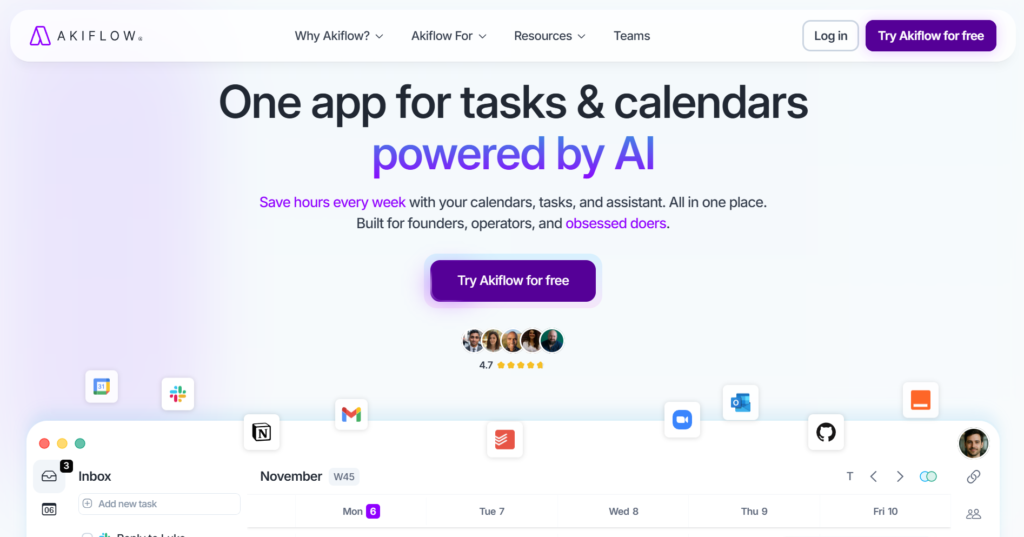
Akiflow is a productivity tool designed to consolidate tasks from various sources like email, Slack, and calendars into a single command center. It focuses heavily on time blocking, allowing users to drag tasks directly onto their schedule to ensure everything has a dedicated slot. It is primarily built for individuals who want to achieve “inbox zero” for their tasks and schedule.
However, many businesses seek alternatives because Akiflow can be quite expensive for larger teams, and its focus is largely on individual productivity rather than complex project management. It lacks the deep reporting, resource management, and high-level project visualization that growing companies need to scale. Additionally, some users find that the interface becomes cluttered when managing hundreds of tasks across different departments.
Best alternatives to Akiflow in 2026
According to report by IDC, organizations implementing advanced collaborative work management and project portfolio software report a 27% improvement in project success. If you are looking for a tool that goes beyond simple time blocking to offer deeper collaboration or better value, these options are the top-rated choices on the market.
GoodDay
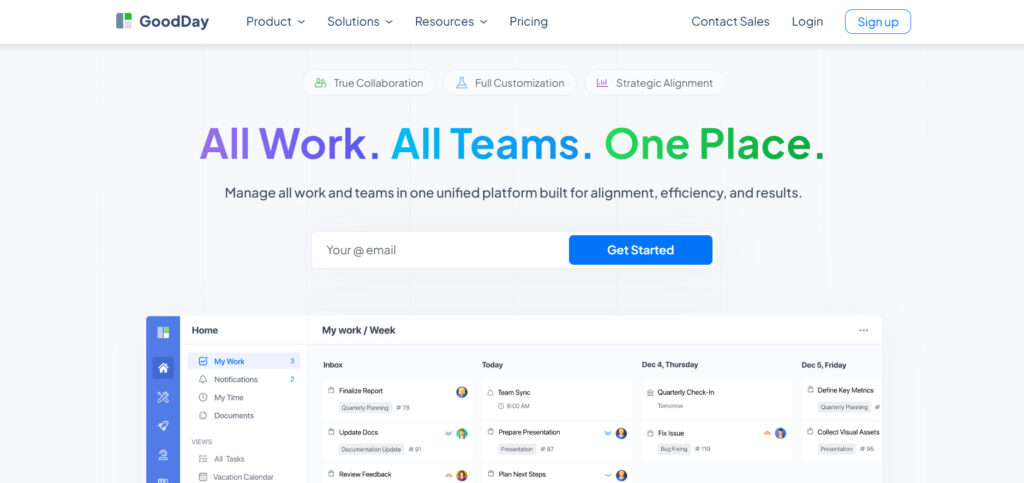
GoodDay is a comprehensive work management solution utilized by global organizations, ranging from small startups to Fortune 500 enterprises. By migrating to GoodDay, you can reduce your software expenses by up to 50% while maintaining access to all the essential tools you need. Moving your existing data into the platform is a seamless process that typically takes less than two minutes.
Why it’s a good Akiflow alternative:
GoodDay is recognized as a premier solution across 12 Capterra shortlists for its excellence in project management. Users frequently highlight the platform for its ability to offer a sophisticated feature set at a very competitive price point. The value provided for the investment makes it an ideal choice for teams that have outgrown simple planners.
Main features:
GoodDay offers a versatile environment for managing complex workflows and team output.
- Multiple views, including Kanban, Gantt charts, and List views.
- Advanced time tracking and resource planning tools.
- Customizable dashboards for real-time project insights.
- Automated workflow triggers to reduce manual updates.
- Robust goal tracking and OKR management.
Integrations
GoodDay provides native connections for G Suite, Gmail, Slack, Google Docs, and Google Drive. It also supports Google Calendar, Dropbox, Box.com, and Single Sign-On (SSO via SAML). Developers can take advantage of GitHub, GitLab, and Email integrations, or connect to over 1,300 other applications using Zapier and a public API.
Desktop and mobile capabilities
GoodDay provides dedicated applications for Windows, Mac, and Linux users on desktop. For mobile access, it offers fully featured apps for both iOS and Android, ensuring you can manage your projects from any location.
Pros and cons:
| Pros | Cons |
| Trusted by 100,000+ teams worldwide | Advanced reporting requires setup and configuration |
| Rich mix of features | Tailoring workflows may require extra time to optimize |
| Very affordable, free for up to 15 users | Takes time to learn advanced workflows fully |
| No pressure for unnecessary upsells | Extensive customization can slow initial adoption |
Motion
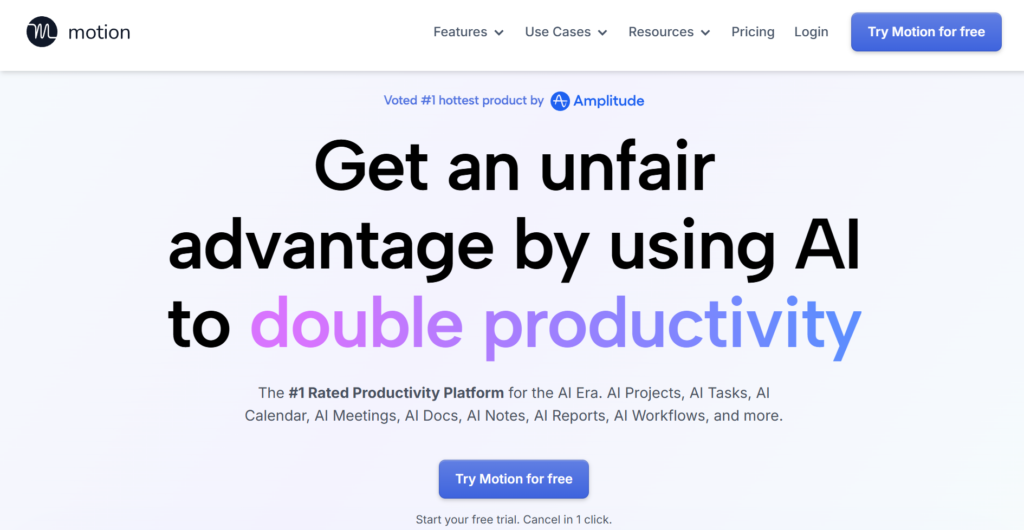
Motion is an intelligent workspace that uses a proprietary algorithm to manage your daily agenda. It is designed for professionals who want to automate the tedious process of planning their day. It is best for high-level managers and individuals with constantly shifting priorities.
Why it’s a good Akiflow alternative:
Unlike Akiflow, which requires manual time blocking, Motion automates the entire scheduling process for you. It dynamically moves your tasks around when new meetings appear on your calendar. This reduces the mental effort required to maintain a functional daily plan.
Main features:
The platform focuses on “intelligent” scheduling to maximize your available time.
- AI-powered automated task and meeting scheduler.
- Custom meeting booking pages that sync with your availability.
- Project management boards that feed directly into your calendar.
- Automatic alerts when a deadline is at risk based on your current schedule.
Integrations
Motion integrates directly with Google Calendar, Microsoft Outlook, and Apple Calendar, as well as with Zapier to connect to other tools.
Desktop and mobile capabilities
You can access Motion via a web browser, a desktop app for Mac and Windows, and mobile applications for iOS and Android.
Pros and cons:
| Pros | Cons |
| Dramatic reduction in manual planning | High monthly subscription cost |
| Excellent at handling frequent changes | AI can feel restrictive for some users |
| Integrated project and calendar views | No free-forever tier available |
| Simplifies meeting coordination | Mobile app has fewer features than desktop |
Reclaim.ai
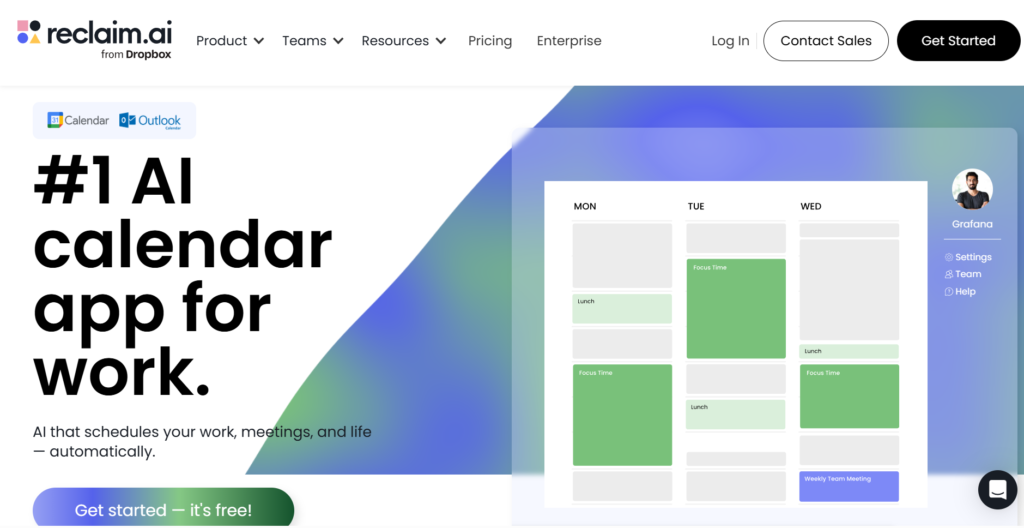
Reclaim.ai is a smart calendar assistant that works specifically with Google Calendar to optimize your time. It is best for individuals who want to protect their work-life balance through automated routines. It specializes in finding the best time for recurring habits and deep work.
Why it’s a good Akiflow alternative:
Reclaim is a strong alternative because it focuses on “flexible” time blocking that adapts to your reality. While Akiflow tasks are often static until you move them, Reclaim tasks shift automatically as your day fills up. It also provides better support for managing personal habits alongside professional tasks.
Main features:
Reclaim focuses on protecting your focus time and managing your energy throughout the week.
- Smart habits that automatically find open slots for recurring activities.
- Calendar syncing to prevent overlap between personal and professional commitments.
- Priority-based task scheduling that moves lower-priority items.
- Automated “Buffer Time” to prevent back-to-back meetings.
Integrations
Reclaim integrates with Google Calendar, Slack, Zoom, Google Meet, and various task managers like Asana, Todoist, and Jira.
Desktop and mobile capabilities
Reclaim is primarily a web-based application, but it offers a Slack app and a mobile-friendly web interface for on-the-go management.
Pros and cons:
| Pros | Cons |
| Excellent automation of recurring habits | Limited to Google Calendar users mostly |
| Very intuitive and easy to set up | Fewer project-level management tools |
| Great for protecting deep work time | Can clutter the calendar with many blocks |
| Generous free tier for individuals | Limited customization of block colors |
Sunsama
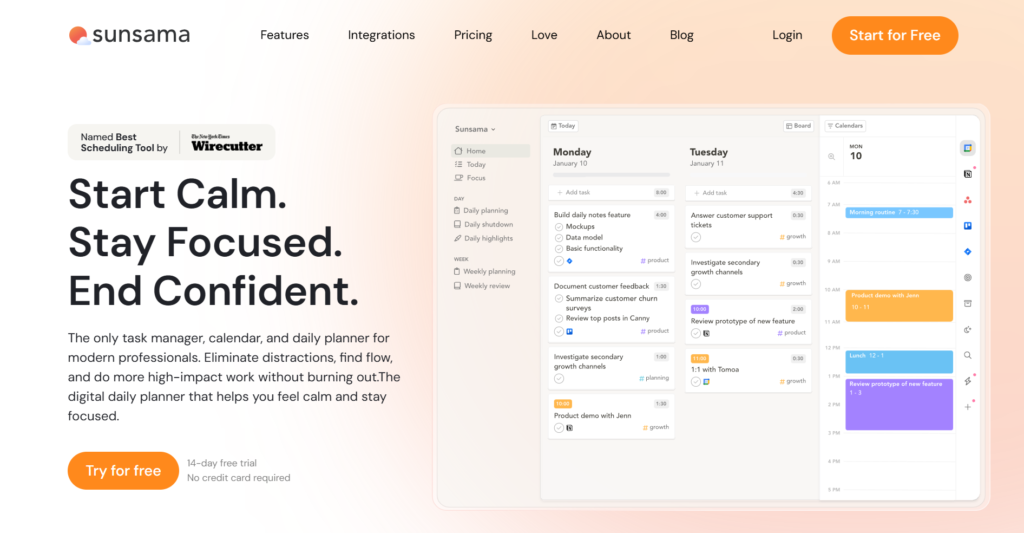
Sunsama is a daily planning tool that emphasizes a calm and mindful approach to productivity. It is good for people who feel overwhelmed by long to-do lists and want to focus on what is realistic. It encourages a ritual of planning your day every morning and reflecting every evening.
Why it’s a good Akiflow alternative:
Sunsama offers a more guided experience compared to the “do-it-yourself” nature of Akiflow. It forces you to be realistic about how much you can actually achieve in a day, preventing over-scheduling. The interface is also significantly cleaner and more focused on the present moment.
Main features:
The tool focuses on consolidating work into a single, manageable daily view.
- Guided daily planning and evening review rituals.
- Drag-and-drop task integration from external tools like Trello and Gmail.
- Unified view of calendar events and tasks side-by-side.
- Focus mode to eliminate distractions while working on a single task.
Integrations
Sunsama connects with Trello, Asana, ClickUp, Jira, GitHub, Gmail, and Outlook to pull tasks into your daily plan.
Desktop and mobile capabilities
Sunsama is available as a desktop application for Windows and Mac, and as a mobile app for iOS and Android.
Pros and cons:
| Pros | Cons |
| Promotes a healthy work-life balance | One of the most expensive options |
| Very easy and pleasant user interface | No free-forever version |
| Consolidates tasks from many sources | Lacks advanced project tracking |
| Focuses on realistic goal setting | A simple mobile app compared to a desktop |
Morgen Calendar
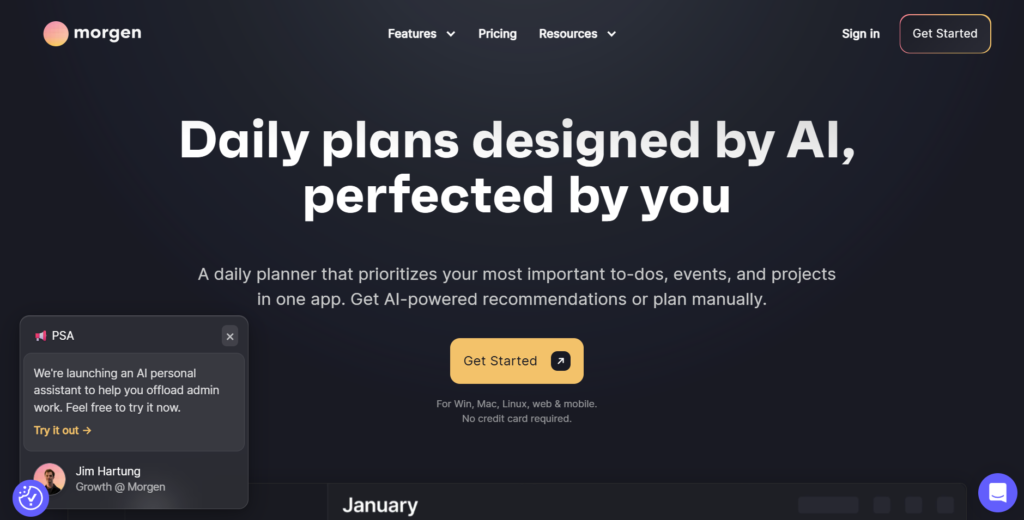
Morgen is a unified calendar and task manager designed to help you regain control of your time. It is best for power users who manage multiple calendars and need a central hub for scheduling. It combines the functionality of a calendar, a task manager, and a meeting scheduler.
Why it’s a good Akiflow alternative:
Morgen provides a very similar experience to Akiflow, but often feels faster and more lightweight. It offers superior timezone management and scheduling links, which are not as robust in Akiflow. It is a great choice for those who want a calendar-first approach with task management as a secondary layer.
Main features:
Morgen excels at managing complex schedules and external meeting requests.
- Multi-account calendar synchronization for all major providers.
- Integrated task lists with drag-to-calendar time blocking.
- Customizable scheduling links to replace tools like Calendly.
- Advanced keyboard shortcuts for rapid task and event creation.
Integrations
Morgen supports Google Calendar, Outlook, Exchange, iCloud, and CalDAV, along with Todoist and Any.do for tasks.
Desktop and mobile capabilities
Morgen offers native applications for Windows, macOS, Linux, Android, and iOS, providing a consistent experience across all devices.
Pros and cons:
| Pros | Cons |
| Supports almost every calendar provider | Task management features are basic |
| Built-in meeting booking links | Free version is quite limited |
| Fast and responsive desktop interface | No native project management boards |
| Great timezone conversion tools | Mobile app is still evolving |
Routine
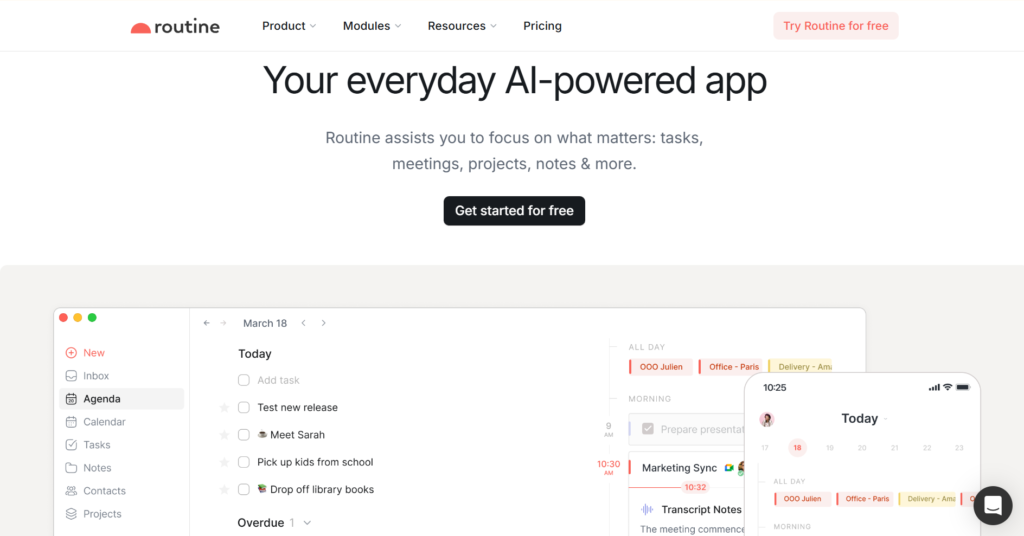
Routine is a personal productivity platform that combines tasks, calendars, and notes into a single interface. It is best for entrepreneurs and creative professionals who want a unified “operating system” for their lives. It emphasizes speed and a minimalist aesthetic.
Why it’s a good Akiflow alternative:
Routine offers a much stronger emphasis on “knowledge management” than Akiflow by including a dedicated space for notes and contacts. It allows you to link tasks directly to specific pieces of information or people. The “Console” feature allows for faster task capture than almost any other tool.
Main features:
The tool is designed to be the central hub for all your personal and professional information.
- Global command console for instant task capture from anywhere.
- Note-taking system with support for rich media and links.
- Unified calendar view that aggregates all your events and tasks.
- Daily dashboard for a high-level view of your current priorities.
Integrations
Routine integrates with Google Calendar, Notion, Slack, and Gmail, with more integrations currently in development.
Desktop and mobile capabilities
Routine is available on macOS, Windows, and iOS, with an Android version currently being perfected.
Pros and cons:
| Pros | Cons |
| Beautiful and modern user interface | Still in early development stages |
| Extremely fast task entry | A Windows app can be less stable than a Mac |
| Combines notes and tasks effectively | Limited team collaboration features |
| Very clean and distraction-free | Fewer third-party integrations |
Notion
Notion is a flexible workspace that allows you to build your own productivity system using blocks. It is good for teams and individuals who want total control over how their data is organized. It can be used as a simple to-do list or a full company wiki.
Why it’s a good Akiflow alternative:
Notion is an excellent alternative because it is infinitely more customizable than Akiflow. While Akiflow limits you to a specific calendar-centric view, Notion allows you to build boards, tables, galleries, and timelines. It is also significantly better for documenting processes alongside tasks.
Main features:
Notion’s strength lies in its versatility and its ability to store diverse types of information.
- Customizable databases with linked views and filters.
- Rich text document editing for notes, wikis, and manuals.
- Collaborative workspaces for real-time team editing.
- Notion AI for summarizing documents and generating content.
Integrations
Notion integrates with Slack, Google Drive, GitHub, Figma, and hundreds of other tools through its API and Zapier.
Desktop and mobile capabilities
Notion is available as a web app, desktop apps for Windows and Mac, and mobile apps for iOS and Android.
Pros and cons:
| Pros | Cons |
| Unmatched flexibility and customization | Steep learning curve for new users |
| Replaces multiple tools in one place | No native automated time blocking |
| Excellent for team documentation | Can become slow with very large databases |
| Large community of templates | The mobile app can feel slightly clunky |
Todoist
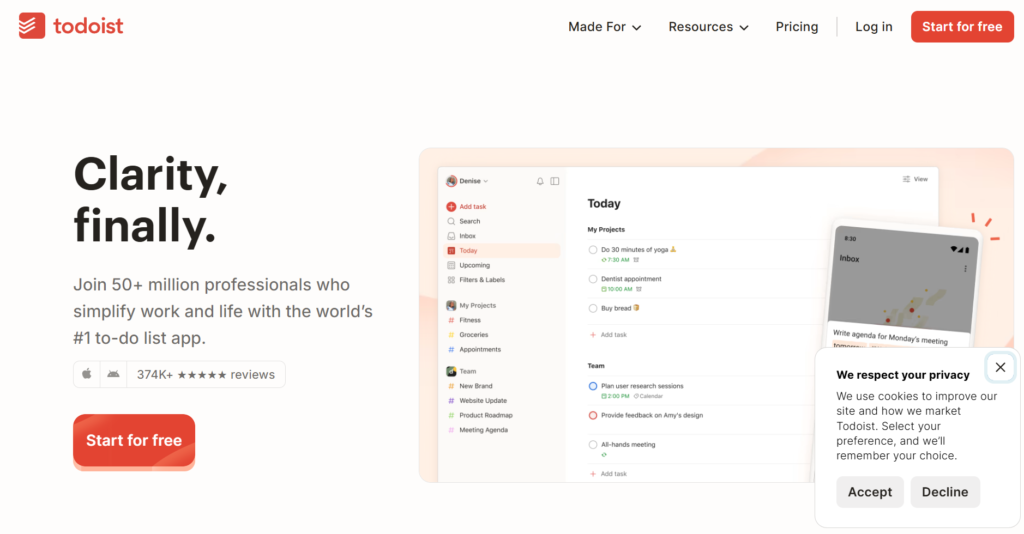
Todoist is a popular task manager, known for its clean design and efficiency. It is good for anyone who wants a straightforward way to keep track of their personal and professional obligations. It focuses on the core mechanics of task management without unnecessary fluff.
Why it’s a good Akiflow alternative:
Todoist is a great alternative for those who find Akiflow too complex or expensive. It offers industry-leading natural language input, making it much faster to add tasks on the go. Its ecosystem is also much larger, offering native apps for virtually every platform imaginable.
Main features:
The platform is built for speed and reliability in tracking lists and deadlines.
- Natural language processing for quick task entry.
- Project folders and sub-tasks for organizing complex work.
- Priority levels and reminders to keep you on track.
- Productivity visualizations and “Karma” points for motivation.
Integrations
Todoist integrates with Google Calendar, Slack, Amazon Alexa, Gmail, and Outlook, as well as hundreds of other apps via Zapier.
Desktop and mobile capabilities
Todoist is available on Windows, macOS, Linux, iOS, Android, and even smartwatches like the Apple Watch and Wear OS.
Pros and cons:
| Pros | Cons |
| Simplest and fastest task entry | Lacks a built-in calendar view |
| Very reliable syncing across devices | Reminders are locked behind a paid plan |
| Great for both individuals and teams | Limited project visualization options |
| Extensive library of third-party apps | No native time-blocking automation |
TickTick
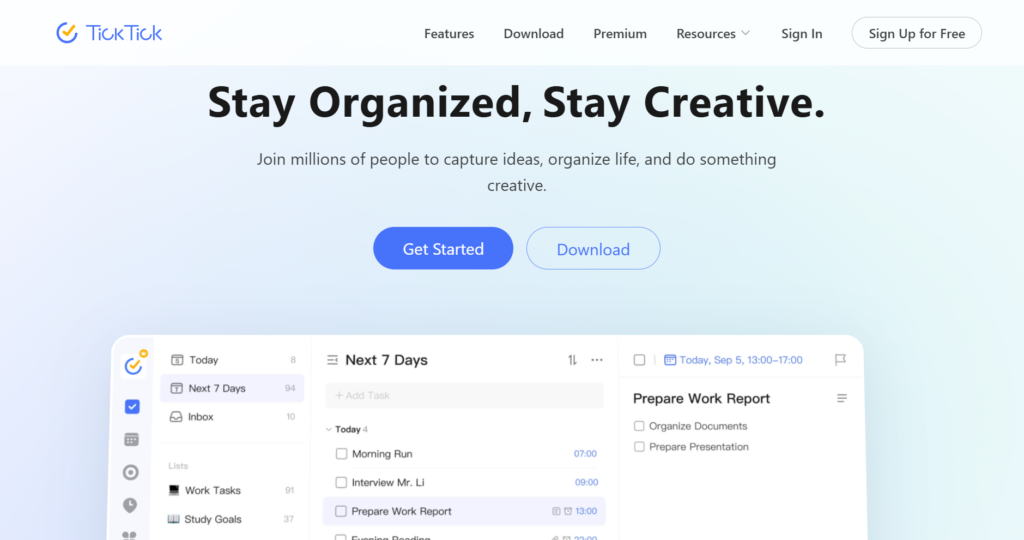
TickTick is a versatile productivity app that combines task lists, calendars, and focus tools. It is best for individuals who want an all-in-one personal organizer at a very low price. It is often cited as the most feature-rich alternative for the cost.
Why it’s a good Akiflow alternative:
TickTick offers many of the same calendar-syncing and time-blocking features as Akiflow, but at a fraction of the cost. It also includes built-in Pomodoro timers and habit trackers, which Akiflow lacks. It is a more comprehensive personal tool for those on a budget.
Main features:
TickTick provides a suite of tools to help you stay focused and build better habits.
- Built-in calendar view with subscription support.
- Pomodoro timer for focused work sessions.
- Habit tracker to monitor your personal goals.
- Voice input and “Quick Add” for capturing ideas instantly.
Integrations
TickTick integrates with Google Calendar, Outlook, and IFTTT, and allows you to turn emails into tasks via a dedicated address.
Desktop and mobile capabilities
TickTick supports Windows, macOS, Android, iOS, and Web, and even has browser extensions for Chrome and Firefox.
Pros and cons:
| Pros | Cons |
| Excellent value for the price | Not designed for team collaboration |
| Includes habit tracking and timers | The interface can feel a bit crowded |
| Robust calendar integration | Some advanced features are mobile-only |
| Very flexible task organization | Desktop app design is slightly dated |
Trello
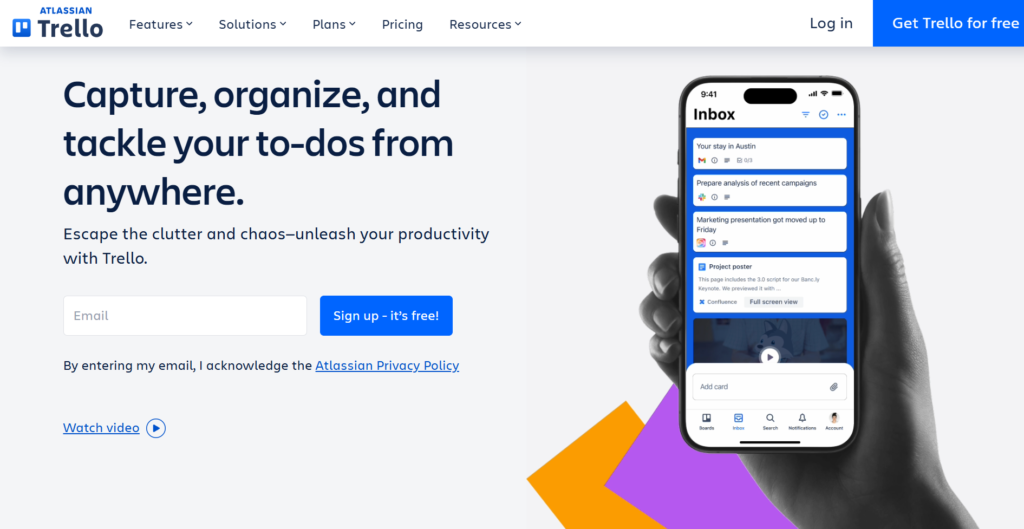
Trello is a visual collaboration tool that organizes your projects into boards, lists, and cards. It is best for teams that prefer a visual workflow and want to see the status of every task at a glance. It is famously easy to use and requires almost no training.
Why it’s a good Akiflow alternative:
Trello is a superior choice for those who find Akiflow’s list-and-calendar format too restrictive. It allows you to visualize the “stage” of a project (e.g., To Do, In Progress, Done) much more clearly. It is also a much better tool for team collaboration and transparency.
Main features:
Trello is built around the Kanban methodology to simplify project tracking.
- Drag-and-drop Kanban boards for visual management.
- “Butler” automation for creating custom rules and buttons.
- Checklists, attachments, and due dates on every card.
- Power-Ups to add extra functionality like calendars or maps.
Integrations
Trello integrates with Slack, Google Drive, Dropbox, Evernote, and GitHub, among hundreds of others.
Desktop and mobile capabilities
Trello offers a web interface, desktop apps for Windows and macOS, and mobile apps for iOS and Android.
Pros and cons:
| Pros | Cons |
| Incredibly easy to understand | Can become messy for very large projects |
| Great for visual thinkers and teams | Limited built-in reporting |
| Powerful “Butler” automation engine | No native time blocking without plugins |
| Highly flexible for any type of work | Hard to manage individual daily schedules |
How to select an Akiflow alternative for your business: main criteria
Selecting the right software requires looking past the flashy marketing to see how the tool actually functions within your specific business environment. You should evaluate each option based on how it will impact your team’s daily output and long-term goals.
Functionality
The tool must possess the specific features required to handle your workload, whether that is high-level project management software or a simple task manager. Look for capabilities like time blocking, Gantt charts, and recurring tasks that match your current needs.
Usability
A tool is only effective if your team actually uses it, so the interface must be intuitive. Look for features like natural language input and the ability to drag tasks into a daily planner to ensure the software reduces your cognitive load rather than adding to it.
Customer support
When technical issues arise or you need help with your own system, reliable support is essential. Check if the provider offers real-time chat, extensive documentation, or a dedicated account manager to help you stay organized.
Value for money
Cost is always a factor, especially when comparing Akiflow alternative options. Look for a transparent pricing free starter or a robust free plan that allows you to test the core features before committing to a significant investment.
Customer reviews
Reading feedback from other power users can provide insights into how the software performs in the real world. Pay attention to how the tool handles complex projects and whether it truly helps teams stay focused during deep work.
Save up to 50% by switching from Akiflow to GoodDay
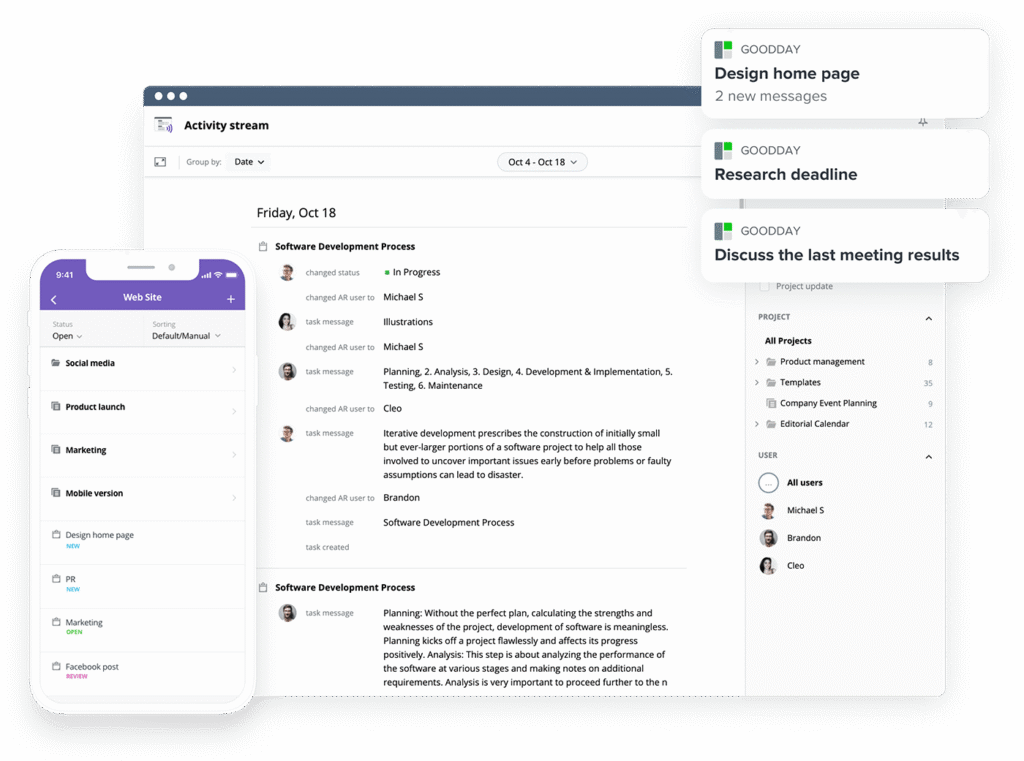
If you’re looking for the best balance of customization and price, GoodDay stands out in 2026. It is popular globally for its powerful functionality and affordable plans, making it the perfect choice for teams that want to scale without overpaying.
You can dive in and try GoodDay for free to see how it fits your workflow and your team.
And if you have any questions about selecting the right project management software for your business, you can always reach out to our team via info@goodday.work
FAQs
How to organize work tasks?
To organize tasks effectively, you should centralize your workflow into an all-in-one platform like GoodDay to prevent information silos. This advanced task manager allows you to reduce cognitive load by categorizing items into structured projects rather than relying on messy task lists. You can start a free trial to experience how high-level task management helps you stay organized across multiple departments simultaneously. Unlike classic task managers, GoodDay provides a native built-in pomodoro timer to ensure you stay focused on your highest priorities throughout the day.
How to create a project management calendar?
Creating a project management calendar begins with a robust calendar integration that allows you to drag tasks directly into your daily schedule. GoodDay simplifies this by pulling tasks from various sources and displaying them alongside your existing Google Calendar events for total visibility. Users can set due dates and visualize project timelines to ensure that every team member understands their specific responsibilities. The platform automatically plans your workload to avoid overlapping commitments, making it a great Akiflow alternative for growing businesses.
What is the best project management calendar software for mindful planning?
For those who prioritize mindful planning, GoodDay offers a calm interface that is specifically designed to minimize distractions and support focused work. This productivity app allows you to set time estimates for each entry, ensuring your daily planner remains realistic and avoids the trap of over-scheduling. While some look at a notion calendar, GoodDay provides superior calendar intelligence and schedules tasks based on your actual availability and energy levels. It is an excellent Akiflow alternative for power users who want to manage personal habits and professional goals in one place.
What are the leading platforms for syncing design and dev teams?
GoodDay is among the leading productivity tools for syncing design and development teams because it allows everyone to work on the same task with full context. This project management software features deep third-party integrations with tools like GitHub and Figma, ensuring seamless handoffs and real-time updates. Unlike Akiflow, GoodDay offers comprehensive team features and advanced reporting that are essential for managing complex projects at scale. It serves as a better alternative for organizations that need more than just a personal daily schedule to succeed.
What tools support real-time file sync and team collaboration?
GoodDay is the premier choice for team collaboration, offering a free plan that includes robust file sharing and real-time communication tools. You can easily add tasks and attach documents from Google Drive or Dropbox, ensuring all relevant information is accessible within your own system. The platform supports fast task capture and allows you to set reminders so that everyone stays updated on the latest project developments. This cloud-based productivity app is engineered to reduce the friction of remote work and keep distributed teams perfectly aligned.
What is the best workspace management software that integrates with Outlook and Google Calendar?
GoodDay stands out as the best workspace management solution because its Google Calendar makes syncing your personal tasks and professional meetings effortless. This akiflow alternative offers native Outlook support, allowing you to schedule meetings and manage recurring tasks without ever leaving the application. Power users love keyboard shortcuts and the ability to use natural language input to quickly populate their daily schedule with new items. By centralizing your time management, GoodDay ensures you never miss important calendar events while balancing a heavy workload.
What are the best productivity tools for remote work?
GoodDay is widely considered the top akiflow alternative for remote work because it includes a focus mode that helps employees maintain deep work throughout the day. The software supports AI assistance and time tracking, providing managers with visibility into progress without the need for constant check-ins. While many remote workers use multiple tools, GoodDay consolidates everything into a single interface that features full Android support for working on the go. It is a highly effective way to manage repeating tasks and daily habits while staying connected to the rest of the team.
What is the best cloud-based productivity app for teams?
GoodDay is the ultimate cloud-based productivity app for teams, offering a free starter tier that includes all the core features needed to get started. This akiflow alternative is designed for visual thinkers who need to see their work through Kanban boards, Gantt charts, and schedule-based views. With integrated Notion AI and ai powered scheduling, GoodDay helps you auto-schedule tasks and optimize your time blocking for maximum efficiency. It remains a great Akiflow alternative for teams that require a professional, scalable solution for long-term growth.




