
Aha! is a well-known name in the industry, but many teams find it too complex or expensive for their specific needs. You may be looking for something more intuitive, better suited for agile development, or more affordable as your team scales.
In this guide, we’ll explore the best Aha! alternatives to help you make the right choice for your team.
But if you have any questions that are not covered in this article, you can always connect with our team via info@goodday.work
Best Aha! alternatives shortlist for 2026
Let’s take a look at some of the top Aha! alternatives.
For Agile & Engineering Teams
- GoodDay: A premier, all-in-one project management solution that excels in strategic planning, versatile data visualization, and the streamlining of complex workflows.
- Jira: Strongest for development teams, integrating feedback into workflows and project tracking within the Atlassian ecosystem (with Confluence).
- Productboard: Excellent for linking customer insights to product strategy and roadmaps.
- ClickUp: All-in-one platform, good for managing tasks, docs, and goals.
- Linear: Modern, fast tool focused on developer experience.
For Collaboration & General Project Management
- Asana: Best for overall team collaboration, task management, and project visibility.
- Monday.com: Highly visual work OS, customizable for various team needs.
- Wrike: Comprehensive project management, great for larger teams needing detailed planning.
- Trello: Simple, visual Kanban boards for basic task and idea management.
For Feedback & Roadmapping
- UserVoice: Deep integration for capturing and prioritizing user feedback.
- Roadmunk / Roadmap: Excellent for creating shareable, visual product roadmaps.
- Pendo: Focuses on complete customer experience, product analytics, and in-app guidance.
For Flexibility & Customization
- Airtable: Powerful database/spreadsheet hybrid for building custom workflows and apps.
- Smartsheet: Spreadsheet-like interface for project management and automation.
For Simpler Needs
- ProdPad: Good for product management with a focus on strategy and idea collection.
- Canny / Nolt / Rapidr: Simpler, often more affordable tools for feature voting and changelogs.
Comparison of the best Aha! alternatives (free and paid)
Comparing these tools involves looking at their core strengths, entry-level pricing, and how easily you can move your existing data from Aha! to the new platform.
| Software | Best for | Pricing | Ease of migration from Aha! |
| GoodDay | Best overall balance of features and cost | Free plan (1–15 users); Professional $4/user/month; Business $7/user/month; Enterprise custom | Easy (CSV import, Zapier integrations) |
| Jira | Development teams & Atlassian users | Free plan (up to 10 users); Standard ~$8.60/user/month; Premium ~$17/user/month | Moderate (CSV import or direct API) |
| Productboard | Strategic roadmapping & customer insights | Starter plan free; Essentials $19/maker/month; Pro $59/maker/month | Easy (CSV upload) |
| ClickUp | All-in-one productivity & task management | Free plan; Unlimited $7/user/month; Business $12/user/month | Easy (dedicated importers) |
| Linear | High-speed software development | Free plan; Standard $8/user/month; Plus $14/user/month | Easy (CSV/API) |
| Asana | Cross-team collaboration & workflows | Personal free; Starter $10.99/user/month; Advanced $24.99/user/month | Moderate (CSV import) |
| Monday.com | Highly visual project tracking | Free plan; Basic $9/user/month; Standard $12/user/month; Pro $20/user/month | Moderate (Excel/CSV import) |
| Trello | Basic Kanban & simple visual tasks | Free plan; Standard $5/user/month; Premium $10/user/month | Very Easy (JSON/CSV) |
| UserVoice | Large-scale feedback collection | Pro $899/month; Internal $1,199/month; Premium $1,499/month | Moderate (CSV/API) |
| Roadmunk | Boardroom-ready visual roadmaps | Starter $19/month; Business $49/month; Professional $99/month | Easy (CSV import) |
| Pendo | Product analytics & in-app feedback | Free (up to 500 MAU); Core/Pro starts ~$7,000/year | Difficult (Requires technical setup) |
| Airtable | Custom database-driven workflows | Free plan; Team $20/user/month; Business $45/user/month | Easy (CSV/Excel import) |
| Smartsheet | Enterprise spreadsheet-style management | Pro $9/user/month; Business $32/user/month; Enterprise custom | Moderate (Excel import) |
| ProdPad | Lean product strategy & ideas | Roadmaps/Ideas/Feedback modules each ~$30/editor/month | Easy (CSV import) |
| Canny | Public feature voting & changelogs | Free plan; Starter $79/month; Growth $359/month | Easy (CSV/API) |
| Nolt | Simple, aesthetic feedback boards | Pro $29/month; Business $69/month | Very Easy (CSV) |
| Rapidr | Affordable feedback & roadmap management | Startup $49/month; Business $199/month | Easy (Concierge migration) |
What is Aha! and why consider an alternative for your business?
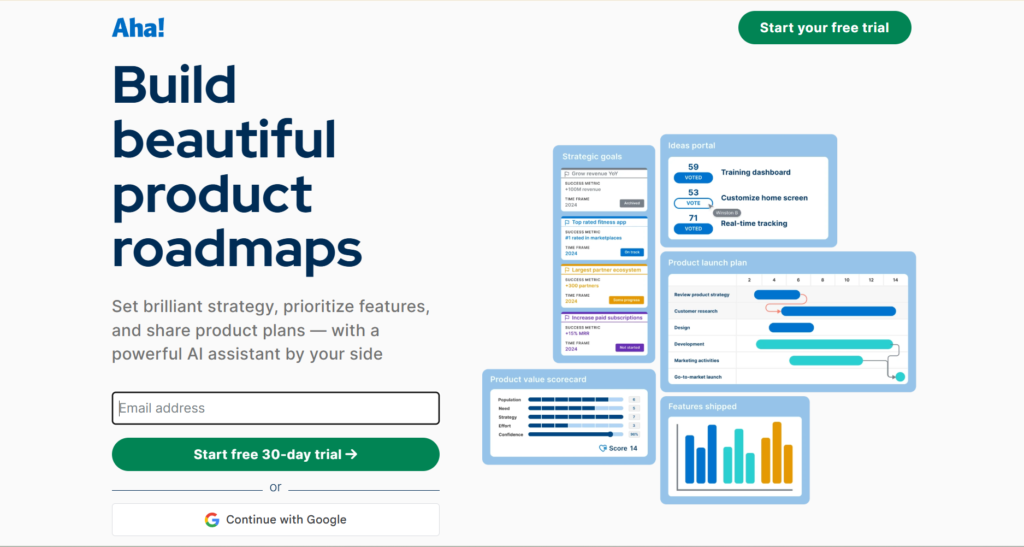
Aha! is a comprehensive product management suite designed to help companies build strategic roadmaps, manage backlogs, and collect customer feedback. It is widely used by large enterprises that require deep functionality for complex product portfolios and detailed resource planning. It provides a structured environment where product managers can link high-level goals to daily tasks, ensuring that development work stays aligned with the business strategy.
However, many businesses seek alternatives because Aha! often comes with a steep learning curve and a high price tag. For smaller teams or startups, the interface can feel overly bureaucratic and rigid, making it difficult to move quickly. Teams that do not need every single enterprise-level feature often find that more agile, user-friendly tools provide better value and higher adoption rates among their staff.
Best alternatives to Aha! in 2026
According to research published in the International Journal of Organization Theory & Behavior, integrating the right project management methodologies and tools significantly enhances project performance, cost efficiency, and quality outcomes. The following alternatives to Aha! offer different balances of speed, visual appeal, and cost-effectiveness.
GoodDay
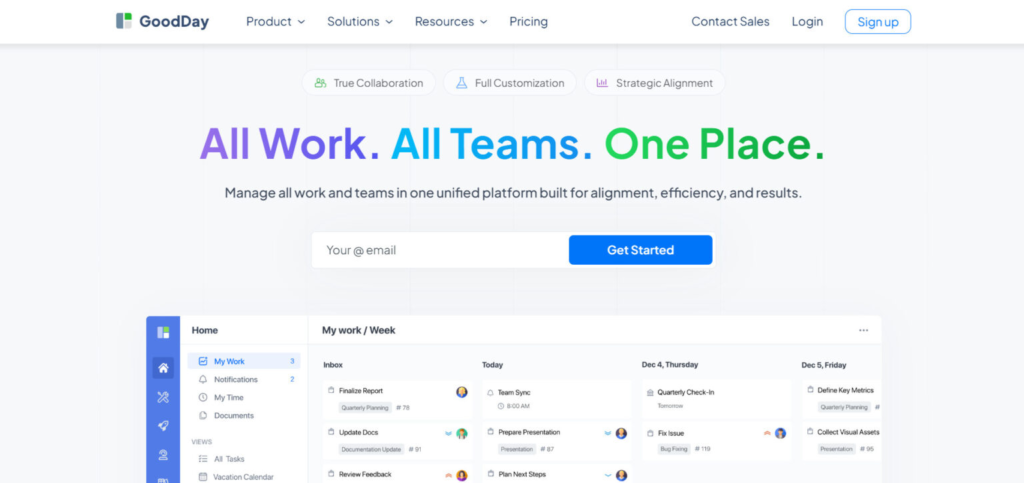
GoodDay is a comprehensive work management tool used by global startups and Fortune 500 corporations alike. By making the move to GoodDay, organizations can reduce their software expenses by up to 50% while maintaining access to a full suite of professional features. The platform is designed for rapid adoption, allowing you to migrate your existing data in just a few minutes.
Why it’s a good Aha! alternative:
GoodDay has earned its place on 12 Capterra shortlists as a top-rated solution. Users frequently highlight the platform for its ability to provide high-end functionality without the high-end price. It offers a superior return on investment, delivering extensive capabilities that typically cost much more in other enterprise tools.
Main features:
GoodDay provides a versatile environment for managing complex projects and team productivity.
- Professional Gantt charts and multi-level roadmaps.
- Custom workflows and automated task routing.
- Resource management and capacity planning.
- Advanced data visualization with custom dashboards.
Integrations
GoodDay offers native connectivity with G Suite, including Gmail, Google Docs, Drive, and Calendar. It also works directly with Slack, Dropbox, Box.com, and supports secure access via Single Sign-On (SSO/SAML). For development teams, it links to GitHub and GitLab, while Zapier provides access to more than 1,300 additional applications.
Desktop and mobile capabilities
You can use GoodDay across all major platforms, with dedicated apps for Windows, Mac, and Linux. For mobile work, the iOS and Android applications ensure you have full access to your dashboards and project tasks from anywhere.
Pros and Cons
| Pros | Cons |
| Trusted by over 100,000 teams globally | High-level reporting needs initial setup |
| Comprehensive suite of professional features | Workflow optimization takes some planning |
| Excellent affordability with a 15-user free plan | Advanced settings have a slight learning curve |
| No aggressive sales tactics or forced upgrades | Deep customization can delay early rollout |
Jira
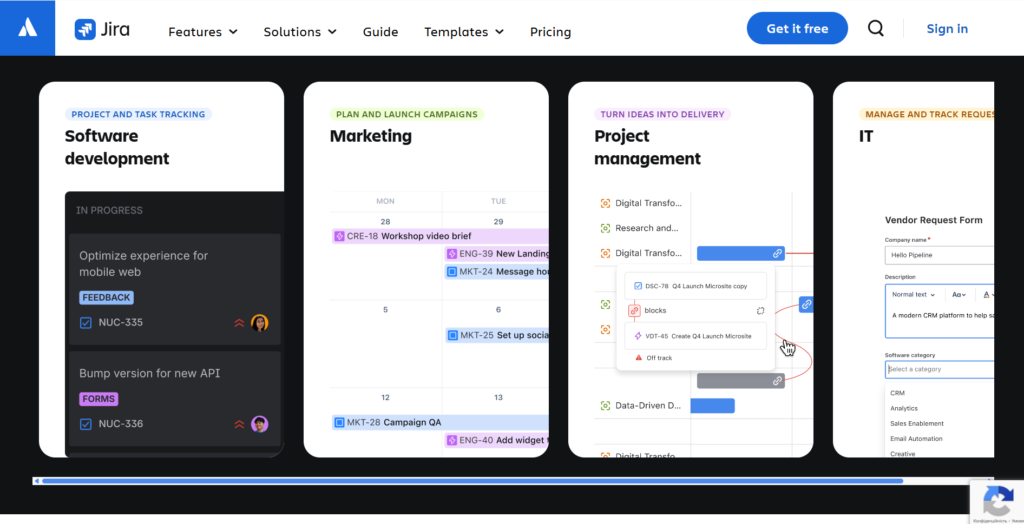
Jira is the industry standard for software development teams, providing deep issue tracking and agile project management. It is designed to help engineering teams plan, track, and release software using Scrum or Kanban methodologies. It belongs to the Atlassian ecosystem, making it a natural choice for teams already using Confluence or Bitbucket.
Why it’s a good Aha! alternative:
Jira offers a more direct connection between product strategy and actual development tasks than almost any other tool. It is highly customizable, allowing teams to build complex workflows that match their specific release cycles. While Aha! is better for high-level roadmapping, Jira excels at the execution phase of the product lifecycle.
Main features
- Advanced Scrum and Kanban boards for agile delivery.
- Detailed reporting on velocity, burn-down, and cycle time.
- Highly granular permission and security controls.
- Automation engine to handle repetitive task updates.
Integrations
Jira integrates natively with the entire Atlassian suite, Slack, GitHub, GitLab, and Microsoft Teams. It has one of the largest app marketplaces in the world, offering thousands of third-party add-ons.
Desktop and mobile capabilities
Available as a web platform, a desktop app for macOS and Windows, and mobile apps for iOS and Android.
Pros and Cons
| Pros | Cons |
| Unmatched for agile development | Complex setup and configuration |
| Huge marketplace for extra features | The interface can feel cluttered |
| Strong integration with dev tools | Requires a dedicated administrator |
| Scales to the largest enterprises | Higher tiers are expensive |
Productboard
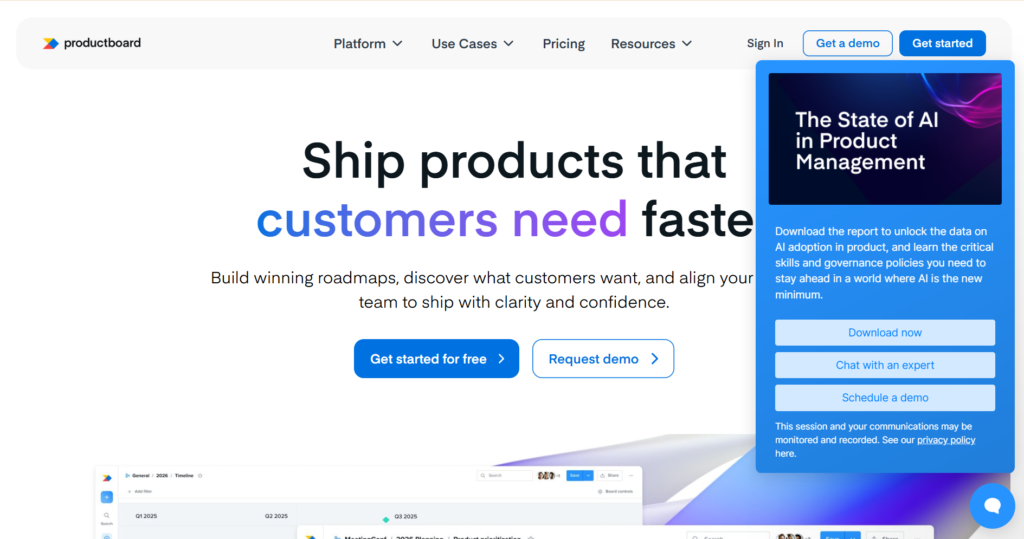
Productboard is a dedicated product management platform that focuses on helping teams understand what users need and prioritizing what to build next. it centralizes customer feedback from various sources to inform the product roadmap. It is designed to bridge the gap between customer-facing teams and product developers.
Why it’s a good Aha! alternative:
Productboard is often considered a more modern and user-friendly version of Aha!’s roadmapping features. It places a heavier emphasis on the “why” behind product decisions by linking every feature idea to specific customer feedback. This makes it easier for product managers to justify their prioritization and share a visual strategy with stakeholders.
Main features
- Centralized feedback repository for customer insights.
- Prioritization matrix based on user impact and effort.
- Dynamic, shareable roadmaps for different audiences.
- Customer portal for validating new feature ideas.
Integrations
Connects with Jira, Azure DevOps, Slack, Salesforce, Zendesk, and Intercom.
Desktop and mobile capabilities
Primarily a web-based platform, optimized for desktop browsers with basic mobile web access.
Pros and Cons
| Pros | Cons |
| Excellent feedback centralization | High cost per “maker” license |
| Highly visual and aesthetic roadmaps | Limited task management features |
| User-centric prioritization tools | AI features require extra payment |
| Great for stakeholder communication | Setup requires significant effort |
ClickUp
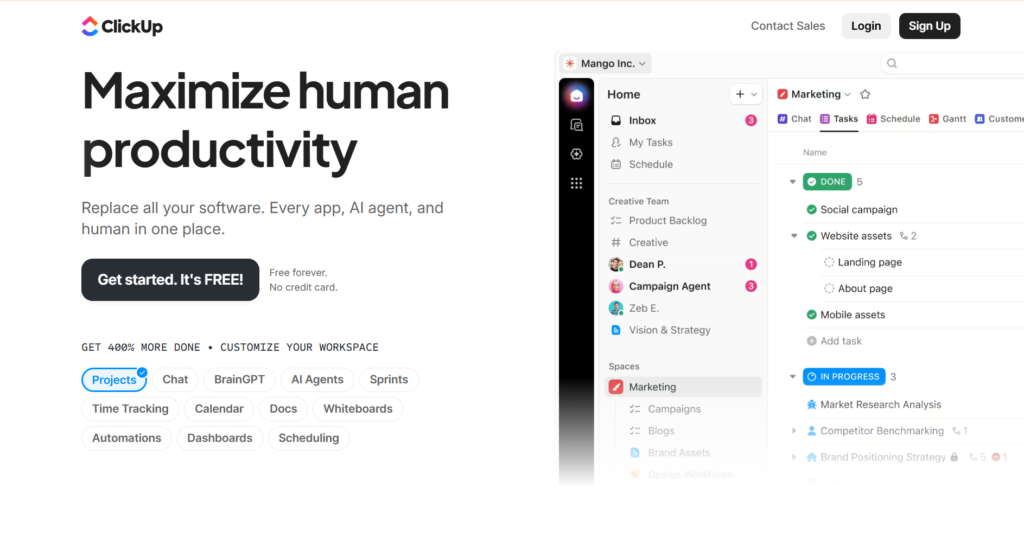
ClickUp is a productivity platform that can replace Ana! by combining tasks, docs, goals, and chat. It is highly flexible, allowing teams to view their work in over 15 different ways, including List, Board, and Gantt. It is popular with teams that want to consolidate their entire tech stack into a single workspace.
Why it’s a good Aha! alternative:
ClickUp provides a massive amount of functionality at a fraction of the cost of Aha!. It includes features like goals, portfolios, and custom fields that allow for complex product management without the rigid structure of legacy software. It is much easier to set up and offers a more generous free version for small teams.
Main features
- Customizable dashboards with real-time data.
- Built-in document editing and collaboration.
- Goal tracking and OKR management.
- Native time tracking and workload views.
Integrations
Integrates with Google Workspace, Slack, GitHub, GitLab, Zoom, and over 1,000 tools via Zapier.
Desktop and mobile capabilities
Offers native apps for Windows, Mac, Linux, iOS, and Android.
Pros and Cons
| Pros | Cons |
| Feature-rich even on free plans | Can be overwhelming for new users |
| Highly customizable views | Occasional performance slowdowns |
| Consolidates many apps into one | Frequent updates change the UI |
| Very affordable for growing teams | Mobile app is less powerful than desktop |
Linear
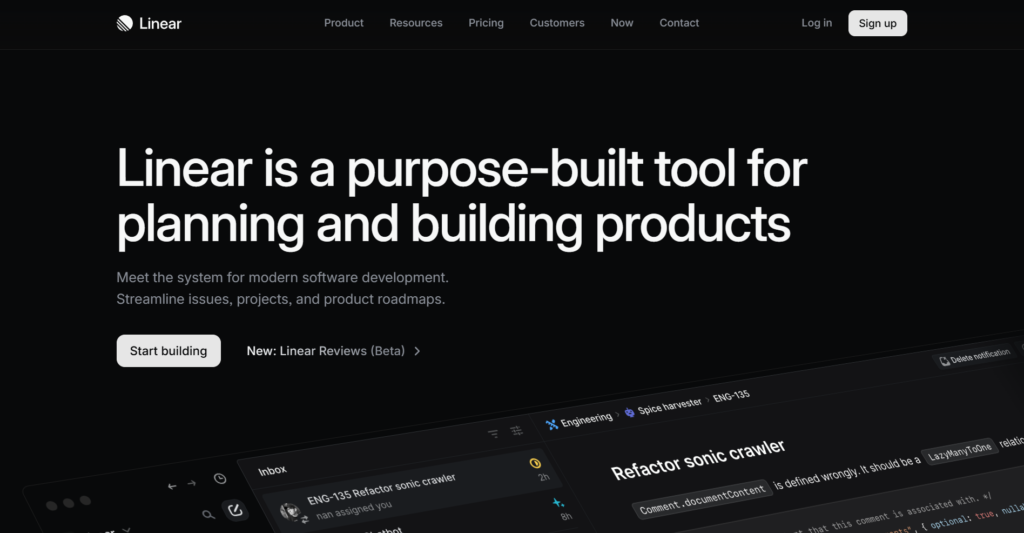
Linear is a streamlined issue tracker built specifically for high-performance software teams. It focuses on speed, keyboard shortcuts, and a minimalist design to help developers stay in flow. It removes much of the “clutter” found in traditional project management tools.
Why it’s a good Aha! alternative:
Linear is the best choice for teams that find Aha! or Jira is too slow and cumbersome. It provides an “opinionated” workflow that encourages best practices in agile development without requiring endless configuration. It is built for speed and efficiency, making it a favorite among modern tech startups.
Main features
- Extremely fast, keyboard-driven interface.
- Automated issue tracking and cycle management.
- “Roadmaps” feature to group projects and track progress.
- Built-in Git integration for syncing code and tasks.
Integrations
Native integrations with GitHub, GitLab, Slack, Sentry, and Figma.
Desktop and mobile capabilities
Dedicated desktop apps for macOS and Windows; mobile app available for iOS and Android.
Pros and Cons
| Pros | Cons |
| Incredible speed and performance | Lacks deep reporting for executives |
| Beautiful, minimalist user interface | Limited customization options |
| Focuses on developer productivity | Not ideal for non-technical teams |
| Simple and transparent pricing | Basic roadmapping compared to Aha! |
Asana
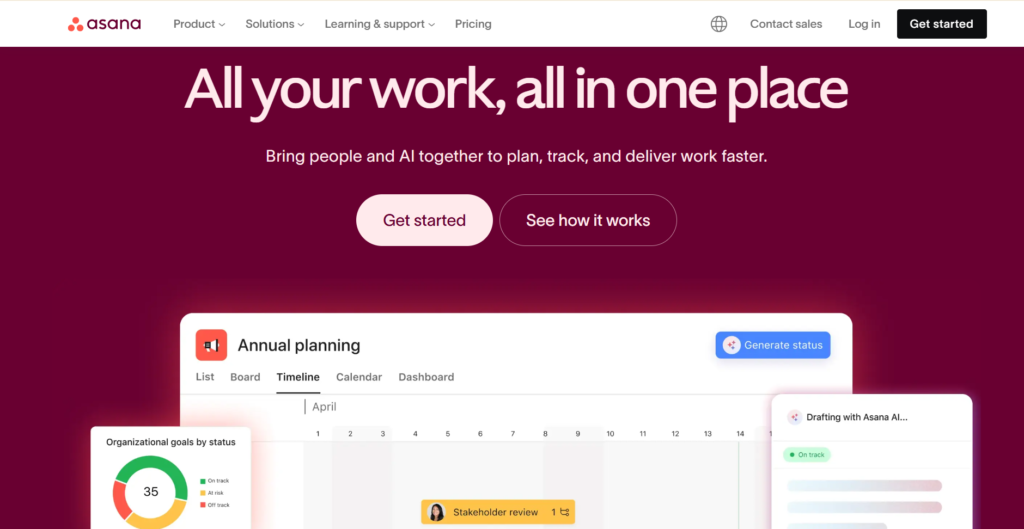
Asana is a leading project management tool known for its intuitive design and powerful workflow automation. It helps teams organize everything from daily tasks to high-level strategic initiatives. It is widely used across marketing, product, and operations teams for its versatility.
Why it’s a good Aha! alternative:
Asana offers a much more approachable user experience than Aha! while still providing the “Portfolios” and “Goals” features needed for product strategy. It is excellent for cross-functional collaboration, ensuring that product launches are coordinated across the entire company. Its automation builder is one of the most user-friendly on the market.
Main features
- Project timelines and Gantt-style views.
- Custom workflow builder with “Rules” for automation.
- Portfolio management to track multiple projects.
- Goal tracking to align tasks with company objectives.
Integrations
Connects with over 200 tools, including Google Drive, Slack, Microsoft Teams, Jira, and Salesforce.
Desktop and mobile capabilities
Available via web browser, macOS and Windows desktop apps, and iOS/Android mobile apps.
Pros and Cons
| Pros | Cons |
| Very easy for any team to adopt | Paid plans are quite expensive |
| Excellent workflow automation | Limited for complex engineering needs |
| Strong visual tracking of goals | Rigid “seat” purchasing requirements |
| Great for cross-team coordination | Advanced features locked behind high tiers |
Monday.com
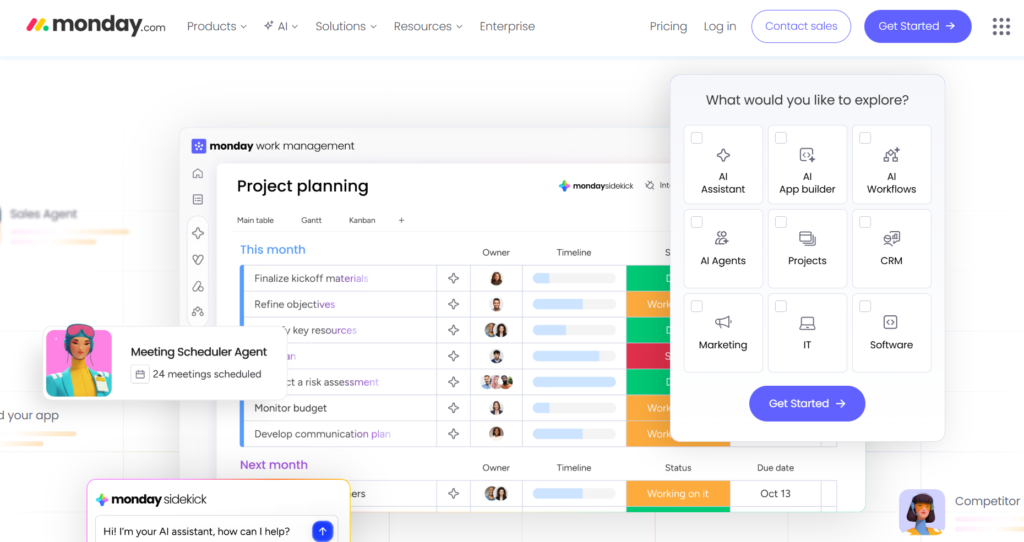
Monday.com is a “Work OS” that allows teams to build custom applications for their specific needs. It uses a highly visual, colorful interface that makes it easy to see the status of any project at a glance. It is extremely flexible and can be used for everything from CRM to product development.
Why it’s a good Aha! alternative:
Monday.com is significantly more flexible than Aha!, allowing you to build your own product management workflows from scratch. Its “Monday dev” product specifically targets product teams with features like sprint management and roadmap tracking. It is a great choice for teams that want a tool that grows and changes with them.
Main features
- Highly customizable boards and columns.
- Visual automation builder for complex workflows.
- “Workload” view for managing team capacity.
- Integrated forms for feedback and request collection.
Integrations
Integrates with Slack, Microsoft Teams, Dropbox, Jira, and many others through an internal marketplace.
Desktop and mobile capabilities
Comprehensive apps for desktop (Mac/Windows) and mobile (iOS/Android).
Pros and Cons
| Pros | Cons |
| Extremely visual and easy to use | Pricing structure can be confusing |
| Highly flexible for any use case | Can become expensive as you scale |
| Great automation and AI tools | Some features require higher tiers |
| Large library of templates | Minimalist users may find it “too busy.” |
Wrike
Wrike serves as a flexible project management solution that specializes in handling intricate, multi-departmental initiatives while emphasizing transparency and ownership. It is built for organizations that require a harmony between creative output and technical execution. The platform delivers robust tools for monitoring resources and logging time, specifically tailored for professional service environments.
Why it’s a good Axosoft alternative:
Wrike delivers a more structured and visual approach to workload management, moving away from the spreadsheet-heavy interface found in legacy software. It features sophisticated Gantt charts and workload heatmaps that offer deeper insights than the standard tools available in Axosoft. This positioning makes it an ideal solution for organizations that must bridge the gap between technical development cycles and routine business operations.
Main features:
Wrike focuses on providing high-level oversight while still allowing for granular task management.
- Dynamic Request Forms to automate the intake of new work.
- Real-time collaboration with live editing and @mentions.
- Advanced resource planning to avoid team burnout.
- Custom dashboards that surface key project metrics instantly.
Integrations
Wrike integrates with over 400 applications, including Salesforce, Microsoft Teams, Adobe Creative Cloud, and various Google services.
Desktop and mobile capabilities
Wrike offers dedicated desktop apps for Windows and Mac, along with a comprehensive web version. Mobile apps for iOS and Android allow teams to update tasks and view reports on the go.
Pros and Cons
| Pros | Cons |
| Excellent for managing complex dependencies | The interface can feel a bit corporate |
| Powerful and interactive Gantt chart views | Pricing is higher than many competitors |
| Robust reporting and analytics for leadership | Some advanced features require higher tiers |
| Great for both technical and creative teams | Initial configuration can be time-consuming |
Trello
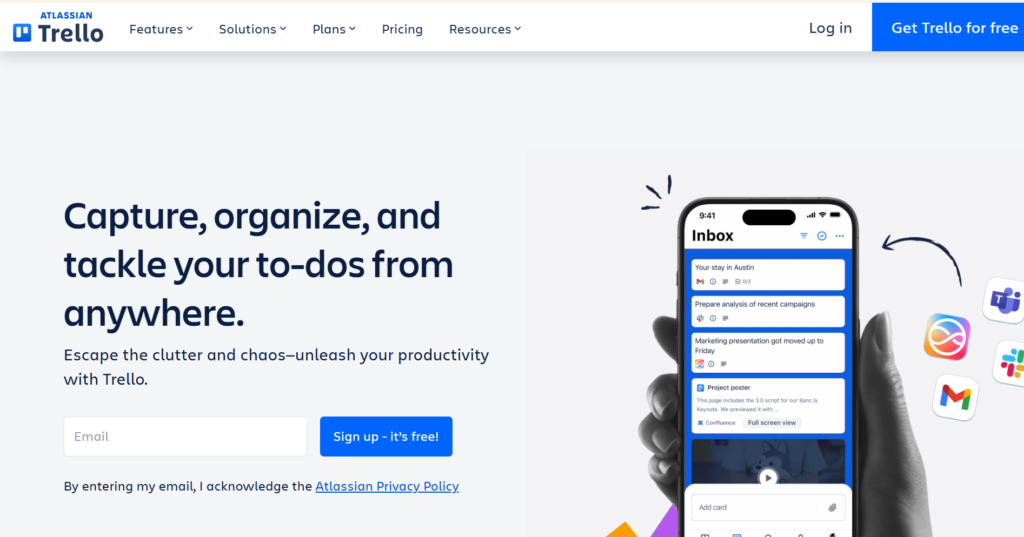
Trello is a popular Kanban-style tool that uses cards and boards to represent tasks and projects. It is famous for its simplicity and the “Power-Up” system that adds extra functionality when needed. It is ideal for individuals and small teams who need a visual way to manage their work.
Why it’s a good Aha! alternative:
Trello is the ultimate choice for teams that find Aha! too bureaucratic. If you just need to manage a backlog and a simple roadmap without complex strategic linking, Trello is faster and much cheaper. It is virtually zero-maintenance and can be mastered by any team member in minutes.
Main features
- Intuitive drag-and-drop Kanban boards.
- Custom fields and labels for organization.
- Butler automation for task-based rules.
- Power-Ups for Gantt charts, voting, and more.
Integrations
Thousands of integrations through Power-Ups, including Slack, Google Drive, and Jira.
Desktop and mobile capabilities
Web-based with native apps for macOS, Windows, iOS, and Android.
Pros and Cons
| Pros | Cons |
| Simplest tool on this list | Not suited for complex roadmapping |
| Large ecosystem of free add-ons | Lacks built-in reporting/analytics |
| Excellent mobile experience | Can become messy with many cards |
| Very affordable for small teams | Relies heavily on third-party Power-Ups |
UserVoice
UserVoice is an enterprise-grade platform dedicated to customer feedback management and product prioritization. It provides a formal way for customers to submit ideas and for teams to analyze the business impact of those requests. It is often used by large SaaS companies to manage massive backlogs of feature requests.
Why it’s a good Aha! alternative:
UserVoice focuses much more deeply on the “Feedback” portion of product management than Aha!. It provides sophisticated tools for analyzing feedback by revenue, customer segment, or account status. For companies that are overwhelmed by customer requests, UserVoice offers a more robust way to centralize and prioritize them.
Main features
- Branded customer feedback portals and widgets.
- Data-driven prioritization based on customer value.
- Detailed NPS and satisfaction tracking.
- Automated status updates for feedback contributors.
Integrations
Integrates with Jira, Azure DevOps, Slack, Salesforce, and Zendesk.
Desktop and mobile capabilities
Primarily web-based for administrators; responsive web portals for end-users.
Pros and Cons
| Pros | Cons |
| Powerful customer data analysis | Extremely high starting price |
| Great for closing the feedback loop | Very limited as a general PM tool |
| Reduces manual feedback sorting | Interface can feel dated |
| Deep CRM and revenue integrations | Overkill for smaller companies |
Roadmunk (Roadmap)
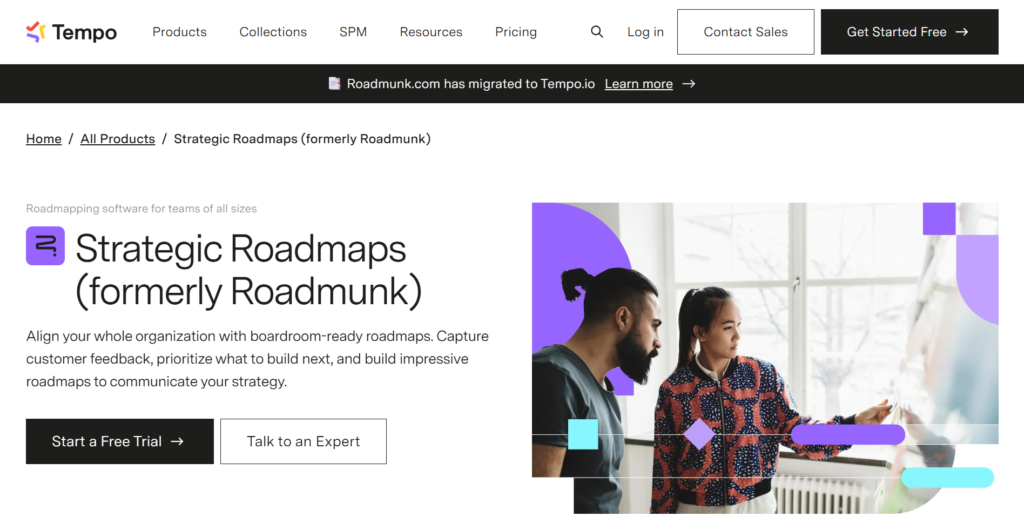
Roadmunk is a specialized roadmapping tool designed to create beautiful, boardroom-ready visuals. It allows product managers to take complex data and turn it into simple, shareable timelines or “Swimlane” views. It is focused on the strategic communication phase of product management.
Why it’s a good Aha! alternative:
Roadmunk is easier to use than Aha! for the specific task of creating and sharing roadmaps. It doesn’t force you into a complex management system; instead, it allows you to import data and visualize it quickly. It is perfect for product leaders who need to present a strategy to executives without getting bogged down in task details.
Main features
- Multiple roadmap views, including Timeline and Swimlane.
- “Master Roadmapping” to combine several products.
- Feedback inbox and prioritization scoring.
- Secure “Reviewer” mode for stakeholders.
Integrations
Integrates with Jira, Azure DevOps, and Trello.
Desktop and mobile capabilities
Web-based platform optimized for desktop browsers.
Pros and Cons
| Pros | Cons |
| Creates presentation-quality visuals | Limited for day-to-day task tracking |
| Very easy to import existing data | Integration options are narrow |
| Flexible for different stakeholders | Not an all-in-one work platform |
| Great for long-term strategic planning | Can feel expensive for a single-use tool |
Pendo
Pendo is a comprehensive product experience platform that combines product analytics, in-app guidance, and feedback management. It helps teams understand how users are actually interacting with their software. It is a powerful tool for improving user adoption and retention.
Why it’s a good Aha! alternative:
Pendo offers something Aha! cannot: actual data on how features are being used. Instead of just planning based on what people say, you can plan based on what they do. It is an excellent choice for product-led companies that want to base their roadmap on real-time usage metrics and in-app sentiment.
Main features
- In-depth product usage and behavioral analytics.
- In-app guides and walkthroughs for users.
- Feedback collection via in-app polls and surveys.
- Sentiment analysis and Net Promoter Score (NPS).
Integrations
Integrates with Salesforce, Slack, Jira, HubSpot, and Zendesk.
Desktop and mobile capabilities
Web-based admin dashboard; supports analytics and guides for web and mobile apps (iOS/Android).
Pros and Cons
| Pros | Cons |
| Unmatched product usage insights | High cost and enterprise focus |
| Combines analytics with feedback | Complex technical implementation |
| Great for improving user onboarding | Pricing scales with user volume |
| Helps drive product-led growth | Can be overwhelming for small teams |
Airtable
Airtable is a cloud-based platform that combines the simplicity of a spreadsheet with the power of a database. It allows teams to build custom “Bases” to track projects, content, or product roadmaps. It is highly flexible and includes powerful automation and interface design tools.
Why it’s a good Aha! alternative:
Airtable is a “build-your-own” version of Aha!. If you find Aha!’s structure too restrictive, Airtable allows you to define exactly what data you want to track and how you want to see it. It is much more affordable and can be used by non-product teams as well, making it a versatile tool for the whole company.
Main features
- Relational database structure for complex data.
- Multiple views: Grid, Kanban, Gantt, and Gallery.
- Interface Designer for building custom apps.
- Strong automation builder for internal workflows.
Integrations
Integrates with Google Workspace, Slack, Jira, Salesforce, and many others.
Desktop and mobile capabilities
Available on web browsers, macOS/Windows desktop, and iOS/Android mobile apps.
Pros and Cons
| Pros | Cons |
| Infinite flexibility and customization | Steep learning curve for databases |
| Beautiful and modern user interface | Advanced features are expensive |
| Great for managing large data sets | Not a dedicated product tool |
| Powerful built-in automation | Requires time to build from scratch |
Smartsheet
Smartsheet is an enterprise-grade work management platform with a spreadsheet-like interface. It is designed for businesses that need robust reporting, automation, and resource management. It is often favored by traditional industries and project management offices (PMO).
Why it’s a good Aha! alternative:
Smartsheet is a more familiar alternative for teams coming from Excel who need enterprise-level power without the complexity of Aha!. It is stronger at resource allocation and budget tracking than most roadmapping tools. It provides a highly structured environment that is easy for executives to understand.
Main features
- Powerful spreadsheet interface with grid and Gantt views.
- Automated workflows and approval processes.
- Resource management and portfolio tracking.
- Dynamic dashboards and executive reporting.
Integrations
Integrates with Microsoft 365, Google Workspace, Slack, Jira, and Salesforce.
Desktop and mobile capabilities
Web-based with comprehensive mobile apps for iOS and Android.
Pros and Cons
| Pros | Cons |
| Very powerful for resource planning | Spreadsheet interface can feel dated |
| Familiar with Excel/Google Sheets users | Not as “agile” as modern alternatives |
| Excellent for large-scale deployments | Mobile experience is slightly limited |
| Robust security and admin controls | Can be expensive for large teams |
ProdPad
ProdPad is a product management tool that focuses on “lean” strategy rather than data-driven roadmaps. It encourages teams to focus on problems and outcomes rather than features and deadlines. It includes tools for idea management, feedback, and strategy.
Why it’s a good Aha! alternative:
ProdPad is the best choice for teams that want to move away from “Waterfall” planning and toward a more outcome-focused approach. It is simpler than Aha! and explicitly designed to prevent teams from building “feature factories.” It helps product managers stay focused on the high-level vision.
Main features
- Problem-based roadmaps (Now/Next/Later).
- Idea management with impact vs. effort scoring.
- AI-powered feedback analysis and suggestions.
- Portfolio management for multiple product lines.
Integrations
Integrates with Jira, Trello, Slack, Azure DevOps, and GitHub.
Desktop and mobile capabilities
Web-based platform optimized for desktop use.
Pros and Cons
| Pros | Cons |
| Encourages a modern, lean strategy | No timeline-based Gantt charts |
| Great AI features for feedback | Pricing is modular and can add up |
| Very easy to learn and use | Not a task management tool |
| Excellent for prioritizing | Limited for engineering execution |
Canny
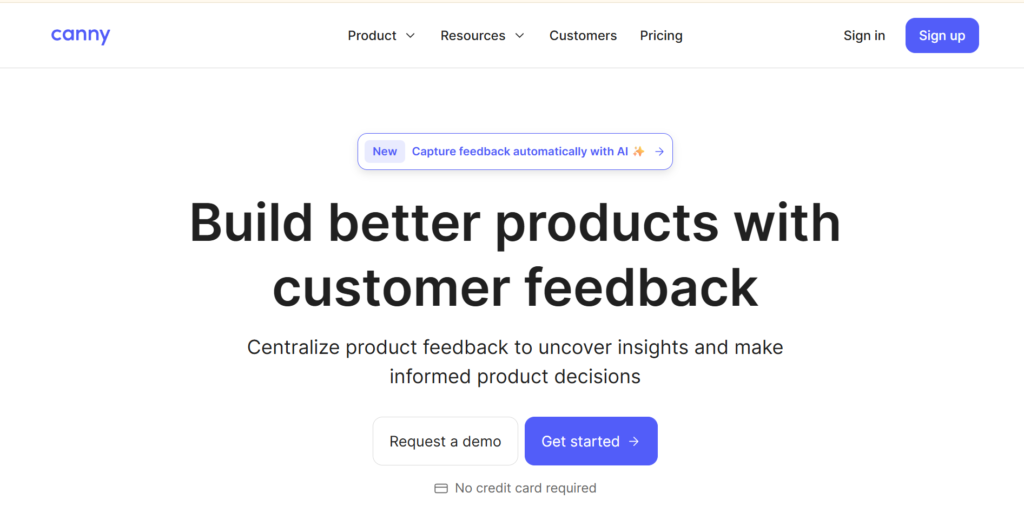
Canny is a feedback and roadmapping tool designed to help SaaS companies collect and track feature requests. It provides a public-facing board where users can post and upvote ideas. It is known for its clean design and ease of use for both teams and their customers.
Why it’s a good Aha! alternative:
Canny is a much simpler and more affordable way to handle feedback and roadmapping than Aha!. If your main goal is to let users vote on features and see what you’re working on, Canny is the most effective tool for the job. It helps close the feedback loop without the enterprise bloat.
Main features
- Public and private feedback voting boards.
- Automated changelog for product updates.
- Simple, visual roadmaps based on upvotes.
- User segmentation for targeted feedback.
Integrations
Integrates with Slack, Jira, Intercom, Zendesk, and GitHub.
Desktop and mobile capabilities
Web-based platform; mobile-responsive for end-users.
Pros and Cons
| Pros | Cons |
| The easiest way to collect user votes | Limited as a full PM platform |
| Beautiful and intuitive for customers | Can be expensive for small startups |
| Automatically notifies users of updates | No advanced resource planning |
| Great for building customer trust | Focuses mostly on the “Feedback” stage |
Nolt
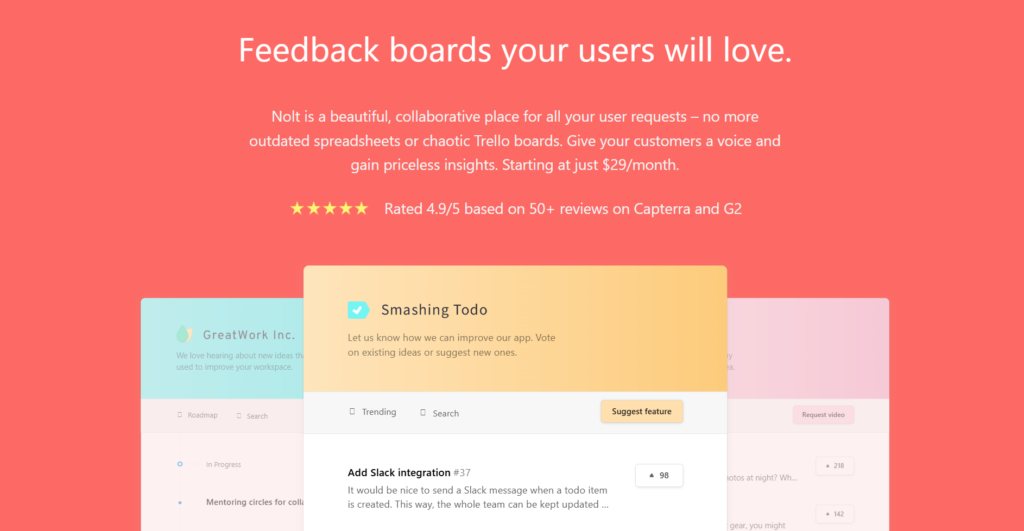
Nolt is a lightweight feedback platform that allows teams to create simple, aesthetic boards for suggestions and roadmaps. It is focused on providing a friction-free experience for users to share their thoughts. It is a favorite for small businesses and independent developers.
Why it’s a good Aha! alternative:
Nolt is the most cost-effective and fastest-to-deploy alternative on this list. While Aha! takes weeks to set up, Nolt takes minutes. It is perfect for teams that just want a clean place to organize feature requests and share a basic roadmap with their community.
Main features
- Ultra-simple feedback boards with voting.
- Public roadmap view for transparency.
- Single Sign-On (SSO) for private boards.
- Multilingual support for global users.
Integrations
Integrates with Slack, Discord, Jira, and Trello.
Desktop and mobile capabilities
Web-based platform with a highly responsive mobile experience.
Pros and Cons
| Pros | Cons |
| Extremely fast and easy to set up | Lacks any advanced PM features |
| Very affordable flat-rate pricing | No detailed reporting or analytics |
| Clean, distraction-free design | Not suitable for internal task work |
| Great for small and mid-sized teams | Limited to simple feedback/roadmaps |
Rapid
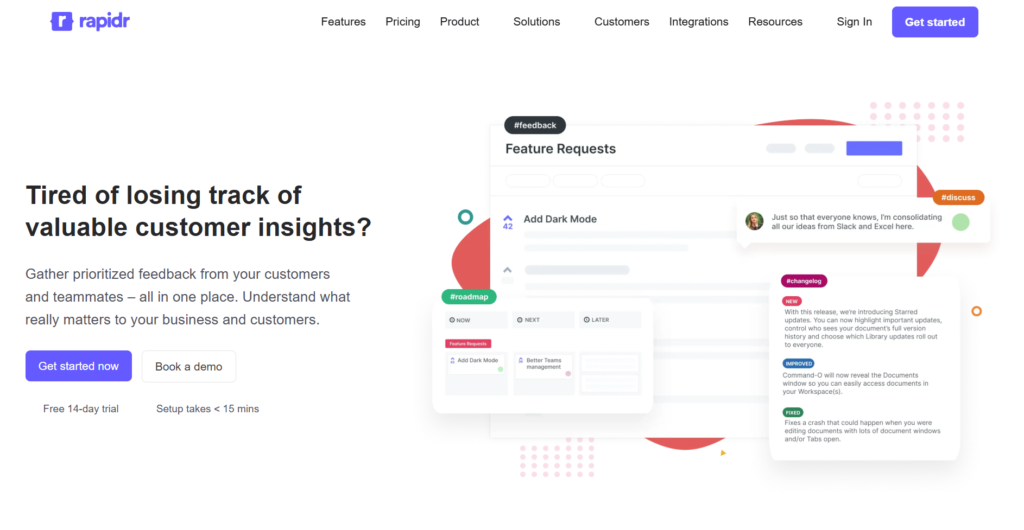
Rapidr is a customer feedback management platform that helps teams capture, analyze, and prioritize product feedback. It provides a centralized place for all feature requests and connects them to a public roadmap and changelog. It aims to make feedback management accessible for teams of all sizes.
Why it’s a good Aha! alternative:
Rapidr offers many of the core feedback and roadmapping features of Aha! at a significantly lower price point. It includes concierge migration services to help you move from other tools without losing data. It is a great middle-ground for teams that need more than a simple board but less than a full enterprise suite.
Main features
- Centralized feedback portal with voting.
- Internal and public product roadmaps.
- Dedicated changelog for publishing updates.
- Custom statuses and tagging for organization.
Integrations
Integrates with Slack, Jira, Trello, and Intercom.
Desktop and mobile capabilities
Web-based platform designed for desktop and mobile browsers.
Pros and Cons
| Pros | Cons |
| Affordable alternative for feedback | Newer tool with fewer integrations |
| Includes free migration assistance | Limited for strategic goal planning |
| Combines feedback, roadmap, and changelog | Not designed for engineering tasks |
| Intuitive and user-friendly interface | Basic reporting compared to rivals |
How to select Aha! alternative for your business: main criteria
Finding the right software requires a balance between what your product managers need and what your budget allows. You should consider how the tool fits into your daily routine and whether it will actually be used by the team.
Functionality
Your chosen tool must support the core stages of your product lifecycle, from initial idea management to final release. Look for features like roadmap templates, prioritization frameworks, and the ability to link customer feedback directly to specific features. If you are an engineering-heavy team, ensure it has strong agile management capabilities and can handle a large feature backlog efficiently.
Usability
A tool is only valuable if people actually use it, so an intuitive interface is essential. High-end enterprise tools often have a steep learning curve that can lead to poor adoption and “shadow” task management in other apps. Test how many clicks it takes to perform basic actions and whether new users can navigate the platform without hours of training.
Customer support
When things go wrong or you need help with a complex setup, you need a responsive support team. Check if the brand offers 24/7 live support, extensive documentation, or dedicated success managers for their enterprise plan. Reliable support is especially important during the migration phase when you are moving data from your old system.
Value for money
Cost efficiency is a major driver for switching away from legacy platforms. Compare the cost-per-user across different tiers and look for a free forever plan or a flexible professional plan that lets you scale as you grow. Some platforms include advanced features in their mid-tier plans, while others lock them behind expensive enterprise security upgrades.
Customer reviews
What other users report can tell you a lot about the real-world performance of the software. Look for reviews from product teams in similar industries or companies of a similar size to see how the tool handles their specific workflows. Pay attention to comments regarding system stability, the frequency of updates, and how well the product management solution integrates with other tools.
Save up to 50% by switching from Aha! to GoodDay
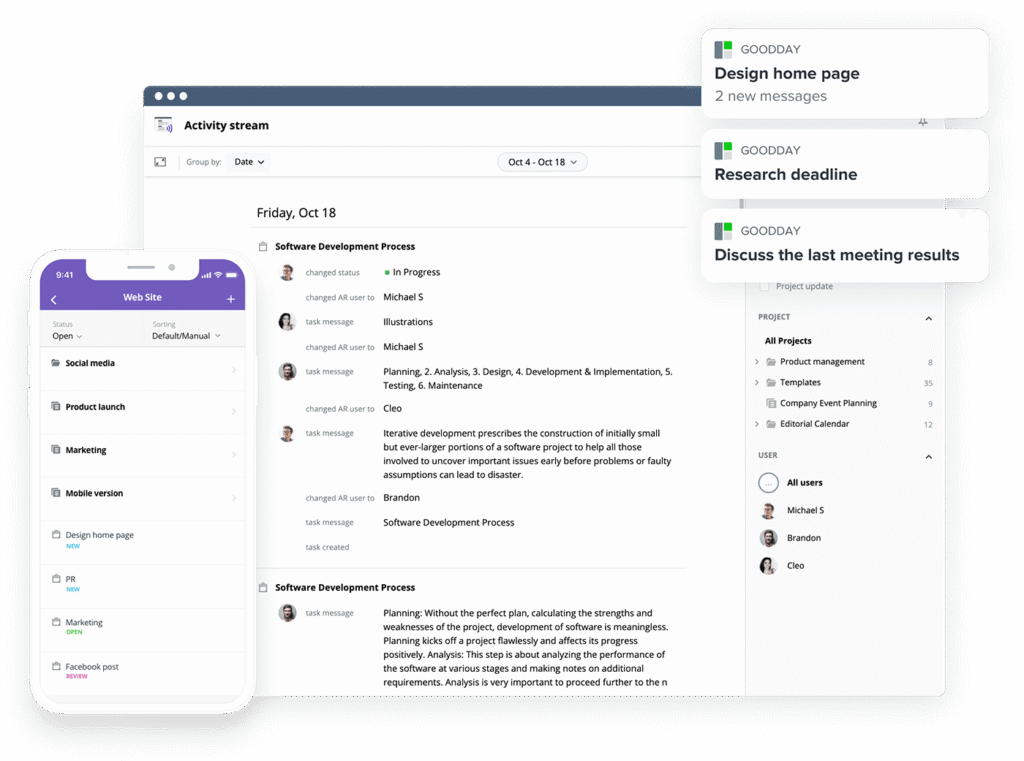
If you’re looking for the best balance of customization and price, GoodDay stands out in 2026. It is popular globally for its powerful functionality and affordable plans.
You can dive in and try GoodDay for free to see how it fits your workflow, your team, and your vibe.
And if you have any questions about selecting the right project management software for your business, you can always reach out to our team via info@goodday.work
FAQs
What to use instead of Aha!?
GoodDay is an excellent project management solution that offers professional features like Gantt charts and resource management at a much lower cost. Many product teams also consider Jira for software development or Asana for general team collaboration tools. For those who want to focus heavily on user feedback, Productboard or UserVoice provide specialized feedback collection tools. The best choice depends on whether you need an all-in-one management platform or a dedicated roadmapping tool.
What is similar to Aha!?
GoodDay and ClickUp provide similar enterprise tools for managing the entire product lifecycle, but are often more flexible for different team sizes. Productboard and Roadmunk are also similar to Aha! in their focus on strategic planning and roadmaps, though they generally offer a more modern and intuitive interface. For larger teams, Wrike and Smartsheet offer a comparable level of depth in terms of resource allocation and reporting. These alternatives allow product managers to build roadmaps and track progress without the same level of complexity.
What is the alternative app for Aha!?
GoodDay provides the most comprehensive alternative with a native desktop and mobile experience that covers everything from strategic goals to daily tasks. Linear is a popular choice for engineering teams who want a high-speed app focused on task management and issue tracking. For a fast and lightweight alternative, Nolt or Canny are great apps that focus on simple feedback boards and basic product roadmaps. These apps help teams stay organized without the bureaucratic overhead of legacy product management software.
What is the best product management software?
GoodDay is widely regarded as the top choice because it combines cost efficiency with a massive feature set that serves both startups and large enterprises. Many users report that it offers the best value for money, especially with its generous free plan for up to 15 users. Productboard is often cited as a leader for feedback-driven strategy, while Jira remains the standard for technical product management. Ultimately, the best software is the one that aligns with your team’s goals and budget.
What are the key features of product management software?
A comprehensive platform like GoodDay includes all the essential key features, plus automated workflows and detailed reporting. Modern product management software should include dynamic product roadmaps, idea management, and robust feedback collection tools. It also needs capacity planning capabilities and resource management to ensure that teams can actually deliver on their strategic goals. Advanced permissions and enterprise security are also vital for larger teams handling sensitive customer data.
What is the most reliable agile product management software?
GoodDay is a highly reliable project management software that supports agile methodologies while being much easier to navigate and configure than legacy tools. Jira is also known for being a reliable agile tool for software development, though it can have a steep learning curve for new users. For teams that want a purely developer-focused experience, Linear offers a fast and stable environment for managing sprints and backlogs. These tools help product teams maintain a steady velocity and close the feedback loop with users.
Which product management software brands offer the most robust customization features?
GoodDay offers the most extensive features for customization, enabling teams to modify everything from task fields to entire dashboard layouts in just a few clicks. Airtable is also famous for its flexibility, allowing you to build custom databases and workflows from the ground up to match any business plan. Monday.com provides a highly visual way to customize boards and automate workflows, making it popular for creative product teams. These platforms are better than Aha! for companies that have unique or evolving processes.
What product management software solutions have the best integration capabilities?
GoodDay and ClickUp are known for their extensive integrations, connecting natively to popular apps like Slack, Jira, and Google Workspace. They also connect to over 1,300 other tools through Zapier, ensuring your product data is always synced across your entire stack. For enterprise teams, Smartsheet and Asana offer deep integrations with tools like Salesforce and Microsoft Teams. Having a product management solution that talks to your other software is critical for maintaining a single source of truth.
Which product management platform integrates best with Jira and Slack?
GoodDay and Productboard both offer high-quality integrations with Jira and Slack, allowing you to centralize feedback and push development tasks directly to engineering. This helps teams stay on the same page and reduces the time spent switching between different management software. Product managers can receive real-time updates in Slack whenever a feature status changes in Jira. Using a management platform that bridges these tools ensures that the whole team stays aligned with the roadmap.
What product management software integrates best with GitHub?
GoodDay integrates effectively with GitHub and GitLab, making it a strong choice for teams that want to manage strategy and code in one place. Linear and Jira also have deep native connections with GitHub, allowing code commits and pull requests to automatically update the status of related tasks. These integrations help software development teams stay organized and ensure that product managers can see real-time progress. Choosing a tool with GitHub support is essential for any modern technology product team.
What’s the most user-friendly product management software?
GoodDay and Asana receive high marks for their intuitive interface, which allows new users to start managing projects without extensive training. Trello and Nolt are also frequently cited as user-friendly options due to their minimalist design and focus on core features. Unlike Aha!, which can feel overwhelming, these tools use simple drag-and-drop actions and clear navigation to improve adoption. A user-friendly tool saves time and reduces the friction of daily work for the same team.
What are the best product management platforms for product teams to handle a huge feature backlog and customer feedback collection?
GoodDay is an excellent, comprehensive platform for this, offering a flexible idea management system that can scale to thousands of entries effortlessly. UserVoice and Productboard are also specifically designed to help product teams handle large volumes of feature requests and feedback collection from customer-facing teams. These tools allow you to centralize feedback from multiple sources and use data to decide which new ideas to pursue. Managing a huge backlog becomes much easier when you can filter by impact, effort, and customer value.
What is the best product management software for startups?
GoodDay and ClickUp are ideal for startups because they are cost-effective, offer a free plan, and provide affordable professional tiers as the company grows. Startups need to move fast, so choosing a tool with a low learning curve, like Nolt or Trello, can also be a major advantage. These platforms provide all the basic features needed for roadmap planning and task management without a long-term contract. Using a flexible management platform allows small teams to focus on building their product rather than managing software.
What is the top product management platform designed for large companies?
GoodDay and Asana are increasingly used by large companies because they offer enterprise security and unlimited boards with a much better user experience. Aha! and Wrike are traditionally the top choices for large enterprises that need advanced permissions and complex strategic planning. These enterprise tools help large organizations align multiple product lines with high-level strategic goals. They provide the visibility and control needed to manage hundreds of employees across different departments.
Which product management software brands offer the best value for money?
GoodDay consistently offers the best value for money, providing a professional plan for just $4 per month that includes advanced features found in much more expensive tools. Trello and ClickUp also offer strong value, particularly for teams that can make use of their extensive free tiers. By switching from a high-priced tool like Aha! or Pendo, many businesses find they can achieve better results for a fraction of the cost. Prioritizing cost efficiency allows you to invest more of your budget into actual product development.




